
Our readers keep the lights on and the weekend projects moving. As an Amazon Associate, I earn from qualifying purchases.
Moving beyond a standard 24‑ or 27‑inch panel changes how you work, play, and multitask. A larger display gives you the real estate to keep multiple documents, code windows, or creative tools open side by side without constantly alt‑tabbing. The challenge is finding the right size, resolution, and panel tech that fits both your desk and your daily demands.
I’m Rikta — the founder and writer behind FitlyFast. I’ve spent years analyzing monitor specifications across every price tier to understand which panel types, refresh rates, and ergonomic features actually translate into a better daily experience.
Whether you need an ultrawide for productivity or a high‑resolution screen for creative work, finding the right big monitor means balancing size, clarity, and connectivity without overspending on features you won’t use.
How To Choose The Best Big Monitor
Picking a larger monitor involves more than just looking at the diagonal measurement. The resolution, panel technology, curvature, and connectivity options all determine whether the screen feels like an upgrade or just a bigger version of your old setup.
Resolution & Pixel Density
A 34‑inch ultrawide at 3440×1440 has roughly the same pixel density as a 27‑inch 1440p monitor — text remains sharp without scaling issues. Jump to a 49‑inch super‑ultrawide at 5120×1440, and you get the equivalent of two 27‑inch 1440p panels side by side with no bezel. For 32‑inch 4K screens (3840×2160), pixel density climbs to about 140 PPI, delivering crisp text and fine detail ideal for photo or video work.
Panel Technology: IPS vs. VA vs. OLED
IPS panels offer wide viewing angles and accurate color, making them a strong pick for productivity and creative work. VA panels deliver deeper blacks and higher native contrast (3000:1 or more), which helps in dimly lit rooms and for media consumption. OLED panels take contrast to another level with per‑pixel lighting, true blacks, and vibrant colors, but they cost more and require care to avoid burn‑in over long static use.
Curvature & Aspect Ratio
A 1500R or 1800R curve wraps the screen around your field of vision, reducing eye movement when scanning wide ultrawide displays. Flat 16:9 screens above 32 inches can feel less immersive, though they work well for dual‑monitor setups. The 21:9 aspect ratio is the sweet spot for multitasking — you can fit two full‑width browser windows or a timeline and preview side by side. The 32:9 ratio found on 49‑inch models effectively replaces two separate monitors.
Connectivity & Ergonomics
USB‑C with power delivery (65W or higher) lets you connect a laptop and charge it with one cable, keeping your desk tidy. A built‑in KVM switch lets you control two computers with a single keyboard and mouse — valuable if you switch between a work laptop and a personal desktop. Height‑adjustable stands, swivel, and tilt are not luxuries on a big monitor; proper alignment reduces neck and eye strain during long sessions.
Quick Comparison
On smaller screens, swipe sideways to see the full table.
| Model | Category | Best For | Key Spec | Amazon |
|---|---|---|---|---|
| Dell 27 Plus 4K (S2725QS) | 4K IPS | Sharp text & casual gaming | 27″ 4K (3840×2160), 120Hz, 350 cd/m² | Amazon |
| Samsung 34″ ViewFinity S50GC | Ultra‑WQHD | Multitasking on a budget | 34″ UW (3440×1440), 100Hz, 3000:1 contrast | Amazon |
| MSI Modern MD342CQPW | Curved VA | Work with casual gaming | 34″ UW curved, 120Hz, 98W USB‑C PD | Amazon |
| LG 34SR63QA‑W Smart | Smart VA | All‑in‑one work & streaming | 34″ UW curved, webOS, 65W USB‑C PD | Amazon |
| LG 34G630A‑B UltraGear | High‑Refresh VA | Competitive gaming | 34″ UW curved, 240Hz, 1ms GtG | Amazon |
| Dell 34 Plus (S3425DW) | Curved VA | Productivity with USB‑C hub | 34″ UW curved, 120Hz, 65W USB‑C PD | Amazon |
| Amzfast 49″ DQHD | Super‑Ultrawide | Replacing dual monitors | 49″ 32:9 (5120×1440), 120Hz, 350 cd/m² | Amazon |
| Alienware 34 AW3425DW | QD‑OLED | Ultimate gaming immersion | 34″ UW QD‑OLED, 240Hz, 0.03ms | Amazon |
| MSI MPG 321URX QD‑OLED | 4K OLED | Creative work & HDR gaming | 32″ 4K QD‑OLED, 240Hz, 90W USB‑C PD | Amazon |
| Samsung Odyssey G9 (2024) | Flagship Super‑UW | High‑end gaming & production | 49″ 1000R, 240Hz, HDR1000, 1ms | Amazon |
| ASUS ROG Swift PG32UCDMR | Premium QD‑OLED | Pro gaming & content creation | 32″ 4K QD‑OLED, 240Hz, DP 2.1, 90W PD | Amazon |
In‑Depth Reviews
1. Dell 27 Plus 4K Monitor – S2725QS

The Dell S2725QS delivers a crisp 4K (3840×2160) resolution on a 27‑inch IPS panel with a 120Hz refresh rate — a rare combination in this segment. The 350 cd/m² brightness and 1500:1 contrast ratio provide solid detail for both office work and light gaming, while AMD FreeSync Premium keeps motion smooth. ComfortView Plus reduces blue light emissions to ≤35% without washing out colors, which matters for all‑day use.
The ash white finish and ultra‑thin bezels give it a clean, modern look that fits minimalist desks. Connectivity includes two HDMI 2.1 ports and a DisplayPort, plus integrated speakers that are noticeably improved over the previous generation. The stand offers height, pivot, swivel, and tilt adjustments — rare at this level.
Matte coating shows slight grain in dark room conditions, and a few users report minor IPS glow. Casual gamers will appreciate the 120Hz smoothness, but competitive players may want a faster response panel. For a well‑rounded productivity monitor with 4K clarity and fluid motion, this is the strongest mid‑range pick.
Why it’s great
- Sharp 4K at 120Hz with FreeSync Premium
- Full ergonomic stand (height, pivot, swivel)
- ComfortView Plus keeps eyes fresh
Good to know
- Matte coating can look grainy in dark rooms
- Not the fastest for competitive FPS gaming
2. Samsung 34″ ViewFinity S50GC

With a 34‑inch 21:9 VA panel at 3440×1440 and a 3000:1 native contrast ratio, the S50GC delivers deep blacks and good shadow detail for a budget‑friendly ultrawide. The 100Hz refresh rate and AMD FreeSync support make everyday motion smoother than standard 60Hz screens, though it’s not built for high‑frame‑rate gaming. HDR10 adds a bit of extra pop in supported content.
The borderless design keeps bezels minimal, and the built‑in ambient light sensor automatically adjusts brightness to reduce eye strain. Picture‑in‑Picture and Picture‑by‑Picture let you view two sources simultaneously at native resolution — useful for monitoring a second PC or console without switching inputs. Two HDMI 2.2 inputs and one DisplayPort 1.2 provide decent connectivity.
Some users note the stand sits too high for typing comfort, and the VA panel’s color accuracy is not ideal for professional photo editing. The source‑switching menu requires multiple clicks, which can be tedious if you swap between several devices. For a low‑cost entry into ultrawide multitasking, this monitor is hard to beat.
Why it’s great
- Excellent 3000:1 contrast for deep blacks
- Ambient light sensor for automatic brightness
- PIP/PBP works well for multi‑source setups
Good to know
- Stand may be too high for some desks
- Color calibration is rough out of the box
3. MSI Modern MD342CQPW

The MD342CQPW pairs a 34‑inch 1800R curved VA panel (3440×1440) with a 120Hz refresh rate and 1ms MPRT response, making it a solid hybrid for productivity and light gaming. The 2000:1 contrast ratio gives good black levels, and the 1500R curvature wraps the screen naturally around your field of view. EyesErgo technology includes anti‑flicker and low blue light modes to reduce fatigue during long sessions.
USB‑C with 98W power delivery is the standout feature here — enough to charge most laptops at full speed while transmitting video and data over a single cable. The stand offers height, tilt, and swivel adjustments, plus a built‑in cable management channel. Integrated speakers are adequate for system sounds and casual video calls.
Some users report the KVM implementation is frustrating due to power‑saving quirks that cause input switching delays. The recessed VESA mount area may not fit all aftermarket monitor arms without extra spacers. For a clean white aesthetic with strong USB‑C charging, this is a competitive mid‑range choice.
Why it’s great
- 98W USB‑C power delivery charges laptops fast
- 1800R curve improves immersion
- Height‑adjustable stand with cable management
Good to know
- KVM function can be unreliable
- VESA mount requires careful bracket selection
4. LG 34SR63QA‑W Smart Monitor
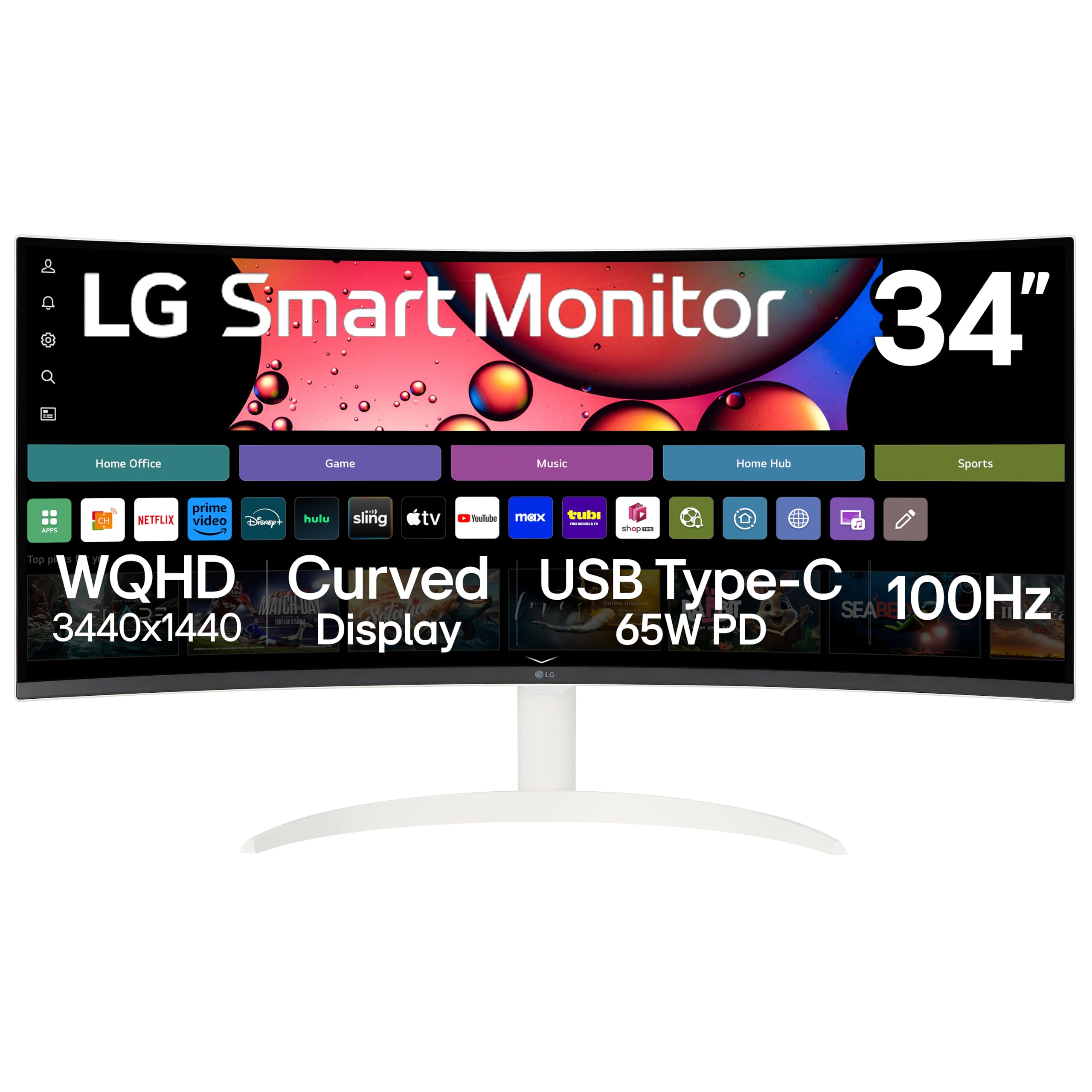
This 34‑inch 1800R curved VA monitor (3440×1440) doubles as a standalone smart TV thanks to built‑in webOS 23. You get native access to Netflix, Prime Video, Disney+, HBO Max, and over 300 free LG Channels without connecting a PC or streaming stick. The 100Hz refresh rate and 3000:1 contrast ratio provide smooth motion and rich blacks for both work and entertainment.
USB‑C with 65W power delivery handles laptop charging and video transmission over a single cable, while two HDMI ports and two USB 3.0 ports give you room for peripherals. Apple AirPlay 2 and screen mirroring work wirelessly from iOS or macOS devices, and the included remote makes input switching effortless. The three‑side frameless design and slim stand keep the desk looking clean.
Smart TV apps like Peacock display black bars on the 21:9 panel, and the built‑in speakers are decent but not cinematic. Some users note the image looks slightly grainy for dedicated movie watching compared to a traditional TV. For a single‑setup home office that doubles as a media hub, this is a versatile pick.
Why it’s great
- Built‑in webOS for standalone streaming
- 65W USB‑C keeps desk clutter low
- Remote control simplifies input switching
Good to know
- Smart TV apps may not fill the ultrawide screen
- Grainy image quality for some video content
5. LG 34G630A‑B UltraGear

The 34G630A‑B is built for speed with a 240Hz refresh rate and 1ms GtG response time on a 34‑inch 21:9 VA panel. AMD FreeSync Premium ensures tear‑free gameplay, while VESA DisplayHDR 400 and 95% DCI‑P3 coverage deliver punchy, vibrant colors in supported titles. The 1800R curve wraps the image around your peripheral vision, improving immersion in racing and flight simulators.
Connectivity includes DisplayPort, HDMI, and USB‑C with 15W power delivery — enough to charge a phone or tablet but not a laptop. The stand offers height, swivel, and tilt adjustments, and the narrow bezels keep the focus on the action. Dynamic Action Sync and Black Stabilizer give you fine‑tuned control over input lag and shadow visibility.
VA panel ghosting is well controlled at 240Hz, though some users note that the black contrast isn’t as deep as premium OLED options. The integrated speakers are basic and best replaced by dedicated desktop speakers. For competitive gamers who want ultrawide FoV without moving to a 49‑inch model, this is the top speed‑focused choice in the mid‑premium tier.
Why it’s great
- 240Hz with 1ms GtG for smooth competitive play
- FreeSync Premium eliminates screen tearing
- 95% DCI‑P3 coverage for vivid colors
Good to know
- USB‑C only delivers 15W, not enough for laptops
- Built‑in speakers are underwhelming
6. Dell 34 Plus – S3425DW

The S3425DW combines a 34‑inch 1800R curved VA panel (3440×1440) with a 120Hz refresh rate and AMD FreeSync Premium. Dell’s ComfortView Plus cuts blue light to ≤35% while keeping 99% sRGB and 95% DCI‑P3 color coverage — a strong spec for professionals who stare at spreadsheets or design tools all day. The 3000:1 contrast ratio gives VA‑typical deep blacks that make text pop.
Single‑cable connectivity is a highlight: USB‑C delivers up to 65W of power to your laptop, plus video and data, reducing desk clutter. The re‑engineered speakers offer noticeably better output than the previous generation, with more volume and a wider frequency range. The stand includes height and tilt adjustments, though it lacks swivel.
The port selection is limited to one HDMI, one USB‑C, and one USB‑A — no DisplayPort, which may frustrate users with older GPU setups. The VESA mount is recessed about a quarter‑inch, requiring careful bracket selection. For a productivity‑focused ultrawide with USB‑C convenience and excellent blue‑light filtering, this Dell is a polished package.
Why it’s great
- USB‑C with 65W PD for tidy desktop setup
- 95% DCI‑P3 and ComfortView Plus eye care
- Improved speakers over previous Dell models
Good to know
- No DisplayPort, limited to HDMI and USB‑C
- VESA mount requires careful bracket choice
7. Amzfast 49‑Inch DQHD Curved

This 49‑inch VA panel (5120×1440) with a 32:9 aspect ratio effectively replaces two 27‑inch 1440p monitors without a bezel gap. The 1500R curve wraps around your vision, making it easier to scan across the massive desktop. With 120% sRGB coverage and 350 cd/m² brightness, colors are vibrant and consistent, though HDR performance is limited by the lack of local dimming.
Adaptive Sync (compatible with both FreeSync and G‑Sync) keeps motion smooth at 120Hz, and the 1ms MPRT response time minimizes ghosting in fast‑paced games. PIP/PBP lets you connect two different sources and split the screen into two 1440p displays. The stand offers height (0‑110mm), tilt, and swivel adjustments, plus VESA 75×75 compatibility for arm mounting.
Some users report the stand attachment can feel insecure, causing the monitor to tilt backward slightly. HDR performance is adequate but not comparable to premium HDR1000 panels. For users who want the real estate of a dual‑monitor setup in a single panel at an accessible price point, this is a compelling option.
Why it’s great
- 5120×1440 replaces dual 27″ 1440p screens
- 1500R curve enhances peripheral vision
- PIP/PBP for multi‑source productivity
Good to know
- Stand can feel unstable; arm recommended
- HDR is basic, not for critical viewing
8. Alienware 34 AW3425DW

The AW3425DW uses a 34‑inch QD‑OLED panel at 3440×1440 with a 240Hz refresh rate and 0.03ms response time. The infinite contrast ratio and VESA DisplayHDR TrueBlack 400 deliver true blacks and brilliant highlights that no LCD — IPS or VA — can match. DCI‑P3 coverage sits at 99.3% with Delta E <2 accuracy, making this as viable for color‑grading as it is for gaming.
Adaptive sync support covers G‑Sync Compatible, FreeSync Premium Pro, and VESA AdaptiveSync, ensuring tear‑free motion across GPU brands. The 1800R curve is gentler than tighter gaming curves, which helps readability for productivity tasks. The stand offers height, swivel, and tilt adjustments, and the build quality feels premium with metal accents.
QD‑OLED panels can show raised black levels in bright rooms, and text clarity is slightly softer than a high‑PPI LCD due to the subpixel layout. Burn‑in risk exists with static UI elements over years of use, though Alienware includes a 3‑year burn‑in warranty. For gamers and media enthusiasts who want OLED’s contrast without leaving ultrawide, this is the benchmark.
Why it’s great
- Infinite contrast with TrueBlack 400 HDR
- 240Hz with 0.03ms response for elite smoothness
- 99.3% DCI‑P3 with factory color accuracy
Good to know
- Black levels rise in bright ambient light
- Text clarity slightly softer than LCD
9. MSI MPG 321URX QD‑OLED

The MPG 321URX brings a 31.5‑inch 4K (3840×2160) QD‑OLED panel with a 240Hz refresh rate and 0.03ms GtG response. VESA DisplayHDR True Black 400 certification ensures deep blacks and bright highlights, while the 99% DCI‑P3 gamut and Delta E ≤2 accuracy make it equally suited for creative work. The 16:9 aspect ratio provides higher pixel density (~140 PPI) than ultrawide alternatives, making text exceptionally sharp.
USB‑C with 90W power delivery handles laptop charging, video, and data over a single cable. The built‑in KVM lets you control two computers with one keyboard and mouse — useful for switching between a work laptop and a desktop. HDMI 2.1 and DisplayPort 1.4a support full bandwidth at 4K 240Hz, and OLED Care 2.0 includes pixel refresh and shift to mitigate burn‑in.
Mac users may need to disable DSC and lock to DP input to run stable dual‑monitor setups, which caps refresh rate at 120Hz. The stand is functional but large, and some users prefer to swap it for a monitor arm. For a high‑DPI 4K OLED with professional color coverage and laptop charging, this is a top contender in the premium tier.
Why it’s great
- Sharp 4K QD‑OLED with 99% DCI‑P3 coverage
- 90W USB‑C PD and built‑in KVM
- OLED Care 2.0 for burn‑in protection
Good to know
- Mac dual‑monitor requires workaround for 240Hz
- Stand is large; arm recommended
10. Samsung Odyssey G9 (2024)

The 2024 Odyssey G9 uses a 49‑inch VA panel at 5120×1440 with an aggressive 1000R curve that wraps around your entire field of view. A 240Hz refresh rate and 1ms GtG response eliminate motion blur, while VESA DisplayHDR 1000 and a 1,000,000:1 contrast ratio deliver striking HDR performance with bright highlights and deep shadows. AMD FreeSync Premium Pro keeps gameplay smooth across the massive screen.
CoreSync lighting projects on‑screen colors into your peripheral vision, adding immersion without looking gimmicky. The Hexa stand offers height, swivel, and tilt adjustments, and the monitor supports VESA mounting for arm setups. Picture‑by‑Picture mode lets you view two sources simultaneously at native resolution — ideal for running a work PC and a gaming rig side by side.
Some units have suffered from reliability issues, and Samsung’s customer support has been inconsistent in resolving hardware faults. The 1000R curve is very aggressive — it works brilliantly for solo use but can be disorienting for shared viewing. For users who want the most immersive single‑panel experience for gaming and productivity, the G9 is the definitive flagship.
Why it’s great
- 1000R curve and HDR1000 for deep immersion
- 240Hz with FreeSync Premium Pro
- PBP mode for dual‑PC setups
Good to know
- Reliability and support can be inconsistent
- 1000R curve is not ideal for shared viewing
11. ASUS ROG Swift PG32UCDMR

The PG32UCDMR is a 32‑inch 4K QD‑OLED monitor with a 240Hz refresh rate and 0.03ms response, powered by a third‑generation panel. VESA DisplayHDR 400 True Black compliance and 99% DCI‑P3 coverage deliver reference‑grade color and contrast. DisplayPort 2.1 provides full bandwidth for 4K 240Hz with 10‑bit color without compression, a feature few monitors currently offer.
ASUS OLED Care Pro includes a Neo Proximity Sensor that detects when you step away and dims the screen to reduce burn‑in risk. USB‑C with 90W power delivery charges a laptop while transmitting video, and the built‑in KVM lets you switch between devices seamlessly. The stand offers height, swivel, and tilt adjustments, while the DisplayWidget software lets you control settings with a mouse instead of fiddling with OSD buttons.
The semi‑gloss coating raises black levels slightly in bright rooms, and VRR flicker can appear on loading screens without enabling OLED Anti‑flicker mode. The 3‑year warranty includes burn‑in coverage, which adds peace of mind for long‑term use. For the gamer or creator who demands the absolute best 4K OLED image with future‑proof connectivity, this is the top premium pick.
Why it’s great
- DP 2.1 for uncompressed 4K 240Hz
- Proximity sensor reduces burn‑in risk
- 90W USB‑C and built‑in KVM
Good to know
- Semi‑gloss coating raises blacks in bright rooms
- VRR flicker needs anti‑flicker setting enabled
FAQ
Is a 34‑inch ultrawide better than two separate 27‑inch monitors?
What curvature (1500R vs 1800R) is best for a big monitor?
How much desk depth do I need for a 49‑inch curved monitor?
Final Thoughts: The Verdict
For most users, the big monitor winner is the Dell 27 Plus 4K S2725QS because it combines sharp 4K resolution, a smooth 120Hz refresh rate, and a fully adjustable stand at a balanced price. If you want the immersive real estate of an ultrawide without breaking the bank, grab the Samsung 34″ ViewFinity S50GC. And for the absolute best image quality with true blacks and vibrant colors, nothing beats the ASUS ROG Swift PG32UCDMR.