
Our readers keep the lights on and the weekend projects moving. As an Amazon Associate, I earn from qualifying purchases.
The hunt for a portable keyboard with a built-in cursor controller usually ends in one of two ways: you either settle for a cramped layout that slows you down, or you buy a full-size unit that defeats the purpose of mobile work. The right balance between key spacing, trackpad responsiveness, and multi-device switching defines whether your setup feels like a workstation or a compromise.
I’m Rikta — the founder and writer behind FitlyFast. I’ve spent years digging into the mechanical specifics of mobile productivity hardware, comparing scissor-switch travel distances, foldable hinge durability ratings, and Bluetooth latency across dozens of models to separate genuine engineering from marketing gloss.
Whether you need a compact travel companion for your iPad or a living room controller for your smart TV, the best bluetooth keyboard with trackpad delivers the blend of responsive keys and precise cursor control that keeps you productive without the clutter of a separate mouse.
How To Choose The Best Bluetooth Keyboard With Trackpad
A keyboard with a built-in trackpad must solve two contradictory problems: it needs to be small enough to travel with you, but the key spacing and touchpad size must be large enough for real work. Start by deciding whether you need a foldable design for pocket portability or a rigid layout that stays solid on your desk. Then focus on the connection method — Bluetooth 5.0 or higher ensures stable multi-device switching, while models that also offer a 2.4GHz dongle give you a backup for environments where Bluetooth is crowded or unreliable.
Key Feel and Mechanism Type
Scissor-switch mechanisms deliver the most consistent typing experience in a thin profile — the X-shaped rubber dome under each key provides tactile feedback without the sponginess of membrane boards or the travel depth of mechanical switches. Look for models that specify scissor-switch construction and a key travel of at least 1.5mm if you type for extended periods. Membrane keyboards are quieter but feel mushy after a few months of regular use, making them better suited for occasional browsing than daily writing.
Trackpad Size and Gesture Support
A trackpad that measures at least 3 inches diagonally gives your fingers enough room for cursor movement without constant edge-hitting. The real differentiator is gesture compatibility — iPadOS supports full multi-touch navigation (three-finger swipe, pinch zoom) while Windows and Android have more limited gesture sets. Check user reviews specifically for trackpad lag on your target device, especially if you plan to use an iPad Pro or a Samsung DeX station where precision matters.
Hinge Build and Stability on Non-Desk Surfaces
Foldable keyboards often flex or collapse when used on a lap or soft couch cushion. Models with reinforced metal hinges and locking latches stay rigid in any position, while cheaper plastic hinges develop wobble within weeks. If you plan to type on your lap during flights or coffee shop sessions, prioritize a model with side latches or metal support bars that lock the keyboard flat.
Quick Comparison
On smaller screens, swipe sideways to see the full table.
| Model | Category | Best For | Key Spec | Amazon |
|---|---|---|---|---|
| Logitech POP ICON Combo | Combo | Stylish multi-device desktop use | 3-year battery life (keyboard) | Amazon |
| Nillkin Foldable KB | Foldable | Travel with full-size keys | 50,000 fold cycle rating | Amazon |
| MEETION Foldable KB | Foldable | Lap typing with locking latches | 96-key layout w/ numeric pad | Amazon |
| Samsers Foldable KB | Foldable | Ultra-light travel companion | 9.2 oz weight | Amazon |
| Logitech K400 | Desktop | HTPC / couch browsing | 3.5-inch touchpad | Amazon |
| Bnnwa K905 | Compact | Multi-device TV / desktop | 500mAh rechargeable battery | Amazon |
| Omikamo Foldable KB | Foldable | Everyday portable productivity | 2.4G + Bluetooth 3-device | Amazon |
In‑Depth Reviews
1. Logitech POP ICON Combo

Logitech’s POP ICON Combo stands apart from the foldable crowd by delivering a full desktop-grade experience in a compact, color-matched keyboard and mouse set. The low-profile scissor-switch keys offer quiet, responsive travel that rivals premium laptop keyboards, while the included silent mouse uses Logitech’s Silent Touch Technology to eliminate click noise in shared workspaces. The 3-year battery life on the keyboard (2 years on the mouse) means you can install the included AA batteries and forget about charging cables for the entire lifespan of a laptop.
The plastic construction uses 37–70% certified post-consumer recycled material depending on color, and the compact footprint slides into a laptop sleeve without adding noticeable bulk.
The trade-off is the lack of a built-in trackpad on the keyboard itself — you get a mouse instead, which means you need a flat surface to operate the cursor. The membrane-based key feel, while quiet, lacks the tactile snap of true scissor-switch boards, and the combo format won’t suit travelers who want one-piece portability.
Why it’s great
- Industry-leading battery life eliminates charging anxiety
- Silent mouse and quiet keys suit shared office or home environments
- Programmable Action Keys adapt to your specific workflow
Good to know
- Not a single-unit solution — requires separate mouse for cursor control
- Membrane key mechanism feels less precise than scissor-switch alternatives
- Matching color options may not appeal to all aesthetic preferences
2. Nillkin Bluetooth Foldable Keyboard
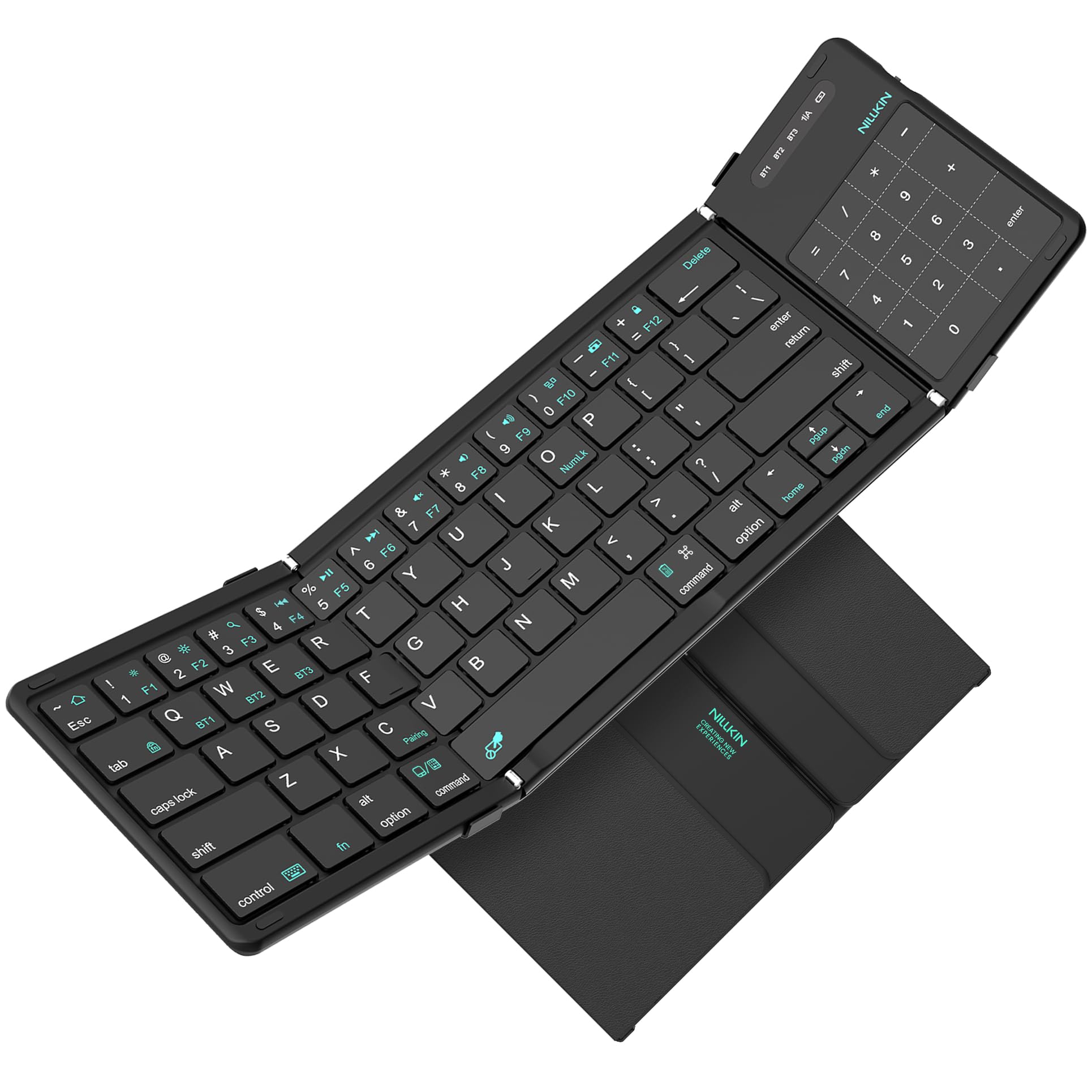
Nillkin engineered this foldable keyboard with a clear focus on long-term durability — the reinforced metal hinges are rated for 50,000 opening and closing cycles, roughly five times the typical foldable keyboard lifespan. The 64-key QWERTY layout uses 16mm keycaps with 1.5mm travel distance, which closely matches standard laptop key spacing, so touch typists won’t need to relearn punctuation placement. The 3.4-inch trackpad doubles as a number pad with a single keystroke, preserving space without sacrificing numeric entry for spreadsheets.
The silicone-leather back resists scratches and stains better than standard PU leather, and strong magnets keep the keyboard securely folded in a bag. Bluetooth 5.0 connects to three devices simultaneously with automatic OS detection, and the 140-day standby time means it’s ready even after weeks in a drawer. The included velvet storage bag and USB-C charging cable round out a travel-ready package that folds down to 7.1 by 4.2 inches at just half a pound.
A few reliability caveats appear in long-term user reports — some units develop inconsistent keystrokes on specific keys after several months of regular use, and the trackpad-numpad conversion can miss the first input. The small trackpad surface also limits gesture precision compared to a full-size desktop touchpad.
Why it’s great
- 5x hinge durability rating vs. typical foldable keyboards
- 1.5mm key travel delivers satisfying, laptop-like tactile feedback
- Trackpad and number pad share one surface without extra bulk
Good to know
- Some units experience key repeat or missed inputs after several months
- Small trackpad makes multi-touch gestures feel cramped
- Missing number pad row if you need dedicated ten-key entry
3. MEETION Foldable Keyboard
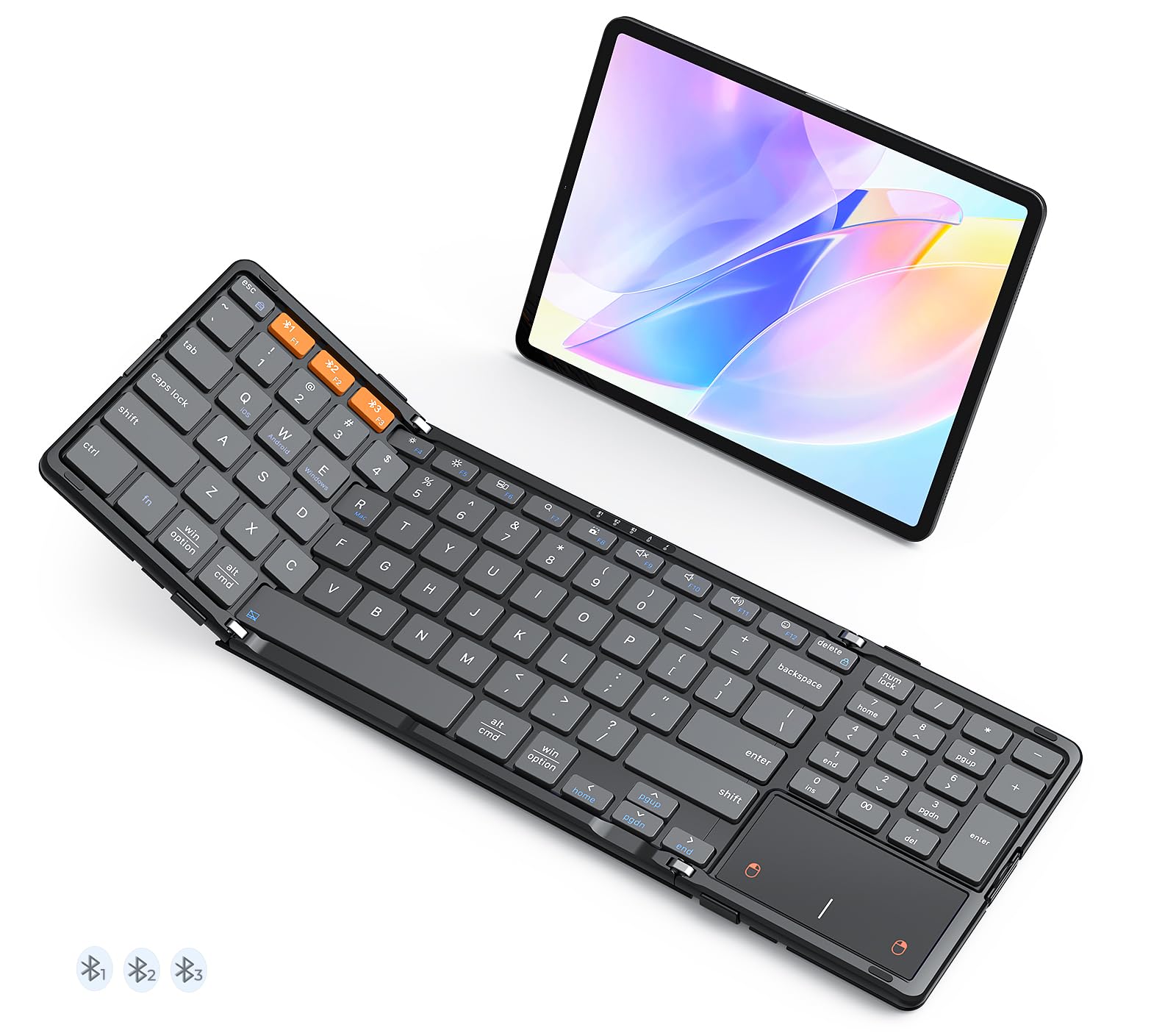
MEETION addresses the single biggest frustration with foldable keyboards — instability on uneven surfaces — with metal support bars that lock the keyboard rigidly flat. Once the side latches are fastened, the board stays flat on a lap, sofa cushion, or airplane tray table without the sagging or curling that plagues cheaper folding designs. The 96-key layout includes a dedicated numeric keypad and a full row of shortcut keys, making this one of the most complete foldable options for number-heavy tasks.
Bluetooth 5.3 provides the latest wireless standard for stable connections up to 10 meters, and the three-device pairing switch lets you toggle between a laptop, tablet, and phone without re-pairing. The X-shaped scissor-switch mechanism delivers quiet, precise typing, and the high-quality leather back provides a non-slip base on any surface. The 280mAh rechargeable battery offers 90 days of standby with automatic sleep after 20 minutes of inactivity.
The trade-off for the full layout is size — folded dimensions are larger than minimalist travel keyboards, and the integrated number pad keys are noticeably smaller, which can frustrate users with larger fingers. Some users report that the leather back attracts dust and requires occasional cleaning to maintain grip.
Why it’s great
- Locking metal latches keep the keyboard flat on soft surfaces
- 96-key layout with numeric pad eliminates need for separate ten-key
- Bluetooth 5.3 offers the most current wireless connectivity
Good to know
- Number pad keys are compact and may feel cramped for large hands
- Larger folded footprint than minimalist travel keyboards
- Leather back requires periodic cleaning to maintain non-slip quality
4. Samsers Foldable Bluetooth Keyboard

At 9.2 ounces, the Samsers foldable keyboard is one of the lightest full-QWERTY options available, making it nearly imperceptible in a briefcase or daypack. The 13.5-inch unrolled width accommodates standard finger spacing, and the seamless metal hinge mechanism folds the keyboard into a palm-sized rectangle that slides into the included velvet storage bag. The 78-key layout omits the numeric pad to keep the profile slim, but retains a full row of function keys for screen brightness, volume, and media control.
The scissor-switch keys provide quiet, responsive feedback that reviewers consistently describe as similar to typing on a modern laptop, and the multi-touch trackpad supports gestures like two-finger scroll and pinch zoom. Bluetooth 5.1 pairs with three devices simultaneously, and the 280mAh battery delivers up to 70 hours of active typing or 120 days of standby after a 2-3 hour USB-C charge. The included phone stand clips onto the keyboard for tablet-style viewing angles.
The ultra-light construction comes with durability risks — the plastic chassis feels less robust than heavier metal-reinforced competitors, and some users report the hinge protrusion near the space bar interfering with left-hand typing. The trackpad sensitivity can be jumpy on certain Android devices, and the lack of a 2.4GHz dongle means you’re entirely dependent on Bluetooth stability.
Why it’s great
- Sub-10-ounce weight is ideal for daily carry and air travel
- 70-hour active battery life covers extended work trips
- Phone stand included for hands-free tablet viewing
Good to know
- Plastic chassis feels less durable than metal-hinged alternatives
- Hinge protrusion may interfere with left-hand typing comfort
- No 2.4GHz backup for environments with Bluetooth interference
5. Logitech Wireless Touch Keyboard K400

The oversized touchpad makes cursor navigation from the couch genuinely comfortable — you can scroll, tap, and gesture without the cramped feeling that plagues trackpads on smaller keyboards. The 33-foot wireless range via the Logitech Unifying receiver means you can control a TV-connected laptop from across the room.
The low-profile keys use a membrane mechanism that runs quietly, which matters when you’re browsing or typing in a living room while others watch TV. The dedicated media keys (volume, playback, mute) and Windows Start button make it a natural fit for HTPC use, and the ability to wake the connected computer from sleep by pressing any key eliminates the need to walk over and touch the laptop. Two AA batteries power the keyboard for months of regular use with auto-sleep power saving.
The membrane keys feel wobbly and less precise than scissor-switch alternatives — this is a browsing keyboard, not a typing workstation. The small Backspace and Enter keys take adjustment, and the lack of Bluetooth means you’re locked to the included USB receiver. The plastic chassis feels noticeably cheap in hand, and the absence of a backlight makes late-night use dependent on ambient room lighting.
Why it’s great
- 3.5-inch touchpad is the largest in this category for comfortable couch navigation
- 33-foot wireless range covers most living room setups
- Wake-from-sleep functionality eliminates need to touch the connected computer
Good to know
- Membrane key mechanism feels mushy and imprecise for extended typing
- No Bluetooth — requires the Logitech Unifying USB receiver
- Plastic build feels cheap and lacks premium weight or texture
6. Bnnwa K905 Wireless Keyboard with Trackpad
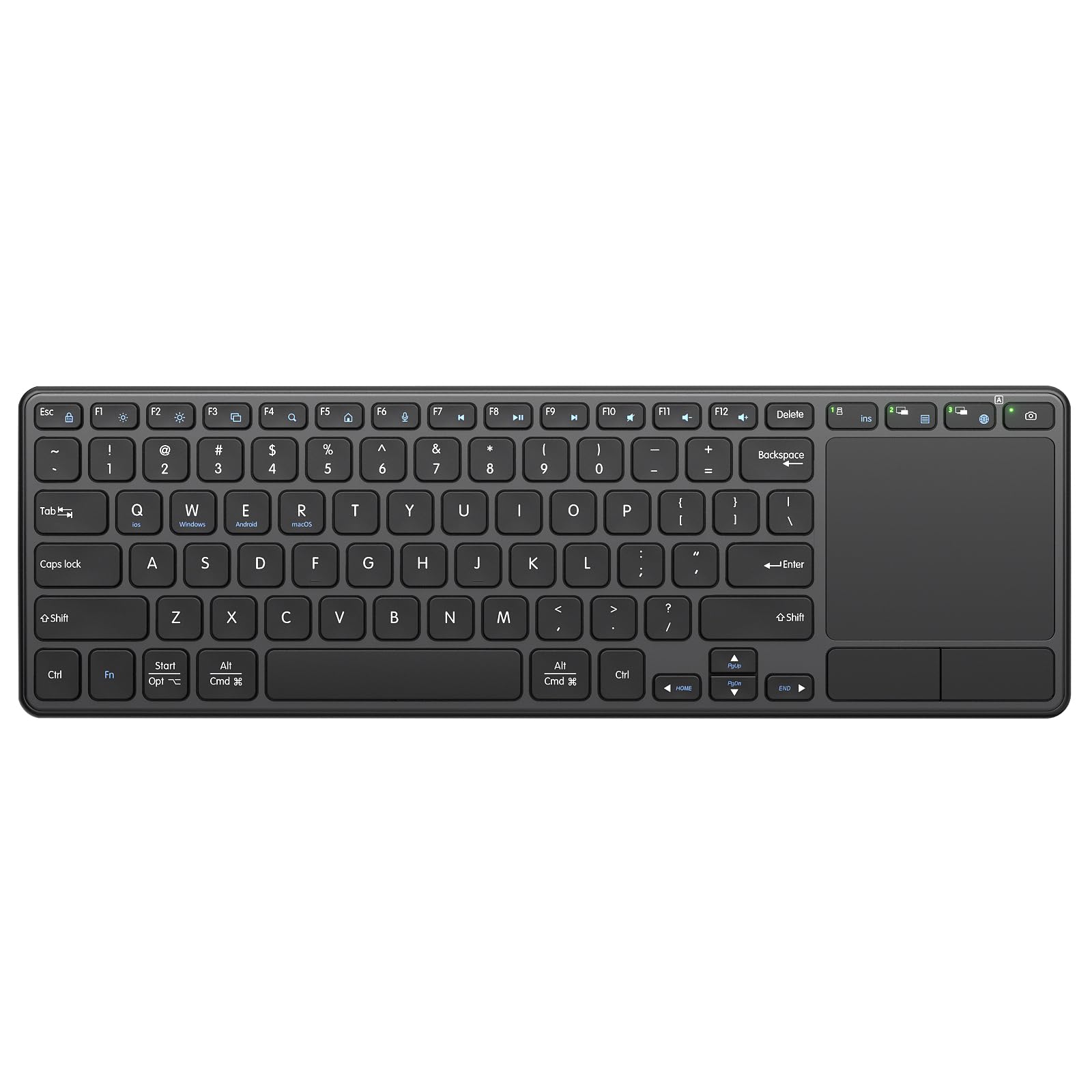
The Bnnwa K905 positions itself as a practical alternative to mainstream brands by offering both Bluetooth 5.1 and a 2.4GHz dongle in one device, giving you a fallback connection when Bluetooth channels are congested. The 500mAh rechargeable battery is unusually large for this category — most competitors use 280–320mAh cells — which translates to longer intervals between charges even with heavy daily use. The scissor-switch keys are rated for 10 million keystrokes and employ noise-reduction dampening that cuts audible click volume by roughly 90%.
The 2-in-1 design combines a compact QWERTY layout with an upgraded touchpad that supports cursor navigation, zoom, and scroll gestures. Three-device switching works across Windows, Android, macOS, and iPadOS, making it a flexible option for users who toggle between a desktop PC and a tablet. The USB dongle stores inside the keyboard chassis, and the automatic sleep mode kicks in after 10 minutes of inactivity with any-key wakeup.
The compact layout shrinks key spacing compared to full-size desktop keyboards, which may cause errors for touch typists accustomed to standard spacing. The trackpad is responsive but smaller than the Logitech K400’s surface, and some users note that the initial Bluetooth pairing process lacks clear instructions. The ABS plastic enclosure feels industrial rather than premium, and the lack of a numeric keypad limits spreadsheet efficiency.
Why it’s great
- 500mAh battery is the largest capacity in this comparison for extended use
- Dual-mode Bluetooth and 2.4GHz provides connection redundancy
- 90% noise reduction on key presses suits quiet environments
Good to know
- Compact key spacing may cause typing errors for full-size keyboard users
- Trackpad surface is smaller than desktop-friendly alternatives
- ABS plastic build lacks the tactile warmth of leather or silicone finishes
7. Omikamo Foldable Bluetooth Keyboard
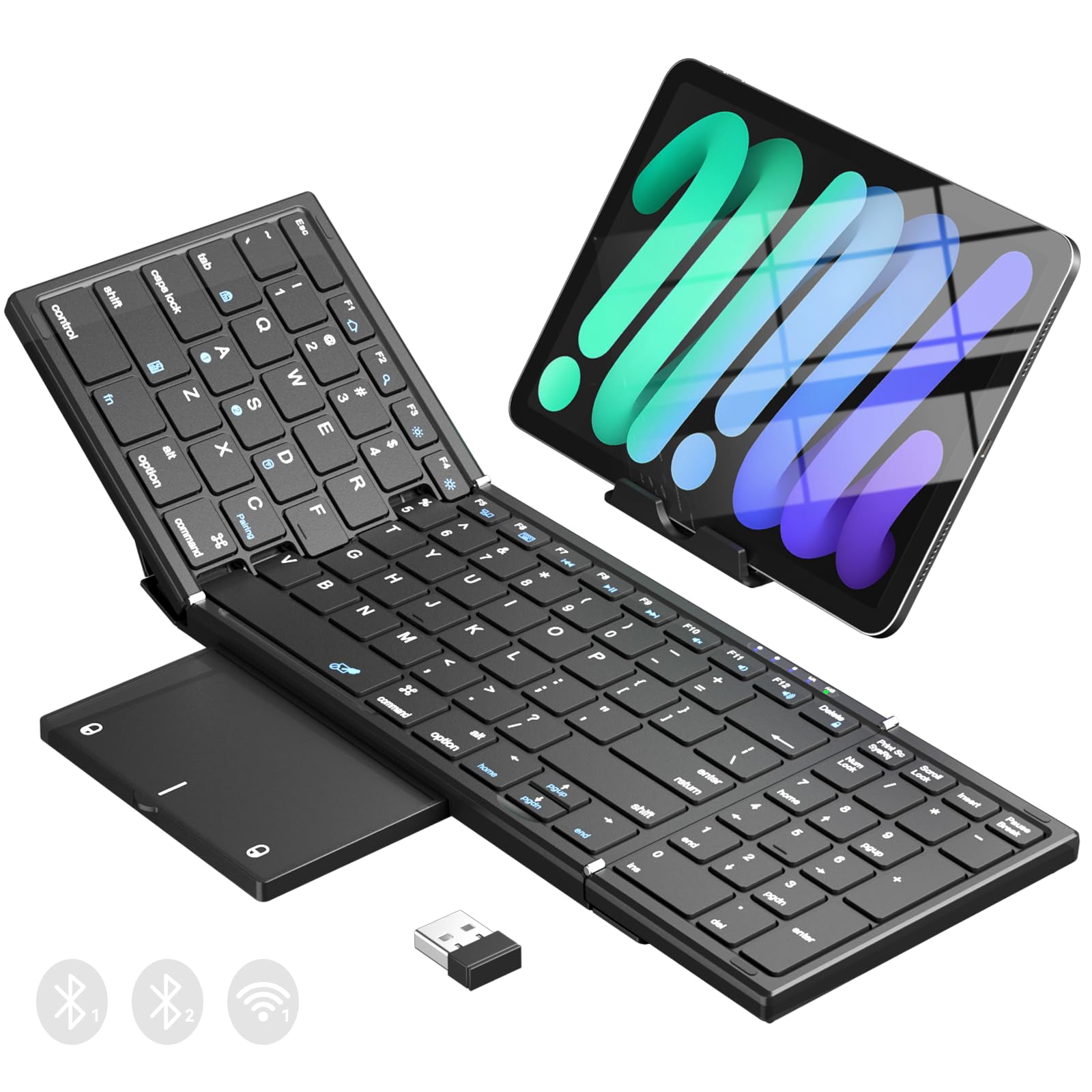
The Omikamo stands out in the foldable category by packing 99 keys into a tri-fold design that includes a dedicated numeric keypad — a rare feature for a travel keyboard. The full-size keycaps measure 15.5mm, matching standard desktop spacing, which eliminates the adaptation period required by most compact foldables. The trackpad folds flat against the keys when not in use, and the non-slip PU leather base keeps the keyboard stable on smooth surfaces like coffee shop tables or airport countertops.
Connection flexibility is a strong point here: one 2.4GHz USB channel plus two Bluetooth 5.1 channels let you pair three devices simultaneously and switch with a single key combination. The 320mAh rechargeable battery provides up to 10 minutes of auto-sleep power saving, and the included phone stand props your device at a comfortable viewing angle. Reviewers consistently praise the scissor-switch key feel, describing it as responsive and quiet with good rebound feedback for extended typing sessions.
The tri-fold design makes this keyboard thicker in the folded state than bi-fold alternatives, and at 0.65 pounds it’s heavier than the Samsers ultra-light option. Some users report that the trackpad feels laggy when connected to larger iPad Pro models, and the lack of a locking latch mechanism means the keyboard can flex slightly when used on an uneven lap. The plastic hinge components raise long-term durability questions for frequent travelers.
Why it’s great
- 99-key layout with dedicated numeric keypad is unique among foldable designs
- 2.4GHz and Bluetooth dual-mode provides reliable connection options
- Full-size 15.5mm key spacing matches standard desktop feel
Good to know
- Tri-fold design is thicker and heavier than bi-fold competitors
- Trackpad lag reported on larger iPad Pro devices
- No locking latch allows flex on soft or uneven surfaces
FAQ
Can I use a Bluetooth keyboard with trackpad on my iPad for full gesture support?
How do foldable keyboards stay flat when I type on my lap?
What is the difference between Bluetooth and 2.4GHz wireless connection for keyboards?
How often do I need to charge a rechargeable Bluetooth keyboard with trackpad?
Final Thoughts: The Verdict
For most users, the best bluetooth keyboard with trackpad winner is the Logitech POP ICON Combo because it combines desktop-grade key feel with multi-device flexibility and best-in-class battery life that eliminates charging anxiety. If you need a single-unit travel solution with a built-in trackpad and a numeric keypad, grab the MEETION Foldable for its locking latches and full 96-key layout. And for lightweight pocket portability, nothing beats the Samsers Foldable at just over half a pound.