
Our readers keep the lights on and the weekend projects moving. As an Amazon Associate, I earn from qualifying purchases.
The jump to a 4K OLED ultrawide isn’t just a resolution upgrade; it’s a perceptual shift. You stop seeing pixels and start seeing light itself — infinite contrast ratios render blacks so deep the screen appears to vanish, while the ultrawide aspect ratio pulls you into a field of view that standard flat panels simply cannot match. This is the display category where every spec matters because your eyes will notice every compromise.
I’m Rikta — the founder and writer behind FitlyFast. After analyzing hundreds of display specifications, burn-in mitigation technologies, HDR peak brightness metrics, and real-world adaptive sync performance, I’ve broken down the current 4K OLED ultrawide landscape into a clear, actionable guide for serious buyers.
Whether you need uncompromised color accuracy for creative work or buttery-smooth motion clarity for competitive gaming, this guide to the best 4k oled ultrawide monitor will help you match the right panel to your exact workflow and budget.
How To Choose The Best 4K OLED Ultrawide Monitor
Selecting an OLED ultrawide is a decision that balances resolution density, refresh rate, panel burn-in risk, and the physical curve of the display. The market splits into 16:9 “effective ultrawide” monitors with high pixel counts and true 21:9 or 32:9 super-ultrawide panels. Understanding a few core specs will prevent an expensive mismatch.
Panel Technology: WOLED vs QD-OLED
WOLED panels (used by LG and some ASUS models) use a white OLED sub-pixel with a color filter, delivering excellent black levels and typically better anti-glare coatings. QD-OLED panels (used by Samsung, MSI, and Dell) use quantum dots to achieve wider color volume, especially in bright scenes, and often produce higher peak nits in HDR. The trade-off: QD-OLED has a triangular sub-pixel layout that can cause slight text fringing at close viewing distances, while WOLED text is generally sharper.
Refresh Rate and Response Time
OLED pixels switch state nearly instantaneously — 0.03ms GtG is the standard for this generation. The bottleneck is your GPU. A 240Hz panel requires a powerful graphics card to maintain frame rates at 4K resolution. If you frequently play high-fidelity single-player titles, a 144Hz or 165Hz OLED can free up graphics processing headroom while still delivering vastly superior motion clarity to any LCD.
Burn-In Mitigation Features
Unlike LCDs, OLED panels wear unevenly if static UI elements remain on screen for hours. Look for monitors with pixel refresh routines that run during standby, logo brightness detection that dims static elements, and taskbar detection that shifts content slightly. Higher-end models now include proximity sensors (ASUS Neo Proximity Sensor) that detect user absence and blank the screen automatically.
Quick Comparison
On smaller screens, swipe sideways to see the full table.
| Model | Category | Best For | Key Spec | Amazon |
|---|---|---|---|---|
| ASUS ROG Swift PG32UCDM | QD-OLED | Best All-Round Gaming & HDR | 0.03ms / 240Hz / 1,500,000:1 | Amazon |
| ASUS ROG Swift PG27UCDM | QD-OLED | Compact 4K esports & Creative | 0.03ms / 240Hz / DP 2.1a | Amazon |
| MSI MPG 321URX QD-OLED | QD-OLED | Premium Price-to-Feature Ratio | 0.03ms / 240Hz / 90W USB-C | Amazon |
| MSI MPG 321CURX QD-OLED | QD-OLED | Curved 4K with Wide Connectivity | 0.03ms / 240Hz / 1700R Curve | Amazon |
| Samsung Odyssey G8 G81SF | QD-OLED | Glare-Free Gaming & Media | 0.03ms / 240Hz / Matte Finish | Amazon |
| ASUS ROG Strix XG32UCWMG | WOLED | Dual-Mode Glossy 4K/FHD | 0.03ms / 480Hz FHD / Glossy | Amazon |
| LG 34GX90SA-W | WOLED | Immersive 800R Curve & WebOS | 0.03ms / 240Hz / 800R Curve | Amazon |
| LG 45GX950A-B | WOLED | Ultrawide 5K2K Productivity | 0.03ms / 165Hz / 5120×2160 | Amazon |
| INNOCN 49Q1S | WOLED | Budget Super-Ultrawide Entry | 0.03ms / 240Hz / 32:9 | Amazon |
| GIGABYTE AORUS CO49DQ | QD-OLED | Super-Ultrawide Depth & Value | 0.03ms / 144Hz / 5120×1440 | Amazon |
| Samsung Odyssey Ark | Mini-LED | Cinema-Sized 55-inch Cockpit | 1ms / 165Hz / 1000R Curve | Amazon |
| Dell UltraSharp U4025QW | IPS Black | Professional Color & 5K2K Space | 5ms / 120Hz / 5120×2160 | Amazon |
| Samsung Odyssey G8 LS34BG850S | QD-OLED | Ultrawide 34-inch Smart OLED | 0.1ms / 175Hz / 3440×1440 | Amazon |
In‑Depth Reviews
1. ASUS ROG Swift PG32UCDM

The PG32UCDM represents the high-water mark for a 32-inch 4K OLED gaming monitor. Its QD-OLED panel delivers a 1,500,000:1 contrast ratio with zero backlight bloom, and the custom heatsink paired with graphene film keeps thermals under control even during extended HDR sessions at 240Hz. This is the panel where Dolby Vision and DisplayHDR 400 True Black truly show their worth — shadow detail in games like Alan Wake 2 or Cyberpunk 2077 is revelatory.
The 90W USB-C power delivery makes it a viable one-cable hub for a MacBook Pro or high-end laptop, while the matte anti-glare coating handles ambient light without washing out the deep blacks that define OLED. The included tripod socket and robust height-adjustable stand add professional flexibility. The FreeSync Premium Pro and G-Sync Compatible certification ensure tear-free gameplay across both major GPU ecosystems.
What separates it from the competition is the burn-in warranty coverage — three years with ASUS OLED Care built-in, plus the optional uniform brightness setting that maintains luminance consistency for desktop work. Text clarity on this QD-OLED generation is markedly improved over earlier Samsung panels, making it a true hybrid display for both gaming and daily productivity.
Why it’s great
- Exceptional HDR with Dolby Vision and True Black 400 certification
- Efficient heatsink and graphene film reduces burn-in risk
- Versatile 90W USB-C with KVM functionality
Good to know
- Glossy finish may show reflections in brightly lit rooms
- Requires a high-end GPU (RTX 4080 or better) to drive 240Hz at 4K
2. ASUS ROG Swift PG27UCDM

The PG27UCDM packs the same 4K QD-OLED technology into a 27-inch frame, making it one of the densest pixel-per-inch displays in this class. For users who prefer a conventional desk footprint or who play competitive shooters where every inch of peripheral vision matters less than raw clarity, this size delivers a 163 PPI image that makes text look printed. The DisplayPort 2.1a UHBR20 connection provides the full 80Gbps bandwidth, enabling 4K at 240Hz with 10-bit color without display stream compression artifacts.
ASUS has included their Neo Proximity Sensor here — a small infrared sensor that detects when the user leaves the desk and automatically blanks the screen, reducing static burn-in risk from paused games or productivity apps. The OLED Anti-Flicker 2.0 algorithm reduces temporal dithering flicker by 20% versus previous generation panels, a meaningful improvement for users sensitive to PWM or subtle brightness cycling.
The tripod socket on the stand is a thoughtful addition for streamers who want to mount a webcam directly above the panel, and the included microfiber cloth and ROG pouch show attention to unboxing detail. The lack of built-in speakers is the only notable omission, but at this performance tier most users will route audio through a dedicated setup anyway.
Why it’s great
- DP 2.1a UHBR20 for uncompressed 4K 240Hz
- Neo Proximity Sensor for automatic burn-in prevention
- Sharpest text rendering in the QD-OLED class due to high PPI
Good to know
- No integrated speakers
- Triangular QD-OLED sub-pixel layout visible at very close distance
3. MSI MPG 321URX QD-OLED

The MSI MPG 321URX delivers essentially the same QD-OLED experience as monitors costing considerably more, making it one of the strongest value propositions in the current 4K OLED landscape. The 31.5-inch UHD panel hits 99% DCI-P3 coverage with a Delta E of less than 2 out of the box, meaning creative professionals can trust the color accuracy without an external calibrator. The 240Hz refresh rate and 0.03ms response are indistinguishable from the ASUS and Samsung flagships in blind testing.
MSI’s OLED Care 2.0 suite includes pixel shift, panel refresh, and static image detection that runs automatically during standby. The inclusion of a 90W USB-C port with KVM and PiP/PbP modes turns this into a genuine productivity hub for a two-computer workflow — connect a work laptop via USB-C and a gaming desktop via DisplayPort, and toggle inputs with a single button press.
The 4-way adjustable stand (height, swivel, tilt, pivot) offers more ergonomic range than many competitors at this tier, and the HDMI 2.1 ports are fully 48Gbps capable for 4K 120Hz console gaming. The only trade-off for the aggressive pricing is the all-plastic rear housing, though the build quality is solid and the ventilation is well-engineered to support the passive OLED cooling.
Why it’s great
- Outstanding color accuracy (Delta E ≤ 2) out of box
- Full KVM with PiP/PbP for dual-computer setups
- HDMI 2.1 console support at full 48Gbps bandwidth
Good to know
- Plastic rear shell feels less premium than rivals
- Stand lacks the solid aluminum heft of ASUS models
4. MSI MPG 321CURX QD-OLED

The 321CURX takes the core QD-OLED panel from the 321URX and wraps it in a subtle 1700R curve. This gentle curvature is ideal for users who want the spatial depth of a curved display without the aggressive wrap of an 800R or 1000R panel. The third-generation QD-OLED panel offers improved longevity and slightly better peak brightness uniformity across the panel compared to earlier MSI OLED offerings.
The connectivity suite mirrors the flat model with HDMI 2.1, DP 1.4a, and a USB-C port delivering 98W of power delivery — enough to charge even a 16-inch MacBook Pro at full speed. The console mode automatically fine-tunes the HDMI 2.1 handshake for PS5 and Xbox Series X, enabling 4K 120Hz with VRR and ALLM without manual configuration.
Customer feedback consistently highlights the out-of-box image quality and the stable stand that doesn’t wobble even during intense gaming sessions. The pixel cleaning cycle triggers automatically every four hours of cumulative use and completes in under a minute during standby — a minor inconvenience that prevents the visible wear patterns OLED panels are susceptible to.
Why it’s great
- 98W USB-C power delivery for high-end laptops
- Gentle 1700R curve balances immersion with minimal distortion
- Third-gen QD-OLED panel improves longevity
Good to know
- Pixels require protection from static UI elements despite OLED Care
- Brightness limited to around 250 nits in full-screen white scenes
5. Samsung Odyssey G8 G81SF

Samsung’s G81SF features an anti-glare coating that is 54% less glossy than conventional OLED reflective treatment, making it the best choice for rooms with uncontrolled ambient light. The QD-OLED panel still delivers the same infinite contrast and vibrant color volume, but the reduced reflectance means you can keep the shades open without seeing yourself in the screen during dark HDR scenes. The DisplayHDR True Black 400 certification ensures that the deep blacks remain truly black rather than washed out.
The dynamic cooling system uses a pulsating heat pipe — a first in monitor technology — that dissipates heat five times faster than traditional graphite sheets. This directly impacts burn-in resistance, as lower sustained panel temperatures slow the organic material degradation that causes permanent image retention. The thermal modulation system algorithmically adjusts brightness in static areas to prevent overheating without user intervention.
The CoreSync and CoreLighting+ features project on-screen colors onto the desk through the rear lighting ring, creating an ambient glow that syncs with gameplay. The ergonomic stand offers full tilt, swivel, and height adjustment, though some users note the mini-joystick control is finicky for menu navigation. The warranty paperwork confusion (some units ship with 1-year documents despite the advertised 3-year term) is a frustrating inconsistency.
Why it’s great
- Best anti-glare coating in the QD-OLED market
- Pulsating heat pipe cooling reduces burn-in risk
- CoreSync ambient lighting enhances immersion
Good to know
- Warranty documentation may list 1 year instead of advertised 3
- Some units reported dead pixels within the first two months
6. ASUS ROG Strix XG32UCWMG

The XG32UCWMG takes a different approach to the 4K OLED category by using a WOLED panel with a glossy TrueBlack finish rather than the QD-OLED technology found in the PG series. The result is a veil-free surface that produces exceptionally sharp images with no haze or grain, especially noticeable in well-lit scenes. The standout feature is the Dual Mode: the panel can switch from 4K at 240Hz to Full HD at 480Hz, making it a rare hybrid for both visual single-player titles and hyper-competitive esports titles.
The Neo Proximity Sensor from ASUS returns here, automatically blanking the screen when the user steps away. This is particularly important for the glossy panel, as static reflections from paused content can be misinterpreted by the burn-in detection algorithms if not properly managed. The DisplayWidget Center software makes it easy to configure OLED Care Pro settings and switch between the dual resolution modes without diving into the OSD.
The 1.5M:1 contrast ratio and 1000-nit peak brightness in small highlights make HDR content genuinely striking, though the WOLED panel typically does not reach the same color volume as QD-OLED in bright outdoor scenes. For users in dark rooms who prioritize pure black depth and a completely clear panel surface, this glossy WOLED is a compelling alternative to the QD-OLED ecosystem.
Why it’s great
- Dual Mode: 4K 240Hz or FHD 480Hz for flexible gaming
- Glossy WOLED panel offers pure blacks with no haze
- Neo Proximity Sensor automates burn-in prevention
Good to know
- WOLED color volume falls behind QD-OLED in bright scenes
- NEO sensor takes several minutes to trigger standby mode
7. LG 34GX90SA-W 34-inch Ultragear

The LG 34GX90SA-W features an 800R curvature that wraps aggressively around the user’s peripheral vision, making it one of the most immersive ultrawide OLEDs available. The 34-inch WQHD (3440×1440) resolution hits a sweet spot for PC gaming — it’s significantly wider than 16:9 4K, but not so wide that even a flagship GPU struggles to maintain high frame rates at 240Hz. The 1.3M:1 contrast ratio and 98.5% DCI-P3 coverage deliver OLED-typical depth and saturation.
The integrated webOS24 platform is a genuine differentiator: it allows streaming Netflix, Prime Video, Apple TV, and Disney+ directly from the monitor without a connected PC or console. Cloud gaming services like NVIDIA GeForce NOW and Amazon Luna are accessible from the webOS home screen, effectively making this a smart TV and gaming monitor in one.
The anti-glare surface minimizes reflections without matting the image, and the 2-year warranty covers the OLED panel specifically. The monitor’s 21:9 aspect ratio means standard 16:9 console content will show black bars on the sides, but the HDMI 2.1 ports ensure 4K 120Hz passthrough when needed. The white finish of this model is a welcome departure from the ubiquitous black gaming aesthetic.
Why it’s great
- Aggressive 800R curve provides intense peripheral immersion
- Built-in webOS with streaming and cloud gaming support
- White color scheme fits bright or non-gaming setups
Good to know
- USB-C power delivery capped at 65W
- 21:9 format leaves bars on 16:9 console content
8. LG 45GX950A-B Ultragear
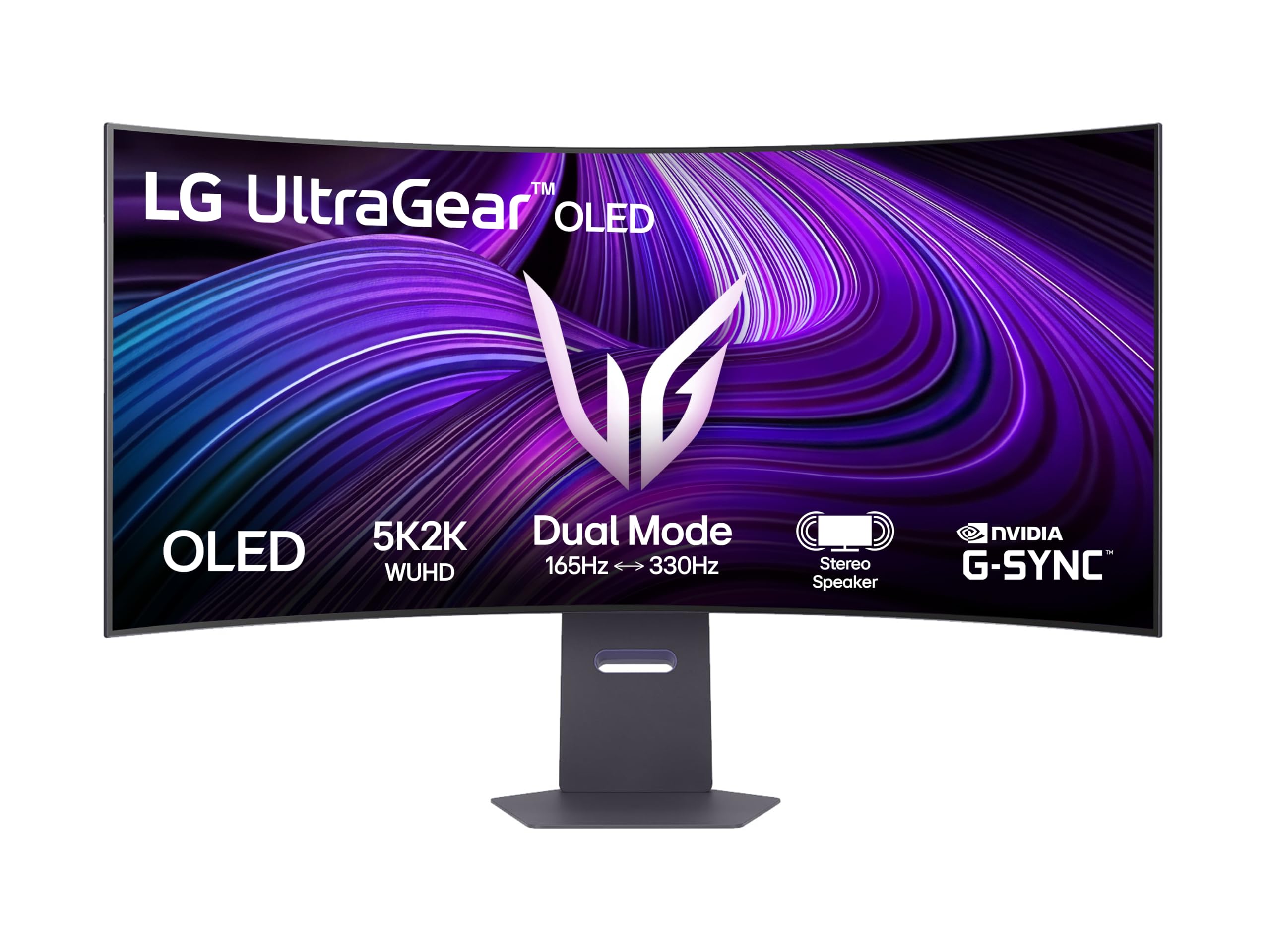
The 45GX950A-B is LG’s flagship ultrawide OLED with a 5K2K (5120×2160) resolution that provides a 21:9 aspect ratio with the same vertical pixel count as a 4K display. This means it integrates seamlessly into a multi-monitor setup alongside a standard 4K panel — the vertical alignment is identical. The 45-inch WOLED panel uses an 800R curve that deepens immersion, and the 0.03ms response time eliminates ghosting even during rapid camera pans in sim racing or flight simulator titles.
The 165Hz refresh rate is lower than the 240Hz found on smaller panels, but the bandwidth required to drive 5120×2160 pixels means that even 165Hz demands a high-end GPU. The FreeSync Premium Pro and G-Sync Compatible certifications ensure the full VRR range is usable without flicker. The infinite contrast ratio of OLED means that dark scenes in space sims or horror games have no light bleed whatsoever.
Some units required a firmware update after purchase to correct color uniformity and gamma tracking, which is a minor inconvenience for a premium product. The display’s RGB lighting is noted as being dimmer than the marketing suggests, and the 800R curve may be too aggressive for desktop productivity tasks involving straight lines and grid-based work.
Why it’s great
- 5K2K resolution matches 4K vertical pixels for easy multi-monitor alignment
- 800R curve optimizes immersion for sim and open-world games
- Infinite contrast with no backlight bleed in dark scenes
Good to know
- Firmware update needed out of box for optimal color
- RGB lighting output is weaker than marketed
9. INNOCN 49Q1S 49-inch OLED

The INNOCN 49Q1S offers a 49-inch 32:9 super-ultrawide OLED at a price point significantly below the established gaming brands, making it the entry point for users who want the widest possible aspect ratio without the premium tax. The 5120×1440 resolution (essentially two 27-inch 1440p monitors side-by-side) delivers excellent horizontal screen real estate for flight sims, racing games, and productivity workflows that benefit from multiple windows in a single panel.
The 240Hz refresh rate and 0.03ms response time match the flagship tier for motion clarity, and the 90W USB-C power delivery supports laptop charging. The built-in speakers with surround capability are a rare addition in the OLED monitor space, useful for casual use without a dedicated audio setup. The PiP/PbP split-screen technology allows two separate input sources simultaneously, such as a gaming PC on one side and a work laptop on the other.
Reliability is a significant concern here — multiple customer reports describe the panel failing after six to fourteen months, with units showing a white screen or total power loss. The warranty process has been inconsistent, with some replacements also failing. For buyers comfortable with the risk for the price savings, the picture quality is genuinely great when the unit is working, but the failure rate is higher than any other product in this guide.
Why it’s great
- Lowest entry price for a 49-inch 32:9 OLED
- 240Hz and 0.03ms response match premium tiers
- Built-in speakers and 90W USB-C
Good to know
- Frequent failure reports with inconsistent warranty support
- Some apps display tiny or misaligned text at 32:9
10. GIGABYTE AORUS CO49DQ

GIGABYTE’s AORUS CO49DQ is a 49-inch QD-OLED super-ultrawide with a 5120×1440 resolution, offering a wider color gamut than WOLED panels due to the quantum dot layer. The 144Hz refresh rate is lower than the 240Hz found on smaller competitors, but the bandwidth headroom means the panel can maintain consistent color accuracy and brightness across the entire 49-inch surface. The dynamic contrast ratio of 1,500,000:1 provides the characteristic OLED black depth.
The FreeSync Premium Pro certification ensures smooth frame delivery across a wide VRR window, and the Gigabyte Control Center software allows fine-grained OSD control from the desktop. Users have reported over 380 hours of use without any burn-in, and the occasional flicker on black backgrounds with white text is a known QD-OLED quirk rather than a defect. The measured peak brightness of 967 nits in small highlight areas rivals much more expensive panels.
The 21:9 aspect ratio at 49 inches means the display is physically very wide — a deep desk or monitor arm is essential. The height is lower than many users expect, and the stand does not offer the same range of adjustment as premium competitors. For those who prioritize color volume and super-ultrawide real estate at a moderate refresh rate, this QD-OLED represents strong value in the large-format space.
Why it’s great
- QD-OLED color volume exceeds WOLED in bright scenes
- Measured peak brightness near 1000 nits in small highlights
- Good burn-in resistance over hundreds of hours of use
Good to know
- 144Hz refresh rate lower than 240Hz competitors
- Very wide physical footprint requires deep desk or arm
11. Samsung Odyssey Ark 55-inch

The Odyssey Ark occupies a unique space — it is a 55-inch Quantum Mini-LED panel rather than OLED, included here because its 1000R curvature and 4K resolution create an ultrawide-like immersive experience that competes with OLED for sheer sensory impact. The Mini-LED backlight produces 1,000,000:1 dynamic contrast through local dimming zones rather than per-pixel illumination, meaning it cannot achieve the perfect black levels of OLED but can sustain much higher overall brightness — up to 600 nits sustained across the whole screen.
The Cockpit Mode allows the entire screen to rotate into portrait orientation, which combined with tilt and pivot creates an enclosing experience for flight sims and racing games. The Sound Dome technology with 60W 2.2.2 channel speakers and dual woofers means this monitor genuinely replaces a separate speaker system, producing 45Hz bass extension that no other display in this guide approaches. The Multi View feature supports up to four simultaneous inputs, usable in both landscape and Cockpit Mode.
The software experience is the most persistent frustration — the UI hangs, fails to recognize GPU inputs, and requires frequent troubleshooting resets. The 91-pound weight requires a two-person setup at minimum. At its discounted price of around – it is a compelling all-in-one entertainment hub, but the full retail price of is difficult to justify given the software instability and lack of multi-HDMI input support without external switching.
Why it’s great
- Formidable 60W speaker system with subwoofer for immersive audio
- Cockpit Mode rotation provides unique sim racing setup
- Mini-LED brightness far exceeds OLED for bright room HDR
Good to know
- Software instability and UI hang issues common
- Requires two people to assemble due to 91-pound weight
12. Dell UltraSharp U4025QW

The Dell U4025QW is not an OLED — it uses an IPS Black panel technology that improves contrast to 2,000:1 (double standard IPS) while maintaining the wide viewing angles and color consistency that professional users require. The 5120×2160 5K2K resolution at 40 inches is a productivity powerhouse, providing the equivalent of a pair of 27-inch 1440p monitors without a bezel gap. The 120Hz refresh rate is sufficient for smooth cursor movement and video review, even if it doesn’t satisfy competitive gaming needs.
The built-in KVM switch is the best implemented in this category — it supports seamless switching between a Thunderbolt-connected Mac and a DisplayPort-connected PC while sharing keyboard, mouse, and network. The Thunderbolt 4 hub provides 140W charging and high-speed data transfer to connected peripherals. The factory color calibration targets Delta E of less than 2, and the wide gamut coverage (DCI-P3 99%) makes it suitable for video grading and photo editing.
The 5ms response time is noticeable when scrolling fast or watching 60fps content, but for office productivity, coding, and creative work, this is the definitive choice. The 600-nit peak brightness and HDR600 certification make it usable in bright environments where OLED panels would struggle with reflections. The price reflects its professional positioning — this is a workstation tool rather than a gaming display, designed for users who spend eight hours a day reading text and editing spreadsheets.
Why it’s great
- Best KVM implementation with Thunderbolt 4 hub support
- 5K2K resolution matches dual 27-inch monitors perfectly
- IPS Black technology provides 2,000:1 contrast for an LCD
Good to know
- 5ms response time noticeable in fast-scrolling content
- Not an OLED — cannot achieve perfect black levels
13. Samsung Odyssey G8 LS34BG850S

The Samsung Odyssey G8 in the 34-inch 3440×1440 format is a QD-OLED panel that strikes a balance between ultrawide immersion and GPU demand. Its 175Hz refresh rate is lower than the 240Hz flagships, but the WQHD resolution means it can be driven effectively by mid-range GPUs like the RTX 4070 or RX 7800 XT, making it a more accessible entry into OLED ultrawide gaming. The 1800R curvature is gentle enough for productivity while providing a subtle wraparound effect in games.
The integrated Tizen smart platform brings streaming apps directly to the monitor, including a full-featured remote control for navigating Samsung TV Plus and Netflix without a PC connected. The HDR400 True Black certification and the QD-OLED panel produce the characteristic infinite contrast and vibrant color saturation. The 1.5 million-to-1 contrast ratio and DCI-P3 coverage exceed what most LCD ultrawides can deliver, making media consumption genuinely cinematic.
The rear CoreLighting ring adds ambient light that syncs with on-screen content, and the slim metallic stand provides a small desk footprint. The connectivity is limited to mini-DisplayPort and mini-HDMI ports, which is an unusual and often frustrating choice — only a DisplayPort cable is included, meaning HDMI users must purchase an adapter. The anti-glare coating is less aggressive than the G81SF model, so brighter rooms will show more reflections.
Why it’s great
- 3440×1440 QD-OLED is more GPU-friendly than 4K
- Built-in Tizen smart platform with remote control
- Gentle 1800R curve works for both gaming and productivity
Good to know
- Mini DisplayPort and mini-HDMI ports require adapters
- Anti-glare coating less effective in bright rooms
FAQ
Can I use a 4K OLED ultrawide monitor for productivity work like coding and spreadsheets?
Do I need a specific GPU to run a 4K OLED ultrawide at 240Hz?
Is there a real difference between 144Hz and 240Hz on an OLED ultrawide?
What is the minimum desk depth for a 49-inch super-ultrawide OLED monitor?
Do OLED ultrawide monitors suffer from image retention or burn-in as quickly as older OLED TVs?
Final Thoughts: The Verdict
For most users, the best 4k oled ultrawide monitor winner is the ASUS ROG Swift PG32UCDM because it combines the most robust burn-in mitigation ecosystem (custom heatsink, graphene film, 3-year warranty) with premium HDR performance (Dolby Vision, DisplayHDR 400 True Black) and versatile connectivity (90W USB-C, KVM) in a single 32-inch QD-OLED package. If you want a more compact footprint with uncompromised DP 2.1a bandwidth, grab the ASUS ROG Swift PG27UCDM. And for budget-conscious buyers seeking super-ultrawide 32:9 immersion, nothing beats the value of the GIGABYTE AORUS CO49DQ.