
Our readers keep the lights on and the weekend projects moving. As an Amazon Associate, I earn from qualifying purchases.
An audio interface is the critical hardware bridge between your microphone or instrument and your computer. The quality of its preamps, converters, and driver stability determines whether your recordings sound professional or amateur — it’s the single most important purchase for anyone serious about capturing clean audio.
I’m Rikta — the founder and writer behind FitlyFast. I’ve spent years analyzing the technical specifications of studio gear, comparing preamp EIN ratings, dynamic range figures, and driver compatibility across hundreds of models to help creators build reliable recording chains.
Whether you’re a podcaster, musician, or streamer, the right unit delivers pristine sound and low latency. This guide breaks down the top contenders to help you find the best audio interface for your specific workflow and budget.
How To Choose The Best Audio Interface
The right audio interface depends on your recording scenario. Solo vocalists need different I/O than live streamers or full-band recordists. These are the key factors to weigh before you purchase.
Preamp Quality and Gain Range
The preamp is the heart of the interface. Look for models with at least 60dB of gain and an EIN (Equivalent Input Noise) rating below -128dBV for quiet, clean recordings. Higher gain headroom lets you drive low-output dynamic mics like the Shure SM7B without needing an inline booster.
Latency and Driver Stability
Low round-trip latency (under 10ms at 64-sample buffer) is essential for real-time monitoring without echo. Class-leading drivers from RME and Focusrite minimize system instability and crackling, especially on Windows where ASIO driver quality varies widely.
Connectivity and I/O Requirements
Count your simultaneous inputs: one mic and one guitar? A 2-in/2-out unit suffices. Recording a band or expanding later? Look for ADAT expansion or 8+ channels. Don’t overlook loopback functionality for streaming or podcasting — it mixes your system audio into the broadcast signal.
Quick Comparison
On smaller screens, swipe sideways to see the full table.
| Model | Category | Best For | Key Spec | Amazon |
|---|---|---|---|---|
| RME Babyface Pro FS | Premium | Ultra-low latency and driver stability | SteadyClock FS jitter immunity | Amazon |
| Focusrite Scarlett 18i16 4th Gen | Premium | Multi-instrument tracking and ADAT expansion | 122dB dynamic range converters | Amazon |
| Solid State Logic SSL 2 MKII | Mid-Range | Classic analog console character | Legacy 4K analog enhancement | Amazon |
| Audient EVO 8 | Mid-Range | Quick level-setting with SmartGain | 4 EVO preamps with JFET DI | Amazon |
| MOTU M4 | Mid-Range | Accurate metering and loopback audio | LCD level display per channel | Amazon |
| Focusrite Scarlett Solo 3rd Gen | Entry-Level | Solo vocalists and guitarists starting out | Switchable Air mode on preamp | Amazon |
| MAONO MaonoCaster AME2 | Entry-Level | Podcasting with custom sound pads | 10 channels with 11 sound pads | Amazon |
| Behringer X AIR XR18 | Premium | Full live mixing and multitrack recording | 16 Midas programmable preamps | Amazon |
| RØDE RØDECaster Duo | Premium | All-in-one podcasting and streaming workflow | Revolution Preamps -131.5dBV EIN | Amazon |
In‑Depth Reviews
1. RME Babyface Pro FS
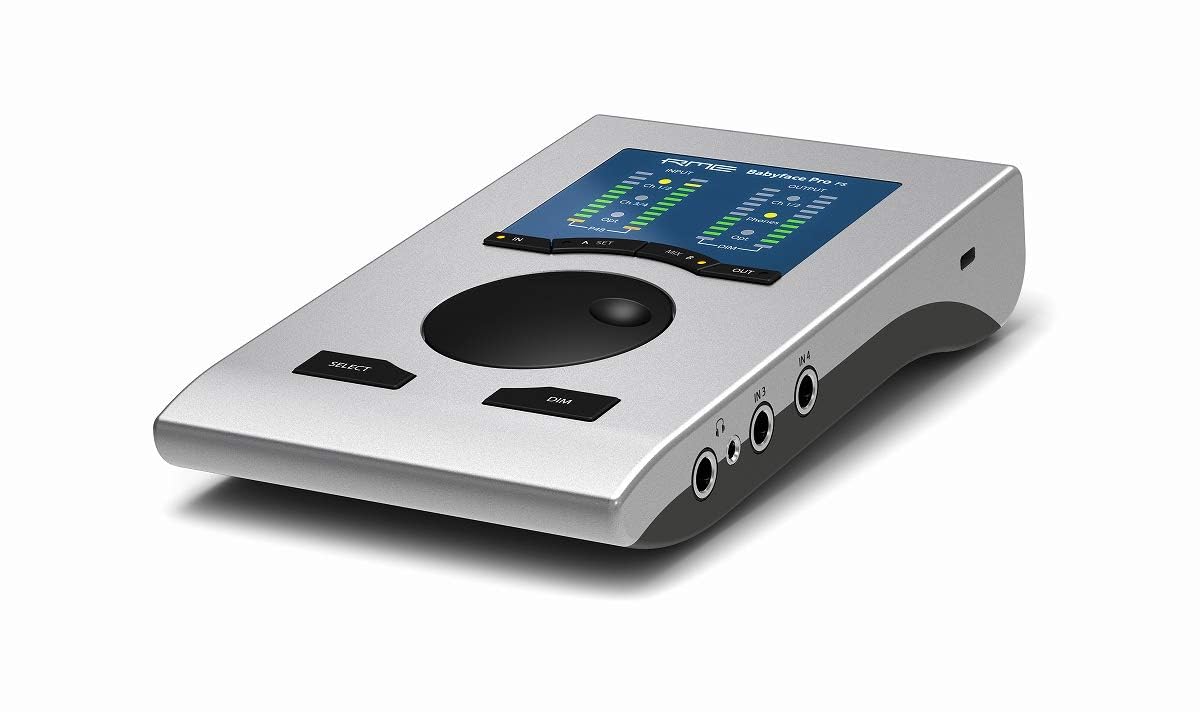
The RME Babyface Pro FS sets the industry benchmark for driver stability and ultra-low latency performance. Its SteadyClock FS circuit virtually eliminates jitter, ensuring pristine audio even in demanding multi-track sessions. The rugged aluminum chassis packs two mic preamps, two instrument inputs, and digital I/O via ADAT and SPDIF, giving you 24 total channels in a portable form factor.
RME’s TotalMix FX software provides a complete digital mixer for routing and effects without taxing your CPU. Users consistently report rock-solid performance on both Windows and macOS, with zero dropouts across years of use. The preamps deliver 76dB of gain with an EIN of -128dBV, handling ribbon and dynamic microphones flawlessly without external boosters.
On the downside, the Babyface Pro FS carries a premium price that reflects its professional-grade components and unmatched software ecosystem. It lacks Bluetooth and built-in effects like some all-in-one units, and the breakout cable design can feel less tidy than fixed-jack layouts. For professionals who prioritize reliability and low latency above all else, this is the gold standard.
Why it’s great
- Industry-leading driver stability with sub-3ms round-trip latency
- SteadyClock FS technology ensures ultra-low jitter and pristine conversion
- Compact, rugged aluminum build ideal for portable rigs
Good to know
- Premium price significantly higher than mid-range competitors
- Breakout cable for I/O can be less convenient than direct panel jacks
- No onboard effects or Bluetooth connectivity
2. Focusrite Scarlett 18i16 4th Gen
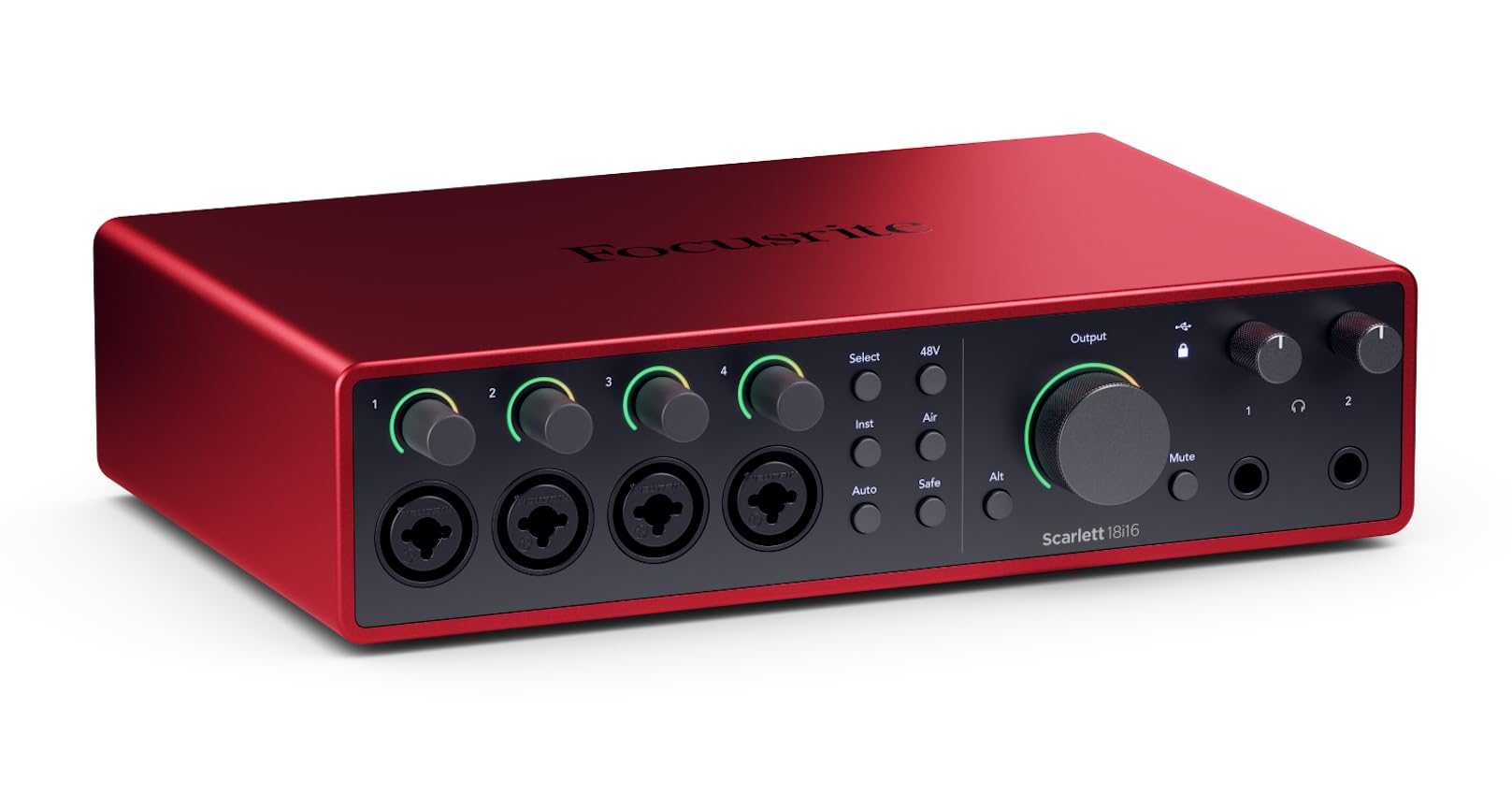
The Scarlett 18i16 4th Gen is Focusrite’s most versatile producer-oriented interface, offering 18 inputs and 16 outputs including four mic preamps, ADAT, S/PDIF, and MIDI I/O. The 4th generation preamps deliver 69dB of gain with a 122dB dynamic range, matching the conversion quality found in the company’s flagship RedNet range. Auto Gain and Clip Safe features automatically set optimal levels and prevent digital clipping in real time.
Air mode introduces two distinct flavors — Presence and Harmonic Drive — which emulate classic console character for vocals and acoustic instruments. The included software bundle (Pro Tools Intro+, Ableton Live Lite, Cubase LE, and the Hitmaker Expansion suite) provides everything needed to start recording immediately. The metal chassis and quality knobs feel solid on a desk, and the external power supply ensures stable phantom power across all channels.
Some users note that the redesigned Focusrite Control software takes adjustment if you’re migrating from older Scarlett generations. ADAT expansion requires an additional unit, and at this price point, the preamps, while clean, don’t quite match the boutique character of SSL or RME competitors. For budget-minded producers needing high channel counts, it is an exceptional value.
Why it’s great
- RedNet-derived 122dB dynamic range converters for high-fidelity recording
- Auto Gain and Clip Safe prevent clipping and speed up workflow
- Versatile I/O includes ADAT and MIDI for studio expansion
Good to know
- Mixer software has a learning curve for new users
- External power supply required — not bus-powered
- Preamps are clean but lack the analog color of SSL or RME
3. Solid State Logic SSL 2 MKII

The SSL 2 MKII brings legendary British console sound to the desktop with its Legacy 4K analog enhancement button. Engaging 4K adds high-frequency presence and subtle harmonic distortion that gives vocals and acoustic instruments a polished, radio-ready character without plugins. The 32-bit/192kHz AD/DA converters deliver exceptional headroom and clarity, though critically, they are not true 32-bit float — they use a 32-bit converter chip for dynamic range, not for floating-point capture.
The stainless steel chassis feels substantial, with smooth, weighted knobs that exceed the tactile quality of most competitors in this segment. Low-noise preamps with 62dB of gain handle both dynamic and condenser microphones cleanly, and the high-pass filter on each channel cuts rumble before it hits the converters. MIDI I/O via 5-pin DIN is a welcome inclusion for producers using hardware synths. The SSL Production Pack software bundle includes Vocalstrip 2 and Drumstrip plugins, adding immediate value.
Some users report that the 4K effect can be subtle compared to running outboard analog gear, and the 2-in/2-out I/O limits multitrack recording without ADAT expansion. A few Windows users have noted initial driver installation hiccups, though firmware updates have resolved most issues. For producers and vocalists seeking that SSL analog mojo in a compact form factor, the MKII delivers exactly that.
Why it’s great
- Legacy 4K analog enhancement adds console-style presence and warmth
- High-quality 32-bit/192kHz converters with excellent dynamic range
- Solid steel build with MIDI I/O for hardware integration
Good to know
- Not true 32-bit float — 32-bit refers to the converter, not capture mode
- Limited to 2 inputs without ADAT expansion
- Some Windows users experience initial driver setup friction
4. Audient EVO 8

The Audient EVO 8 packs four EVO mic preamps and a dedicated JFET instrument input into a compact, streamlined chassis. Its standout feature is SmartGain — a single button that automatically sets optimal levels for all active inputs in seconds, eliminating gain-staging guesswork. This is a game-changer for solo creators who record alone and need to dial in levels without running back and forth.
Audient preamps are widely respected for their transparency and low noise floor, and the EVO 8 continues that tradition with clean, uncolored capture suitable for both vocals and acoustic instruments. The JFET DI input gives electric guitar and bass a warm, tube-like saturation that sounds more musical than standard solid-state inputs. Two independent headphone outputs with separate mixes allow for producer-artist cue setups without an external distribution amp.
Downsides include a lightweight plastic chassis that can lift from desk cables needing a weight underneath, and the lack of ADAT expansion limits future channel growth. The EVO control app, while functional, feels less polished than Focusrite Control or TotalMix. A few users have reported cellphone interference due to unshielded chassis. For vloggers, singer-songwriters, and home studio operators who value speed and clean preamps, the EVO 8 is a compelling mid-range choice.
Why it’s great
- SmartGain sets perfect levels automatically across all inputs
- JFET instrument input adds warm saturation for guitar and bass
- Compact footprint with four preamps in a small desk area
Good to know
- Lightweight chassis can lift from cable weight
- No ADAT expansion for adding more channels later
- Some reports of cellphone interference near unshielded chassis
5. MOTU M4

The MOTU M4 differentiates itself with a high-resolution LCD display that provides real-time level metering for all four inputs, giving you precise visual feedback that most interfaces in this class lack. Audio quality is transparent with ultra-low noise preamps, and the ESS Sabre32 DAC technology delivers excellent dynamic range for critical monitoring. Loopback functionality is built-in, making it a strong choice for streamers and podcasters who need to mix system audio into their broadcast.
USB-C bus power keeps setup tidy, and the physical controls include independent monitor and headphone volume with a dedicated mix knob for zero-latency direct monitoring. The MOTU M4 records at up to 24-bit/192kHz, and its ASIO drivers on Windows are widely praised for stability and low latency. A rare pitch-shift quirk has been reported, but disabling Windows fast startup resolves it. The build feels solid with a metal chassis and smooth, weighted knobs.
On the downside, the headphone amp output is moderate — sufficient for low-impedance headphones but may require an external amp for high-impedance studio cans. Users seeking warmer, colored preamps may find the MOTU M4 too clinical. At its mid-range price point, the feature set is hard to beat for users who value accurate metering and loopback flexibility.
Why it’s great
- Built-in LCD meters provide precise real-time level monitoring
- ESS Sabre32 DAC delivers excellent dynamic range and clarity
- Loopback audio makes it ideal for streaming and podcasting
Good to know
- Headphone amp is moderate — may struggle with high-impedance cans
- Preamps are transparent rather than colored or warm
- Occasional pitch-shift depends on Windows fast startup setting
6. RØDE RØDECaster Duo
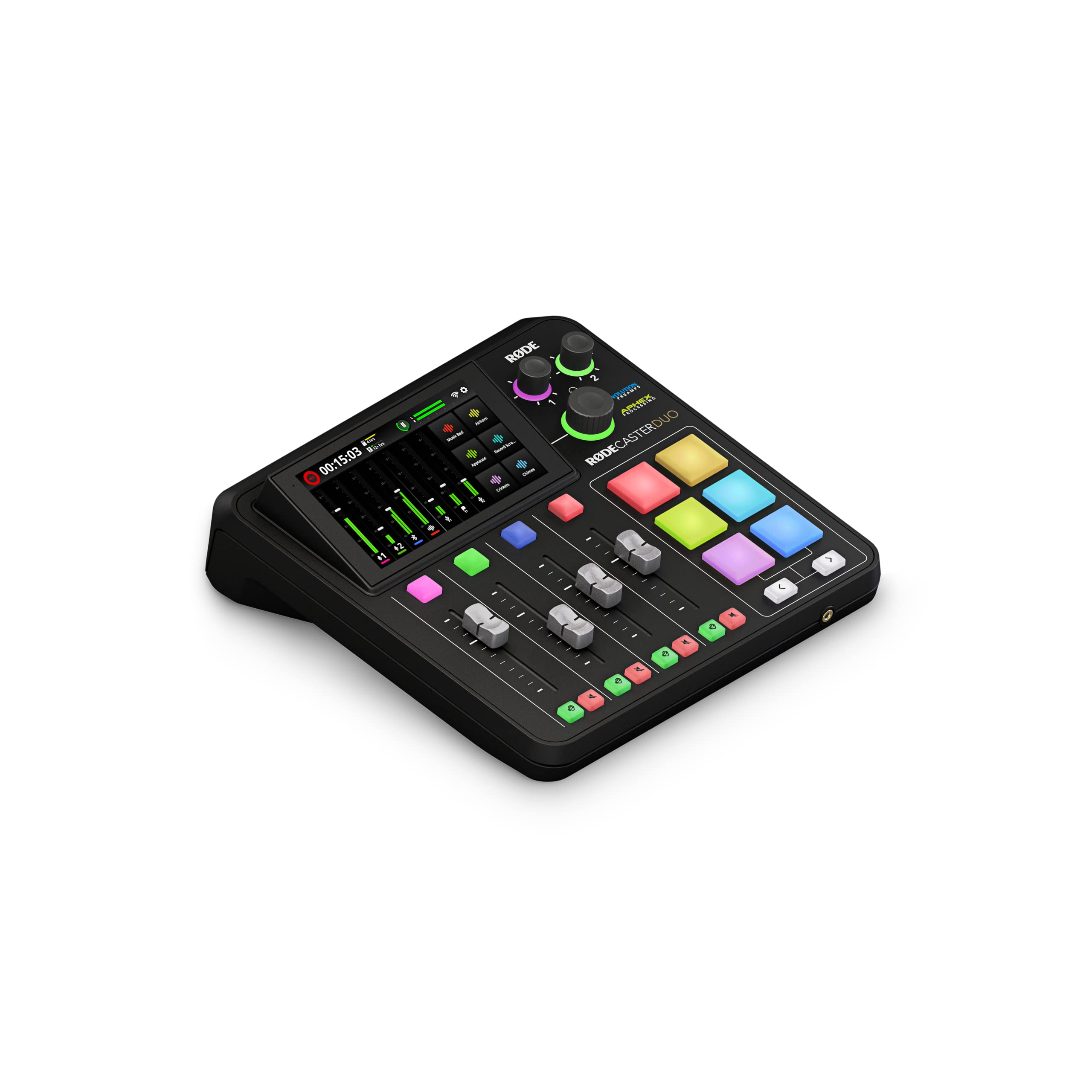
Its Revolution Preamps deliver an ultra-low noise floor of -131.5dBV EIN with 76dB of gain, easily handling low-output dynamic mics like the RØDE PodMic or Shure SM7B without additional boosters. The high-resolution touchscreen with haptic feedback controls everything from effects to mix routing, and the four broadcast-quality faders provide tactile control.
Built-in APHEX processing includes the legendary Aural Exciter and Big Bottom effects, giving your voice a polished, broadcast-ready sheen without needing post-production. Six SMART pads with bank switching allow instant playback of jingles, sound effects, or mic muting. The unit supports dual headphone outputs, Bluetooth for phone-in guests, and direct recording to a microSD card or via USB-C to your computer. For creators who want a streamlined, all-in-one solution, the RØDECaster Duo minimizes gear count and setup complexity.
However, it is not beginner-friendly for solo recording — initial setup, especially connecting iPhones, can require extra adapters and patience. The software has been reported as buggy by some users, with occasional muting failures and virtual fader issues. The premium price reflects its integrated design rather than modular flexibility. For dedicated podcasters who want a single-box broadcast solution, the Duo simplifies the entire workflow.
Why it’s great
- Revolution Preamps with -131.5dBV EIN handle any microphone
- Built-in APHEX effects add professional polish without plugins
- Self-contained recording to microSD for untethered operation
Good to know
- Setup can be difficult for beginners, especially iOS users
- Software stability issues reported with virtual faders
- Premium price may be overkill for solo single-mic recording
7. Behringer X AIR XR18

The Behringer X AIR XR18 is a groundbreaking digital mixer that also functions as an 18-in/18-out USB audio interface, making it a dual-purpose tool for both live sound and studio recording. Its 16 Midas-designed programmable mic preamps deliver audiophile-grade audio quality with high headroom and low noise. The unit is controlled entirely via iPad, Android tablet, or laptop — there are no physical faders on the device itself, relying on a built-in tri-mode Wi-Fi router for wireless operation.
Beyond its mixing capabilities, the XR18 offers extensive studio features: per-channel compression, gating, 4-band parametric EQ, and 8 internal FX slots including reverbs, delays, and modulation effects. The integrated 18-channel USB audio interface allows direct multitrack recording into any DAW. For live sound engineers, Dugan-style auto-mixing automatically manages microphone gain sharing for panel discussions and theater productions. The rugged metal chassis is rack-mountable (3U) and can be placed on stage while you mix from the house.
Wireless stability can be a concern in crowded RF environments — many pros connect a wired Ethernet cable for critical gigs. The iPad and desktop control apps are not identical, which can cause confusion when switching platforms. Lacking internal time-alignment, engineers may need workarounds for speaker processing. For musicians and engineers needing a compact digital mixer and multitrack interface in one box, the XR18 offers unmatched value.
Why it’s great
- 16 Midas preamps provide exceptional sound quality and headroom
- Functions as a fully digital mixer and 18×18 audio interface simultaneously
- Dugan-style auto-mixing simplifies multi-microphone management
Good to know
- Wireless connection can be flaky in high-interference environments
- Requires iPad or tablet for control; no physical faders
- iPad and PC control apps differ in features and workflow
8. Focusrite Scarlett Solo 3rd Gen

The Focusrite Scarlett Solo 3rd Gen remains the industry standard for beginners and home studio owners for good reason. Its single mic preamp includes the switchable Air mode, which boosts high-frequency presence to make vocals and acoustic guitars sound brighter and more open. The Gain Halo metering ring lights up green for optimal levels and turns red for clipping, making gain-staging intuitive for first-time users.
Recording quality reaches up to 24-bit/192kHz, and the bundled software suite — Pro Tools Intro+, Ableton Live Lite, Cubase LE, and the Hitmaker Expansion — gives newcomers everything they need to start producing without additional purchases. The metal chassis is compact and portable, and three years of worldwide warranty provide peace of mind. Users consistently praise its plug-and-play simplicity on both Mac and Windows.
Limitations include the lack of MIDI I/O and only one instrument input, which may frustrate musicians wanting to record both guitar and synth simultaneously. The headphone output, while clean, lacks the power to drive high-impedance studio headphones to satisfying levels. The 3rd Gen is showing its age against newer competitors offering 32-bit converters or Bluetooth. For solo vocalists and guitarists starting their journey, however, it remains a reliable and well-supported entry point.
Why it’s great
- Air mode adds instant presence to vocals and acoustic instruments
- Gain Halo metering eliminates guesswork for beginners
- Extensive software bundle and 3-year warranty included
Good to know
- Single instrument input limits simultaneous synth and guitar recording
- Lacks MIDI I/O for hardware synthesizer integration
- Headphone amp is underpowered for high-impedance headphones
9. MAONO MaonoCaster AME2

The MAONO MaonoCaster AME2 is a budget-friendly all-in-one podcast production mixer that prioritizes convenience over modularity. It features 10 channels of mixing with 11 customizable sound pads — three pads can record up to 60 seconds of audio each with one-key looping, while the remaining eight handles 20-second clips. This allows podcasters to trigger intros, transitions, and sound effects live without a separate sampler device.
The built-in preamp supports 48V phantom power for condenser microphones with gain up to 60dB, and the 32-bit chipset with a Denoise function helps clean up background noise. Bluetooth connectivity lets you bring in remote guests or play backing music from a phone. Six reverb modes, 12-step auto-tune, and three-band EQ give you basic sound sculpting without needing a DAW. The unit also includes a 6.35mm instrument input for recording guitar or bass directly.
The primary concern is longevity — multiple users report USB-C port failure after light use within the first year, and the headphone monitor does not perfectly match final live stream audio. USB microphones are not supported, and the Denoise function can sound artificial in untreated rooms. For podcasters on a tight budget who want immediate sound pad triggering and Bluetooth integration, the AME2 delivers a lot of features, but reliability remains a risk worth considering.
Why it’s great
- 11 programmable sound pads for live podcast production
- Bluetooth input for remote guests and backing tracks
- Includes reverb, auto-tune, and EQ for basic sound shaping
Good to know
- USB-C port durability issues reported after light use
- Headphone monitoring doesn’t match final stream audio
- No USB microphone support; Denoise can sound artificial
FAQ
Do I need a 32-bit float audio interface?
What is the difference between direct monitoring and software monitoring?
Can I connect an audio interface to an iPad or iPhone?
How many inputs do I actually need for my studio?
Final Thoughts: The Verdict
For most users, the best audio interface winner is the RME Babyface Pro FS because its bulletproof drivers and ultra-low latency make it a long-term investment that never needs upgrading. If you want the classic SSL analog console character at a mid-range price, grab the SSL 2 MKII. And for streamers and podcasters who need a complete broadcast console in one box, nothing beats the RØDE RØDECaster Duo.