
Our readers keep the lights on and the weekend projects moving. As an Amazon Associate, I earn from qualifying purchases.
Picking the right screen size is the easy part — 27 inches is the sweet spot for desk depth. The hard part is getting a panel that actually holds color, runs smooth enough for your workflow, and doesn’t force you into a sub-1080p concession just to stay within a reasonable spend. Too many listings hide slow response times or low color gamut behind flashy marketing numbers.
I’m Rikta — the co-founder and writer behind FitlyFast. I’ve spent the better part of two years analyzing panel specs, sRGB coverage, refresh rate hits, and connectivity trade-offs in the budget-to-mid-range monitor space to separate real value from spec-sheet traps.
After combing through nine distinct models, the affordable 27 inch monitor market reveals a clear divide between panels that deliver genuine 1440p clarity and those that simply fill desk space without performance merit.
How To Choose The Best Affordable 27 Inch Monitor
Entry-level pricing doesn’t mean you have to settle for 1080p, but you do need to know which specs get cut to hit that price point. The most common compromises involve ergonomic stands, built-in speaker quality, and color gamut coverage. Here’s what to prioritize.
Resolution First, Refresh Second
For a 27-inch screen, 1920×1080 pixels results in roughly 81 PPI — noticeable pixel structure during text work and general web browsing. A QHD (2560×1440) panel at the same size pushes pixel density to about 108 PPI, which is the threshold where individual pixels become invisible at normal viewing distance. Many budget models now include a 100Hz refresh rate, which is a genuine improvement over 60Hz for smoother scrolling and lighter gaming, but never choose a 1080p panel just to get a slightly higher refresh rate. The resolution gain from QHD is more noticeable, more permanent, and more useful across all tasks.
Panel Type and Color Gamut
IPS panels remain the better choice for wide viewing angles and consistent color across the screen. VA panels offer deeper blacks (up to 4000:1 contrast ratio on the ViewSonic example) but incur ghosting in dark transitions — that trailing artifact is especially visible during scrolling or gaming. For color work, target at least 99% sRGB or 90%+ DCI-P3 if your work involves photo or video grading. Lower gamut figures like 72% sRGB (common on basic Dell models) produce visibly washed-out reds and greens compared to a 99% sRGB panel.
Connectivity and Ergonomics
Check whether the monitor includes DisplayPort and USB-C connectivity. HDMI 2.0 is standard, but DisplayPort 1.4 unlocks higher refresh rates at QHD without compression. USB-C with power delivery is rare in budget models but extremely useful for laptop users who want a single-cable setup. Ergonomically, height-adjustable stands are almost always absent in the budget tier — you will either commit to a fixed height or budget an extra thirty dollars for a VESA arm. Built-in speakers are occasionally present but rarely exceed 3W per channel, so factor in external speakers or a headphone setup for any serious audio work.
Quick Comparison
On smaller screens, swipe sideways to see the full table.
| Model | Category | Best For | Key Spec | Amazon |
|---|---|---|---|---|
| Dell 27 Plus 4K S2725QS | Premium 4K | Productivity & Media | 3840×2160 120Hz IPS | Amazon |
| LG 27UP850K-W | Premium 4K | Color-Critical Work | 3840×2160 60Hz IPS | Amazon |
| AOC Q27G4XN | QHD Gaming | High-FPS Gaming | 2560×1440 180Hz IPS | Amazon |
| Acer Nitro KG271U | QHD Gaming | Console Gaming | 2560×1440 180Hz IPS | Amazon |
| KTC H27D9 | QHD Value | Mixed Work & Light Gaming | 2560×1440 120Hz IPS | Amazon |
| ViewSonic VS2725-2K | QHD Office | Office Multitasking | 2560×1440 100Hz VA | Amazon |
| Amazon Basics 27 | FHD Office | Simple Desk Setup | 1920×1080 100Hz IPS | Amazon |
| Dell SE2725HM | FHD Office | Business Productivity | 1920×1080 100Hz IPS | Amazon |
| LG 27US500-W | Entry 4K | Sharp Text & Design | 3840×2160 60Hz IPS | Amazon |
In‑Depth Reviews
1. Dell 27 Plus 4K Monitor S2725QS

The Dell S2725QS is rare at its tier: a true 4K IPS panel at 120Hz with AMD FreeSync Premium, priced well below the expected premium for 4K at high refresh. The 1500:1 contrast ratio gives it noticeably deeper blacks than the typical 1000:1 IPS, and the 350-nit brightness handles most ambient lighting without washout. The ash white finish with ultra-thin bezels looks clean, and the built-in ComfortView Plus cuts blue light without the yellow tint that plagues software-only filters.
Text sharpness at 4K on a 27-inch panel is immediately obvious — 163 PPI makes every font crisp, which is a noticeable upgrade over any 1080p 27-inch monitor. Gamers will appreciate the 0.03ms response time in combination with the 120Hz refresh for smooth gameplay, though competitive FPS players may want higher Hz. The integrated speakers are a step up from previous Dell generations, offering more volume range and fuller frequency response.
Ergonomics are strong here: the stand offers height, tilt, swivel, and pivot adjustments — something almost unheard of at this price point. The 99% sRGB coverage is accurate out of the box, and the VESA compatibility means easy arm mounting if the included stand isn’t your preference.
Why it’s great
- 4K resolution at 120Hz is a rare, genuinely useful combination
- Full ergonomic stand (height, tilt, swivel, pivot)
- 1500:1 contrast ratio delivers deeper blacks than most IPS panels
Good to know
- Minor vignetting reported on right edge by some users
- Not ideal for competitive FPS gaming due to ghosting at high settings
2. LG 27UP850K-W

The LG 27UP850K-W is built for the color-accurate workflow professional. With 95% DCI-P3 coverage, this monitor delivers rich reds, deep greens, and accurate skin tones that 72% sRGB panels simply cannot reproduce. The 400-nit brightness hits VESA DisplayHDR 400, providing enough luminance to make HDR content pop, though it won’t match dedicated HDR monitors in peak brightness.
Connectivity is where this model separates itself: the USB-C port delivers 90W of power delivery, meaning a single cable connects a laptop for both video and charging. Two HDMI ports, one DisplayPort, and two USB 3.0 ports round out the hub. The 60Hz refresh rate limits gaming potential, but for photo editing, design, and programming, the refresh rate is irrelevant—the color accuracy and sharp text are what matter.
The ergonomic stand supports height, tilt, and pivot adjustments, and the white finish with thin bezels fits a professional studio aesthetic. Built-in stereo speakers with Waves MaxxAudio provide enough volume for casual media consumption, though serious editors will still prefer dedicated monitors. The Black Stabilizer feature is a welcome addition for dark-scene gaming even at 60Hz.
Why it’s great
- Excellent 95% DCI-P3 coverage for color-critical work
- USB-C with 90W power delivery simplifies laptop setups
- Full ergonomic stand with height, tilt, and pivot
Good to know
- Limited to 60Hz, not suitable for high-refresh gaming
- Built-in speakers are quiet for their size
3. AOC Q27G4XN

The AOC Q27G4XN is a QHD gaming monitor that punches well above its price segment. The 180Hz refresh rate via DisplayPort and 1ms GtG response time produce fluid, artifact-free motion in fast-paced games. The 127.8% sRGB color gamut (relative to the sRGB space) pushes colors beyond standard coverage, making game environments more vivid without oversaturation.
The 400-nit brightness sets it apart from most sub- QHD panels, which typically cap at 250–300 nits. That extra brightness helps HDR10 content maintain some punch, though true HDR performance still requires higher peak luminance. Adaptive-Sync (FreeSync and G-Sync Compatible) ensures tear-free gameplay, and the three-sided frameless design works well in multi-monitor setups.
The stand offers tilt and height adjustment, which is a solid compromise at this price tier. There are no built-in speakers — budget for external audio. The 127.8% sRGB gamut is also useful for productivity, though strict color-critical work may prefer a 99% sRGB monitor with hardware calibration.
Why it’s great
- Superb 180Hz refresh rate with 1ms response time
- High 400-nit brightness for better HDR and visibility
- Wide 127.8% sRGB gamut with vivid color reproduction
Good to know
- No built-in speakers — external audio required
- VA panel ghosting in very dark transitions
4. Acer Nitro KG271U N3bmiipx

The Acer Nitro KG271U delivers QHD resolution and up to 180Hz in a zero-frame IPS panel, making it a strong dual-purpose monitor for both PlayStation 5 gaming and PC use. The DCI-P3 95% color gamut is a genuine asset for color-critical applications — it matches the gamut of the more expensive LG 27UP850K-W at a much lower cost. The 0.5ms response time eliminates visible ghosting during fast camera movements in first-person shooters.
FreeSync technology allows the monitor to sync with compatible graphics cards, eliminating screen tearing in variable frame rate ranges. The HDMI 2.0 ports support 120Hz at QHD, which is the maximum output for the PS5 and Xbox Series X. The stand is the primary weakness here — it is flimsy, non-adjustable, and introduces wobble during desk movement. Most users will want to budget for a VESA arm to replace it.
Built-in speakers exist but are too quiet and tinny for primary audio use. The 250-nit brightness matches the average for the price tier, though users in very bright rooms may find it slightly dim. Acer’s warranty response reported by users is fast, with one replacement cycle completed in under two weeks.
Why it’s great
- Impressive 95% DCI-P3 coverage at this price point
- 0.5ms response time for clear motion rendering
- FreeSync eliminates tearing in variable frame rate gameplay
Good to know
- Stand is flimsy, non-adjustable, and prone to wobble
- Built-in speakers are too weak for primary listening
5. KTC H27D9
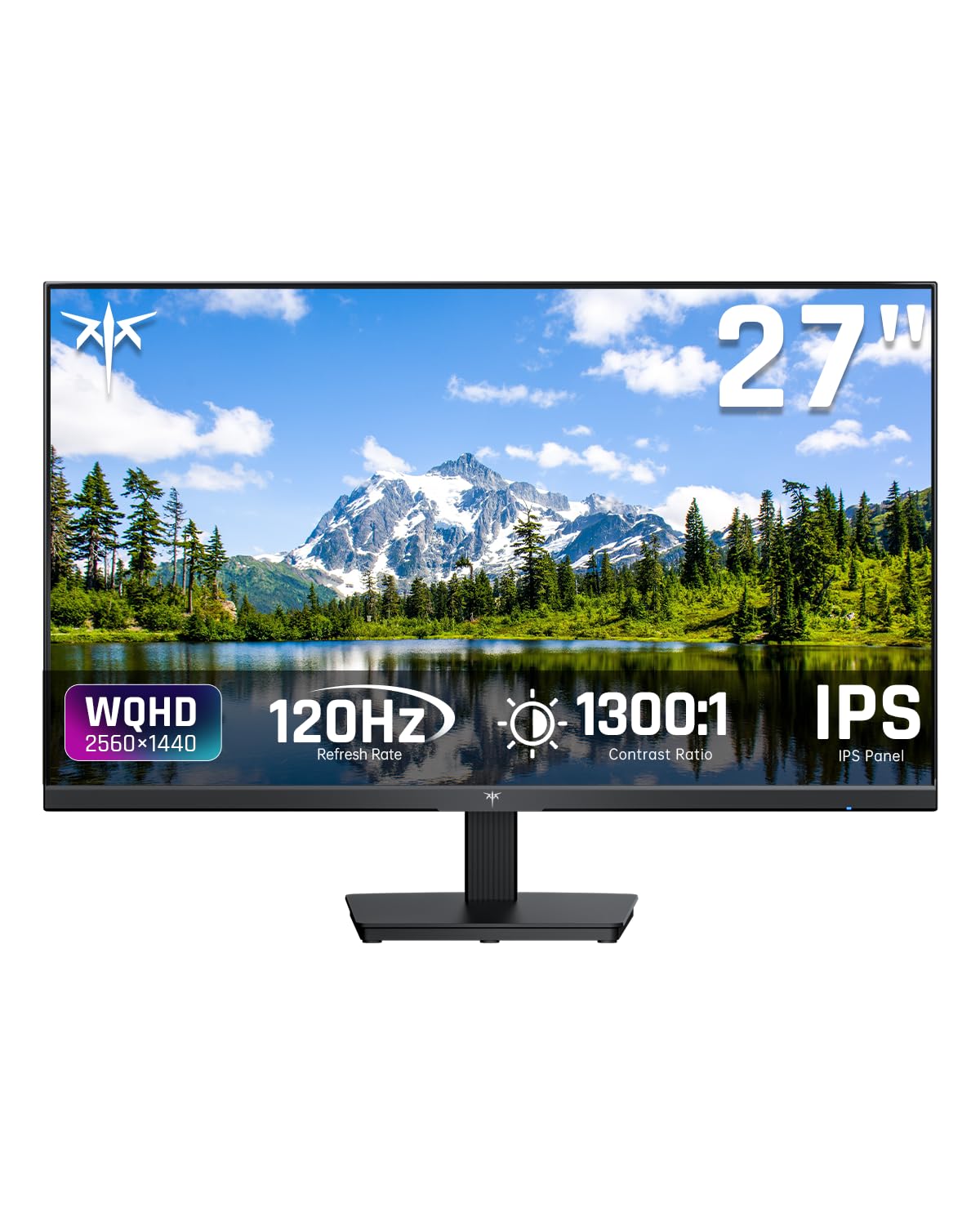
The KTC H27D9 is an aggressive value proposition: a QHD IPS monitor with a 120Hz refresh rate and 123% sRGB coverage at a price that typically buys only a basic 1080p model. The 1300:1 contrast ratio is above average for IPS, delivering decent black depth, and the 300-nit brightness handles standard office lighting well. The adaptive FreeSync and G-Sync compatibility cover both major GPU ecosystems.
Input connectivity includes two HDMI 2.0 ports and DisplayPort 1.4, the latter supporting the full 120Hz at QHD without compression. The anti-blue light and anti-flicker features are genuinely effective for long work sessions — the panel is comfortable to stare at for eight-plus hours of data entry or coding. The bezels are thicker than the marketing images suggest, but the build quality is solid for the price tier.
Some user reports indicate that the refresh rate may be capped at 100Hz in certain configurations rather than the advertised 120Hz, so verify your specific unit’s capabilities. The OSD menu is controlled by a rear joystick that takes some adjustment. The included stand is basic with tilt only, so plan for a VESA arm if height adjustment is essential.
Why it’s great
- True QHD resolution at entry-level pricing
- 123% sRGB coverage produces rich, saturated colors
- FreeSync and G-Sync compatibility for tear-free gameplay
Good to know
- Refresh rate may be limited to 100Hz on some units
- Bezels are thicker than product photos suggest
6. ViewSonic VS2725-2K
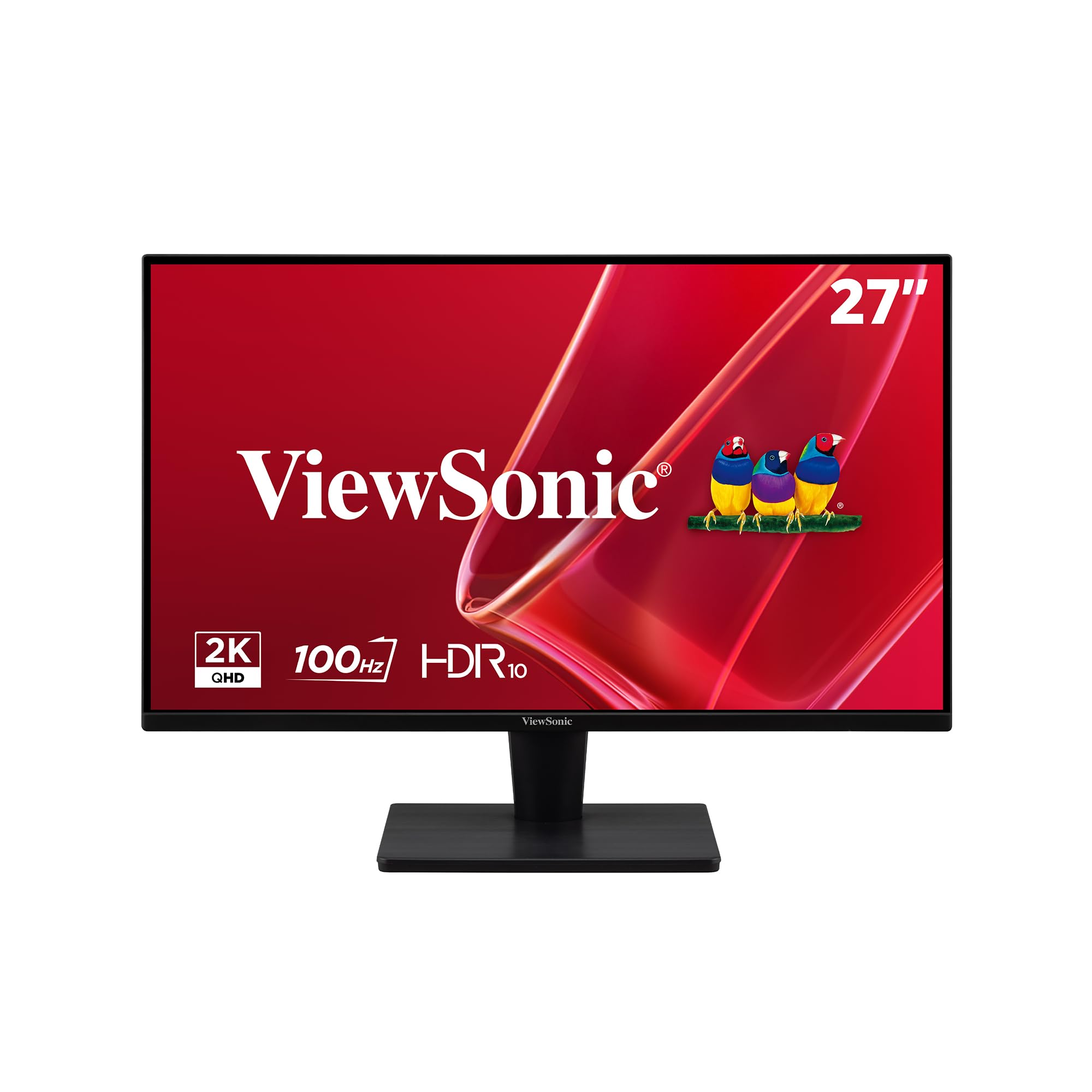
The ViewSonic VS2725-2K uses a VA panel with a 4000:1 contrast ratio, delivering genuinely deep blacks that IPS panels at the same price cannot match. This makes it a strong choice for media consumption, spreadsheet work, and any task where contrast matters more than color gamut width. The QHD resolution at 100Hz is adequate for general productivity and light gaming, and the frameless design keeps bezel distraction minimal.
The 250-nit brightness is on the lower end of acceptable — bright rooms with windows directly behind the user may cause glare issues. The VA panel is susceptible to ghosting in dark transitions, so fast-paced gaming with rapid scene changes may show trailing artifacts. The joystick control for the OSD is located on the rear and some users find it overly sensitive, which makes accidental menu changes possible.
Connectivity includes HDMI and DisplayPort, covering modern laptop and desktop setups. The stand is basic with tilt only and has some wobble reported by users. There is no height adjustment and no built-in speaker. The price point, however, undercuts almost every other QHD option, making it a compelling choice for the budget-conscious user who prioritizes contrast ratio and resolution above all else.
Why it’s great
- Excellent 4000:1 contrast ratio for deep, rich blacks
- Frameless bezel design for clean multi-monitor setups
- Lowest-cost QHD option that still delivers solid resolution
Good to know
- VA panel ghosting in dark transitions may bother gamers
- Rear joystick control is sensitive and fiddly
7. Amazon Basics 27 Inch Monitor

The Amazon Basics 27 is a no-frills option that gets the essentials right: an IPS panel at 1080p with a 100Hz refresh rate and four USB ports built directly into the monitor. The USB hub functionality means you can connect a keyboard, mouse, and webcam through the monitor, simplifying desk cable management. The 1500:1 contrast ratio is higher than typical IPS panels at this class, improving readability in documents.
The stand lacks tilt adjustment entirely, which means the monitor sits at a fixed angle. Some users report that it leans slightly forward on certain desks, requiring shims to correct. The built-in speakers are usable for system sounds and conference calls but lack the volume and clarity for music or movies. The matte screen coating effectively reduces glare, making it usable in rooms with overhead lighting.
The 1080p resolution on a 27-inch display results in lower pixel density than smaller monitors — approximately 81 PPI — which means individual pixels are visible during close text work. For users moving up from a 24-inch 1080p monitor, the size increase is welcome, but the sharpness is roughly the same. VESA compatibility allows arm mounting, which is recommended to overcome the stand limitations.
Why it’s great
- Integrated USB hub simplifies peripheral cable management
- Matte screen coating effectively reduces glare
- Built-in speakers usable for calls and system audio
Good to know
- No tilt adjustment — fixed stand angle needs shimming
- 1080p at 27 inches shows visible pixel structure
8. Dell SE2725HM

The Dell SE2725HM is a reliable 27-inch 1080p IPS monitor built for office productivity. The 100Hz refresh rate delivers smoother scrolling than the typical 60Hz office panel, and the TÜV Rheinland 3-star ComfortView Plus certification means blue light is filtered at the hardware level without the yellow tint of software-based solutions. The 250-nit brightness is standard for this segment, adequate for most indoor office environments.
Connectivity includes one HDMI port and one VGA port — the VGA port is unusual in 2024 but useful for connecting older desktop computers or legacy equipment. The display lacks a DisplayPort and USB ports, so peripheral connection requires separate ports on the computer. The built-in power supply unit reduces desk clutter by eliminating the external power brick, and the cable holder on the stand helps with basic cable routing.
The stand offers tilt adjustment, but no height or swivel adjustment. The 72% sRGB color gamut is significantly lower than the 99% sRGB offered by more expensive panels, resulting in less saturated reds and greens. For standard spreadsheet work, word processing, and email, the color accuracy is sufficient, but photo editors or designers will find the color reproduction limited. The anti-glare coating is effective in bright rooms.
Why it’s great
- TÜV Rheinland ComfortView Plus for reduced blue light without yellow tint
- 100Hz refresh rate improves scrolling over standard 60Hz office panels
- Compact footprint with built-in power supply
Good to know
- 72% sRGB gamut produces less saturated colors
- VGA port only — no DisplayPort and no USB hub
9. LG 27US500-W

The LG 27US500-W is the least expensive true 4K monitor on this list, delivering 3840×2160 resolution in a 27-inch IPS panel. At 163 PPI, text rendering is extraordinarily sharp — ideal for developers reading code, designers checking fine details, or anyone who spends the day looking at documents and websites. The DCI-P3 90% color gamut is respectable for the price and handles photo editing workloads better than standard sRGB-only panels.
The 60Hz refresh rate and 5ms response time are adequate for office work and media consumption but limit gaming viability. HDR10 support is present, though the 300-nit brightness and 1000:1 contrast ratio mean HDR content lacks the punch of higher-end panels. The white finish is polarizing — some users find it clean and modern, while others note that it clashes with black bezels and dark PC cases.
The stand offers tilt adjustment only, and the monitor is reported to be slightly wobbly on its base. VESA mounting is supported, which resolves the stability issue. OnScreen Control software allows screen splitting and adjustment via mouse clicks rather than the OSD joystick. The 27-inc size at 4K provides excellent sharpness without the scaling headaches sometimes present on smaller 4K displays.
Why it’s great
- True 4K resolution at a very accessible entry price
- Crisp text rendering with 163 PPI density
- DCI-P3 90% gamut for better color than basic sRGB options
Good to know
- 60Hz limits gaming potential for sensitive players
- Stand is slightly wobbly and tilt-only
FAQ
Is 1080p good enough on a 27-inch monitor?
Why do some budget monitors have a 100Hz refresh rate and others only 60Hz?
What does VESA mount compatibility mean?
Final Thoughts: The Verdict
For most users, the affordable 27 inch monitor winner is the Dell 27 Plus 4K S2725QS because it delivers 4K resolution at 120Hz with a full ergonomic stand and excellent color coverage for a price that rivals lesser QHD options. If you want the most striking high-refresh gaming performance without overspending, grab the AOC Q27G4XN thanks to its 180Hz IPS panel and 400-nit brightness. And for a budget-minded QHD entry that still delivers solid IPS color and smooth 120Hz, nothing beats the KTC H27D9 as the clear value leader.