
Our readers keep the lights on and the weekend projects moving. As an Amazon Associate, I earn from qualifying purchases.
A 32-inch monitor occupies that sweet spot where screen real estate meets manageable desk footprint, but the market is flooded with panels that sacrifice color accuracy for high refresh rates or skimp on ergonomic adjustments to hit a lower tier. The real challenge isn’t finding a big screen— it’s finding one that delivers sharp text for all-day work, consistent brightness across the panel, and the right connection ports for your setup without forcing you into a compromise you did not plan for.
I’m Rikta — the co-founder and writer behind FitlyFast. With over fifteen years of deep-dive market research into display technology, from VA contrast ratios to QD-OLED burn-in mitigation, I have analyzed the specifications and real-world performance data behind dozens of 32-inch monitors to identify which models actually deliver on their spec sheets.
This guide breaks down nine models that represent the current spectrum of quality, from budget-friendly 1440p options to premium 4K OLED units, so you can confidently choose the right 32 inch computer monitor for your specific workflow.
How To Choose The Best 32 Inch Computer Monitor
Selecting a 32-inch monitor involves more than just picking a resolution. The panel type dictates viewing angles and contrast, while the refresh rate determines how fluid motion appears. Your primary use case— whether it is programming, photo editing, competitive gaming, or general productivity— should guide every decision.
Panel Technology: IPS, VA, or OLED
IPS panels offer wide 178-degree viewing angles and consistent color reproduction, making them ideal for collaborative work or design tasks. VA panels provide superior native contrast (3000:1 or higher), resulting in deeper blacks for media consumption and dark-themed coding environments. OLED panels deliver true black levels and infinite contrast, but issues with text fringing on certain models and potential burn-in from static UI elements warrant consideration for office use.
Resolution and Pixel Density
At 32 inches, a 1080p panel produces a coarse pixel density of roughly 69 PPI, which makes text appear jagged. QHD (2560×1440) at 32 inches lands at about 91 PPI, offering a good balance between sharpness and GPU demand. 4K UHD (3840×2160) at this size gives a sharp 140 PPI, which is excellent for reading fine print and editing high-resolution photos, but requires a capable graphics card to drive smoothly, especially in games.
Refresh Rate and Adaptive Sync
Standard office monitors typically offer 60Hz or 75Hz, which is sufficient for web browsing and document work. For gaming, a 120Hz to 180Hz panel provides noticeably smoother motion. Ensure the monitor supports adaptive sync (FreeSync or G-Sync Compatible) to eliminate screen tearing within the supported frame rate range, as a mismatch between GPU and monitor refresh rates can ruin immersion.
Ergonomics and Connectivity
A 32-inch panel takes up significant desk space, so a stand with height adjustment, tilt, and swivel is critical for proper posture. Check that the monitor includes the ports you need— at least one DisplayPort 1.4 for high refresh rates at 1440p or 4K, and HDMI 2.0 or 2.1 for console connectivity. USB-C with power delivery (60W or higher) is a major convenience for laptop users, as it delivers video, data, and charging through a single cable.
Quick Comparison
On smaller screens, swipe sideways to see the full table.
| Model | Category | Best For | Key Spec | Amazon |
|---|---|---|---|---|
| Samsung Odyssey G50D | Mid-Range Gaming | Color-accurate gaming & productivity | Fast IPS, 180Hz, 1ms | Amazon |
| MSI MPG 321URX | Premium OLED | Ultimate HDR gaming & creative work | QD-OLED, 240Hz, 0.03ms | Amazon |
| LG 32GX850A-B | Premium OLED | Glossy OLED with dual-mode gaming | Glossy WOLED, 165Hz / 330Hz | Amazon |
| ASUS ROG Strix XG32UCG | High-End 4K | Dual-mode 4K & competitive FPS | Fast IPS, 4K 160Hz / FHD 320Hz | Amazon |
| Dell 32 Plus S3225QS | Premium Office | All-day productivity & movie watching | 4K VA, 120Hz, ComfortView Plus | Amazon |
| ASUS TUF Gaming VG32WQ3B | Mid-Range Curved | Immersive curved gaming on a budget | VA 1500R, 180Hz, 0.5ms | Amazon |
| LG UltraGear 32GS60QC-B | Value Performance | Smooth 1440p gaming with high contrast | VA 1000R, 180Hz, 1ms | Amazon |
| KTC 32 Inch 2K | Budget Value | Entry-level 1440p with high refresh | IPS, 120Hz (OC), HDR10 | Amazon |
| ViewSonic VS3225-2K | Entry Level | Budget-friendly QHD for office tasks | IPS, 75Hz, VRR | Amazon |
In‑Depth Reviews
1. Samsung Odyssey G50D Series QHD Fast IPS Gaming Monitor

The Samsung Odyssey G50D strikes a near-perfect equilibrium between gaming performance and professional color accuracy. Its 32-inch Fast IPS panel delivers a native 180Hz refresh rate with a 1ms GtG response time, which eliminates motion blur in fast-paced shooters, while the QHD resolution (2560×1440) keeps text crisp enough for eight-hour coding sessions. The VESA DisplayHDR 400 certification provides a tangible step up in brightness range over standard HDR10, revealing shadow detail in dark game environments without washing out highlights.
What sets this monitor apart in the mid-range tier is its fully adjustable stand—featuring height, tilt, swivel, and pivot adjustments—so you can dial in your viewing angle without aftermarket monitor arms. The inclusion of both AMD FreeSync and G-Sync Compatibility means it handles tearing regardless of your GPU brand. Eye Saver Mode reduces blue light emission to a degree that genuinely feels comfortable for late-night work, without the yellow tint that plagues many competitors.
The on-screen menu is responsive and logically laid out, though the default color calibration out of the box leans too cool for photo editing; a quick manual tweak to the RGB channels brings it to a neutral state. The 350-nit peak brightness is adequate for a home office with controlled lighting, but it may struggle against a sunlit window. For the asking price, this monitor packs more ergonomic flexibility and raw refresh rate than most alternatives in its class.
Why it’s great
- Fully adjustable stand with pivot rotation.
- 180Hz Fast IPS panel with G-Sync Compatibility.
- DisplayHDR 400 provides true high dynamic range performance.
Good to know
- Default color calibration requires manual correction for neutral whites.
- Brightness may be insufficient for very bright rooms.
2. MSI MPG 321URX QD-OLED Gaming Monitor

The MSI MPG 321URX represents the pinnacle of 32-inch display technology with its third-generation QD-OLED panel. The quantum dot layer produces a color volume that exceeds 97% of the DCI-P3 gamut, rendering reds and greens with a vibrancy that even high-end IPS panels cannot match. The 0.03ms GtG response time is effectively instantaneous—motion transitions are so clean that you can track fast-moving targets in competitive shooters without any perceivable ghosting or smearing.
VESA DisplayHDR True Black 400 certification is not a marketing badge here; the monitor achieves true black levels because each pixel emits its own light and can turn off completely. This makes HDR content, from cinematic shadows in horror games to the star fields in space sims, look dramatically more dimensional than any LED-backlit display. The 240Hz refresh rate ensures that even when a game dips below that ceiling, the variable refresh rate window remains wide enough to stay tear-free.
For productivity users, the 31.5-inch 4K UHD resolution provides a pixel density of 140 PPI, which renders text exceptionally sharp—though some users may notice slight color fringing on white text against black backgrounds due to the subpixel layout, a characteristic of QD-OLED technology. The included KVM switch with PiP and PbP modes is a genuine asset for multi-device setups. MSI’s OLED Care 2.0 includes pixel shift and logo detection to mitigate burn-in risk during static desktop use.
Why it’s great
- Infinite contrast ratio and perfect blacks for HDR content.
- 240Hz refresh rate with instantaneous 0.03ms response.
- Built-in KVM switch with picture-in-picture functionality.
Good to know
- QD-OLED text fringing may be noticeable to some office users.
- Burn-in risk exists with prolonged static UI elements despite mitigation features.
3. LG 32GX850A-B UltraGear Glossy OLED Gaming Monitor

The LG 32GX850A-B diverges from the matte-coating norm by using a glossy WOLED panel, which preserves the deep inky blacks and high native contrast that OLED is known for, while also delivering punchier specular highlights in a dim room. The Micro Lens Array+ technology lifts typical brightness to 275 nits, but HDR highlights can peak much higher for short bursts, giving explosions and reflections a tangible pop. Its 1.5 million-to-one contrast ratio means that in a dark room, the black areas of the screen are indistinguishable from the bezel itself.
The Dual Mode feature is genuinely useful: you can run graphically demanding titles at the native 4K 165Hz, then switch to Full HD at 330Hz with a single hotkey for competitive rounds. The 0.03ms response time eliminates any perceivable input lag, and the combination of G-Sync Compatibility and FreeSync Premium Pro ensures the panel stays synchronized with your GPU across both modes. The four-way adjustable stand (height, tilt, swivel, pivot) is rock-solid and allows for portrait orientation.
The glossy finish does reflect ambient light sources, so careful desk placement is required to avoid distracting glare. Text clarity is slightly compromised on this WOLED panel compared to a high-PPI IPS display due to the unique subpixel structure, though it is perfectly readable for general use. The monitor ships with both DisplayPort and HDMI cables, and the on-screen menu includes a dedicated Black Stabilizer control for tuning shadow visibility without washing out the rest of the image.
Why it’s great
- Glossy OLED delivers vibrant colors and perfect blacks without haze.
- Dual Mode function switches between 4K 165Hz and FHD 330Hz.
- Fully ergonomic stand with pivot and swivel adjustments.
Good to know
- Glossy coating reflects direct light sources in bright rooms.
- Text clarity is slightly less sharp than high-end IPS panels.
4. ASUS ROG Strix XG32UCG Dual Mode Gaming Monitor

The ASUS ROG Strix XG32UCG tackles the compromise between resolution and framerate with a novel approach: a Fast IPS panel that can run at 4K 160Hz in one mode and Full HD 320Hz in another. The 0.3ms response time (minimum) keeps motion blur negligible in both modes, while the 95% DCI-P3 color gamut ensures that even in high-speed FPS mode, colors remain saturated and accurate. The Extreme Low Motion Blur Sync technology works in tandem with variable refresh rate, allowing ELMB and VRR to be active simultaneously without introducing the crosstalk that plagues earlier strobing implementations.
Connectivity is future-proofed with DisplayPort 1.4, two HDMI 2.1 ports, and a USB-C port with DP Alt mode. The USB-C connection also delivers 90W of power delivery, which is sufficient to charge a 16-inch MacBook Pro under moderate load. The stand is fully adjustable in height, tilt, swivel, and pivot, and the tripod socket at the base is a unique touch for streamers who need to mount a webcam or microphone arm directly to the monitor.
The DisplayWidget Center software allows you to tweak monitor settings with a mouse rather than the OSD joystick, which is a genuine convenience for users who switch between color profiles frequently. Dynamic contrast ratio figures are marketing numbers, but the static 1000:1 is standard for IPS. The monitor includes a three-year warranty and a three-month Adobe Creative Cloud subscription, adding value for creative professionals who need color-critical work on a panel that can also handle competitive gaming.
Why it’s great
- Dual Mode provides 4K 160Hz and FHD 320Hz flexibility.
- USB-C with 90W power delivery simplifies laptop setup.
- ELMB SYNC works simultaneously with VRR for clear motion.
Good to know
- Fast IPS contrast is limited to 1000:1 compared to VA or OLED.
- Peak brightness in HDR mode may feel constrained for bright rooms.
5. Dell 32 Plus S3225QS 4K Monitor

The Dell 32 Plus S3225QS is built for the user who prioritizes eye comfort and color accuracy over raw gaming performance. Its 31.5-inch VA panel delivers a native 1500:1 contrast ratio, which makes black text on white backgrounds crisp and dark mode interfaces look deep without the backlight bleed common to IPS panels. The 4K UHD resolution at this size produces a pixel density of 140 PPI, which makes spreadsheet cells and code lines razor-sharp without requiring the scaling adjustments needed on smaller 4K displays.
ComfortView Plus reduces blue light emissions to 35% or less of the standard level without applying a jarring yellow or orange cast, meaning you can work for nine hours straight and not feel your eyes drying out. The 120Hz refresh rate is a middle ground—it smooths out scrolling and window animations significantly compared to 60Hz, but doesn’t demand the GPU bandwidth of a 165Hz panel. AMD FreeSync Premium keeps motion tearing-free during the occasional gaming session.
The speaker system is a notable improvement over most built-in monitor audio, with deeper frequency response and higher power output than the previous generation, though it still cannot replace dedicated desktop speakers for critical listening. The stand offers height, tilt, and swivel adjustments but lacks pivot rotation for portrait mode. The ash white finish with ultra-thin bezels gives the monitor a modern, minimalist aesthetic that blends well with lighter desk setups.
Why it’s great
- ComfortView Plus reduces blue light without a yellow tint.
- VA panel provides excellent contrast for office and media use.
- 4K resolution delivers sharp text and detailed visuals.
Good to know
- 120Hz refresh rate is adequate but not competitive for esports.
- Stand does not support pivot rotation for portrait orientation.
6. ASUS TUF Gaming VG32WQ3B Curved QHD Monitor

The ASUS TUF Gaming VG32WQ3B wraps a 31.5-inch QHD VA panel in a 1500R curve, which wraps the edges of the screen into your peripheral vision and creates an immersive feel for racing and flight simulators. The VA panel delivers a contrast ratio of roughly 3000:1, so blacks appear deeper and shadow details are more visible than on an IPS panel of similar brightness. The 180Hz refresh rate and 0.5ms GtG response time are aggressive numbers that translate to fluid, blur-free motion in first-person shooters.
ASUS Extreme Low Motion Blur technology reduces ghosting further by strobing the backlight in sync with frame delivery, though it cannot be used simultaneously with FreeSync. The Shadow Boost feature is genuinely useful for competitive gamers—it lifts the brightness of dark areas without overexposing the already-lit parts of the scene, making enemies hiding in corners visible without washing out the skybox.
The stand is tilt-only, so you will need a VESA mount or an aftermarket arm if height adjustment is critical to your setup. The 1000:1 static contrast ratio listed in the specs is a conservative rating; the real-world VA panel contrast is significantly higher. The on-screen menu includes a crosshair overlay and FPS counter, but the joystick interface is a bit stiff compared to competitors. For the price, this is a strong curved option that delivers responsive gameplay and deep colors.
Why it’s great
- 1500R curve adds immersion for games and movies.
- 180Hz refresh rate with 0.5ms response for smooth motion.
- Shadow Boost enhances visibility in dark game scenes.
Good to know
- Stand only offers tilt adjustment, not height or swivel.
- ELMB cannot be used simultaneously with FreeSync VRR.
7. LG UltraGear 32GS60QC-B Curved Gaming Monitor

The LG UltraGear 32GS60QC-B features a steep 1000R curve that matches the natural curvature of the human field of view, which is particularly effective for sim racing and cockpit-based games where the screen wraps around you. The VA panel produces a 3000:1 contrast ratio, delivering deep black levels that make the HDR10 content look more dimensional than an IPS panel. The 180Hz refresh rate and 1ms GtG response time keep fast motion clear, and AMD FreeSync eliminates tearing across the supported frame rate range.
The gaming-centric GUI includes Dynamic Action Sync for input lag reduction, Black Stabilizer to brighten dark scenes without clipping highlights, and an FPS counter for real-time monitoring. The three-side borderless design minimizes bezel distraction and makes the monitor feel larger than its 32-inch diagonal. The stand is tilt-only and lacks height or swivel adjustment, which is a notable omission for a monitor at this tier; you will likely need to invest in a VESA-compatible arm.
Color accuracy out of the box is decent for a gaming-focused panel, covering 99% of the sRGB gamut. The 300-nit brightness is sufficient for a dim or moderately lit room but may feel underwhelming in bright daylight. Some users report that the auto-brightness adjustment cannot be disabled, which can be distracting during color-sensitive work. The connectivity includes two HDMI ports and a single DisplayPort, and the included power adapter is external, which helps keep the monitor slim.
Why it’s great
- 1000R curve provides the most immersive peripheral wrap.
- VA contrast of 3000:1 makes blacks look deep and rich.
- 180Hz refresh rate with 1ms response for fluid gaming.
Good to know
- Stand is tilt-only; height and swivel adjustments are missing.
- Auto-brightness feature cannot be fully disabled in the OSD.
8. KTC 32 Inch 2K Monitor

The KTC 32 Inch 2K Monitor is a strong entry-level option that brings an IPS panel and a QHD resolution to the table at a price point that undercuts most competitors. The 120Hz refresh rate (achieved via overclocking from 100Hz) provides significantly smoother scrolling and motion than a standard 60Hz office monitor, making it a viable pick for hybrid use that blends productivity with light gaming. The IPS panel ensures wide 178-degree viewing angles, so color and brightness remain consistent even when you shift your seating position.
HDR10 support is included, but the 350-nit brightness and limited local dimming mean the HDR effect is subtle— highlights lack the punch of a DisplayHDR-certified panel. That said, for a monitor in this price tier, the 109% sRGB color gamut coverage and Delta E under 2 color accuracy are impressive; images and video look vibrant and natural without the oversaturation that plagues cheaper panels. The white chassis is a refreshing aesthetic choice that stands out against the sea of black monitors.
The stand offers tilt adjustment and VESA 100x100mm compatibility for wall mounting, but lacks height and swivel. The single DisplayPort 1.4 and two HDMI 2.0 ports give you flexibility for multi-device setups, though you will need to supply your own HDMI cable as only a DisplayPort cable is included in the box. Some users have noted an issue where the display settings reset after the monitor wakes from sleep mode, which is a minor firmware annoyance rather than a hardware defect.
Why it’s great
- IPS panel delivers consistent color from wide viewing angles.
- QHD resolution at 120Hz offers a smooth hybrid experience.
- Color accuracy with Delta E under 2 is excellent for the price tier.
Good to know
- HDR performance is limited by low brightness and no local dimming.
- Stand lacks height and swivel adjustment; only tilt is available.
9. ViewSonic VS3225-2K 32 Inch 1440p Monitor
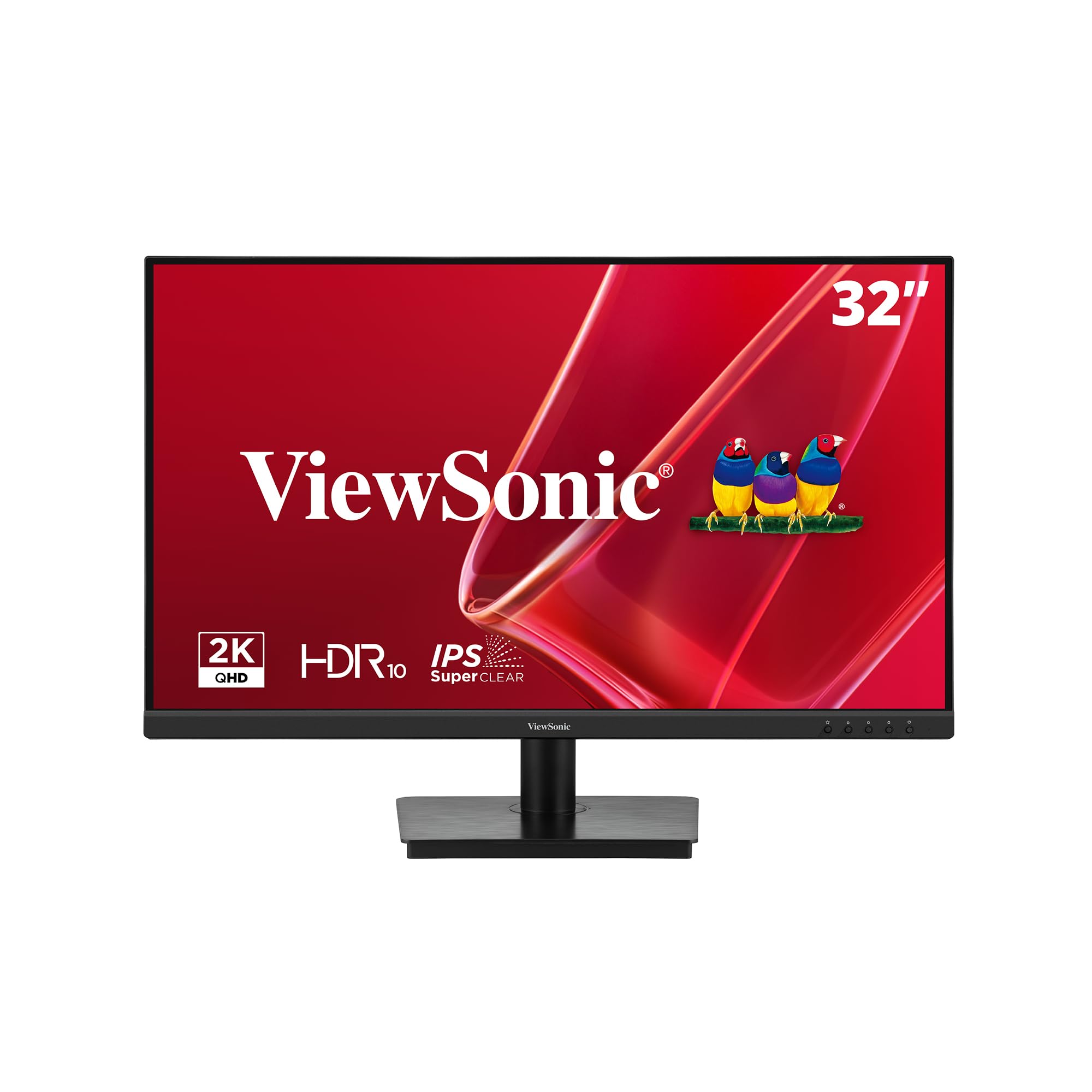
The ViewSonic VS3225-2K is a straightforward, no-frills 32-inch QHD monitor that aims to deliver a large, sharp display for office productivity without pushing unnecessary gaming features. The IPS panel ensures that text remains readable and colors stay accurate from any seated viewing angle, which is critical for dual-monitor setups where the secondary screen sits at an angle. The 75Hz refresh rate is a welcome step above standard 60Hz, making cursor movements and window scrolling feel slightly more fluid.
Eye Care technology includes Flicker-Free backlighting and a Blue Light Filter, which reduces eye fatigue during long document editing sessions. Variable Refresh Rate (VRR) support syncs with the GPU to minimize screen tearing during casual video playback and light gaming, though the 75Hz ceiling is not intended for competitive esports. The frameless edge-to-edge design makes multi-monitor alignment easier by reducing the visual gap between screens.
The rear joystick for menu navigation is a point of friction: it is fiddly and overly sensitive, making quick adjustments frustrating, especially when the monitor is mounted in a dual-screen configuration. The built-in speakers are basic and lack low-end response, so external speakers or headphones are recommended. For the user who needs a large, legible QHD display for spreadsheets, writing, and web browsing at a comfortable distance, this monitor delivers exactly that without extraneous cost.
Why it’s great
- IPS panel offers accurate colors and wide viewing angles.
- QHD resolution at 32-inch provides good pixel density for office work.
- Flicker-Free and Blue Light Filter reduce eye strain.
Good to know
- Rear joystick menu control is awkward and imprecise.
- Built-in speakers lack volume and bass response.
FAQ
What pixel density should I expect from a 32-inch QHD monitor?
Can I use a 32-inch 1440p monitor for console gaming?
What is the difference between VESA DisplayHDR 400 and True Black 400?
Final Thoughts: The Verdict
For most users, the best choice for a 32 inch computer monitor is the Samsung Odyssey G50D because it balances a fast 180Hz IPS panel, full ergonomic adjustments, and reliable G-Sync compatibility at a mid-range price. If you demand true HDR performance with infinite contrast for creative work and immersive gaming, the MSI MPG 321URX offers the best QD-OLED image quality on the market. And for a budget-conscious user who needs a large, high-resolution screen for productivity without breaking the bank, the KTC 2K Monitor delivers the essential specs at a compelling entry-level price.