
Our readers keep the lights on and the weekend projects moving. As an Amazon Associate, I earn from qualifying purchases.
A 43-inch monitor occupies a unique space—it’s a command center for professionals, a sprawling canvas for creatives, and a gaming powerhouse, all without the bezel breaks of a multi-monitor setup. The core challenge isn’t just finding a large screen, but one that offers the right pixel density, connectivity, and features for your specific workflow.
I’m Rikta — the co-founder and writer behind FitlyFast. I’ve spent years analyzing the hardware trade-offs in large-format displays, specifically how a 43-inch 4K panel at 103 PPI delivers a distinct balance of screen real estate and text clarity compared to ultrawides or smaller high-DPI monitors.
After analyzing dozens of models and hundreds of verified user experiences, I’ve identified the standout options that define the category. This guide provides clear, data-backed advice for anyone searching for the best 43 inch monitor for work, gaming, or a hybrid setup.
How To Choose The Best 43 Inch Monitor
Selecting the right 43-inch monitor requires moving past pure size. The large display area is a tool for productivity, immersion, or multi-tasking, but its success depends on matching specific panel technologies and connectivity options to your primary use. Failing to choose correctly can result in eye strain, poor text clarity, or frustrating desk clutter.
Resolution & Pixel Density: The 4K Baseline
A 43-inch screen at 1080p results in a low pixel density of roughly 51 PPI, which looks grainy and pixelated. The standard and minimum for this size is 4K UHD (3840 x 2160), which delivers about 103 PPI. This is the sweet spot for running a single monitor without scaling issues, offering a massive desktop canvas for multiple windows. While higher densities exist, this resolution provides the best balance of detail and compatibility without requiring massive GPU power for everyday tasks.
Panel Technology: IPS vs. VA vs. OLED
IPS panels are the best choice for color-critical work, offering wide 178-degree viewing angles and consistent brightness across the screen, which is essential when your face is close to a large display. VA panels, common in Samsung’s smart monitors, provide superior static contrast (3000-5000:1), producing deeper blacks and better shadow detail for movies and dark-room gaming, but they suffer from color shifting when viewed off-angle. OLED represents the premium tier, with perfect blacks, infinite contrast, and the fastest response times, but comes at a higher cost and requires burn-in management software.
Connectivity & The USB-C Hub
At this size, your monitor is a workstation hub. Look for a model with USB-C that supports DisplayPort Alt Mode and Power Delivery (65W or higher). This allows you to connect a laptop with a single cable that transmits video, data, and charges your device, keeping your desk clean. Multiple HDMI and DisplayPort inputs are crucial for those who need to switch between a work PC, a gaming console, and a personal laptop. A built-in KVM switch, found on premium business monitors like the Dell UltraSharp series, lets you control multiple computers with one keyboard and mouse.
Quick Comparison
On smaller screens, swipe sideways to see the full table.
| Model | Category | Best For | Key Spec | Amazon |
|---|---|---|---|---|
| Samsung M7 (M70F) | Smart Monitor | Hybrid work & streaming | 4K UHD, 60Hz, USB-C 65W | Amazon |
| Dell U4323QE | Productivity Hub | Multi-PC workstations | 4K IPS, KVM, iMST | Amazon |
| Samsung M7 (M70D) | Smart Monitor | Value smart TV hybrid | 4K VA, Gaming Hub, USB-C | Amazon |
| ViewSonic VX4381-4K | Productivity | Quad-source monitoring | 4K MVA, HDR10, 450 cd/m² | Amazon |
| Dell U4320Q | Professional | Coding & design workflows | 4K IPS, USB-C, Daisy Chain | Amazon |
| Samsung BE43T-H | Commercial Display | Simple business signage | 4K, 250 nits, 16/7 operation | Amazon |
| Dell P4317Q | Multi-Client | 4x 1080p device inputs | 4K, 60Hz, VGA input | Amazon |
In‑Depth Reviews
1. Samsung 43” Smart Monitor M7 (M70F)

The Samsung M7 (M70F) is the most refined version of the 43-inch smart monitor concept. It delivers full 4K UHD (3840 x 2160) resolution on a VA panel that offers a strong 5000:1 contrast ratio, producing deep blacks that IPS panels cannot match. The new Samsung Vision AI adapts picture modes automatically—boosting contrast for games and softening highlights for document work—which is genuinely useful for a hybrid-use monitor you might use for productivity by day and streaming by night.
Connectivity is a highlight, featuring a single USB-C port that handles display output, data transfer, and up to 65W of power delivery to charge a laptop. This, combined with dual HDMI ports and a USB-A port, makes it a functional desktop hub. The built-in Samsung Tizen smart platform offers direct access to Netflix, YouTube, and Samsung Gaming Hub without a connected PC, making it as capable as a standalone TV.
User feedback confirms its strengths: vibrant, sharp imagery for general use and a solar-powered remote that eliminates battery waste. However, some report that its 60Hz refresh rate feels sluggish for fast-paced competitive gaming, and the heavy reliance on the remote for menu navigation can be less convenient than a traditional monitor joystick. It’s a fantastic all-rounder for those who want a monitor that doubles as a bedroom TV.
Why it’s great
- Excellent VA contrast ratio for deep blacks in HDR content
- Versatile USB-C hub with 65W laptop charging
- Full smart TV platform eliminates need for external streamer
Good to know
- 60Hz refresh rate is limiting for competitive gaming
- On-screen menu navigation requires the remote control
2. Dell UltraSharp 43 4K USB-C Hub Monitor – U4323QE
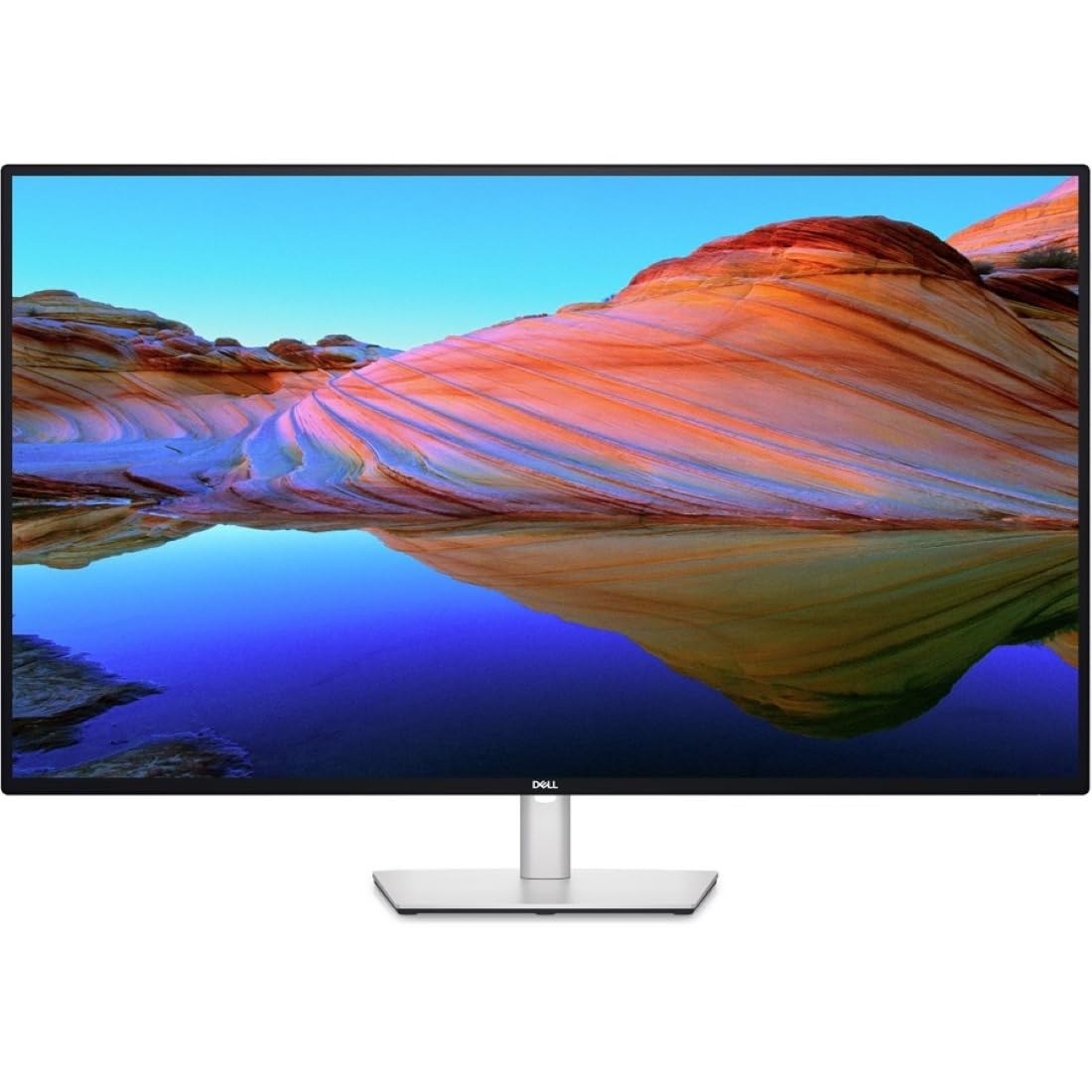
The Dell U4323QE is engineered for the user who lives in a multi-system ecosystem. Its core innovation is Internal Multi-Stream Transport (iMST), which allows the single 43-inch 4K IPS panel to appear as four separate Full HD (1920 x 1080) monitors to a single PC. This enables a true multi-monitor workflow—a dedicated window for code, one for email, one for debugging, and one for documentation—without running external software or daisy-chaining smaller displays.
Beyond the screen splitting, the built-in KVM with Auto KVM is a game-changer for desk management. You can connect a work PC, personal PC, and laptop, then switch control of a single keyboard and mouse between them by moving the cursor to the edge of the screen. The front-facing pop-out USB-C and USB-A ports provide easy access for plugging in peripherals. The IPS panel also supports a wide 100% sRGB color gamut, ensuring consistent colors from any angle.
Reviews from IT professionals and heavy multitaskers are glowing, calling it the best monitor they own for productivity. However, the KVM functionality has been flagged for occasional software crashes that require a manual reset. The 4K resolution at 43 inches offers a 103 PPI, which is less dense than a 27-inch 4K display, but this is a trade-off for the massive, bezel-free real estate. It is an expensive, but unmatched, tool for those who value workflow efficiency over pixel density.
Why it’s great
- iMST splits the screen into 4 virtual Full HD monitors
- Integrated Auto KVM for seamless multi-PC control
- IPS panel delivers wide viewing angles and accurate sRGB color
Good to know
- KVM software can be unstable, requiring occasional restarts
- High premium price point aimed at professional use cases
3. Samsung 43-Inch M7 (M70D)

The M70D is the predecessor to the M70F and remains a strong contender for those wanting a monitor that pulls double duty as a smart TV. It shares the same 43-inch 4K VA panel for excellent contrast and the same robust smart platform featuring Samsung Gaming Hub and all major streaming services. The key differentiator is the SolarCell Remote, which charges via ambient light and reduces battery waste.
Connectivity is comprehensive with USB-C (data and video), dual HDMI inputs, and USB-A ports. The M70D supports adaptive sync (FreeSync and G-Sync Compatible), making it a better option for console gaming than many office-focused monitors. It also includes a full suite of accessibility tools for low-vision users, such as screen magnification and color switching, which is a rare and thoughtful inclusion.
Owners consistently praise the stunning 4K picture and the seamless integration of smart apps. The main frustration is the absence of a DisplayPort, which is a standard connector for PC graphics cards. Additionally, some users report that the monitor’s TV-like interface can feel clunky when used exclusively as a PC monitor, requiring the remote for settings changes. At a more accessible price point than the newer M70F, it is a solid entry into the large-format smart monitor space.
Why it’s great
- Great value for a 4K smart monitor/TV hybrid
- VA panel offers strong contrast for movies and games
- Eco-friendly solar-powered remote included
Good to know
- Lacks a DisplayPort input for standard PC connectivity
- Smart TV interface can be cumbersome for pure PC use
4. ViewSonic VX4381-4K
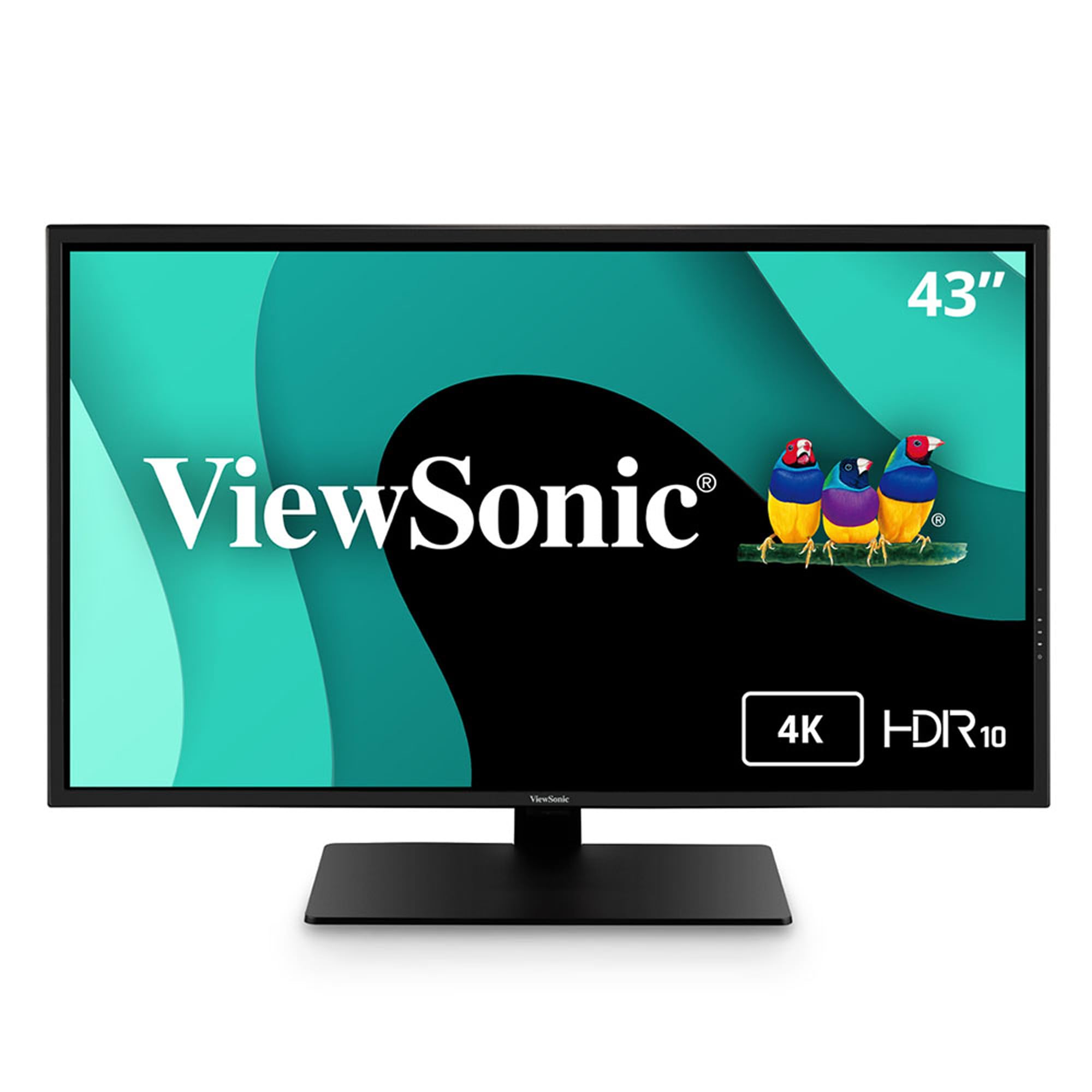
The ViewSonic VX4381-4K targets a niche but demanding use case: security and trading desks where monitoring multiple video feeds is essential. Its “MultiPicture” feature allows you to view four independent video sources (from HDMI, DisplayPort, Mini DisplayPort, and USB-C) simultaneously at Full HD resolution on the 43-inch MVA panel. This is distinct from software-based window snapping, as it processes multiple hardware inputs on one screen without a PC.
The MVA panel delivers a 4000:1 contrast ratio for deep blacks, and its 450 cd/m² peak brightness is noticeably higher than most 300-nit competitors, making it suitable for brighter environments. The VX4381-4K also includes Flicker-Free technology and a Blue Light Filter for long monitoring sessions. Its inclusion of Mini DisplayPort is a plus for older Mac hardware.
Long-term users report it is “bulletproof” for productivity workflows like Excel and web browsing, with excellent reliability over years of use. The major drawback is its terrible built-in speakers, which are described as tinny, and it is generally considered poor for gaming due to slow response times and stuttering. Some users also report a grainy text quality and visible diagonal grid lines during motion, making it a poor choice for video editing or fast-paced content.
Why it’s great
- Multi-Picture feature supports 4 simultaneous HD inputs
- High peak brightness of 450 cd/m² for bright rooms
- Durable build with reliable performance over years
Good to know
- Very poor audio quality from built-in speakers
- Slow response time makes it unsuitable for gaming
5. Dell U4320Q UltraSharp

The Dell U4320Q is a classic in the large-format professional monitor space, offering a true 8-bit IPS panel that provides superior color accuracy and wide 178-degree viewing angles. This makes it a reliable choice for design, development, and office work where panel consistency is non-negotiable. The matte screen coating effectively reduces glare, which is critical for a monitor of this size that will catch more ambient light from a wider area of the room.
As a USB-C hub monitor, the U4320Q supports DisplayPort Alt Mode and drives a laptop with a single cable. It also features a DisplayPort out for daisy-chaining a second monitor, which is a rare and valuable feature for maintaining a 43-inch primary screen alongside a secondary display without needing additional USB-C docks. The stand is robust and fully adjustable with tilt, swivel, and height adjustments.
IT professionals and developers praise this monitor for its flawless performance over 12-hour workdays and the convenience of its USB-C hub. The key complaint, however, is price. It comes at a premium that is higher than many smart TV alternatives with similar resolutions. Some users also note that its 103 PPI feels less sharp compared to smaller, higher-density 4K displays, and it lacks the extreme contrast of a VA or OLED panel for HDR content.
Why it’s great
- IPS panel ensures consistent color reproduction across the entire screen
- DisplayPort out for daisy-chaining additional monitors
- Premium build quality with ergonomic stand adjustments
Good to know
- Premium price point that is higher than smart TV alternatives
- IPS contrast ratio is lower than VA panels, affecting HDR performance
6. Samsung BE43T-H Pro TV

The Samsung BE43T-H is a commercial-grade 4K display, not a consumer monitor. It is built for 16/7 operation, meaning it can run for 16 hours a day, 7 days a week, which is ideal for retail signage, lobbies, or conference rooms. It comes with the Samsung Pro TV app that lets you create and schedule content directly from a phone or tablet, making digital signage management simple without a dedicated PC.
The picture quality from its 4K VA panel is excellent for its price, with many users reporting it rivals much more expensive QLED TVs. As a “dumb TV” with only basic YouTube support, it avoids the complexity of smart TV interfaces and works best with external streaming devices like a Fire TV Stick or Roku. Connectivity includes dual HDMI and USB ports, Wi-Fi 5, and Bluetooth.
Customer feedback reveals a split experience. For simple use as a high-quality 4K display, it is a great value. However, the Samsung Business TV app for digital signage is widely criticized for being buggy, with issues loading content and deleting files from internal storage. Support for the app is reported as poor. It also comes with flimsy legs, requiring a VESA stand or wall mount for a stable setup.
Why it’s great
- Commercial-grade reliability for extended 16/7 operation
- Excellent 4K picture quality for the price point
- Simple operation ideal for pairing with external streamers
Good to know
- Business TV app is buggy and unreliable for content management
- Stock stand is flimsy; a VESA mount is recommended for stability
7. Dell P4317Q

The Dell P4317Q is a legacy model that designed the blueprint for the modern 43-inch 4K monitor. Its core feature is “Multi-Client” capability, allowing it to display content from up to four different PCs simultaneously, each occupying a Full HD quadrant. This made it the go-to choice for early adopters who wanted to replace four 21-inch monitors with a single giant screen.
With a 4K UHD resolution, 60Hz refresh rate, and a matte screen, it is perfectly adequate for coding, spreadsheets, and business applications. The inclusion of a VGA port, while outdated, is a nod to legacy hardware still found in some corporate environments. Its 350 cd/m² brightness is standard, and the 104 PPI offers a good balance of detail and desktop space for comfortable viewing without scaling.
Reviews from developers and financial traders are generally positive, praising the massive screen real estate and the improvement in workflow efficiency. However, there is a recurring and severe complaint about major image retention and ghosting. Multiple users report that windows leave permanent shadows on the screen, a defect that Dell allegedly acknowledged. This is a risky purchase for color-critical or even general productivity use due to this known panel issue. The stand is also basic and non-adjustable.
Why it’s great
- Multi-Client allows up to four PCs to share the display
- Massive single-screen canvas for replacing multiple monitors
- Good PPI for reading text without scaling in business apps
Good to know
- Known, severe issue with permanent image retention and ghosting
- Outdated VGA port and basic, non-ergonomic stand
FAQ
Is a 43 inch monitor too big for desk use?
What is the difference between a 43 inch monitor and a 43 inch TV used as a monitor?
Will my computer run 4K on a 43 inch monitor?
Final Thoughts: The Verdict
For most users, the best 43 inch monitor winner is the Samsung M7 (M70F) because it seamlessly blends a vibrant 4K VA panel with a full smart TV platform and essential USB-C connectivity, all at a reasonable price point. If you manage multiple computers and value workflow efficiency above all else, grab the Dell U4323QE for its unmatched KVM and screen-splitting features. And for the professional seeking reliable, color-accurate IPS performance for work, the Dell U4320Q remains a solid, albeit more expensive, workhorse.