
Our readers keep the lights on and the weekend projects moving. As an Amazon Associate, I earn from qualifying purchases.
For anyone who devours ebooks, comics, or long-form articles on a tablet, the primary enemy isn’t battery life—it’s eye fatigue from a glossy, blue-light-heavy screen. An Android tablet dedicated to reading must prioritize a display that mimics paper, minimizes reflections, and offers adjustable comfort settings, all while maintaining snappy performance for flipping pages and highlighting text without lag.
I’m Rikta — the co-founder and writer behind FitlyFast. I’ve spent over a decade analyzing the hardware that makes digital reading comfortable, focusing on anti-glare coatings, refresh rates, and blue-light reduction certifications that separate a reading tablet from a general-use slate.
This guide breaks down the top contenders on the market, from budget-friendly models with matte screens to premium options with vibrant AMOLED panels, so you can find the android tablet for reading that delivers the most comfortable and enjoyable reading experience for your eyes.
How To Choose The Best Android Tablet for Reading
Choosing a tablet for reading requires shifting your focus from raw processing power to display quality and ergonomics. The wrong screen can turn a relaxing reading session into a headache-inducing chore, so understanding a few key specs will save you eye strain and money.
Display Technology: Matte, Paper-Like, and Anti-Glare
The most critical factor is how the screen handles light. Glossy displays, common on general-purpose tablets, create harsh reflections that force your eyes to work harder. Tablets with integrated matte finishes—like TCL’s NXTPAPER technology—use an anti-reflective coating to diffuse ambient light, closely mimicking the look and feel of printed paper. This dramatically reduces glare under direct lighting and makes text appear sharper and less fatiguing over hours of use.
Blue Light Reduction and Eye Comfort Certifications
Standard digital screens emit high-energy blue light that disrupts circadian rhythms and contributes to digital eye strain. The best reading tablets employ a hardware-level blue-light filter (as opposed to a software overlay that washes out colors) and feature certifications from TÜV Rheinland for Low Blue Light and Flicker Free performance. These certifications guarantee the screen maintains color accuracy while filtering harmful wavelengths, allowing for comfortable reading in any lighting condition, especially before bed.
Screen Size, Aspect Ratio, and Weight for One-Handed Use
For reading, a screen between 10 and 11 inches offers the best balance of text size and portability. An aspect ratio of 16:10 or 3:2 feels more natural for reading books and PDFs than a wider 16:9 cinema screen. Weight is equally important—a tablet over 1.5 pounds becomes cumbersome to hold for extended periods, especially when reading in bed or on the couch. Look for models under 1.2 pounds if you plan on holding it for hours.
Quick Comparison
On smaller screens, swipe sideways to see the full table.
| Model | Category | Best For | Key Spec | Amazon |
|---|---|---|---|---|
| TCL NXTPAPER 11 Gen 2 | Mid-Range | Paper-like reading & note-taking | NXTPAPER 4.0 Display | Amazon |
| Lenovo Idea Tab | Mid-Range | Versatile study & entertainment | 2.5K IPS, 90Hz | Amazon |
| Xiaomi Pad 7 | Premium | High-refresh rate reading & video | 3.2K, 144Hz Display | Amazon |
| Samsung Galaxy Tab S10 FE | Premium | Note-taking with S Pen | Exynos 1580 Processor | Amazon |
| Samsung Galaxy Tab S9 | High-End | Premium AMOLED reading | AMOLED Screen | Amazon |
| TCL NXTPAPER 14 | Premuim | Large-format reading & sheet music | 14.3″ Paper-Like Display | Amazon |
| Lenovo Tab M11 | Mid-Range | Budget-friendly note-taking | 90Hz Refresh Rate | Amazon |
| TECLAST T65 | Budget | Large screen for less | 13.4″ IPS Display | Amazon |
| TABWEE Android 16 Tablet | Budget | Entry-level reading & browsing | 120Hz HD Display | Amazon |
In‑Depth Reviews
1. TCL NXTPAPER 11 Gen 2

The TCL NXTPAPER 11 Gen 2 is purpose-built for readers who prioritize eye health. Its proprietary NXTPAPER 4.0 display uses an anti-reflective, flicker-free surface that reduces blue light by a clinically significant margin, making it feel like reading on a high-quality matte paper sheet rather than a glass screen. The 11-inch 2K panel offers crisp text rendering for ebooks and comics, and the Eye Care Assistant automatically adjusts brightness and reminds you to take breaks.
Beyond reading, the included T-PEN stylus with 4096 pressure levels transforms it into a capable digital notebook, and the three display modes (Regular, Ink Paper, Color Paper) let you shift from casual browsing to paper-like note-taking instantly. The 8000mAh battery easily delivers a full day of mixed use, and the slim 0.29-inch profile makes it comfortable to hold for hours.
For anyone seeking a dedicated reading tablet that doesn’t sacrifice versatility, this is the most well-rounded option. Its paper-like screen technology directly addresses the primary pain point of digital reading—eye strain—without forcing you into the limited ecosystem of an E-Ink device.
Why it’s great
- Industry-leading paper-like display that drastically reduces eye strain
- Versatile stylus support for note-taking and marking up PDFs
- Strong battery life and portable build
Good to know
- Speakers are mediocre for media consumption
- No headphone jack; boot-up speed could be snappier
2. Lenovo Idea Tab

The Lenovo Idea Tab is designed with students in mind, featuring an 11-inch 2.5K IPS touchscreen with a 90Hz refresh rate that makes scrolling through textbooks and web pages noticeably smooth. The display is TÜV Rheinland-certified for low blue light, providing hardware-level eye protection during long study sessions. Its MediaTek Dimensity 6300 processor handles split-screen reading and note-taking apps without stutter.
What sets the Idea Tab apart is its bundled software suite: Lenovo AI Note, Squid, Nebo, and MyScript Calculator integrate directly with the included Tab Pen for handwritten notes, equation solving, and diagramming. The 7216mAh battery delivers up to 12 hours of mixed use, and quad Dolby Atmos-tuned speakers provide clear audio for lecture recordings or ambient study music.
For a student who needs to read PDFs, highlight textbooks, and take copious notes, this tablet delivers exceptional value. The included folio case and pen eliminate the need for additional purchases, making it a complete package ready for the classroom.
Why it’s great
- Sharp, smooth 2.5K display with eye-care certification
- Comes with pen and folio case out of the box
- Great battery life for all-day campus use
Good to know
- Included folio case feels a bit flimsy
- Charging brick not included; pen comfort is average for extended writing
3. Xiaomi Pad 7

The Xiaomi Pad 7 is for readers who also value premium multimedia performance. Its 11.2-inch 3.2K display with a 144Hz refresh rate delivers incredibly sharp text and buttery-smooth scrolling, which is especially noticeable when flipping through graphic novels or image-heavy PDFs. The 3:2 aspect ratio provides more vertical space than wider screens, making it feel like reading on a quality A4 sheet.
With a Snapdragon 7+ Gen 3 processor and 8GB of RAM, this tablet handles reading apps, split-screen note-taking, and high-res streaming with no perceptible lag. The 8850mAh battery supports extended reading sessions, and the TÜV Rheinland certifications for Low Blue Light, Flicker Free, and Circadian Friendly ensure comfort during late-night reading. The four-speaker setup with Dolby Vision support makes it a superb device for audiobooks and video content as well.
For the reader who wants a device that excels at both reading and entertainment, the Xiaomi Pad 7 is a fantastic choice. Its high-resolution screen and blazing refresh rate future-proof it for years, though the lack of an included charger means factoring in that extra cost.
Why it’s great
- Stunning 3.2K display with buttery smooth 144Hz refresh rate
- Excellent performance for reading and multimedia
- Comprehensive eye comfort certifications
Good to know
- No charger included in the box
- No SIM card slot or microSD card support
4. Samsung Galaxy Tab S10 FE

The Samsung Galaxy Tab S10 FE brings the robust S Pen experience to a more accessible price point. The S Pen feels remarkably natural for annotating PDFs, taking handwritten notes, or highlighting passages in ebooks, and the Handwriting Assist feature intelligently straightens and aligns messy handwriting. The large display with a 90Hz refresh rate ensures smooth scrolling through long documents.
Powered by the Exynos 1580 processor, this tablet handles everyday reading and multitasking with ease. Its IP68 water and dust resistance rating is unique among reading tablets, giving you the freedom to read by the pool or in the bath without worry. The 8000mAh battery supports up to 20 hours of video playback, which translates to even longer for pure reading. Samsung’s One UI also offers a dedicated reading mode that adjusts color temperature and brightness for comfortable night-time reading.
If you want a durable, feature-rich tablet with a premium stylus experience for marking up texts, the S10 FE is a reliable workhorse. Its battery life and build quality make it a long-term companion for heavy readers.
Why it’s great
- Best-in-class S Pen for note-taking and document annotation
- IP68 water and dust resistance for worry-free use
- Excellent battery life and software support
Good to know
- Display is not AMOLED; uses a standard LCD panel
- Processor is mid-range, not suitable for heavy gaming
5. Samsung Galaxy Tab S9

The Galaxy Tab S9 remains the gold standard for reading enthusiasts who demand absolute visual fidelity. Its 11-inch Dynamic AMOLED 2X display delivers perfect blacks, infinite contrast, and vibrant colors that make reading high-resolution comics, art books, and photography essays a breathtaking experience. The 120Hz refresh rate ensures that every page turn and scroll is liquid-smooth.
Under the hood, the Snapdragon 8 Gen 2 processor is overkill for reading alone, but it future-proofs the tablet for years of software updates and demanding apps. The included S Pen attaches magnetically and charges wirelessly, and the IP68 rating means you can read by the pool without concern. Vision Booster automatically adjusts the display in bright outdoor light, and the quad speakers with Dolby Atmos provide rich audio for audiobooks. Samsung promises four major OS upgrades and five years of security patches, making this a long-term investment.
For readers who want the single best screen for text, the Galaxy Tab S9’s AMOLED panel is unmatched. It’s a premium choice that delivers a sensory experience no LCD-based tablet can match, making every page look its absolute best.
Why it’s great
- World-class AMOLED display with perfect blacks and high contrast
- Top-tier processor and long-term software support
- Premium S Pen experience with wireless charging
Good to know
- High price point; no charger included in the box
- No headphone jack; glossy screen can reflect in bright light
6. TCL NXTPAPER 14

The TCL NXTPAPER 14 is purpose-built for readers who need a large-format canvas. Its 14.3-inch 2.4K display uses the same paper-like NXTPAPER 3.0 technology as its smaller sibling, offering an anti-glare, blue-light-reduced surface that is exceptionally kind to eyes during long sessions. The size is ideal for viewing sheet music, displaying two textbook pages side-by-side, or reading large-format comics and magazines without zooming.
Inside, the MediaTek Helio G99 processor and 8GB of RAM (expandable by an additional 8GB) handle multi-window productivity smoothly. The 10000mAh battery is a powerhouse, easily lasting through a full day of mixed reading and note-taking. Dual front cameras are a thoughtful addition for musicians who need to video-call or record practice sessions, and the included T-PEN stylus with 4096 pressure levels makes annotating sheet music or marking up PDFs a breeze.
If your reading involves large-format materials like textbooks, sheet music, or architectural plans, the NXTPAPER 14 is a dedicated, eye-friendly solution that rivals the utility of a much more expensive device like an iPad Pro, at a fraction of the cost.
Why it’s great
- Huge, paper-like display ideal for textbooks and sheet music
- Massive 10000mAh battery for all-day use
- Dedicated NXTPAPER Key for switching display modes instantly
Good to know
- Heavier than smaller tablets at 1.67 lbs
- No microSD card slot; no charger included
7. Lenovo Tab M11
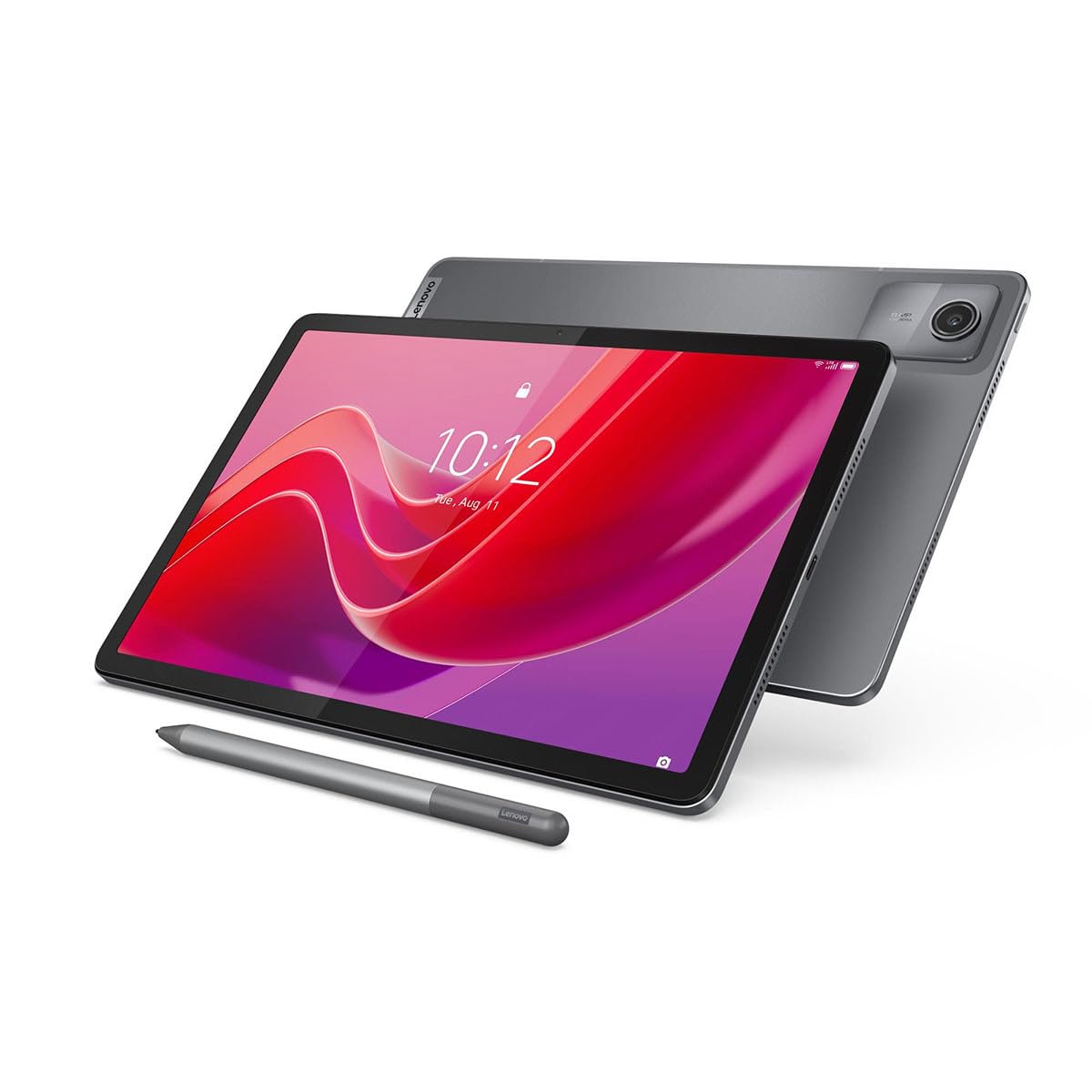
The Lenovo Tab M11 strikes a strong balance between affordability and reading utility. Its 11-inch 1920×1200 display with a 90Hz refresh rate makes scrolling through articles and flipping book pages feel responsive and fluid. The ambient light sensor works well, automatically adjusting brightness to match your environment, which is a thoughtful touch for readers who move between different lighting conditions.
The MediaTek Helio G88 processor is sufficient for reading apps, note-taking with the included pen, and light multitasking. The 7040mAh battery supports up to 10 hours of use, and the inclusion of a 3.5mm headphone jack is a rare and welcome feature for privacy-focused readers who prefer listening to audiobooks without disturbing others. The USB-C port supports fast file transfers for loading up your ebook library.
For budget-conscious readers who still want a smooth, responsive display and the option to take handwritten notes, the Lenovo Tab M11 is a dependable, well-priced choice. Its solid build quality and reliable performance make it a workhorse for daily reading without breaking the bank.
Why it’s great
- Smooth 90Hz display and useful ambient light sensor
- Includes a stylus for note-taking and markup
- Retains the 3.5mm headphone jack
Good to know
- Occasional slight lag during heavy multitasking
- Speakers are average for media consumption
8. TECLAST T65

The TECLAST T65 offers an impressive 13.4-inch IPS display with a 120Hz refresh rate at a very attractive price point. For readers who prioritize screen real estate for viewing PDFs, sheet music, or two-page spreads, this tablet delivers a huge canvas that rivals much more expensive models. The 1920×1200 resolution provides adequate sharpness for text, and the 120Hz refresh rate makes scrolling through long documents feel responsive.
Running on Android 16 with 8GB of RAM and 128GB of storage (expandable via microSD up to 1TB), it offers plenty of room for a massive ebook library. The 8000mAh battery provides up to 11 hours of use, and 4G LTE support means you can download books from anywhere without relying on Wi-Fi. The slim 8.5mm profile and 720g weight make it manageable for its size.
If your primary reading need is a large screen for textbooks or comics and you’re working with a tighter budget, the TECLAST T65 provides excellent value. Just be aware that its gaming performance is limited, and the screen is glossy, so you may need to manage reflections in brightly lit rooms.
Why it’s great
- Very affordable for a large 13.4-inch screen
- 120Hz refresh rate for smooth scrolling
- 4G LTE and microSD expansion for on-the-go reading
Good to know
- Glossy screen is prone to reflections
- Weak GPU; not suitable for demanding games
9. TABWEE Android 16 Tablet
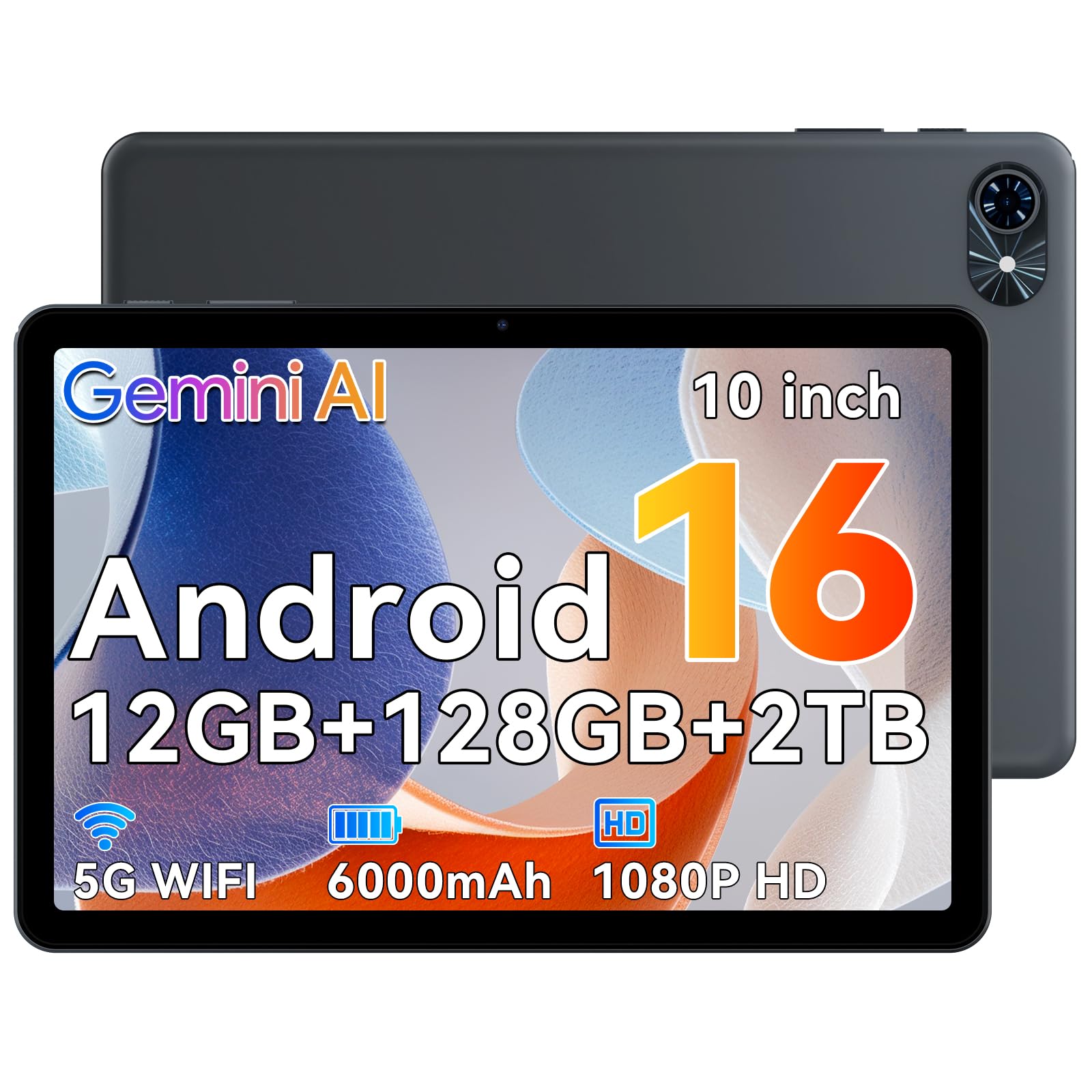
The TABWEE Android 16 Tablet is an entry-level device that brings a 120Hz HD display and integrated Gemini AI to an accessible price point. Its 10-inch screen is compact enough for one-handed reading and comfortable for use in bed or during commutes. The 120Hz refresh rate ensures that even basic scrolling through apps like Kindle or Libby feels smooth, which is not always guaranteed at this price tier.
With 12GB of RAM (4GB base + 8GB virtual expansion) and 128GB of storage (expandable to 2TB), it offers generous specifications for its class. The 6000mAh battery provides enough power for a full day of reading, and the 5G WiFi connectivity ensures fast downloads of large ebook files. The AI-powered dual cameras support Google Lens, allowing you to scan book covers or text for instant information—a neat bonus for curious readers.
This tablet is best suited for casual readers who want a modern Android experience with a smooth display and solid battery life without spending a lot. It handles everyday reading and web browsing well, though it may struggle with more demanding apps or heavy multitasking.
Why it’s great
- Smooth 120Hz display at a budget-friendly price
- Good RAM and expandable storage for a large library
- Includes Gemini AI features for text extraction and translation
Good to know
- Display is not matte; may cause reflections
- Performance is limited compared to premium tablets
FAQ
Can I replace my Kindle with an Android tablet for reading?
What does a TÜV Rheinland certification mean for reading?
Is a matte screen protector enough to fix a glossy tablet?
How much RAM do I need for a reading tablet?
Final Thoughts: The Verdict
For most readers, the android tablet for reading winner is the TCL NXTPAPER 11 Gen 2 because its paper-like display directly addresses the primary pain point of digital reading—eye strain—while still offering snappy performance and stylus support. If you want the absolute best screen for visual fidelity and future-proof performance, grab the Samsung Galaxy Tab S9. And for students needing a versatile, all-in-one study and reading tool, nothing beats the Lenovo Idea Tab.