
Our readers keep the lights on and the weekend projects moving. As an Amazon Associate, I earn from qualifying purchases.
A 3D scanner that loses tracking on a dark widget or forces you to calibrate five times before a usable frame is not a tool — it’s a frustration. The current generation of handheld and desktop units has closed the gap between hobbyist tinkering and precision work, but choosing the wrong one still means hours of repair in CAD software rather than actually printing or modelling. The real divide isn’t price; it’s whether the unit’s sensor tech matches the surfaces, sizes, and detail demands of your specific workflow.
I’m Rikta — the co-founder and writer behind FitlyFast. I’ve analysed hundreds of product specifications and customer experiences, cross-referencing sensor type, point-cloud density, frame rate, and software readiness across the 3D scanning market to separate the capable from the problematic.
Whether you are reverse-engineering parts for a restoration project, capturing a full human figure for digital art, or simply trying to get a clean replica of a household item into your slicer, finding the best 3d scanner means matching the right light source, resolution, and workflow to your actual objects.
How To Choose The Best 3D Scanner
A 3D scanner is a sensor-first investment. Before looking at brand or bundled accessories, ask what you will scan most. The material, reflectivity, size, and need for colour data will dictate whether you need a structured light unit, a blue laser device, or a LiDAR-based architectural tool. The right match halves your post-processing time.
Light Source & Surface Handling
Infrared structured light scanners (like the Creality Ferret Pro or Revopoint INSPIRE 2) work well on matte, medium-toned objects up to the size of a car door, but they struggle with transparent, glossy, or very dark surfaces. Blue laser scanners (Revopoint MetroX, Creality Raptor Pro) cut through shiny and black materials with thinner laser lines and higher accuracy, though they often require a more powerful PC. If you scan mostly dark mechanical parts or automotive trim, a blue laser unit saves you from constant spray applications.
Resolution, Accuracy & Point Distance
Accuracy (how close the scan is to real-world dimensions) and resolution (the smallest feature the scanner can distinguish) are often conflated. For 3D printing of non-critical parts, an accuracy of 0.1mm is plenty. For reverse-engineering a bracket that must bolt onto an existing assembly, you want 0.05mm or better. Fused point distance — the spacing between individual points in the point cloud — determines how smooth the mesh is; 0.1mm is standard, while 0.05mm or lower yields a surface that requires less smoothing in software.
Tracking Method & Workflow
Markers (sticky dots placed on the object or around it) are the old reliable method for featureless surfaces. Newer units offer marker-free tracking via texture recognition and anti-shake algorithms, which drastically speeds up scanning of organic shapes like faces or car body panels. However, marker-free tracking fails on plain colour surfaces or uniform geometry; for those, a unit with global marker mode (like the Revopoint MetroX or Creality Raptor Pro) is necessary. Also consider whether you need wireless operation — built-in WiFi 6 and standalone processing (Einstar Vega) let you scan away from a desk, but tethered USB units often deliver higher frame rates with less latency.
Quick Comparison
On smaller screens, swipe sideways to see the full table.
| Model | Category | Best For | Key Spec | Amazon |
|---|---|---|---|---|
| Creality Ferret Pro | Entry-level | Quick colour scans of medium objects | 0.1mm accuracy, 105g | Amazon |
| Creality Ferret Pro (2025) | Entry-level | Outdoor scanning up to 30k lux | 0.16mm resolution, WiFi 6 | Amazon |
| Creality Ferret Pro (face algorithm) | Entry-level | Face scanning with colour texture | 2MP colour camera, 60 FPS | Amazon |
| Revopoint INSPIRE 2 | Mid-range | Dark/reflective objects without spray | 0.03mm precision, 190g | Amazon |
| Shining 3D Einstar | Mid-range | Body & hair scanning | 0.1mm point distance, 14 FPS | Amazon |
| 3DMakerpro Mole | Mid-range | Black & glossy objects | 0.05mm accuracy, 10 FPS | Amazon |
| Revopoint MetroX | Premium | Industrial metrology & QC | 0.01mm precision, blue laser | Amazon |
| Revopoint MetroY Pro | Premium | High-volume reverse engineering | 0.01mm precision, 62-line blue light | Amazon |
| Creality Raptor Pro | Premium | Automotive & large metal parts | 0.02mm accuracy, 60 FPS | Amazon |
| Shining 3D Einstar Vega | Premium | Standalone wireless field scanning | 8-core CPU, 512GB SSD | Amazon |
| Matterport Pro3 | Professional | Architectural LiDAR touring | 100m range, LiDAR | Amazon |
In‑Depth Reviews
1. Revopoint MetroX 3D Scanner

The MetroX brings industrial-grade blue laser scanning with a precision rating of 0.01mm and a fused point distance of 0.05mm, making it the most accurate unit on this list below the four-figure line. Its four scanning modes — Cross Lines, Parallel Lines, Full-field (up to 7 million points per second), and Auto Turntable — let you switch between capturing shiny mechanical parts and feature-rich organic forms without changing hardware. The included lithographic calibration board ensures that accuracy remains consistent across multiple sessions.
Users report that the auto turntable mode is genuinely one-click for metrology-grade results, but the scanner demands a capable PC: Revopoint recommends at least an Intel i7 13th Gen or AMD Ryzen 7 5800 with 32GB of RAM and an RTX 3060 GPU. Some early adopters noted software bugs that required recalibration, and the MetroX uses a Class 2M laser projector requiring standard eye caution. The lack of built-in WiFi means you are tethered via USB 3.0, which is fine for desktop work but limits field use.
For anyone doing quality control, reverse engineering of metal dies, or precision part reproduction, the MetroX delivers metrology-grade point clouds at a fraction of the cost of a CMM arm. The trade-off is a steeper learning curve and higher PC requirements — but the data quality justifies the investment.
Why it’s great
- Industrial-grade 0.01mm precision with blue laser
- Four scanning modes cover shiny, dark & textured surfaces
- Auto turntable mode for hands-free metrology scans
Good to know
- Requires a powerful PC with 32GB RAM and NVIDIA RTX 3060
- No wireless connectivity — USB 3.0 tethered only
- Software can be buggy; initial calibration sometimes needed
2. Revopoint MetroY Pro 3D Scanner
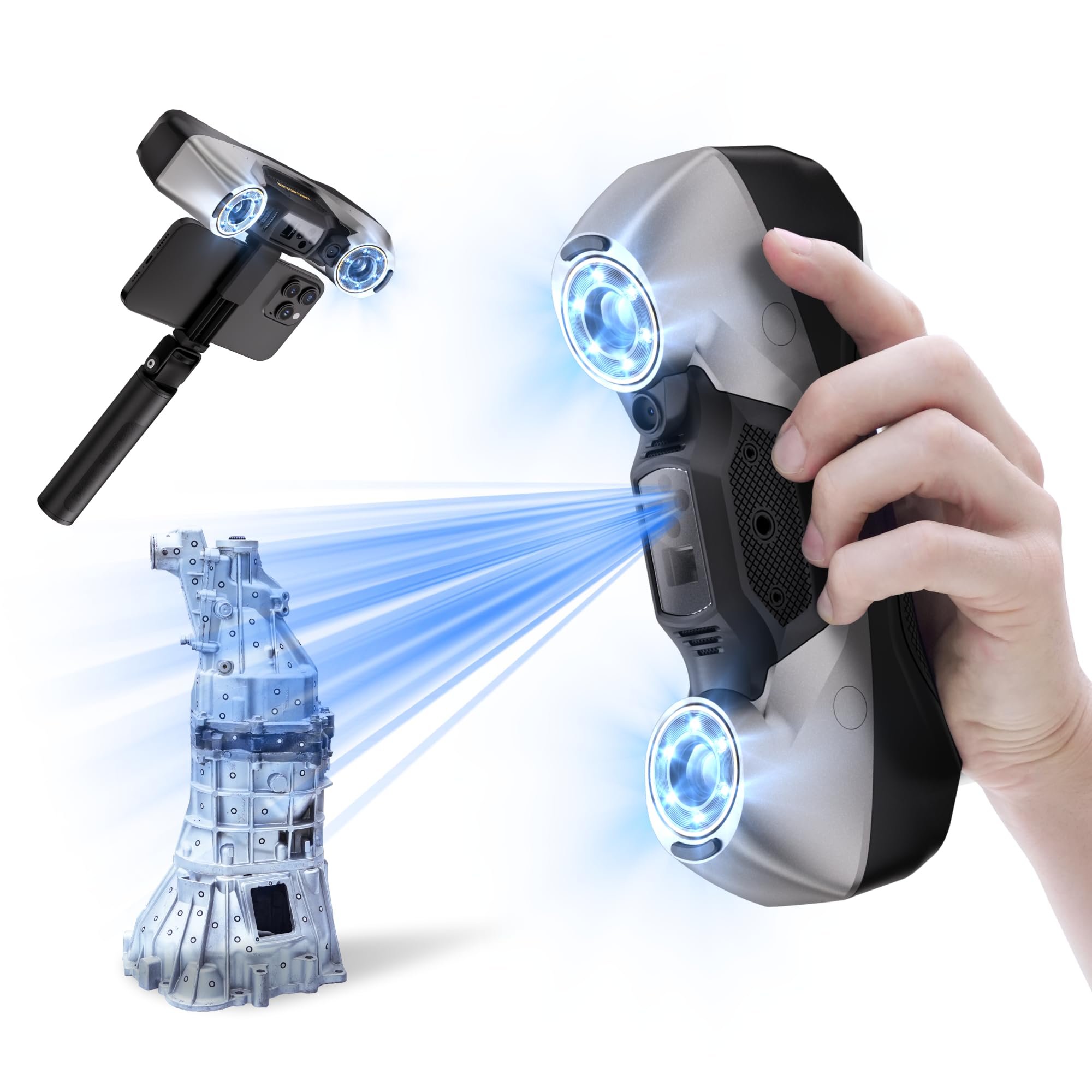
The MetroY Pro is Revopoint’s flagship handheld scanner, pairing 34 cross-lines and 15 parallel lines with a 62-line full-field blue structured light mode that captures up to 7 million points per second without markers. Precision is rated at 0.01mm with volumetric accuracy of 0.02mm + 0.04mm per metre, making it suitable for capturing everything from engine blocks to injection-moulded parts with sub-millimetre fidelity. The built-in WiFi 6 enables real-time wireless streaming to a PC, freeing you from the cable during large-object scans.
Early users praise the level of fine detail — one reviewer captured leather texture out of the box — but note that the scan speed is slower than competing Creality units and the software still has some firmware-level bugs. The Revo Metro software performs fusion and meshing accurately, though the fusion step is the bottleneck. The unit also includes a real-time temperature sensor that adjusts fan speed to prevent accuracy drift during longer sessions.
The MetroY Pro is best suited for professional reverse engineering and inspection workflows where accuracy trumps raw speed. The 2-year warranty adds peace of mind, but note that Revo Design and Revo Measure are paid, Windows-only applications — Mac users need a virtualised environment. If your work demands the highest precision and you can tolerate a slightly slower scan rate, this is the class leader.
Why it’s great
- 0.01mm precision across five scanning modes
- Marker-free full-field mode with 7M points/second
- WiFi 6 wireless streaming & real-time temperature monitoring
Good to know
- Scan slower than similarly-priced competitors
- Mac compatibility limited for paid post-processing software
- Wired USB connection prone to defect out of box (user reports)
3. Creality Raptor Pro 3D Scanner
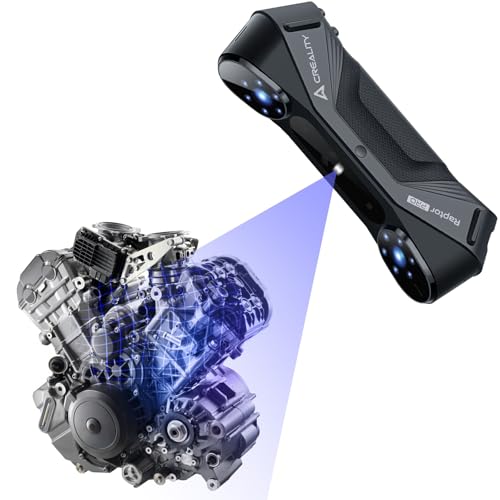
Creality’s Raptor Pro is engineered specifically for medium-to-large objects, deploying 22 cross-laser lines and 7 parallel blue laser lines that each measure just 0.1mm thick. The cross lines enable rapid coverage of car body panels and engine components, while the parallel lines switch to high-detail mode for smaller features. At 60 frames per second and 660,000 points per second, it captures data fast enough to keep up with hand movement around a full vehicle without losing tracking.
The anti-shake technology based on One-Shot 3D imaging keeps tracking stable even when scanning around curves or from awkward angles. The CrealityScan app includes step-by-step tutorials, point cloud editing, global marker scanning, and a dedicated face/body mode that completes a full human scan in about two minutes. At 405 grams, it’s light enough for one-handed operation in the field, and the blue laser system handles outdoor conditions well.
This scanner is ideal for automotive restorers, custom fabricators, and anyone scanning medium-to-large metal or composite parts. The software integrates directly with Geomagic Control X and Design X, making the CAD reverse-engineering pipeline seamless. The trade-off: for very small, intricate objects (jewellery, small gears) the 22-line cross pattern may be overkill, and a finer structured light unit would serve you better.
Why it’s great
- Fast 60 FPS capture with 22+7 blue laser lines
- Anti-shake tracking stays locked during handheld scanning
- Dedicated face/body mode and Geomagic integration
Good to know
- Not ideal for very small or intricate objects
- Requires powerful PC: i7 Gen10, 32GB RAM, 8GB GPU
- Reflective markers may be needed on extremely plain surfaces
4. Shining 3D Einstar Vega Wireless 3D Scanner

The Einstar Vega is the only fully standalone scanner on this list: it packs an 8-core 2.4GHz CPU, 32GB RAM, and a 512GB SSD into a handheld unit with a 6.4-inch 2K AMOLED touchscreen. There is no need for a laptop — you scan, process, and store data directly on the device. It offers two scanning technologies: Fast Mode (VCSEL infrared, 270–1500mm working distance, 20 FPS) for medium-to-large objects and HD Mode (MEMS, 100–350mm working distance, 15 FPS) for smaller, detail-rich parts.
Because it uses infrared light, the Vega handles dark surfaces and human hair without spray, and the infrared is eye-safe for scanning people directly. The wireless design lets you use a power bank for extended sessions, and the Shining 3D Cloud provides 5GB of free storage for data sharing. Users report scanning a car front in under ten minutes with no dots or spray, though some note that the StarView software has USB transfer issues on certain PCs.
The Vega is a game-changer for field work — surveying, cultural heritage capture, or on-site automotive scanning where a laptop setup is impractical. The trade-offs are a lower scan speed in HD mode versus the MetroY Pro and occasional software flakiness. If your work demands portability and standalone processing, this is the most convenient option available.
Why it’s great
- Fully standalone — no PC needed for capture or storage
- Infrared light safe for human and hair scanning
- Fast Mode covers large objects (<10 min for car front)
Good to know
- HD Mode slower than dedicated laser scanners
- StarView software has USB transfer issues on some PCs
- Cloud storage limited to 5GB free
5. Revopoint INSPIRE 2 3D Scanner
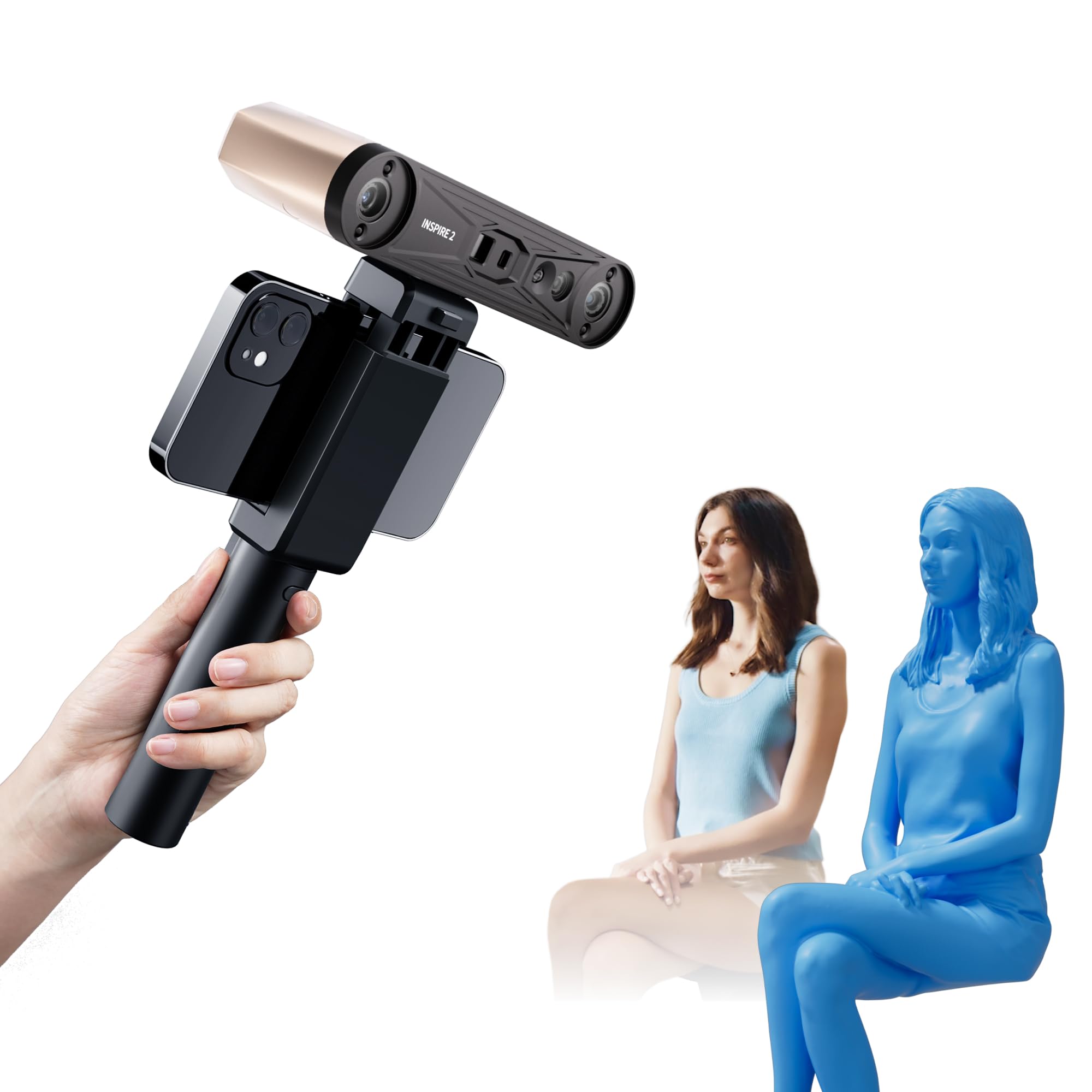
The INSPIRE 2 is a dual-modality scanner that combines infrared structured light with 11 infrared laser lines, allowing it to capture reflective and dark surfaces without spray — a rarity at this price point. It delivers a precision of up to 0.03mm and an accuracy of up to 0.05mm, which is impressive for a unit weighing only 190 grams. The adjustable optical zoom (1.5x and 2x magnification) lets you focus the projected light for finer surface detail on smaller objects.
Built-in WiFi 6 enables both wireless mobile scanning and real-time PC-to-mobile interactive streaming, giving you flexibility in how you capture data. The Revo Metro software offers advanced scan settings and post-processing tools, though the Revo Design CAD workflow software is paid and Windows-only. Users praise the accuracy and the ability to scan challenging materials, but note that the included calibration sticky dots can lose adhesion and that the learning curve is moderate — watching a few tutorial videos is recommended.
The INSPIRE 2 earns the Best Value slot because it brings features usually found on more expensive units (dual scanning, reflective surface handling, WiFi streaming) into a well-built, lightweight package. It is a strong choice for the hobbyist who wants to move beyond basic scans without jumping to a thousand-dollar device.
Why it’s great
- Dual structured light and multi-line laser for dark/reflective surfaces
- 0.03mm precision with adjustable optical zoom
- WiFi 6 wireless scanning and mobile streaming
Good to know
- Calibration dots can lose adhesion
- Revo Design software is paid and Windows-only
- Requires a fairly powerful PC for best results
6. Shining 3D Einstar Handheld 3D Scanner

The Einstar uses three infrared VCSEL projectors, two stereo depth cameras, and one RGB camera to capture high-density point clouds at a point distance of up to 0.1mm. Its standout feature is the dedicated “Hair Mode” that uses the infrared projectors to capture human hair detail — something many structured light scanners cannot do. The detail-oriented enhancement technology optimises the point cloud for complete data acquisition, while the data quality indicator guides you to improve scan outcomes in real time.
Users consistently compare the Einstar favourably to the Revopoint Range at a similar price, noting that tracking is more reliable on dark, shiny surfaces and that the software (EXstar) provides automatic alignment with strong tracking performance. The scanner outputs OBJ, STL, PLY, ASC, 3MF, and P3 formats, working directly with most 3D printing and design software. However, it requires tracking dots on very flat or featureless surfaces, and the ergonomics — no tripod mount, awkward hand position — are a common complaint.
For anyone scanning human subjects, organic shapes, or cultural heritage objects where hair and fine texture matter, the Einstar is a specialised tool at a reasonable price. The learning curve is moderate, but the results for body and face scanning are noticeably better than generic structured light units in the same bracket.
Why it’s great
- Dedicated Hair Mode for capturing human hair detail
- Infrared VCSEL projectors handle dark & shiny surfaces
- Data quality indicator guides beginners to better scans
Good to know
- No tripod mount and awkward hand ergonomics
- Requires tracking dots on flat/featureless surfaces
- Needs a capable PC (Ryzen 5, 1660 GPU, 32GB RAM recommended)
7. 3DMakerpro Mole Handheld 3D Scanner

The Mole employs near-infrared (NIR) structured light to achieve 0.05mm accuracy with 0.1mm resolution, and its optical anti-shake modules allow stable handheld scanning even with natural hand movement. The no-marker scanning algorithm works on medium to large objects like engine hoods and car bumpers, while the NIR illumination handles black objects clearly — a real time-saver compared to units that require spray or dots on dark plastic.
The bundled JMStudio software (compatible with Windows 10/11 and macOS) provides automatic model alignment, denoising, simplification, and texture mapping, though users consistently mention a steep learning curve. The package includes a tripod and turntable, and the scanner itself is compact at 13.7 ounces. However, scanning very small objects or black parts without any surface treatment still proves challenging, and the turntable table-scan mode produces lower-quality meshes than handheld mode.
The Mole is a solid mid-range option for the enthusiast who wants marker-free scanning of car parts, furniture, or medium-sized mechanical objects. The anti-shake lenses genuinely reduce tracking loss, but you will spend time learning the optimal distance and scanning path before getting consistent, print-ready results.
Why it’s great
- 0.05mm accuracy with no-marker scanning on many surfaces
- Optical anti-shake modules for stable handheld capture
- NIR illumination handles black objects clearly
Good to know
- Steep learning curve; software lacks tutorials
- Turntable table-scan mode produces lower quality
- Struggles with very small objects without spray
8. Creality 3D Scanner CR-Scan Ferret Pro

The Ferret Pro delivers 0.1mm accuracy with 24-bit full-colour scanning at 30 FPS, using WiFi 6 for wireless operation across Windows, Mac, Android, and iOS. Its anti-shake tracking reduces tracking loss during handheld use, and the lightweight 105-gram body makes it comfortable for extended scanning sessions. The device handles objects from 50mm to 2000mm, covering most household items, car parts, and human torso scans.
User feedback shows a split: beginners find it easy to set up and produce usable scans within an hour, while experienced users note that the software is limited compared to professional suites — it only exports STL, OBJ, and PLY, and the Android/iOS app can be buggy. The unit struggles with dark, reflective, or transparent surfaces, which is typical for entry-level structured light scanners. The included carrying case, tripod, and power bank add convenience for field work.
The Ferret Pro earns the Best Overall title because it offers the best balance of ease of use, wireless flexibility, and price for the largest group of buyers — 3D printing enthusiasts, DIY creators, and educators who need reliable colour scans without a huge budget or powerful PC.
Why it’s great
- Best balance of price, ease of use and colour scanning
- WiFi 6 wireless across iOS, Android, Windows & macOS
- Ultra-lightweight 105g with anti-shake tracking
Good to know
- Struggles on dark/reflective/transparent surfaces
- Software limited and occasionally buggy on mobile
- Not suitable for sub-millimetre precision parts
9. Creality CR-Scan Ferret Pro (2025 Wireless Edition)

This variant of the Ferret Pro emphasises outdoor capability, with upgraded optical technology and intelligent algorithms that maintain stable performance in ambient light up to 30,000 lux — roughly the level of a bright overcast day. It keeps the same 0.1mm accuracy and 0.16mm resolution with 30 FPS scanning speed, but the WiFi 6 bridge is the differentiating factor, providing transmission speeds three times faster than WiFi 5 for smoother wireless data transfer.
Users who bought this version specifically for scanning car exteriors and large objects in partially shaded outdoor environments report consistent tracking and good colour capture. However, the software remains the weak link: several reviews describe it as “horrible” with a steep learning curve, and the same limitations with reflective and transparent surfaces persist. The package includes the same accessories as the standard Ferret Pro — WiFi box, tripod, power bank, phone holder, and carrying case.
This iteration is best for the user who needs to scan outside — capturing vehicles, architectural features, or large garden objects — and values the faster WiFi transfer for reducing downtime between scans. If you plan to scan exclusively indoors, the standard Ferret Pro is identical in core performance.
Why it’s great
- Certified for outdoor scanning up to 30,000 lux
- WiFi 6 transmission 3x faster than WiFi 5
- Same lightweight 105g design with anti-shake tracking
Good to know
- Software remains the weak link (buggy interface)
- Not effective on reflective/transparent surfaces
- Only 0.16mm resolution — fine detail limited
10. Creality CR-Scan Ferret Pro (Face Algorithm Edition)

This version of the Ferret Pro doubles the frame rate to 60 FPS and includes a unique face mapping algorithm designed to restore detailed facial features for vivid, realistic 3D models. The built-in 2MP high-resolution colour camera captures full-colour textures, and the dedicated ASIC chip provides enough computing power to scan medium and large objects — including dark or metal surfaces — without spray.
User reviews highlight the wireless update that made scanning to a laptop seamless, and the face algorithm genuinely improves the quality of human scans compared to the standard Ferret Pro. However, the same software complaints surface: the mobile app is clunky, the PC software has a poor UI, and some users report that simple, non-reflective objects produced inaccurate scans after long capture sessions. The package includes a WiFi box, integrated power bank-tripod, phone holder, carrying case, and cables.
This scanner is specifically optimised for those who scan human subjects — artists, game developers, or medical visualisation professionals — and need higher frame rates to reduce motion blur. The 60 FPS capture makes a noticeable difference when scanning people who cannot hold perfectly still, though the accuracy still tops out at 0.1mm.
Why it’s great
- 60 FPS capture reduces motion blur on human subjects
- Dedicated face mapping algorithm for realistic facial scans
- Scans dark/metal surfaces without spray using ASIC chip
Good to know
- Software UI is unintuitive and buggy
- Inconsistent accuracy on simple, non-reflective objects
- Still limited to 0.1mm resolution
11. Matterport Pro3 3D Lidar Scanner
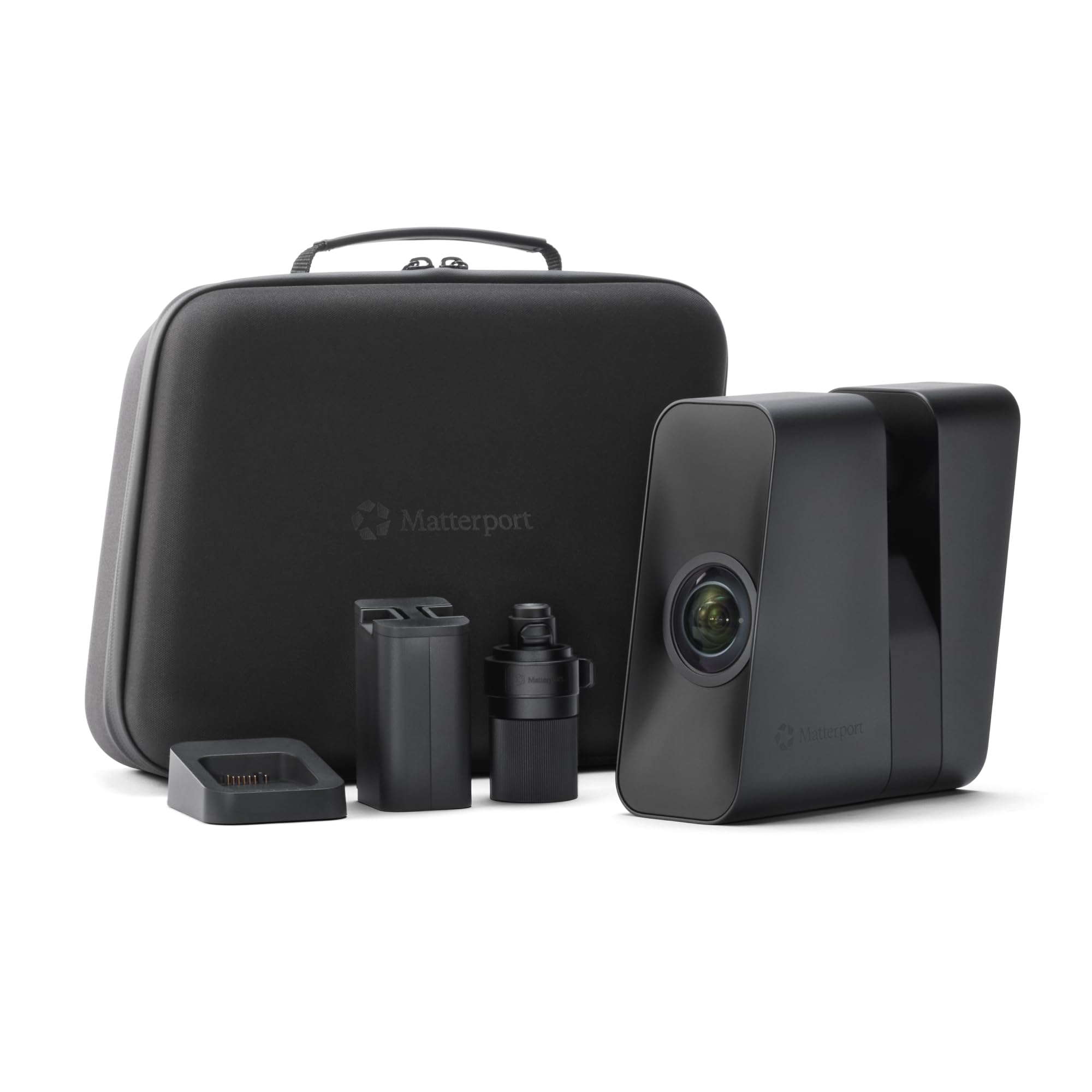
The Pro3 is a completely different class of device: a LiDAR-based scanner designed for capturing entire indoor and outdoor spaces with 360-degree views and 4K photography. Its extended scanning range reaches 100 metres (20 metres in standard mode), and the lidar sensor takes millions of measurements per scan with ±20mm accuracy at 10 metres. Each sweep completes in under twenty seconds, and the removable battery allows continuous operation on large job sites.
The Pro3 is built for real estate, architecture, and construction professionals who need to create immersive virtual tours and as-built documentation. Users call it a “world of difference” from older Matterport models, noting quieter operation and robust build quality. However, it requires a Matterport Professional or Business subscription to unlock full functionality — free and starter plans are not compatible. The tripod is sold separately, and the Pro3 is heavy at 2.2kg, limiting one-handed operation.
The Pro3 is not a 3D printing scanner — it generates point clouds and meshes for architectural documentation, not for part reproduction. If your need is scanning spaces rather than objects, and you have the budget for both the hardware and the subscription, it is the gold standard for spatial capture.
Why it’s great
- 100m LiDAR range with ±20mm accuracy
- Quick sweeps (<20 seconds per scan)
- Removable battery for continuous on-site scanning
Good to know
- Requires paid Matterport subscription for full features
- Heavy (2.2kg) and tripod sold separately
- Not designed for small-object or part scanning
FAQ
What is the difference between structured light and laser 3D scanning?
Do I need scanning spray for dark or shiny objects?
What PC specifications do I need for a 3D scanner?
Can I scan a human body with a consumer 3D scanner?
Final Thoughts: The Verdict
For most users, the best 3d scanner winner is the Creality Ferret Pro because it offers the best balance of colour quality, wireless flexibility, and beginner-friendly price. If you need higher precision for dark or shiny mechanical parts, grab the Revopoint INSPIRE 2. And for metrology-grade reverse engineering work where sub-0.02mm accuracy is non-negotiable, nothing beats the Revopoint MetroX.