
Our readers keep the lights on and the weekend projects moving. As an Amazon Associate, I earn from qualifying purchases.
The step up from 1080p is a genuine revelation, but the real squeeze is choosing a 1440p IPS monitor that balances a high refresh rate with the color accuracy and panel consistency that IPS is known for. Many screens claim gaming speed but wash out in dark scenes, or promise vibrancy but arrive with backlight bleed. The goal is a sharp, fluid daily driver for both competitive titles and creative work—one that doesn’t force you to calibrate for hours out of the box.
I’m Rikta — the co-founder and writer behind FitlyFast. I’ve spent years analyzing panel technologies, refresh rate specs, and real-world ergonomics across hundreds of monitors, helping buyers cut through the marketing to find the right fit for their desk and budget.
After testing the latest models side-by-side for color gamut, motion handling, and build quality, I’ve curated this guide to the best options currently available. This is your definitive resource for finding the best 1440p ips monitor that matches your exact workflow or gaming demands.
How To Choose The Best 1440p IPS Monitor
Buying a 1440p IPS monitor means locking in the sweet spot of pixel density without the GPU-taxing demands of 4K. To pick the right one, focus on the panel’s native refresh rate, its color performance, and the quality of its adaptive sync support.
Refresh Rate and Response Time
For competitive shooters or racing sims, a 240Hz panel with a fast IPS (0.3ms to 1ms GtG) provides a tangible edge with virtually no ghosting. For most users, a 165Hz or 180Hz refresh rate is perfectly smooth and often pairs with better color calibration out of the box. A 0.3ms response is only noticeable at the highest frame rates; 1ms is still excellent.
Color Gamut and HDR Quality
A 95% DCI-P3 coverage ensures rich, saturated colors in games and HDR content, while 99-100% sRGB is critical for accurate photo editing. VESA DisplayHDR 400 is the baseline on most models—it adds a noticeable pop in brightness but doesn’t rival true HDR panels. Some premium IPS monitors offer HDR 600 or higher for a more dynamic image.
Panel Consistency and Ergonomics
IPS technology is prized for wide viewing angles, but backlight bleed and IPS glow vary between units. A height-adjustable stand (with tilt, swivel, and pivot) is a must-have for comfortable long sessions. Features like built-in USB hubs, KVM switches, or USB-C with power delivery can turn the monitor into a true productivity docking station.
Quick Comparison
On smaller screens, swipe sideways to see the full table.
| Model | Category | Best For | Key Spec | Amazon |
|---|---|---|---|---|
| Alienware AW2725DM | Gaming | Best Overall Value | 180Hz, 1ms GtG, 95% DCI-P3 | Amazon |
| ASUS TUF VG27AQM5A | Competitive Gaming | High Refresh Rate | 300Hz, 0.3ms, Fast IPS | Amazon |
| LG 27GR83Q-B | Gaming | Versatile Gaming | 240Hz, 1ms, HDMI 2.1 | Amazon |
| Samsung G50D 32″ | Gaming | Large Screen Gaming | 32″, 180Hz, Fast IPS | Amazon |
| LG 32GP750-B | Gaming | Solid 32″ Work & Play | 32″, 165Hz, 1ms GtG | Amazon |
| Samsung M7 43″ | Smart Monitor | Productivity & Media | 43″, 4K, Smart TV Apps | Amazon |
| ViewSonic VG3456CA | Productivity | Ultrawide Dock | 34″ Ultrawide, 100W USB-C, RJ45 | Amazon |
| Dell U2725QE | Professional | Color Critical Work | 4K, Delta E<1.5, Thunderbolt 4 | Amazon |
| Alienware AW3425DW | Premium Gaming | Ultrawide Immersion | 34″ QD-OLED, 240Hz, 0.03ms | Amazon |
| Dell U3425WE | Productivity | Professional Ultrawide | 34″ 5K, IPS, Thunderbolt 4 | Amazon |
| LG 34GS95QE | Premium Gaming | Deep Gaming Immersion | 34″ OLED, 240Hz, 0.03ms | Amazon |
In‑Depth Reviews
1. Alienware 27 Gaming Monitor (AW2725DM)

The Alienware AW2725DM hits the ideal intersection of refresh rate, color performance, and build quality for a mid-range budget. The 180Hz refresh rate delivers smooth motion in fast-paced shooters and RTS titles, while the 1ms GtG response keeps ghosting at bay. The 95% DCI-P3 coverage with VESA DisplayHDR 400 provides vibrant, punchy colors without the washed-out look many budget panels suffer from.
Reviewers report a solid, adjustable stand with height, pivot, and swivel adjustments, a rare find at this tier. The QHD resolution on a 27-inch panel yields a high pixel density that makes text crisp for productivity and games look sharp. The anti-glare screen handles ambient light well during long sessions.
The primary compromise is the lack of built-in speakers and a headphone jack, requiring a separate audio solution. Some units may show minor IPS glow in dark scenes, but backlight bleed is well-controlled. To hit the full 180Hz, you must use the included DisplayPort cable; HDMI caps at 144Hz.
Why it’s great
- Excellent 180Hz refresh rate with 1ms GtG for smooth gaming
- Vibrant 95% DCI-P3 colors with HDR 400 certification
- Fully adjustable ergonomic stand (height, pivot, swivel)
Good to know
- No built-in speakers or headphone jack
- Requires DisplayPort to reach 180Hz
- Some reports of IPS glow in dark environments
2. ASUS TUF Gaming 27″ 1440P Monitor (VG27AQM5A)

The ASUS TUF VG27AQM5A is engineered for competitive players who demand the fastest possible motion clarity. With a native 300Hz refresh rate and a 0.3ms gray-to-gray response time on a Fast IPS panel, this monitor leaves virtually no motion blur behind. The ELMB Sync technology is a standout, allowing for simultaneous use of variable refresh rate and backlight strobing to eliminate both tearing and ghosting.
Color reproduction is strong with 95% DCI-P3 coverage, and the 1300:1 static contrast ratio is slightly above average for IPS, helping dark scenes retain more detail. The built-in speakers are a welcome addition for casual use, though they won’t replace dedicated desktop speakers. The Shadow Boost feature is genuinely useful for spotting enemies in dark corners without washing out bright areas.
Setup is straightforward out of the box, but some units may require calibration tweaks to get colors looking natural. The integrated DisplayWidget Center software makes adjusting monitor settings via mouse a smooth experience. The stand is solid but lacks full pivot rotation, which is a minor miss for a monitor at this tier.
Why it’s great
- Blazing 300Hz refresh rate with 0.3ms response
- ELMB Sync eliminates ghosting and tearing simultaneously
- Good 95% DCI-P3 color with improved contrast ratio
Good to know
- No pivot rotation on the stand
- Some users report needing calibration for best image
- A rare unit may have video glitch issues
3. LG 27GR83Q-B 27-inch Ultragear

The LG 27GR83Q-B is a versatile gaming monitor that marries a 240Hz refresh rate with HDMI 2.1 connectivity, making it an excellent companion for both PC and next-gen consoles. The 1ms GtG IPS panel delivers fluid motion with vibrant colors, and the DCI-P3 95% coverage ensures high-fidelity visuals in both SDR and HDR400 mode. The 4-pole headphone out with DTS Headphone:X adds spatial audio immersion without extra hardware.
The Dynamic Action Sync and Black Stabilizer features are well-tuned for competitive play, reducing input lag and illuminating dark areas without crushing blacks. The stand is a highlight, offering full height, pivot, and swivel adjustments with a solid, weighty feel that inspires confidence. The OnScreen Control software allows for quick mode switching between FPS, RTS, and Gamer profiles.
Some buyers have reported stuck or dead pixels on arrival, which is a quality control gamble. The matte coating is a fingerprint magnet and the claimed glossy finish in marketing is inaccurate; it’s a standard matte display. After extended use, a tiny dead pixel may become visible on solid colors, though it’s rarely noticeable in games or movies.
Why it’s great
- HDMI 2.1 for full 240Hz on consoles
- Excellent ergonomic stand with full adjustability
- DTS Headphone:X for spatial audio
Good to know
- Pixel defect issues reported by some users
- Marketing inaccurately calls the screen glossy
- No USB-C port for laptop charging
4. Samsung 32-Inch Odyssey G50D

For gamers who prefer a larger 32-inch canvas without stepping up to 4K, the Samsung Odyssey G50D provides a compelling Fast IPS experience at 180Hz with a sharp QHD resolution. The 1ms GtG response keeps motion clean, while the VESA DisplayHDR 400 certification adds dynamic contrast for HDR content. The wide 178-degree viewing angle ensures colors stay consistent across the big screen.
The stand is a strong point, offering height, tilt, swivel, and pivot adjustments for total ergonomic customization. Eye Saver Mode and flicker-free technology reduce eye strain during marathon sessions. User reports confirm that G-Sync compatibility works flawlessly, with no tearing or stutter in demanding titles like racing games and fast-paced shooters.
Factory calibration is mediocre; expect to spend some time adjusting the settings out of the box. With adaptive sync turned off, the color balance shifts noticeably, with whites looking burnt and blacks appearing grayish. The included cables are minimal, and the back ring attachment for stands can be tricky to install.
Why it’s great
- Large 32-inch screen with high 180Hz refresh rate
- Fully adjustable ergonomic stand with pivot
- Flawless G-Sync/FreeSync compatibility
Good to know
- Poor default calibration requires time to correct
- Color balance degrades with adaptive sync off
- Limited cable selection in box
5. LG 32GP750-B 32 Inch QHD Ultragear

The LG 32GP750-B is a reliable 32-inch performer that focuses on color accuracy and smooth 165Hz gaming without the gimmicks. The IPS panel delivers 99% sRGB coverage, making it a solid choice for users who do a mix of gaming and photo editing. The 1ms response time and G-Sync/FreeSync Premium support ensure a tear-free experience in both FPS and strategy titles.
The matte screen is a standout feature, eliminating glare effectively even in brightly lit rooms. The borderless edge design makes it an excellent candidate for a dual or triple-monitor setup. The joystick controls are intuitive, and the built-in FPS counter is a handy tool for tweaking your in-game settings.
Where it falls short is in HDR performance—the HDR 400 implementation is functional but doesn’t bring the visual punch you’d want for movies. Some users note that the anti-glare layer appears as if it can be peeled off, so it’s best to leave it untouched. The stand, while adjustable, sits lower than many desks would prefer, so a monitor arm might be your best bet for perfect eye-level positioning.
Why it’s great
- Excellent 99% sRGB for color-accurate work
- Matte screen eliminates glare effectively
- Borderless design great for multi-monitor setups
Good to know
- HDR 400 is underwhelming and not true HDR
- Stand height is lower than some users prefer
- Anti-glare layer is delicate and should not be removed
6. Samsung 43” Smart Monitor M7 (M70F)

The Samsung M7 is a 43-inch 4K smart monitor that blurs the line between a workstation display and a living room TV. Powered by Samsung Vision AI, it offers integrated streaming apps, a Gaming Hub, and a solar-charging remote, making it a fantastic all-in-one for a home office or a dorm room. The 4K UHD resolution provides exceptional detail for productivity, while the 5000:1 contrast ratio (VA-like but listed as LED) delivers deep blacks for media consumption.
The USB-C port with 65W power delivery turns this into a single-cable docking station for your laptop, handling video, data, and charging simultaneously. The Active Voice Amplifier is a clever addition for noisy environments, boosting dialogue volume automatically. The Samsung Knox security layer adds peace of mind for sensitive work data.
The 60Hz refresh rate makes this unsuitable for fast-paced gaming; it’s strictly for console (60fps) or media. The built-in speakers are treble-heavy and lack bass. For productivity, the VA-based panel (listed as LED) has good contrast but narrower color accuracy compared to a true IPS panel. Some users report UI lag and occasional auto-focus issues after the return window.
Why it’s great
- All-in-one smart monitor with streaming apps built in
- USB-C with 65W power delivery for laptop docking
- Deep contrast ratio for media consumption
Good to know
- 60Hz limit makes it poor for high-refresh gaming
- Built-in speakers lack bass; treble-heavy
- Some units may develop UI lag or auto-focus issues
7. ViewSonic VG3456CA 34 Inch Ultrawide Docking Monitor
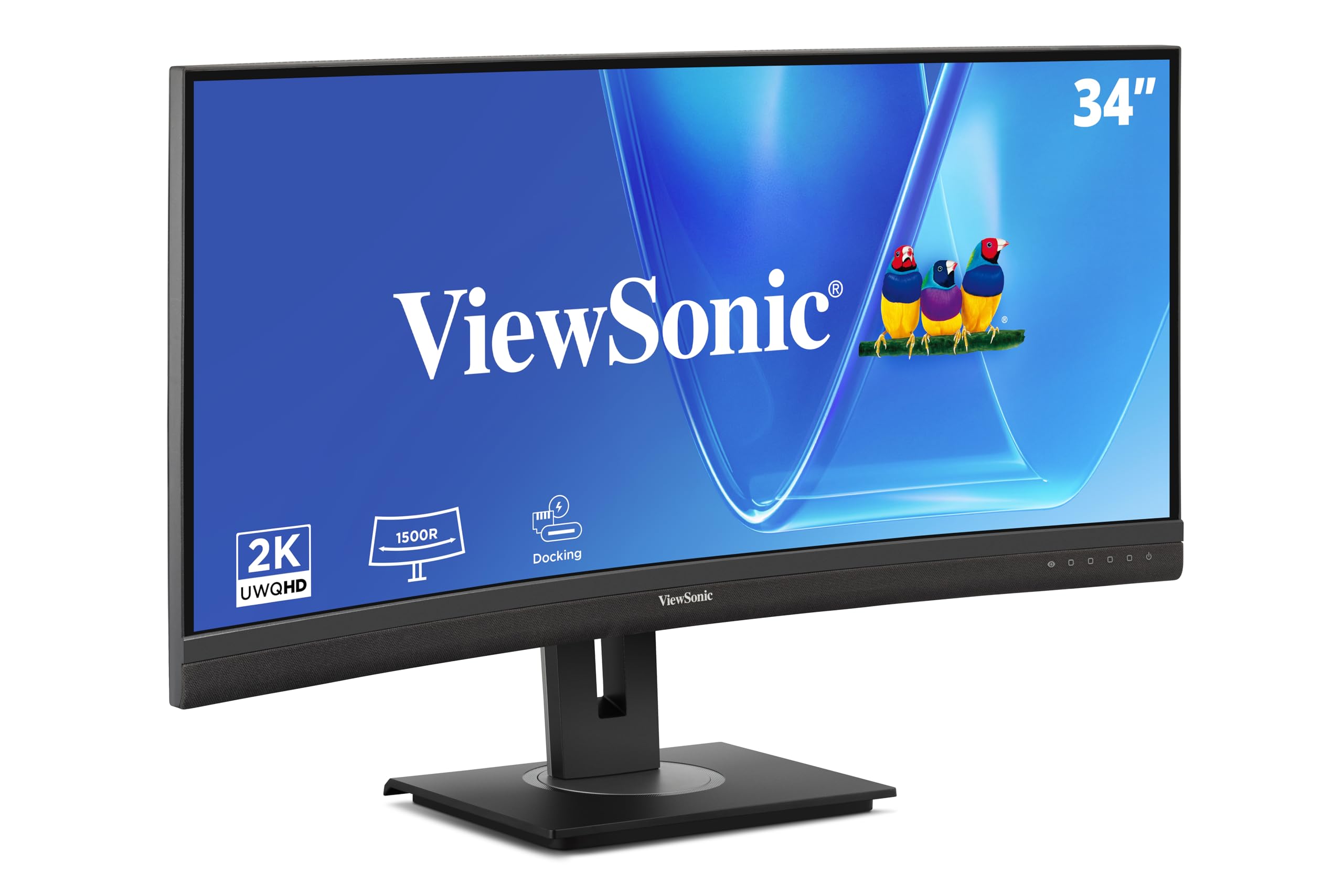
The ViewSonic VG3456CA is built for productivity power users who want to replace a clunky dock. The 34-inch curved IPS panel at 3440×1440 provides ample screen real estate for timelines, spreadsheets, and code. The 100Hz refresh rate is a nice bonus over the standard 60Hz, making window animations and scrolling feel noticeably smoother.
The standout feature is the integrated dock: a single USB-C cable delivers video, data, and up to 100W of power to your laptop, while the built-in RJ45 Ethernet port provides a stable wired network connection. The daisy-chain DisplayPort allows you to connect up to four monitors in sequence, a rare and powerful feature for multi-display setups. The 1500R curve reduces eye strain during long work sessions.
The speakers are very weak and quiet, requiring external speakers or headphones for any meaningful audio. The dock’s power delivery disconnects when the monitor goes to sleep, which means your Ethernet connection also drops—a problem for always-on connections. Some units may arrive as used returns, and the menu navigation is not the most intuitive.
Why it’s great
- 100W USB-C charging + RJ45 Ethernet in one cable
- Daisy chain up to 4 monitors via DisplayPort
- Curved 1500R panel reduces eye strain
Good to know
- Very poor built-in speaker volume
- USB-C dock powers down during sleep (no Ethernet keep-alive)
- Menu navigation is complex and unintuitive
8. Dell UltraSharp U2725QE 27 Inch 4K

The Dell UltraSharp U2725QE is the reference standard for professionals who need true-to-life color straight out of the box. The 4K IPS Black panel with 99% DCI-P3 and factory calibration to Delta E less than 1.5 ensures unmatched color accuracy for photo and video editing. The 120Hz refresh rate is a welcome upgrade over standard 60Hz professional monitors, making scrolling and UI interaction feel fluid.
The Thunderbolt 4 connectivity is the crown jewel, delivering 140W of power delivery to your laptop, video signal, and data transfer through a single cable, with daisy-chain support for two additional 4K monitors. ComfortView Plus and the ambient light sensor automatically adjust brightness and reduce blue light, making it one of the most comfortable monitors for all-day use. The full ergonomic stand with height, tilt, swivel, and pivot adjustments is built like a tank.
Mac users may encounter compatibility errors with the Thunderbolt 4, requiring a less expensive Dell model (like the S2725QC) for native Mac support. The anti-glare coating is a bit grainy for some users, which can be bothersome in a color-critical workflow. The monitor’s price tag is steep, but the build quality and color accuracy justify the cost for serious professionals.
Why it’s great
- Factory calibrated to Delta E <1.5 for pro color work
- Thunderbolt 4 with 140W power delivery
- Ambient light sensor for all-day comfort
Good to know
- Mac users may face Thunderbolt compatibility issues
- Anti-glare coating is slightly grainy
- Premium price tag for professional use
9. Alienware 34 240Hz QD-OLED Curved Gaming Monitor (AW3425DW)

The Alienware AW3425DW represents the pinnacle of ultrawide gaming with its QD-OLED technology, delivering near-infinite contrast and unparalleled color vibrancy. The 34-inch WQHD panel with an 1800R curve provides an immersive field of view that wraps around your vision, with a lightning-fast 0.03ms response time and a 240Hz refresh rate that eliminates all ghosting and motion blur.
With DCI-P3 99.3% coverage and Delta E<2 accuracy, the colors are both accurate and punchy. VESA DisplayHDR TrueBlack 400 provides deep blacks that make highlights pop with stunning realism. The adaptive sync support (G-Sync Compatible, FreeSync Premium Pro, VESA AdaptiveSync) ensures zero tearing across all systems. The anti-smudge coating on the glossy screen makes it easy to clean.
Text clarity is not as sharp as a traditional IPS panel due to the QD-OLED sub-pixel layout, which can be a downside for productivity work. The brightness tops out around 250 nits in SDR, which may feel dim in very bright rooms. OLED burn-in is a long-term concern, though Alienware includes pixel refresh and screen jitter features to mitigate this risk.
Why it’s great
- QD-OLED delivers infinite contrast and deep blacks
- Ultra-fast 0.03ms response with 240Hz refresh rate
- 99.3% DCI-P3 for vivid, accurate colors
Good to know
- Text clarity is lower than IPS for productivity
- Lower SDR brightness (250 nits) in bright rooms
- OLED burn-in risk over long-term use
10. Dell UltraSharp 34 Monitor (U3425WE)
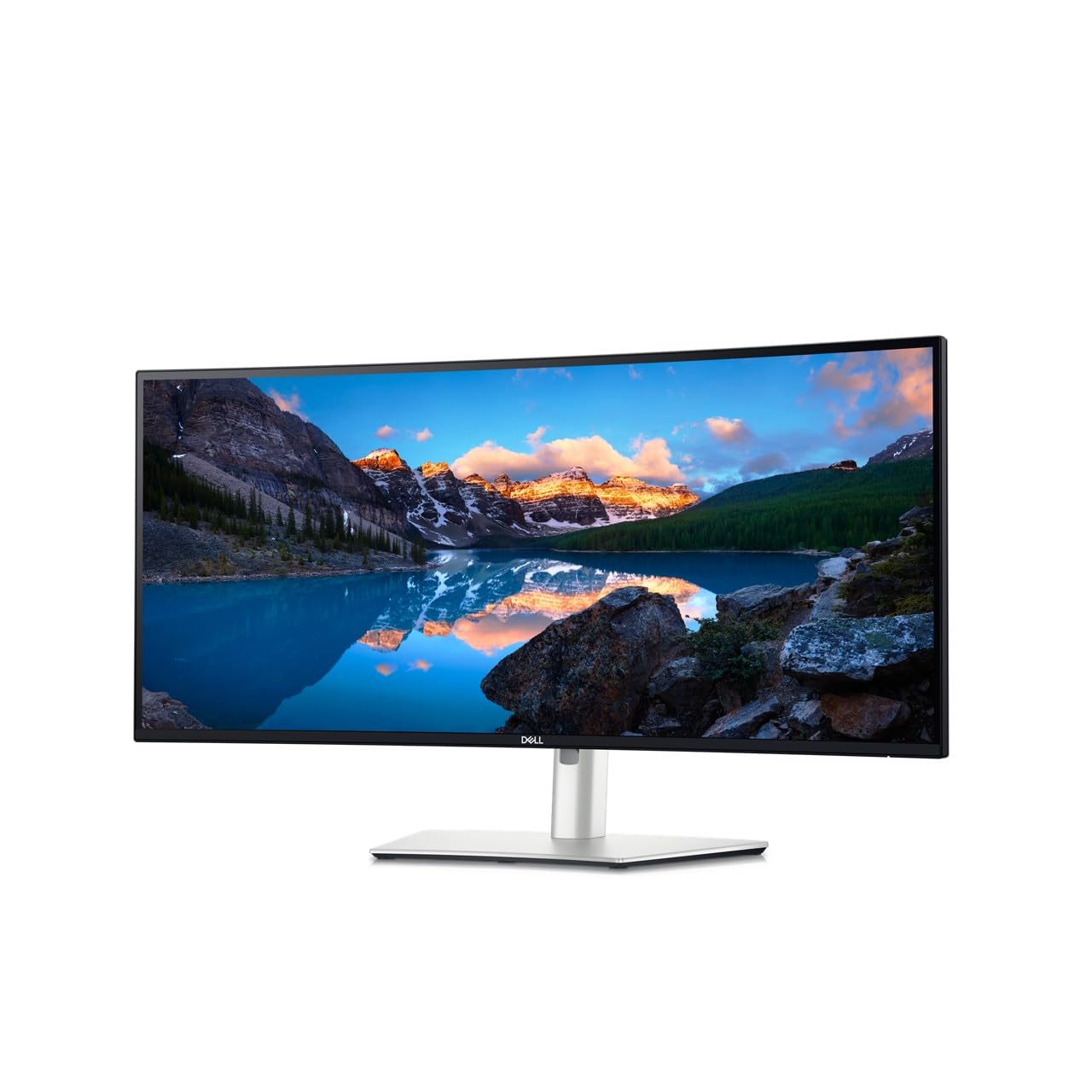
The Dell UltraSharp U3425WE is a high-end productivity monitor that combines a 34-inch IPS panel with a unique 5K QHD resolution (3440×1440), providing a massive desktop with crisp text and excellent screen real estate for demanding workflows. The 2000:1 contrast ratio is noticeably deeper than standard IPS, making it a strong choice for coding, design, or financial analysis. The ambient light sensor adjusts brightness to match the room, reducing eye strain.
The Thunderbolt 4 connectivity with 90W power delivery turns the monitor into a true docking station, connecting to laptops with a single cable. The built-in USB hub and RJ45 Ethernet port eliminate desk clutter. The anti-glare coating is subtle and effective, and the locking stand with height adjustment is robust. The KVM function allows you to control two PCs with a single keyboard and mouse seamlessly.
Dell’s warranty service can be frustrating; some users report difficulty getting replacements for dead pixels (under the panel’s policy threshold) or stand failures. The monitor’s refresh rate is capped at 60Hz, which is fine for productivity but not for gaming. The speakers are present but deliver average audio quality, not suitable for critical listening.
Why it’s great
- 2000:1 contrast ratio for deep blacks in an IPS panel
- Thunderbolt 4 with 90W power delivery and RJ45
- Ambient light sensor for automatic brightness
Good to know
- 60Hz refresh rate unsuitable for gaming
- Dell warranty and support can be difficult to navigate
- Speakers are average, not for critical listening
11. LG 34GS95QE 34-inch Ultragear OLED Curved Gaming Monitor

The LG 34GS95QE is a monitor for those who want the most immersive gaming experience possible, featuring an aggressive 800R curve that wraps the 34-inch OLED panel around your peripheral vision. The 240Hz refresh rate and 0.03ms response time deliver buttery-smooth motion, while the infinite contrast and DisplayHDR TrueBlack 400 produce blacks so deep that your desktop’s icons appear to float in space.
The anti-glare coating with low reflection technology is a boon for OLED, minimizing reflections without sacrificing the deep blacks. The stand offers full height, tilt, and swivel adjustments, and the virtually borderless design keeps the focus on the screen. User reports consistently praise the transformative gaming experience, with colors and motion clarity that make older monitors feel like relics.
The 800R curve is very steep; some users find it too aggressive for desktop productivity or standard workflow, preferring a 1800R curve instead. Text clarity on an OLED sub-pixel layout is not crisp like a high-end IPS, making it a poor choice for coding or document work. The menu button is on the back of the monitor and can be awkward to reach, and the default color temperature is too yellow for some tastes.
Why it’s great
- Aggressive 800R curve for total immersion
- Stunning OLED blacks and 240Hz smoothness
- Anti-glare coating effective for OLED
Good to know
- 800R curve is too aggressive for some workflows
- Text clarity lower than IPS for productivity
- Menu button location is awkward; needs color calibration
FAQ
Is a 1440p IPS monitor good for competitive gaming?
What is the difference between Nano IPS and Fast IPS?
Can a 1440p IPS monitor be used for professional photo editing?
What does HDMI 2.1 do for a 1440p monitor?
Final Thoughts: The Verdict
For most users, the best 1440p ips monitor winner is the Alienware AW2725DM because it delivers an outstanding 180Hz refresh rate, vibrant 95% DCI-P3 colors, and a fully adjustable stand at a price point that undercuts much of the competition. If you need blistering speed for esports, grab the ASUS TUF VG27AQM5A with its 300Hz panel and 0.3ms response. And for a professional workflow with color-critical accuracy, nothing beats the Dell UltraSharp U2725QE, which offers factory-calibrated precision and Thunderbolt 4 convenience.