
Our readers keep the lights on and the weekend projects moving. As an Amazon Associate, I earn from qualifying purchases.
Selecting a 3D printer for a business environment is a fundamentally different decision than buying one for a hobbyist. The stakes are higher: uptime, print consistency, material versatility, and total cost of ownership directly impact your bottom line. A machine that delivers flawless prototypes on day one but suffers from chronic bed adhesion issues by week three is a liability, not an asset. The best options in this category prioritize rigid frames, enclosed chambers, and automated calibration systems to minimize failed prints and maximize billable output.
I’m Rikta — the co-founder and writer behind FitlyFast. I’ve spent years analyzing the specifications and real-world performance data of industrial and prosumer FDM printers, focusing on how factors like CoreXY kinematics, closed-loop stepper motors, and active chamber heating translate into reliable production for small businesses, design studios, and engineering teams.
Whether you need to run a small print farm, iterate on complex engineering prototypes, or produce high-tolerance end-use parts, this guide breaks down the top contenders to help you find the most capable 3d printer for business that aligns with your specific workflow and material requirements.
How To Choose The Best 3D Printer For Business
Buying a printer for a business requires you to evaluate the machine as a capital investment. The cheapest upfront option can become the most expensive if it demands constant maintenance, failed reprints, or limited material support. Focus on factors that directly affect production reliability and material capabilities.
Frame Rigidity & Motion System
A rigid, reinforced frame is non-negotiable for consistent quality at speed. Look for die-cast aluminum or thick aluminum extrusion construction. CoreXY systems, as opposed to traditional bed-slingers, move the print head rather than the entire bed, which reduces vibration and allows for faster, more accurate printing. This is essential for producing functional parts with tight tolerances. Closed-loop stepper motors on higher-end models further eliminate layer shifts and missed steps during long production runs.
Active Chamber Heating
For any business printing with materials beyond PLA—such as ABS, ASA, Polycarbonate, or Nylon-CF—an actively heated chamber is critical. A stable internal temperature (typically 55–65°C) prevents parts from warping and delaminating as they cool unevenly. A printer with an enclosure but no active heating is limited; the heated chamber is what unlocks engineering-grade material reliability.
Multi-Material & Color Systems
Multi-material systems (like Bambu Lab’s AMS, Creality’s CFS, or Prusa’s tool-changer) allow for soluble supports, which drastically reduce post-processing time, and enable multi-color or multi-material parts in a single print. However, they introduce purge waste. Evaluate the system’s purge block size and whether you can tune it. For a business, the ability to print with PVA or BVOH supports can save hours of manual sanding and finishing.
Automated Calibration & First-Layer Reliability
A perfect first layer is the foundation of a successful print. Business-grade printers need automated systems for bed leveling (probing dozens of points) and Z-offset calibration. Models with nozzle-based sensor systems or load cells on the toolhead provide the most reliable adhesion. Avoid machines that require manual paper-leveling; that is a hobbyist workflow with a high failure rate in a production setting.
Quick Comparison
On smaller screens, swipe sideways to see the full table.
| Model | Category | Best For | Key Spec | Amazon |
|---|---|---|---|---|
| Bambu Lab P1S | Prosumer | Reliable out-of-box production | 500mm/s CoreXY, 20k accel | Amazon |
| QIDI Max4 Combo | Industrial | Large engineering-grade parts | 390x390x340mm, 65°C chamber | Amazon |
| ELEGOO Centauri Carbon | Value | Entry business workhorse | 500mm/s, die-cast frame | Amazon |
| Creality K2 Pro Combo | Premium | Multi-color production | 300mm³, 60°C chamber | Amazon |
| Creality Ender 5 Max | Large Format | Oversized prototypes | 400mm³, 700mm/s CoreXY | Amazon |
| Anycubic Kobra X Multi | Multi-Color | Affordable multi-color parts | 600mm/s, 4-color native | Amazon |
| FLASHFORGE AD5M Pro | Entry | Beginner business setup | 600mm/s quiet 50dB | Amazon |
| IdeaFormer IR3 V2 | Continuous | Infinite Z production | 400mm/s belt system | Amazon |
| Dremel 3D45-01 | Educational | Schools & office safety | 280°C all-metal nozzle | Amazon |
| Original Prusa XL 2-Tool | Industrial | Mission-critical prototyping | Dual tool-changer, 360mm³ | Amazon |
| Original Prusa XL 5-Tool | Industrial | Full-color multi-material | 5-tool changer, 300°C nozzle | Amazon |
In‑Depth Reviews
1. Bambu Lab P1S

The Bambu Lab P1S delivers an unmatched balance of speed, reliability, and ecosystem integration for businesses that need a workhorse printer straight out of the box. Its fully enclosed CoreXY design supports a 260mm³ build volume and prints PLA, PETG, ABS, and ASA with remarkable consistency. The auto bed leveling system and 500mm/s maximum speed mean you spend your time designing, not calibrating.
Multi-material capability is available via the optional AMS unit, enabling up to 16 colors or soluble support materials that eliminate hours of post-processing. Users consistently report fast setup times—under 30 minutes—and print quality that rivals machines costing significantly more. The Bambu Studio slicer streamlines the entire workflow from file to finish, and the built-in camera allows remote monitoring of long runs.
The P1S is not ideal for carbon-fiber or glass-fiber reinforced filaments due to its standard hotend, but it handles the vast majority of engineering materials flawlessly. For a business looking to scale prototyping or produce end-use parts with industrial consistency, the P1S is the safest and most capable all-around investment in this class.
Why it’s great
- Reliable out-of-box operation with no tinkering required
- Fast 500mm/s speed with excellent print quality
- Support for multi-color and soluble supports via AMS
- Large and engaged community for support and profiles
Good to know
- Not recommended for abrasive fiber-reinforced filaments
- AMS system creates purge waste plastic
- Requires network setup for full workflow
2. QIDI Max4 Combo

For businesses that need to print large, engineering-grade parts in materials like PPA-CF, ABS-CF, or Polycarbonate, the QIDI Max4 Combo is a powerhouse. The massive 390x390x340mm build volume is paired with a 65°C actively heated chamber, providing the thermal stability required to print high-temperature materials without warping. The closed-loop motors on the X and Y axes deliver consistent precision at speeds up to 800mm/s and 30,000mm/s² acceleration.
The high-flow 40mm³/s hotend with a hardened steel nozzle handles abrasive carbon-fiber nylons directly out of the box, and the self-developed Polar Cooler system (purchased separately) improves part cooling for overhangs. The QIDI BOX add-on enables 16-color printing and intelligent filament management, including runout pause and real-time level monitoring. Users report excellent print quality for complex industrial parts like drone components and molds.
This machine is heavy and takes up significant floor space, but its build volume and material versatility make it a single-station factory for functional prototypes. The open-source nature of the system also gives advanced users full control over Klipper firmware. It is not a beginner-friendly machine, but for a dedicated engineering team, the Max4 is the best large-format choice for demanding materials.
Why it’s great
- Massive 390mm³ build volume with active 65°C chamber
- Closed-loop motors for precision at high speeds
- Handles abrasive fiber-reinforced materials natively
- Open-source Klipper firmware for deep customization
Good to know
- Very heavy at 120 pounds; requires a sturdy table
- Polar Cooler is an additional purchase
- Long pre-print heating time for the chamber
- Multi-material system generates significant purge waste
3. ELEGOO Centauri Carbon

The ELEGOO Centauri Carbon offers exceptional value for a business needing a reliable, enclosed CoreXY printer without the premium price tag. Its rigid die-cast aluminum frame minimizes vibrations, enabling consistent prints at speeds up to 500mm/s. The 320°C brass-hardened steel nozzle can handle advanced filaments like carbon-fiber reinforced materials, making it a capable choice for functional prototypes and end-use parts.
Setup is genuinely out-of-box ready: the unit arrives fully assembled and pre-calibrated, with auto bed leveling and a responsive touchscreen interface. The built-in chamber camera with dual LED lighting allows real-time monitoring and time-lapse capture, useful for documenting production runs. The upgraded dual-sided plate features a dedicated PLA-specific surface that offers excellent adhesion without a heated bed for that material, reducing energy costs.
Some users have reported unreliability with the first generation of this model, including hotend communication errors and USB-C connection issues. ELEGOO’s warranty and support have been generally responsive, but businesses should factor in potential downtime. For the price, the Centauri Carbon is a strong contender for a secondary backup machine or a small business just entering professional FDM production.
Why it’s great
- Highly rigid die-cast frame for stability at speed
- Out-of-box ready with minimal setup required
- 320°C hotend supports abrasive filaments
- Built-in camera with time-lapse and remote monitoring
Good to know
- Some reports of QC issues and early failures
- Support response can be slow for complex issues
- WiFi connectivity can be unreliable
4. Creality K2 Pro Combo

The Creality K2 Pro Combo brings together a large 300mm³ build volume, active chamber heating up to 60°C, and the CFS Smart Filament System for up to 16-color multi-material printing. This combination is ideal for businesses that need to produce multi-color marketing prototypes or functional parts with complex material properties. The 600mm/s speed and 20,000mm/s² acceleration ensure high throughput for batch production.
Dual AI cameras provide intelligent monitoring: one chamber camera for print failure detection and time-lapse, and a nozzle camera for real-time flow rate adjustment and pressure advance tuning. The high-performance direct-drive extruder with hardened steel gears handles abrasive carbon-fiber filaments without issue, and the quick-swap hotend makes maintenance simple. Users praise the print speed and quality after initial tuning.
The K2 Pro’s firmware and slicer integration can be a source of frustration. Some users report software bugs, confusing multi-color setup workflows, and frequent out-of-sync errors between the printer and slicer. It is not a plug-and-play system for a novice; it requires a willingness to troubleshoot. For a technically adept team, the K2 Pro offers impressive capability for its class, but it demands patience.
Why it’s great
- Large 300mm³ build volume with active chamber heating
- 600mm/s high-speed CoreXY with dual AI cameras
- CFS system enables 16-color multi-material printing
- Direct drive extruder handles abrasive materials well
Good to know
- Software and firmware can be buggy and confusing
- Multi-color setup requires significant troubleshooting
- Lid risers may be needed for some filaments
5. Creality Ender 5 Max

The Creality Ender 5 Max is purpose-built for businesses that need to print very large prototypes or batch-produce multiple parts without splitting models. The 400mm³ build volume is the largest in this comparison, and the CoreXY system with high-torque motors achieves speeds up to 700mm/s. The robust die-cast aluminum frame and X-axis linear rail ensure stability for tall, heavy prints that would shake lesser machines.
WLAN multi-printer control is a standout feature for print farms: you can manage multiple Ender 5 Max units from a single interface, with grouped management and a tri-color status indicator for remote oversight. The 1000W rapid-heating bed reaches working temperature in minutes, and the 64-point auto leveling system ensures a perfect first layer every time. The dual-gear direct drive extruder is engineered for 24/7 reliability, minimizing clogs during extended production runs.
Quality control appears inconsistent based on user feedback. Some units suffer from severe bed adhesion issues, violent shaking that damages components, and loose parts that require frequent re-tightening. Creality’s customer support is also criticized for being slow. For businesses, this variance in quality is a significant risk. The concept is solid, but the execution is not yet consistently reliable enough for mission-critical production.
Why it’s great
- Massive 400mm³ build volume for oversized parts
- WLAN multi-printer control for farm management
- Fast 700mm/s CoreXY speed with reliable extruder
- 1000W rapid-heating bed for fast start
Good to know
- Inconsistent quality control across units
- Bed adhesion and vibration issues reported
- Customer support response can be slow
6. Anycubic Kobra X Multi

The Anycubic Kobra X Multi is an accessible entry point for businesses that want to explore multi-color printing without investing in a premium system. It comes with native 4-color support and can be expanded to 19 colors with additional ACE 2 Pro units. The 600mm/s print speed and advanced vibration compensation keep print quality high even during fast production. The LeviQ 3.0 auto bed leveling system uses a 49-point calibration for reliable first-layer adhesion.
Reduced purge waste is a key differentiator: the Kobra X cuts filament and machine travel path by over 80%, meaning significantly less material wasted during color changes compared to many competitors. The hardened steel nozzle is durable for standard materials like PLA, PETG, and TPU. AI monitoring includes spaghetti detection and foreign object detection, which is useful for unsupervised overnight runs. The quiet 45dB operation makes it suitable for an office environment.
Some units arrive with defective filament sensors or other quality issues, as noted in customer feedback. The phone app is functional but could be more polished. For a business that needs affordable multicolor marketing samples or educational props, the Kobra X offers good capability at a low risk. It is less suited for production of functional engineering parts due to its lack of an actively heated chamber.
Why it’s great
- Native 4-color printing with low purge waste design
- Fast 600mm/s speed with vibration compensation
- Quiet operation at 45dB, office-friendly
- Easy setup with 49-point auto leveling
Good to know
- No active chamber heating for engineering materials
- Quality control can be hit-or-miss
- App and software could be more refined
7. FLASHFORGE AD5M Pro
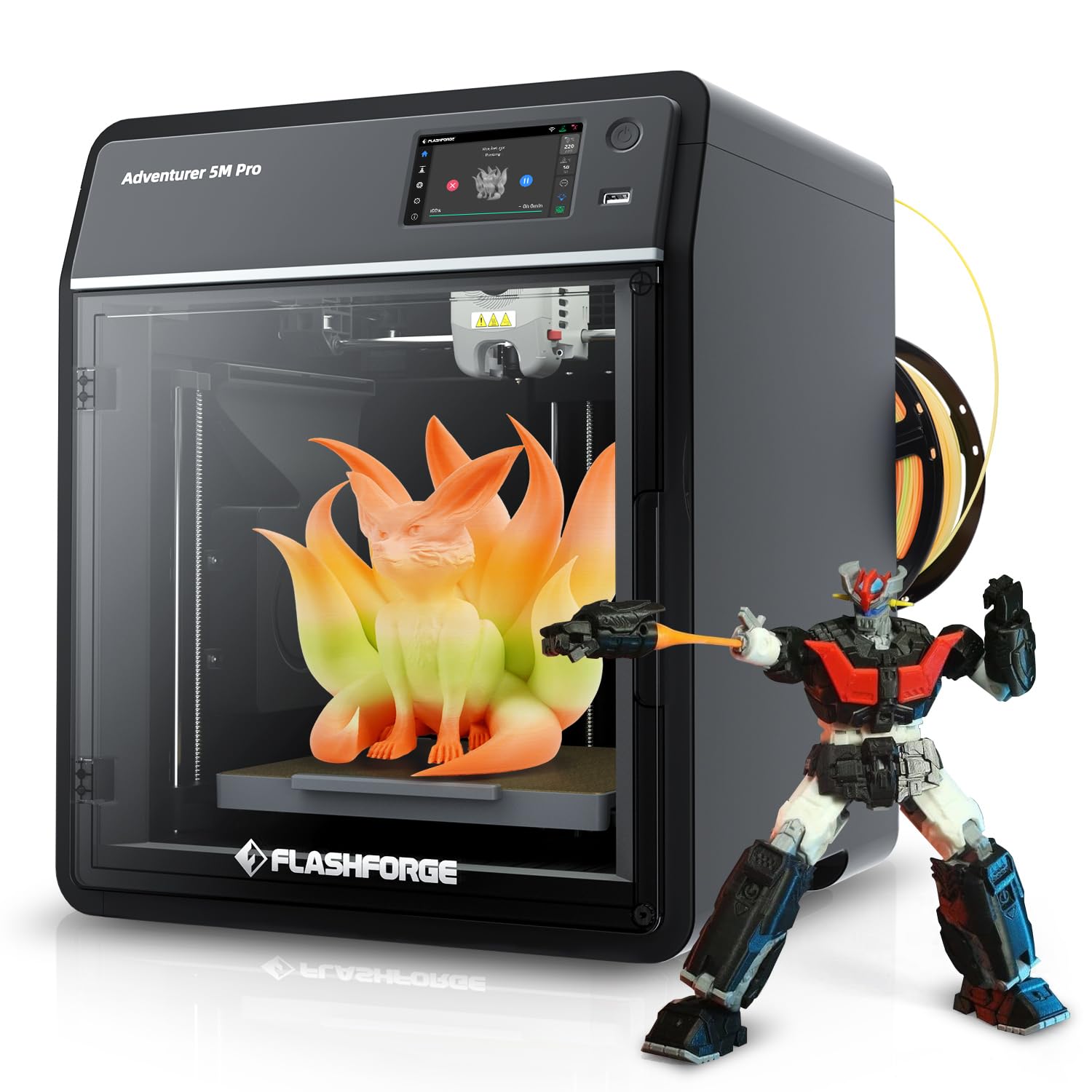
The FLASHFORGE AD5M Pro is a compact, enclosed CoreXY printer that prioritizes ease of use and silence for small offices or educational settings. With speeds up to 600mm/s and a 280°C quick-swap hotend that includes both 0.4mm and 0.6mm nozzles, it offers flexibility for different print resolutions. The 50dB noise level is genuinely whisper-quiet, allowing operation in shared workspaces without distraction.
Setup is straightforward, and the printer is well-suited for beginners or as a dedicated machine for a specific production task. The built-in camera allows basic monitoring, and the enclosed design helps with temperature stability for standard materials like PLA and PETG. Users have reported excellent first-layer adhesion and consistent quality for smaller, detailed parts.
However, the small 220mm³ build volume limits its utility for larger business parts. More critically, some users have reported defects including extruder failures and persistent connectivity issues. The printer runs on a proprietary slicer (Flash Print) which may have limitations compared to open-source alternatives like Cura or PrusaSlicer. For a business that needs a quiet, simple secondary printer for small prototypes, it works well, but it is not a primary production machine.
Why it’s great
- Very quiet 50dB operation for office use
- Quick-swap hotend with multiple nozzle sizes
- Easy setup with reliable first-layer adhesion
- Fully enclosed for temperature stability
Good to know
- Small 220mm³ build volume limits use cases
- Some reports of extruder and connectivity defects
- Proprietary slicer may have limited features
8. IdeaFormer IR3 V2

The IdeaFormer IR3 V2 is a specialized tool for businesses that need to produce long, continuous parts or batch-manufacture items with zero manual intervention. Its conveyor belt system replaces the traditional Z-axis, allowing for infinite length prints. This is ideal for cosplay armor pieces, architectural moldings, signs, and mass production of small parts that can be set to print repeatedly on the belt.
The upgraded metal belt with PEI coating provides good adhesion for PLA, PETG, ABS, TPU, and more. Klipper firmware with Fluidd web interface gives advanced users full control over motion parameters, and the auto-leveling Y-offset strain sensor simplifies calibration. Users running multiple units report they can operate 24/7 with minimal intervention, making the IR3 V2 a strong candidate for businesses focused on high-volume runs of a single part design.
This is not a general-purpose printer. The 45° print angle creates overhang issues for standard models, requiring parts to be designed specifically for belt printing. Setup is more involved than a standard printer, and the company’s support has been criticized for slow responses. For the right use case—continuous production of custom lengths or batch manufacturing—the IR3 V2 is unmatched. For anything else, it is the wrong tool.
Why it’s great
- Infinite Z-axis for continuous or long prints
- Runs 24/7 with minimal human intervention
- Klipper firmware for full user control
- Ideal for sign, cosplay, and batch production
Good to know
- Not a beginner machine; requires tinkering
- 45° print angle limits model geometry
- Company support can be slow or unresponsive
9. Dremel 3D45-01

The Dremel 3D45-01 is built for schools, libraries, and offices where safety, ease of use, and minimal fumes are paramount. Its fully enclosed design with a built-in carbon and particulate filter keeps air quality safe for shared spaces. The 5-inch full-color touchscreen with intuitive icons makes it accessible for non-technical users. Dremel’s reputation for robust warranty and customer support adds confidence for institutional buyers.
The all-metal hotend reaches 280°C and can print PLA, PETG, ECO-ABS, and Nylon with good quality. The RFID-enabled auto-detection of Dremel filament spools simplifies material selection by automatically setting optimal temperatures. The removable glass build plate heats to 100°C for strong adhesion. It is one of the quietest printers in this class, and the filtration system makes a noticeable difference in odor management.
The build volume is small at just 6.7 x 10 x 6 inches, limiting its application for larger business parts. Dremel’s proprietary filament spools are more expensive than generic options, and using third-party filament can be inconvenient due to RFID conflicts and spool holder design. The slicer software (DigiLab) is beginner-friendly but lacks advanced features found in PrusaSlicer or Cura. This is a safe, reliable choice for education or light office prototyping, not for serious production work.
Why it’s great
- Excellent air filtration for safe indoor use
- Very user-friendly for beginners and educators
- Strong warranty and customer support from Dremel
- Quiet operation with all-metal hotend
Good to know
- Small build volume limits large parts
- Proprietary filament is more expensive
- Slicer software is basic compared to alternatives
10. Original Prusa XL 2-Toolhead

The Original Prusa XL 2-Toolhead is the gold standard for businesses that require absolute reliability and a completely open, user-controlled ecosystem. The dual-tool changer system allows printing with two different materials in a single job, enabling soluble supports (PVA/BVOH) for complex geometries without the filament swapping waste of a single-nozzle MMU. The segmented heated bed uses intelligent zones to reduce warping on large prints while saving energy.
Built with a rigid CoreXY motion system, the XL delivers consistent high-quality prints at speed. The integration with PrusaSlicer and Printables.com provides a seamless workflow from model to production. Users who value full control and open-source principles praise the fact that there are no forced updates, no cloud login requirement, and no proprietary filament ecosystem. The live chat support from Prusa Research is widely considered the best in the industry.
The assembly process is more involved than advertised. The extruders and some components must be installed by the user, which can take half a day. Some units have arrived with broken plastic parts from shipping, requiring additional prints for replacement. The 2-tool system is also limited compared to the 5-tool version for highly complex multi-material jobs. For a business that needs a reliable, open, and supportable industrial printer for complex parts, the Prusa XL is unmatched, but it demands a technically competent operator.
Why it’s great
- True tool-changer for minimal material waste
- Fully open ecosystem with no forced updates
- Segmented heated bed reduces warping
- Industry-best customer support and community
Good to know
- Significant assembly time required out of box
- Shipping damage to some components reported
- Premium price point for the hardware
11. Original Prusa XL 5-Toolhead

The Original Prusa XL 5-Toolhead is the ultimate expression of multi-material FDM printing, designed for professional environments where maximum flexibility in material and color combinations is the primary requirement. With five independent toolheads, it can print full-color visual models, combine rigid and flexible materials, and use soluble supports for otherwise impossible geometries—all in a single print job. The 360mm³ build volume is generous for such a complex system.
Each toolhead can be swapped independently, meaning a failure is contained to one tool and does not take the entire machine offline. The segmented heated bed ensures even thermal distribution across the large platform, reducing warping for engineering materials. Prusa’s open ecosystem means you can use any filament brand and any slicer setting, giving complete control over the print parameters. Users who prioritize the open-source philosophy find the Prusa approach far superior to locked-down competitors.
The same caveats apply as the 2-tool version: assembly is significant, shipping damage is possible, and the user must be technically proficient to get the most out of the machine. The 5-tool system also requires careful planning to avoid tool collisions, and the slicer configuration is more complex. This is not a printer for casual use; it is a specialized tool for businesses that need to produce complex, multi-material, or full-color functional prototypes and end-use parts at a professional level. The cost is high, but the capability is unique.
Why it’s great
- Five independent toolheads for full-color and multi-material
- Segmented heated bed for large prints
- Completely open-source with full user control
- Best-in-class Community and support from Prusa Research
Good to know
- Very expensive; a significant capital investment
- Complex setup and slicer configuration required
- Assembly takes significant time and technical skill
FAQ
Can I use a consumer 3D printer for my business?
What is the ROI timeline for a business 3D printer?
Is a multi-material system worth the added cost?
Do I need a dedicated 220V circuit for a large-format printer?
How important is a built-in camera for business use?
Final Thoughts: The Verdict
For most businesses, the 3d printer for business winner is the Bambu Lab P1S because it delivers an unbeatable combination of speed, reliability, and ecosystem support at a price that makes it accessible for startups and established studios alike. If you need to print large engineering-grade parts in abrasive composites, the QIDI Max4 Combo is the clear choice due to its massive 390mm³ build volume and active 65°C chamber. And for continuous production of long parts or batch manufacturing, the IdeaFormer IR3 V2 offers a unique belt-based infinite Z-axis that no traditional printer can match.