
Our readers keep the lights on and the weekend projects moving. As an Amazon Associate, I earn from qualifying purchases.
A flat 4K screen forces your eyes to constantly refocus from the center to the edges, a subtle strain that builds over long work sessions or gaming marathons. A curved monitor solves this by matching the natural arc of your vision, delivering uniform focus across the entire display. The real challenge is picking the right combination of curvature, resolution, and refresh rate without getting lost in marketing specs.
I’m Rikta — the co-founder and writer behind FitlyFast. For the past three years I’ve analyzed the ergonomics, panel technologies, and real-world performance of more than eighty 4K curved monitors across budget, mid-range, and premium tiers.
This guide breaks down the critical specs — curvature radius, panel type, and refresh-rate-to-resolution balance — so you can confidently choose the best 4k curved monitor for your specific setup and visual needs.
How To Choose The Best 4K Curved Monitor
Selecting the right curved 4K monitor means balancing three interdependent factors: the steepness of the curve, the panel technology that drives color and contrast, and the refresh rate that determines motion clarity. Ignore any one of these and you risk spending money on a monitor that either strains your eyes, washes out in bright rooms, or stutters during fast scenes.
Curvature: 1000R vs 1500R vs 1800R
The lower the number, the tighter the curve. A 1000R monitor matches the human field of view most closely, wrapping the image around you for deep immersion — ideal for single-user gaming desks. A 1500R curve is more relaxed, better for mixed-use setups where you occasionally share the screen or work with spreadsheets. Above 1800R, the curve is subtle enough that you might not notice it, which defeats the ergonomic purpose. Test your desk depth: a tight curve requires a shorter viewing distance (roughly arm’s length) to feel natural.
Panel Technology: OLED, VA, or Fast IPS
OLED delivers true blacks, infinite contrast, and the fastest response times (0.03ms), but carries burn-in risk and a premium price. VA panels offer strong native contrast (3000:1 or higher) and good black levels at a lower cost, though viewing angles can shift off-center. Fast IPS panels produce wide viewing angles and accurate colors but typically have lower native contrast (1000:1), so they rely on local dimming for HDR. For a 4K curved monitor, VA and OLED are the most natural fits because their contrast characteristics complement the immersive curve.
Refresh Rate vs GPU Output
240Hz at 4K requires a top-tier GPU (RTX 4090 or equivalent) to push frame rates that high in modern titles. If you’re on a mid-range card, a 144Hz or 165Hz panel is a better match — you’ll get smooth motion without paying for a refresh rate you can’t use. Dual-mode monitors (like the ASUS XG32UCG) switch between 4K 160Hz and FHD 320Hz, giving you flexibility for competitive games without needing two monitors.
Quick Comparison
On smaller screens, swipe sideways to see the full table.
| Model | Category | Best For | Key Spec | Amazon |
|---|---|---|---|---|
| ASUS ROG Strix XG32UCG | Fast IPS | Dual‑mode gaming & work | 4K 160Hz / FHD 320Hz | Amazon |
| Acer Predator X32 X3 | QD‑OLED | HDR gaming & content | 240Hz / 0.03ms / 1000nit | Amazon |
| Samsung Odyssey Neo G8 G85NB | Mini‑LED VA | High‑contrast 4K gaming | 240Hz / HDR2000 | Amazon |
| CRUA 32″ 4K 240Hz | VA | Budget 4K gaming | 240Hz / 1500R / 120% sRGB | Amazon |
| LG 37G800A-B Ultragear | VA | Fluid 4K gameplay | 165Hz / 1ms / USB‑C 65W | Amazon |
| Samsung Odyssey G7 G75F | VA | Ultrawide 4K immersion | 180Hz / 21:9 / HDR600 | Amazon |
| ASUS ROG Strix XG34WCDG | QD‑OLED | Ultrawide OLED HDR | 175Hz / 0.03ms / True 10‑bit | Amazon |
| Samsung Odyssey Ark 55″ | Mini‑LED | Cinema‑sized 4K cockpit | 165Hz / 1000R / Cockpit Mode | Amazon |
| Deco Gear 49″ QD‑OLED | QD‑OLED | Super‑ultrawide productivity | 240Hz / 32:9 / USB‑C 90W | Amazon |
| INNOCN 49Q1S OLED | OLED | Multi‑source ultrawide work | 240Hz / 32:9 / USB‑C 90W | Amazon |
| LG 45GX900A-B Ultragear | OLED | Immersive 21:9 OLED | 240Hz / 800R / G‑Sync / Freesync | Amazon |
In‑Depth Reviews
1. ASUS ROG Strix 32” 4K HDR Gaming Monitor (XG32UCG)

The ASUS ROG Strix XG32UCG uses a Fast IPS panel with exceptional color reproduction (95% DCI-P3) and a semi-gloss screen that makes the image appear vivid without excessive reflections. The dual-mode feature sets it apart: at a button press it shifts between 4K 160Hz for immersive single-player titles and FHD 320Hz for competitive shooters, maximizing your GPU’s output without requiring two separate monitors.
Build quality is reinforced — the stand offers tilt, swivel, and height adjustments, plus a tripod socket for streaming setups. Connectivity covers DisplayPort, dual HDMI 2.1, and USB-C with DP Alt mode, cleanly accommodating a console, a PC, and a laptop on one desk. The integrated DisplayWidget Center software lets you adjust settings with a mouse, a convenience that eliminates digging through rear OSD buttons.
Users upgrading from 1080p or dual 27-inch setups consistently praise the crisp text clarity, the low 0.3ms response time, and the dramatic improvement in immersion. The 3-year warranty with burn-in coverage on the Fast IPS panel reduces long-term risk, making this the most balanced 4K curved option for mixed work-and-play use.
Why it’s great
- Dual-mode refresh rate adapts to any game genre without needing a second monitor
- Broad connectivity with USB-C DP Alt and dual HDMI 2.1
- Robust ergonomic stand with tilt, swivel, height, and tripod socket
Good to know
- Static contrast ratio of 1000:1 is lower than VA or OLED panels
- Requires a powerful GPU to fully utilize 4K 160Hz in demanding titles
2. Acer Predator X32 (X32 X3) 31.5″ QD-OLED

The Acer Predator X32 delivers a quantum dot OLED panel with a 1700R curve, combining OLED’s per-pixel lighting with a wider color gamut (99% DCI-P3). At 240Hz and 0.03ms response time, motion clarity is effectively instantaneous — there is no perceivable ghosting even in fast-paced scenes. The 1000-nit peak brightness at 3% window (and DisplayHDR True Black 400 certification) makes HDR highlights look genuinely luminous.
The 16:9 aspect ratio paired with the 1700R curve creates an immersive bubble without distorting the desktop workspace. The stand allows tilt, swivel, and height adjustments, and Acer includes built-in speakers, though for gaming you will want dedicated audio. Inputs include two HDMI 2.1 ports, two DisplayPort 1.4, and a USB-C connection, covering next-gen consoles and high-end PCs simultaneously.
User feedback highlights the transformative black levels in games like Elden Ring and Cyberpunk 2077, with several buyers noting that the HDR experience rivals far more expensive professional monitors. A small number of units have required firmware updates to address aggressive auto-dimming, and the V-shaped base protrudes further than typical stands, so measure your desk depth before purchasing.
Why it’s great
- QD-OLED delivers true blacks, infinite contrast, and 99% DCI-P3 coverage
- 240Hz refresh rate with 0.03ms response for blur-free motion
- 1000-nit peak brightness provides genuine HDR impact
Good to know
- OLED burn-in risk requires pixel cleaning routines and varied content use
- Base is wide and deep, consuming extra desk real estate
3. Samsung 32″ Odyssey Neo G8 (G85NB)

The Samsung Odyssey Neo G8 is one of the few 4K monitors to combine a 1000R curvature with Quantum Mini-LED backlighting, achieving a 1,000,000:1 dynamic contrast ratio and a staggering 2000-nit peak brightness for HDR content. The VA panel maintains a fast 240Hz refresh rate and 1ms response time, delivering deep blacks without the burn-in worry of OLED. The matte display coating effectively cuts reflections, making it a strong choice for brightly lit rooms.
Connectivity is adequate with DisplayPort, HDMI, and USB-C, though the monitor lacks HDMI 2.1, capping console bandwidth at 60Hz on 4K. The stand provides tilt and swivel but is bulky; many users opt for a VESA arm after factoring in the deep base footprint. The on-screen menu uses a direction-sensitive joystick under the bezel, which takes adjustment time.
Reviews consistently praise the contrast and HDR performance, calling it the closest to OLED without the burn-in anxiety. The 1000R curve creates a significant wraparound effect that takes two weeks to adjust to, but once adapted, the immersion is unmatched in this class. Some units have reported scan lines at 240Hz, an issue often reduced by dropping to 120Hz or adjusting the power-on sequence.
Why it’s great
- Mini-LED backlight produces near-OLED blacks with no burn-in risk
- 2000-nit peak HDR brightness is class-leading for bright room use
- Matte coating effectively reduces glare
Good to know
- Scan line issues reported at 240Hz on some units
- No HDMI 2.1, limiting next-gen console refresh rates
4. CRUA 32″ 4K Curved Gaming Monitor

The CRUA 32-inch 4K monitor proves you don’t need to spend heavily to get a curved 4K panel with a 240Hz refresh rate. The VA panel produces a 3000:1 contrast ratio and 120% sRGB coverage, giving games and movies decent pop for the price tier. The 1500R curve is gentle enough to feel natural for office work while still enhancing immersion in cinematic titles.
Connectivity includes HDMI 2.1 and DisplayPort 1.4, plus PIP/PBP mode for side-by-side inputs. The white casing is a unique aesthetic for gamers who want a clean, light-colored setup — most gaming monitors are black. The stand offers tilt adjustment only, but the 75x75mm VESA mount lets you add an arm if you need height or swivel. Built-in speakers are present, though their audio quality is best reserved for system alerts rather than primary sound.
Buyer feedback highlights the value proposition: buyers upgrading from 1080p or 1440p are impressed by the clarity and responsiveness at this price point. A few users note that the settings menu can be confusing without a remote, and the stand is finicky to assemble for larger hands. For those with a tight budget who still want a legitimate 4K curved experience, this is the strongest entry-level option.
Why it’s great
- 240Hz 4K at a budget-friendly price is tough to beat
- VA panel provides strong 3000:1 contrast for deep blacks
- White chassis stands out from the typical black monitor design
Good to know
- Stand offers tilt only — no height or swivel adjustment
- Built-in speakers are low quality, audio solution needed
5. LG 37G800A-B Ultragear 37″ 4K
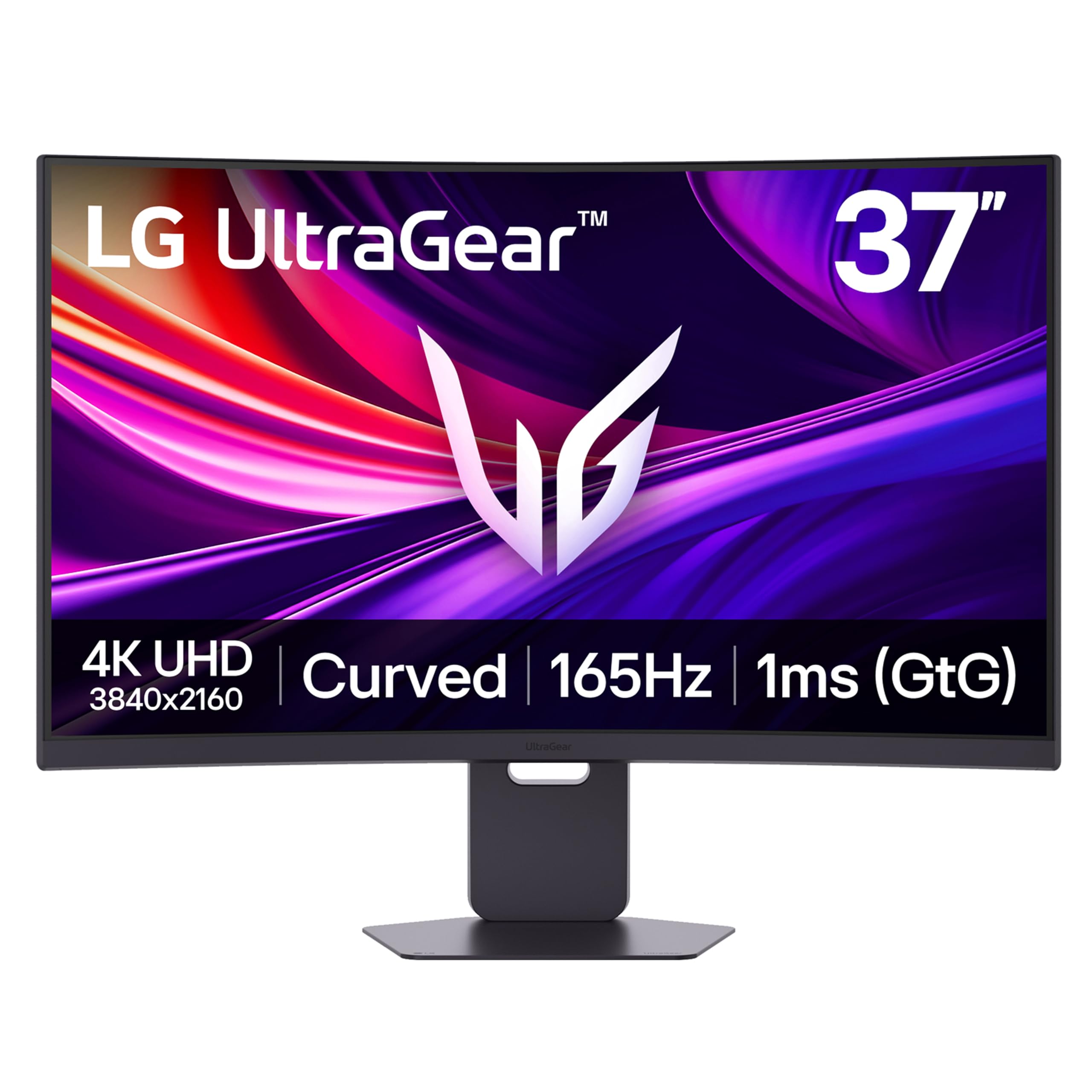
The LG 37G800A-B sits in a unique spot: a 37-inch 4K VA panel with a smooth 165Hz refresh rate and 1ms response time, offering a larger screen than typical 32-inch models without jumping to the 40+ inch super-ultrawides. The VA panel provides a 4000:1 static contrast ratio, superior to most IPS panels, and the DisplayHDR 600 certification means HDR content has genuine brightness headroom.
Input options are generous: dual HDMI 2.1 ports support 4K 165Hz on next-gen consoles, DisplayPort 1.4, and a USB-C input with 65W power delivery — enough to charge a laptop while sending video. The stand provides tilt, height, and swivel adjustments, and the narrow bezel makes multi-monitor setups feel cohesive. Dynamic Action Sync and Black Stabilizer are built into the OSD for competitive gaming.
Users replacing multi-monitor 34-inch ultrawides are especially satisfied, citing the elimination of bezels and the boost from 1440p to native 4K resolution. The RGB lighting on the back adds ambient flair without being distracting. The on-screen joystick is positioned on the rear, which some find less intuitive than a front-facing button, and the USB-C port does not supply power to connected devices beyond video transmission, a nuance that led to a few returns.
Why it’s great
- 37-inch size hits a sweet spot between 32-inch and ultrawide formats
- USB-C 65W power delivery simplifies laptop desk setups
- High 4000:1 contrast ratio from VA panel enhances dark scenes
Good to know
- OSD joystick on rear is less convenient than front controls
- USB-C port only carries video, separate power cable needed for peripherals
6. Samsung 40″ Odyssey G7 G75F

The Samsung Odyssey G7 G75F features a 40-inch 1000R curved VA panel with a 21:9 ratio and 5K2K resolution (5120 x 2160) — true ultrawide 4K with more horizontal real estate than any 16:9 panel. The 180Hz refresh rate and 1ms response time (GtG) keep motion smooth, while VESA DisplayHDR 600 ensures bright highlights and decent local dimming. Samsung’s matte coating handles glare well, maintaining contrast in well-lit rooms.
Connectivity is straightforward with DisplayPort and HDMI inputs, plus a USB-A to B upstream for peripherals. The stand offers height, swivel, and tilt adjustments, though the base is wide and awkwardly shaped, taking up significant desk space. Color accuracy out of the box leans slightly cool, but a quick calibration brings it to a neutral profile suitable for mixed office and gaming use.
Reviewers coming from 34-inch ultrawides appreciate the extra vertical height and the pixel density bump. The VA panel shows no viewing angle issues at a normal desk distance, and the 1000R curve wraps without distorting spreadsheets or text. Some users note that the HDR mode requires fine-tuning to avoid washed-out whites, but once dialed in, the monitor offers excellent value for those who want a larger ultrawide without moving to 49-inch sizes.
Why it’s great
- 5K2K resolution gives true ultrawide 4K with no black bars
- 1000R curve provides excellent immersion on a 21:9 panel
- HDR600 delivers bright highlights above typical mid-range monitors
Good to know
- Stand base takes up a lot of desk space
- Out-of-box color calibration needed for accurate office work
7. ASUS ROG Strix 34” QD-OLED (XG34WCDG)

The ASUS ROG Strix XG34WCDG uses a 34-inch QD-OLED panel with a 3440×1440 resolution, 175Hz refresh rate, and true 10-bit color depth for 1.07 billion colors. The 1500R curve and 21:9 ratio make it immersive for both cinematic games and productivity workflows. OLED Care Pro includes a Neo Proximity Sensor that automatically darkens the screen when you step away, reducing burn-in risk significantly.
Color accuracy is exceptional — Delta E < 2 out of the box, and 99.3% DCI-P3 coverage means HDR content looks vibrant and lifelike. The DisplayWidget Center software lets you control OLED Care settings and picture profiles with a mouse, circumventing the OSD joystick entirely. The stand provides height, swivel, and tilt adjustments, and ASUS includes a 3-year warranty covering burn-in, addressing the primary concern buyers have with OLED.
Users upgrading from older 34-inch ultrawides report a massive leap in contrast and color vibrancy. The Neo Proximity Sensor works reliably, though a few users have disabled it due to occasional false triggers. No built-in speakers means you need external audio. The 3.5mm audio jack has inconsistent performance, so using DisplayPort audio or USB headsets is recommended for reliable sound.
Why it’s great
- QD-OLED provides stunning contrast with true blacks and vibrant HDR colors
- 3-year warranty with burn-in coverage protects your investment
- Neo Proximity Sensor intelligently prevents burn-in during idle time
Good to know
- No built-in speakers; audio output jack has reliability issues
- Image retention cleaning prompts appear periodically during use
8. Samsung 55″ Odyssey Ark

The Samsung Odyssey Ark is a 55-inch 4K 165Hz Quantum Mini-LED curved monitor with a 1000R curve, effectively a TV-class screen designed for desktop use at arm’s length. Its signature feature is Cockpit Mode: the entire screen rotates vertically, letting you position the monitor like a massive portrait display for coding, reading, or immersive flight sims. The 2.2.2-channel 60W speaker system with Dolby Atmos eliminates the need for external audio for many users.
Multi View supports up to four simultaneous inputs, so you can game, stream, and browse within a single massive canvas without needing PiP boxes. The OneConnect box routes all cables cleanly to a separate hub, but the unit itself weighs around 91 pounds — a two-person installation is strongly recommended. Inputs include multiple HDMI and USB ports, plus wireless connectivity for Samsung TV Plus and YouTube apps without a PC.
User feedback is highly specific to this niche: those who love it call it a “Death Star command center” and praise the staggering brightness and immersion. Complaints center on the software, which can hang during updates, experience HDMI handshake issues, and require frequent restarts. A small number of users report dead pixels after a year, noting that Samsung’s pixel policy makes warranty replacement difficult. This monitor is best for enthusiasts who accept the software quirks in exchange for a uniquely large curved experience.
Why it’s great
- 55-inch 1000R curve is the most immersive single display available
- Cockpit Mode rotates the screen for portrait or angled orientations
- Integrated 2.2.2-channel speaker system with Dolby Atmos
Good to know
- Extremely heavy (91 lbs) requiring two people and large desk
- Software can be buggy — frequent troubleshooting needed
9. Deco Gear 49″ QD-OLED Ultrawide

The Deco Gear 49-inch QD-OLED combines a 32:9 super-ultrawide format with a 5120×1440 resolution and 240Hz refresh rate, effectively replacing two 27-inch monitors without a bezel seam. The QD-OLED panel delivers true blacks, a 1,500,000:1 contrast ratio, and 1.07 billion colors, making it excellent for both creative work and gaming. The USB-C port offers 90W power delivery, allowing a single-cable laptop connection that charges the laptop at full bandwidth.
The built-in KVM switch lets you control two different computers with one keyboard and mouse, a critical productivity feature for developers or designers using a desktop and a laptop. PIP/PBP support splits the screen between multiple sources, and the included RGB lighting adds ambiance. The curvature is gentle enough to keep spreadsheets readable yet pronounced enough for games to feel wraparound.
Initial impressions from buyers highlight the phenomenal picture quality and the ease of setup. One user reported a power cable that was damaged from tight folding, but a replacement cable resolved the issue. Refurbished units have shown reliability problems including smoke emission after extended use, so buying new is strongly advised. For the price, this monitor offers QD-OLED performance at a lower cost than competitors, making it a compelling mid-tier ultrawide choice.
Why it’s great
- QD-OLED panel provides flagship-level color and contrast at a mid-tier price
- USB-C 90W powers a laptop through a single cable
- Built-in KVM switch simplifies multi-device workflows
Good to know
- Power cable can arrive damaged from packaging
- Refurbished units have a higher failure rate; buy new
10. INNOCN 49Q1S OLED Ultrawide

The INNOCN 49Q1S is a 49-inch 32:9 OLED monitor with 5120×1440 resolution, 240Hz refresh rate, and a 0.03ms response time. The OLED panel delivers a 1,000,000:1 contrast ratio with perfect blacks, and the 1800R curve is gentle enough that it doesn’t distort the image while still reducing eye strain during long sessions. The USB-C port supplies 90W power delivery, and the monitor includes a full I/O complement: two DisplayPort 1.4, HDMI 2.1, USB-A, USB-B, RJ45 Ethernet, and a 3.5mm audio jack.
PIP/PBP mode allows side-by-side inputs, enabling a work-from-home setup where a PC and a Mac share the screen. The built-in surround speakers offer convenience, though they are not a replacement for dedicated audio gear. The height-adjustable stand provides tilt and swivel, supporting ergonomic positioning. The glossy screen coating enhances color saturation but may reflect overhead lights, so positioning away from direct light is recommended.
User reports are mixed: racing game enthusiasts love the resolution and smoothness, and customer service (Enzo) is praised for replacing a faulty unit quickly. However, some users have reported the monitor failing after three months, and certain Windows applications have scaling issues with the 32:9 aspect ratio. The lack of RGB control beyond default lighting is a minor gripe. Overall, it is a strong OLED ultrawide for those who prioritize color and response time over absolute reliability guarantees.
Why it’s great
- OLED panel provides perfect blacks and instant 0.03ms response
- USB-C 90W plus RJ45 Ethernet simplifies single-cable desk setups
- 1800R curve reduces eye strain without distorting productivity apps
Good to know
- Some units have reported failure within months of ownership
- Glossy screen requires careful lighting placement to avoid reflections
11. LG 45GX900A-B Ultragear 45″ OLED

The LG 45GX900A-B uses a 45-inch WQHD (3440×1440) OLED panel with an 800R curve — the steepest curvature in this lineup, designed to wrap around your peripheral vision for total immersion. The 240Hz refresh rate and 0.03ms response time eliminate any visible motion blur, and the peak brightness reaches 1300 nits at 1.5% APL, making HDR highlights exceptionally bright. G-Sync and FreeSync Premium Pro compatibility ensures no screen tearing regardless of GPU brand.
The stand supports height, swivel, and tilt adjustments, and the anti-glare coating is UL-verified for flicker-free, discomfort-glare-free viewing. The 21:9 aspect ratio gives more screen area in width than a 49-inch 32:9 monitor, since the 45-inch diagonal provides a taller image. Inputs include HDMI 2.1, DisplayPort 1.4, and USB-C with 65W power delivery, plus a USB hub for peripherals.
Buyers upgrading from smaller screens are blown away by the size and immersion, with one user noting the Tobii eye tracking compatibility enhances flight sim experiences. The 800R curve, however, is intense — it works best at an arm’s length distance, and users who prefer a more conventional curve may find it overwhelming. A small number of reports mention vertical lines appearing intermittently and LG warranty support being unhelpful, which is a risk to consider for long-term ownership.
Why it’s great
- 800R curve is the most immersive curvature available
- G-Sync and FreeSync Premium Pro work with both GPU brands
- 1300-nit peak brightness provides stunning HDR highlights
Good to know
- 800R curve requires close desk placement and adjustment period
- Intermittent vertical line issues reported, warranty support inconsistent
FAQ
Does a curved monitor cause distortion for productivity work like spreadsheets or coding?
What GPU do I need to run a 4K curved monitor at full refresh rate?
Is OLED worth the extra cost for a 4K curved monitor?
Final Thoughts: The Verdict
For most users, the best 4k curved monitor winner is the ASUS ROG Strix XG32UCG because it delivers the most versatile combination of high-refresh dual-mode performance, excellent color (95% DCI-P3), broad connectivity, and a robust warranty at a mid-range price. If you want the deepest blacks and most vibrant HDR for single-player gaming, grab the Acer Predator X32 QD-OLED. And for the ultimate super-ultrawide experience that replaces two monitors with a single seamless QD-OLED panel, nothing beats the Deco Gear 49″ QD-OLED.