
Our readers keep the lights on and the weekend projects moving. As an Amazon Associate, I earn from qualifying purchases.
The jump from a standard 1080p portable display to true 4K UHD is not a small step—it is a fundamental shift in pixel density that transforms everything from spreadsheet cells to photo-editing layers. With four times the pixels of a full HD panel, a 4K portable monitor delivers razor-sharp text, lifelike skin tones, and the spatial headroom to keep reference windows open without crowding your workflow. Whether you are color-grading on location, reviewing architectural drawings at a client site, or simply wanting a cinematic second screen for hotel-room streaming, the resolution alone sets a new baseline for mobile productivity.
I’m Rikta — the co-founder and writer behind FitlyFast. I spend hundreds of hours parsing datasheets, cross-referencing color-gamut claims against real-world reviews, and analyzing connectivity protocols to find the portable monitors that actually deliver on their 4K promises without killing your battery or your budget.
Here I have sorted through the current field of high-resolution travel displays to identify the models that genuinely combine panel quality, build durability, and practical portability. Use this guide to find the best 4k portable monitor that fits your specific use case without wasting time on marketing fluff.
How To Choose The Best 4K Portable Monitor
Choosing a 4K portable monitor is more than just picking the biggest screen that fits your bag. You need to weigh panel technology against power delivery, color accuracy against weight, and connectivity options against your specific laptop’s output capabilities. The following filters will help you avoid the two most common regrets: buying a monitor that looks dull next to your laptop screen, or one that requires a separate power brick for every use case.
Panel Tech: IPS, QLED, or OLED
IPS panels dominate the mid-range for their balanced color and wide viewing angles, but they struggle to deliver true blacks and high contrast in bright environments. QLED panels boost color volume and peak brightness—often hitting 500 to 600 nits—making them ideal for rooms with uncontrolled lighting. OLED panels deliver the deepest blacks, infinite contrast ratios, and the widest color gamuts (100% DCI-P3), but they are more prone to image retention if you leave static elements on screen for hours, and they typically cost more per inch.
Connectivity and Power Delivery
The dream setup is a single USB-C cable that handles video, data, and power simultaneously. In practice, many 4K portable monitors require an external power adapter to reach full brightness, especially at sizes above 15.6 inches. Check whether your laptop’s USB-C port supports DisplayPort Alt Mode and at least 15W–20W of power delivery. If the monitor demands a dedicated power brick, factor that extra bulk into your travel packing list.
Brightness and Color Gamut
For indoor use, 300 nits may be acceptable, but a 4K panel really comes alive above 400 nits—especially when you are working near a window or in a coffee shop. Color gamut matters most if you edit photos or video: look for at least 100% sRGB for general accuracy, or 100% DCI-P3 for professional video work. A ΔE value below 2 ensures color shifts are invisible to the naked eye.
Quick Comparison
On smaller screens, swipe sideways to see the full table.
| Model | Category | Best For | Key Spec | Amazon |
|---|---|---|---|---|
| SOTSU FlipAction Elite 16″ | Premium | Mac users wanting seamless integration | 450 nits, 100% DCI-P3, magnetic folding stand | Amazon |
| ViewSonic VX1655-4K-OLED | Premium | OLED purists & brand warranty seekers | OLED, 80,000,000:1 contrast, 60W USB-C | Amazon |
| Magedok 16″ 4K Touch OLED | Premium | Touchscreen & stylus workflow | 16:10 OLED, 10-point touch, MPP stylus | Amazon |
| Magedok 16″ 4K OLED | Premium | Top-tier OLED image quality | 16:10 OLED, ΔE < 1, Samsung AM-OLED panel | Amazon |
| UPERFECT UColor 19 Apex | Mid-Range | High-refresh 4K gaming & QLED color | 144Hz, 0.1ms response, 500 nits QLED | Amazon |
| Odmenot 24″ Portable | Mid-Range | Maximum screen real estate on the go | 24″ IPS, 420 nits, VESA mountable | Amazon |
| cocopar 17.3″ 4K UHD | Mid-Range | Premium aluminum build & kickstand | 150% sRGB, 600 nits, aluminum alloy | Amazon |
| Upperizon 15.6″ OLED Touch | Mid-Range | OLED touch + 4K in a compact frame | OLED, touch, 100% DCI-P3, 100000:1 | Amazon |
| UPERFECT 17.3″ QLED | Mid-Range | High brightness for well-lit rooms | QLED, 600 nits, 150% sRGB, dual USB-C | Amazon |
| InnoView 14″ OLED | Budget-Friendly | Ultra-thin OLED at a lower entry cost | OLED, 0.15″ thick, 100% DCI-P3 | Amazon |
| InnoView 18.5″ UHD | Budget-Friendly | Large-size 4K without the premium price | 18.5″ IPS, 400 nits, 100% sRGB, 180° stand | Amazon |
In‑Depth Reviews
1. SOTSU FlipAction Elite 16″ Portable Monitor

The SOTSU FlipAction Elite is built for the mobile creative who refuses to compromise on build quality or screen precision. Its 16-inch IPS panel delivers native 4K resolution (3840×2400) in a 16:10 aspect ratio—giving you 10% more vertical screen space than a standard 16:9 display, which is a real advantage for timeline-heavy video editing and long documents. At 450 nits and covering the full DCI-P3 color gamut, it matches a MacBook Pro’s display fidelity closely enough that color-critical work remains consistent panel-to-panel. The full metal CNC chassis feels dense and premium, while the unique magnetic folding stand collapses to just half an inch thick for packing.
Connectivity is well-considered: a single USB-C cable handles video and 15W power pass-through from most modern laptops, and the integrated SD card slot in the kickstand eliminates the need for a dongle when offloading camera footage. Some users note that the default resolution on macOS requires a third-party scaling utility for comfortable reading, and the included carry case is thin—plan for extra padding if you toss it in a packed bag. The 60 Hz refresh rate is standard for productivity, but competitive gamers may want to look at higher-refresh options.
This monitor earns the top spot because it treats portability and professionalism as equally important. The magnetic folding stand, premium materials, and color-accurate 4K panel make it the closest thing to a MacBook companion that functions as a true second display rather than an emergency backup screen.
Why it’s great
- 16:10 4K panel perfectly matches MacBook color and brightness
- Magnetic fold-flat stand enables the thinnest packing profile in this class
- Full metal CNC construction feels robust and premium
- Integrated SD card slot is a thoughtful addition for photographers
Good to know
- Requires a third-party scaling utility for comfortable macOS text size
- Included carrying case offers minimal protection for daily commuting
- 60Hz refresh rate limits appeal for high-frame-rate gamers
2. ViewSonic VX1655-4K-OLED 15.6″ Portable Monitor

ViewSonic brings its established display engineering to the portable space with the VX1655-4K-OLED, a 15.6-inch panel that delivers the kind of contrast ratio—80,000,000:1—that makes IPS screens look washed out in comparison. Every pixel is self-emissive, so blacks are truly black and highlights pop with the HDR punch that makes video editing and cinematic streaming a genuine pleasure on the road. The monitor ships with a durable screen cover that doubles as a stand, supporting both portrait and landscape orientations without adding extra hardware to your bag.
Two USB-C ports handle video, data, and 60W pass-through charging over a single cable, which is one of the highest power-delivery ratings in this category. The built-in stereo speakers are weak—expect thin audio that you will want to supplement with headphones or a portable speaker. The monitor requires a 20W external power source to reach full brightness, so you cannot run it at peak performance from a laptop’s USB-C port alone.
If brand reputation, warranty length (three years), and proven OLED quality outweigh the desire for the absolute lowest price, the ViewSonic is a strong buy for professionals who need reliable color accuracy and deep contrast in a lightweight 1.5-pound frame.
Why it’s great
- OLED panel delivers true blacks and 80M:1 contrast ratio
- 3-year warranty with US-based customer support
- Single USB-C supports video and 60W power delivery
- Durable screen cover acts as a protective stand
Good to know
- Included speakers are thin and barely adequate
- Requires external 20W power for max brightness
- 60Hz refresh rate only, no high-refresh option
3. Magedok 16″ 4K OLED Touchscreen Portable Monitor

The Magedok 16-inch touchscreen OLED takes portability one step further by integrating a 10-point capacitive touch layer that works fluidly with Windows 8/10/11 and supports MPP and USI stylus protocols for drawing and note-taking. The underlying panel is a Samsung E4 AM-OLED with 100% DCI-P3 color gamut, a 283 PPI pixel density, and Delta E < 1 factory calibration—meaning the colors you see are within the threshold of human perception for accuracy. The 16:10 aspect ratio adds welcome vertical room, and the slim bezels give the 93% screen-to-body ratio a modern, edge-to-edge look.
The integrated kickstand is adjustable from 0 to 90 degrees, and a standard 75x75mm VESA mount gives you the option to attach it to an arm for a permanent desktop setup. The touchscreen does not support macOS beyond single-touch gestures, so Mac users will lose much of the interactive benefit. The OLED panel is glossy by nature, which can cause reflections in brightly lit spaces, and you will want to avoid leaving static elements on screen for extended periods to prevent potential image retention.
For Windows users who sketch, annotate, or navigate through touch, this monitor delivers a premium 4K experience that doubles as a drawing tablet substitute while remaining entirely portable.
Why it’s great
- Samsung E4 AM-OLED panel with ΔE < 1 color accuracy
- 10-point capacitive touch with MPP/USI stylus support
- 16:10 aspect ratio and 93% screen-to-body design
- 75x75mm VESA mount for flexible desktop setups
Good to know
- Full touch functionality is Windows-only; macOS limited to single-touch
- Glossy OLED surface reflects light in bright environments
- Potential for image retention with prolonged static content
4. Magedok 16″ 4K OLED Portable Monitor

This non-touch version of the Magedok 16-inch OLED shares the same Samsung E4 AM-OLED panel as its touch sibling, delivering the same stunning 100% DCI-P3 coverage and a <1 Delta E out of the box. The key difference is the omission of the touch layer, which reduces weight slightly and eliminates the glossy overlay that can create reflections—making this the better choice for colorists and photographers who prioritize pure display quality over interactivity. The 16:10 aspect ratio and 283 PPI ensure that every pixel of your 3840×2400 canvas is crisp, and the TÜV-low blue light certification adds a layer of eye comfort for long editing sessions.
Connectivity is generous with a Mini DisplayPort, standard HDMI, and two USB-C ports, giving you the flexibility to run it from a camera monitor output or a gaming console. The built-in speakers are basic, and the integrated stand—while stable—has a limited tilt range compared to premium competition. Some users report that HDR content requires the included power adapter to reach its full brightness potential, as the laptop’s USB-C alone may not push the panel to 400 nits.
If you want the best possible image quality in a portable form factor and do not need touch input, this remains one of the most color-accurate 4K travel monitors you can buy at this price point.
Why it’s great
- Samsung AM-OLED panel with factory ΔE < 1 calibration
- 16:10 aspect ratio provides valuable extra vertical space
- Mini DisplayPort, HDMI, and dual USB-C connectivity
- TÜV-low blue light certification reduces eye strain
Good to know
- Peak HDR brightness requires the included external power adapter
- Integrated stand has a limited tilt adjustment range
- No touch support, making it purely a viewing monitor
5. UPERFECT UColor 19 Apex Portable Monitor
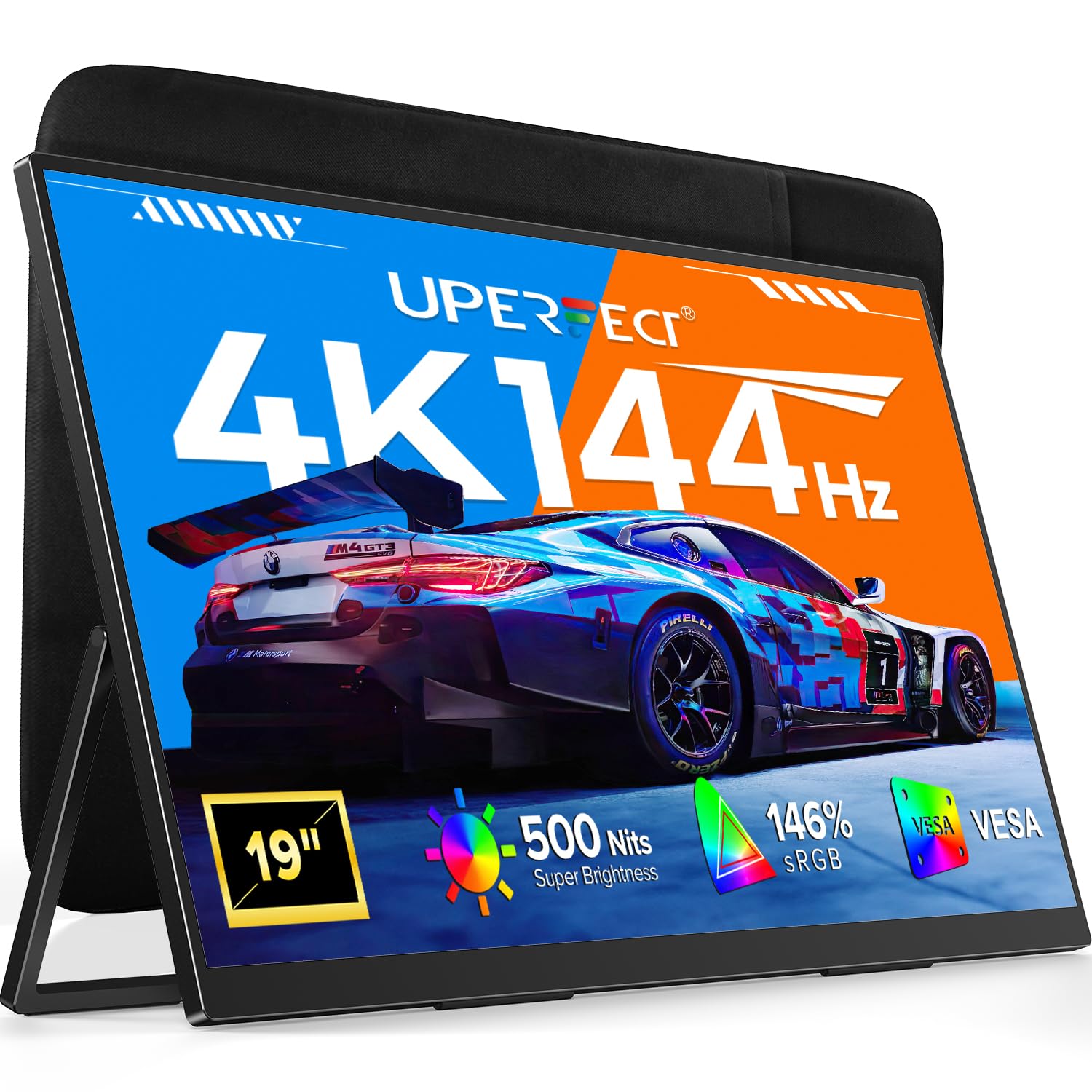
The UPERFECT UColor 19 Apex breaks the portable monitor mold by offering a 4K 144 Hz refresh rate in a 19-inch QLED panel, a combination that until recently required a full desktop rig. With a 0.1 ms response time and FreeSync support, motion clarity is exceptional—ghosting is virtually absent in fast-paced shooters and racing titles. The QLED technology delivers 146% sRGB coverage and 500 nits of brightness, meaning colors pop and contrast remains punchy even in moderately lit surroundings.
The monitor’s construction is solid, with a metal frame and a wide, anti-wobble kickstand that feels secure on a desk or nightstand. You will need a source that supports HDMI 2.1 or USB-C with DisplayPort 1.4 Alt Mode to unlock the full 4K 144 Hz bandwidth—older laptops may top out at 60 Hz. The control buttons are numerous and require a brief learning curve to navigate in the dark.
For the traveling gamer who wants a high-refresh-rate 4K experience without dragging a full-sized monitor, the UColor 19 Apex delivers desktop-grade smoothness in a package that slides into most large backpacks.
Why it’s great
- 4K 144Hz QLED panel with 0.1ms response time
- 146% sRGB color gamut with 500 nits peak brightness
- Sturdy metal frame reduces wobble during intense gaming
- FreeSync support eliminates screen tearing
Good to know
- Requires HDMI 2.1 or DP 1.4 over USB-C for 144Hz
- Multi-button control panel has a learning curve
- External power brick is necessary for full performance
6. Odmenot 24″ 4K Portable Monitor
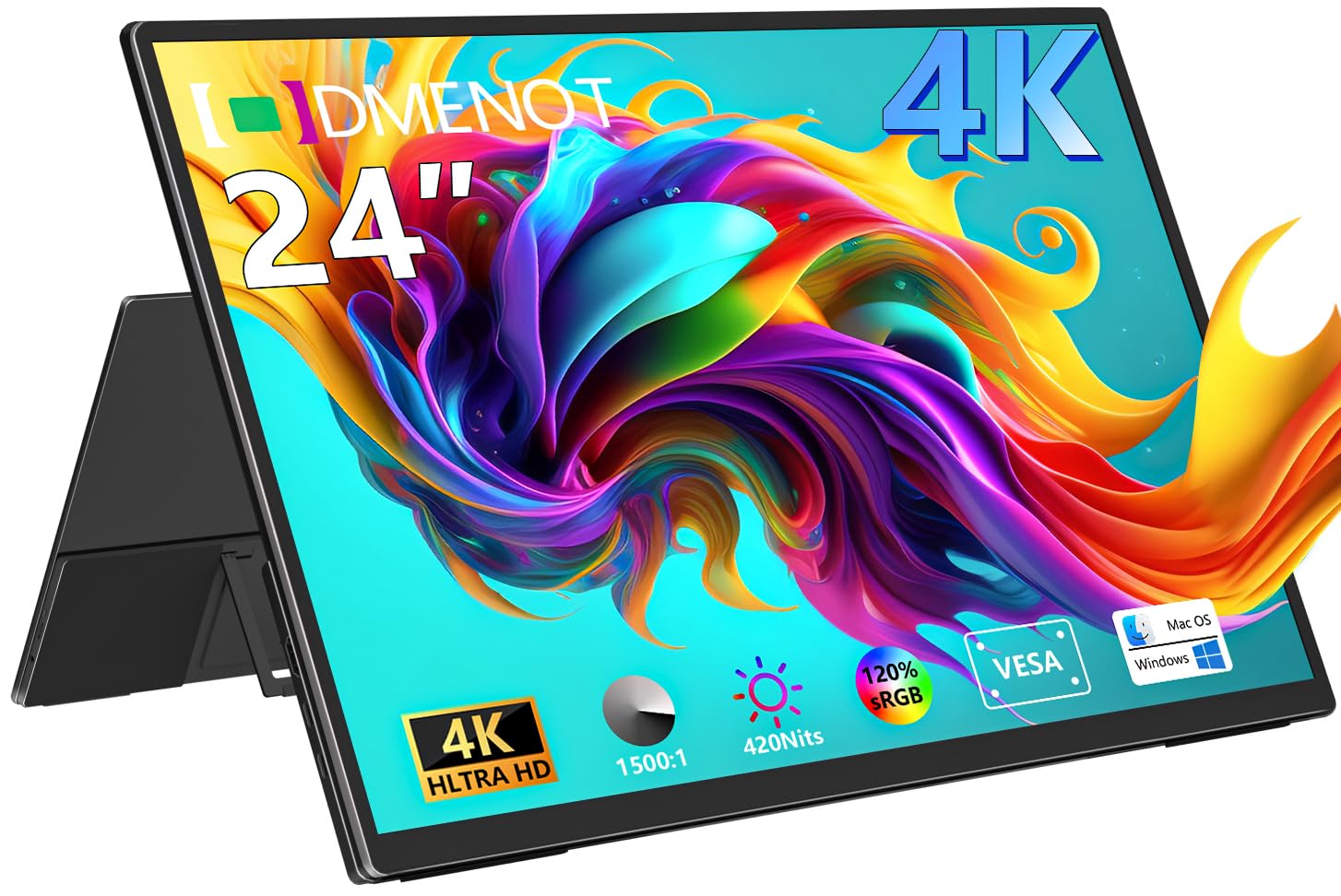
The Odmenot 24-inch portable monitor redefines “portable” by offering a genuinely large 24-inch IPS 4K panel in a chassis thin enough to slide into a large laptop compartment. With 420 nits of brightness and a 1500:1 contrast ratio, it delivers a crisp, well-lit image that rivals many desk-bound office monitors. The 120% sRGB color gamut ensures accurate color for general productivity, spreadsheet work, and web browsing, though it falls short of the AdobeRGB/DCI-P3 coverage demanded by professional photo editors.
The built-in 90-degree folding stand is functional, but reviewers consistently note that you will want a VESA arm for optimal ergonomics—the monitor is large enough that the standard kickstand does not provide the same stability you get with smaller panels. It requires its own power adapter and will not run from a single USB-C cable on most laptops, which adds a power brick to your travel loadout.
If your priority is raw screen real estate and you have the bag space, the Odmenot 24 provides desktop-scale 4K at a price that undercuts most 24-inch UHD monitors by a wide margin.
Why it’s great
- 24-inch 4K IPS panel offers true desktop-sized workspace
- 420 nits brightness suitable for most indoor environments
- VESA 75x75mm mount compatible with monitor arms
- Thin metal chassis with scratch-resistant panel
Good to know
- Cannot run on USB-C power alone; requires dedicated adapter
- 120% sRGB gamut is not sufficient for professional color grading
- Large size may not fit in standard carry-on luggage
7. cocopar 17.3″ 4K UHD Portable Monitor
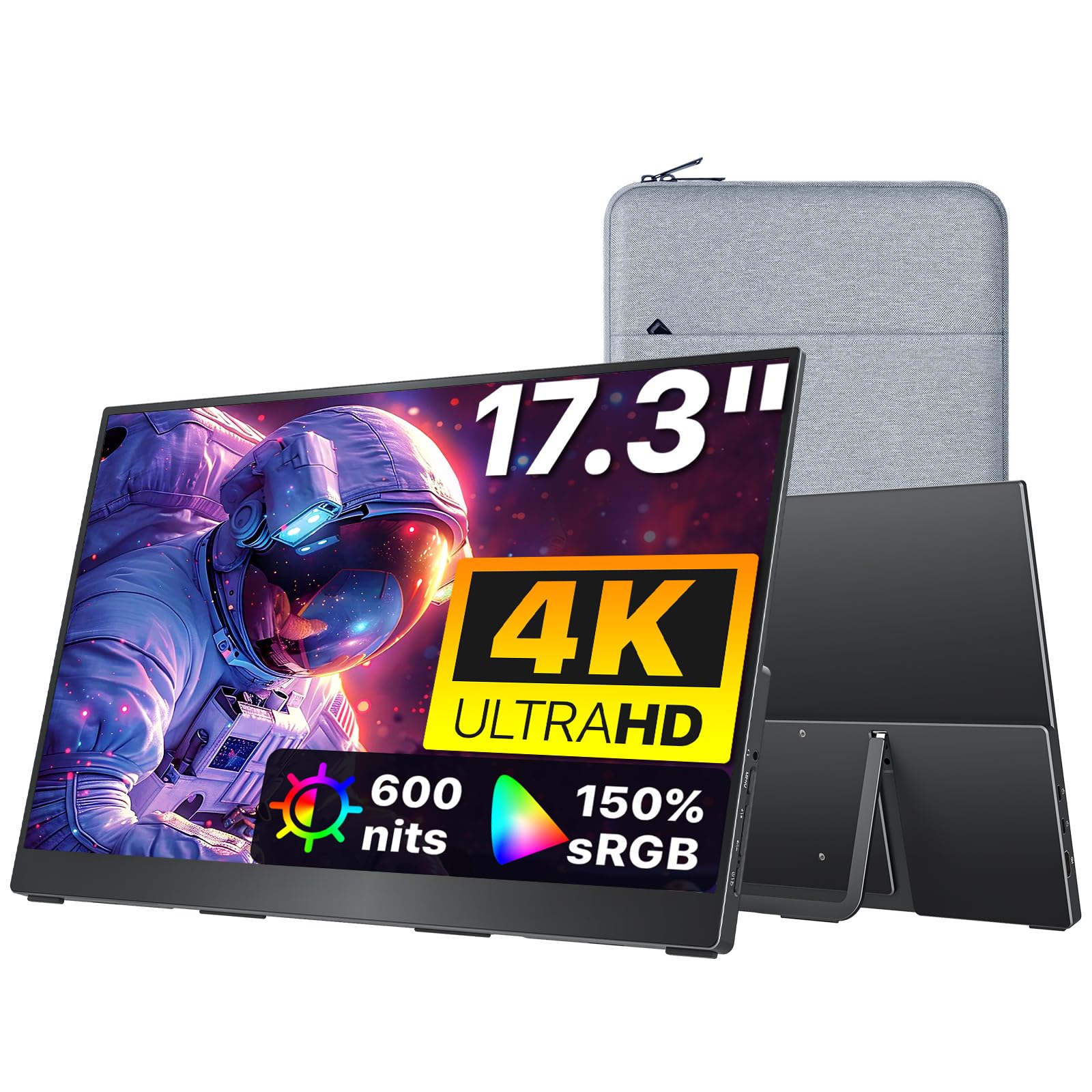
The cocopar 17.3-inch monitor combines a large diagonal with a high-grade aluminum alloy chassis that excels at heat dissipation—a practical advantage when you are running 600 nits of brightness for extended sessions. The IPS panel covers 150% sRGB and supports 8-bit color depth (16.77 million colors), delivering vibrant, accurate images that satisfy most creative workloads short of professional video grading. The 17.3-inch size sits in a sweet spot: noticeably bigger than 15.6-inch models without crossing into “awkward to pack” territory.
Cocopar includes a padded sleeve, a 30W power adapter, and both USB-C and HDMI cables in the box, so you are ready to connect out of the package. The built-in kickstand is robust and offers multiple viewing angles, but the monitor weighs just 1.7 pounds, so it feels light in hand despite its size. To maintain the full 600 nits brightness during video or audio-intensive tasks, external power is mandatory—single USB-C from a laptop will top out around 500 nits and may dim further under load.
For the road warrior who needs a bright, large display with a premium feel and does not want to fuss with third-party accessories, the cocopar delivers a polished, all-in-one experience.
Why it’s great
- Aluminum alloy chassis provides superior heat management
- 600 nits peak brightness for bright-room usability
- 150% sRGB color gamut covers a wide color range
- Lightweight 1.7 lbs with full accessory kit included
Good to know
- Requires external power to sustain peak 600 nits brightness
- 8-bit panel lacks the 10-bit gradients of premium photo displays
- Kickstand is sturdy but not height-adjustable
8. Upperizon 15.6″ OLED Touchscreen Portable Monitor

The Upperizon 15.6-inch OLED brings touch interactivity to a compact 4K form factor that weighs just 1.9 pounds and measures only 0.17 inches at its slimmest edge. The self-emissive OLED panel covers 100% DCI-P3 and delivers a 100,000:1 contrast ratio, giving images the kind of pop and depth that makes IPS panels look flat in side-by-side comparisons. The glossy screen enhances perceived contrast but creates reflections in bright settings—an anti-glare protector is a worthwhile add-on for coffee-shop warriors.
Touch functionality is a highlight for Windows users who can use the full 10-point multi-touch gestures; macOS and game consoles do not support touch input via this monitor. The integrated kickstand is stable for landscape work but lacks an ideal angle for portrait mode—you may want a dedicated stand if you frequently rotate the display. Some compatibility quirks have been reported with specific USB-C cables, so using the included full-featured cables is advised.
If you want a genuinely slim, touch-capable 4K OLED monitor that disappears into a bag and serves as a secondary canvas for Windows workflows, the Upperizon is one of the few options that ticks both boxes without breaking the barrier.
Why it’s great
- OLED panel with 100% DCI-P3 and 100,000:1 contrast ratio
- Extremely thin and light at 0.17 inches and 1.9 pounds
- Full 10-point touch support for Windows users
- Includes 45W PD charger for reliable power delivery
Good to know
- Touch input not supported on macOS or game consoles
- Glossy screen creates reflections in bright environments
- Kickstand not optimized for stable portrait-mode viewing
9. UPERFECT 17.3″ QLED Portable Monitor

UPERFECT’s 17.3-inch QLED monitor is built for users who prioritize raw brightness and color vibrancy above all else. With 600 nits of peak luminance and a 2000:1 contrast ratio enabled by Quantum Dot technology, this display remains readable and punchy even in direct sunlight or brightly lit office environments. The 150% sRGB coverage ensures that reds are richer and greens are deeper than standard IPS panels can produce—a real advantage when you are reviewing photography or watching HDR content on the go.
The matte screen finish reduces glare significantly compared to glossy OLED alternatives, making it the better choice for outdoor or window-side work. Two fully functional USB-C ports and a standard HDMI input give you flexible device connections without hunting for adapters. The built-in stand offers 180 degrees of tilt, but several users note that the viewing angles are narrower than advertised—color shifts become noticeable when viewing from off-center positions.
For the mobile professional who works in variable lighting conditions and demands a bright, color-rich image that can compete with ambient light, the UPERFECT 17.3 QLED delivers where many IPS panels fall short.
Why it’s great
- 600 nits QLED panel excels in bright environments
- 150% sRGB color gamut produces vivid, punchy colors
- Matte screen finish reduces glare and reflections
- Dual fully functional USB-C ports for flexible connectivity
Good to know
- Viewing angles are narrower than typical IPS panels
- On-screen menu navigation is clunky and unintuitive
- Built-in speakers are tinny and quiet
10. InnoView 14″ OLED Portable Monitor

The InnoView 14-inch OLED is one of the thinnest 4K portable monitors on the market, measuring just 0.15 inches at its slimmest point and weighing only 1.24 pounds. Despite the diminutive size, it packs a 4K resolution in the 16:10 aspect ratio (3840×2400), delivering a pixel density that surpasses a MacBook’s Retina display. The OLED panel covers 100% DCI-P3 and achieves a 100,000:1 contrast ratio, making it an excellent companion for video editors and photographers who need accurate blacks and smooth color gradients.
The aluminum frame feels quality, and the 180-degree adjustable stand provides flexible viewing angles without adding bulk. The monitor runs on a single USB-C cable from most modern laptops for both video and power, though devices with weaker USB-C ports may require the included power adapter. Some users report that the HDR mode on macOS needs to be manually disabled in system settings to prevent a washed-out look—a quick fix once you know it.
If your top priority is an ultra-portable, featherlight OLED that delivers genuine 4K sharpness without dominating your bag space, the InnoView 14-inch is a compelling entry-level OLED option that punches above its price point.
Why it’s great
- Extremely thin and light at 0.15 inches and 1.24 pounds
- OLED panel with 100% DCI-P3 and 100,000:1 contrast
- 16:10 aspect ratio offers valuable extra vertical space
- Can run on a single USB-C cable from many modern laptops
Good to know
- MacOS HDR setting may require manual adjustment to prevent washout
- 14-inch diagonal may feel small for split-window productivity
- Plastic kickstand does not match the premium feel of the display
11. InnoView 18.5″ 4K UHD Portable Monitor
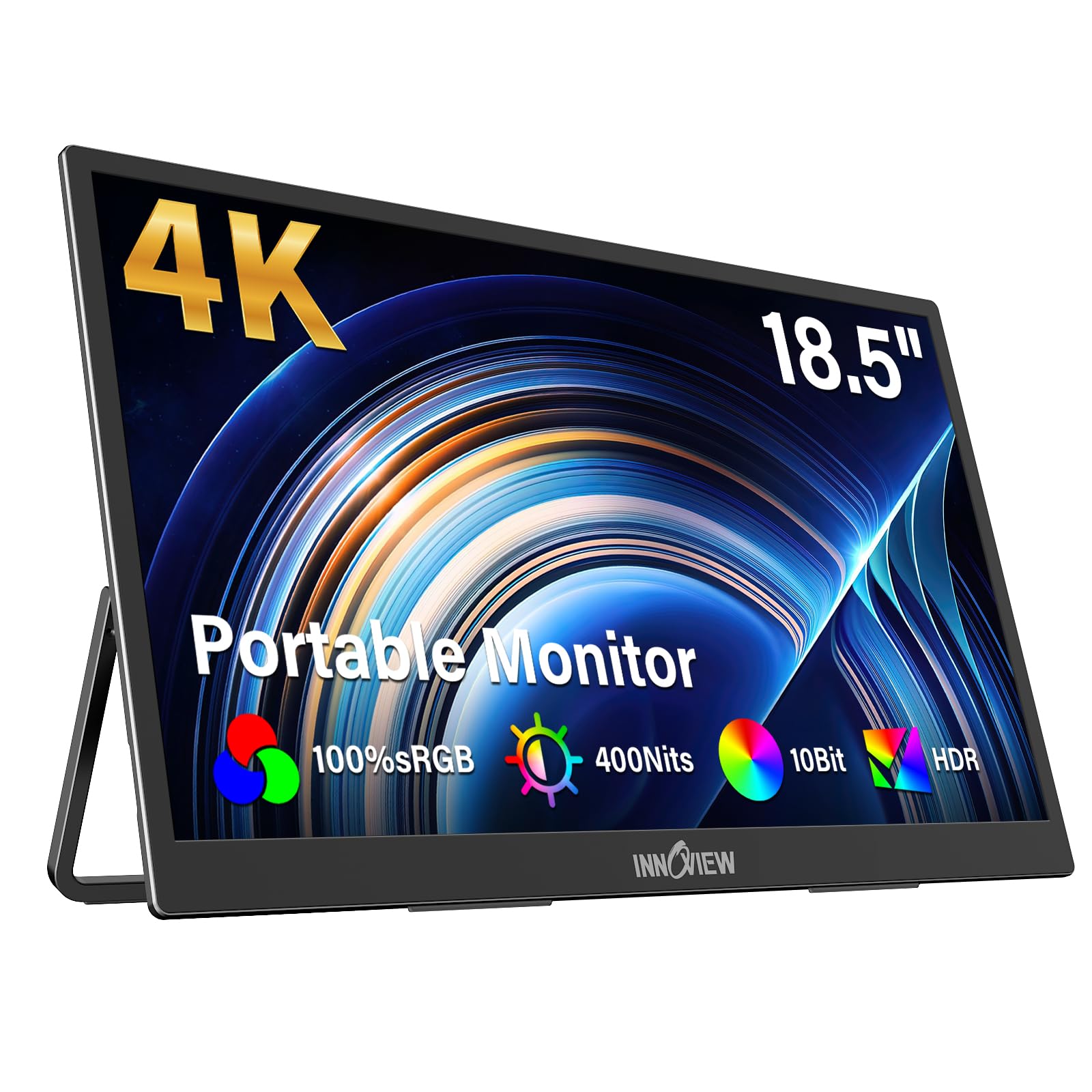
The InnoView 18.5-inch 4K monitor offers the largest screen size among entry-level 4K portables without demanding a premium price. Its IPS panel covers 100% sRGB with 400 nits of brightness, producing a clear, color-accurate image that works well for productivity, educational presentations, and light gaming. The built-in 180-degree tilt stand is one of the most user-friendly in this class, allowing you to adjust the angle smoothly without any tools or magnetic attachments.
Connectivity includes dual USB-C ports and a full-size HDMI input, making it compatible with everything from laptops to PS5 consoles. The monitor uses a two-cable setup—one for video and one for power—which means you cannot run it completely cable-free from a single laptop port. The built-in speakers are mediocre, producing thin audio suitable only for system beeps and basic video conference audio.
For budget-conscious buyers who need a large 4K travel screen that covers the basics without compromising on resolution or size, the InnoView 18.5-inch is a straightforward, reliable choice that leaves room in the budget for a quality carrying case.
Why it’s great
- Large 18.5-inch screen offers generous workspace for the category
- 100% sRGB coverage ensures accurate general-purpose color
- Integrated 180-degree stand is smooth and easy to adjust
- Full-size HDMI port adds console compatibility
Good to know
- Requires separate power and video cables for full brightness
- Built-in speakers are basic and lack volume
- IPS panel cannot match OLED black levels or contrast
FAQ
Can any laptop run a 4K portable monitor over a single USB-C cable?
How bright does a portable 4K monitor need to be for outdoor use?
Does a higher refresh rate matter for a 4K portable monitor?
Is OLED burn-in a real concern for portable monitors?
Final Thoughts: The Verdict
For most users, the best 4k portable monitor winner is the SOTSU FlipAction Elite 16″ because it combines a premium full-metal chassis, a color-accurate 16:10 4K panel, and a clever folding stand that packs flat—essentially zero compromise on quality or portability for creative professionals. If you want the purest OLED blacks and brand-backed reliability, grab the ViewSonic VX1655-4K-OLED. And for a bright high-refresh gaming experience on the road, nothing beats the UPERFECT UColor 19 Apex.