
Our readers keep the lights on and the weekend projects moving. As an Amazon Associate, I earn from qualifying purchases.
Decoding the perfect 27-inch 4K monitor requires understanding pixel density, panel technology, and refresh rate trade-offs. This guide breaks down the critical specs for work, gaming, and creative accuracy.
I’m Rikta — the co-founder and writer behind FitlyFast. I analyze panel specifications, color gamut coverage, and connectivity standards to help you match a monitor to your workstation or gaming setup.
Whether you edit photos, trade stocks, or game at high frame rates, the right 27 inch 4k monitor balances resolution, color accuracy, and ergonomic features for your daily tasks.
How To Choose The Best 27 Inch 4K Monitor
Choosing the right 27-inch 4K monitor is about matching the panel technology and connectivity to your primary use case. Three decisions define your choice: panel type, refresh rate, and color accuracy requirements.
Panel Technology: IPS vs Fast IPS vs QD-OLED
IPS panels offer wide viewing angles and solid color accuracy, making them ideal for office productivity and general use. Fast IPS variants push refresh rates to 160Hz or higher without sacrificing color, suiting hybrid work-and-play setups. QD-OLED delivers infinite contrast and true blacks with vibrant colors, but comes at a premium and requires burn-in management for static productivity tasks.
Refresh Rate: 60Hz vs 120Hz vs 160Hz and Above
Standard 60Hz is perfectly adequate for office work, coding, and photo editing. 120Hz provides noticeably smoother cursor movement and scrolling, reducing eye fatigue during long sessions. Above 120Hz (160Hz to 240Hz) benefits competitive gaming where every millisecond of motion clarity matters, but demands a powerful GPU to drive 4K at those frame rates.
Color Gamut: Why DCI-P3 and sRGB Coverage Matter
For creative professionals, sRGB 99-100% is the baseline for web and print work. DCI-P3 coverage above 90% unlocks richer reds and greens for video editing and HDR content. Delta E under 2 ensures factory-calibrated accuracy out of the box, saving hours of manual adjustment for color-critical tasks.
Quick Comparison
On smaller screens, swipe sideways to see the full table.
| Model | Category | Best For | Key Spec | Amazon |
|---|---|---|---|---|
| ASUS ROG Swift PG27UCDM | Gaming OLED | Competitive Gaming & HDR | 240Hz, 0.03ms, DP 2.1 | Amazon |
| Samsung Odyssey G8 G81SF | QD-OLED | High-End Gaming & Media | 240Hz, QD-OLED, HDR400 TB | Amazon |
| MSI PRO MAX 271UPXW12G | Productivity OLED | Mac Users & Creative Work | QD-OLED, 98W PD, ΔE<2 | Amazon |
| ASUS ProArt PA279CRV | Professional IPS | Photo/Video Editing | 99% DCI-P3, ΔE<2, 96W PD | Amazon |
| Samsung ViewFinity S8 S80D | Office Hub | General Productivity | USB Hub, HDR10, TUV Eye Care | Amazon |
| Dell 27 Plus S2725QS | Hybrid IPS | Office & Light Gaming | 120Hz, 1500:1, FreeSync Premium | Amazon |
| KOORUI G2741L | Dual Gaming | Hybrid Gaming & Work | Dual Mode 160Hz/320Hz, HDR400 | Amazon |
| KTC U27T6 | Value IPS | Budget Gaming & Office | 160Hz, 140% sRGB, HDR400 | Amazon |
| SANSUI Dual Mode | Dual Flexibility | Console & PC Gaming | 4K 160Hz / FHD 320Hz, HDMI 2.1 | Amazon |
| Acer Nitro VG270K | Entry Gaming | Budget 4K Gaming | 160Hz DFR, FreeSync Premium | Amazon |
| LG 27UP650K-W | Basic Productivity | Office & Spreadsheets | 60Hz, DCI-P3 95%, HDR400 | Amazon |
In‑Depth Reviews
1. ASUS ROG Swift PG27UCDM

The ASUS ROG Swift PG27UCDM is the definitive 27-inch 4K gaming monitor for enthusiasts demanding the absolute best motion clarity. Its 4th-gen QD-OLED panel delivers a 240Hz refresh rate with a 0.03ms response time, producing virtually no ghosting even in fast-paced esports titles. The inclusion of DisplayPort 2.1a UHBR20 with full 80Gbps bandwidth ensures you can run 4K at 240Hz with 10-bit color without compression artifacts.
Color accuracy reaches 99% DCI-P3 with Delta E under 2 right out of the box, making it equally viable for photo and video editing alongside gaming. The Neo Proximity Sensor is a standout OLED-care feature that automatically dims the screen when you step away, actively reducing burn-in risk during mixed-use scenarios.
On the connectivity front, it includes USB-C with 90W Power Delivery, dual HDMI 2.1, and a tripod socket for streamers. The lack of built-in speakers is a minor trade-off given the target audience, and the triangular QD-OLED subpixel layout can cause minor fringing on Windows text at standard scaling.
Why it’s great
- 240Hz QD-OLED with 0.03ms response for elite gaming smoothness
- DP 2.1 UHBR20 enables uncompressed 4K 240Hz 10-bit
- Neo Proximity Sensor reduces burn-in risk automatically
Good to know
- No built-in speakers
- Triangular subpixel layout may blur Windows fonts at default scaling
- Premium price reflects top-tier technology
2. Samsung Odyssey G8 G81SF

The Samsung Odyssey G8 G81SF brings QD-OLED performance to a 27-inch 4K form factor with a 240Hz refresh rate and 0.03ms GtG response. Its Glare Free technology reduces reflections by 54% compared to standard anti-reflection coatings, making it easier to use in bright rooms without washing out deep blacks. The 166 PPI pixel density ensures razor-sharp text and fine details in games and desktop use.
VESA DisplayHDR True Black 400 certification delivers per-pixel luminance control, producing inky blacks without blooming. AMD FreeSync Premium Pro and G-Sync compatibility keep frame pacing smooth across variable refresh rate ranges. Samsung’s Pulsating Heat Pipe cooling system actively dissipates heat five times faster than graphite sheets, reducing the risk of burn-in during long sessions.
The ergonomic stand offers height, tilt, and pivot adjustments for comfortable viewing angles. CoreSync and CoreLighting+ project ambient RGB lighting that matches on-screen content. The mini joystick menu control is somewhat finicky, and warranty paperwork indicates only one year coverage, contradicting typical OLED burn-in policies.
Why it’s great
- Glare Free coating reduces reflections by over 50%
- Dynamic cooling system prevents burn-in during extended use
- FreeSync Premium Pro and G-Sync compatible
Good to know
- Warranty coverage may be shorter than expected for OLED
- Menu joystick can be imprecise
- Requires high-end GPU to drive 4K 240Hz
3. MSI PRO MAX 271UPXW12G

The MSI PRO MAX 271UPXW12G positions itself as a productivity-focused QD-OLED monitor with a 120Hz refresh rate, prioritizing color accuracy over raw gaming speed. It covers 99% DCI-P3 with Delta E under 2 and is Calman Verified for reliable out-of-box calibration. The dual USB-C ports include one with 98W Power Delivery, enabling a single-cable connection for modern laptops, including MacBooks.
MSI’s Mac Optimization Software syncs macOS color profiles and supports Mac shortcut keys, making this one of the most seamless OLED options for Apple users. VESA DisplayHDR True Black 400 ensures deep blacks and high contrast for HDR content. The stand provides height, tilt, swivel, and pivot adjustments for flexible desk positioning.
Built-in speakers deliver adequate audio for video calls and background media. The white finish matches Mac aesthetics, though users running dual monitors on Mac may need to disable DSC and manually lock DP inputs for stable multi-monitor operation. The 120Hz refresh rate is smooth for productivity but falls short for competitive gaming.
Why it’s great
- 98W USB-C Power Delivery charges laptops directly
- Mac Optimization Software for color sync and shortcuts
- QD-OLED with True Black 400 for excellent HDR
Good to know
- 120Hz limit not ideal for competitive gaming
- Dual Mac setup may require manual input locking
- White finish shows fingerprints
4. ASUS ProArt PA279CRV

The ASUS ProArt PA279CRV is engineered for creative professionals who demand factory-calibrated color accuracy. Covering 99% of both DCI-P3 and Adobe RGB with Delta E under 2, it delivers color that matches reference monitors out of the box. The included factory calibration report confirms accuracy per unit, eliminating guesswork for photo and video editors.
Connectivity is comprehensive with DisplayPort over USB-C supporting 96W Power Delivery, plus separate DisplayPort, HDMI, and a USB hub. The daisy-chain DisplayPort output allows for multi-monitor setups with fewer cables. The 178-degree IPS panel maintains consistent color and contrast across wide viewing angles, critical for collaborative review sessions.
At 60Hz, this is not a gaming monitor, but the ergonomic stand with tilt, swivel, pivot, and height adjustments supports long editing sessions. The built-in speakers are thin and shallow for audio. Some users have reported warranty support issues with ASUS, so check the return policy before committing for critical workflow use.
Why it’s great
- Factory calibrated to Delta E < 2 with individual report
- 96W USB-C PD for single-cable laptop charging
- 99% Adobe RGB and DCI-P3 coverage for photo/video work
Good to know
- 60Hz refresh rate, not suitable for gaming
- Built-in speakers are thin and lacking bass
- Warranty support experiences vary
5. Samsung ViewFinity S8 S80D

The Samsung ViewFinity S8 S80D is a well-rounded productivity monitor with a built-in USB hub that simplifies peripheral connections. Its 4K UHD IPS panel supports HDR10 for improved contrast in supported content, and TÜV-certified Eye Saver Mode reduces blue light and flicker for all-day comfort. The matte anti-glare screen minimizes reflections in brightly lit offices.
The Easy Setup Stand requires no tools or screws for assembly, and the ergonomic adjustments include height, tilt, swivel, and 90-degree pivot for portrait mode reading of long documents. Ports include HDMI, DisplayPort, USB-A, and USB-B for connecting peripherals directly to the monitor rather than the PC.
There are no built-in speakers, a headphone jack is provided for audio output. The single-button joystick menu is functional but can be confusing to navigate initially. The stand’s minimum height may be too tall for some desk configurations, so factor that into your setup measurements.
Why it’s great
- Built-in USB hub reduces desk cable clutter
- Tool-less stand assembly for quick setup
- TÜV-certified flicker-free and blue light reduction
Good to know
- No built-in speakers
- Stand minimum height may be too tall for some
- Menu navigation joystick is unintuitive
6. Dell 27 Plus S2725QS

The Dell 27 Plus S2725QS strikes an exceptional balance between office productivity and casual gaming with its 120Hz IPS panel. The 1500:1 contrast ratio is notably higher than typical 1000:1 IPS panels, producing deeper blacks and better shadow detail for both spreadsheets and cinematic content. AMD FreeSync Premium eliminates screen tearing during light gaming sessions.
Dell’s ComfortView Plus reduces harmful blue light emissions to 35% or less without introducing a noticeable yellow tint, preserving color accuracy for photo editing. The improved audio system offers more output power and deeper frequency response than previous Dell monitor generations, making video calls and background music clearer.
The ultra-thin bezels in ash white create a clean, modern desk aesthetic. G-Sync compatibility works in practice despite no official certification. Some units exhibit minor vignetting on the right edge, and the 120Hz refresh rate, while smooth for productivity, introduces slight ghosting in fast-paced competitive games.
Why it’s great
- 120Hz refresh rate smooths scrolling and casual gaming
- 1500:1 contrast ratio for richer blacks than typical IPS
- ComfortView Plus blue light reduction without yellow cast
Good to know
- Minor vignetting reported on some units
- Not ideal for competitive FPS gaming due to ghosting
- Aluminum stand has slight wobble at full extension
7. KOORUI G2741L

The KOORUI G2741L offers dual-mode flexibility with a single press, switching between 4K UHD at 160Hz for immersive AAA titles and Full HD at 320Hz for competitive esports. The Fast IPS panel delivers a 1ms response time with minimal smearing, and 95% DCI-P3 coverage ensures vibrant colors in both modes. AMD FreeSync Premium keeps frame pacing smooth across compatible GPUs.
The ergonomic stand provides height, tilt, and pivot adjustments, making it adaptable for long gaming sessions or vertical monitor setups. Connectivity includes HDMI 2.1 and DisplayPort 1.4, supporting modern consoles at 4K 120Hz. The anti-glare coating reduces reflections in bright rooms without introducing excessive grain.
Some users have reported flickering when FreeSync is enabled, which usually resolves by switching to an HDMI connection or disabling the feature. The on-screen display menu is functional but lacks the polish of premium brands. Build quality feels solid for the price tier, though long-term reliability data is still emerging.
Why it’s great
- Dual mode allows 4K 160Hz or FHD 320Hz on demand
- FreeSync Premium and G-Sync compatible for tear-free play
- Height, tilt, and pivot adjustments in a budget-friendly package
Good to know
- FreeSync can cause flickering on certain GPU configurations
- Menu interface is basic and slow to navigate
- Long-term build reliability still unproven
8. KTC U27T6
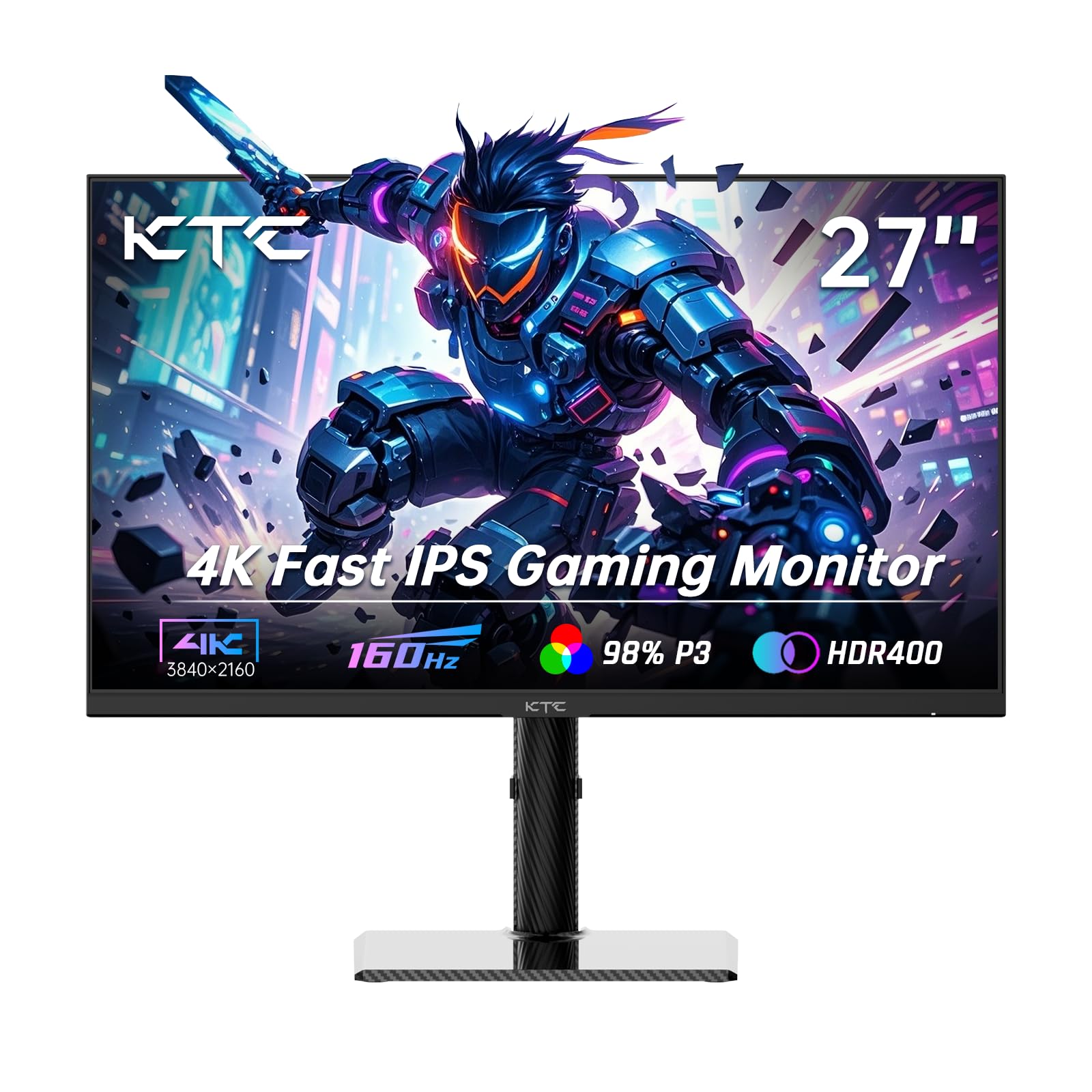
The KTC U27T6 delivers strong color performance with 140% sRGB gamut coverage and 1.07 billion colors, producing rich, realistic visuals for content consumption and general creative work. The Fast IPS panel runs at 160Hz with Adaptive Sync compatibility, handling both gaming and productivity tasks smoothly. HDR400 support and Delta E under 2 ensure reasonable color accuracy out of the box.
The ergonomic stand supports height, tilt, swivel, and side-to-side pivot, making it one of the most adjustable options in its range. The carbon fiber backplate is lightweight yet sturdy, and the 75x75mm VESA mount allows wall or arm installation. Port selection includes dual HDMI 2.1, dual DisplayPort 1.4, and a single USB 2.0 port for peripheral connectivity.
A small number of users report that after system rest mode, the monitor’s settings and on-screen button responsiveness can become unresponsive, requiring a full power cycle. Only a DisplayPort cable is included in the box, so budget for an HDMI cable if needed. The USB 2.0 port is slow for data transfer but adequate for keyboard/mouse connections.
Why it’s great
- 140% sRGB coverage for vivid, saturated colors
- Full ergonomic stand with height, tilt, swivel, pivot
- Dual HDMI 2.1 and DP 1.4 for flexible connectivity
Good to know
- Suspend/resume can cause OSD responsiveness issues
- Only includes DisplayPort cable
- USB 2.0 port limits peripheral data speed
9. SANSUI Dual Mode 27″
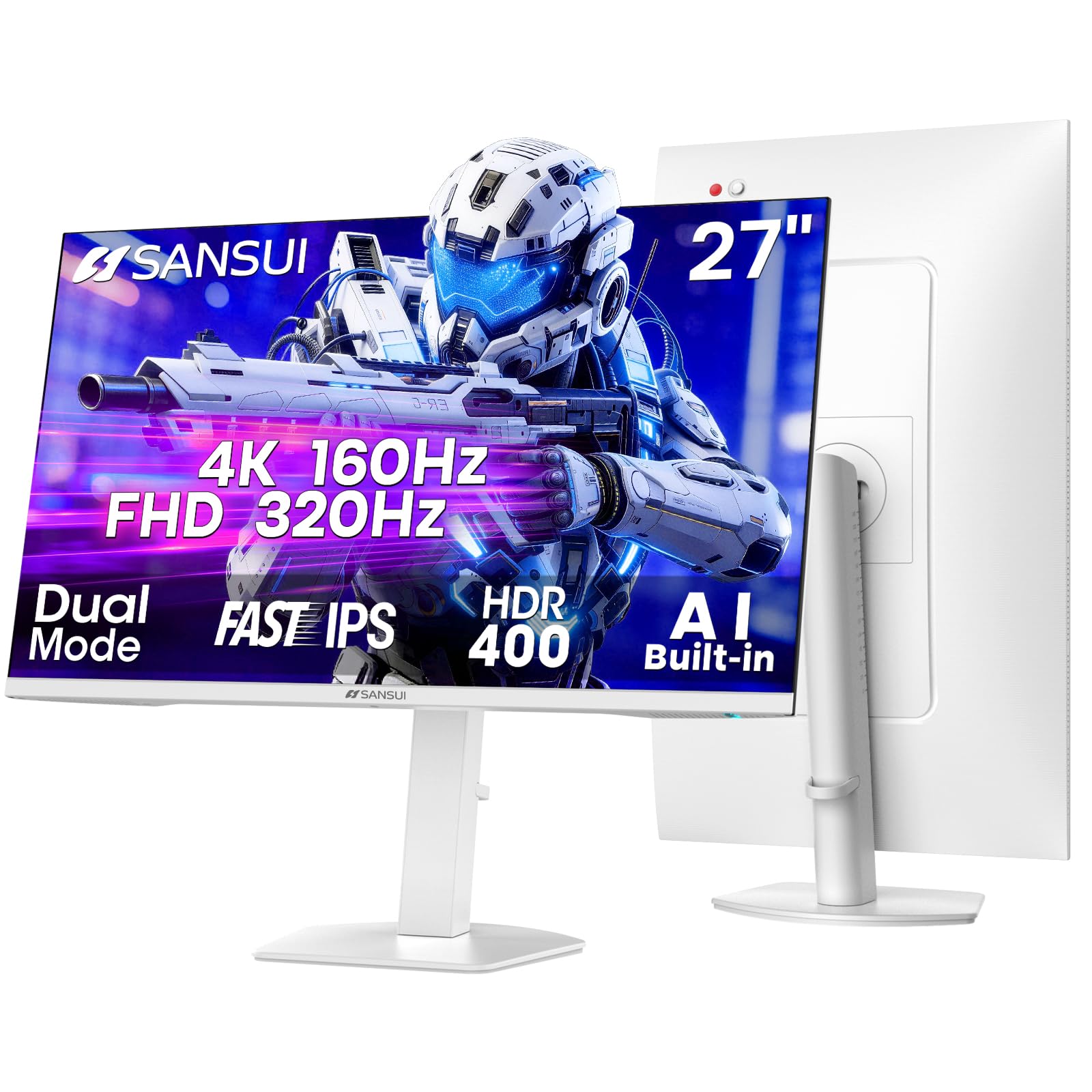
The SANSUI Dual Mode 27-inch monitor provides both 4K UHD at 160Hz and Full HD at 320Hz, giving gamers flexibility between visual fidelity and raw speed. The Fast IPS panel covers 93% DCI-P3 and 126% sRGB with HDR400 support, producing punchy colors for both gaming and media consumption. AI-enhanced features like crosshair overlay and night vision assist in competitive shooters.
The ergonomic stand offers full adjustments including height, tilt, swivel, and 90-degree pivot, plus VESA 100x100mm compatibility for custom mounts. Dual HDMI 2.1 ports allow simultaneous console and PC connections, though actual console output is capped at 4K 120Hz on PS5 and Xbox Series X. Built-in speakers produce adequate sound for casual use without external desk clutter.
The white color scheme is distinctive but may not match all setups. Some users note that the 160Hz refresh rate requires DisplayPort to achieve the highest speed, while HDMI caps at 144Hz at 4K. The AI picture quality adjustments can oversaturate colors in certain content, so manual calibration may be preferred for color-critical work.
Why it’s great
- Dual 4K 160Hz / FHD 320Hz modes for versatile gaming
- Full ergonomic stand and VESA mount compatible
- Dual HDMI 2.1 ports for multi-console setups
Good to know
- 4K 160Hz only via DisplayPort
- White finish requires regular cleaning
- AI enhancement can oversaturate colors
10. Acer Nitro VG270K

The Acer Nitro VG270K is built for gamers who prioritize speed and responsiveness. With AMD FreeSync Premium support and dynamic frequency resolution (DFR) that can switch between 4K 160Hz and FHD 320Hz, it adapts to different game genres on the fly. The 0.5ms GTG response time ensures fast-moving action remains sharp with minimal ghosting.
The IPS panel covers 90% DCI-P3 with HDR10 support, providing good color saturation for immersive gameplay. The ZeroFrame design with near-bezel-less edges is ideal for multi-monitor setups, creating a seamless viewing experience across displays. Port selection includes DisplayPort 1.4 and dual HDMI 2.1 for full support of modern consoles and GPUs.
Some units have reported HDMI port failures within the first few months, requiring use of DisplayPort as a fallback. Built-in speakers are weak and best replaced with external audio. The stand only offers tilt adjustment without height or swivel, so an aftermarket monitor arm is recommended for ergonomic setup.
Why it’s great
- 0.5ms GTG response time for minimal motion blur
- DFR technology adapts resolution and refresh rate on the fly
- ZeroFrame bezel design perfect for multi-monitor arrays
Good to know
- HDMI ports have reported failure issues
- Stand lacks height and swivel adjustments
- Built-in speakers are inadequate for gaming audio
11. LG 27UP650K-W

The LG 27UP650K-W is a straightforward 4K productivity monitor that prioritizes color accuracy and build quality over high refresh rates. Its IPS panel covers 95% DCI-P3 with VESA DisplayHDR 400 support, delivering vibrant, consistent colors for photo editing, design work, and media consumption. The 60Hz refresh rate is perfectly adequate for office tasks, coding, and spreadsheet management.
The ergonomic stand offers full height, tilt, and pivot adjustments, making it comfortable for all-day use without requiring a third-party monitor arm. The LG Switch app allows screen splitting into up to six sections for efficient multitasking, and the built-in webOS streaming platform turns the monitor into a smart display for video content without a PC connection.
The white color scheme and cables may not suit darker desk setups. There are no USB ports for peripheral connectivity, and the 5ms response time is not suitable for competitive gaming. Some users note the lack of built-in speakers as a minor inconvenience, but the crisp text rendering and anti-glare coating make it excellent for document-heavy workflows.
Why it’s great
- 95% DCI-P3 coverage for accurate color reproduction
- Full ergonomic stand with height, tilt, and pivot
- Built-in webOS for standalone streaming without a PC
Good to know
- No USB ports for peripherals
- 60Hz refresh rate limits gaming potential
- White cables and stand may not match all setups
FAQ
Is 60Hz enough for a 27 inch 4K monitor used mostly for office work?
Will a 27 inch 4K monitor make text too small to read without scaling?
Can I run a 27 inch 4K monitor at 240Hz over HDMI?
What GPU do I need to drive a 27 inch 4K 160Hz monitor for gaming?
Are built-in monitor speakers good enough for daily use?
Final Thoughts: The Verdict
For most users, the 27 inch 4k monitor winner is the Dell 27 Plus S2725QS because it balances a smooth 120Hz refresh rate with a high 1500:1 contrast ratio and excellent blue light reduction, making it ideal for both productivity and casual gaming. If you demand maximum color accuracy for professional photo and video editing, grab the ASUS ProArt PA279CRV. And for uncompromising gaming performance with QD-OLED contrast and speed, the ASUS ROG Swift PG27UCDM delivers the absolute best motion clarity and HDR experience available today.