
Our readers keep the lights on and the weekend projects moving. As an Amazon Associate, I earn from qualifying purchases.
Choosing a 4K monitor for your home office goes beyond just counting pixels—the wrong panel, connector, or ergonomic setup can turn eight hours of work into a constant battle with screen glare, color shifts, and a cluttered desk. The best professional displays pair a high pixel density with wide color accuracy, a smart USB-C hub, and an adjustable stand that keeps your neck and eyes comfortable through the longest editing sessions or Zoom marathons.
I’m Rikta — the co-founder and writer behind FitlyFast. I’ve spent the last fifteen years comparing monitor panels, color spaces, and connectivity standards to help remote workers buy displays that actually improve their workflow rather than just decorate their desk.
Whether your priority is photo-accurate editing, a tidy one-cable laptop setup, or a budget-friendly upgrade from 1080p, this guide breaks down the most value-dense models on the market to help you pick your ideal 4k monitor for work from home.
How To Choose The Best 4K Monitor For Work From Home
A work-from-home monitor must juggle color fidelity for presentations, text clarity for spreadsheets, and a port selection that accommodates both your company-issued laptop and your personal machine. Not all 4K panels are built equally — below are the core specs that separate a truly productive display from a frustrating one.
Panel Technology: IPS, VA, or OLED
IPS panels dominate the professional space because they maintain consistent color and brightness across wide viewing angles — ideal for sharing your screen during video calls. VA panels offer deeper contrast for watching media but can shift color when viewed off-center, which matters less for a single user. OLED delivers infinite contrast and perfect blacks, but the risk of burn-in with static UI elements (taskbars, spreadsheets) remains a consideration for all-day desktop use. For most home-office tasks, a high-quality IPS or IPS Black panel strikes the best balance between accuracy, viewing angle stability, and burn-in resistance.
Connectivity and USB-C Power Delivery
The single most convenient feature for a laptop-based home office is a USB-C port that delivers power to your computer while simultaneously passing video and data. Monitors with 60W to 96W Power Delivery keep your laptop charged without a separate charger, reducing desk clutter. A built-in KVM switch — which lets you control two computers with one keyboard and mouse — is an added bonus if you bounce between a work PC and a personal Mac. Check that your monitor includes at least one HDMI 2.0 or DisplayPort input for backup connectivity.
Color Accuracy and Brightness
If your work involves photo editing, graphic design, or video production, look for a monitor with 99% sRGB coverage at a minimum, and ideally 95 percent or more DCI-P3 for wider color reproduction. Factory calibration to Delta E less than 2 ensures the colors you see on screen match what prints or appears on clients’ displays. For HDR content, a brightness of 400 nits (VESA DisplayHDR 400) is the entry point, though 450 to 600 nits provides a more satisfying pop in highlights and shadows.
Quick Comparison
On smaller screens, swipe sideways to see the full table.
| Model | Category | Best For | Key Spec | Amazon |
|---|---|---|---|---|
| Dell U2725QE | Premium | All-day productivity & color work | 120Hz, 99% DCI-P3, Thunderbolt 4, 140W PD | Amazon |
| BenQ MA320U | Premium | MacBook users (color accuracy) | P3 gamut, Dual USB-C, 90W PD, Mac controls | Amazon |
| ASUS ProArt PA279CRV | Mid-Range | Photo/video editing on a budget | 99% DCI-P3, ΔE<2, USB-C 96W PD | Amazon |
| LG 32UR550K-B | Mid-Range | Large screen value & multitasking | 32″ VA, 90% DCI-P3, Height/Pivot adjust | Amazon |
| Samsung ViewFinity S8 (S80UD) | Mid-Range | Multi-device KVM setup | 32″ IPS, 90W USB-C, Built-in KVM | Amazon |
| LG 27UP850N-W | Mid-Range | Mac-friendly USB-C simplicity | 27″ IPS, 95% sRGB, USB-C 96W PD | Amazon |
| ViewSonic VP2756-4K | Mid-Range | Pantone-validated color work | 27″ IPS, 100% sRGB, USB-C 60W PD | Amazon |
| Samsung Smart Monitor M8 (M80F) | Mid-Range | Smart TV + monitor hybrid | 32″ VA, 99% sRGB, USB-C 65W PD, apps | Amazon |
| MSI PRO MAX 271UPXW12G | Premium | High-end contrast & Mac color match | 27″ QD-OLED, 120Hz, USB-C 98W PD | Amazon |
| ASUS ROG Swift PG32UCDM | Premium | 4K productivity with high-refresh options | 32″ QD-OLED, 240Hz, USB-C 90W PD | Amazon |
| Dell UltraSharp U3223QE | Premium | Built-in KVM with Ethernet | 31.5″ IPS, USB-C 90W PD, RJ45, KVM | Amazon |
In‑Depth Reviews
1. Dell UltraSharp U2725QE

The Dell UltraSharp U2725QE redefines the home-office monitor by combining a 27-inch IPS Black panel with a 120Hz refresh rate — a rare marriage of professional color accuracy and buttery-smooth scrolling. Its 99 percent DCI-P3 coverage and factory calibration to Delta E less than 1.5 make it a legitimate tool for photo editors, while the 120Hz refresh eliminates the micro-stutter visible when dragging windows or reading long documents on a standard 60Hz panel.
The integrated Thunderbolt 4 hub delivers up to 140W of power delivery, enough to charge even a high-performance laptop at full speed while driving the display and daisy-chaining a second 4K monitor. The ambient light sensor and ComfortView Plus mode reduce blue light exposure without washing out color, which keeps your eyes fresh during back-to-back meetings.
Mac users should note the compatibility quirk reported by some reviewers — the monitor may display an error with certain macOS versions, though a less expensive sibling Dell model is recommended as an alternative. For Windows users or anyone who prioritizes a single-cable, high-refresh workstation, this is the most future-proofed 4K monitor available right now.
Why it’s great
- 120Hz refresh combines smooth scrolling with professional color accuracy
- Thunderbolt 4 delivers 140W power, video, data, and daisy-chain support
- IPS Black technology offers deep contrast without OLED burn-in risk
Good to know
- Mac compatibility quirks reported by some users
- Premium-tier investment compared to entry-level 4K models
2. BenQ MA320U

BenQ designed the MA320U specifically for the Mac ecosystem, and it shows in every detail — from the P3 wide color gamut that matches the MacBook Pro display to the ability to adjust brightness and volume directly from your Mac keyboard. The 32-inch IPS panel delivers 400 nits of brightness and a crisp 4K resolution that pairs beautifully with macOS scaling, making text in code editors and spreadsheets razor-sharp without visible pixelation.
Connectivity is built around dual USB-C ports: one delivering 90W of power delivery for your MacBook, and a second 15W port for charging an iPad or iPhone. The non-reflective screen reduces glare in brightly lit home offices, and the height-adjustable stand offers tilt, swivel, and pivot for comfortable multi-monitor setups. While it lacks a built-in webcam and microphone, the accurate colors and seamless Mac integration make it a compelling alternative to the far more expensive Apple Studio Display.
Reviewers consistently praise the plug-and-play experience — the monitor automatically matches the Mac’s color profile out of the box, eliminating the need for manual calibration. The slightly less sharp image compared to a 5K panel is only noticeable to trained eyes, and at this price point, the MA320U is the smartest upgrade for Mac users who want a large, color-accurate display.
Why it’s great
- Factory-calibrated P3 gamut matches MacBook Pro colors perfectly
- Keyboard brightness/volume controls work without extra software
- Dual USB-C with 90W power delivery simplifies cable management
Good to know
- No built-in webcam or microphone
- HDR performance is adequate but not studio-grade
3. ASUS ProArt Display PA279CRV

The ASUS ProArt PA279CRV is the go-to monitor for photographers and video editors who need professional-grade color accuracy at a mid-range price. Its 27-inch IPS panel covers 99 percent of both DCI-P3 and Adobe RGB color spaces, is Calman Verified, and comes factory pre-calibrated to Delta E less than 2 — meaning the colors you see straight out of the box are ready for client work.
The USB-C port delivers 96 watts of power delivery, enough to charge a 16-inch MacBook Pro while transmitting video and data through a single cable. The stand offers full ergonomic adjustment — height, tilt, swivel, and pivot — and the inclusion of both DisplayPort in and out allows daisy-chaining a second monitor without an extra hub. The anti-glare matte finish minimizes reflections, and the 3000:1 contrast ratio provides deeper blacks than typical IPS panels in this class.
Where the PA279CRV falls short is refresh rate — it caps at 60Hz, so it is not ideal for fluid scrolling or occasional gaming. The on-screen display buttons are also less intuitive than a joystick control. Nevertheless, for dedicated color work where Delta E accuracy matters more than Hz, this ASUS offers the best calibration-to-dollar ratio on the market.
Why it’s great
- Factory calibrated to Delta E<2 with 99% DCI-P3 and Adobe RGB coverage
- 96W USB-C power delivery charges even large laptops
- Includes daisy-chain DisplayPort and a full ergonomic stand
Good to know
- Only 60Hz refresh rate — not for high-refresh workflows
- On-screen menu controls are button-based, not a joystick
4. LG 32UR550K-B

The LG 32UR550K-B proves that a large 4K monitor does not have to cost a fortune. Its 32-inch VA panel offers a 3000:1 contrast ratio that delivers rich blacks and solid uniformity for spreadsheets, documents, and media consumption. The 90 percent DCI-P3 coverage is respectable for the price, and the height, tilt, and pivot adjustable stand brings professional-grade ergonomics rarely seen at this tier.
Connectivity includes two HDMI ports and a DisplayPort, but notably lacks USB-C — so you will need a separate cable or adapter for video and power delivery if you use a modern laptop. The integrated speakers are sufficient for system sounds and casual video calls, and the Dynamic Action Sync and Black Stabilizer features, while branded for gaming, reduce input lag and improve shadow detail during general use.
Customer feedback highlights the easy tool-free assembly, crystal-clear text at 4K, and sturdy build quality. The main trade-off is the VA panel’s narrower viewing angle compared to IPS, which may cause slight color shift if you view from an angle. For budget-conscious buyers who want a large, adjustable 4K display for general office work, this LG delivers exceptional value.
Why it’s great
- 32-inch VA panel with 3000:1 contrast for rich blacks
- Full ergonomic stand with height, tilt, and pivot adjustment
- Solid 90% DCI-P3 coverage at a very accessible price
Good to know
- No USB-C port — requires HDMI or DisplayPort cable
- VA viewing angles narrower than IPS
5. Samsung ViewFinity S8 (S80UD)
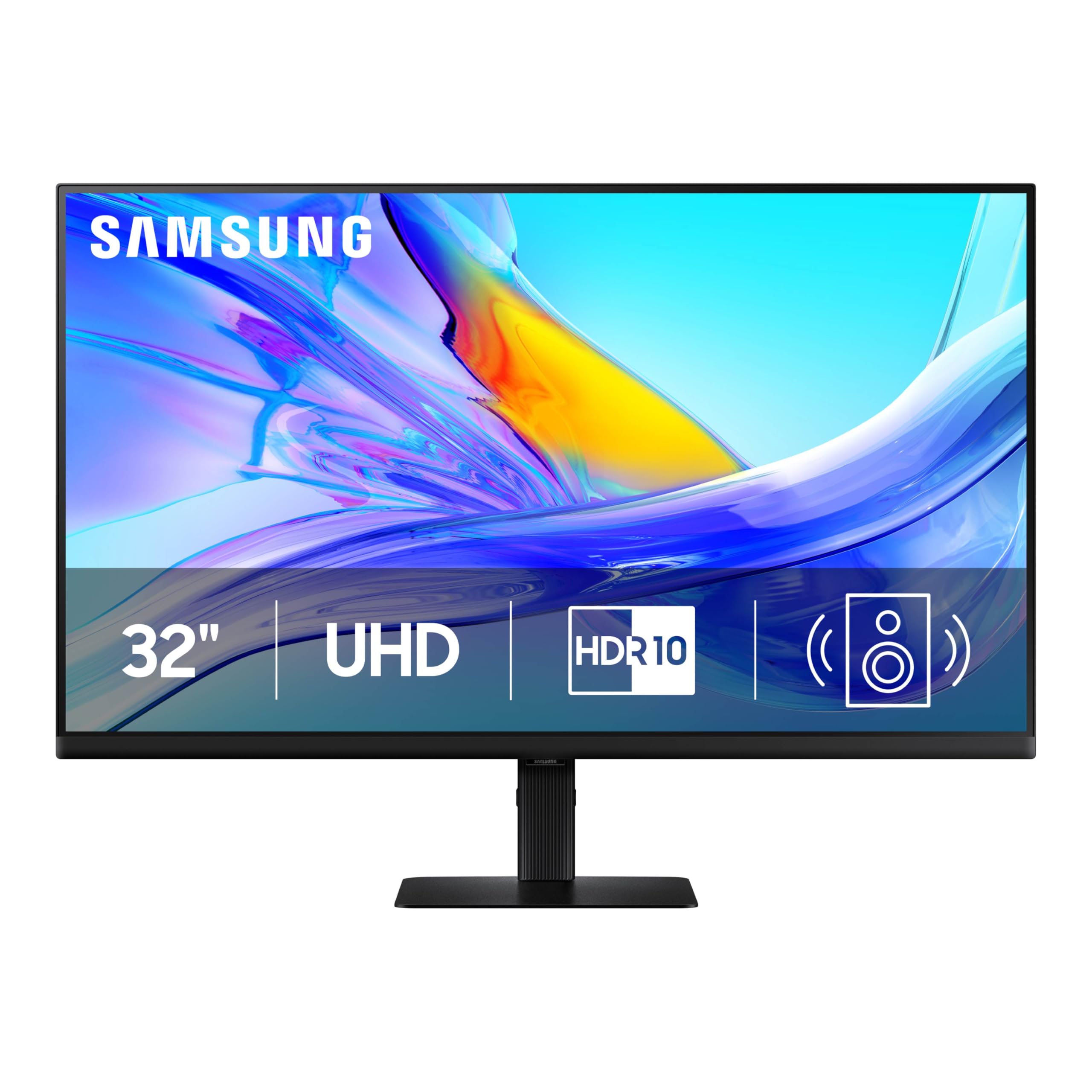
The Samsung ViewFinity S8 (S80UD) is a 32-inch IPS monitor built for users who manage two different computers at the same desk. Its built-in KVM switch allows you to connect a work PC and a personal laptop, then control both with a single keyboard and mouse — switching between sources with a simple on-screen command. The USB-C port delivers 90W of power delivery and doubles as a video input, keeping your laptop charged through a single cable.
The 99 percent sRGB coverage and HDR10 support produce accurate, vibrant colors ideal for design and presentation work. The stand provides full ergonomic adjustment including pivot to portrait mode, which is especially useful for coders and writers reading long documents. The Easy Setup Stand snaps together without tools, and the intelligent eye care mode (TÜV-certified) reduces flicker and blue light for all-day comfort.
Some units have reported dead pixels on arrival, and the built-in speakers are — as many reviewers note — thin and tinny. The KVM setup also lacks a dedicated hardware button, requiring menu navigation to switch sources. If you regularly toggle between two machines, though, the KVM and 90W charging make this the most practical multi-device monitor in its class.
Why it’s great
- Built-in KVM lets you control two computers with one keyboard and mouse
- 90W USB-C charges a laptop while transmitting video and data
- Full ergonomic stand with height, tilt, swivel, and pivot
Good to know
- KVM relies on on-screen menu — no dedicated switching button
- Speakers are weak; external audio recommended
6. LG Ultrafine 27UP850N-W

The LG 27UP850N-W is a favorite among MacBook users who want a compact 27-inch 4K display with a clean white aesthetic and robust USB-C functionality. The IPS panel delivers 95 percent sRGB coverage and VESA DisplayHDR 400 certification, producing 400 nits of brightness that makes highlights pop without crushing shadows. The USB-C port provides 96W of power delivery, enough to keep a MacBook Pro fully charged during an eight-hour workday.
The stand offers height and tilt adjustment, and the on-screen control software lets you tweak brightness, volume, and input selection with a mouse rather than fumbling with buttons. AMD FreeSync reduces screen tearing if you occasionally game, and the wide 178-degree viewing angle ensures consistent color when sharing your screen with a colleague. The HDR mode, while not reference-grade, adds noticeable depth to compatible content.
Reviewers praise its color accuracy, noting it comes impressively close to the 5K iMac display at half the price. The main drawbacks are the USB-A ports limited to 1 amp (they cannot fast-charge a phone) and the Onscreen Control app that may need updates for M1 Macs. If you want a refined, one-cable 27-inch monitor for creative work, this LG is a near-perfect fit.
Why it’s great
- 96W USB-C power delivery charges a MacBook Pro at full speed
- Vivid 95% sRGB color with HDR400 brightness at 400 nits
- White finish matches modern Mac-centric desk setups
Good to know
- USB-A ports deliver only 1 amp — not ideal for charging phones
- Onscreen Control app may need updates for M1 Mac compatibility
7. ViewSonic VP2756-4K

The ViewSonic VP2756-4K is a Pantone-validated 27-inch IPS monitor designed for print and digital designers who need guaranteed color fidelity. It covers 100 percent sRGB, plus EBU and SMPTE-C color spaces, with a Delta E less than 2 out of the box — making it a reliable tool for matching brand colors and proofing layouts. The 60W USB-C port provides data, video, and charging in a single cable, though it delivers less power than some competing models.
Thin bezels make it ideal for multi-monitor arrays, and the advanced ergonomic stand offers height, tilt, swivel, and pivot adjustments. The built-in Flicker-Free technology and Blue Light Filter reduce eye fatigue during long editing sessions. The on-screen display menu is somewhat clunky, but ViewSonic’s dedicated software provides full control from your desktop.
Color consistency is the standout feature here — reviewers note that the VP2756-4K matches MacBook screens beautifully for photo editing, and the brightness uniformity is excellent. The 60W USB-C limitation means larger laptops may charge slowly, and the lack of a higher refresh rate makes it strictly a productivity tool. For design studios where Pantone matching matters more than raw speed, this ViewSonic is a calibrated workhorse.
Why it’s great
- Pantone-validated with 100% sRGB coverage and Delta E<2 accuracy
- Full ergonomic stand with height, tilt, swivel, and pivot
- Flicker-Free and Blue Light Filter reduce eye strain
Good to know
- USB-C delivers only 60W — slower charging for large laptops
- 60Hz refresh limits smooth scrolling and gaming use
8. Samsung Smart Monitor M8 (M80F)

The Samsung Smart Monitor M8 (M80F) is a 32-inch 4K display that doubles as a smart TV, giving you direct access to Netflix, YouTube, and Samsung TV Plus without needing a separate streaming device. Its VA panel delivers a 3000:1 contrast ratio and HDR10 support, producing deep blacks and vibrant colors for both office documents and movie nights. The USB-C port provides 65W of power delivery, enough to charge a MacBook Air or ultrabook at a reasonable pace.
The included remote control makes switching between work mode and entertainment mode effortless, and the Active Voice Amplifier uses AI to boost dialogue volume when background noise rises. The built-in Samsung Gaming Hub lets you stream games from Xbox Cloud Gaming or Nvidia GeForce Now without a console. The slim white design and adjustable stand give it a clean, modern look that blends into living-room or home-office environments.
Reviewers love the convenience of having a smart TV built into their monitor, but note that the single HDMI port limits expansion and the built-in speakers, while adequate for casual viewing, benefit from external audio for movies. The VA panel’s narrower viewing angles also mean color shifts if you are not sitting directly in front of it. For users who want a single screen for both productivity and entertainment, this Samsung is a unique and capable hybrid.
Why it’s great
- Smart TV apps and streaming built directly into the monitor
- 3000:1 contrast ratio delivers deep blacks for movie watching
- Included remote makes switching between work and play simple
Good to know
- Only one HDMI port restricts multi-device setups
- VA viewing angles narrower than IPS — best for direct viewing
9. MSI PRO MAX 271UPXW12G

The MSI PRO MAX 271UPXW12G delivers a 27-inch QD-OLED panel that achieves the perfect blacks and infinite contrast of OLED without the significant price premium of other high-end displays. With 3840 x 2160 resolution, a 120Hz refresh rate, and DisplayHDR True Black 400 certification, this monitor provides both the color depth needed for creative work and the fluid motion appreciated in any desktop task. The Delta E less than 2 factory calibration ensures accuracy out of the box, and the 99 percent DCI-P3 gamut handles professional editing with confidence.
The dual USB-C hub includes one port with 98W power delivery — enough to fast-charge a MacBook Pro — and a second with 15W for peripherals. The MSI Mac Optimization software syncs color profiles and keyboard shortcuts for macOS users, mimicking the seamless experience of the BenQ MA series. The white chassis and VESA mount compatibility make it a stylish fit for minimalist desk setups.
OLED burn-in remains a theoretical concern for static taskbars and spreadsheets, though MSI includes pixel refresh and shift features to mitigate the risk. Some users report needing to disable Display Stream Compression (DSC) for stable dual-monitor Mac operation. If you want the visual wow factor of OLED with professional-grade connectivity, this MSI offers an outstanding blend of performance and value.
Why it’s great
- QD-OLED delivers infinite contrast and perfect blacks for creative work
- 120Hz refresh combines smooth scrolling with professional accuracy
- 98W USB-C PD charges laptops faster than most competitors
Good to know
- OLED burn-in risk requires pixel refresh features to be enabled
- Dual-monitor Mac setup may require DSC to be turned off
10. Dell UltraSharp U3223QE

The Dell UltraSharp U3223QE is a 31.5-inch IPS monitor that doubles as a complete desktop dock, featuring a built-in Ethernet port (RJ45) and a KVM switch that lets you control two computers with one set of peripherals. The 99 percent sRGB coverage and 450 nits of brightness produce crisp, uniform color suitable for office work, photo editing, and video conferencing. The USB-C port delivers 90W of power delivery, keeping your laptop charged while connecting to the monitor’s full hub.
The bulky but sturdy stand offers height, tilt, and swivel adjustment, and the Picture-by-Picture mode allows side-by-side viewing from two different sources. The built-in KVM is particularly useful for users who toggle between a corporate laptop and a personal desktop — the Dell software makes switching seamless. The wide color gamut and brightness uniformity make it a strong choice for Lightroom and Photoshop alike.
Reviewers point out that the stand takes up significant desk space, and the included USB-C cable is shorter than ideal for large desks. The monitor lacks built-in speakers, so you will need external audio for Zoom calls or media playback. For professionals who need one monitor to serve as both display and connectivity hub, the U3223QE is a practical and proven solution.
Why it’s great
- Integrated RJ45 Ethernet port for stable wired network connections
- Built-in KVM lets you control two computers with a single setup
- 31.5-inch IPS panel with high brightness and consistent color uniformity
Good to know
- No built-in speakers — requires external audio
- Stand is bulky and takes up significant desk space
11. ASUS ROG Swift PG32UCDM

The ASUS ROG Swift PG32UCDM is a 32-inch QD-OLED monitor that pushes performance boundaries with a 240Hz refresh rate and 0.03ms response time — making it equally compelling for productivity and high-refresh gaming. The 4K resolution on the OLED panel delivers infinite contrast, vibrant 99 percent DCI-P3 colors, and DisplayHDR 400 True Black certification that makes shadows and highlights look natural. The custom heatsink and graphene film reduce burn-in risk, and the 3-year warranty includes burn-in coverage for peace of mind.
The USB-C port provides 90W of power delivery, and the monitor includes HDMI 2.1 for console connections. The DisplayWidget Center software lets you adjust OLED Care features and monitor settings using a mouse, eliminating the need for on-screen menu navigation. The glossy screen enhances color saturation and immersion, though it does reflect ambient light more than matte panels. The stand offers only height and tilt adjustment, not full ergonomic pivot or swivel.
For the home-office user who also games or edits HDR video, the PG32UCDM eliminates the need for separate work and play displays. The text clarity on this 140 PPI panel is excellent for coding and writing, and the high refresh rate makes scrolling through documents feel instant. It is the most expensive monitor on this list, but for those who demand uncompromised visual quality in both productivity and entertainment, it is the ultimate single-monitor solution.
Why it’s great
- 240Hz QD-OLED delivers both productivity clarity and buttery-smooth gaming
- DisplayHDR 400 True Black provides stunning contrast for HDR content
- Burn-in coverage in the 3-year warranty offers peace of mind
Good to know
- Stand lacks full ergonomic pivot and swivel adjustment
- Glossy screen increases color saturation but shows reflections
FAQ
Is a 4K monitor worth it for working from home if I only use spreadsheets and email?
What is the ideal screen size for a work-from-home 4K monitor?
Can I use a 60Hz monitor for work-from-home productivity?
Final Thoughts: The Verdict
For most users, the 4k monitor for work from home winner is the Dell UltraSharp U2725QE because it combines a 120Hz refresh rate, Thunderbolt 4 hub with 140W power delivery, and professional Delta E color accuracy in a single well-built package. If you want a Mac-optimized display with seamless color matching and a dual USB-C hub, grab the BenQ MA320U. And for dedicated color work on a budget, nothing beats the factory calibration and wide gamut of the ASUS ProArt PA279CRV.