
Our readers keep the lights on and the weekend projects moving. As an Amazon Associate, I earn from qualifying purchases.
Stepping up from 1080p to 1440p is the single biggest visual upgrade you can make for both gaming and productivity, but finding a monitor that delivers sharp QHD pixels without forcing you into a 4K price bracket requires knowing exactly where the corners are cut and where they aren’t. The budget 1440p segment is crowded with everything from stripped-down office panels to surprisingly capable gaming screens that hide their low price under aggressive stand designs and missing USB-C ports.
I’m Rikta — the co-founder and writer behind FitlyFast. I’ve spent months diving into panel specs, refresh rate behavior, and build quality across the full range of 1440p monitors, focusing specifically on the sub- and entry-premium tiers where value is hardest to gauge.
This guide cuts through the noise to help you pick the best budget 1440p monitor that matches your actual use case, whether that means high-refresh competitive gaming, color-accurate productivity, or a daily driver that splits the difference without breaking the bank.
How To Choose The Best Budget 1440p Monitor
Choosing a budget 1440p monitor means accepting at least one compromise. The trick is deciding which compromise matters least for your specific usage — whether that means sacrificing a fully adjustable stand for a higher refresh rate, or trading contrast ratio for faster pixel response.
Panel Technology: IPS vs VA vs OLED
IPS panels dominate the budget 1440p space for a reason: they offer wide viewing angles, consistent color, and fast response times that make them ideal for both gaming and office work. VA panels, meanwhile, deliver superior native contrast (3000:1 or higher), deeper blacks, and better HDR performance at the same price, but they suffer from slower dark-level transitions that can produce visible ghosting. OLED is the outlier — you can occasionally find entry OLEDs in the low s, and they blow everything else out of the water for color vibrancy and black depth, but you give up brightness and risk burn-in without proper care.
Refresh Rate and Adaptive Sync
A 144Hz panel is the current baseline for a smooth 1440p gaming experience, but many budget monitors now push to 180Hz or even 240Hz without a significant price jump. Make sure the monitor supports either AMD FreeSync or NVIDIA G-Sync (G-Sync Compatible is enough) to eliminate screen tearing. Note that HDMI bandwidth often caps refresh rate — a monitor that advertises 240Hz may only hit that number over DisplayPort 1.4, with HDMI limited to 144Hz.
Stand Ergonomics and Port Selection
The stand is the most common cost-cutting target in budget monitors. Many models only offer basic tilt, forcing you to buy a VESA arm if you need height or swivel adjustment. Also check for built-in speakers — while rarely great, they can save desk space for casual use — and confirm whether the monitor includes a DisplayPort cable, since some budget units ship with only HDMI.
Quick Comparison
On smaller screens, swipe sideways to see the full table.
| Model | Category | Best For | Key Spec | Amazon |
|---|---|---|---|---|
| Alienware AW2725DM | Best Overall | All-around gaming & productivity | 180Hz, 1ms GtG, IPS | Amazon |
| ASUS TUF VG27AQM5A | Best Performance | Competitive gaming / high FPS | 300Hz, 0.3ms GtG, Fast IPS | Amazon |
| LG 27GS93QE | Premium Pick | Best image quality (OLED) | 240Hz, 0.03ms GtG, WOLED | Amazon |
| Acer Predator X27U | Premium Pick | Color-critical gaming | 240Hz, 0.03ms GtG, QD-OLED | Amazon |
| AOC Q27GAZD | Value OLED | Entry-level OLED upgrade | 240Hz, 0.03ms GtG, QD-OLED | Amazon |
| KTC H32S25E | Best Value | Immersive curved gaming | 240Hz, 1ms MPRT, VA | Amazon |
| Samsung Odyssey G5 G53F | Daily Driver | Budget gaming & office | 200Hz, 1ms MPRT, IPS | Amazon |
| LG 32GS60QC-B | Immersive Pick | Curved large-screen gaming | 180Hz, 1ms GtG, VA, 1000R | Amazon |
| Dell S2725DSM | Family Favorite | Office & media consumption | 144Hz, 1ms MPRT, IPS | Amazon |
In‑Depth Reviews
1. Alienware AW2725DM

The Alienware AW2725DM nails the sweet spot for a budget 1440p monitor: a 27-inch IPS panel with QHD resolution, a smooth 180Hz refresh rate, and a 1ms GtG response time that handles fast-paced shooters without noticeable ghosting. It supports both NVIDIA G-Sync and AMD FreeSync, making it compatible with virtually any GPU, and its VESA DisplayHDR 400 certification delivers punchy highlights that exceed what most monitors in this tier can manage.
Color accuracy is strong out of the box, with 95% DCI-P3 coverage that gives games and HDR content a vibrant, lifelike appearance. The stand provides full ergonomic adjustment — height, tilt, swivel, and pivot — which is rare at this price point and eliminates the need for an aftermarket monitor arm. The anti-glare coating keeps reflections in check even in bright rooms.
The main trade-off is the lack of built-in speakers and a USB-C port, so you will need external audio and the monitor defaults to 144Hz over HDMI (DisplayPort 1.4 is required to hit 180Hz). For the price, however, this is the most complete all-around package available.
Why it’s great
- Full ergonomic stand (height, pivot, swivel, tilt)
- G-Sync and FreeSync dual compatibility
- VESA DisplayHDR 400 with 95% DCI-P3
Good to know
- No built-in speakers or headphone jack
- Full 180Hz requires DisplayPort connection
- No USB-C input
2. ASUS TUF VG27AQM5A

The ASUS TUF VG27AQM5A is built for gamers who prioritize frame rate above all else, offering a blistering 300Hz refresh rate on a 27-inch QHD Fast IPS panel with a 0.3ms GtG response time. That combination makes it one of the fastest monitors in the budget 1440p category, and the Extreme Low Motion Blur Sync (ELMB Sync) technology lets you run ELMB and variable refresh rate simultaneously for exceptionally sharp motion.
Color performance is equally impressive for a monitor at this level, covering 95% of the DCI-P3 color space with 100% sRGB, which ensures rich, accurate colors in both games and productivity tasks. The monitor includes built-in speakers (a convenient addition for desk setups) and features like Shadow Boost and DisplayWidget Center for quick adjustments via mouse.
The drawbacks center on the stand, which offers only tilt adjustment, and the relatively low static contrast ratio of 1300:1 that is typical of IPS panels. Some units have reported a slight cracking noise during warm-up and occasional dead pixels, though the three-year warranty provides peace of mind.
Why it’s great
- 300Hz refresh rate with 0.3ms response time
- ELMB Sync for blur-free motion
- 95% DCI-P3 color gamut coverage
Good to know
- Tilt-only stand, no height adjustment
- Moderate IPS glow and contrast
- Some quality control reports on dead pixels
3. LG 27GS93QE

The LG 27GS93QE brings genuine WOLED technology to the budget 1440p conversation, delivering true 1.5 million-to-one contrast ratio with inky blacks and zero blooming. Its 240Hz refresh rate and 0.03ms GtG response time are paired with VESA DisplayHDR True Black 400 certification, making it the clear choice for anyone who prioritizes image quality over raw pixel count.
The anti-glare, low-reflection OLED coating handles bright rooms better than many QD-OLEDs, which can appear purple in sunlight, and the color accuracy is exceptional at 98.5% DCI-P3 coverage straight out of the box. The stand supports full height, tilt, and pivot adjustment, and the inclusion of HDMI 2.1 ports means you can hit 240Hz with modern consoles and GPUs without bandwidth limitations.
OLED brightness is inherently lower — around 400 nits peak — so this monitor performs best in controlled lighting. The periodic pixel refresh cycle can be briefly intrusive, and the price is higher than standard IPS alternatives, but for those seeking premium contrast within a budget-friendly framework, this is the best option available.
Why it’s great
- True WOLED contrast with 1.5M:1 ratio
- HDMI 2.1 support for full 240Hz
- Full ergonomic stand and anti-glare coating
Good to know
- Lower peak brightness than high-end IPS
- Periodic pixel refresh required
- Higher entry cost than LCD options
4. Acer Predator X27U

The Acer Predator X27U is positioned as a budget-friendly entry into QD-OLED, pairing a 26.5-inch WQHD panel with a 240Hz refresh rate and 0.03ms GtG response time. The quantum dot layer delivers extraordinary color volume — 99% DCI-P3 with Delta E <2 accuracy — making games look richer and more saturated than any IPS or VA monitor in the same price bracket.
Adaptive Sync through AMD FreeSync Premium works seamlessly, and the monitor includes both DisplayPort 1.4 and HDMI 2.1 inputs for maximum flexibility. The glossy, non-mirror finish provides a sharp image without the haze of many matte coatings, and the inclusion of built-in speakers adds convenience for mixed-use setups.
The main compromises are a plastic build that feels lighter than premium OLED competitors and a stand that arrived cracked in some units. Brightness is adequate for most rooms but not overwhelming, and the menu system is overly complex. Still, for the price, this is an absurdly capable QD-OLED that justifies its premium tag.
Why it’s great
- Stunning QD-OLED color (99% DCI-P3)
- HDMI 2.1 + DisplayPort 1.4
- Excellent value for OLED performance
Good to know
- Plastic build feels less premium
- Stand stability and quality concerns
- Menu navigation is clunky
5. AOC Q27GAZD

The AOC Q27GAZD delivers QD-OLED quality at a price point that undercuts most OLED alternatives, offering a 27-inch QHD panel with 240Hz refresh rate, 0.03ms GtG response, and HDR400 True Black certification. The color coverage is staggering — 147.6% sRGB and 110.2% DCI-P3 — translating to images that look deeper, more vibrant, and more realistic than any LCD monitor in the budget tier.
Adaptive-Sync compatibility eliminates tearing, and the response time is effectively instant, making this an excellent choice for competitive gaming or anyone upgrading from a standard 144Hz IPS panel who wants OLED contrast without paying flagship prices. The display is bright enough for normal indoor use, and text fringing (common on early QD-OLEDs) is well-controlled thanks to the subpixel layout improvements.
The stand is the clear weak point — it lacks any ergonomic adjustment beyond basic stability and is quite short, which strongly encourages a VESA arm purchase for proper positioning. The HDMI 2.0 port caps at 165Hz, so DisplayPort is required for full 240Hz, and the stock color settings need tuning out of the box.
Why it’s great
- Exceptional OLED color and contrast
- 240Hz at a true budget OLED price
- VESA HDR400 True Black certified
Good to know
- Stand is short and lacks adjustment
- HDMI limited to 165Hz; DP needed for 240Hz
- Out-of-box color needs calibration
6. KTC H32S25E
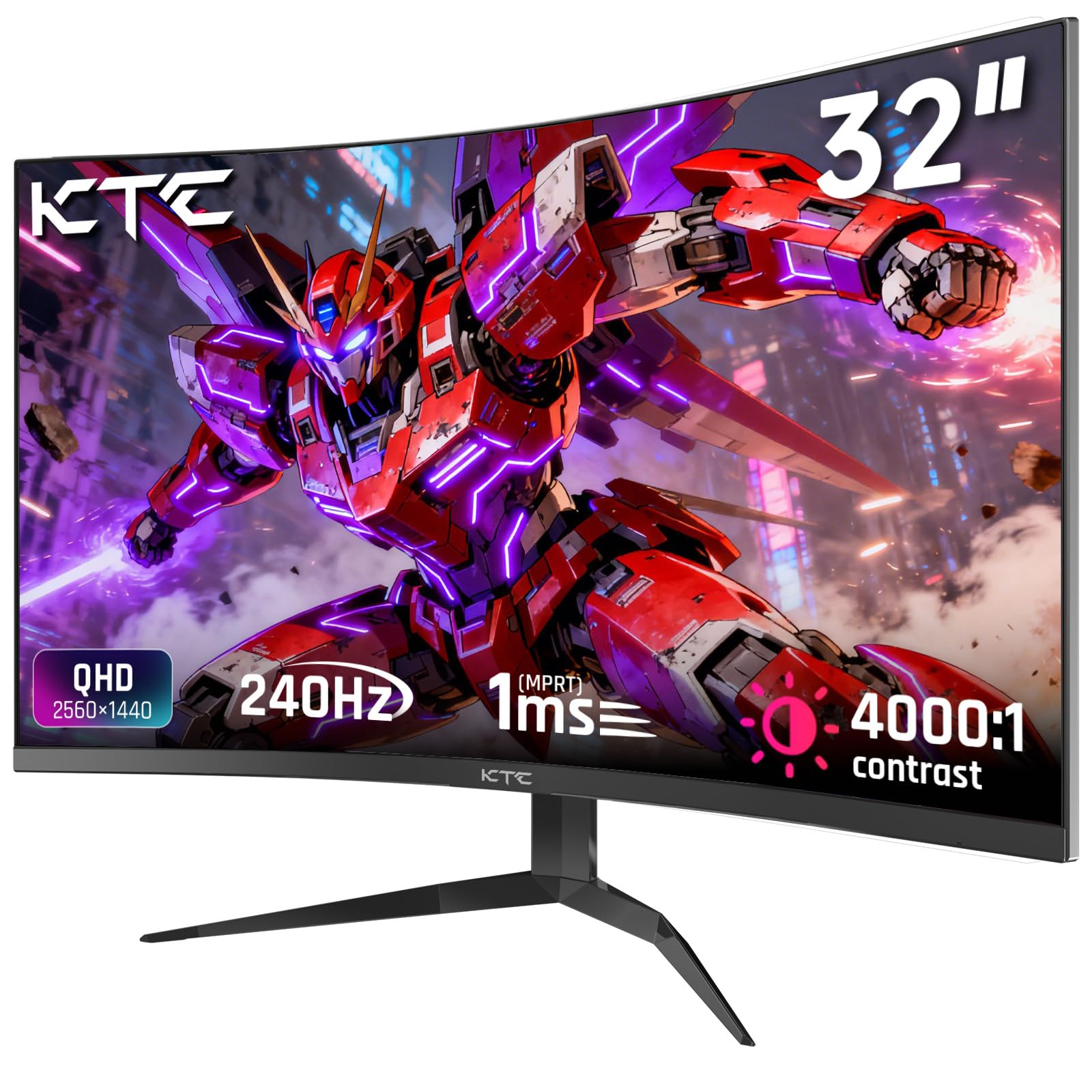
The KTC H32S25E is a 32-inch curved gaming monitor that leverages a VA panel to deliver a 4000:1 contrast ratio — dramatically better than IPS for deep blacks and shadow detail — paired with a 240Hz refresh rate and 1ms MPRT response. The 1000R curvature wraps around your field of view, creating an immersive experience that standard flat panels cannot match, especially for racing and open-world games.
Color reproduction covers 122% sRGB with 99% sRGB coverage after calibration, which is solid for a budget VA display, and the monitor supports both FreeSync and G-Sync to eliminate screen tearing. The triple-frameless bezel design makes multi-monitor setups nearly seamless, and connectivity is generous with dual HDMI 2.0 and dual DisplayPort 1.4 inputs plus a headphone jack.
Out-of-box calibration is mediocre — colors appear dull and HDR suffers from blooming — and the stand offers only tilt adjustment. There are no built-in speakers, and some units require an ICC profile to fix SDR colors. For the price, however, this is a high-value option for gamers who want a large curved screen with a fast refresh rate.
Why it’s great
- Superior 4000:1 VA contrast ratio
- 240Hz refresh rate at 32-inch size
- Immersive 1000R curved design
Good to know
- Poor out-of-box color accuracy
- No built-in speakers
- Tilt-only stand
7. Samsung Odyssey G5 G53F

The Samsung Odyssey G5 G53F is a 27-inch IPS gaming monitor that hits a 200Hz refresh rate and 1ms MPRT response time, making it one of the faster options in the sub- range. The QHD resolution pairs well with the 178-degree viewing angle to deliver consistent colors from any seating position, and the AMD FreeSync Premium certification ensures smoother gameplay with less input lag than standard FreeSync.
HDR10 support adds some dynamic range to compatible content, and the Black Equalizer feature helps reveal detail in dark game scenes without overexposing bright areas. The Auto Source Switch+ function is a genuinely useful convenience for multi-device setups, automatically detecting and switching to the active input.
The stand is the biggest compromise — it offers only a slight tilt adjustment and feels relatively cheap with a flimsy cable management loop. Pixel density at 27 inches is good for 1440p, but users expecting a premium build will be disappointed. For a straightforward budget gaming monitor with a high refresh rate and decent color, however, this is a reliable choice.
Why it’s great
- 200Hz refresh rate at a low price
- Auto Source Switch+ for multi-device use
- FreeSync Premium support
Good to know
- Cheap, tilt-only stand
- No built-in speakers
- Basic HDR implementation
8. LG 32GS60QC-B

The LG 32GS60QC-B offers a 32-inch QHD VA panel with a steep 1000R curve that pulls you into the action, combined with a 180Hz refresh rate and 1ms GtG response for smooth gameplay. The VA panel delivers a 3000:1 contrast ratio that produces significantly deeper blacks than IPS, making it a strong choice for single-player games and media consumption where shadow detail matters.
AMD FreeSync support eliminates screen tearing, and the three-side borderless design minimizes distractions in a multi-monitor setup. Color gamut covers 99% sRGB with HDR10 support, giving games a noticeably vibrant look. The tilt-adjustable stand is functional but limited, and the monitor includes both HDMI and DisplayPort inputs.
The VA panel shows some dark-level ghosting depending on the response time setting, which can be distracting in fast-paced competitive shooters. The auto-brightness feature cannot be disabled and can cause annoying luminance shifts during mixed-content use. At 32 inches, the pixel density is lower than 27-inch 1440p (roughly equivalent to 24-inch 1080p), so some users may prefer a smaller screen for sharper text.
Why it’s great
- 3000:1 VA contrast for deep blacks
- 1000R curve for immersive gaming
- 180Hz refresh rate at 32 inches
Good to know
- Dark-level ghosting at certain settings
- Auto brightness cannot be turned off
- Lower pixel density than 27-inch 1440p
9. Dell S2725DSM

The Dell S2725DSM is a 27-inch QHD IPS monitor built for daily productivity and light gaming, featuring a 144Hz refresh rate and 1ms MPRT response that keeps motion smooth without the high price of gaming-branded alternatives. The 1500:1 contrast ratio and 350-nit brightness deliver strong image quality for office work, web browsing, and streaming, and the 99% sRGB color gamut ensures accurate color reproduction.
Dell’s 4-star TÜV-certified eye comfort technology reduces harmful blue light emission without the yellow tint that plagues many low-blue-light modes, making this an excellent choice for long workdays. The built-in dual 3W speakers are decent enough for casual use and video calls, saving desk space, and the stand offers full height, tilt, pivot, and swivel adjustment — a rarity at this price point.
Gamers should note the lack of Adaptive Sync support, which means screen tearing may appear in fast-paced titles. The HDMI 2.1 port is listed but caps at 144Hz, and the monitor lacks DisplayPort 1.4 features like DSC. For non-competitive use and mixed office setups, however, this is the most complete all-around value in the list.
Why it’s great
- Fully ergonomic stand (height, pivot, swivel)
- TÜV-certified low blue light without yellow tint
- Built-in speakers for desk decluttering
Good to know
- No Adaptive Sync / FreeSync support
- Limited gaming features (no Black Equalizer)
- HDMI limited to 144Hz
FAQ
Is 27-inch or 32-inch better for a budget 1440p monitor?
Can I use a DisplayPort cable with a budget 1440p monitor?
Are VA panels better than IPS for dark-room gaming?
Final Thoughts: The Verdict
For most users, the best budget 1440p monitor winner is the Alienware AW2725DM because it combines a fast 180Hz IPS panel with full ergonomic adjustment, dual Adaptive Sync compatibility, and strong color performance at a mid-range price that undercuts competitors. If you want the highest possible frame rate without moving to OLED, grab the ASUS TUF VG27AQM5A with its 300Hz Fast IPS panel. And for immersive curved gaming with excellent contrast, nothing beats the LG 32GS60QC-B at its price.