
Our readers keep the lights on and the weekend projects moving. As an Amazon Associate, I earn from qualifying purchases.
Finding a TV that handles fast-paced console or PC gaming without breaking your budget is a delicate balancing act. You need a panel that offers a smooth refresh rate, low input lag, and support for modern HDR formats, but you also have to live within a strict price ceiling. The difference between a playable experience and a frustrating one often comes down to a few critical specs that budget-tier sets either nail or completely ignore.
I’m Rikta — the co-founder and writer behind FitlyFast. I’ve spent years parsing panel data, refresh rate capabilities, and HDMI 2.1 adoption across hundreds of models to separate the legit gaming TVs from the ones that overpromise on the box.
This guide cuts through the marketing noise to help you pick the absolute best 4k budget tv for gaming that delivers real performance where it matters most.
How To Choose The Best 4K Budget TV For Gaming
Buying a gaming TV on a budget forces you to prioritize specific features over general picture quality. The biggest mistake is focusing solely on resolution (4K) while ignoring the refresh rate and input lag that define your actual gameplay experience. You need to understand the panel technology, port standards, and motion handling features that separate a responsive gaming set from a sluggish office display.
Native Refresh Rate vs. Marketing Numbers
Most budget TVs advertise a “motion rate” or “effective refresh rate” that is double or triple the panel’s actual native refresh rate. A 60Hz native panel can be marketed as having 120Hz motion processing, but it cannot natively accept a 120Hz signal from a console or PC. For serious gaming, you need a native 120Hz or 144Hz panel. If the product page doesn’t explicitly state the native refresh rate, assume it’s 60Hz.
HDMI 2.1: What You Really Need at This Price
Full HDMI 2.1 bandwidth (48 Gbps) is rare on budget TVs, but you still need support for Variable Refresh Rate (VRR) and Auto Low Latency Mode (ALLM). These features reduce screen tearing and automatically switch the TV to a low-lag gaming mode when a console is detected. Some sets also support FreeSync Premium Pro, which works with both Xbox and AMD graphics cards. Without VRR, you will see stutter when frame rates fluctuate.
HDR on a Budget: Manage Your Expectations
Budget 4K TVs cannot deliver true high dynamic range because they lack the peak brightness (typically 400-600 nits) needed to make highlights pop. However, Dolby Vision and HDR10+ metadata processing still improves color accuracy and gradient handling. The best you can ask for at this price is a TV that supports Dolby Vision Gaming and has decent local dimming (full array or mini-LED) to handle scene-to-scene contrast.
Quick Comparison
On smaller screens, swipe sideways to see the full table.
| Model | Category | Best For | Key Spec | Amazon |
|---|---|---|---|---|
| iFFALCON 55U85 | Mini-LED | High-refresh console/PC | 144Hz Native, 4K@144Hz | Amazon |
| Amazon Ember Mini-LED 55″ | Mini-LED | Fire TV ecosystem gamers | 144Hz, FreeSync Premium Pro | Amazon |
| TCL T7 55″ (2025) | QLED | Value 120Hz+ gaming | 120Hz-144Hz Native, VRR | Amazon |
| TCL T7 65″ (2025) | QLED | Larger screen high-refresh | 144Hz Native, 65″ size | Amazon |
| Samsung Q8F 32″ | QLED | Desktop gaming / small room | 144Hz VRR, Quantum Dot | Amazon |
| Samsung M70H 50″ | Mini-LED | Mini-LED at mid-range | Motion Xcelerator 120Hz | Amazon |
| Sony BRAVIA 2 II 43″ | LED | PS5 exclusive features | 4K X1 Processor, PS5 sync | Amazon |
| Vizio V4K55M 55″ | LED | Entry-level 55″ gaming | 60Hz, Auto Game Mode | Amazon |
| Roku Plus Series 55″ | QLED Mini-LED | Roku OS / casual gaming | 60Hz, VRR support | Amazon |
In‑Depth Reviews
1. iFFALCON 55″ 4K MiniLED Smart TV (55U85)
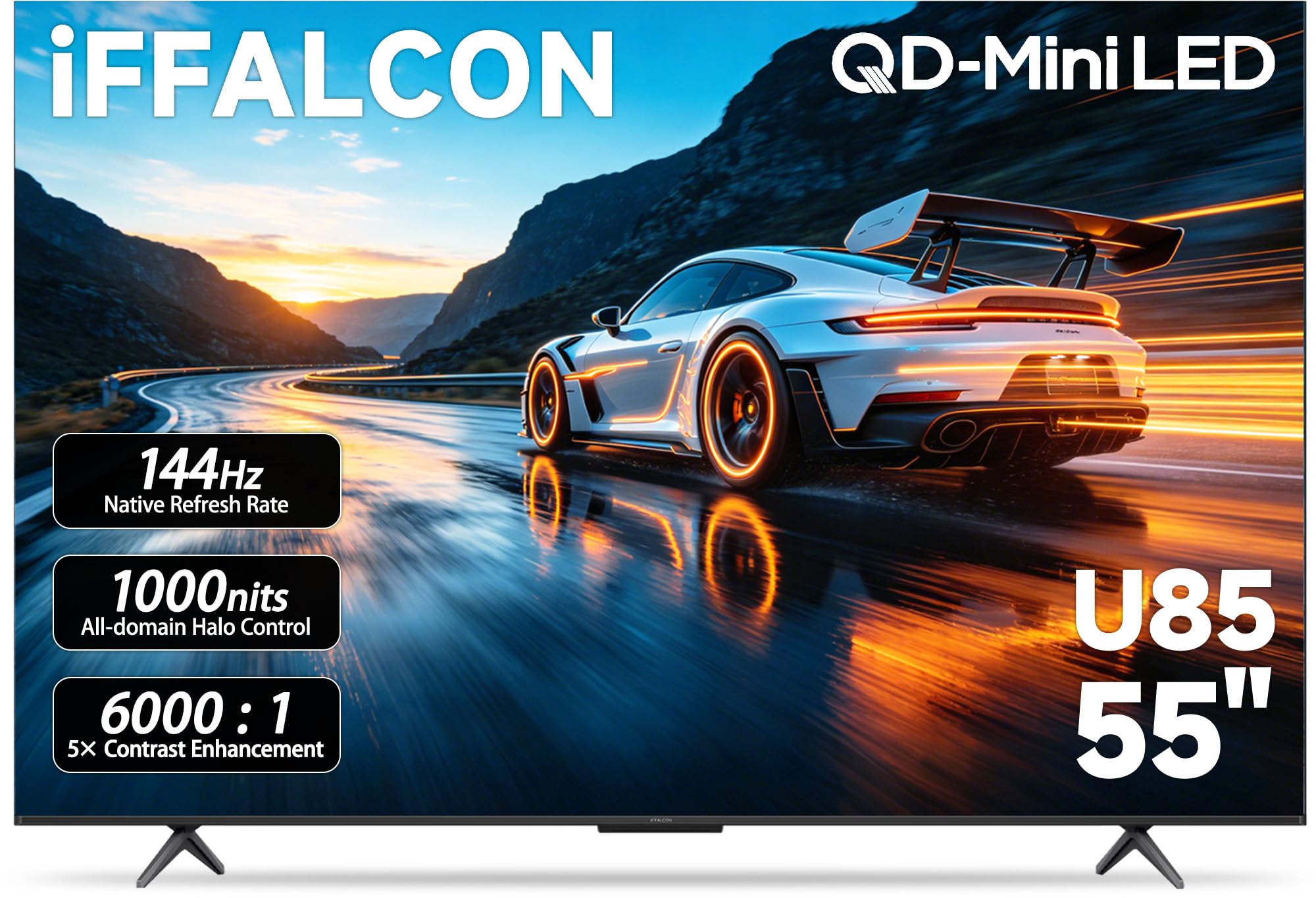
The iFFALCON 55U85 is the rare budget TV that doesn’t compromise on gaming fundamentals. Its native 144Hz panel with VRR up to 288Hz eliminates screen tearing in fast shooters, and the four HDMI 2.1 ports let you connect a PS5, Xbox Series X, gaming PC, and a soundbar simultaneously — no constant cable swapping. The Mini-LED backlighting with local dimming pushes 1000 nits peak brightness, making HDR content actually usable rather than a muddy mess.
Dolby Vision Gaming and IMAX Enhanced certification mean the picture adapts automatically whether you are playing a dark horror title or a brightly lit racing game. The 50W 2.1-channel audio system with Dolby Atmos passthrough covers the basics without requiring an immediate soundbar upgrade, though adding one still improves clarity at higher volumes. Google TV runs smoothly with no noticeable interface lag.
The built-in hotel mode and IP control are unusual for a consumer TV at this price, but they don’t interfere with normal home use. The only real trade-off is the slightly thicker chassis compared to ultra-slim OLED panels. For pure gaming responsiveness, this set outperforms many TVs costing much more.
Why it’s great
- Native 144Hz panel with FreeSync Premium Pro for tear-free gaming.
- Four HDMI 2.1 ports (2 at 4K@144Hz) to handle all consoles at once.
- 1000-nit brightness makes HDR content genuinely impactful on a budget.
Good to know
- Thicker bezel design won’t win any awards for slimness.
- Full retail price can approach baseline OLED territory — wait for a sale.
- Remote feels slightly cheap compared to the TV build quality.
2. Amazon Ember 55″ Mini-LED Series with Fire TV

The Amazon Ember Mini-LED Series brings a 144Hz native refresh rate with AMD FreeSync Premium Pro certification, making it one of the best-performing budget gaming sets for Xbox Series X and high-end PC gaming. The combination of a QLED panel, 512 dimming zones, and up to 1400 nits peak brightness delivers contrast that rivals much more expensive mini-LED models. Dolby Vision IQ and HDR10+ Adaptive adjust the picture based on ambient room light, so daytime and nighttime sessions both look accurate.
The Fire TV interface is the double-edged sword here. On one hand, Alexa+ voice control and the new Fire TV home screen make finding your game library effortless. On the other hand, the ad-supported interface can feel bloated, and some users report lag after software updates. The built-in 2.1 Dolby Atmos audio is genuinely impressive for a flat panel, delivering clear dialog and punchy bass without an external soundbar.
The Omnisense sensor wakes the TV when you enter the room and shows artwork when idle, a nice touch for living room integration. Gaming performance is where this set truly shines — the combination of low input lag, VRR, and high brightness makes it a top choice for competitive players who refuse to pay OLED money.
Why it’s great
- 144Hz native refresh with FreeSync Premium Pro handles variable frame rates smoothly.
- 512 dimming zones deliver deep blacks for a mini-LED budget panel.
- Exceptional peak brightness makes HDR gaming content genuinely impactful.
Good to know
- Fire TV interface can become sluggish after major software updates.
- Home screen is heavy on ad placements and recommendations.
- Some users report Bluetooth audio whine that requires a physical tap to fix.
3. TCL 55″ Class T7 Series 4K QLED (2025 Model)

The TCL T7 series strikes a rare balance: it delivers a native 120Hz-144Hz panel with VRR and FreeSync, but keeps the price low enough to compete with entry-level 60Hz models. The QLED panel covers nearly the entire DCI-P3 color gamut, so games like Horizon Forbidden West and Ghost of Yotei look vibrant rather than washed out. The AIPQ Pro processor handles upscaling of 1080p content well, which matters if you play last-gen games or stream 1080p video on the built-in Google TV platform.
HDR support includes Dolby Vision, HDR10+, and HLG, giving you flexibility across different content sources. The Motion Rate 480 with MEMC frame insertion keeps fast-moving sports and racing games clear, but purists should keep MEMC off for single-player titles to preserve the original frame pacing. The four HDMI inputs include one eARC port for connecting a soundbar without losing an input.
The Google TV interface is responsive and free of the bloatware found on some competing platforms. The voice remote supports Alexa, Google Assistant, and Apple HomeKit. PC gamers should note that the TV requires enabling “Game Mode” in the settings to eliminate input lag — not a dealbreaker, but it’s not automatic out of the box like sets with full ALLM support.
Why it’s great
- Native 120Hz-144Hz panel at a price that often gets you only 60Hz.
- QLED color volume covers nearly full DCI-P3 for vibrant game worlds.
- Google TV interface is snappy and keeps bloatware to a minimum.
Good to know
- PC monitor users may need to re-plug HDMI on wake from sleep.
- Requires internet connection for initial Google TV setup before using HDMI inputs.
- Built-in speakers are adequate but lack deep bass for immersive sound.
4. TCL 65″ Class T7 Series 4K QLED (2025 Model)
Essentially the same QLED platform as the 55-inch T7, but stretched to a 65-inch panel that fills a larger wall or gaming room. The native 144Hz refresh rate remains intact (the spec lists up to 288Hz with VRR), so you get the same tear-free high-refresh experience on a bigger canvas. The FullView 360 metal bezel-less design makes the 65-inch frame look more premium than the price suggests, and the width-adjustable feet help fit different media consoles and soundbar setups.
Color performance is identical to the smaller sibling — the QLED panel covers the DCI-P3 space with rich saturation, and the AIPQ Pro processor handles HDR tone mapping for Dolby Vision and HDR10+ content. The larger size does expose the limits of the direct-LED backlight; black levels are decent but not as deep as mini-LED models. For immersive single-player RPGs and racing sims, the extra screen real estate outweighs the contrast trade-off. MEMC 480 keeps sports and action games smooth.
The same caveats apply: PC users may encounter HDMI wake-from-sleep quirks, and the initial Google TV setup requires internet. The larger cabinet also means the built-in speakers have slightly more room to breathe, but a dedicated soundbar still improves cinematic immersion. This is the best option for gamers who prioritize screen size above all else at this price tier.
Why it’s great
- 65-inch screen at a price that rivals smaller 55-inch premium models.
- Native 144Hz panel with VRR handles console and PC gaming equally well.
- Beautiful edge-to-edge glass design with adjustable feet.
Good to know
- Direct-LED backlight produces less impressive black levels than mini-LED alternatives.
- PC monitor mode requires manual Game Mode toggle and may have HDMI wake issues.
- Built-in sound is adequate but not immersive for action-heavy titles.
5. Samsung 32″ QLED Q8F 4K UHD Smart TV (2025)

While 32 inches may seem small for the living room, the Samsung Q8F is a fantastic option for a dedicated desktop gaming setup or a bedroom where a massive screen is impractical. This compact 4K QLED panel delivers a native 144Hz VRR refresh rate, making it a strong candidate for PC gamers who want a high-refresh monitor alternative without sacrificing 4K resolution. The quantum dot technology delivers 100% color volume, so shadows and highlights both retain detail even in bright room conditions.
The AirSlim design keeps the profile flush against a wall, and the 4K AI Processor upscales lower-resolution content from streaming services or older game consoles to near-4K clarity. The built-in 2,700+ free channels via Samsung TV Plus are a bonus for background viewing. Motion Xcelerator ensures fast-paced titles like Call of Duty and Overwatch 2 stay smooth without motion blur.
The biggest limitation is the 32-inch size — it works well as a monitor replacement but won’t deliver the cinematic immersion of a 55+ inch panel. The included stand legs are flimsy and may feel unstable on uneven surfaces. The built-in speakers are adequate for gaming audio but lack bass, so a soundbar is recommended. For gamers who need a high-refresh 4K panel in a compact form factor, this is a unique find.
Why it’s great
- Native 144Hz VRR in a compact 32-inch form factor ideal for desks.
- Quantum dot color covers 100% of the color volume for vibrant game graphics.
- Ultra-slim design fits flush against a wall or in tight spaces.
Good to know
- 32-inch size limits immersive gaming experiences for living room setups.
- Included stand legs feel cheap and may cause wobble on uneven surfaces.
- Built-in speakers lack depth — a soundbar makes a big difference.
6. Samsung 50″ Mini LED M70H Series (2026 Model)

The Samsung M70H brings Mini-LED backlighting to the mid-range, offering deeper blacks and brighter highlights than standard LED sets. The Motion Xcelerator with DLG 120Hz provides smoother motion in fast-paced games, though the panel’s native refresh rate is 60Hz — the 120Hz is achieved through display-level gaming (DLG), which slightly reduces vertical resolution. For most console gamers, this trade-off is imperceptible, but PC monitor purists may notice the difference.
The Pure Spectrum color technology delivers one billion true-to-life colors, and Samsung’s Gaming Hub centralizes all your gaming platforms (cloud services, console, and PC apps) into one interface. The Color Booster feature makes in-game environments pop, especially in vibrant titles like Fortnite and Final Fantasy XIV. The Samsung Vision AI automatically adjusts picture and sound based on content type, so you don’t have to switch modes manually.
The built-in speakers are serviceable but not remarkable, and the remote requires line-of-sight for consistent button presses. The 50-inch size sits nicely between a full living room setup and a large desktop display. For Samsung loyalists who want Mini-LED performance without the flagship price tag, this is a solid middle-ground pick.
Why it’s great
- Mini-LED backlighting provides deep contrast and bright HDR highlights.
- Samsung Gaming Hub centralizes cloud, console, and PC gaming.
- Color Booster enhances in-game vibrancy without oversaturation.
Good to know
- Native 60Hz panel uses DLG to reach 120Hz, reducing vertical resolution slightly.
- Remote requires direct line-of-sight and has some button input delay.
- Menu system can be complicated for older or less tech-savvy users.
7. Sony BRAVIA 2 II 43″ 4K LED Smart TV

Sony’s BRAVIA 2 II offers unique advantages for PS5 owners that no other budget TV can match. The exclusive features — Auto HDR Tone Mapping and Auto Genre Picture Mode — automatically adjust the TV’s settings when a PS5 is connected, ensuring optimal luminance and latency without manual setup. The 4K Processor X1 provides excellent upscaling from 1080p and 1440p content, which matters if you play older PS5 titles or stream PS Plus games.
The 43-inch size is perfect for a dedicated gaming room or bedroom where a larger screen would be overwhelming. The Game Menu consolidates all gaming picture settings, assist features, and VRR controls into one overlay. Motionflow XR keeps fast-moving scenes blur-free, though the LED panel can’t match the black levels of OLED or mini-LED. The included Sony Pictures CORE app gives access to free movies, adding entertainment value beyond gaming.
Some users report intermittent freezing that requires unplugging the TV — this may be a firmware issue that Sony could address via update, but it’s worth noting. The Google TV interface is clean and responsive, and the Eco Dashboard keeps energy use in check. If you own a PS5 and want a no-hassle gaming TV that just works with your console, this is the one to get.
Why it’s great
- Auto HDR Tone Mapping and Auto Genre Picture Mode optimize PS5 instantly.
- 4K Processor X1 upscales 1080p games to near-4K with great detail.
- Game Menu puts all gaming controls in one easy-access overlay.
Good to know
- LED panel black levels don’t match mini-LED or OLED in dark rooms.
- Some users report random freezing issues requiring a power cycle.
- Wife-friendly navigation for live TV can be clunky within Google TV.
8. Vizio V4K55M 55″ 4K UHD HDR Smart TV
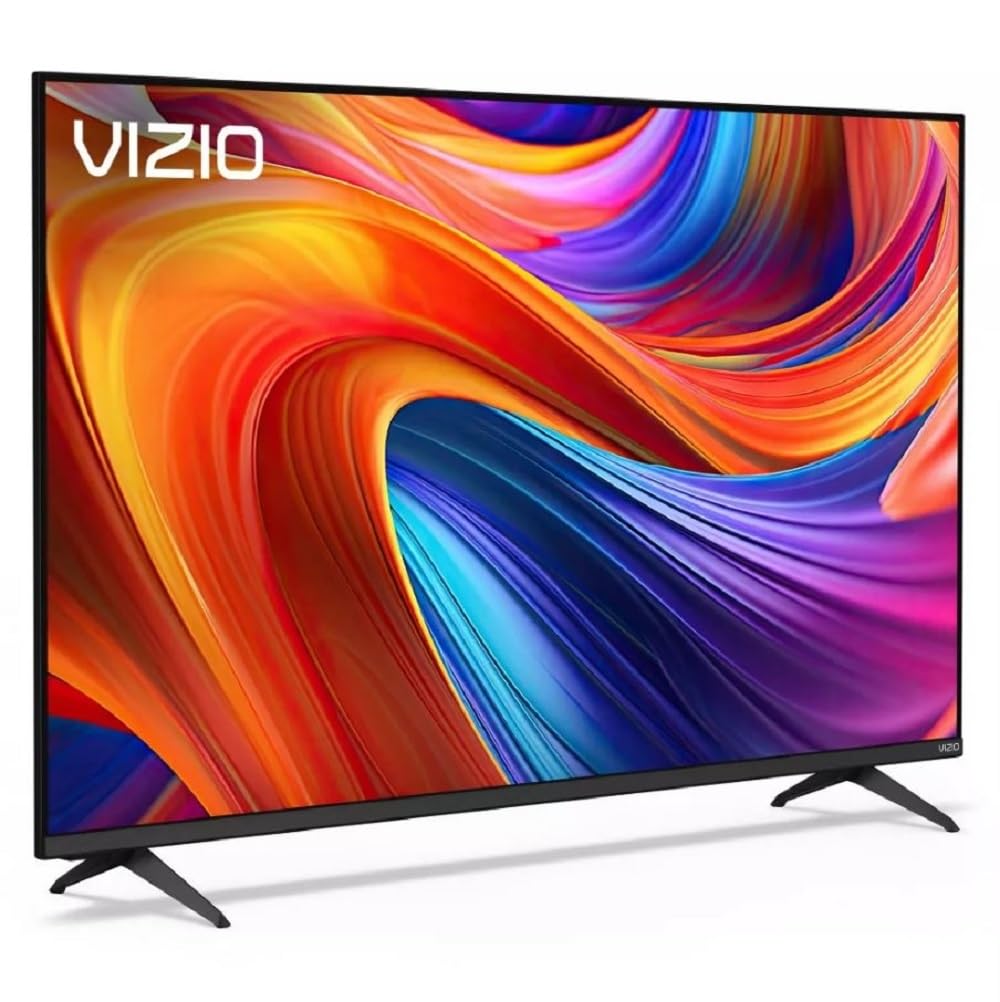
The Vizio V4K55M is a straightforward entry-level 4K TV that works for casual gaming on a tight budget. Its 60Hz native panel supports Auto Low Latency Mode, which automatically switches to gaming mode when a console is detected, and Dolby Vision HDR Gaming enhances color in supported titles. The Direct LED backlighting keeps things simple — you won’t get deep blacks or high peak brightness, but colors remain accurate.
Wi-Fi 6 connectivity is a nice bonus, ensuring stable streaming for services like Game Pass Cloud or Nvidia GeForce NOW. The built-in WatchFree+ app offers 275+ free channels, which helps if you cut cable. The spatial audio processing includes DTS:X and Dolby Atmos pass-through, making it easier to integrate with a soundbar later. Bluetooth headphone pairing is a welcome feature for late-night gaming sessions without waking the household.
The biggest concern with this model is inconsistency in the box — some units arrive refurbished or missing parts (power cord, remote instructions). Amazon has resolved missing-item issues with credits, but it’s something to be aware of. For pure 60Hz gaming with Dolby Vision support at a 55-inch size, this is the most affordable entry point in the list.
Why it’s great
- 55-inch Dolby Vision gaming TV at the absolute lowest entry price.
- Auto Low Latency Mode enables low-lag gaming without manual switching.
- Wi-Fi 6 and Bluetooth headphone support enhance the experience.
Good to know
- Some units ship refurbished or missing essentials like power cord or remote.
- 60Hz panel limits smoothness for competitive high-refresh gaming.
- Direct LED backlight produces average black levels in dark scenes.
9. Roku 55″ Plus Series QLED Mini-LED TV

The Roku Plus Series 55″ combines a QLED Mini-LED panel with the fan-favorite Roku operating system, offering a clean, ad-light interface that’s easy to navigate. The panel produces deep blacks and vibrant colors, and the Mini-LED backlighting handles contrast better than standard LED sets. VRR support is included, helping reduce screen tearing in compatible games.
Dolby Vision and Dolby Atmos are both supported, and the built-in subwoofer provides better bass than most budget TV speakers. The AI-powered Roku Smart Picture Max fine-tunes sharpness and color automatically, which reduces the need to calibrate every input separately. Bluetooth Headphone Mode is a standout feature — pair wireless headphones for private listening without waking anyone up.
The 60Hz panel is the main limitation for high-refresh gaming. You won’t get the 120Hz or 144Hz smoothness that competitive players crave, and the lack of HDMI 2.1 means no 4K@120Hz support. For casual console gaming (Nintendo Switch, PS4, or Xbox Series S) and streaming, this is a fantastic all-rounder. For hardcore competitive play, consider one of the high-refresh options above.
Why it’s great
- Roku interface is the cleanest, least-ad-bloated streaming platform available.
- QLED Mini-LED panel provides excellent color and contrast for casual gaming.
- Built-in subwoofer delivers better built-in sound than most budget TVs.
Good to know
- 60Hz panel limits potential for high-refresh competitive gaming.
- No HDMI 2.1 means no 4K@120Hz or uncompressed VRR for next-gen consoles.
- Missing USB port on some units (check box contents on arrival).
FAQ
What is the minimum native refresh rate I should accept for console gaming?
Does Dolby Vision really make a difference on a budget gaming TV?
Final Thoughts: The Verdict
For most users, the 4k budget tv for gaming winner is the iFFALCON 55U85 because it delivers a native 144Hz panel, four HDMI 2.1 ports, and FreeSync Premium Pro at a price that rivals basic 60Hz sets. If you want premium mini-LED contrast with Fire TV integration, grab the Amazon Ember Mini-LED 55″. And for PS5 owners who want automatic HDR optimization and auto low-latency mode, nothing beats the Sony BRAVIA 2 II 43″.