
Our readers keep the lights on and the weekend projects moving. As an Amazon Associate, I earn from qualifying purchases.
The clutter of a traditional tower under the desk, the tangle of cables, and the hassle of pairing a separate monitor—these are the daily frustrations the all-in-one promises to erase. For the home user, an AIO desktop isn’t just a computer; it’s a furniture upgrade that frees up physical and mental space, condensing your digital life into a single, clean panel.
I’m Rikta — the co-founder and writer behind FitlyFast. I’ve spent countless hours researching the nuances of home computing hardware, analyzing over a hundred system specs to pinpoint which components genuinely matter for daily use versus which are marketing fluff.
This guide systematically breaks down the crucial specs—processor cores, RAM size, storage speed, and display quality—that define the experience of an all in one computer for home use, ensuring you invest in the right balance of power and practicality.
How To Choose The Best All In One Computer For Home Use
Choosing the right all-in-one for your home means looking past the sleek exterior and understanding three key pillars: the processor and memory that determine how fast your applications run, the display that you will stare at for hours, and the connectivity that keeps your space cable-free. Home use rarely needs the raw power of a workstation, but it does need seamless everyday performance for video calls, web browsing, streaming, and light document work.
Processor & Memory: The Heart of Daily Speed
The processor determines how quickly your system responds to commands. For basic home tasks, an Intel N100 or N200 is sufficient, but stepping up to an Intel Core i3 or AMD Ryzen 5 delivers noticeably snappier performance when multitasking between a dozen browser tabs, a video chat, and a music stream. RAM is equally critical—8GB is the absolute minimum, but 16GB ensures you won’t hit a wall during heavier usage. The system uses RAM to keep multiple applications ready to go; when it runs out, everything slows down as the computer relies on storage as a temporary memory.
Display Quality & Size
Your display is the interface to everything. A 1080p (FHD) resolution is standard and works well for a 21.5 to 24-inch screen, but the panel type matters. IPS panels offer superior color accuracy and wider viewing angles compared to VA or standard LED panels, making them ideal for family photo viewing and streaming movies. A larger 27-inch screen provides more workspace without needing external monitors. Consider touchscreen capability if you prefer direct interaction or have a workspace where a mouse isn’t always handy. Blue light reduction technologies like ComfortView Plus or Low Blue Light filters are a practical feature for those who spend many hours at the screen.
Storage: SSD vs. HDD Speed
The storage drive is the most impactful upgrade for perceived speed. A solid-state drive (SSD) is non-negotiable; it makes your computer boot in seconds, applications open instantly, and the entire system feel responsive. A 256GB SSD is adequate for a basic user, but a 512GB drive provides comfortable space for documents, photos, and a few applications. For the ultimate home system, a 1TB SSD lets you store your entire media library without worrying about running out of space. Avoid systems that still rely on a traditional hard drive as the primary boot drive—the speed difference is night and day.
Connectivity and Peripherals
Modern wireless connectivity reduces desk clutter. Wi-Fi 6 is a major upgrade over older standards, offering faster speeds and better performance when multiple devices share your home network. Bluetooth 5.2 or 5.3 provides reliable connection to wireless mice, keyboards, and headphones. Also check the port selection: a few USB-A ports for legacy devices, a USB-C port for modern peripherals, and an HDMI port for connecting an external monitor or TV. The included webcam quality is often overlooked—a 720p camera is functional, but a 1080p camera with a physical privacy shutter is far better for modern video calls.
Quick Comparison
On smaller screens, swipe sideways to see the full table.
| Model | Category | Best For | Key Spec | Amazon |
|---|---|---|---|---|
| Apple iMac M4 24″ | Premium | Creative home users & Apple ecosystem | 4.5K Retina display, 16GB unified memory | Amazon |
| Dell 27″ Touch (i7) | Premium | High-performance home & creative work | NVIDIA GeForce MX570A, 32GB DDR5 | Amazon |
| HP 27″ Touch (Ultra 7) | Premium | Power users needing 64GB RAM | Intel Core Ultra 7, 4TB SSD | Amazon |
| Lenovo ThinkCentre Neo 50a | Premium | Business grade for home office | Intel Core i7-13620H, Windows 11 Pro | Amazon |
| ASUS V470 (i5/1TB) | Mid-Range | Family media & touchscreen use | 27″ FHD touch display, 1TB SSD | Amazon |
| HP 27″ (Ryzen 7) | Mid-Range | Heavy multitasking & storage | 32GB RAM, 1TB SSD, Ryzen 7 | Amazon |
| Dell 24″ (Core 3) | Mid-Range | Reliable daily driver with service | 5MP+IR webcam, Dolby Atmos | Amazon |
| Lenovo 24″ (i3-N305) | Mid-Range | Office tasks & web browsing | Intel Core i3-N305, 16GB RAM | Amazon |
| Acer Aspire C24 (Ryzen 5) | Mid-Range | Smooth everyday use & light gaming | 120Hz FHD IPS display, 16GB RAM | Amazon |
| HP 21.5″ (N100) | Budget | Entry-level & secondary computer | 32GB DDR5 RAM, Docking Hub | Amazon |
| HP 21.45″ (N200) | Budget | Value-centric basic home use | Intel N200, 512GB SSD | Amazon |
In‑Depth Reviews
1. Apple 2024 iMac M4 24″

The Apple iMac M4 redefines what a home all-in-one can be. The M4 chip, with its 10-core CPU and 10-core GPU, delivers performance that feels instant, handling everything from video editing to presentations without any lag. The integrated 12MP Center Stage camera, three studio-quality mics, and six-speaker Spatial Audio system elevate video calls to a new level, making you look and sound exceptional.
This machine is built for the user who values elegance and ecosystem synergy. The ultra-thin design, available in seven vibrant colors, complements any home decor. The 16GB of unified memory and 512GB SSD storage are the sweet spot for most home users, though creative professionals may desire the larger storage options. The inclusion of up to four Thunderbolt 4 ports provides incredible expandability for external displays and high-speed peripherals. The biggest trade-off for Windows users is the macOS learning curve, but the intuitive interface makes the transition surprisingly smooth for most.
For the home user who wants the absolute best experience without compromise, the iMac is the benchmark. The M4 chip’s efficiency also means it runs cool and whisper-quiet, a major advantage over many Windows counterparts. While the premium sits at a higher tier, the combination of build quality, display, and performance justifies the investment for users who plan to keep this machine for years. It is the top recommendation for anyone already using an iPhone or iPad, as the seamless integration—like iPhone Mirroring and universal clipboard—transforms the daily workflow.
Why it’s great
- Best-in-class 4.5K Retina display with exceptional color accuracy
- Blazing fast M4 chip delivers instant application performance
- Superior 12MP Center Stage camera and six-speaker Spatial Audio system
- Silent operation and energy-efficient design
Good to know
- Higher price point compared to equivalent Windows AIOs
- Requires macOS adaptation for long-time Windows users
- Limited to four Thunderbolt 4 ports; no USB-A natively
2. Dell 27″ All-in-One Touch (Core 7)

The Dell 27-inch All-in-One is a powerhouse designed for the demanding home user who needs discrete graphics. Equipped with an Intel Core 7 processor 150U, 32GB of DDR5 RAM, and a 1TB SSD, this system flies through heavy workloads like 4K video editing or complex data analysis. The inclusion of an NVIDIA GeForce MX570A with 2GB GDDR6 VRAM is a standout feature, enabling smooth photo editing, light 3D modeling, and better performance in casual gaming than any integrated graphics can offer.
The 27-inch FHD IPS touch display with 99% sRGB color gamut and Dell ComfortView Plus makes prolonged use comfortable. The 5MP+IR camera with HDR technology ensures you look professional on video calls, and the pop-up privacy shutter provides peace of mind. The innovative stand design allows you to store the keyboard underneath, keeping your desk exceptionally tidy. The 1 Year Onsite Service is a significant advantage, as Dell will come to your home to fix hardware issues, removing the worry of packaging and shipping a large AIO.
The touchscreen adds a layer of interaction that is useful for presentations or creative work. The main consideration is its premium price, which is justified by the dedicated GPU, ample memory, and large storage. Users who do not require the NVIDIA graphics could save by choosing a model with integrated graphics, but for those who do, this Dell is a superb investment.
Why it’s great
- Discrete NVIDIA GeForce MX570A graphics for creative and light gaming
- 32GB DDR5 RAM and 1TB SSD provide ample space and speed
- 27-inch touch display with 99% sRGB and ComfortView Plus
- Includes 1 Year Onsite Service for convenient support
Good to know
- Premium price reflects the high-end hardware
- No built-in DVD drive; requires external purchase
- Limited number of USB ports available
3. HP 27″ Touchscreen All-in-One (Ultra 7)

The HP 27-inch Touchscreen All-in-One is an absolute beast for storage and memory. Featuring a staggering 64GB of DDR5 RAM and a 4TB SSD, this machine is overkill for typical home use but perfect for users who keep massive media libraries, run virtual machines, or work with huge datasets. The Intel Core Ultra 7 processor (12 cores) handles any task thrown at it with ease, from intensive photo editing in Photoshop—which one user noted loads in under two seconds—to smooth 4K video playback.
The 27-inch FHD IPS touchscreen with a three-sided micro-edge design offers a wide viewing angle up to 178 degrees, making it great for family movie nights or collaborating on projects. The height-adjustable stand is a critical ergonomic feature often missing from AIOs, allowing you to position the screen at eye level for comfortable all-day use. The HP True Vision FHD IR camera supports Windows Hello for instant, secure facial recognition login—a feature that adds a touch of premium convenience to the daily routine.
This model is for the power user who simply refuses to compromise on RAM or storage capacity. The system is blisteringly fast, with instant boot times and no application lag. The main drawback is the price, which places it in the top tier. Also, some users have noted that the included keyboard lacks dedicated F-keys, and the compact design may not suit everyone’s typing preference. However, for sheer internal capacity and speed, this HP is unmatched in this list.
Why it’s great
- Massive 64GB DDR5 RAM and 4TB SSD storage capacity
- Height-adjustable stand for superior ergonomics
- FHD IR camera with Windows Hello facial recognition
- Incredible processing speed for professional creative tasks
Good to know
- High price point suited only for demanding users
- Keyboard design may feel cramped for some users
- Speakers are adequate but not exceptional for media
4. Lenovo ThinkCentre Neo 50a (i7)

The Lenovo ThinkCentre Neo 50a is built for the home office that demands business-class reliability and performance. Powered by an Intel Core i7-13620H with 10 cores and 16 threads, this system handles heavy multitasking with grace, allowing you to run multiple applications and dozens of browser tabs simultaneously without a hiccup. The 32GB of DDR5 RAM and 1TB PCIe NVMe SSD provide lightning-fast boot times and ample storage for a home business or heavy personal use.
The 23.8-inch FHD IPS anti-glare display with 99% sRGB color accuracy is ideal for long work sessions, and the low blue light technology reduces eye strain. The inclusion of Windows 11 Pro adds features like BitLocker encryption and Remote Desktop, which are valuable for professionals handling sensitive data. The anti-glare screen is a blessing in brightly lit rooms, ensuring you see your work clearly without annoying reflections. The wired keyboard and mouse are functional, if not premium, and the inclusion of Wi-Fi 6 ensures a stable network connection.
This is the machine for the user who values stability and performance over flashy design. The ThinkCentre name carries a reputation for durability, and the build quality reflects that. The main downside is the limited port selection, with only a few USB-A ports, which may require a hub for some users. Additionally, the system lacks a built-in optical drive. Nevertheless, for the home professional who needs a reliable workhorse, the ThinkCentre Neo 50a is a top-tier choice.
Why it’s great
- Powerful Intel Core i7-13620H with 10 cores for demanding tasks
- 32GB DDR5 RAM and 1TB SSD for smooth multitasking
- Windows 11 Pro with BitLocker and Remote Desktop features
- Anti-glare IPS display with 99% sRGB for accurate color work
Good to know
- Limited number of USB ports may require an external hub
- No built-in DVD or CD drive included
- Wired keyboard and mouse feel basic for the price point
5. ASUS V470 All-in-One (i5/1TB)

The ASUS V470 strikes an excellent balance between performance and features for the mid-range home market. Its 27-inch Full HD anti-glare touchscreen display is a standout, providing intuitive navigation that is perfect for family use—children can tap and swipe, and adults can scroll through web pages or zoom into photos. The Intel Core i5-13420H processor is a capable mid-range chip that handles 4K streaming, moderate photo editing, and heavy web browsing without complaint. The 16GB of DDR5 RAM and 1TB PCIe SSD ensure the system feels responsive with plenty of storage for a large media collection.
This model excels in its audio and video quality. The speakers are powered by Dolby Atmos, producing a rich soundstage that makes movies and music sound immersive. The 1080p Full HD camera with an array microphone and AI Noise-Canceling Technology delivers clear, professional-quality video calls. One of the most thoughtful features is the built-in camera that tucks away when not in use, a rare touch that preserves privacy without requiring an external cover. The wired keyboard and mouse are basic but functional, and the Wi-Fi 6E and Bluetooth 5.3 connectivity keep the system future-proof.
The ASUS V470 is the ideal choice for a family who wants a large touchscreen as a central hub. The combination of a large, clear display, excellent audio, and sufficient processing power makes it a versatile machine for work, school, and entertainment. The main drawback is the lack of height adjustability, which may require a stand or riser for optimal ergonomics. Some users also note pre-installed bloatware, though this is easily removable. Overall, it is a fantastic all-rounder.
Why it’s great
- Large 27-inch Full HD touchscreen with anti-glare finish
- Dolby Atmos speakers deliver impressive audio quality
- 1080p camera with AI noise cancellation and privacy tuck-away
- 1TB SSD provides generous storage for media and documents
Good to know
- Height is not adjustable; ergonomic setup may require a riser
- Some pre-installed bloatware that needs to be removed
- Wired peripherals may feel limiting to some users
6. HP 27″ All-in-One (Ryzen 7)

The HP 27-inch All-in-One with the AMD Ryzen 7 7730U offers a compelling mix of performance and value for the home user who needs serious muscle. The Ryzen 7 processor is a formidable chip, easily handling everything from heavy office suites to 4K media consumption. When paired with 32GB of RAM and a 1TB SSD, this system provides an experience that feels instant and responsive no matter the workload. The ultra-slim three-sided micro-edge display has up to a 90% screen-to-body ratio, making the 27-inch screen feel even larger and more immersive.
The design features a tiltable pop-up privacy camera, which is a thoughtful addition for privacy-conscious users. The dual-array microphones and advanced noise reduction technology ensure that your voice is heard clearly on video calls, minimizing background distractions. The display, while FHD, is rated at 250 nits, which is adequate for indoor use but may look dim in very bright rooms. The build quality is solid, and the white color scheme gives it a clean, modern look that fits well in a home environment.
This HP is best suited for the power user who wants substantial RAM and storage without paying the highest premium. The Ryzen 7 processor is excellent for multitasking and creative work. However, there are a few caveats. Some user reports indicate random shutdowns due to overheating, though this seems to affect only a small number of units. Additionally, the lack of a height-adjustable stand and touchscreen may be a downside for some users. It remains a strong mid-premium option that delivers where it counts.
Why it’s great
- Powerful Ryzen 7 7730U with 32GB RAM for demanding tasks
- Large 1TB SSD provides fast boot and ample storage
- Pop-up privacy camera and dual-array microphones for calls
- Slim micro-edge display with high screen-to-body ratio
Good to know
- Some units reported random overheating and shutdowns
- Display brightness is 250 nits, may appear dim in bright rooms
- No height adjustment or touchscreen functionality
7. Dell 24″ All-in-One (Core 3)

The Dell 24-inch All-in-One is a well-rounded, reliable machine for the home user who prioritizes video call quality and eye comfort. The Intel Core 3 processor 100U is a capable entry-level to mid-range chip that handles daily tasks like email, web browsing, and Microsoft Office with ease. The standout feature is the 5MP+IR camera with HDR technology, which provides a much sharper and better-lit image than the standard 720p or even 1080p webcams found on most competitors. This makes it an excellent choice for anyone who spends a lot of time on Zoom or Teams.
The FHD IPS display features 99% sRGB and Dell ComfortView Plus, which reduces harmful blue light emissions without distorting colors, making it comfortable for long work sessions. The refresh rate is 66% higher than the previous generation, providing smoother scrolling and visual motion. The integrated dual Bluetooth speakers with Dolby Atmos deliver clear, loud audio that fills a small to medium room. The 1 Year Onsite Service is a major benefit, offering peace of mind if any hardware issues arise.
This Dell model is ideal for the professional who works from home and needs superior camera and audio quality for meetings. The 8GB of RAM is adequate for basic multitasking, but power users might find it limiting. The build quality is excellent, and the white design looks clean on any desk. The main drawback is the relatively small storage (512GB), though this is standard for the price point. For a dependable home office machine, this Dell is a solid, service-backed choice.
Why it’s great
- Excellent 5MP+IR camera with HDR for professional video calls
- ComfortView Plus reduces eye strain without color washout
- Dolby Atmos speakers deliver clear and loud audio
- 1 Year Onsite Service included for hassle-free support
Good to know
- 8GB of RAM can be limiting for heavy multitasking
- 512GB SSD is adequate but fills up quickly with large files
- Some units reported missing keyboard dongle out of the box
8. Lenovo 24″ All-in-One (i3-N305)

The Lenovo 24-inch All-in-One offers an excellent value proposition for the home office, balancing a capable processor with ample memory. The Intel Core i3-N305, with its eight cores, provides more processing power than the typical N100 or N200 chips, making it well-suited for running productivity software like Microsoft 365, browsing with many tabs, and light creative work. The 16GB of DDR4 RAM is a significant advantage at this price tier, ensuring smooth multitasking without hitting the performance ceiling that plagues 8GB systems.
The 23.8-inch FHD IPS anti-glare display is a highlight, featuring a three-sided borderless design that looks more modern than many competitors. The 99% sRGB color accuracy means photos and videos appear vibrant and true to life. The included wired keyboard and mouse are functional, though the keyboard is sometimes reported to have sticky keys. The system also includes a lifetime subscription to Office 365 for the web, a useful bonus for students or families who don’t want to pay a monthly fee. Connectivity is solid with Wi-Fi 6 and Bluetooth 5.2.
This Lenovo is an ideal choice for the budget-conscious home user who needs a system that can handle daily work without lag. The 16GB of RAM at this price point is a steal, and the i3-N305 processor is a step above entry-level options. The main downsides are the basic peripherals and the lack of a high-quality webcam—the built-in camera is HD but not exceptional. Nevertheless, for straightforward home office use, this machine provides exceptional performance for the price.
Why it’s great
- 8-core Intel Core i3-N305 offers strong multitasking performance
- 16GB DDR4 RAM is generous for this price tier
- Borderless FHD IPS display with 99% sRGB color accuracy
- Includes lifetime Office 365 for the web subscription
Good to know
- Included keyboard may have sticky key issues
- Built-in webcam is basic HD quality
- No optical drive or dedicated GPU for gaming
9. Acer Aspire C24 (Ryzen 5)

The Acer Aspire C24 is a unique entry in this list, offering a 120Hz refresh rate on its 23.8-inch FHD IPS display—a feature usually reserved for gaming monitors. This translates to noticeably smoother scrolling, more fluid cursor movement, and a generally more responsive feel in day-to-day tasks. The AMD Ryzen 5 7430U hexa-core processor provides ample power for everyday work, streaming, and even light gaming, while the AMD Radeon Graphics handle visuals efficiently. The 16GB of DDR4 RAM and 512GB PCIe SSD ensure the system feels snappy.
The design is sleek, with narrow bezels and a 90.71% screen-to-body ratio that looks upscale. The front I/O access is a practical touch, with USB ports and an audio jack conveniently placed for easy access rather than fumbling behind the machine. The 2.0MP webcam includes a privacy shutter, and the dual microphones suffice for video calls. The inclusion of Wi-Fi 6E provides the fastest wireless connectivity, ideal for streaming 4K content or working with large cloud files. The Acer VisionCare technology reduces eye strain with flicker-less technology and blue light filtering.
This Acer is the best choice for users who value a fluid visual experience and do not want to sacrifice display quality for affordability. The 120Hz panel is noticeably smoother than standard 60Hz displays, making web browsing and document scrolling feel more premium. The main downside reported by users is a loud fan under default settings, which can be mitigated by adjusting the power plan. For the combination of a mid-range processor and a high-refresh-rate display, the Aspire C24 offers excellent value.
Why it’s great
- 120Hz FHD IPS display provides exceptionally smooth visuals
- AMD Ryzen 5 7430U with 16GB RAM for solid multitasking
- Wi-Fi 6E connectivity for fastest wireless network speeds
- Front I/O ports for convenient access to peripherals
Good to know
- Fan can be loud out of the box; requires power adjustment
- 512GB SSD is sufficient but may fill up for media hoarders
- Basic 2MP webcam is functional but not high-end
10. HP 21.5″ All-in-One (N100)

The HP 21.5-inch All-in-One is an excellent entry-level machine that offers surprisingly generous specifications for its price bracket. While powered by the modest Intel N100 quad-core processor, which is fine for email, web browsing, and basic document editing, the standout feature is the inclusion of 32GB of DDR5 RAM. This large memory capacity is unusual at this level and ensures you can keep many tabs and applications open without slowdown, effectively compensating for the processor’s limitations. The Intel UHD Graphics are sufficient for 4K streaming but not for gaming.
The system comes with a 128GB internal SSD for fast boot times plus a 256GB docking station set, which effectively provides a total of 384GB of storage. The 21.5-inch FHD VA display offers a sharp picture with an anti-glare coating, making it suitable for daily use. The 8-in-1 docking hub expands connectivity, a useful addition for users with multiple peripherals. The included DTS-tuned speakers provide better audio than many budget all-in-ones, and the adjustable stand allows tilting from -6 to 21 degrees for comfortable viewing.
This HP is targeted at the budget-conscious user who needs a simple, space-saving home computer for basic tasks. The massive 32GB of RAM is the headline feature, making the system feel more responsive than its processor suggests. The main caveat is the storage setup, which relies on an external SD card slot for a portion of its capacity, and the wired mouse may have connectivity issues if placed far from the receiver. For a straightforward home computer, this is a strong value pick.
Why it’s great
- Exceptional 32GB DDR5 RAM for smooth multitasking
- Includes 8-in-1 docking hub for expanded connectivity
- DTS-tuned speakers provide solid audio quality
- Adjustable stand for comfortable viewing angle
Good to know
- Intel N100 processor is limited for heavy tasks
- Storage system relies partly on external SD card
- Mouse receiver can experience lag if behind the monitor
11. HP 21.45″ All-in-One (N200)
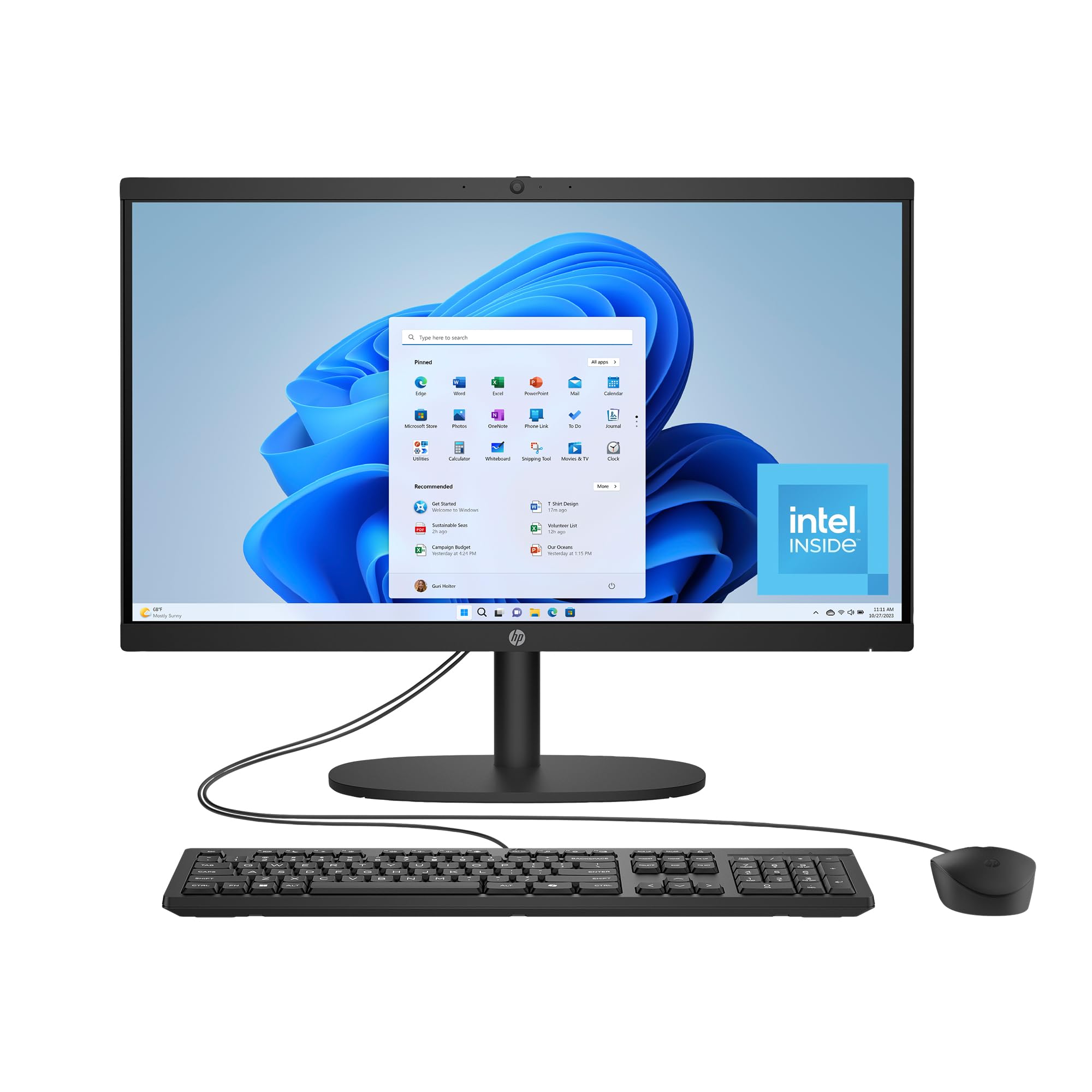
The HP 21.45-inch All-in-One is the foundational entry-level choice for the home user who wants a straightforward, clutter-free computing experience at the lowest possible investment. Powered by the Intel Processor N200, it is designed for light, everyday tasks—web browsing, email, streaming video, and using basic productivity apps. The 8GB of DDR4 RAM is sufficient for these tasks, though it will feel the pinch if you heavily multitask. The 512GB SSD is a major highlight, providing fast boot times and enough storage for a family’s documents, photos, and a moderate media library.
The 21.45-inch FHD VA display delivers a sharp and clear picture, and the DC Dimming technology eliminates flickering for more comfortable long-term viewing. The all-in-one design truly shines here, eliminating the desktop tower for an incredibly tidy desk setup. The system includes a manual camera shutter for privacy, AI-noise reduction for clearer calls, and Wi-Fi 6 and Bluetooth 5.3 for fast, modern wireless connectivity. The inclusion of post-consumer recycled and ocean-bound plastics is an environmentally conscious touch.
This HP is perfect for a student, a senior, or as a secondary computer for the home. Its simplicity is its strength—it is easy to set up and use. The main limitations are the 8GB of RAM and the N200 processor, which will struggle with heavy multitasking or demanding creative software. Some users reported a defective mouse, but this is not a widespread issue. For the budget-minded user who needs a reliable, no-fuss computer, this HP delivers on the essentials.
Why it’s great
- Affordable entry point with 512GB SSD for fast storage
- Flicker-free DC Dimming technology for comfortable viewing
- Modern Wi-Fi 6 and Bluetooth 5.3 wireless connectivity
- Compact all-in-one design eliminates desk clutter
Good to know
- 8GB RAM is minimal and limits heavy multitasking
- Intel N200 processor is only for basic computing tasks
- Some users reported defective mouse peripherals
FAQ
Can I upgrade the RAM in an all-in-one computer after purchase?
Is a touchscreen worth it on a home all-in-one desktop?
How much storage (SSD) do I actually need for a home computer?
Will an all-in-one be good for video calls and Zoom?
Final Thoughts: The Verdict
For most users, the all in one computer for home use winner is the Apple iMac M4 24″ because its combination of stunning 4.5K display, blistering M4 performance, and superior camera and audio system set the benchmark for the category. If you want exceptional RAM and storage value with solid office performance, grab the Lenovo 24″ (i3-N305). And for the family that wants a large touchscreen hub with impressive audio, nothing beats the ASUS V470 (i5/1TB).