
Our readers keep the lights on and the weekend projects moving. As an Amazon Associate, I earn from qualifying purchases.
Ultrawide gaming monitors deliver a battlefield view standard screens simply cannot match—stretching your peripheral vision across a sweeping curve that pulls you into the action. But beyond the immersive shape, the real choice comes down to panel technology: VA panels offer deep contrast at a lower cost, while QD-OLED displays deliver true blacks, infinite contrast, and blazing-fast response times that competitive gamers depend on.
I’m Rikta — the co-founder and writer behind FitlyFast. This guide is built on hundreds of hours comparing spec sheets, analyzing real user feedback, and evaluating the trade-offs between refresh rates, curvature, resolution, and burn-in risk across the current ultrawide landscape.
Whether you prioritize raw speed for esports or cinematic HDR for single-player titles, these hand-picked models represent the best balance of performance, build quality, and long-term value—all compiled in this focused guide to the best 1440p ultrawide gaming monitor options available right now.
How To Choose The Best 1440p Ultrawide Gaming Monitor
Ultrawide monitors pack a unique set of specs that go beyond standard screens. Understanding curvature, panel type, refresh rate, and connectivity will help you match the right display to your gaming habits and desk setup.
Panel Technology: VA vs. QD-OLED
The panel is the heart of your visual experience. VA panels deliver strong contrast ratios (3000:1 or higher) with solid black levels and no burn-in risk, making them a reliable budget-friendly choice. QD-OLED panels, on the other hand, offer infinite contrast, true blacks, and response times as low as 0.03ms—but they require care to avoid permanent burn-in over years of static UI elements. For competitive gamers who prioritize speed and color vibrancy, QD-OLED is the clear winner. For mixed-use desks where the monitor doubles as a work screen all day, a premium VA panel provides excellent image quality without the OLED maintenance overhead.
Refresh Rate and Response Time
Refresh rate (measured in Hz) dictates how many frames your monitor can display per second. A 144Hz refresh rate is the sweet spot for smooth gameplay without demanding an over-the-top GPU. Jumping to 175Hz or 240Hz gives a tangible edge in fast-paced shooters and racing sims, where every millisecond counts. Response time, measured in milliseconds (ms), determines how quickly pixels change color. A 1ms response time (common on VA) is good; a 0.03ms response time (standard on QD-OLED) practically eliminates ghosting, delivering razor-sharp motion clarity during rapid camera panning.
Curvature and Screen Size
Curvature is measured by the radius of the circle the curve follows—a smaller number means a tighter bend. An 1800R curve is gentle and works well for 34-inch panels, providing a subtle wrap that reduces eye strain over long sessions. An 800R curve, found on some 34-inch OLED models, creates a dramatic, cockpit-like immersion that feels almost peripheral. For 49-inch super-ultrawides, a 1000R curve is common and helps keep the far edges of the screen within comfortable viewing range. Your desk depth matters: a tighter curve requires a bit more distance to appreciate the effect fully.
Connectivity and Extra Features
Modern ultrawides go beyond HDMI and DisplayPort. USB-C with power delivery (65W to 90W) lets you connect a laptop with a single cable for video signal and charging—a huge convenience for hybrid setups. A built-in KVM switch lets you control two PCs with one keyboard and mouse, ideal for gamers who also work from a separate machine. HDMI 2.1 support ensures full-bandwidth 4K at high refresh rates for PS5 and Xbox Series X, while DisplayPort 1.4 remains the standard for pushing 3440×1440 at high frame rates from a gaming PC.
Quick Comparison
On smaller screens, swipe sideways to see the full table.
| Model | Category | Best For | Key Spec | Amazon |
|---|---|---|---|---|
| ASUS ROG Strix XG34WCDG | QD-OLED | Competitive gaming + HDR | 175Hz, 0.03ms, QD-OLED | Amazon |
| Acer Predator X34 | OLED | High-speed esports | 240Hz, 0.01ms, 800R curve | Amazon |
| LG 34GX90SA-W | OLED | Streaming + gaming hybrid | 240Hz, webOS, 800R curve | Amazon |
| Alienware AW3425DW | QD-OLED | Premium all-around gaming | 240Hz, 0.03ms, 1800R curve | Amazon |
| Alienware AW3423DWF | QD-OLED | Color-critical work + gaming | 165Hz, Creator Mode, 1800R | Amazon |
| MSI MPG 491CQP | QD-OLED | Super-ultrawide productivity | 144Hz, 5120×1440, 32:9 | Amazon |
| Deco Gear 49″ QD-OLED | QD-OLED | Dual-monitor replacement | 240Hz, 90W USB-C, KVM | Amazon |
| Samsung Odyssey G7 G75F | VA | High-res ultrawide gaming | 180Hz, DisplayHDR 600, 40″ | Amazon |
| INNOCN 45C1R | VA | Budget super-ultrawide | 120Hz, 5120×1440, 32:9 | Amazon |
| LG 34G600A-B | VA | Entry-level ultrawide gaming | 160Hz, FreeSync Premium, 34″ | Amazon |
| Dell 34 Plus S3425DW | VA | Office + casual gaming | 120Hz, USB-C 65W, 34″ | Amazon |
In‑Depth Reviews
1. ASUS ROG Strix XG34WCDG

The ASUS ROG Strix XG34WCDG pairs a 34-inch QD-OLED panel with a 175Hz refresh rate and 0.03ms response time, delivering the kind of motion clarity and color vibrancy that competitive gamers demand. Its 3440×1440 resolution hits the sweet spot between sharpness and GPU workload, allowing high frame rates even with a mid-range card. The DisplayHDR 400 True Black certification ensures deep blacks and bright highlights, making HDR titles like Cyberpunk 2077 or Call of Duty look genuinely cinematic.
ASUS includes OLED Care Pro with a Neo Proximity Sensor that detects when you step away and automatically blanks the screen to reduce burn-in risk—a thoughtful feature for daily drivers. The DisplayWidget Center software lets you tweak settings with a mouse instead of fumbling with on-screen menus. Build quality is top-tier, with a sturdy stand offering height, tilt, and swivel adjustments, plus a 3-year warranty that covers burn-in, giving you peace of mind on a long-term investment.
On the downside, there are no built-in speakers, and the 3.5mm audio output can be finicky with some laptops. The ELMB (Extreme Low Motion Blur) feature requires a DisplayPort connection and specific settings, so it won’t work over HDMI for console users. Still, for pure gaming performance at this price point, the XG34WCDG sets the benchmark for what a premium 1440p ultrawide should be.
Why it’s great
- Stunning QD-OLED contrast and color accuracy (Delta E < 2)
- Neo Proximity Sensor for automated burn-in prevention
- 3-year warranty includes OLED burn-in coverage
Good to know
- No built-in speakers; 3.5mm audio output can be unreliable
- ELMB feature limited to DisplayPort connections
- Requires USB-C to DP adapter for laptops without DP
2. Acer Predator X34

The Acer Predator X34 takes immersion to another level with its aggressive 800R curve—the tightest bend in this roundup—wrapping the 34-inch OLED display around your peripheral vision like a cockpit windscreen. With a 240Hz refresh rate and 0.01ms response time, it is built for esports players who need the fastest possible pixel transitions. The panel covers 99% DCI-P3 and hits DisplayHDR True Black 400, delivering rich, punchy HDR that makes explosions and neon-lit scenes pop.
Connectivity is future-proof: two HDMI 2.1 ports allow full-bandwidth 4K 120Hz on PS5 or Xbox Series X, while the USB-C port delivers 90W power delivery for a single-cable laptop setup. The integrated KVM switch lets you control two devices with one keyboard and mouse, a huge convenience for gamers who also work on a separate machine. The stand offers full ergonomic adjustments, and the matte OLED finish reduces reflections better than glossy panels.
Periodic pixel refresh cycles—though necessary for OLED longevity—can interrupt gameplay with a pop-up that forces a 5-minute black screen, which some users find annoying during intense sessions. The headphone output also has a faint digital noise floor that purists may notice. Despite these quirks, the Predator X34 delivers unmatched speed and immersion for competitive gamers who demand the fastest OLED panel available.
Why it’s great
- Ultra-fast 240Hz with 0.01ms response for zero ghosting
- 800R curve delivers unmatched peripheral immersion
- USB-C 90W PD and built-in KVM for clean desks
Good to know
- Pixel refresh pop-up forces periodic black-screen breaks
- Headphone output has audible digital noise
- No dedicated KVM button; requires OSD navigation
3. LG 34GX90SA-W

LG’s 34GX90SA-W stands out because it integrates webOS 24 directly into the monitor, giving you built-in access to Netflix, Prime Video, Apple TV, and cloud gaming services like NVIDIA GeForce NOW—no PC or console required. The 34-inch WQHD OLED panel delivers a 240Hz refresh rate with a steep 800R curve, 98.5% DCI-P3 coverage, and DisplayHDR True Black 400, producing the same vibrant, inky blacks that make OLED gaming so compelling.
The anti-glare OLED surface minimizes reflections, keeping focus on the action, while the 65W USB-C power delivery lets you charge a laptop through a single cable. Dual HDMI 2.1 ports mean you can hook up a PS5 and a PC simultaneously without sacrificing bandwidth. The Dynamic Action Sync and Black Stabilizer tools are handy for competitive shooters, and the 2-year warranty covers the OLED panel, adding a layer of protection for your investment.
Some users report finicky sleep-mode behavior that requires tweaking settings to fix, and the input switching can feel less intuitive than dedicated monitors. The white color scheme won’t suit every desk aesthetic, and the 800R curve is noticeably aggressive—ideal for solo gaming but less comfortable for shared viewing or productivity work spread across the screen.
Why it’s great
- Built-in webOS for streaming and cloud gaming without a PC
- 240Hz OLED with 800R curve for intense immersion
- USB-C 65W PD and dual HDMI 2.1 ports
Good to know
- Sleep/wake behavior can be inconsistent out of the box
- Brightness tops out at 275 nits typical; 1300 nits peak HDR only
- Aggressive curve less practical for productivity work
4. Alienware AW3425DW

The Alienware AW3425DW is a 2025 refresh that pushes the company’s QD-OLED formula to 240Hz while keeping the beloved 34-inch 3440×1440 format. The 1800R curve is gentler than the Acer or LG, making it comfortable for long productivity sessions without sacrificing gaming immersion. With DisplayHDR TrueBlack 400, a 1.5M:1 contrast ratio, and 99.3% DCI-P3 coverage, colors are rich and blacks are genuinely infinite—a stark upgrade from even the best VA panels.
Build quality is unmistakably Alienware: the Legend 2.0 design with customizable RGB AlienFX lighting, a solid height-adjustable stand, and improved cable management via a central column. The OSD joystick is responsive, and the monitor supports both G-Sync Compatible and FreeSync Premium Pro, ensuring smooth tear-free gameplay regardless of your GPU brand. Included cables (DisplayPort, HDMI, USB-B) cover all common setups out of the box.
Like all QD-OLED panels, text clarity on light backgrounds is slightly less crisp than IPS, which could bother users who do a lot of coding or document work. Brightness is capped at 250 nits typical, which is fine indoors but won’t compete with Mini-LED in very bright rooms. The 3-year warranty with burn-in coverage adds reassurance, making this a strong all-around premium choice for gamers who also use their monitor for work.
Why it’s great
- 240Hz QD-OLED with gentle 1800R curve for all-day comfort
- Excellent color accuracy (Delta E < 2) for creative work
- 3-year warranty includes OLED burn-in protection
Good to know
- Typical brightness of 250 nits; not ideal for bright rooms
- Text clarity on white backgrounds could be sharper
- No built-in speakers; requires external audio
5. Alienware AW3423DWF

The Alienware AW3423DWF is the predecessor to the AW3425DW and remains a compelling option with its proven QD-OLED panel, 165Hz refresh rate, and Creator Mode that lets you switch between DCI-P3 and sRGB color spaces with adjustable gamma. This makes it a rare monitor that serves both gaming and color-critical content creation equally well. The 1800R curve is subtle enough for photo editing yet immersive enough for racing sims.
Its 99.3% DCI-P3 coverage and infinite contrast ratio produce visuals that rival professional reference monitors, while the 0.1ms response time ensures motion stays crisp. The stand offers full ergonomic adjustments, and the cable management cover keeps the back tidy. Alienware includes a factory calibration report in the box, confirming Delta E values below 2—a detail that serious creators will appreciate.
One notable drawback: the panel schedules a pixel refresh every 4 hours, which darkens the screen for several minutes and can interrupt a workflow or gaming session. This is a necessary OLED maintenance step, but it surprises users coming from VA or IPS. Text clarity on light backgrounds is also a slight step down from high-end IPS panels. For the price, however, the AW3423DWF offers one of the best blends of gaming and creative performance available.
Why it’s great
- Creator Mode with DCI-P3/sRGB switching and gamma control
- Factory calibrated with Delta E < 2 for color-accurate work
- Proven QD-OLED panel with 3-year burn-in warranty
Good to know
- Forced 4-hour pixel refresh disrupts workflow
- Text clarity slightly less sharp than high-end IPS
- Typical brightness of 250 nits limits HDR pop in bright rooms
6. MSI MPG 491CQP QD-OLED

The MSI MPG 491CQP takes the ultrawide concept to its logical extreme with a 49-inch 32:9 super-ultrawide panel that replaces two standard QHD monitors side by side, without a bezel gap. The QD-OLED display covers 5120×1440 pixels (DQHD), offering a 144Hz refresh rate and 0.03ms response time—fast enough for competitive gaming across this massive canvas. The 1800R curve helps keep both edges visible, reducing neck strain.
Color performance is outstanding: 99% DCI-P3 and 98% Adobe RGB coverage with Delta E ≤ 2 out of the box, making this a legitimate tool for video and photo editors who need expansive timelines and palettes. The KVM feature lets you control two PCs with one keyboard and mouse, while the USB-C port delivers 65W power delivery for a connected laptop. MSI’s Gaming Intelligence App provides quick profile switching for different game genres.
The sheer pixel count—nearly 7.4 million—demands a powerful GPU to drive at 144Hz. A mid-range card will struggle with AAA titles at native resolution, forcing you to lower settings or rely on upscaling. The 250 nits typical brightness is adequate indoors but underwhelming for HDR content. Additionally, the USB-C port requires a USB 4 cable for full functionality, which is not included in the box.
Why it’s great
- 49-inch 32:9 QD-OLED replaces dual monitors seamlessly
- Wide color gamut (99% DCI-P3) for creative professionals
- KVM and USB-C 65W PD simplify multi-device setups
Good to know
- Requires a high-end GPU to drive at full resolution and refresh rate
- Brightness limited to 250 nits typical
- USB-C 65W needs a USB 4 cable (not included) for full bandwidth
7. Deco Gear 49″ QD-OLED
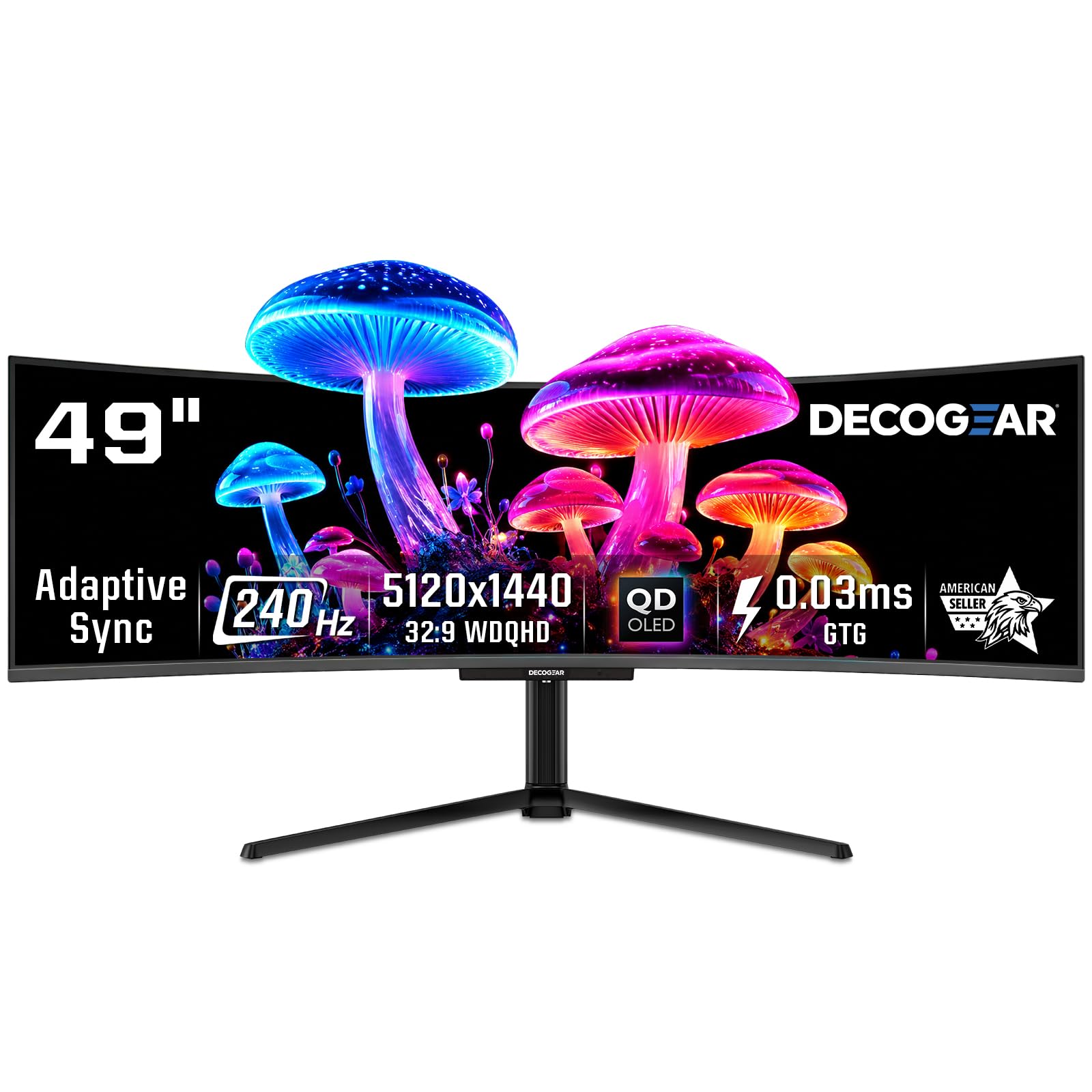
The Deco Gear 49″ QD-OLED delivers a super-ultrawide 32:9 experience with a 240Hz refresh rate and 0.03ms response time—the same Samsung QD-OLED panel found in pricier competitors, but at a more accessible price point. The 5120×1440 DQHD resolution offers massive screen real estate for multitasking, while the 1800R curve keeps the far edges of the display within comfortable viewing range. The 1.5M:1 contrast ratio and DisplayHDR True Black 400 certification produce the deep blacks and vibrant colors QD-OLED fans love.
Connectivity is generous: USB-C with 90W power delivery, DisplayPort 1.4, dual HDMI 2.1 ports, and a built-in KVM switch that lets you toggle between two input sources with a single keystroke. The adjustable stand offers height and tilt, though the included base is quite large. RGB lighting adds a gaming aesthetic, and the anti-burn-in protection program gives some peace of mind.
Some users report quality-control issues with the power cable, noting it arrives tightly folded and may need replacement. Customer support for refurbished units appears inconsistent, so buying new is recommended. The 49-inch footprint demands a deep desk—at least 30 inches depth—to fully appreciate the curve. For the price, this monitor offers flagship QD-OLED specs at a notable discount.
Why it’s great
- 240Hz QD-OLED at a competitive price point
- USB-C 90W PD and KVM for single-cable convenience
- Massive 32:9 workspace for multi-window productivity
Good to know
- Reported quality-control issues with included power cable
- Customer support for refurbished units is limited
- Large footprint requires a deep desk (30″ or more)
8. Samsung Odyssey G7 G75F

For those who want a 1440p ultrawide with higher pixel density, the Samsung Odyssey G7 G75F offers a 40-inch 5120×2160 (WUHD) panel—essentially a 21:9 version of 4K—wrapped in a 1000R curve. The VA panel delivers a 3000:1 contrast ratio with DisplayHDR 600 certification, producing noticeably deeper blacks and brighter highlights than budget VA options. The 180Hz refresh rate and 1ms GtG response time ensure smooth gameplay, though they don’t match the speed of OLED.
The 1000R curve matches the human eye’s natural field of view, reducing eye strain during long sessions. Connectivity includes DisplayPort and HDMI inputs, plus a USB hub for peripherals. The stand offers height, tilt, and swivel adjustments, and the build quality feels solid. Samsung’s reputation for reliability is a strong point here—this monitor is built for years of daily use without the burn-in concerns of OLED.
The VA panel’s viewing angles are narrower than IPS or OLED, meaning off-axis color shift is noticeable—not ideal for co-op gaming from the couch. The 5120×2160 resolution is demanding; you’ll need a high-end GPU to drive it at 180Hz in AAA titles. The base design is also somewhat polarizing—some find it awkwardly shaped for small desks.
Why it’s great
- 5K2K resolution offers sharper image than standard 1440p ultrawide
- DisplayHDR 600 with solid VA contrast (3000:1)
- 1000R curve matches natural eye curvature for comfort
Good to know
- Narrow VA viewing angles; color shifts off-axis
- Demands a powerful GPU to drive 5120×2160 at 180Hz
- Stand design is bulky and may not fit all desk layouts
9. INNOCN 45C1R

The INNOCN 45C1R offers a 45-inch 5120×1440 super-ultrawide VA panel at a price point that undercuts most 32:9 competitors by a significant margin. It features a 120Hz refresh rate, 1500R curvature, and HDR400 certification with a 3000:1 contrast ratio, delivering a solid ultrawide experience for both gaming and productivity. The 32:9 aspect ratio essentially replaces dual monitors without the bezel gap, making it a strong choice for sim racing and flight sim enthusiasts.
Connectivity is a highlight: DisplayPort 1.4, dual HDMI 2.1 ports, a USB-C port with 65W power delivery, USB-A hub, and even an RJ45 Ethernet port—essentially turning the monitor into a docking station. The PIP/PBP split-screen feature lets you view two sources simultaneously, useful for console gaming while keeping a PC feed for guides or streaming. The stand offers tilt, swivel, and height adjustment.
Build quality feels a step behind the premium brands. Some users report the VESA mount is recessed and incompatible with standard mounting brackets without modification. The built-in speakers have also been reported to fail after a few months. Backlight glare is noticeable in darker scenes, and the 120Hz refresh rate, while smooth, won’t satisfy competitive players chasing 240Hz on OLED.
Why it’s great
- Large 45-inch 32:9 VA panel at a budget-friendly price
- Full connectivity with USB-C 65W, RJ45, and dual HDMI 2.1
- PIP/PBP supports dual-source display for multitasking
Good to know
- VESA mount recessed; may not fit standard brackets
- Built-in speakers have reliability concerns over time
- 120Hz refresh rate lags behind mid-range options
10. LG 34G600A-B
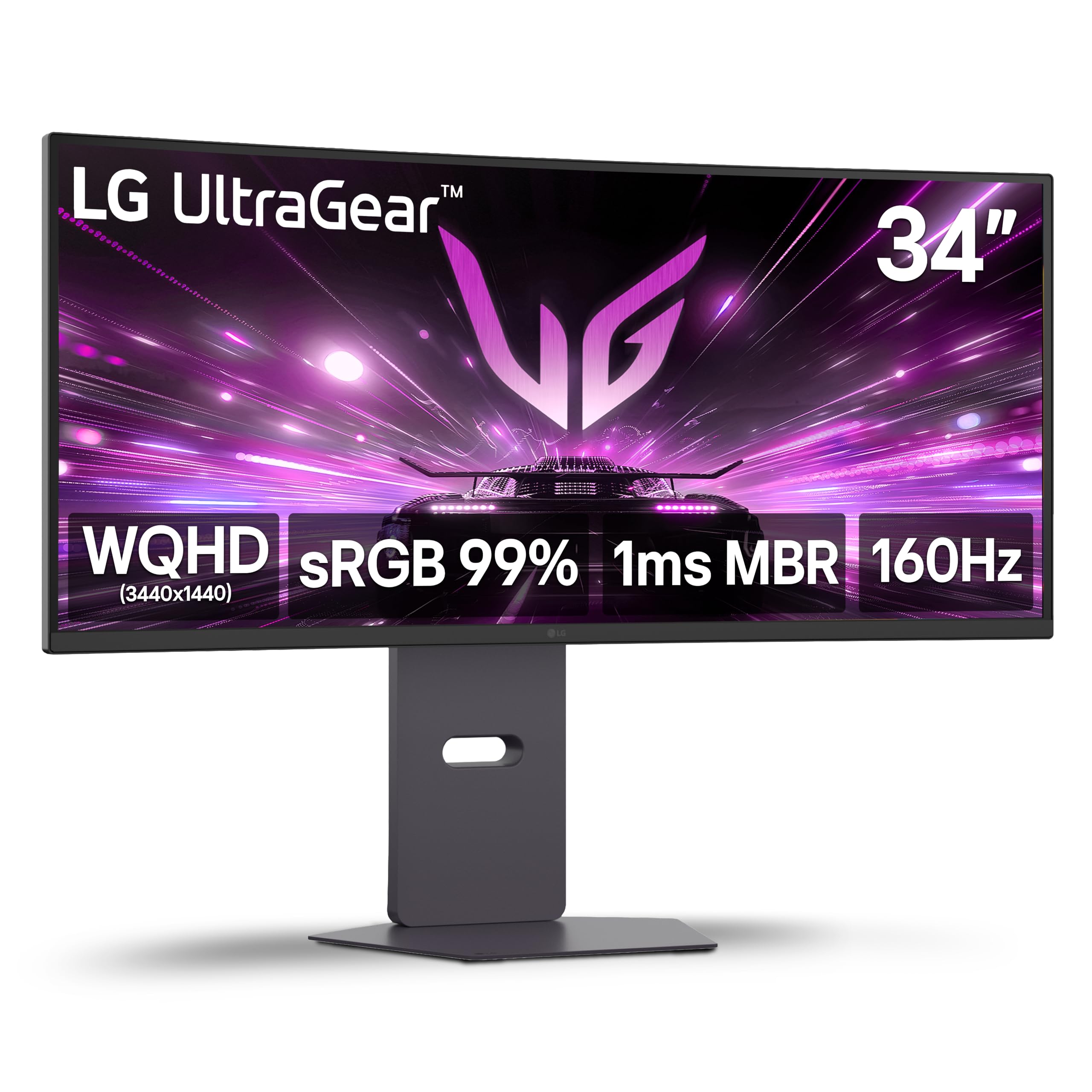
The LG 34G600A-B offers a remarkably well-rounded package for an entry-level price: a 34-inch VA panel with 3440×1440 resolution, 160Hz refresh rate, 1ms MBR, and AMD FreeSync Premium. The 1800R curve provides subtle immersion without being overwhelming, making it comfortable for both gaming and productivity. HDR10 support and up to 99% sRGB coverage deliver decent color for the price, though peak brightness is limited to 300 nits.
Build quality is solid, with a sturdy stand that offers height, tilt, and swivel adjustments—features often missing on budget monitors. The built-in stereo speakers with Waves MaxxAudio are adequate for YouTube and voice chat, saving desk space. Connectivity includes HDMI 2.1 and DisplayPort, making it compatible with modern consoles and PCs. The Black Stabilizer and Dynamic Action Sync tools give a slight competitive edge in dark shooter maps.
The VA panel does exhibit some black smearing in fast transitions, though the 160Hz refresh rate and 1ms MBR minimize this for most games. The sRGB coverage (99%) is good but not wide enough for HDR to feel truly impactful. Some users reported the HDMI 2.1 description was misleading—it works well but may not deliver full bandwidth for 4K 120Hz on PS5. Overall, this is the smart value pick for budget-conscious gamers entering the ultrawide market.
Why it’s great
- 160Hz VA at a very accessible price point
- Height/tilt/swivel stand included—rare for this tier
- Built-in speakers with Waves MaxxAudio save desktop space
Good to know
- VA panel shows some black smearing in fast motion
- 300 nits brightness limits HDR impact
- HDMI 2.1 bandwidth may be lower than full-spec implementations
11. Dell 34 Plus S3425DW

The Dell 34 Plus S3425DW prioritizes color accuracy and all-day comfort over raw gaming speed, making it the best choice for a home office that also handles casual gaming. The 34-inch VA panel offers 3440×1440 resolution with 99% sRGB and 95% DCI-P3 coverage—impressive color gamut for a productivity-focused display. Dell’s ComfortView Plus reduces blue light to ≤35% without washing out colors, which is a genuine benefit for 8-hour work sessions.
The 120Hz refresh rate and FreeSync Premium support ensure smooth scrolling and tear-free casual gaming, while the 0.03ms response time is marketing-led but still delivers low latency. The USB-C port provides 65W power delivery and a single-cable connection to laptops, keeping the desk clean. The built-in speakers have been re-engineered with deeper frequency response than previous Dell models, and they sound noticeably fuller than typical monitor speakers.
Some users note the lack of a DisplayPort, which limits high-refresh-rate connections to HDMI or USB-C. The VESA mount is recessed about a quarter inch, requiring longer screws or a bracket adapter for aftermarket arms. The 120Hz refresh rate is fine for strategy and RPG games but won’t satisfy competitive FPS players. This monitor excels as a well-built, color-accurate ultrawide for mixed work and light gaming.
Why it’s great
- Excellent color accuracy (99% sRGB, 95% DCI-P3) out of the box
- ComfortView Plus reduces blue light without color shift
- USB-C 65W single-cable setup for laptops
Good to know
- No DisplayPort input; limited to HDMI and USB-C for video
- VESA mount recessed; may need adapter for standard arms
- 120Hz refresh rate insufficient for competitive esports
FAQ
Is a 1440p ultrawide monitor good for competitive gaming?
What GPU do I need to run a 1440p ultrawide at high frame rates?
What is the difference between 1800R, 1000R, and 800R curvature?
Do I need to worry about burn-in with QD-OLED ultrawide monitors?
Can I use a 1440p ultrawide with a PS5 or Xbox Series X?
Final Thoughts: The Verdict
For most users, the best 1440p ultrawide gaming monitor winner is the ASUS ROG Strix XG34WCDG because it combines QD-OLED’s infinite contrast and speed with a practical 175Hz refresh rate, effective burn-in prevention, and a 3-year warranty that removes the long-term risk. If you want the fastest possible panel for esports, grab the Acer Predator X34 with its 240Hz OLED and aggressive 800R curve. And for a budget-friendly entry into the ultrawide world, nothing beats the LG 34G600A-B—a 160Hz VA monitor that delivers solid performance without breaking the bank.