
Our readers keep the lights on and the weekend projects moving. As an Amazon Associate, I earn from qualifying purchases.
Moving from a standard 4K display to a true 5K monitor is less about resolution and more about a fundamental shift in visual clarity — the text stops being a collection of pixels and becomes ink on paper. On a 27-inch 5K screen, the 218 pixels per inch (PPI) match the retina threshold where the human eye can no longer discern individual dots at a normal viewing distance, making every line of code, spreadsheet cell, and photorealistic brushstroke appear with a sharpness that eliminates eye-strain-inducing blur.
I’m Rikta — the co-founder and writer behind FitlyFast. I’ve spent hundreds of hours analyzing the specifications, color performance metrics, and connectivity ecosystems of the current 5K monitor landscape to determine which models deliver true professional-grade clarity and which cut corners.
Whether you are a creative professional color-grading video, a developer reading dense text all day, or a gamer seeking the highest pixel density for immersive visuals, finding the perfect 5k monitor requires understanding the subtle interplay between panel technology, color gamut coverage, and the connectivity standard that links your hardware to that pristine canvas.
How To Choose The Best 5K Monitor
Selecting a 5K monitor is an investment in visual fidelity that impacts your daily workflow. The decision goes beyond simply checking a resolution box; it requires navigating panel types, color accuracy standards, and connectivity that future-proofs your desk for years. Focus on three core areas to find the right fit.
Panel Technology and Pixel Density
The panel type dictates your viewing experience. For color-critical work, IPS (In-Plane Switching) panels are the standard, offering wide viewing angles and consistent color. The newer IPS Black technology doubles the contrast ratio to 2000:1, delivering deeper blacks without sacrificing color accuracy. For gamers who also demand clarity, fast IPS panels with 1ms response times now exist, but they trade some contrast for speed. OLED panels offer infinite contrast and perfect blacks, making them ideal for HDR content and immersive gaming, though they carry a burn-in risk if used for static productivity tasks for thousands of hours. The 5K resolution on a 27-inch panel yields a 218 PPI density that makes anti-aliasing nearly irrelevant, which is a non-negotiable feature for anyone who reads text for a living.
Color Gamut and Factory Calibration
A monitor’s color gamut determines the range of hues it can display. For professional video and photo editing, look for a spec of 98-99% DCI-P3, the standard for digital cinema and modern Apple displays. sRGB coverage (typically 100%) matters for web design, but DCI-P3 is the broader, more demanding benchmark. Factory calibration ensures the monitor arrives with a Delta E value of less than 2, meaning the color difference between what the screen shows and the intended color is imperceptible to the eye. A Pantone-validated monitor guarantees it can faithfully reproduce the Pantone Matching System, which is critical for packaging and branding work.
Connectivity and Daisy Chaining
The interface standard defines how well a 5K monitor integrates with modern laptops. Thunderbolt 4 (or Thunderbolt 3) is the superior choice because a single cable carries video signal, data at up to 40 Gbps, and delivers up to 90-100W of power to charge a connected laptop. For dual-monitor setups, daisy-chaining via Thunderbolt 4 allows you to connect a second 5K display without an extra cable to the computer. If your workflow involves multiple computers, a built-in KVM switch lets you control two systems with a single keyboard and mouse, switching between them with a button press rather than physically moving cables.
Quick Comparison
On smaller screens, swipe sideways to see the full table.
| Model | Category | Best For | Key Spec | Amazon |
|---|---|---|---|---|
| ViewSonic VP2788-5K | Mid-Range | Mac Desktop Studio Setup | 99% DCI-P3, Pantone Validated | Amazon |
| Samsung Odyssey G8 G80HF | Mid-Range | Hybrid Gaming & Productivity | Dual-Mode: 5K 180Hz / QHD 360Hz | Amazon |
| Samsung Odyssey G9 G91F | Mid-Range | Ultra-Wide Multitasking | 5120×1440, 1000R Curve, 32:9 | Amazon |
| BenQ PD2730S | Premium | 3D Artists & VFX | 2000:1 Contrast, Nano Matte Panel | Amazon |
| INNOCN 49Q1S | Mid-Range | Immersive Curved Gaming | 49″ OLED, 240Hz, 0.03ms | Amazon |
| ASUS ProArt PA32QCV | Premium | Studio-Grade Color Accuracy | 6K 32″, Calman Verified, ΔE < 2 | Amazon |
| Apple Studio Display | Premium | Seamless Mac Integration | 27″ 5K, 600 nits, Six Speakers | Amazon |
| Dell UltraSharp U4025QW | Premium | Productivity & Spreadsheets | 40″ 5K2K, IPS Black, 120Hz | Amazon |
| Kuycon G32P | Premium | Mac 6K Alternative | 32″ 6K Glossy, 223PPI | Amazon |
| LG 45GX950A-B | Premium | OLED High-Refresh Gaming | 45″ 5K2K OLED, 165Hz, 0.03ms | Amazon |
| Dell UltraSharp U3224KB | Premium | Large 6K Productivity | 31.5″ 6K, IPS Black, Integrated Webcam | Amazon |
| LG 27MD5KL-B | Premium | Mac Pro Color Work | 27″ 5K, 99% DCI-P3, Thunderbolt 3 | Amazon |
| LG UltraFine 27″ (Renewed) | Value | Budget 5K for MacBook Pro | 27″ 5K, 218 PPI, Refurbished Savings | Amazon |
In‑Depth Reviews
1. ViewSonic VP2788-5K 27 Inch 5K Monitor

The ViewSonic VP2788-5K hits a sweet spot between price and professional-grade features that few 5K monitors achieve. Its 27-inch IPS panel delivers 5120×2880 resolution at 218 PPI with 99% DCI-P3 color coverage, and it is Pantone Validated to reproduce the full Pantone Matching System — a certification that matters for designers who need to match physical swatches to digital proofs. The inclusion of a Thunderbolt 4 port with 100W power delivery means a single cable connects and charges a MacBook Pro while maintaining full 5K bandwidth.
Daisy-chaining support for two 5K monitors is a productivity enhancer for anyone running a dual-display Mac setup, eliminating the need for a separate docking station. The built-in ergonomic stand offers tilt, swivel, pivot, and height adjustment, making it easy to find a comfortable viewing position without an aftermarket arm. The 75Hz refresh rate and G-Sync compatibility provide a slight edge over standard 60Hz panels for casual gaming, though this is not a gaming-focused display.
Some users have reported sleep-wake bugs and USB connectivity issues, which ViewSonic may address with firmware updates. The contrast ratio, while decent for IPS at 2000:1, still shows grayish blacks compared to OLED. The compact 27-inch size is ideal for those who prefer a dense, sharp workspace without the neck strain of a larger screen. For creative professionals seeking a balanced, feature-rich 5K monitor that doesn’t demand a luxury budget, this is the top recommendation.
Why it’s great
- Pantone Validated with 99% DCI-P3 for accurate color reproduction
- Thunderbolt 4 with 100W power delivery and daisy-chain support
- Full ergonomic stand included with tilt, swivel, pivot, and height adjustment
Good to know
- Reports of USB sleep-wake disconnection issues in early firmware
- IPS panel delivers grayish blacks rather than deep inky blacks
- Adobe RGB coverage is limited, making it less ideal for print work
2. Samsung 27″ Odyssey G8 (G80HF) Gaming Monitor
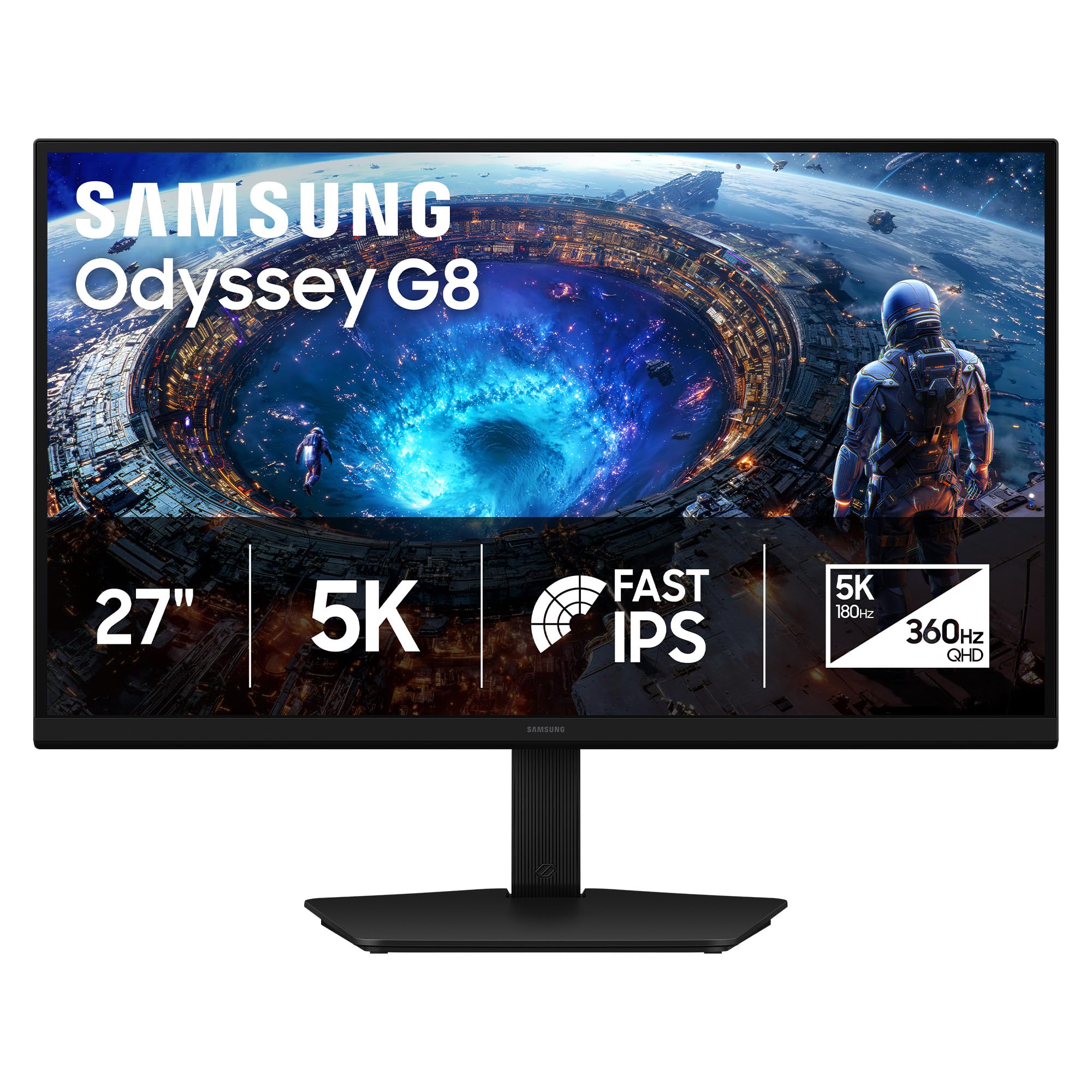
The Samsung Odyssey G8 G80HF is a groundbreaking monitor that solves the classic dilemma between high-resolution clarity and high-refresh-rate smoothness. Its Fast IPS panel offers a hardware-level Dual Mode feature that toggles between native 5K (5120×2880) at 180Hz for visually rich single-player games, and a downscaled QHD (2560×1440) mode at a blistering 360Hz for competitive esports where every millisecond counts. The 218 PPI pixel density ensures text is razor-sharp for coding and general use, matching the MacBook Pro Retina experience.
Connectivity includes DisplayPort 2.1, which provides the bandwidth needed for 5K at 180Hz without compression, and HDMI 2.1 for console gaming. The 1ms gray-to-gray response time eliminates motion blur, and it is both G-Sync Compatible and FreeSync Premium Pro certified for tear-free gameplay across any GPU ecosystem. The ergonomic stand offers height, tilt, swivel, and pivot adjustments, which is rare for a high-refresh-rate gaming monitor.
The standard brightness of 350 nits is adequate for indoor use but can feel dim compared to productivity-focused 500-nit panels, especially in direct sunlight. The 1000:1 contrast ratio is typical for IPS, so dark-room HDR content won’t rival an OLED. The 27-inch size at 5K can make in-game UI elements very small without scaling adjustments. This is the ultimate monitor for the user who splits their day between professional work and competitive gaming.
Why it’s great
- Dual Mode allows seamless switching between 5K 180Hz and QHD 360Hz
- DisplayPort 2.1 supports uncompressed 5K high refresh rate
- Full ergonomic stand with pivot for vertical monitor setups
Good to know
- Brightness is capped at 350 nits, lower than productivity 5K monitors
- Standard IPS contrast ratio of 1000:1 limits HDR impact in dark scenes
- Windows scaling can be inconsistent at native 5K resolution
3. Samsung 49″ Odyssey G9 (G91F) Curved Monitor

The Samsung Odyssey G9 G91F is a massive 49-inch curved monitor with an ultra-wide 32:9 aspect ratio that effectively replaces two standard 16:9 monitors without a bezel gap. Its 5120×1440 resolution (Dual QHD) provides a huge horizontal workspace ideal for professional multitasking, financial dashboards, and cinematic gaming. The 1000R curve matches the natural curvature of the human eye, reducing neck and shoulder strain by allowing the user to see the entire display without shifting their head.
Powered by a VA panel, the G91F offers an impressive 1,000,000:1 dynamic contrast ratio for deep blacks and bright highlights, and it supports DisplayHDR 600 for more vibrant HDR content. The 144Hz refresh rate with a 1ms response time ensures smooth motion in fast-paced games, while AMD FreeSync Premium Pro keeps the image tear-free. The ergonomic stand includes height, tilt, and swivel adjustments, and the Auto Source Switch+ feature automatically detects active devices for seamless input switching.
The VA panel, while strong in contrast, does not deliver the same wide viewing angles or color consistency as an IPS panel, so color-critical work may require careful positioning. The monitor lacks built-in speakers, which is an omission for a display in this category. Its sheer width demands a deep desk and may not fit all workstations. This monitor is best suited for users who prioritize screen real estate above all else.
Why it’s great
- 49-inch 32:9 panel replaces dual monitors with seamless ultra-wide view
- 1000R curve matches eye curvature for comfortable peripheral vision
- High dynamic contrast from VA panel delivers deep blacks and HDR600
Good to know
- VA panel has narrower viewing angles compared to IPS technology
- No built-in speakers, requiring external audio solution
- Massive width requires a deep desk and careful space planning
4. BenQ PD2730S 27″ 5K Mac Monitor

The BenQ PD2730S is purpose-built for creative professionals who demand both resolution and a specific anti-glare surface. Its 27-inch IPS panel delivers 5120×2880 at 218 PPI with 98% DCI-P3 coverage and a 2000:1 contrast ratio from the IPS Black technology, offering deeper blacks than standard IPS without sacrificing color accuracy. The standout feature is the Nano Matte Panel, which diffuses ambient light to reduce reflections without introducing the hazy graininess common to aggressive matte coatings.
The Thunderbolt 4 port provides 90W power delivery, 40Gbps data transfer, and supports daisy-chaining for two 5K monitors or one 8K display. The built-in KVM switch allows control of two systems with a single keyboard and mouse, and the wireless Hotkey Puck provides quick input switching and display profile changes. The 2000:1 contrast ratio makes a noticeable difference in shadow detail for VFX and 3D modeling work, revealing nuances that disappear on standard IPS panels.
Early units have reported quality control issues, including stuck pixels and vertical line defects, which suggests some manufacturing variance. The stand is heavy and takes up significant desk footprint. The color gamut, while excellent for P3, may not satisfy those requiring 100% Adobe RGB for high-end print reproduction. This monitor is ideal for Mac users in animation or VFX who need a reflection-free, color-accurate 5K display with robust KVM functionality.
Why it’s great
- Nano Matte Panel eliminates reflections without grain, perfect for bright studios
- IPS Black technology delivers 2000:1 contrast for deeper black levels
- Built-in KVM with wireless Hotkey Puck streamlines multi-computer workflows
Good to know
- Some reports of quality control issues like dead pixels and line defects
- Heavy stand consumes significant desk surface area
- Premium price reflects professional-grade features, not casual use
5. INNOCN 49″ 49Q1S OLED Curved Gaming Monitor

The INNOCN 49Q1S brings OLED contrast to the ultra-wide gaming space with a 49-inch panel that offers a 5120×1440 resolution at a buttery-smooth 240Hz refresh rate and a near-instantaneous 0.03ms response time. The 1,000,000:1 contrast ratio of OLED means each pixel produces its own light, resulting in perfect blacks and vibrant colors that make HDR content look truly lifelike. The 1800R curvature wraps the image around the user’s periphery for deep immersion in racing and flight simulator games.
Connectivity is a strong point, with USB-C 90W power delivery, two DisplayPort 1.4 ports, and HDMI 2.1 supporting the latest consoles at high refresh rates. The built-in speakers provide functional audio, and the height-adjustable stand supports tilt, swivel, and height changes. The PIP/PBP split-screen feature allows displaying two input sources simultaneously, which is useful for watching streams while gaming or referencing documents during work.
The glossy screen finish enhances contrast but creates reflections in brightly lit rooms, requiring careful placement away from windows. Some users have reported the monitor stopping working after a few months, which raises concerns about long-term reliability. The resolution is 1440p vertically, not the full 2160p of a 5K2K panel, so it offers horizontal width rather than pixel density. This monitor is best for gamers who prioritize fluid motion and contrast over pure text sharpness.
Why it’s great
- OLED panel delivers perfect blacks and infinite contrast for stunning HDR
- 240Hz refresh rate with 0.03ms response ensures extremely smooth gameplay
- USB-C 90W PD powers laptops and supports console connectivity via HDMI 2.1
Good to know
- Glossy finish causes noticeable reflections in bright ambient lighting
- Long-term reliability concerns from some user reports of early failures
- 1440p vertical resolution does not match 5K2K text sharpness of 2160p panels
6. ASUS ProArt Display 32” 6K Professional Monitor (PA32QCV)

The ASUS ProArt PA32QCV pushes beyond 5K into 6K territory with a 31.5-inch IPS panel at 6016×3384 resolution, offering 218 PPI pixel density on a larger canvas than the standard 27-inch 5K display. This extra resolution provides more screen real estate for editing high-res timelines and spreadsheets without scaling compromises. The panel is Calman Verified with a factory-calibrated Delta E of less than 2 and covers 98% DCI-P3 and 100% sRGB, making it a reference-grade choice for photo and video professionals.
Connectivity includes dual Thunderbolt 4 ports with up to 96W power delivery, supporting daisy-chaining to a second monitor. The built-in Auto KVM allows effortless switching between two connected laptops using a single keyboard and mouse, and the M Model-P3 color preset matches the color performance of a MacBook display for a seamless multi-device workflow. The ergonomic stand provides tilt, swivel, pivot, and height adjustments, and the monitor includes a five-year warranty with registration.
Despite the impressive specs, there are reports of panel lottery where some units arrive with backlight bleed, dead pixels, or defective backlight components. The built-in speakers are weak and not suitable for reference audio monitoring. The input switching and wake-from-sleep can be slow compared to Apple’s own displays. This monitor is an excellent value for professionals who need 6K resolution for large-scale editing projects without paying the premium for the Apple Pro Display XDR.
Why it’s great
- 6K 32-inch panel offers Retina clarity with more workspace than 27-inch 5K
- Calman Verified with Delta E < 2 for professional-grade color accuracy
- Auto KVM and M Model-P3 preset streamline Mac-based multi-device workflows
Good to know
- Panel quality lottery with some units showing backlight bleed or dead pixels
- Built-in speakers are weak and unsuitable for audio reference work
- Input switching and wake-from-sleep can be slower than first-party displays
7. Apple Studio Display with Standard Glass
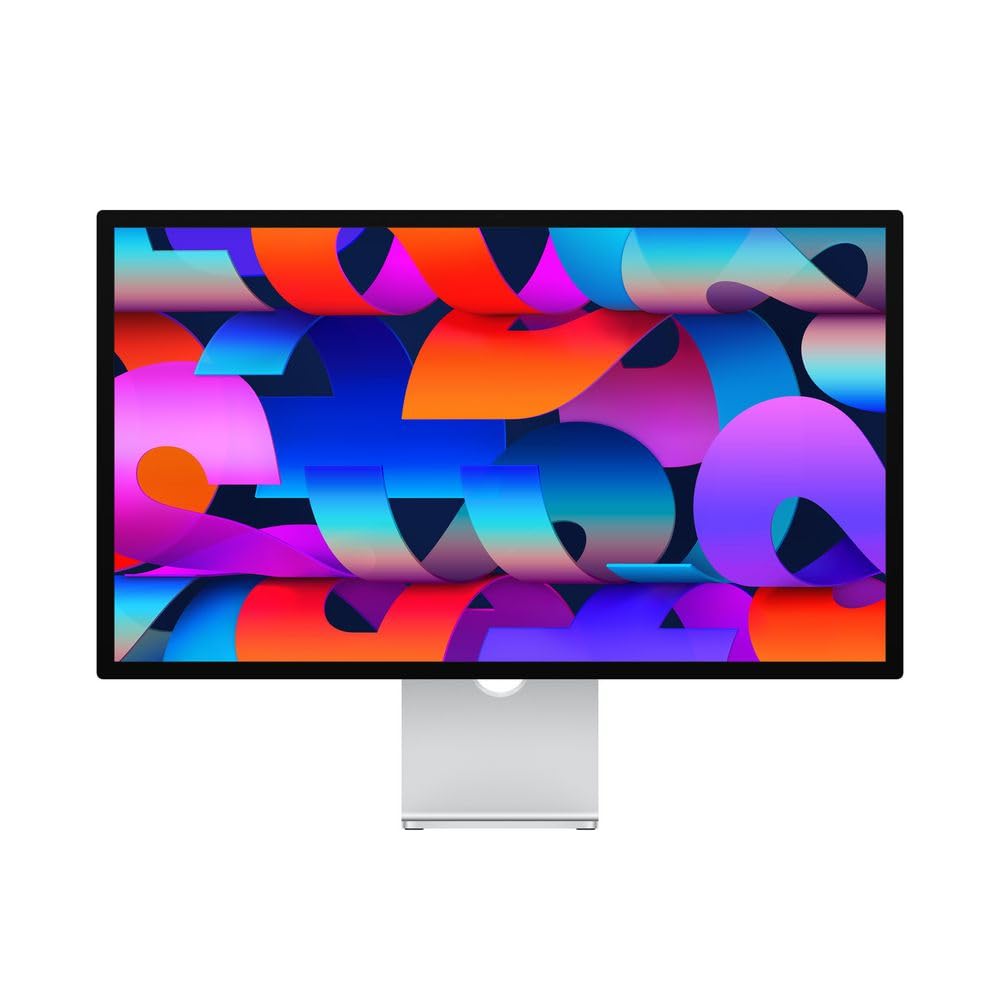
The Apple Studio Display is the de facto standard against which all other 5K monitors are measured, at least for Mac users. Its 27-inch 5K Retina display delivers 5120×2880 resolution with 600 nits of brightness, one billion colors, and P3 wide color, all calibrated to match Apple’s own color science for a perfect out-of-box experience. The six-speaker sound system with Spatial Audio provides an audio experience that no other monitor in this class can match, making it suitable for media consumption and conference calls without external speakers.
The 12MP Ultra Wide camera with Center Stage automatically keeps you framed during video calls, and the studio-quality three-mic array captures clear audio for voice recordings and virtual meetings. A single Thunderbolt 3 cable provides 96W of power delivery to charge a MacBook, while three USB-C ports allow for peripheral connections. The aluminum build matches the aesthetic of Apple’s other hardware, creating a cohesive studio environment.
The biggest drawback is the price, which is significantly higher than competing 5K monitors with similar or better specs. The base model includes only a tilt-adjustable stand; the height-adjustable and VESA mount options cost extra. The 60Hz refresh rate is standard for productivity but feels dated for any gaming use. The webcam’s Center Stage is a welcome feature, but the image quality does not match the price bracket. This monitor is perfect for Mac users who value plug-and-play perfection and ecosystem integration above all else.
Why it’s great
- 600-nit brightness with P3 wide color delivers stunning, factory-calibrated image
- Six-speaker Spatial Audio system provides unmatched built-in audio quality
- Seamless Mac integration with Center Stage camera and Thunderbolt 3 charging
Good to know
- Premium price includes a brand premium, with features available on cheaper monitors
- Only 60Hz refresh rate, limiting its appeal for gamers or smooth scrolling
- Height-adjustable stand and VESA mount require additional cost at purchase
8. Dell UltraSharp U4025QW 40″ 5K2K Curved Monitor

The Dell UltraSharp U4025QW is a 40-inch productivity powerhouse that uses IPS Black technology to deliver a 2000:1 contrast ratio, vastly improving black depth over standard IPS. Its 5K2K resolution (5120×2160) in a 21:9 format offers 35% more horizontal space than a 4K display, allowing you to view two full-size application windows side-by-side without overlapping. The 120Hz refresh rate provides smooth scrolling and cursor movement, which reduces eye fatigue during long work sessions.
The built-in connection hub is extensive: a Thunderbolt 4 port with 140W power delivery, HDMI 2.1, DisplayPort, a 2.5G Ethernet port, and a USB-A hub, making it a true dock replacement. The built-in KVM switch and Dell Display Manager software allow seamless control of two connected computers. The 600-nit brightness ensures good readability in bright offices, and the anti-glare coating minimizes reflections without introducing a hazy texture.
The real-world contrast is closer to 1500:1 than the advertised 2000:1, which is still excellent for IPS but falls short of the deepest OLED blacks. The build quality feels solid, though some plastic elements cheapen the premium impression. The 40-inch width requires a deep desk and careful positioning to avoid neck strain. This monitor is best for power users in finance, coding, or creative fields who need maximum readable screen space.
Why it’s great
- IPS Black panel provides 2000:1 contrast with deep blacks and wide viewing angles
- Thunderbolt 4 with 140W power delivery acts as a full laptop docking station
- 120Hz refresh rate on a 5K2K screen offers smoother productivity workflows
Good to know
- Real-world contrast may fall below the advertised 2000:1 spec
- 40-inch width demands significant desk space and careful positioning
- Some cosmetic elements use plastic that feels less premium than the price suggests
9. Kuycon G32P 32” 6K Glossy Monitor
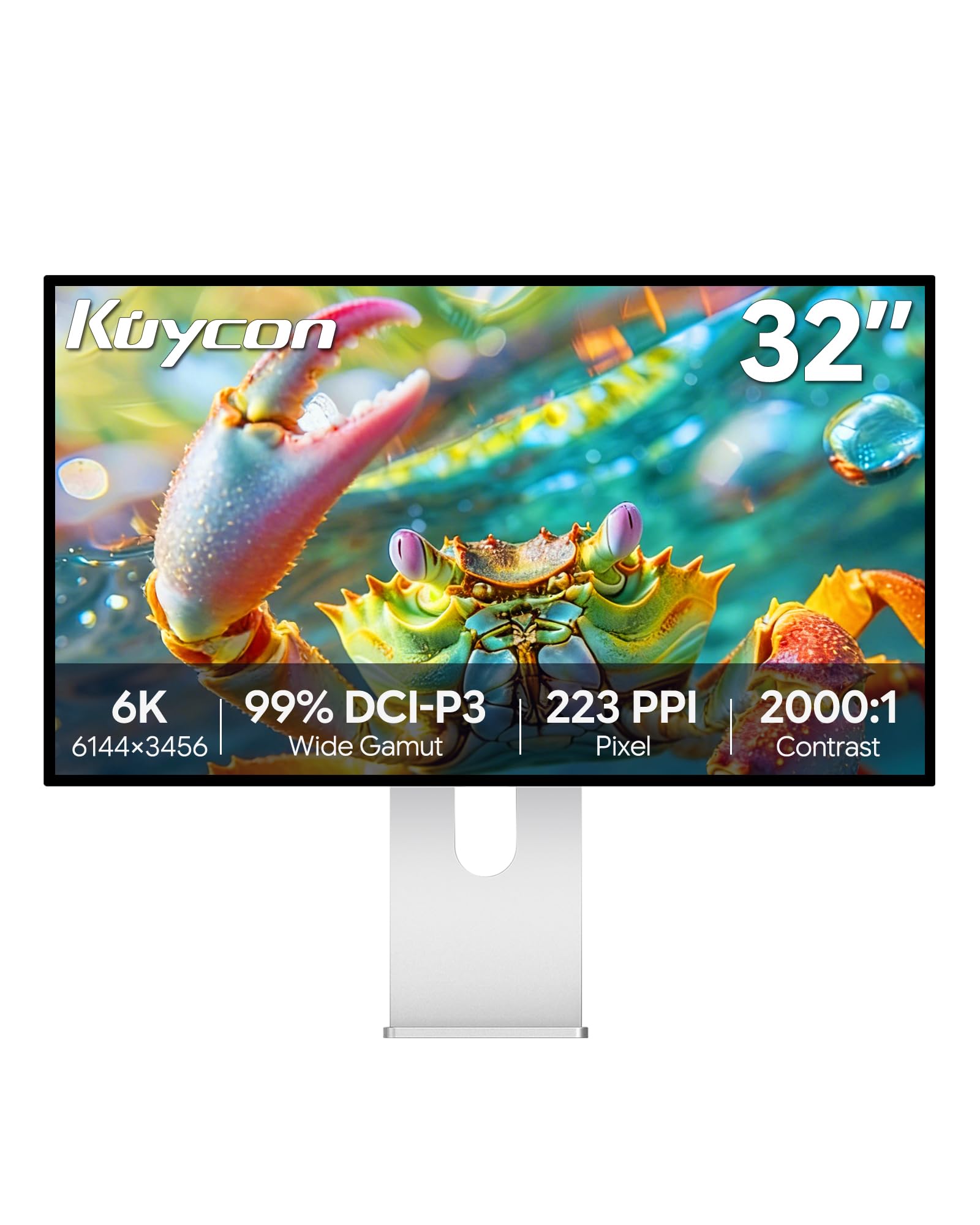
The Kuycon G32P is a lesser-known brand that competes directly with the Apple Pro Display XDR by offering a 32-inch 6K panel (6144×3456) at a fraction of the price. With a 223 PPI pixel density and a glossy screen finish, it produces retina-grade sharpness and vibrant color pop that closely matches the Apple Studio Display visual experience. The IPS panel covers 99% sRGB and 99% DCI-P3 with a Delta E of less than 2, making it suitable for high-end color work in photo editing and video production.
The monitor includes internal speakers and a comprehensive I/O setup with USB-C, DisplayPort, and HDMI inputs. The USB-C port supports up to 100W power delivery to charge a connected laptop. The CNC-machined aluminum body feels premium and solid, matching the aesthetic of professional studio gear. The ergonomic stand provides height, swivel, tilt, and pivot adjustments for comfortable positioning.
The glossy screen, while excellent for color vibrancy, reflects ambient light aggressively and requires a controlled lighting environment to avoid distracting glare. Some units have arrived defective with internal rattling or “no signal” issues, highlighting quality control inconsistency. There is no Thunderbolt integrated dock, so high-speed peripherals may require a separate hub. The monitor works best for users willing to trade brand reliability for the best price-to-performance ratio in the high-resolution monitor space.
Why it’s great
- 32-inch 6K glossy panel delivers Retina clarity and vibrant colors at 223 PPI
- Solid aluminum build feels premium and matches high-end studio equipment
- 99% DCI-P3 coverage with Delta E < 2 provides professional color accuracy
Good to know
- Glossy finish creates strong reflections in uncontrolled lighting environments
- Quality control can be inconsistent, with reports of defective units
- No integrated Thunderbolt hub, requiring external dock for high-speed peripherals
10. LG 45GX950A-B 45″ Ultragear 5K2K OLED Gaming Monitor

The LG 45GX950A-B is an immensely immersive OLED gaming monitor that combines a massive 45-inch screen with 5K2K WUHD resolution (5120×2160) and an 800R curve that fills the user’s peripheral vision. The OLED panel delivers a 1.5M:1 contrast ratio with perfect blacks and peak brightness up to 1300 nits, certified with DisplayHDR True Black 400 for reference-level HDR. The 0.03ms response time is near-instant, eliminating motion blur completely for fast-paced gaming.
The Dual Mode feature allows switching between native 5K2K at 165Hz for visually rich gameplay and a downscaled WFHD (2560×1080) at 330Hz for competitive gaming where maximum frame rates matter. Connectivity includes DisplayPort 2.1, dual HDMI 2.1, and USB-C with 90W power delivery. The UL-certified anti-glare coating effectively reduces reflections while maintaining the OLED’s deep black performance, and the monitor includes built-in speakers, AMD FreeSync Premium Pro, and G-Sync Compatibility.
Some users have reported a sleep-wake issue that requires disabling the deep sleep feature in the monitor’s settings menu. The input switching interface uses a joystick that can be cumbersome to navigate. The 45-inch width and aggressive 800R curve are not ideal for productivity tasks requiring straight lines or precise window placement. This monitor is the ultimate choice for gamers who want both a cinematic 5K2K canvas for single-player epics and a high-speed mode for competitive titles.
Why it’s great
- 5K2K OLED with 1.5M:1 contrast and 1300 nits peak for stunning HDR gaming
- Dual Mode switches between 165Hz for 5K and 330Hz for competitive gaming
- DisplayPort 2.1 supports uncompressed high refresh rate at full resolution
Good to know
- Sleep-wake issues may require disabling deep sleep in monitor settings
- Agressive 800R curve can distort straight lines for productivity work
- Input switching via joystick is less intuitive than dedicated buttons
11. Dell UltraSharp U3224KB 31.5″ 6K LED Monitor

The Dell UltraSharp U3224KB is a 31.5-inch 6K (6144×3456) monitor that serves as a more affordable alternative to the Apple Pro Display XDR, especially for Windows and Linux users who need high pixel density. The IPS Black panel technology delivers a 2000:1 contrast ratio, which provides noticeably deeper blacks than standard IPS panels while maintaining 178-degree viewing angles. The 99% DCI-P3 coverage and 450 nits of brightness make it suitable for professional photo editing and video production.
One of its unique features is a built-in 4K webcam with AI auto-framing and a physical privacy shutter, making it a strong contender for video conferencing setups. Connectivity is extensive, with Thunderbolt 4, Mini DisplayPort, HDMI, and Ethernet, as well as a USB hub for peripheral connections. The ergonomic stand offers height, tilt, swivel, and pivot adjustments, and the overall build quality feels robust and durable.
Mac users have reported a significant green shift in the default picture that requires manual color correction. The built-in webcam is sharp but has a pinkish hue that needs calibration. The screen is fragile, with multiple reports of cracking if moved carelessly. The 60Hz refresh rate is standard for professional use but feels basic for any gaming applications. This monitor is best for PC professionals who want 6K real estate and a built-in webcam without paying the Apple tax.
Why it’s great
- 31.5-inch 6K IPS Black panel offers high contrast and wide color coverage
- Built-in 4K webcam with privacy shutter is ideal for video conferencing
- Extensive connectivity with Thunderbolt 4, Ethernet, and USB hub
Good to know
- Default green shift on Mac requires manual color correction
- Screen is fragile and prone to cracking if moved without care
- Only 60Hz refresh rate makes it unsuitable for gaming use
12. LG 27MD5KL-B Ultrafine 27″ 5K Monitor

The LG 27MD5KL-B is the original 5K monitor that set the standard for Mac-centric professional displays, and it remains a strong contender for users who need a proven, reliable panel. Its 27-inch IPS display delivers 5120×2880 resolution with 99% DCI-P3 color gamut and 500 nits of brightness, matching the color science of the iMac 5K for a seamless multi-monitor setup. The Thunderbolt 3 port with 94W power delivery allows a single-cable connection to charge and drive the display from a MacBook Pro.
The three USB-C downstream ports function as a basic hub for connecting peripherals like drives and adapters. Brightness and volume can be controlled directly from the macOS keyboard, eliminating the need for on-monitor buttons for these common adjustments. The 1100:1 contrast ratio is typical for IPS, providing balanced visuals for photo editing, video work, and general productivity without the need for aggressive image processing.
The monitor lacks an HDMI port, making it difficult to connect to PCs or game consoles without a Thunderbolt adapter. There is no headphone jack, and using a USB-C to 3.5mm adapter can introduce loud popping sounds. The power and connectivity cables are angled on the back, putting strain on the connectors and potentially causing issues if the monitor is moved frequently. This monitor is best for Mac users who want a field-tested 5K panel with proven macOS integration and are comfortable with the limited connectivity.
Why it’s great
- Proven 27-inch 5K IPS panel with 99% DCI-P3 for color-accurate creative work
- Thunderbolt 3 with 94W power delivery enables clean single-cable Mac connection
- Full macOS control of brightness and volume without physical monitor buttons
Good to know
- No HDMI or DisplayPort inputs, limiting compatibility with non-Thunderbolt devices
- Angled back connectors can be strained by frequent monitor movement
- No headphone jack; USB-C audio adapters may introduce audio popping
13. LG UltraFine 5K IPS LED Monitor for MacBook Pro, 27″ (Renewed)

The renewed version of the LG UltraFine 5K monitor offers access to the same 27-inch 5120×2880 IPS panel with 218 PPI, P3 99% color gamut, and 500 nits of brightness that made the original a MacBook Pro staple, but at a significantly lower upfront investment. This refurbished model is certified to function and look like new, backed by a minimum 90-day warranty. It delivers the retina-level text clarity that makes 5K essential for anyone who reads or writes extensively, eliminating the blurriness of 4K displays at non-native scaling.
The Thunderbolt 3 port delivers up to 85W of charging power and transmits 5K video through a single cable, while the three downstream USB-C ports provide a basic hub for accessories. The integrated camera, speakers, and microphone are functional for video calls, making it a complete all-in-one desktop solution. The IPS panel minimizes color shift at wide angles, ensuring consistent color from edge to edge for photo editing.
The refurbished nature means the unit may have minor cosmetic wear, and the 90-day warranty is shorter than a new product. The sleep-wake issue that plagues many LG UltraFine units can occur, requiring the user to unplug the power cable to reset the display. The speakers are weaker than the iMac’s, and the webcam is passable but not high-end. For budget-conscious Mac users who need true 5K Retina resolution, this renewed model represents the most accessible entry point into the high-PPI club.
Why it’s great
- Authentic 5K Retina display with 218 PPI and P3 color for under retail price
- Thunderbolt 3 single-cable setup charges MacBook and delivers 5K video
- Integrated camera, speakers, and mic provide a complete desktop experience
Good to know
- Refurbished unit with only a 90-day warranty and potential cosmetic wear
- Sleep-wake issues may require power cable reset to restore display
- Speakers and webcam are functional but not premium quality
FAQ
Is a 5K monitor worth it over a 4K monitor for a Mac user?
Can I daisy-chain two 5K monitors through a single Thunderbolt cable?
What is the real-world difference between IPS Black and standard IPS in a 5K monitor?
Final Thoughts: The Verdict
For most Mac-based creative professionals and productivity users, the best 5k monitor winner is the ViewSonic VP2788-5K because it delivers Pantone-validated color accuracy, Thunderbolt 4 with 100W charging, and daisy-chain support at a price that undercuts the Apple Studio Display while offering equivalent visual clarity. If you want the ultimate high-refresh hybrid for both gaming and work, grab the Samsung Odyssey G8 G80HF. And for the immersive OLED gaming experience with perfect blacks and an enormous canvas, nothing beats the LG 45GX950A-B Ultragear.