
Our readers keep the lights on and the weekend projects moving. As an Amazon Associate, I earn from qualifying purchases.
Black and white photography is a study in contrast, texture, and shadow — not color. A dedicated monochrome printer should render deep, nuanced grays and crisp, dense blacks without the color management headaches or wasted ink that plague general-purpose machines. Choosing the wrong unit means banding, poor tonal range, or sky-high per-page costs that drain both your creativity and your wallet.
I’m Rikta — the co-founder and writer behind FitlyFast. I’ve spent countless hours sifting through technical specs, reading customer experiences from professional photographers to home-office users, and analyzing the performance metrics that define a true black-and-white workhorse.
Whether you need archival-quality prints for a gallery or sharp text for client proposals, finding the right best black and white photo printer comes down to understanding a few core specs that separate a dedicated tool from a compromise.
How To Choose The Best Black And White Photo Printer
Choosing a monochrome-only printer isn’t about finding a stripped-down version of a color printer. It’s about picking a device that was engineered from the ground up for grayscale excellence. The wrong choice could mean muddy grays, pricey ink, or a machine that sits idle because it fails to meet your specific output demands.
Print Technology: Laser vs. Inkjet vs. Dye-Sublimation
The biggest fork in your decision path. Laser printers use toner — a fine powder fused to paper with heat — and are unmatched for speed, sharp text, and low long-term operating costs. Modern monochrome laser engines can produce remarkably smooth grayscales, making them ideal for document-heavy workflows, zines, and high-contrast photography. Inkjet printers use liquid ink and can deliver finer tonal gradations and deeper shadow detail, especially with pigment-based black inks. Dye-sublimation printers use heat to transfer dye onto coated paper, producing continuous-tone prints with no visible dots — excellent for 4×6-inch instant prints but limited in size and archival longevity.
Resolution, DPI and Tonal Gradation
For a monochrome photo printer, the headline DPI number tells only part of the story. A 600 x 600 DPI laser can still produce banding if its toner particle size and fusing process aren’t optimized for gradation. Look for models that use finer toner (often marketed as “ImageREt” or “ProRes” technology) or, for inkjets, printers with multiple black or gray ink channels. A printer with dedicated photo black, matte black, and gray cartridges can reproduce a full tonal range from pure white to deep black without relying on color inks to build neutral grays — a common pitfall that increases costs and introduces color casts.
Consumable Costs and Page Yield
Per-page cost can vary wildly. A printer with a low purchase price may use standard-capacity cartridges that need replacing every few hundred pages. High-yield and extra-high-yield toner cartridges drastically lower your cost per print, making a more expensive initial buy much cheaper over the life of the device. Supertank inkjet printers (like Epson’s EcoTank line) offer the lowest running costs for ink-based systems, but they include color inks you may not need. For pure monochrome, a laser printer with a high-yield toner cartridge is typically the most economical path once you pass a few thousand pages.
Connectivity and Workflow Fit
Think about where and how you print. A dedicated USB-only connection is the most reliable and secure — perfect for a single workstation in a studio. Wi-Fi gives you the freedom to print from a laptop, phone, or tablet anywhere in your home or office. Ethernet is essential for shared office environments where multiple users need access. A portable printer with direct Wi-Fi hotspot connectivity (like the Liene M100) lets you print on location without any network infrastructure. Your choice should match your physical setup, not just what’s on sale.
Quick Comparison
On smaller screens, swipe sideways to see the full table.
| Model | Category | Best For | Key Spec | Amazon |
|---|---|---|---|---|
| Brother HL-L2480DW | Laser Multi-Function | Small Office / Home Office | 36 ppm print speed, 2.7″ touchscreen | Amazon |
| HP LaserJet Pro MFP 3101sdw | Laser All-in-One | Small Teams | 40 ppm, 50-sheet ADF | Amazon |
| Brother HL-L6210DW | Laser Print Only | High-Volume Office | 50 ppm, 520-sheet tray | Amazon |
| HP LaserJet M209d | Laser Print Only | Budget Home Office | 30 ppm, auto duplex | Amazon |
| Liene M100 Bundle | Dye-Sublimation | Instant 4×6 Prints | 300 DPI, built-in hotspot | Amazon |
| Canon PIXMA TR160 | Portable Inkjet | Travel / Mobile | 9 ppm B&W, 4.5 lbs | Amazon |
| Epson EcoTank ET-2980 | Supertank Inkjet | Low-Cost Color/B&W | 15 ppm B&W, 3 years of ink | Amazon |
| Epson Expression Photo XP-970 | Photo Inkjet | Enthusiast Photo Prints | 6-color Claria Photo HD | Amazon |
| Canon PIXMA PRO-200S | Pro Photo Inkjet | Gallery/Pro Prints | 8-color dye-based, 13″ wide | Amazon |
In‑Depth Reviews
1. Brother HL-L2480DW

The Brother HL-L2480DW is the gold standard for a monochrome-centric office. It combines a laser printer, flatbed scanner, and copier into a compact chassis that outputs crisp black text and smooth grayscale images at up to 36 pages per minute. The automatic duplex printing saves paper without slowing you down, and the 2.7-inch color touchscreen makes navigating settings and cloud apps intuitive.
Connectivity is robust — dual-band Wi-Fi, Ethernet, and USB — so you can integrate it into any wired or wireless workflow. The built-in flatbed scan glass handles books and thick documents that a sheet-fed scanner can’t. Brother’s mobile app lets you print and scan from anywhere, and the initial toner is rated for standard use, with high-yield Brother Genuine TN830XL cartridges dramatically dropping per-page costs.
This is a single-device solution for small offices or home offices that primarily produce black-and-white documents. The lack of color is a feature, not a bug — you won’t pay for color ink you don’t use. Users consistently report reliable wireless connections, easy setup, and excellent print quality that surpasses typical inkjet output. The slightly higher noise level compared to premium business lasers is a minor trade-off for this price point.
Why it’s great
- Fast 36 ppm print speed with auto duplex
- Intuitive 2.7″ color touchscreen interface
- Dual-band Wi-Fi, Ethernet, and USB connectivity
- Low cost per page with high-yield toner
Good to know
- No color output (monochrome laser only)
- Operational noise is moderate at full speed
- Standard toner runs out relatively quickly
2. Canon PIXMA PRO-200S

The Canon PIXMA PRO-200S is a professional-grade photo printer with an 8-color dye-based ink system designed to produce vibrant color prints and, crucially, exceptional black-and-white output. Its dedicated gray and photo black inks allow the printer to render neutral-toned monochrome prints with deep shadow detail and a smooth, continuous tonal range that rivals darkroom prints. It supports borderless printing from 3.5 x 3.5 inches up to 13 x 19 inches, catering to gallery-sized work.
Wireless connectivity via Wi-Fi and a 3.0-inch color LCD monitor make operation straightforward, though the initial setup can be finicky. Print speeds are not its strong suit — a bordered 8×10 takes about 53 seconds — but the output quality is worth the wait. The dye-based inks are prized by photographers who want vibrant, long-lasting prints, and the printer supports a wide range of fine-art media through its rear and front paper paths.
This machine is built for serious photo enthusiasts and professionals who demand the absolute best in print quality. The ink consumption and running costs are significantly higher than a laser printer, making it a poor choice for document-heavy workflows. The physical footprint is large (over 30 inches wide), so plan your desk space accordingly.
Why it’s great
- Outstanding black-and-white tonal reproduction
- Borderless printing up to 13×19 inches
- 8-color dye system for vibrant color and deep black
- Supports a wide variety of fine-art media
Good to know
- High ink consumption and running costs
- Large and heavy — requires dedicated desk space
- Setup process can be confusing
- Slow print speed compared to laser printers
3. Brother HL-L6210DW

The Brother HL-L6210DW is a no-nonsense professional laser printer built for high-volume monochrome output. With a print speed of 50 pages per minute and a robust 520-sheet main tray plus a 100-sheet multipurpose tray (expandable up to 1,660 sheets with optional accessories), this printer is designed to handle entire workgroups without breaking stride. It uses a durable metal frame and components rated for 45,000-page drum life, making it a long-term investment.
Security is a major focus — Triple Layer Security features protect your network, devices, and documents. It offers Gigabit Ethernet, dual-band wireless, and USB 2.0 connectivity. The automatic duplex printing is standard, and the high-yield toner cartridges (TN920UXXL) deliver up to 18,000 pages, driving per-page costs down significantly. For text and technical documents, the print quality is sharp and consistent, though photo prints may show some banding at standard settings.
Ideal for busy offices, legal practices, and medical facilities that churn through thousands of pages per month. The print-only design — no scanner or copier — keeps the footprint manageable, but you’ll need a separate scanner if you need document capture. Some users report issues with deep sleep mode and firmware updates locking the device, but these appear to be isolated cases.
Why it’s great
- Extremely fast 50 ppm output
- Large paper capacity expandable to 1,660 sheets
- Ultra high-yield toner cuts cost per page
- Advanced Triple Layer Security features
Good to know
- Print-only — no scanner or copier
- Photo output can show banding
- Deep sleep mode and firmware issues reported
4. HP LaserJet Pro MFP 3101sdw

The HP LaserJet Pro MFP 3101sdw is a wireless all-in-one laser printer engineered for small teams. It prints black-and-white documents and reports at up to 40 pages per minute, with automatic duplex printing as standard. The 50-sheet auto document feeder simplifies scanning and copying multi-page documents, and the 250-sheet input tray handles the daily workload for a small office without constant refills.
HP emphasizes reliability with this model — it uses the company’s most dependable Wi-Fi, which intelligently seeks the best connection and reconnects after power outages. Setup is quick and painless, and the HP Smart app provides remote printing and scanning from mobile devices. The initial toner cartridge yields approximately 1,000 pages, and high-yield replacements are available to lower operating costs. Print quality is sharp and professional, with crisp text and clean lines.
This is the right choice for a small business or team that needs a high-speed workhorse with scanning and copying built in. The firmware is designed to block non-HP cartridges, so you’re locked into HP’s consumables — plan your budget accordingly. Some users have encountered slow shipping or delivery issues, but the printer itself has received consistent praise for performance and ease of use.
Why it’s great
- Fast 40 ppm print speed with auto duplex
- 50-sheet ADF for efficient scanning/copying
- Reliable Wi-Fi that reconnects automatically
- Easy setup and strong mobile app support
Good to know
- Firmware blocks non-HP cartridges
- Initial toner is a starter cartridge (approx. 1,000 pages)
- Some delivery and customer service complaints
5. HP LaserJet M209d

The HP LaserJet M209d is a compact, no-frills monochrome laser printer that prioritizes performance and value. It delivers sharp black-and-white output at 30 pages per minute with automatic duplex printing, making it one of the fastest in its class for two-sided documents. The 150-sheet input tray and USB-only connection keep the design simple and reliable — no Wi-Fi configuration or network troubleshooting required.
Setup is straightforward: plug in the USB cable, install the driver, and print. The printer uses HP’s laser technology, which produces consistent, professional-grade text and graphics page after page. The compact footprint saves desk space, and the inclusion of a USB cable means you’re ready to go out of the box. Users consistently praise its speed, reliability, and the fact that toner doesn’t dry out between uses — a common problem with inkjets.
This printer is ideal for a dedicated single-workstation setup in a home office or small business where wireless isn’t needed. The lack of Wi-Fi or Ethernet is the main limitation — you can’t share it across a network or print from a mobile device without additional hardware. Mac compatibility is a known issue for users on macOS 12 or later, so Windows users will have the smoothest experience.
Why it’s great
- Fast 30 ppm with auto duplex printing
- Simple USB connection — no network fuss
- Compact, space-saving design
- Reliable laser output with no ink drying
Good to know
- No Wi-Fi or Ethernet connectivity
- Not compatible with macOS 12 or later
- 150-sheet tray may need frequent refills for high volume
6. Liene M100 Bundle

The Liene M100 is a portable dye-sublimation photo printer designed specifically for 4×6-inch instant prints. It uses thermal dye sublimation technology, where dyes penetrate the paper to produce vibrant, continuous-tone images with a protective layer that resists water, scratches, and fading. The bundle includes 180 sheets of photo paper and 5 ink cartridges, giving you a generous starting supply right out of the box.
Connectivity is its standout feature — the M100 creates its own built-in Wi-Fi hotspot, so you can connect up to five devices simultaneously without any home network or internet connection. This makes it perfect for events, travel, or anywhere you need on-the-spot prints. The accompanying app manages the print queue and provides step-by-step error guidance. Each print takes about one minute, so it’s best for smaller batches rather than high-volume events.
This is the right choice for social photographers, scrapbookers, and anyone who values convenience and portability. The prints have a slight yellow tint that some users correct in post-processing, and the printer can overheat if pushed beyond 20 consecutive prints. For occasional, high-quality 4×6 prints with no mess or setup, it’s hard to beat.
Why it’s great
- Continuous-tone prints with no visible dots
- Built-in Wi-Fi hotspot — no network required
- Bundle includes 180 sheets and 5 cartridges
- Water, scratch, and fade-resistant prints
Good to know
- Slight yellow tint may require color correction
- Approximately one minute per print
- Can overheat with high batch volumes
7. Canon PIXMA TR160

The Canon PIXMA TR160 is a lightweight and compact inkjet printer designed for printing on the go. At just 4.5 pounds and roughly the size of a laptop, it fits easily into a bag or backpack. It can print documents and photos up to 8.5 x 11 inches using a 5-color Hybrid Ink System, which delivers sharp black text and vibrant color images. The 1.44-inch monochrome OLED display provides quick access to ink levels and printer status.
Connectivity includes Wi-Fi, Apple AirPrint, Mopria Print Service, and a Wireless Direct mode that lets you print even without a wireless router. The Canon PRINT app makes mobile printing straightforward. A dedicated battery (LK-72, sold separately) enables true portable operation away from AC power — a feature that field workers, real estate agents, and travelers will appreciate.
This printer is a strong match for mobile professionals who need occasional document and photo prints. The trade-off is small ink cartridges that run out faster than larger desktop models, and the lack of duplex printing means you’ll use more paper. The 50-sheet input tray is adequate for travel but requires frequent refilling for heavier use.
Why it’s great
- Ultra-portable at 4.5 pounds
- Wireless Direct mode for router-free printing
- Optional battery for true on-the-go use
- Good print quality for its size and weight
Good to know
- Battery is sold separately
- Small ink cartridges require frequent replacement
- No automatic duplex printing
- 50-sheet tray may be limiting for some
8. Epson EcoTank ET-2980

The Epson EcoTank ET-2980 is a cartridge-free supertank inkjet printer that replaces individual cartridges with large, refillable ink tanks. The box includes enough ink for up to 6,600 black pages and 5,500 color pages — roughly equivalent to 90 individual cartridges — effectively eliminating the high running costs of traditional inkjets. It prints black-and-white documents at up to 15 pages per minute and color at 8 pages per minute.
Setup takes time due to the ink-filling process, but the EcoFit bottles are designed to be spill-free and fit perfectly into the tanks. Wireless printing via the Epson Smart Panel app works smoothly, and automatic duplex printing helps reduce paper waste. The small 2.4-inch color touchscreen gives you access to settings, though the viewing angle is narrow and the interface can be sluggish.
This printer is an excellent choice for a home or small office that wants low per-page costs and the flexibility to print in color when needed. For pure monochrome users, the inclusion of color ink you don’t plan to use is a minor waste, and print quality for photo-grade black-and-white output is lower than what a dedicated laser or professional photo printer can achieve.
Why it’s great
- Ultra-low running costs with refillable tanks
- Up to 3 years of ink included in the box
- Automatic duplex printing
- No mess, easy-to-use refill bottles
Good to know
- Setup process is time-consuming
- Photo-grade B&W quality is just OK
- No auto document feeder (ADF)
- Small touchscreen with narrow viewing angle
9. Epson Expression Photo XP-970
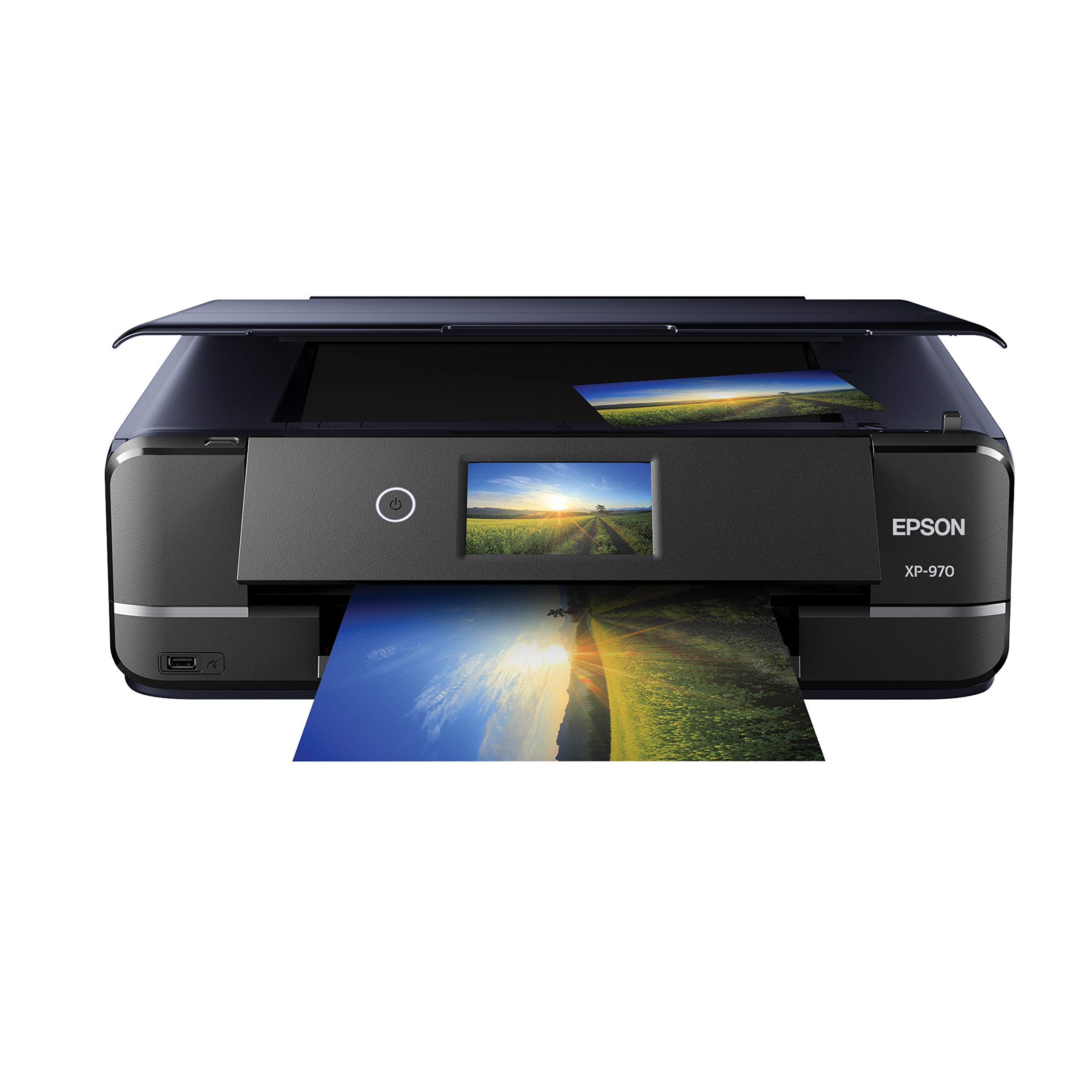
The Epson Expression Photo XP-970 is a dedicated photo printer with a 6-color Claria Photo HD ink system that includes light cyan and light magenta for smoother gradations and wider color gamut. It prints, scans, and copies, with a unique fold-over scan lid that holds thick books and originals flat. It produces vibrant 8×10 glossies directly from a smartphone with minimal setup, making it accessible for photo enthusiasts who want quick, high-quality prints.
Wireless setup is simple via the Epson website, and the LCD display makes navigation easy. The XP-970 handles a variety of paper sizes and types, from standard letter to 4×6 labels. Early users report very good photo quality that rivals more expensive models, with rich color reproduction and sharp detail. The included 6 Claria Photo HD cartridges (one each of black, cyan, magenta, yellow, light cyan, light magenta) get you started, but they are starter cartridges with limited capacity.
This printer is best for photo hobbyists who print occasional batches of high-quality photos. It is not a high-volume document machine — print speeds are slow, and the ink system is designed for quality over economy. Some users report issues with 4×6 label feeding and ink drying on the print head if unused for extended periods, requiring costly cleaning cycles.
Why it’s great
- Excellent photo quality with 6-color ink system
- Innovative fold-over scan lid for books
- Easy wireless setup from phone or computer
- Good for glossy and fine-art prints
Good to know
- Slow print speeds (8.5 ppm B&W, 8 ppm color)
- Ink dries on head if printer is idle
- 4×6 label feeding can be unreliable
- Limited ink capacity in starter cartridges
FAQ
Can a monochrome laser printer produce good photo-quality black-and-white prints?
What does “true monochrome” mean for a photo printer?
Is dye-sublimation or laser better for black-and-white photo prints?
Why do some black-and-white laser printers require color ink for grayscale printing?
Final Thoughts: The Verdict
For most users, the best black and white photo printer winner is the Brother HL-L2480DW because it balances fast laser output, intuitive touchscreen controls, versatile connectivity, and low long-term costs with a compact all-in-one design that fits any home or small office. If you want truly gallery-quality tonal reproduction and the ability to print up to 13×19 inches, grab the Canon PIXMA PRO-200S. And for a budget-friendly dedicated monochrome laser that just prints — no frills, no network — nothing beats the HP LaserJet M209d.