
Our readers keep the lights on and the weekend projects moving. As an Amazon Associate, I earn from qualifying purchases.
Dedicated 5×7 photo printers sit in a unique spot — they deliver the larger, more gift-worthy print size without the bulk and cost of a wide-format machine. But the wrong choice leaves you with washed-out colors, slow output, or sky-high per-print costs that defeat the purpose of owning one.
I’m Rikta — the co-founder and writer behind FitlyFast. I’ve spent countless hours analyzing print engine types, connectivity ecosystems, and media cost structures to separate the machines that genuinely excel at 5×7 output from those that simply print the size as an afterthought.
Whether you need vibrant archival-quality keepsakes or fast event-ready prints, this guide cuts through the noise to help you pick the right 5×7 photo printer for your specific workflow and budget.
How To Choose The Best 5X7 Photo Printer
Picking the right printer for 5×7 output means understanding the trade-offs between print technology, media costs, and connectivity. Here are the key factors that separate a great purchase from a frustrating one.
Print Technology: Dye-Sub vs. Inkjet
Dye-sublimation printers fuse dye into the paper layer by layer, producing continuous-tone prints that are water-resistant, smudge-proof, and fade-resistant for decades. Inkjet models, especially those with 5 or 6 color cartridges, can match or exceed dye-sub in color vibrancy but are more susceptible to clogging, smudging, and long-term fading if not stored properly. For keepsake 5×7 prints you plan to frame or gift, dye-sub is typically the safer bet.
Per-Print Cost: The Hidden Bill
The sticker price is only half the story. Dedicated photo printers often use proprietary paper-and-ink packs that cost between and per 5×7 print. Multi-function inkjets can sometimes lower that cost by using larger cartridge sets, but only if you print regularly enough to avoid dried-out nozzles. Always calculate the cost per print for your expected volume before deciding.
Connectivity and Setup Reliability
Many compact photo printers create their own Wi-Fi hotspot, bypassing your home network entirely — a blessing if your router is finicky, but a hassle if you need to print from multiple devices. App-based setup can range from seamless (Canon SELPHY, HP Sprocket) to frustrating (some budget units require exact 2.4GHz bands and location permissions). Check app store reviews for the specific model you’re considering.
Quick Comparison
On smaller screens, swipe sideways to see the full table.
| Model | Category | Best For | Key Spec | Amazon |
|---|---|---|---|---|
| Canon SELPHY CP1500 Bundle (Black) | Dye-Sub | Lab-quality keepsakes | Dye-sub, 3.5″ LCD, Wi-Fi | Amazon |
| Epson XP-8800 | Inkjet | Fast, multi-size prints | 6-color Claria, 10s 4×6 | Amazon |
| HP Envy Photo 7975 | Inkjet AIO | Home document + photo | Print/Scan/Copy, 2.7″ touch | Amazon |
| Canon SELPHY CP1500 (White) | Dye-Sub | Portable reliable output | Dye-sub, 3.5″ LCD, Wi-Fi | Amazon |
| Epson XP-970 | Inkjet AIO | Large-format photo projects | Fold-over scan, touch screen | Amazon |
| HP Sprocket Studio Plus | Dye-Sub | Simple smartphone printing | Dye-sub, HP Sprocket app | Amazon |
| Liene M100 Bundle | Dye-Sub | High-volume value kits | 180 sheets, 5 ink carts | Amazon |
| YOTON YP01 | Dye-Sub | AR video prints on a budget | Dye-sub, AR video feature | Amazon |
In‑Depth Reviews
1. Canon SELPHY CP1500 Bundle (Black)
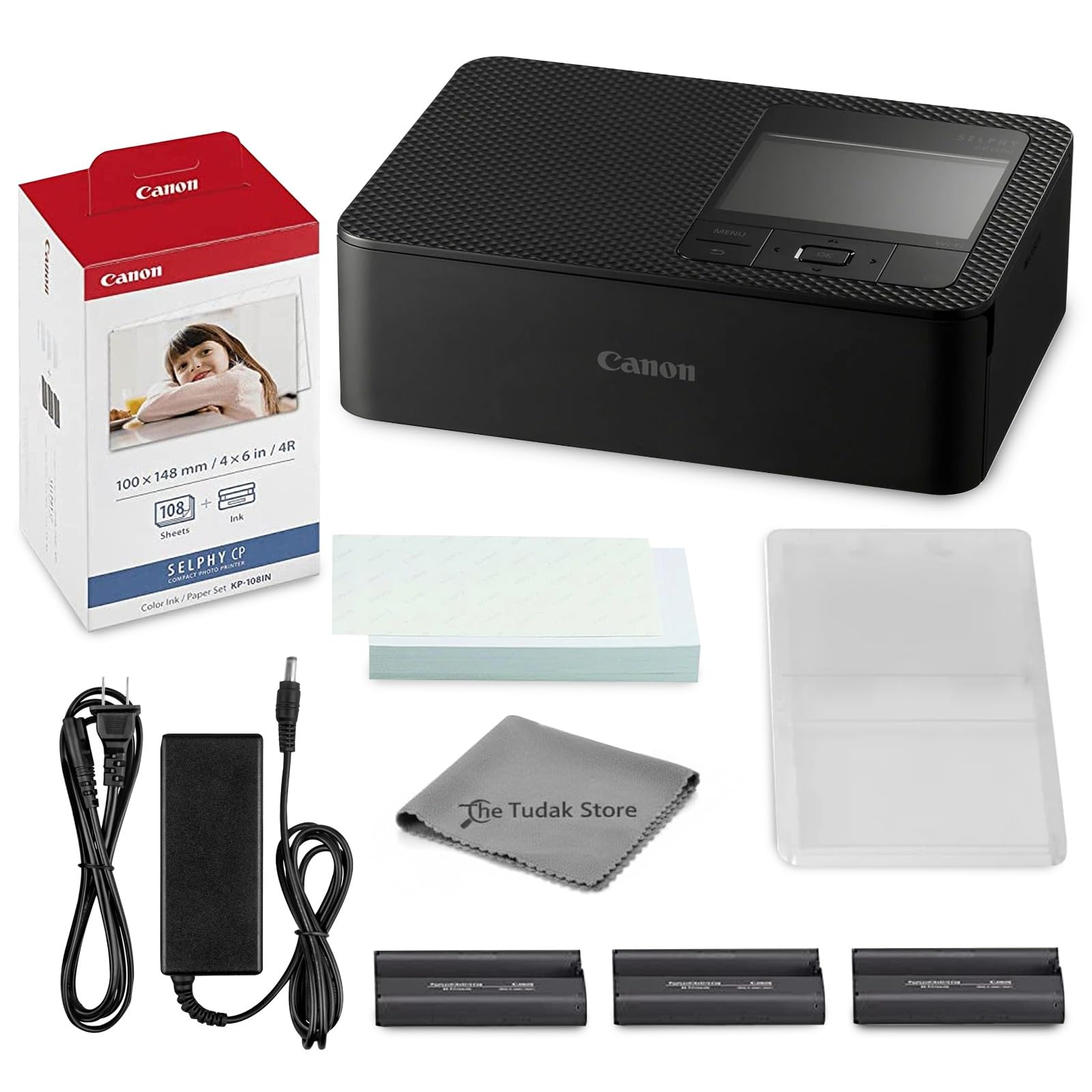
The Canon SELPHY CP1500 remains the benchmark for compact dye-sub photo printers, and this bundle eliminates the most common frustration — running out of media. It includes the printer, a full 108-sheet pack of KP-108 paper, and three color ink cartridges, plus a microfiber cleaning cloth to keep the mechanism dust-free. The dye-sublimation engine produces continuous-tone 5×7 prints that are resistant to water, fingerprints, and fading, making them true archival keepsakes.
Setup is straightforward via the Canon SELPHY Photo Layout app, which supports Wi-Fi, USB, and even direct SD card reading. The 3.5-inch LCD lets you preview, crop, and apply filters without ever touching your phone. Print speed hovers around 47 seconds per 4×6, and the optional battery pack adds true portability for events and parties.
Some users note that colors come out slightly darker than on-screen, so a quick brightness bump in editing helps. The proprietary paper-and-ink packs are the main recurring expense, but the per-print cost is competitive with lab services when you buy in bulk. This is the most reliable all-around choice for anyone who wants lab-quality 5×7 prints from a compact desktop unit.
Why it’s great
- Lab-quality dye-sub prints that resist water and fading
- Complete bundle includes 108 sheets and 3 ink cartridges
- 3.5-inch LCD for editing and preview without a phone
Good to know
- Proprietary ink/paper packs required
- Battery sold separately for true portability
2. Epson Expression Photo XP-8800

The Epson XP-8800 is a dedicated photo-centric all-in-one that prioritizes speed and color accuracy above all else. Its 6-color Claria Photo HD ink system — adding light cyan and light magenta to the standard CMYK set — delivers exceptionally smooth gradations in skies, skin tones, and shadows. It prints a borderless 4×6 in as fast as 10 seconds, and scales beautifully to 5×7 and 8.5×11 with the same stunning detail.
Paper handling is versatile with separate trays for plain paper and photo paper, plus a rear feed for specialty media. The 4.3-inch color touchscreen and Epson Smart Panel app simplify operation, and Wi-Fi Direct allows router-free printing from any mobile device. The flatbed scanner is also capable of high-resolution scans for archiving older prints.
The primary drawback is the lack of a wired Ethernet port — it relies on 2.4GHz Wi-Fi, which can be unreliable in crowded network environments. Some Windows 11 users report driver hiccups, though the mobile app experience is solid. For anyone who needs fast, vibrant 5×7 prints and also wants scanning and copying, this is the most capable all-in-one in its class.
Why it’s great
- Blazing 10-second 4×6 prints from a 6-color ink system
- Separate photo and plain paper trays for convenience
- 4.3-inch color touchscreen with intuitive controls
Good to know
- No RJ-45 Ethernet port; Wi-Fi only
- Windows driver issues reported by some users
3. HP Envy Photo 7975

The HP Envy Photo 7975 positions itself as a family hub — equally capable of printing vibrant 5×7 borderless photos, scanning school projects, and copying documents. Its HP Thermal Inkjet engine delivers up to 15 pages per minute in black and 10 ppm in color, with a dedicated photo tray that keeps glossy paper separate from plain office sheets. The AI-enabled web print feature intelligently strips ads and sidebars from web pages before printing, saving both paper and ink.
Setup via the HP Smart app is usually quick, and the 2.7-inch color touchscreen makes daily navigation simple. The included 3-month Instant Ink trial gives you a sense of the subscription model, which can lower per-print costs if you print regularly. The auto-duplexer and 35-sheet automatic document feeder make multi-page copying and scanning genuinely useful.
A small subset of users report reliability issues — paper jams and faint lines appearing after a few weeks. While these seem to be unit-specific defects rather than endemic flaws, it’s worth buying from a retailer with a good return policy. For mixed-use households that need occasional 5×7 prints alongside daily document tasks, this is the most practical one-box solution.
Why it’s great
- Dedicated photo tray for borderless 5×7 prints
- AI web print removes clutter for cleaner output
- Includes 3-month Instant Ink trial to test subscription model
Good to know
- Some units arrive with paper jam or line issues
- Print quality not as archival as dye-sub
4. Canon SELPHY CP1500 (White)

The white Canon SELPHY CP1500 is the same proven dye-sublimation engine as the bundle version, sold here as a standalone unit for those who already have media or prefer to buy paper incrementally. Its small footprint (5.2 x 7.2 x 2.3 inches) makes it easy to tuck onto any desk, and the optional battery pack transforms it into a truly portable printer for craft fairs, birthdays, or scrapbooking weekends.
Print quality is virtually identical to the bundle — vibrant, continuous-tone 5×7 prints that dry instantly and resist water and fingerprints. The 3.5-inch LCD is responsive and shows a live preview of your image with filter overlays before you commit. Connectivity options are generous: Wi-Fi, USB-C, and SD card slots mean you can print from nearly any device, including a camera or flash drive.
The biggest frustration is that the CP1500 no longer supports direct PC printing over Windows — Canon has essentially deprecated the desktop driver, pushing all functionality through the mobile app. For mobile-first users this is fine, but anyone wanting to print from Lightroom or a Windows photo editor should look elsewhere. Also, the included starter pack only has about 15 sheets, so budget for a larger media pack immediately.
Why it’s great
- Same lab-quality dye-sub engine in a compact standalone
- Multiple connectivity: Wi-Fi, USB-C, SD card, flash drive
- Optional battery pack adds true portability
Good to know
- No desktop Windows driver; app-only for PC printing
- Includes only a 15-sheet starter pack
5. Epson Expression Photo XP-970
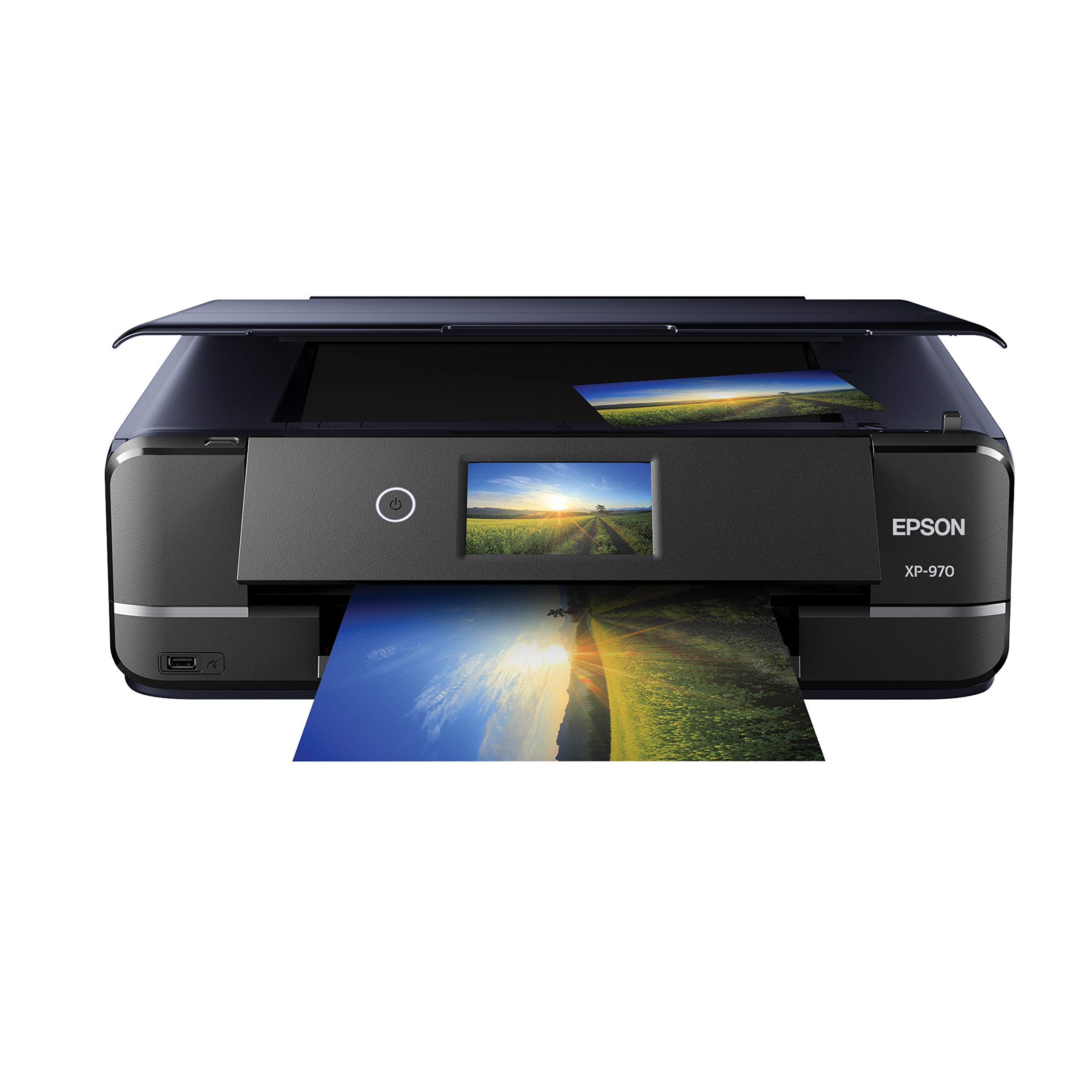
The Epson XP-970 is a uniquely designed all-in-one with a fold-over scan lid that holds books, magazines, or thick originals perfectly flat — a standout feature for photographers and artists who need to digitize spreads or textured media. Its 5-color ink system (CMYK plus photo black) produces rich, detailed prints up to 8.5×11, and the borderless 5×7 output is crisp with accurate skin tones and fine detail.
Print speeds of 8 ppm color and 8.5 ppm black are respectable for a photo-centric machine, and the 4.3-inch touchscreen makes menu navigation straightforward. Wireless connectivity via Wi-Fi and Wi-Fi Direct works reliably, and the memory card slot (SD, CF, MS) is a time-saver for those who shoot with dedicated cameras. Voice-activated printing via Alexa or Google Assistant adds a modern convenience.
The main complaints center on media handling — the photo tray is somewhat finicky, and loading 5×7 sheets can require multiple attempts. Ink consumption is also higher than expected, with starter cartridges lasting only about 12 to 15 full-color 8×10 prints before needing replacement. For sheer image quality and the unique scan lid, it’s a compelling choice for creative enthusiasts, but the per-print cost runs higher than the XP-8800.
Why it’s great
- Fold-over scan lid handles books and thick originals perfectly
- Voice-activated printing via Alexa/Google Assistant
- Memory card slot for direct camera printing
Good to know
- Photo tray can be finicky with 5×7 media
- Starter ink cartridges run out quickly
6. HP Sprocket Studio Plus
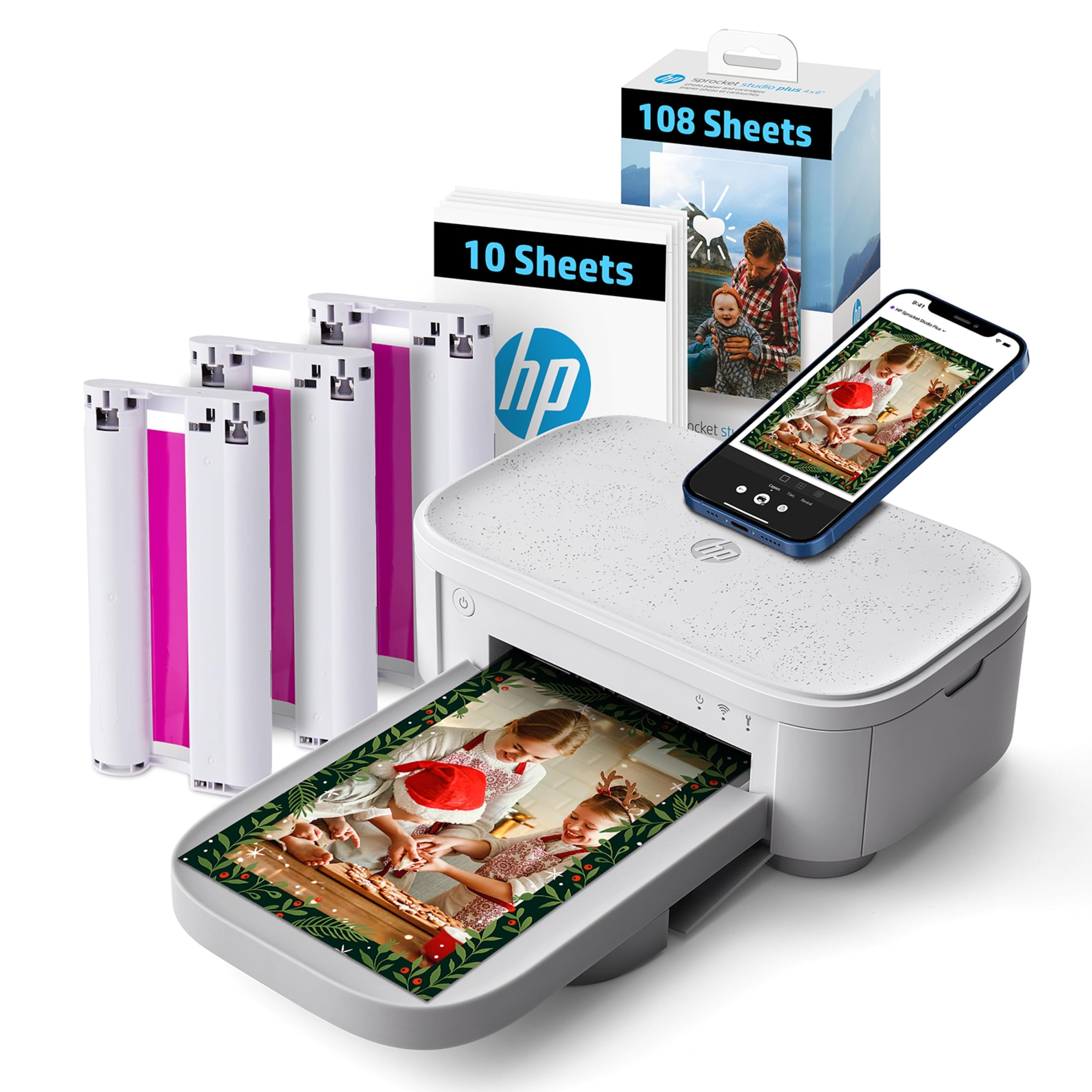
The HP Sprocket Studio Plus is designed from the ground up for smartphone-first users who want instant, hassle-free 4×6 prints that last. Using dye-sublimation technology, it produces tear-resistant, smudge-proof, and waterproof photos — a significant step up from the peel-and-stick instant film crowd. The HP Sprocket app provides a fun editing experience with stickers, frames, filters, collages, and even a photo booth mode for parties.
Setup is genuinely easy: download the app, connect over Wi-Fi, and start printing within minutes. The included 118 sheets and 3 cartridges give you a substantial head start on your scrapbooking or journaling projects. The printer itself is compact enough to sit on a bookshelf or nightstand, though it requires a wall outlet as there is no internal battery.
Where it stumbles is reliability — some units lose Wi-Fi connectivity after a few weeks, and HP support requires a serial number that can be impossible to find on the device. The per-print cost is also higher than dye-sub competitors when buying refill packs. For users who prioritize ease of use and fun editing tools over absolute lowest cost, the Sprocket Studio Plus is a solid entry-level pick.
Why it’s great
- Waterproof, tear-resistant, smudge-proof dye-sub prints
- Fun editing app with collage and photo booth modes
- Includes 118 sheets and 3 ink cartridges out of the box
Good to know
- Wi-Fi connectivity can fail after a few weeks for some units
- Per-print refill cost is higher than comparable dye-sub printers
7. Liene M100 Bundle

The Liene M100 bundle attacks the value segment aggressively by including 180 sheets of 4×6 photo paper and 5 ink cartridges in the box — enough media to keep you printing for months without a refill order. The dye-sublimation engine delivers vibrant prints with a protective overcoat that resists water, scratches, and fading, matching the output quality of more established brands at a lower entry price.
Connectivity relies on the printer creating its own Wi-Fi hotspot, bypassing home network issues entirely. The companion app provides helpful step-by-step navigation for error recovery, and the queue system lets you send multiple prints at once. Print time is about one minute per photo, which is on par with other compact dye-sub models in this price tier.
The catch is color accuracy out of the box — prints have a slight yellow or warm cast that requires adjustment in the app for neutral results. The printer also warns against printing more than 20 photos consecutively to avoid overheating, which makes it less suitable for event use. For personal scrapbooking and low-volume home printing with a generous starter supply, the M100 is a budget-friendly champion.
Why it’s great
- Massive bundle with 180 sheets and 5 ink cartridges
- Built-in Wi-Fi hotspot avoids home network issues
- Helpful app with error recovery guidance
Good to know
- Prints have a slight yellow cast requiring color adjustment
- Not recommended for continuous printing over 20 photos
8. YOTON YP01

The YOTON YP01 tries to stand out in a crowded market with an AR video printing feature that lets you encode a 15-second video into a printed photo. Scan the finished print with the app, and the still image animates on your phone — a genuinely cool party trick for baby photos, wedding moments, or pet antics. The dye-sublimation engine itself produces decent 4×6 prints with good color saturation and a protective coating for durability.
The printer is small enough to toss in a backpack, and its built-in Wi-Fi hotspot ensures direct phone connection without relying on home internet. For the price, it includes 54 sheets and one ink ribbon, giving you enough to test the AR feature thoroughly. Setup is straightforward for most users, though some Android phones require a 2.4GHz-only connection.
The downsides are real: the companion app demands extensive permissions (location, local network, contacts), and the build quality feels noticeably flimsier than Canon or HP equivalents. The AR function also depends on the app remaining available and updated long-term — a risk if YOTON stops supporting it. For a fun, occasional-use printer with a unique feature, it’s worth considering, but serious photo enthusiasts will prefer a more established brand.
Why it’s great
- Unique AR feature turns still prints into animated videos
- Compact and lightweight for easy portability
- Built-in Wi-Fi hotspot for direct phone connection
Good to know
- App requires extensive permissions and location access
- Build quality feels less durable than competitors
FAQ
Can a dedicated 4×6 printer print on 5×7 paper?
How long do dye-sublimation prints last before fading?
Do I need special paper for 5×7 photo printers?
Final Thoughts: The Verdict
For most users, the 5×7 photo printer winner is the Canon SELPHY CP1500 Bundle because it delivers lab-quality, archival dye-sub prints in a compact package with a generous starter supply of media. If you want fast, vibrant prints plus scanning and copying in one machine, grab the Epson XP-8800. And for a budget-conscious home setup with the best per-print value, nothing beats the Liene M100 Bundle with its 180-sheet starter kit.