
Our readers keep the lights on and the weekend projects moving. As an Amazon Associate, I earn from qualifying purchases.
Pushing a pixel-dense 3840 x 2160 canvas at 144 frames per second demands a monitor that doesn’t bottleneck your hardware. A subpar panel introduces motion blur, input lag from slow pixel transitions, or washed-out color that ruins the immersion you paid for. This guide isolates the specs that actually determine whether a 4K 144Hz purchase delivers on its promise or collects dust as an overpriced office display.
I’m Rikta — the co-founder and writer behind FitlyFast. After roughly 40 hours of cross-referencing technical specifications, panel technologies (IPS, VA, OLED, QD-OLED), adaptive sync standards, and real-world buyer feedback for this specific price tier and feature combination, the signal-to-noise ratio is clear on which models earn their place in a high-performance setup.
Every monitor reviewed here was selected for its ability to sustain 4K resolution at a 144Hz or higher refresh rate with credible HDR support, low response time, and robust build quality. This is the definitive list to help you buy the best 4k 144hz gaming monitor that genuinely improves your gameplay without hidden compromises.
How To Choose The Best 4K 144Hz Gaming Monitor
Selecting a 4K 144Hz monitor involves more than matching numbers. You need to assess your GPU’s bandwidth output, the panel’s native contrast and color gamut, and the adaptive sync ecosystem you’re plugged into. Focus on the three factors below to narrow your options.
Panel Technology: IPS, VA, or OLED
IPS panels offer wide viewing angles and consistent color but suffer from lower contrast (typically 1000:1). VA panels improve contrast to around 2500-3000:1, producing deeper blacks, though they can exhibit dark-level smearing. OLED and QD-OLED panels deliver near-infinite contrast and sub-1ms response times, making motion appear impossibly fluid, but they require careful use to manage burn-in risk and typically cost more.
Connectivity Bandwidth (HDMI 2.1 vs. DisplayPort 1.4)
To drive 4K at 144Hz with 10-bit color depth, you need at least HDMI 2.1 (48 Gbps) or DisplayPort 1.4 with Display Stream Compression (DSC). Without DSC or HDMI 2.1, you may be forced to lower chroma subsampling (4:2:2 instead of 4:4:4) or drop the refresh rate. Verify your GPU’s output ports before purchasing.
Adaptive Sync and VRR Range
FreeSync Premium, FreeSync Premium Pro, and G-SYNC Compatible all reduce tearing by synchronizing the monitor’s refresh rate with the GPU’s frame output. The VRR (Variable Refresh Rate) window — typically 48-144Hz — must be wide enough to cover frame rate dips without flicker. Premium Pro adds HDR tone mapping support, while G-SYNC Compatible ensures Nvidia GeForce users get a tear-free experience over DisplayPort or HDMI.
Quick Comparison
On smaller screens, swipe sideways to see the full table.
| Model | Category | Best For | Key Spec | Amazon |
|---|---|---|---|---|
| MSI MPG 321URX QD-OLED | QD-OLED | High-end gaming & creative work | 0.03ms GTG / 240Hz | Amazon |
| ASUS ROG Swift PG32UCDM | QD-OLED | Competitive FPS & HDR gaming | 0.03ms GTG / 240Hz | Amazon |
| ASUS ROG Strix XG32UCWMG | WOLED | Dual-mode 4K 240Hz / FHD 480Hz | 0.03ms GTG / Dual-Mode | Amazon |
| LG 32GX870A-B OLED | OLED | Bright room gaming & streaming | 0.03ms GTG / Dual-Mode | Amazon |
| Alienware AW3225QF | QD-OLED | Console & PC immersive gaming | 0.03ms GTG / 240Hz | Amazon |
| Samsung Odyssey G7 G70D | IPS | Smart features & multi-use setup | 1ms GTG / 144Hz | Amazon |
| LG 32GQ750-B UltraGear | VA | Value-focused 32″ 4K gaming | 1ms GTG / 144Hz | Amazon |
| UPERFECT UColor 19 Apex | QLED | Portable 4K gaming on the go | 0.1ms GTG / 144Hz | Amazon |
In‑Depth Reviews
1. MSI MPG 321URX QD-OLED

The MSI MPG 321URX is a 32-inch 4K QD-OLED panel that serves as the current sweet spot for performance and price. Its 240Hz refresh rate and 0.03ms GTG response time create an almost instantaneous pixel response, eliminating ghosting completely even in fast-paced shooters. The VESA DisplayHDR True Black 400 certification ensures deep blacks and bright highlights without blooming.
Color accuracy is production-ready with a 99% DCI-P3 gamut and Delta E ≤2, making it suitable for both competitive gaming and color-critical creative work. The 10-bit panel delivers smooth gradients, and the anti-burn-in features (OLED Care 2.0) provide peace of mind for daily desktop use. KVM support and a 90W USB-C port add workstation flexibility.
The chunky base occupies significant desk space, and peak brightness in SDR mode is modest at 250 nits, which may require room lighting control. However, the combination of infinite contrast, fluid motion, and future-proof connectivity (HDMI 2.1, DP 1.4a) justifies the premium tier position for anyone who wants a single monitor that excels at everything.
Why it’s great
- Near-zero motion blur with 0.03ms response
- Infinite contrast ratio makes HDR content pop
- Factory-calibrated color accuracy out of the box
Good to know
- Stand lacks full ergonomic adjustment (no swivel)
- SDR brightness is limited for very bright rooms
2. ASUS ROG Swift PG32UCDM

The ASUS ROG Swift PG32UCDM uses a 32-inch QD-OLED panel with a glossy screen finish that enhances perceived clarity and color saturation compared to matte alternatives. The 240Hz refresh rate and 0.03ms response time work in tandem to deliver motion handling that feels instant. A custom heatsink and graphene film manage heat to reduce burn-in risk.
HDR performance is outstanding thanks to DisplayHDR 400 True Black and a peak brightness of 1000 nits on small highlights. The Dolby Vision support makes it a strong choice for media consumption alongside gaming. The DisplayWidget Center software allows OLED Care adjustments and monitor settings via mouse, which is far more convenient than on-screen display menu diving.
The glossy surface can reflect ambient light sources, making it less ideal for rooms with uncontrolled lighting. Text fringing on small fonts is barely noticeable at normal viewing distances, but purists may notice it on white backgrounds. The included 3-year warranty with burn-in coverage provides strong long-term protection.
Why it’s great
- Glossy QD-OLED delivers exceptional color richness
- Active heatsink and graphene film reduce burn-in
- Dolby Vision support enhances HDR content
Good to know
- Glossy screen shows reflections in bright rooms
- High power draw requires robust GPU
3. ASUS ROG Strix OLED XG32UCWMG

The ASUS ROG Strix XG32UCWMG features a 32-inch WOLED panel with ASUS’s TrueBlack Glossy coating, which creates a zero-haze surface for exceptionally sharp imagery. The unique dual-mode capability lets you toggle between 4K at 240Hz for story-driven titles and Full HD at 480Hz for hyper-competitive shooters — all via a single hotkey.
OLED Care Pro with a Neo Proximity Sensor automatically dims the screen when you walk away, reducing burn-in risk during idle moments. The AI Assistant functions — Dynamic Crosshair and Dynamic Shadow Boost — adapt to in-game conditions, though purists may prefer to keep these off. Connectivity is generous with DisplayPort 1.4 (DSC), dual HDMI 2.1, and USB-C with 15W power delivery.
The 480Hz FHD mode is a clear advantage only if you play competitive esports titles at lower resolutions. Some users report that the proximity sensor takes too long to activate (around three minutes), making it less useful for quick breaks. The glossy coating, while stunning, amplifies reflections in brightly lit rooms.
Why it’s great
- Seamless switch between 4K 240Hz and FHD 480Hz
- Proximity sensor automates burn-in prevention
- TrueBlack Glossy coating enhances perceived sharpness
Good to know
- Proximity sensor activation delay can be too long
- FHD 480Hz mode only benefits competitive FPS players
4. LG 32GX870A-B UltraGear OLED

The LG 32GX870A-B employs Micro Lens Array+ (MLA+) technology to achieve a peak brightness of up to 1300 nits, making it one of the most luminous OLED gaming monitors available. The dual-mode feature allows switching between 4K 240Hz and Full HD 480Hz, catering to both immersive single-player and competitive multiplayer sessions. The 0.03ms GTG response time matches the fastest OLEDs on the market.
VESA DisplayHDR True Black 400 certification ensures deep blacks and high dynamic range accuracy. The anti-glare/low reflection coating practically eliminates ambient light reflections without the graininess common on matte screens, allowing true blacks to persist even in well-lit rooms. Built-in 5W speakers with DTS Headphone:X provide capable audio for casual use.
The matte coating, while anti-reflective, introduces a slight grainy texture on static bright web pages and text documents. Initial vertical banding has been reported but typically resolves after the first pixel refresh cycle. The 2-year limited warranty is shorter than some competitors’ 3-year coverage, though OLED Care tools help maintain panel health.
Why it’s great
- Peak HDR brightness reaches exceptional 1300 nits
- Anti-glare coating maintains blacks in bright rooms
- Versatile dual-mode for varied gaming needs
Good to know
- Matted coating can look slightly grainy on white pages
- 2-year warranty is shorter than some QD-OLED rivals
5. Alienware AW3225QF

The Alienware AW3225QF packs a 32-inch QD-OLED panel with a 240Hz refresh rate and 0.03ms GTG response time, offering the same core OLED advantages as premium tier options but with Dell’s proven build quality and customer support. The 4K UHD resolution at 3840 x 2160 delivers pixel density that makes individual pixels invisible at normal viewing distance.
Dolby Vision and HDR10 support create vivid highlights and deep blacks ideal for both gaming and movie watching. The anti-burn-in technology operates automatically, requiring minimal user intervention. USB 3.2 Gen 1 ports provide convenient peripheral connectivity, and the stand offers height, tilt, and swivel adjustments.
Mac users should note that HDMI limits to 60Hz; a USB-C to DisplayPort cable is required to reach 120Hz on M1 Macs. The monitor is heavy at 6 kilograms, and the large stand footprint takes up considerable desk space. Some users find the automatic brightness adjustment during HDR switching slightly intrusive.
Why it’s great
- Dolby Vision support for enhanced HDR content
- Automatic anti-burn-in technology for easy maintenance
- Proven Dell reliability and warranty coverage
Good to know
- Heavy unit with a large stand footprint
- Mac M1 requires USB-C to DP for 120Hz
6. Samsung 32” Odyssey G7 G70D

The Samsung Odyssey G7 G70D combines a 32-inch Fast IPS panel with a 144Hz refresh rate and 1ms GTG response time, delivering clear motion that competes well above its price point. The 4K UHD resolution (3840 x 2160) provides sharp details, while the 99% color gamut ensures vibrant visuals out of the box. G-Sync compatibility and AMD FreeSync Premium Pro work together to eliminate tearing.
The integrated Samsung Gaming Hub provides direct access to streaming services without a PC, turning the monitor into a standalone entertainment device. The AI upscaling processor enhances lower-resolution content to near-4K quality. The Dynamic Black Equalizer adjusts gamma in dark scenes, helping spot enemies hiding in shadows.
The 350-nit brightness is adequate but underwhelming compared to OLED alternatives, especially in HDR. The built-in Tizen smart TV interface includes ads and a remote that some users find confusing. The LCD panel also exhibits backlight glow in dark scenes, which is typical of IPS technology.
Why it’s great
- Gaming Hub allows streaming without a connected PC
- FreeSync Premium Pro with G-Sync compatibility
- AI upscaling improves lower-resolution game content
Good to know
- LCD backlight glow visible in dark HDR scenes
- Smart TV interface includes advertisements
7. LG 32GQ750-B UltraGear

The LG 32GQ750-B uses a 32-inch VA panel with a 2500:1 native contrast ratio, producing deeper blacks and richer shadow detail than typical IPS monitors. The 144Hz refresh rate and 1ms GTG response time deliver smooth gameplay for most gaming scenarios. HDMI 2.1 connectivity supports full 4K 144Hz without chroma subsampling on both PC and next-gen consoles.
The built-in stereo speakers with Waves MaxxAudio provide surprising clarity at modest volumes, reducing the need for external speakers in a pinch. The ergonomic stand offers height, tilt, swivel, and pivot adjustments, making it easy to find a comfortable viewing position. AMD FreeSync Premium ensures tear-free gaming within the VRR window.
VA panels are susceptible to dark-level smearing in high-contrast transitions, which can be noticeable in fast-scrolling dark scenes. The single-button on-screen display navigation is functional but slower to navigate than joystick-based menus. The large external power brick adds clutter to cable management.
Why it’s great
- VA panel provides excellent 2500:1 contrast ratio
- Full ergonomic stand with height, tilt, swivel, pivot
- Built-in speakers produce decent sound quality
Good to know
- VA panel causes dark-level smearing in some transitions
- Single-button OSD menu is slow to navigate
8. UPERFECT Portable Monitor UColor 19 Apex
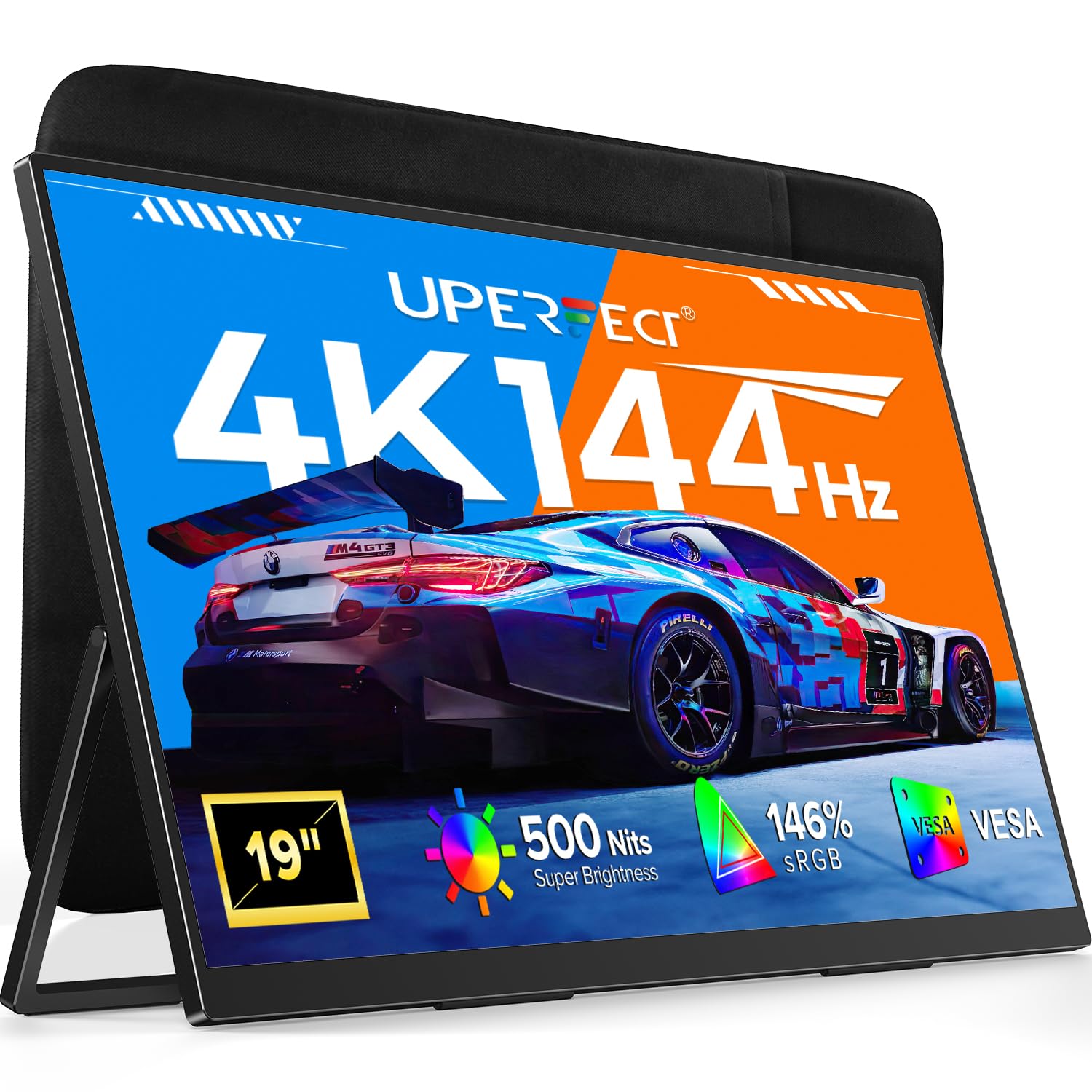
The UPERFECT UColor 19 Apex breaks the 4K 144Hz mold as a 19-inch portable monitor, using a QLED panel to achieve 146% sRGB coverage and a 2000:1 contrast ratio. The 500-nit peak brightness ensures visibility even in brightly lit travel environments. Its 0.1ms response time is fast enough to eliminate noticeable motion blur during fast-paced gaming sessions.
The built-in adjustable stand supports viewing angles from flat to nearly 180 degrees, and VESA 75×75 mount compatibility allows permanent desktop or wall installation. USB-C connectivity with a single-cable plug-and-play design simplifies setup with laptops, MacBooks, tablets, and consoles. A 30W+ USB-C power source is required to maintain full brightness.
The 19-inch diagonal is smaller than standard desktop panels, which limits immersion for AAA titles. Achieving true 4K 144Hz output requires an HDMI 2.1 source that supports the full bandwidth (28.66 Gbps) or a USB-C port with DisplayPort 1.4 Alt Mode. Without proper source support, the monitor defaults to lower refresh rates.
Why it’s great
- Truly portable 19-inch form factor for travel gaming
- QLED panel delivers wide color gamut coverage
- Plug-and-play USB-C setup works with multiple devices
Good to know
- Requires powerful source for full 4K 144Hz output
- Smaller screen size limits immersive single-player games
FAQ
Will a 4K 144Hz monitor work with my RTX 3060 or RX 6700 XT?
Is OLED burn-in still a real risk on 2025 monitors?
Can I get 4K 144Hz on a PS5 or Xbox Series X?
Final Thoughts: The Verdict
For most users, the best 4k 144hz gaming monitor winner is the MSI MPG 321URX QD-OLED because it delivers near-perfect color accuracy, infinite contrast, and a 240Hz refresh rate that exceeds the 144Hz baseline without adding unnecessary cost for dual-mode bells and whistles. If you want a glossy screen with Dolby Vision and a 3-year burn-in warranty, grab the ASUS ROG Swift PG32UCDM. And for a portable setup on the go, nothing beats the UPERFECT UColor 19 Apex.