
Our readers keep the lights on and the weekend projects moving. As an Amazon Associate, I earn from qualifying purchases.
A 4K Blu-ray player lives or dies by its HDR handling. For the collector who has invested in 100GB triple-layer discs, this is the single spec that defines the entire experience.
I’m Rikta — the co-founder and writer behind FitlyFast. After cross-referencing chipset data, HDR format compatibility lists, and real-world user experiences across the – range, I’ve mapped exactly which players actually handle Dolby Vision and HDR10+ without manual toggling.
This guide isolates the difference between a player that delivers reference-grade image processing and one that leaves you fumbling with remote buttons mid-movie. If you want to stop guessing and start watching, here is the definitive look at the best blu ray 4k player options for a serious home theater.
How To Choose The Best Blu Ray 4K Player
A 4K Blu-ray player is a multi-year investment in your home theater. Picking the right one requires understanding three core pillars that directly influence the image on your screen: HDR format compatibility, video processing capability, and audio output flexibility. Each of these factors interacts with your TV and sound system to produce the final picture and sound quality.
HDR Format Support is Non-Negotiable
Dolby Vision and HDR10+ are the two dynamic HDR formats that adjust brightness and color frame-by-frame. HDR10 is a static baseline with a single set of metadata for the entire movie. If your TV supports Dolby Vision, a player that does not will leave significant brightness and color detail on the table. Some players, like the mid-range models, force you to manually switch between HDR10 and Dolby Vision in the settings menu every time you change a disc — a frustrating workaround that serious buyers should avoid. Check whether the player offers automatic HDR format detection.
The Processor Determines Tone Mapping Quality
The video processor inside the player is responsible for taking the disc’s HDR metadata and mapping it to your TV’s specific luminance capabilities. Panasonic’s HCX (Hollywood Cinema Experience) processor is widely regarded as the gold standard because it applies a unique HDR Optimizer that analyzes the source content and adjusts the tone curve before sending it to the display. This prevents crushed blacks and clipped highlights, particularly on projectors and lower-nit TVs. Generic chipsets often pass raw HDR data without optimization, leaving your TV to do all the heavy lifting.
Audio Output Configurations
Dual HDMI outputs are a premium feature that separates the video signal to your TV or projector from the audio signal to your AV receiver. This eliminates HDMI handshake issues and allows you to use a receiver that only supports HDMI 2.0 for audio while feeding a 4K HDR signal to a newer display. For SACD playback, check whether the player supports native DSD over HDMI or converts to PCM. Balanced XLR outputs, found only on the flagship tier, provide the cleanest analog audio path for stereo systems.
Quick Comparison
On smaller screens, swipe sideways to see the full table.
| Model | Category | Best For | Key Spec | Amazon |
|---|---|---|---|---|
| OPPO UDP-203 | Premium | Reference video quality | Dual HDMI + HDR10/Dolby Vision | Amazon |
| Panasonic DP-UB9000P-K | Hi‑End | HCX processor + XLR outputs | Region free + analog 7.1 out | Amazon |
| Panasonic DP-UB824EGK | Premium | HDR Optimizer for projectors | HCX + HDR10+/Dolby Vision | Amazon |
| Sony UBP-X700U | Mid‑Range | Best value Dolby Vision entry | Dual HDMI + SACD | Amazon |
| Krovatar KBU-300 | Mid‑Range | All‑metal build + SACD | Dolby Vision/HDR10+/Atmos | Amazon |
| zidoo Z9X 8K | Media Player | Local NAS/ripped disc playback | VS10 engine + 6GB RAM | Amazon |
| Panasonic DP-UB154P-K | Budget | Affordable HDR10+ + HLG | Hi‑Res audio support | Amazon |
| Sony Multi‑Zone (BDP‑S6700) | Region‑Free | PAL/NTSC + multi‑zone Blu‑ray | Region A/B/C, DVD 0‑8 | Amazon |
| Dynastar UBPX700M | Region‑Free | 4K region‑free + WiFi | Region free UHD/BD/DVD | Amazon |
In‑Depth Reviews
1. OPPO UDP-203 Ultra HD Blu-ray Disc Player

The OPPO UDP-203 remains the benchmark that every other 4K Blu-ray player is measured against, even years after production ended. Its dual HDMI outputs allow pure video separation from the audio stream, eliminating handshake issues with older AV receivers. Owners consistently report faster disc loading than competing Sony and Samsung models, with error-free playback of 100GB triple-layer discs that cause other players to stall.
Video processing is handled by a custom MediaTek chipset that delivers pristine Dolby Vision and HDR10 output, with 4K upscaling of standard Blu-rays and DVDs that rivals dedicated video processors. The build quality is exceptional — a heavy steel chassis that dampens vibration, ensuring the laser reads discs with zero tracking errors. It also plays SACD, DVD-Audio, and Blu-ray 3D natively, making it the most universally compatible player in this class.
The trade-off is the lack of built-in streaming apps; this is a pure disc transport. You will need a separate streaming stick or smart TV interface. At the premium end of the market, the UDP-203 represents the final word in reliability and image accuracy, with a secondary market price that reflects its enduring reputation.
Why it’s great
- Reference‑grade video processing with Dolby Vision
- Dual HDMI outputs for clean A/V separation
- Silent, vibration‑dampened steel chassis
- Universal disc support including SACD and 3D Blu‑ray
Good to know
- No built‑in streaming apps (pure disc transport)
- Secondary market pricing remains high
- Occasional freeze on certain triple‑layer discs
2. Panasonic DP-UB9000P-K Region Free 4K Ultra HD Blu Ray Player

The Panasonic UB9000P-K sits at the pinnacle of consumer 4K Blu-ray players, integrating the HCX (Hollywood Cinema Experience) processor with a full suite of analog outputs including balanced XLR stereo and 7.1-channel RCA. This is the only player in the lineup that delivers native DSD over HDMI and also converts to analog with Burr-Brown DACs, making it the obvious pick for anyone with a dedicated stereo or multi-channel amplifier.
The HDR Optimizer is exclusive to Panasonic’s top-tier models and works by analyzing the source’s maximum luminance and applying a tone curve before sending the signal to the display. On a projector or a TV with modest peak brightness (below 1000 nits), this feature dramatically improves shadow detail and highlight retention compared to players that pass raw HDR metadata. The region-free modification (A/B/C for Blu-ray, all DVD regions) is handled by the third-party importer and opens up international disc libraries without restriction.
The remote is large and backlit, and the front panel is a thick aluminum slab that signals a premium build. The streaming app selection is limited compared to a smart TV, so most users rely on a separate streamer. The price places it in flagship territory, but the combination of HDR processing, analog audio, and region-free flexibility justifies the investment for serious collectors.
Why it’s great
- HCX processor with HDR Optimizer for accurate tone mapping
- Balanced XLR + 7.1 analog outputs for audiophile systems
- Region‑free for Blu‑ray zones A/B/C and DVD regions 0‑9
- Premium aluminum chassis with vibration control
Good to know
- Limited streaming app ecosystem
- Third‑party region‑free mod voids factory warranty
- Some users report no CD metadata display
3. Panasonic DP-UB824EGK 4K Blu-ray Player
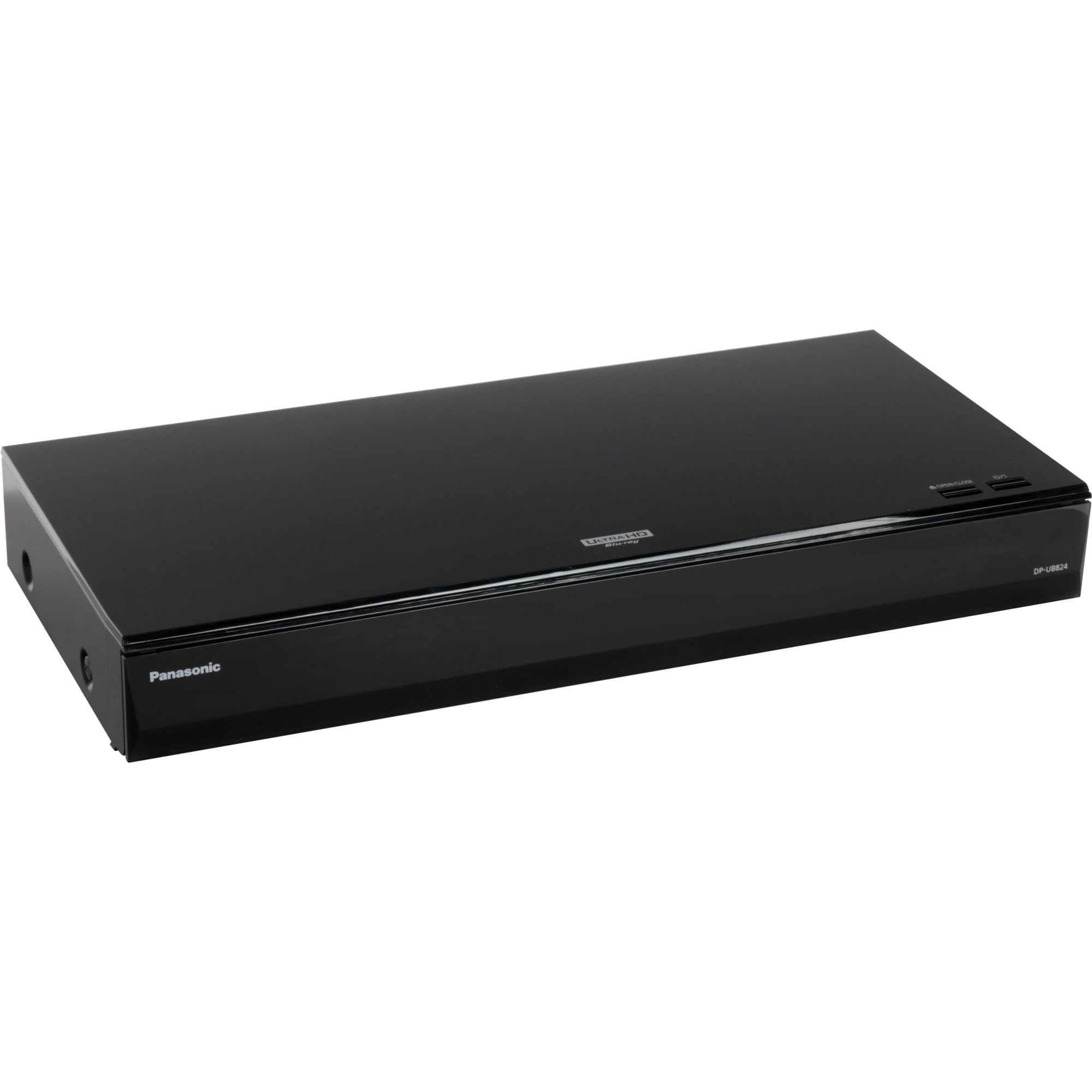
The DP-UB824EGK occupies the sweet spot in Panasonic’s lineup, offering the same HCX processor and HDR Optimizer found in the flagship UB9000 but without the premium analog outputs. The HDR Optimizer applies frame-by-frame tone mapping to HDR10 content, which is particularly effective for projectors and older TVs that lack advanced tone mapping capabilities. Users upgrading from the budget UB404 report noticeably deeper blacks and better highlight detail in HDR scenes.
This model supports Dolby Vision and HDR10+ natively, and owners confirm that the automatic HDR format switching works correctly without manual intervention — a significant advantage over Sony’s X700 series, which requires you to toggle Dolby Vision in the settings menu. The build quality is robust, with a brushed metal front panel and a quiet disc mechanism that barely registers during playback.
The rear panel includes dual HDMI outputs, Wi-Fi, and a USB 3.0 port, but the media playback software is limited compared to dedicated media players like the zidoo. Some users reported issues playing certain audio codecs from USB-attached hard drives. For pure disc playback, this unit delivers 95% of the UB9000’s video performance at a substantially lower price point.
Why it’s great
- HCX processor with HDR Optimizer for accurate tone mapping
- Automatic Dolby Vision and HDR10+ switching
- Excellent 4K upscaling from standard Blu‑ray
- Silent, premium disc mechanism
Good to know
- Limited USB media codec support
- Netflix/Prime apps are slower than TV’s native apps
- No balanced analog outputs like the UB9000
4. Sony UBP-X700U 4K Ultra HD Blu-ray DVD Player
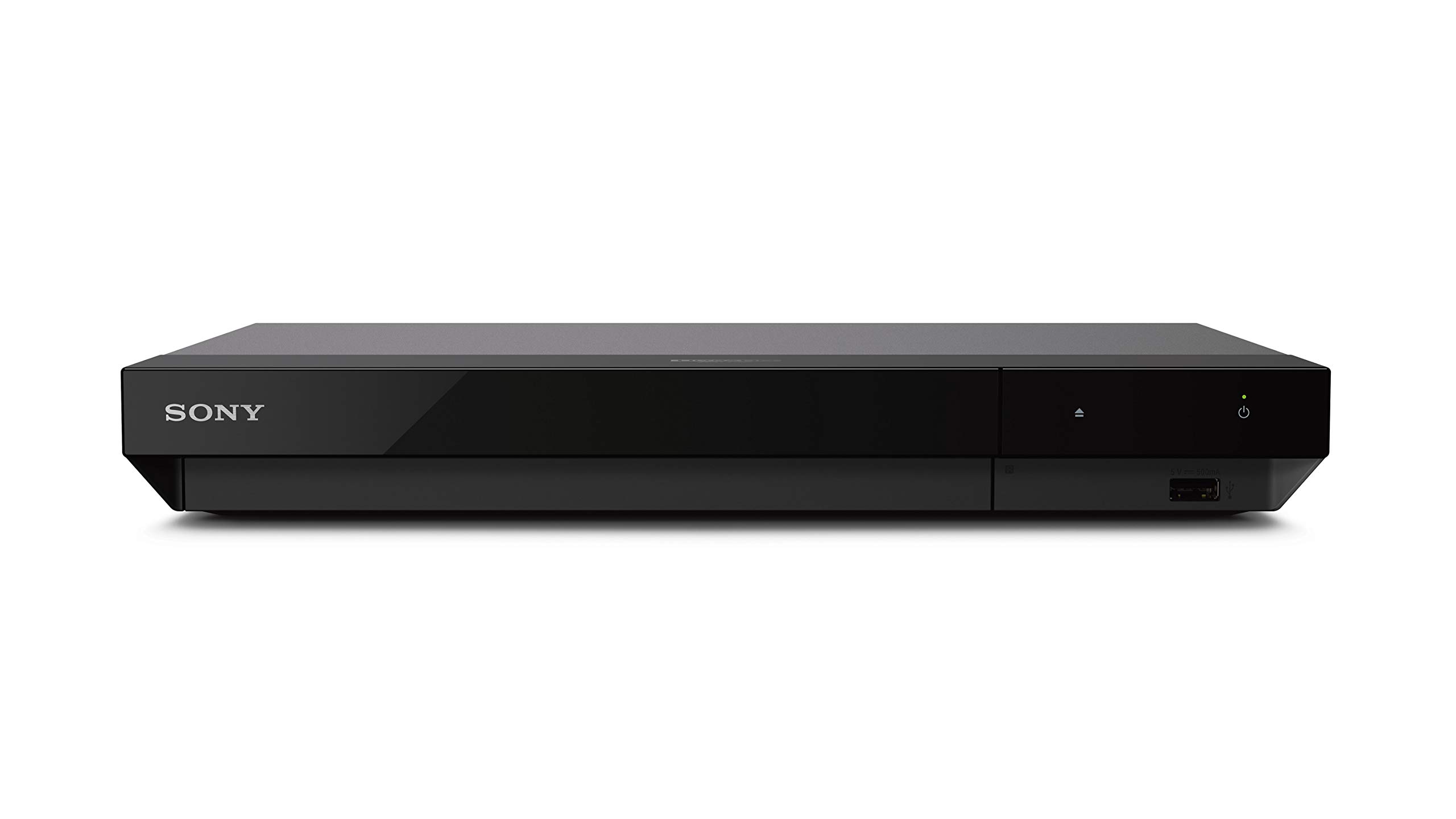
The Sony UBP-X700U is the most popular entry-level Dolby Vision player on the market, and for good reason: it delivers the core video essentials — 4K upscaling, HDR10, Dolby Vision, and lossless audio — at a price that undercuts Panasonic’s UB420 by a significant margin. The dual HDMI outputs allow users with older AV receivers to route audio to the receiver while sending video directly to the TV, eliminating compatibility headaches.
This model also plays SACD natively, which is a rare feature at this price tier. Owners of hybrid SACDs appreciate the ability to access the high-resolution stereo layer. The remote is programmable with TV volume and power controls, and the compact footprint (12.6 x 8.5 x 1.8 inches) fits neatly into most entertainment centers. The included HDMI cable reduces setup friction for first-time buyers.
The major downside is the manual Dolby Vision toggle: you must navigate into the settings menu to turn Dolby Vision on or off depending on the disc you are playing. Leave it on for a standard HDR10 disc, and the player will force Dolby Vision metadata that can cause poor tone mapping. The X700U also lacks built-in streaming apps and Wi-Fi, so it relies entirely on external sources for internet content.
Why it’s great
- Dual HDMI outputs for A/V separation
- Native SACD playback at an entry‑level price
- Compact size with included HDMI cable
- Reliable playback of 100GB triple‑layer discs
Good to know
- Manual Dolby Vision toggle per disc required
- No streaming apps or Wi‑Fi built in
- Glossy front panel scratches easily
5. Krovatar KBU-300 4K UHD Blu-ray Player
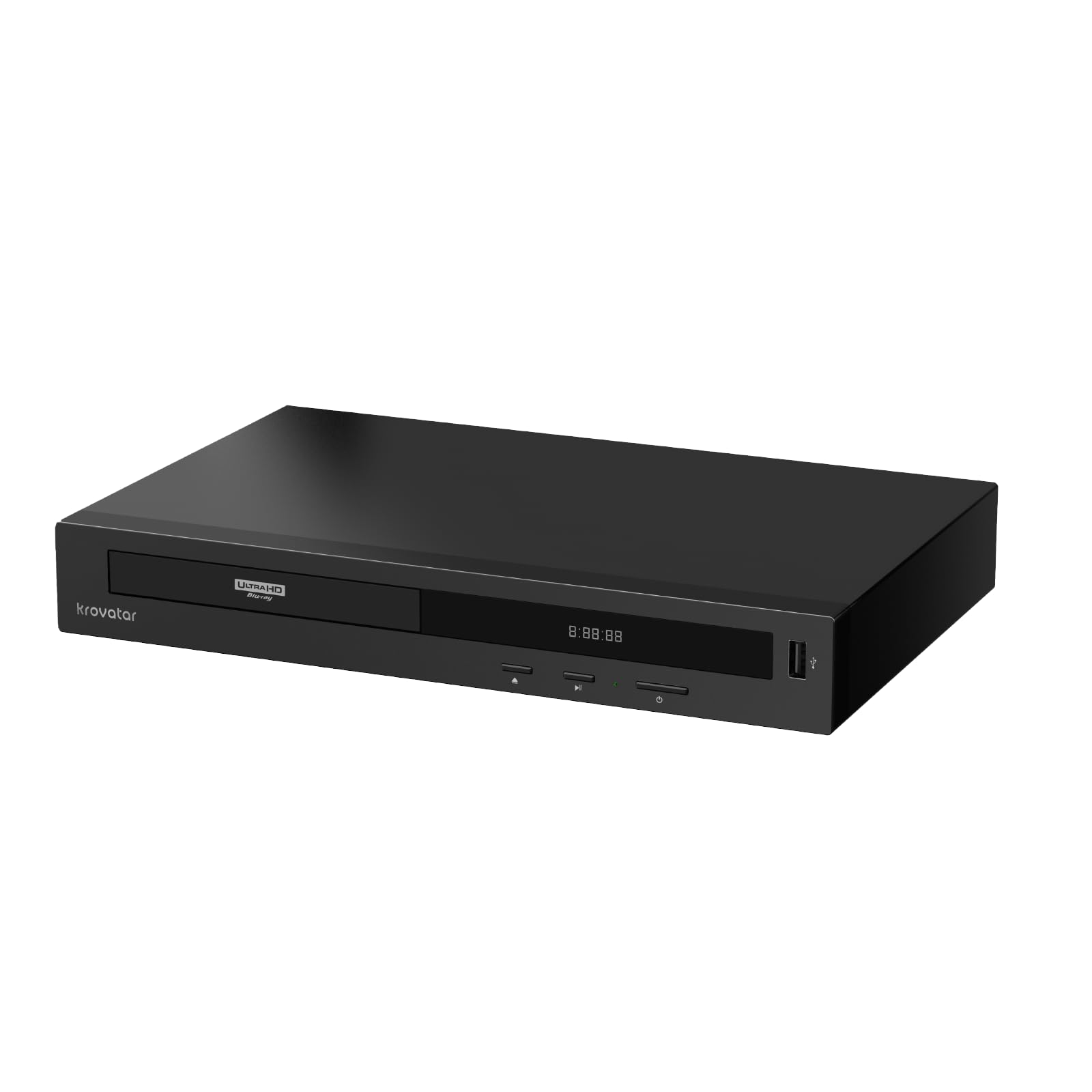
The Krovatar KBU-300 enters a crowded mid-range market with an all-metal aluminum alloy chassis that immediately sets it apart from the plastic builds of Sony and budget Panasonic models. The MT8581 chipset inside supports Dolby Vision, HDR10+, Dolby Atmos, and DTS:X, and the dual HDMI outputs function independently for video and audio. The included Bluetooth remote pairs with the player and also offers basic TV control.
Users who tested the unit on a variety of discs — from standard DVDs to 100GB UHD Blu-rays — report fast loading times and quiet operation. The automatic 4K/1080p switching works as intended, and the package includes an HDMI cable and power adapter so you can set it up immediately. SACD playback is supported, though it is limited to 2-channel output over HDMI, which is fine for stereo setups.
The firmware updates require a USB flash drive as there is no OTA update mechanism, and the player lacks any streaming apps entirely. A minority of units have exhibited random freezes during playback that require a power cycle to resolve. The support team appears responsive based on owner reports, which is reassuring for a relatively new brand in this space.
Why it’s great
- Premium all‑metal aluminum alloy build
- Dual HDMI with Dolby Vision and HDR10+ support
- Bluetooth remote and included HDMI cable
- Fast disc loading with quiet operation
Good to know
- No OTA firmware updates (USB only)
- No built‑in streaming apps
- Some units may experience intermittent freezing
6. zidoo Z9X 8K HDR Media Player
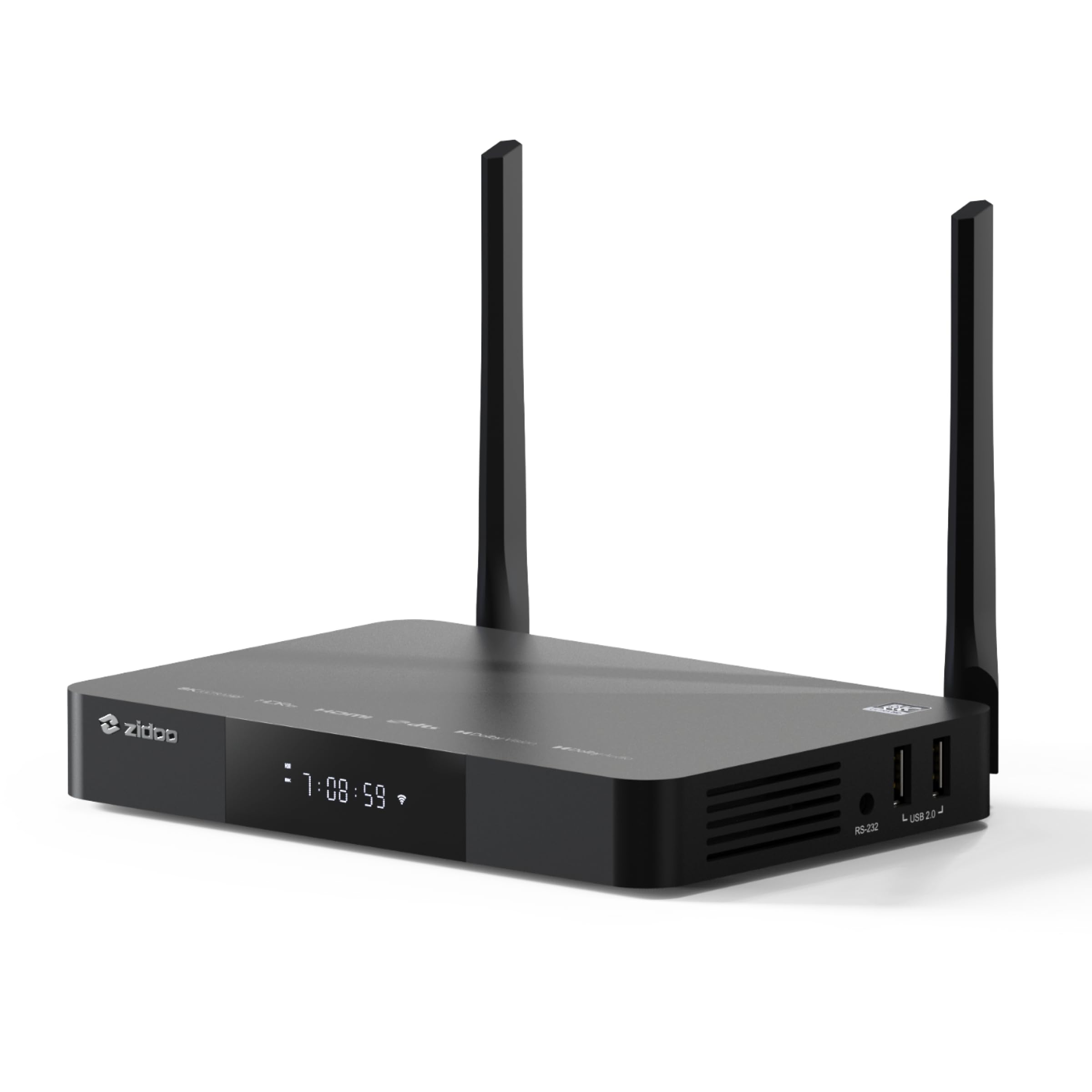
The zidoo Z9X 8K is not a traditional disc player — it is an Android 11-based media player designed primarily for local file playback from NAS, USB drives, or internal SATA storage. The Amlogic S928X-K processor (Cortex-A76 + A55 quad-core) with 6GB DDR4 RAM and 64GB storage runs the proprietary ZIUI interface, which catalogs your movie library with poster art and metadata much like Plex.
The VS10 image engine is the key differentiator: it processes Dolby Vision with low-latency metadata output and supports HDR10+, HLG, and standard HDR10. This makes it ideal for owners of large ripped-disc collections in BDMV/ISO or MKV format, as the player handles full menu support and lossless audio pass-through including Dolby TrueHD and DTS-HD MA. Networking is handled by Wi-Fi 6 and gigabit Ethernet, and the three USB 3.0 ports can handle drives up to 24TB.
Disc playback is not a native function — the Z9X is a file player, not a disc spinner. If your primary use case is physical discs, this is not the correct device. Some users report freezing with high-bitrate 4K remuxes over Wi-Fi, which is resolved by switching to a wired Ethernet connection. The zidoo controller app works well for iOS and Android tablet navigation in landscape mode.
Why it’s great
- Handles full Dolby Vision & HDR10+ from ripped media files
- 6GB RAM + WiFi 6 for smooth high‑bitrate playback
- BDMV/ISO full menu support with lossless audio pass‑through
- Expandable via SATA and USB 3.0 (up to 24TB drives)
Good to know
- No physical disc drive — media file playback only
- Wi‑Fi 6 streaming can stutter on heavy 4K remuxes
- Digital audio output (optical) has limitations
7. Panasonic DP-UB154P-K 4K Blu Ray Player

The Panasonic DP-UB154P-K is the most affordable entry point into 4K Blu-ray playback that still supports the full range of HDR formats: HDR10, HDR10+, and Hybrid Log-Gamma (HLG). This makes it a solid choice for owners of Panasonic TVs or any display that supports HDR10+, as the player can output the format without manual toggling. The 4K high-precision chroma processing applies Panasonic’s color science to upscale standard Blu-rays with respectable sharpness.
The unit is compact at 12.6 x 7.6 x 1.8 inches and weighs only 2.64 pounds, so it is easy to relocate between rooms or mount in a tight cabinet. Hi-Res audio playback is supported via USB, including WAV and FLAC files at sample rates up to 192kHz/24-bit, which is a nice bonus for a player at this price tier. The setup is genuinely plug-and-play — connect HDMI, power, and it works immediately with virtually any TV.
The build quality feels light, and the disc drive is noticeably louder than mid-range and premium models when reading discs. A significant number of owner reports indicate units failing after three to six months, often refusing to read any discs. This suggests a higher-than-comfortable failure rate. The lack of an included HDMI cable and the dependency on the remote (no front-panel disc controls beyond power/eject) are minor but notable omissions.
Why it’s great
- Supports HDR10+ and HLG at the lowest price point
- Hi‑Res audio playback via USB (WAV/FLAC)
- Compact, lightweight, and easy to set up
- Panasonic 4K chroma processing for upscaled content
Good to know
- No Dolby Vision support
- Higher‑than‑average reported failure rate after a few months
- No HDMI cable included in the box
8. Sony Multi Zone Region Free Blu Ray Player (BDP-S6700)

This modified Sony BDP-S6700 is the standard recommendation for collectors who need to play Blu-rays from all three zones (A, B, C) and DVDs from any region (0-8). The seller (typically 220-Electronics) modifies the firmware to bypass region locks, and users report that PAL and NTSC discs play correctly on standard US TVs via HDMI. The colored buttons on the remote control the region selection — a simple system that works as long as you change the region code when the player is off.
The S6700 base unit is a proven, reliable platform with built-in Wi-Fi and support for over 300 streaming services through the Sony Smart TV interface. The 4K upscaling is present but not industry-leading; this is a 1080p player that can output a 4K signal, not a native 4K disc spinner. The real value is in the region-free capability, which opens up UK, European, and Japanese disc releases that are often locked otherwise.
The supplied power adapter is rated for 110V only, despite online listings sometimes suggesting 110-240V compatibility. Users outside the US need to verify voltage. The remote is the same universal Sony remote that can control TV power and volume. Customer support from the modifying seller is generally responsive, though the Sony factory warranty is voided by the modification.
Why it’s great
- Plays Blu‑ray zones A/B/C and DVD regions 0‑8
- PAL and NTSC conversion for global disc compatibility
- Built‑in Wi‑Fi and streaming app support
- Reliable Sony hardware platform with modification
Good to know
- Not a native 4K disc player (upscales from 1080p)
- Power adapter is 110V only, not universal voltage
- Modification voids Sony factory warranty
9. Dynastar UBPX700M Region Free 4K UHD Blu-ray Player
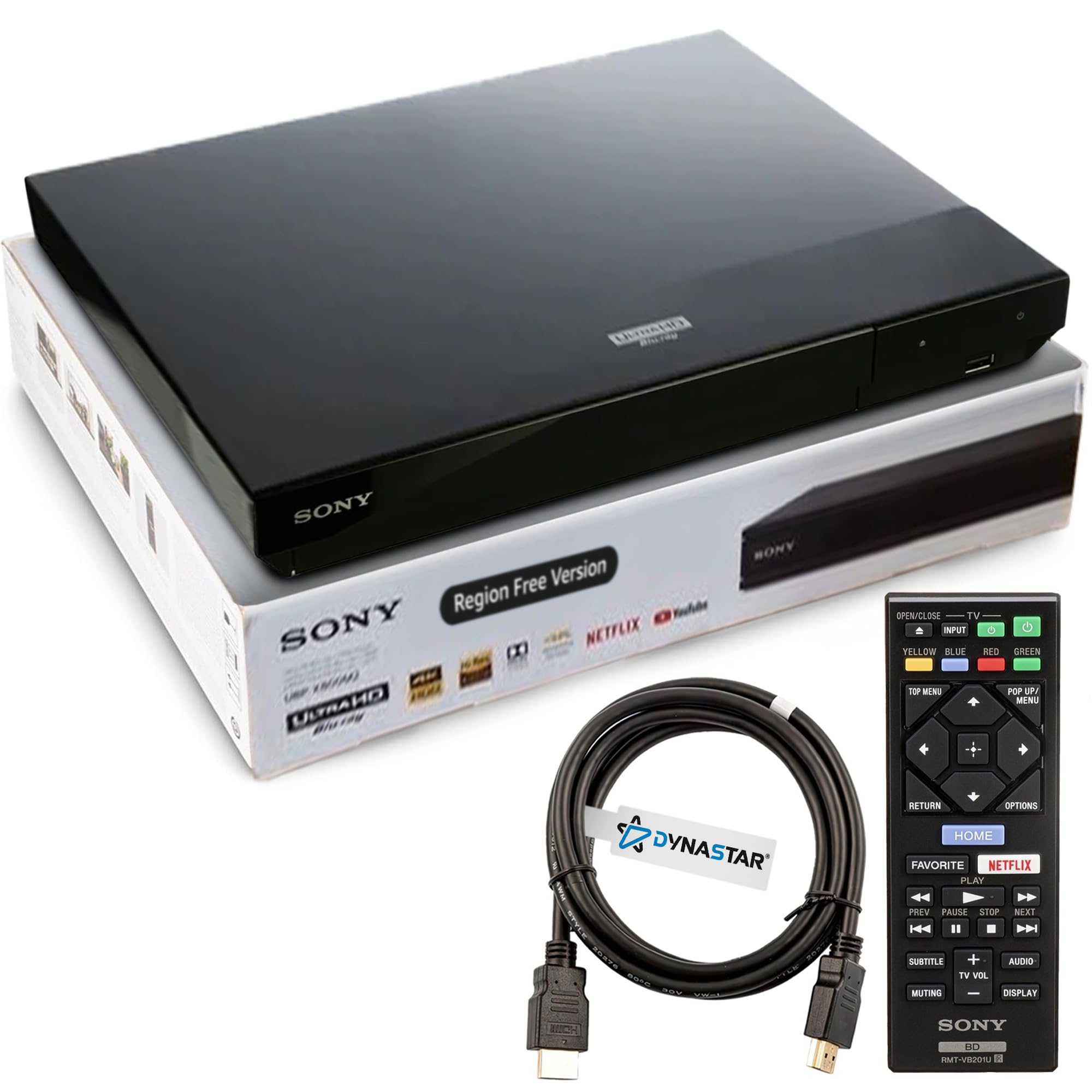
The Dynastar UBPX700M is a modified Sony UBP-X700 (the same base unit as the X700U) that has been unlocked for region-free playback of all 4K UHD discs, Blu-ray zones A/B/C, and DVD regions 0 to 8. Since 4K UHD discs are technically region-free by design, the main value here is for standard Blu-ray and DVD imports. The modification appears to be the same process used by 220-Electronics, and owner reports confirm reliable playback of UK and European discs on US TVs.
The player includes built-in Wi-Fi (absent from the standard X700U) and comes with a 6-foot Dynastar HDMI cable. The Sony base platform supports Dolby Vision (manual toggle required), HDR10, 4K upscaling, and dual HDMI outputs for audio/video separation. The UI and remote are standard Sony, which means a clean, if dated, interface with programmable TV controls.
The premium price (roughly double the standard X700) is the main barrier. Owners who tested the unit note that the DVD playback experience is suboptimal for standard DVDs: the player forces 16:9 “full” mode on 4:3 content without the option to switch to “normal” mode. This is a limitation of HDMI-only component video output. The manual region switching process is straightforward but requires the player to be off when changing zones.
Why it’s great
- Native 4K playback with region‑free Blu‑ray and DVD
- Built‑in Wi‑Fi and dual HDMI outputs
- Includes 6‑foot HDMI cable in the box
- Reliable Sony hardware base with modification
Good to know
- Premium price compared to standard X700
- Forces 16:9 mode on 4:3 DVD content
- Manual Dolby Vision toggle required per disc
FAQ
Can a 4K Blu-ray player play standard DVDs?
Does Dolby Vision work automatically on all players?
What is the difference between the Panasonic UB824 and UB9000?
How does a region-free modification work?
Is the OPPO UDP-203 still worth buying in the used market?
Final Thoughts: The Verdict
For most users, the blu ray 4k player winner is the Panasonic DP-UB824EGK because it delivers the HCX processor and HDR Optimizer with automatic Dolby Vision switching at a price far below the flagship UB9000, making it the best balance of image quality and value for serious home theaters. If you want the absolute best audio performance with balanced XLR outputs and a premium analog stage, grab the Panasonic DP-UB9000P-K. And for region-free playback of imports without sacrificing 4K resolution, nothing beats the Dynastar UBPX700M.