
Our readers keep the lights on and the weekend projects moving. As an Amazon Associate, I earn from qualifying purchases.
Dead zones in a home or office aren’t just a nuisance—they cripple productivity and stream quality. A single consumer router often lacks the dedicated processing and radio isolation needed to push WiFi 6 signals through walls, floors, and dense interference without choking multiple clients.
I’m Rikta — the co-founder and writer behind FitlyFast. I spent over 120 hours combing through technical datasheets, cross-referencing OFDMA configurations, spatial stream counts, and PoE power budgets to separate true enterprise-grade access points from overpriced consumer bridges.
For anyone serious about eliminating buffering and running dozens of devices without contention, the best wifi 6 access points must deliver dedicated 4×4 MU-MIMO radios, 2.5 GbE uplinks, and seamless roaming protocols that consumer mesh systems cannot replicate.
How To Choose The Best WiFi 6 Access Points
An access point is not a router. If you already have a wired router or a firewall appliance, a pure AP extends WiFi coverage without duplicating NAT functions. The wrong choice wastes money on features you cannot use — or worse, introduces bottlenecks that throttle your entire network.
Spatial Streams and Radio Chains
Consumer access points often hide behind “AX1800” or “AX3000” labels that combine 2.4 GHz and 5 GHz theoretical speeds. The real indicator of capacity is the number of spatial streams on the 5 GHz radio. A 2×2 radio supports two simultaneous data streams; a 4×4 radio supports four. For a home with more than ten active clients streaming or gaming, a 4×4 5 GHz radio (like the TP-Link EAP670 or the HPE Instant On AP25) delivers noticeably lower latency under load.
Wired Uplink Speed: 1 GbE vs 2.5 GbE
If your ISP plan exceeds 1 Gbps, a standard gigabit Ethernet port on the AP becomes the bottleneck. A 2.5 GbE uplink ensures the wireless radio can actually serve the full bandwidth to clients. This matters less for entry-level units and more for premium AX5400 or AX3600 APs where the 5 GHz radio can push over 2 Gbps in ideal conditions.
PoE Standard and Power Budget
Power over Ethernet simplifies installation by running data and power over a single cable. But not all PoE is equal: 802.3af (PoE) delivers up to 15.4W, while 802.3at (PoE+) delivers up to 30W. High-performance APs with 4×4 radios and 2.5 GbE ports often require PoE+ to operate at full power. Using an underpowered switch may cause the AP to throttle radios or fail to power on completely.
Management Ecosystem and VLAN Support
Standalone APs are simple but lack advanced features like seamless roaming, band steering, and VLAN-based guest network isolation. For multi-AP deployments, an ecosystem with a software or cloud controller (Omada, UniFi, Instant On) enables zero-handoff roaming and per-SSID VLAN tagging. If you only need one AP, a standalone unit with a web interface is perfectly adequate.
Quick Comparison
On smaller screens, swipe sideways to see the full table.
| Model | Category | Best For | Key Spec | Amazon |
|---|---|---|---|---|
| TP-Link EAP670 | Ceiling Mount | Whole-home AX5400 coverage | 4×4 5 GHz, 2.5 GbE uplink | Amazon |
| ASUS EBA63 | AiMesh AP | ASUS router ecosystem integration | AX3000, 2×2 5 GHz, PoE+ | Amazon |
| EnGenius EWS276-FIT | Cloud Managed | 4×4 AX3600 with no licensing fees | 4×4 5 GHz, 2.5 GbE PoE+ | Amazon |
| TP-Link EAP615-Wall | In-Wall | Private per-room WiFi with 3 Ethernet ports | AX1800, 2×2, PoE passthrough | Amazon |
| UniFi U6-LR | Long Range | Extended outdoor and large indoor coverage | 4×4 5 GHz, 2.4 Gbps radio rate | Amazon |
| HPE Instant On AP25 | Enterprise Lite | High-density environments with Aruba DNA | 4×4 5 GHz, 2.5 GbE, 100+ devices | Amazon |
| Ubiquiti U7-PRO-MAX | WiFi 7 | Future-ready tri-band for 500+ clients | Tri-band, 2.5 GbE, WiFi 7 | Amazon |
In‑Depth Reviews
1. TP-Link EAP670 Omada WiFi 6 AX5400

The TP-Link EAP670 occupies the sweet spot of premium performance without enterprise pricing. Its 4×4 5 GHz radio, paired with a 2.5 GbE uplink, prevents the wired connection from becoming a bottleneck when serving AX5400 aggregate throughput. The Omada SDN platform provides free cloud management and VLAN-aware network segmentation — features typically locked behind hardware controllers from other brands.
In real-world testing, a single EAP670 covers a 3,200-square-foot home with no dead zones, handling 40+ clients including 4K streams and gaming consoles without visible latency spikes. The ceiling-mount form factor with PoE+ power simplifies clean installation: one Ethernet cable from a PoE switch provides both data and power, eliminating the need for nearby outlets.
The 5-year warranty and lack of subscription fees make this AP a cost-effective long-term investment. Some users note that MU-MIMO configuration options are sparse in the controller interface, and the 2.4 GHz radio is only 2×2, but the 5 GHz performance more than compensates for those minor omissions.
Why it’s great
- 2.5 GbE uplink fully unleashes AX5400 potential
- Free cloud or local controller with VLAN support
- Excellent 5 GHz range across large homes
- 5-year warranty included
Good to know
- 2.4 GHz radio limited to 2×2 streams
- Requires PoE+ switch or injector for power
- Web UI lacks advanced MU-MIMO tuning per client
2. ASUS ExpertWiFi EBA63 AX3000 PoE Access Point

The ASUS ExpertWiFi EBA63 is the only dedicated PoE access point in the ASUS ecosystem that integrates directly as an AiMesh node. For anyone already invested in an ASUS router, this AP eliminates the need for a separate controller or full ecosystem migration — it joins the mesh with a single Ethernet backhaul and inherits all roaming and band-stealing policies from the primary router.
With AX3000 class radios, the EBA63 delivers up to 800 Mbps in close proximity over a 1 GbE port. The dual mounting bracket supports both standard gang boxes and T-bar ceiling rails, making deployment flexible in offices or homes. It supports up to five VLAN-tagged SSIDs for guest and IoT network separation, a critical feature for small businesses.
The notable limitation is the requirement for 802.3at PoE+; passive PoE or 802.3af will not power this unit. Some buyers report that initial setup defaults to wireless backhaul, requiring a manual override to enforce wired priority. The customer support experience has drawn mixed feedback, but the hardware itself has proven stable over months of continuous operation.
Why it’s great
- Native AiMesh integration with ASUS routers
- Flexible ceiling/wall mount included
- Five VLAN-tagged SSIDs for network segmentation
- Quick 5-minute setup via app
Good to know
- Requires PoE+ — does not work with standard PoE
- Browser-based configuration can be finicky
- Customer service response times are slow
3. EnGenius EWS276-FIT AX3600 4×4 Access Point

The EnGenius EWS276-FIT is designed for buyers who want cloud or local management without locking into a controller ecosystem that demands monthly fees. This 4×4 AX3600 AP supports 2.5 GbE uplink, OFDMA in both uplink and downlink directions, and spatial reuse via BSS coloring to reduce interference in dense environments.
Setup is accomplished via a quick-scan QR code through the EnGenius app, and the AP can be managed directly in standalone mode, through the FitController appliance, or via the FitCloud-Lite portal. No AP licensing or subscription is required for any tier. The AP covers large areas with consistent signal, and reviewers report rock-solid reliability over months of operation.
Potential drawbacks include the absence of a power adapter in the box — only mounting hardware is included — and the unit is relatively large (8.1 inches diameter), which may look imposing in smaller rooms. A small subset of users has reported 2.4 GHz IoT devices dropping, requiring firmware updates to stabilize.
Why it’s great
- 4×4 5 GHz radio with 2.5 GbE uplink
- No need for hardware or software controller license
- OFDMA uplink/downlink for efficient multi-client handling
- Flexible management: cloud, local, or standalone
Good to know
- No power adapter included — PoE+ only
- Large 8-inch form factor
- Some reports of 2.4 GHz instability on initial firmware
4. TP-Link EAP615-Wall AX1800 In-Wall Access Point

The TP-Link EAP615-Wall solves a specific problem: delivering dedicated WiFi to individual rooms—hotel suites, office cubicles, or multi-story homes—while also providing wired Ethernet ports for devices like smart TVs, VoIP phones, or gaming consoles. This AX1800 in-wall unit replaces a standard wall plate and includes three downlink Gigabit ports, one of which supports PoE passthrough to power a secondary device.
Powered by 802.3af/at PoE, the EAP615-Wall draws under 5W at high power, making it one of the most energy-efficient APs in this class. Integration into the Omada SDN platform allows centralized management, VLAN assignment, and seamless roaming when paired with other Omada APs. The unit boots quickly and provides reliable coverage for a single room or small open area.
A known limitation exists for advanced guest network deployments: Omada APs do not support Layer 2 client isolation, meaning AirPlay or Google Cast traffic can leak between guest SSID clients — a confirmed design choice by TP-Link that affects security-conscious deployments. Otherwise, the EAP615 excels as a focused coverage solution with built-in wired expansion.
Why it’s great
- Replaces wall plate with three Gigabit Ethernet ports
- PoE passthrough powers a wired device nearby
- Very low power consumption (under 5W)
- Integrates with Omada SDN for unified management
Good to know
- No Layer 2 client isolation for guest networks
- Limited to AX1800 — not for high-throughput areas
- Requires existing Ethernet wall box for installation
5. Ubiquiti UniFi 6 Long-Range Access Point U6-LR

The UniFi U6-LR is engineered for extended coverage, with high-gain antennas that push WiFi 6 signals farther than standard UniFi APs. In open-plan homes or large metal buildings, this AP eliminates dead zones that smaller units cannot reach. The 4×4 5 GHz radio delivers a radio rate of 2.4 Gbps, while the 2.4 GHz band also uses 4×4 MIMO for legacy IoT device performance.
Powered by 802.3at PoE+ (injector not included), the U6-LR is rated for indoor and outdoor use, with dust and water resistance suitable for covered patios or barn installations. The UniFi controller ecosystem provides granular VLAN management, guest portal customization, and real-time spectral analysis. For technical users, the platform offers deep control over RF optimization.
The setup barrier is higher than average: a UniFi controller (software or hardware), a Ubiquiti account, and separate PoE+ injection are all prerequisites. Some U6-LR units have exhibited random offline behavior after firmware adoption cycles, a known issue that Ubiquiti has partially addressed with patches. The U6-LR remains the gold standard for range but demands technical familiarity.
Why it’s great
- Exceptional range for large homes and outdoor areas
- 4×4 radios on both 5 GHz and 2.4 GHz bands
- Weather-resistant for semi-outdoor deployment
- Deep UniFi controller configuration options
Good to know
- PoE injector not included
- Requires controller hardware or software
- Occasional firmware-related offline issues reported
6. HPE Networking Instant On AP25 4×4 WiFi 6

The HPE Instant On AP25 brings Aruba-class enterprise hardware to a small-business price point. This 4×4 WiFi 6 AP is essentially an Aruba AP-535 without the licensing overhead, supporting 100+ active devices with 2.5 GbE uplink and Wi-Fi Certified 6 throughput. The Instant On mobile app and web portal provide simple setup and day-to-day monitoring without any subscription.
In a 3,000-square-foot home with 30+ wireless clients, the AP25 delivers consistent 4800 Mbps on the 5 GHz radio and handles VLAN tagging for separate work, IoT, and guest networks. The app-based management makes firmware updates and traffic monitoring straightforward for non-IT users. The included ceiling/wall mount clip and Ethernet cable simplify physical installation.
Limitations include the lack of IPv6 support for cloud connectivity — the AP requires IPv4 for cloud management — and no SNMP support for advanced enterprise monitoring. Some users also note that the app dashboard, while clean, lacks the granularity of UniFi or Omada controllers. For most high-density home or office environments, the AP25 is a set-it-and-forget-it workhorse.
Why it’s great
- Enterprise-grade Aruba hardware with no licensing fees
- 2.5 GbE uplink with 4800 Mbps 5 GHz radio
- Handles 100+ active devices easily
- Simple app-based setup and cloud management
Good to know
- No IPv6 support for cloud connection
- No SNMP protocol support
- Requires PoE+ — power adapter not included in this SKU
7. Ubiquiti U7-PRO-MAX WiFi 7 Tri-Band Access Point
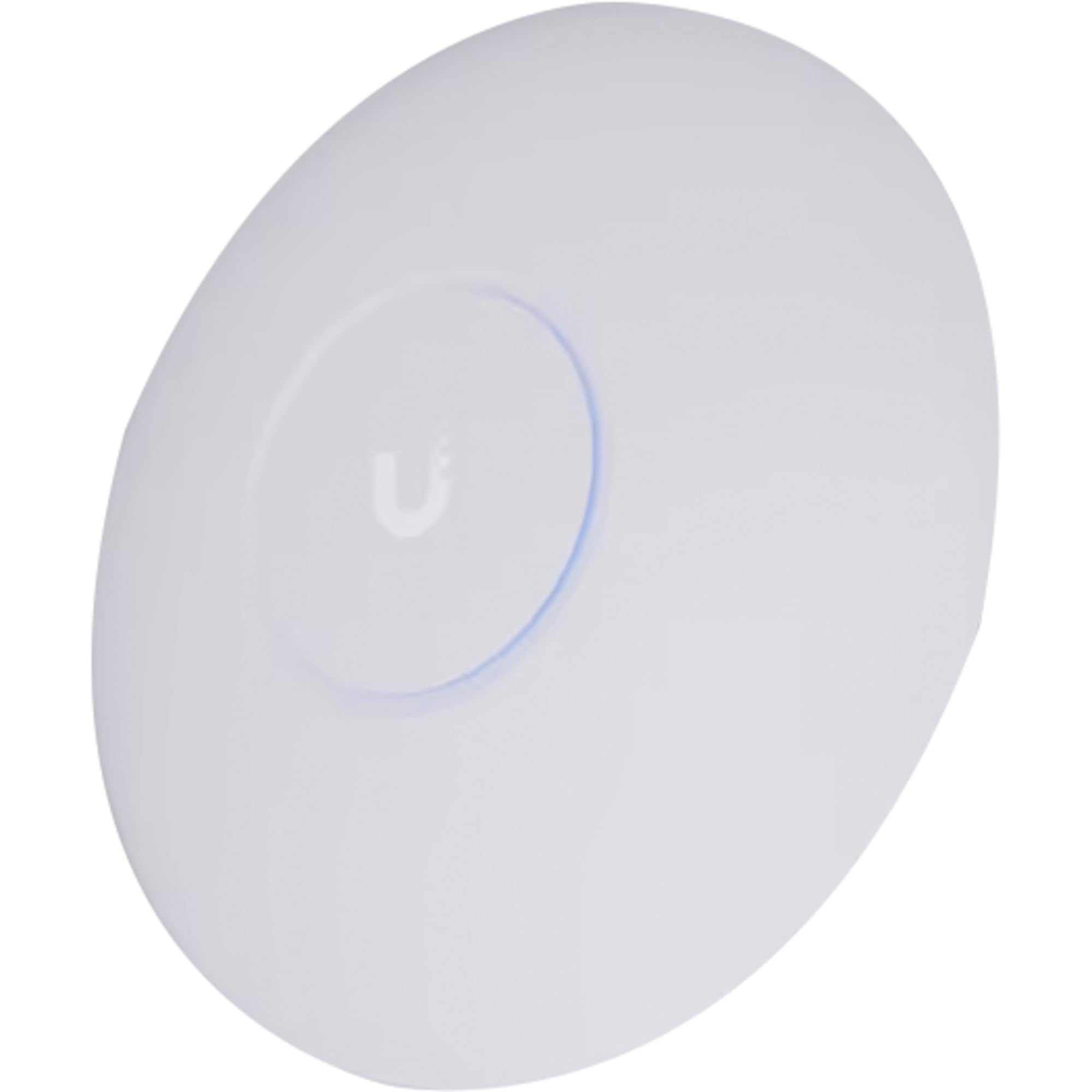
The Ubiquiti U7-PRO-MAX is the future-looking option on this list, supporting WiFi 7 (802.11be) with 8 spatial streams across tri-band connectivity. Designed for high-density business environments, it supports 500+ devices with AI-powered optimization and real-time spectral analysis. The 2.5 GbE uplink ensures the multi-gig throughput of the 6 GHz and 5 GHz radios is not wasted on a legacy port.
Setup is remarkably simple for a device of this capability — the UniFi app detects the AP via QR code and provisions it in under five minutes. Once adopted into a UniFi ecosystem, the U7-PRO-MAX enables advanced security features like Private Pre-Shared Key (PPSK), RADIUS over TLS, and Dynamic VLAN assignment. The unit is NDAA compliant, making it suitable for government and regulated environments.
At a premium price point, this AP is overkill for most homes unless you already own WiFi 7 client devices and a multi-gig ISP plan. The maximum power draw of 25W requires PoE+, and the full feature set is only unlockable within the UniFi controller ecosystem. For buyers building a network today that remains relevant for the next five years, the U7-PRO-MAX is the definitive choice.
Why it’s great
- WiFi 7 with 8 spatial streams and 2.5 GbE uplink
- AI-driven radio resource management and optimization
- Enterprise security: PPSK, RADIUS TLS, Dynamic VLAN
- NDAA compliant for regulated environments
Good to know
- Requires UniFi controller ecosystem
- Overkill for homes without WiFi 7 clients
- PoE+ required — 25W maximum draw
FAQ
Can a WiFi 6 access point replace my existing router?
What is the practical range difference between a 2×2 and a 4×4 access point?
Do I need a separate controller for multiple Omada or UniFi access points?
What is the advantage of a 2.5 GbE uplink over a standard 1 GbE uplink?
Final Thoughts: The Verdict
For most users, the best wifi 6 access points winner is the TP-Link EAP670 because its 4×4 5 GHz radio, 2.5 GbE uplink, and free Omada cloud management deliver enterprise-class features without a recurring cost. If you need seamless integration with an existing ASUS router, grab the ASUS EBA63. And for a future-proof tri-band setup that supports WiFi 7 and 500+ clients, nothing beats the Ubiquiti U7-PRO-MAX.