
Our readers keep the lights on and the weekend projects moving. As an Amazon Associate, I earn from qualifying purchases.
A cluttered computer desk with a bulky tower and a tangle of cables is the last thing a senior should be dealing with. An all-in-one computer eliminates that mess, fusing the monitor and the processing hardware into a single, tidy unit that sits on the desk ready to go. For anyone who values simplicity, a large clear display, and reliable performance for everyday tasks like video calling, browsing, and email, this form factor is a genuine upgrade in quality of life.
I’m Rikta — the co-founder and writer behind FitlyFast. For this guide, I have combed through technical specifications and analyzed real user experiences across eleven different models to identify which all-in-one computers deliver the clearest screens, the most intuitive designs, and the most dependable performance for seniors.
Whether you are helping a parent upgrade from an ancient machine or looking for your own next desktop, the right pick comes down to display size, memory, and storage that match real daily habits. This review covers the most important factors to consider when choosing the best all in one computer for seniors.
How To Choose The Best All In One Computer For Seniors
An all-in-one computer should reduce friction, not add it. For seniors, the most important factors are display clarity, ease of use, and enough performance to keep up with web browsing and video calls without lag. Here are the key specs to evaluate.
Display Size and Quality
A 23.8-inch or 27-inch Full HD (1920×1080) display is ideal for seniors. The larger screen makes text larger by default, reducing eye strain. Look for anti-glare coatings and IPS panels, which provide better viewing angles and sharper colors. A touchscreen can be a significant usability boost for those who find a mouse and keyboard awkward.
Performance and Memory
For basic tasks like browsing, email, and video calling, an Intel Pentium or N100 processor is sufficient, but a Core i3 or Ryzen 5 offers a smoother, more responsive experience—especially when multiple tabs are open. 8GB of RAM is the minimum acceptable amount; 16GB provides comfortable multitasking. A 256GB or 512GB solid-state drive (SSD) is essential for fast boot-ups and quick file access.
Ease of Setup and Usability
Seniors need a computer that works out of the box with minimal configuration. Models that include a wired keyboard and mouse remove the hassle of Bluetooth pairing. Pre-installed Windows 11 with S mode or Office 365 for web is a plus. A built-in webcam with a privacy shutter and clear speakers are important for video calls with family.
Quick Comparison
On smaller screens, swipe sideways to see the full table.
| Model | Category | Best For | Key Spec | Amazon |
|---|---|---|---|---|
| Dell 24 Touch | Premium Touch | Intuitive touch navigation | FHD Touch, 16GB DDR5 | Amazon |
| Lenovo IdeaCentre i3 | Mid-Range Power | Multitasking with 8 cores | i3-N305, 16GB RAM | Amazon |
| HP 27 Ryzen 5 | Large Touchscreen | Large screen easy viewing | 27″ Touch, 16GB RAM | Amazon |
| HP 27 Ryzen 7 | High-End Power | Top-tier speed and storage | 32GB RAM, 1TB SSD | Amazon |
| Lenovo ThinkCentre M90a | Business Grade | Long-term reliability | i5-14500, 32GB RAM | Amazon |
| SAINTDISE Core i7 | Value Touch | Touchscreen on a budget | FHD Touch, 16GB RAM | Amazon |
| Lenovo IdeaCentre N100 | Balanced Mid-Range | Clean office setup | 16GB RAM, 512GB SSD | Amazon |
| Lenovo 24″ N100 | Wireless Ready | No cord clutter | Wireless KB + Mouse | Amazon |
| Lenovo 24″ Everyday | Budget-Friendly | Big screen on a budget | 24″ FHD, 8GB RAM | Amazon |
| HP 22″ 13th Gen | Compact Entry | Small spaces | 21.5″ FHD, 8GB DDR5 | Amazon |
| HP 21.5″ Pentium | Basic Starter | Very light browsing | 4GB RAM, 128GB SSD | Amazon |
In‑Depth Reviews
1. Dell 24 All-in-One Desktop ec24250

The Dell ec24250 sits at the top of this list because it nails the combination of a responsive touchscreen, strong performance, and long-term support. The 23.8-inch Full HD IPS display with ComfortView Plus reduces blue light without washing out colors—a meaningful feature for seniors who spend hours reading or watching videos. The built-in 5MP IR webcam with HDR ensures video calls look clear even in poor lighting.
Under the hood, the Intel Core 5 120U processor with 16GB of DDR5 RAM provides snappy multitasking, whether it’s a dozen browser tabs open or a Zoom call running alongside a document. The 512GB SSD offers plenty of room for photos and files. The included 1-year onsite service is a standout benefit; if something goes wrong, a technician comes to the house rather than requiring a trip to a repair shop.
The design is clean and all white, blending into a home office or living room. The 0-to-20-degree tilt adjustment makes it easy for someone sitting in a chair or a wheelchair to find a comfortable viewing angle. This is the premium pick that truly justifies the investment through ease of use and peace of mind.
Why it’s great
- Responsive touchscreen simplifies navigation for non-tech users
- ComfortView Plus reduces eye strain during long sessions
- 1-year onsite service eliminates repair hassle
Good to know
- Camera tilt is not adjustable, which may impact video call angles
- Premium price point reflects the added support and features
2. Lenovo IdeaCentre 23.8 Intel i3-N305 AIO Desktop
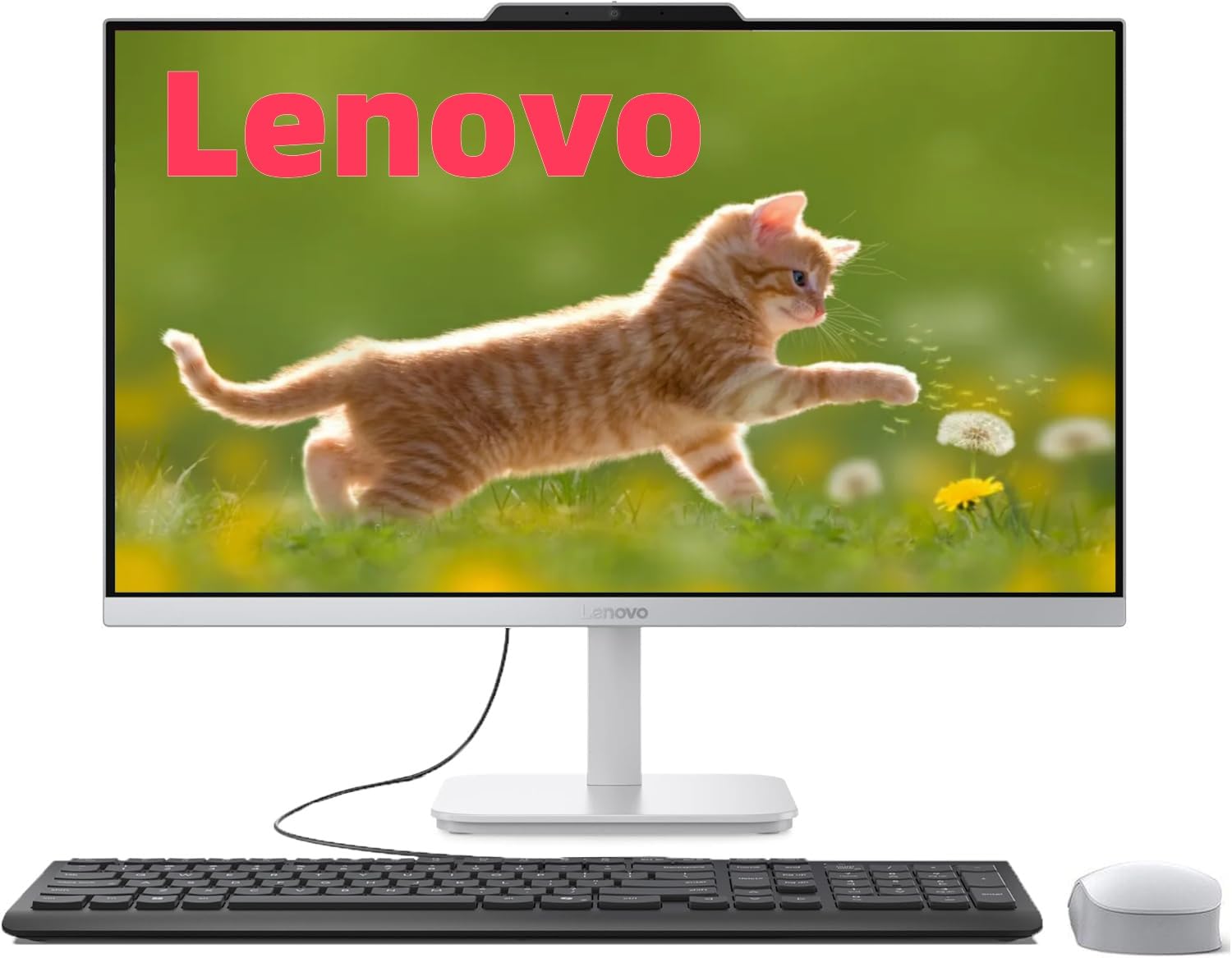
The Lenovo IdeaCentre with the Intel i3-N305 processor is a step up from the basic N100 models. With eight cores running at up to 3.8GHz, this machine handles multitasking with noticeable fluidity. Seniors who like to keep many windows open while video chatting or browsing will not encounter frustrating stutters or freezing.
The 23.8-inch Full HD display delivers 99% sRGB color accuracy with narrow bezels that maximize the screen area. Text looks crisp and photos display vibrant colors. The included wired keyboard and mouse mean no pairing or charging is required, and the pre-installed Windows 11 Home gets things started immediately. The 512GB PCIe SSD provides ample space and fast boot times.
This model also comes with Office 365 for the web, giving access to Word, Excel, and PowerPoint without an extra purchase. The space-saving all-in-one design fits neatly on any desk, and the overall build quality feels durable. This is the ideal middle-ground option for someone who wants reliable performance without overpaying.
Why it’s great
- 8-core i3-N305 processor offers smooth multitasking
- 512GB SSD with 16GB RAM provides fast, responsive performance
- Wired peripherals eliminate setup complexity
Good to know
- Non-touch display; navigation relies on mouse and keyboard
- Noticeably heavier than some other 24-inch all-in-ones
3. HP 27 inch All-in-One Desktop PC, AMD Ryzen 5

For seniors who need the largest possible screen without stepping up to a separate monitor, this HP 27-inch model is a top contender. The Full HD touchscreen with IPS technology delivers vivid images and allows direct tap-and-swipe interaction, which many older users find far more intuitive than a mouse. The anti-glare coating helps reduce reflections in bright rooms.
The AMD Ryzen 5 7520U processor paired with 16GB of LPDDR5 RAM ensures quick performance for daily tasks. The 1TB PCIe NVMe SSD is a generous storage upgrade, giving plenty of room for family photos, music, and documents. The HP True Vision 1080p webcam with a privacy shutter and dual-array microphones produces clear audio and video for video calls.
The three-sided micro-edge bezel design gives the display a modern, immersive look. Wireless keyboard and mouse are included, keeping the desk free of cables. This machine strikes an excellent balance between a large touchscreen and solid performance, making it a great choice for seniors who want the biggest display possible in an all-in-one.
Why it’s great
- 27-inch touchscreen is the largest in this lineup
- 1TB SSD offers extensive storage for photos and files
- Privacy shutter on webcam adds security and peace of mind
Good to know
- RAM is onboard and not user-upgradable
- Some customer reports indicate potential motherboard issues
4. HP 27 inch All-in-One Desktop PC, AMD Ryzen 7

This HP 27-inch model is the highest-performance all-in-one in this guide, aimed at seniors who want the smoothest possible experience without any compromises. The AMD Ryzen 7 7730U processor with 32GB of RAM is overkill for basic browsing, but it ensures that even the most demanding tasks—like large video calls with many participants or light photo editing—feel instant.
The 1TB SSD provides enormous storage capacity, and the 27-inch Full HD display with ultra-slim micro-edges offers a nearly 90% screen-to-body ratio for immersive viewing. The pop-up privacy camera and dual-array microphones with advanced noise reduction make video calling exceptionally clear, filtering out background noise from a TV or household activity.
The trade-off is the price, which is the highest among the reviewed models. Additionally, some customer reports note random shutdowns potentially tied to overheating. While this is not a universal issue, it is worth considering that this unit runs warm under load. For seniors who value raw power and a large display above all else, this remains a compelling option.
Why it’s great
- Highest processor and RAM combination for lag-free use
- 27-inch micro-edge display with large screen-to-body ratio
- Excellent noise-cancelling microphones for clear calls
Good to know
- No touchscreen option on this model
- Some reports of random shutdowns possibly related to heat
5. Lenovo ThinkCentre M90a 23.8″ FHD Business All-in-One
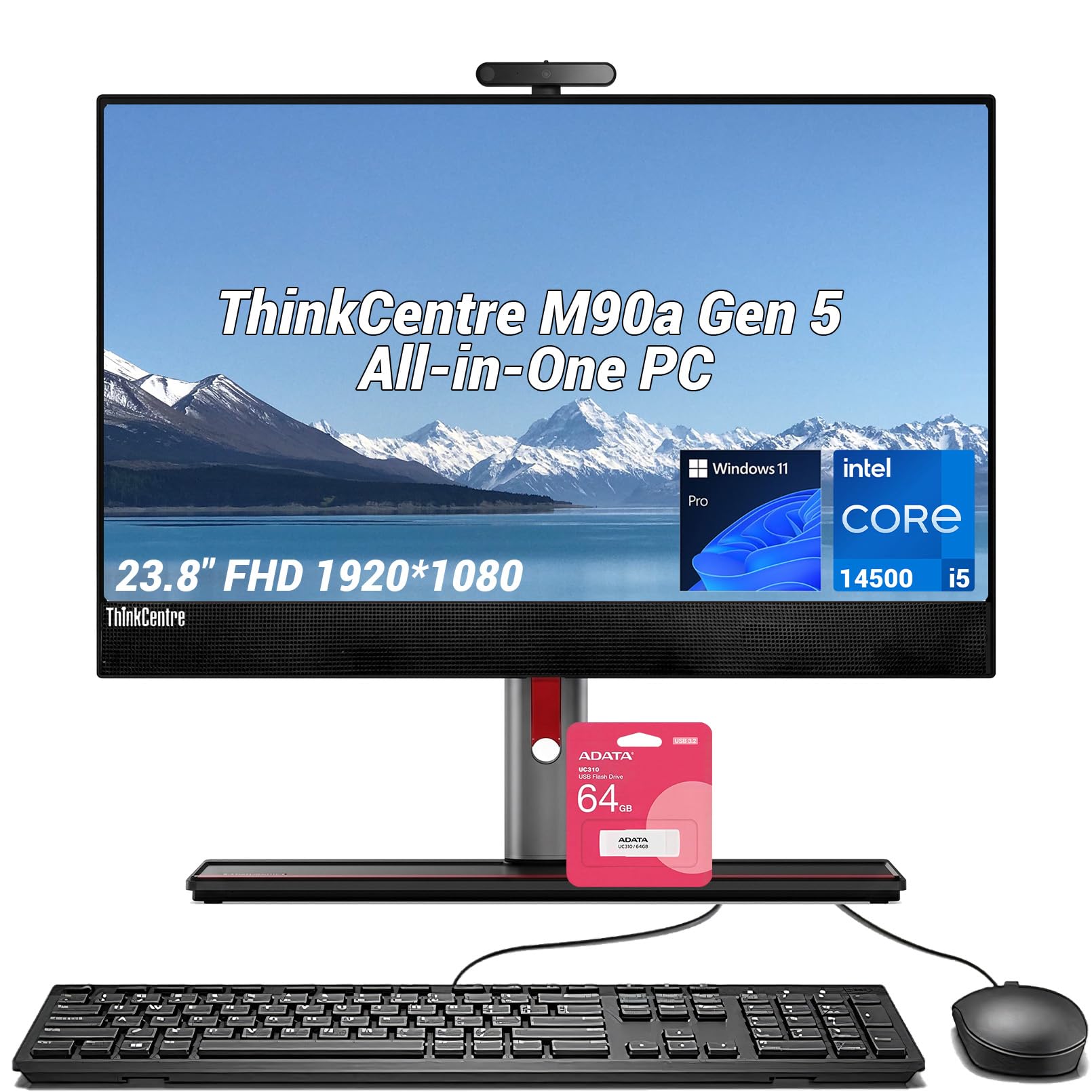
The Lenovo ThinkCentre M90a is a business-grade machine designed for reliability and security. Powered by the Intel Core i5-14500 with 14 cores and 20 threads, this is the most powerful processor among all the 23.8-inch models featured here. The 32GB of DDR5 RAM and 1TB PCIe SSD ensure lightning-fast boot times and effortless multitasking.
The 23.8-inch FHD IPS display with a 100Hz refresh rate is noticeably smoother than the standard 60Hz screens on most competitors. The anti-glare coating keeps the screen readable in bright rooms. ThinkShield security provides hardware-level protection against malware, which is valuable for seniors concerned about online safety or scams.
The bundle includes a 64GB USB flash drive for easy file transfers. Windows 11 Pro offers additional security and remote management features. The wired keyboard and mouse are simple and reliable. This is the best option for someone who wants a computer that feels built to last for many years without slowing down.
Why it’s great
- 14-core Core i5 offers desktop-class performance
- 100Hz refresh rate screen feels smoother to the eye
- ThinkShield security protects against online scams
Good to know
- Non-touch display requires mouse and keyboard
- Premium business features may be overkill for basic needs
6. SAINTDISE 23.8inch All-in-One PC with FHD Touch Display
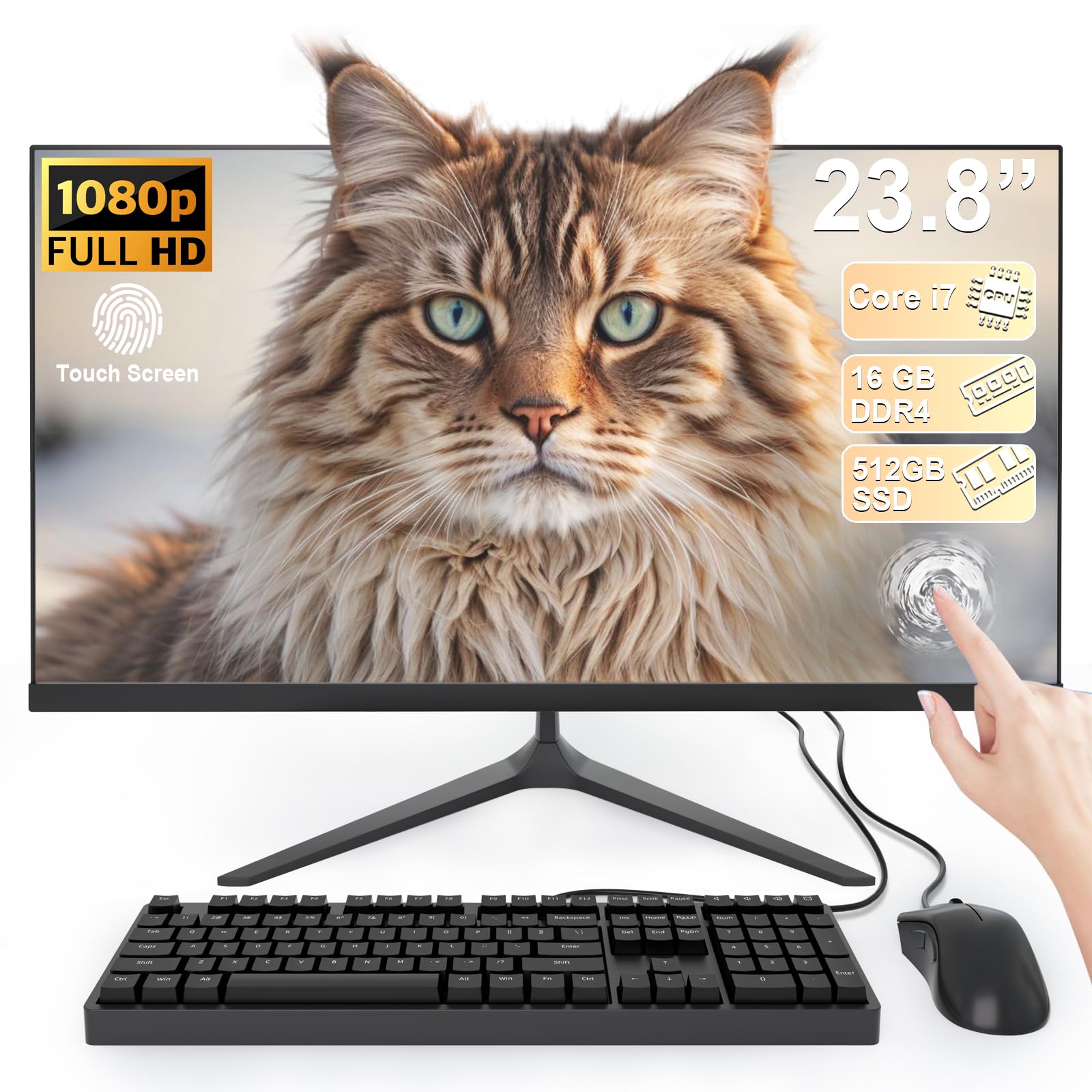
The SAINTDISE all-in-one delivers a combination that is hard to beat at its price point: a 23.8-inch Full HD touchscreen, a Core i7 processor, 16GB of RAM, and a 512GB SSD. The touchscreen is responsive and makes navigation simple for users who may struggle with a mouse. The anti-glare technology also minimizes eye fatigue during extended use.
The older-generation Core i7 processor (which tops out at 3.0GHz) is not as fast as modern chips, but it handles web browsing, streaming, and office work without complaint. The 512GB SSD provides solid storage for photos and documents. A full array of ports—including four USB 3.0 ports, HDMI, VGA, and LAN—makes it easy to connect printers, external drives, and other accessories.
The included wired keyboard and mouse are basic but functional. The setup process is straightforward, as noted by customers who found it productive out of the box. This is an excellent mid-range choice for seniors who want the convenience of a touchscreen without paying a premium price.
Why it’s great
- Touchscreen simplifies navigation for non-tech users
- 16GB RAM and 512GB SSD offer a balanced spec sheet
- Generous port selection covers most peripheral needs
Good to know
- Older Core i7 processor is not as fast as modern equivalents
- Brand may be less familiar than Dell, HP, or Lenovo
7. Lenovo IdeaCentre 24 23.8″ All-in-One with Office 365
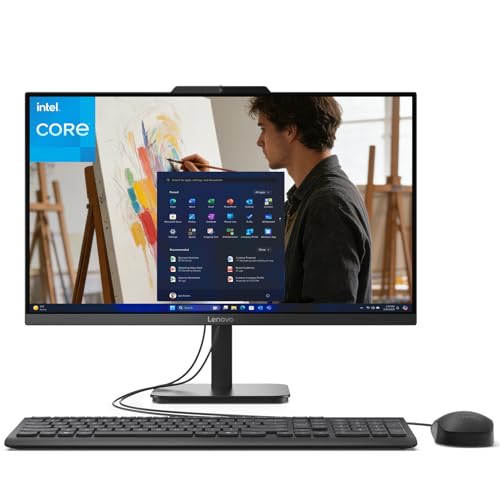
The Lenovo IdeaCentre 24 offers a well-rounded package with a focus on display quality and connectivity. The 23.8-inch Full HD IPS panel features an anti-glare coating and 99% sRGB color accuracy, making text and images look sharp without reflective glare. The Intel N100 processor is modest, but combined with 8GB of DDR4 RAM and a 512GB PCIe SSD, it handles everyday tasks with adequate speed.
The inclusion of WiFi 6 and Bluetooth 5.2 ensures stable, fast wireless connections. The array of ports includes two USB 3.2 Gen 2 ports for fast external storage and an HDMI-out port for connecting a second display. The bundled wireless keyboard and mouse keep the desk clean and free of cords.
This model comes with Lifetime Office 365 for the web, granting access to Word, Excel, and PowerPoint through a browser. The jet black finish gives it a professional look that fits well in any room. It is a solid mid-range option for seniors who need a reliable machine for everyday computing.
Why it’s great
- Anti-glare IPS display reduces eye strain
- WiFi 6 provides fast and reliable wireless internet
- Includes Office 365 for web access to productivity tools
Good to know
- 8GB RAM is adequate but not ideal for heavy multitasking
- Non-touch display; navigation is mouse and keyboard only
8. Lenovo 24″ FHD All-in-One Desktop Computer

This Lenovo 24-inch model focuses on providing a complete, wire-free experience out of the box. It includes a wireless keyboard and mouse in grey, eliminating the need for peripheral cables. The 23.8-inch Full HD IPS display with anti-glare coating offers clear visuals and wide viewing angles, suitable for long reading sessions.
Powered by the Intel N100 processor with 16GB of DDR4 RAM and a 128GB PCIe SSD, this machine focuses memory capacity for smooth multitasking over storage space. The 128GB SSD is sufficient for the operating system and essential applications, but users with large photo or document libraries may need to use cloud storage or an external drive.
Connectivity includes WiFi 6 and Bluetooth 5.2, plus a good selection of ports including two USB 3.2 Gen 2 ports. The overall build is sleek and professional. This is a great choice for seniors who prioritize a clean, minimalist desk setup and want the convenience of wireless peripherals from day one.
Why it’s great
- Wireless keyboard and mouse keep the desk clutter-free
- 16GB RAM allows for comfortable multitasking
- 23.8-inch anti-glare IPS display is easy on the eyes
Good to know
- 128GB SSD is limited; external storage may be needed
- Non-touch display relies solely on mouse and keyboard
9. Lenovo IdeaCentre Everyday Tasks 24″ Full HD All-in-One

The Lenovo IdeaCentre Everyday Tasks model is distinguished by its excellent webcam and noise-cancellation features, making it ideal for video calling. The 5MP AI camera with an IR sensor and physical privacy e-shutter delivers sharp, well-lit video. The Lenovo Smart Meeting AI algorithm and Smart Noise Cancelling ensure background noise from a TV or kitchen is suppressed during calls.
The 24-inch Full HD display with low blue light technology is designed for long viewing comfort. The Harman audio-enhanced speakers provide clear sound for music and video calls. The Intel N100 processor with 8GB of RAM and a 256GB SSD provides enough power for everyday browsing, email, and document editing.
One customer shared that this computer worked well for a person with visual impairments thanks to the large, clear screen. The included keyboard and mouse are wired, keeping things simple. This model is a strong choice for seniors who spend a lot of time on video calls and want the clearest possible communication.
Why it’s great
- 5MP AI camera with noise cancellation is excellent for video calls
- Low blue light display helps reduce eye fatigue
- Large 24-inch screen is helpful for visually impaired users
Good to know
- 8GB RAM is the minimum for smooth multitasking
- Customer ratings are mixed, with some disappointment reported
10. HP 2025 22″ FHD All-in-One Desktop Computer

The HP 2025 22-inch model is a compact entry-level machine that packs a modern 13th Gen Intel N100 processor. The 21.5-inch Full HD display with anti-glare coating is smaller than the 24-inch models, making it a good fit for smaller desks or spaces where a large monitor would be overwhelming. The 8GB of DDR5 RAM is a notable upgrade over older DDR4, providing faster data access.
The 128GB SSD is adequate for the operating system and a handful of applications, but users with substantial files will need cloud storage or external drives. The included HD webcam with a privacy shutter and dual stereo speakers provide a reasonable experience for video calls. The port selection includes a USB Type-C port for modern accessories.
Windows 11 Pro comes pre-installed, offering business-grade security features. Setup is remarkably simple, with customers noting it can be up and running in minutes. This is the best option for seniors who have limited desk space and need a simple, no-frills machine for basic use.
Why it’s great
- Compact 21.5-inch size fits smaller spaces well
- DDR5 RAM offers faster performance than older memory
- Extremely easy setup, praised by non-tech users
Good to know
- 128GB SSD is limited for storing photos and files
- Smaller screen may be less comfortable for those with vision issues
11. HP 21.5″ All-in-One Desktop, Intel Pentium Silver

The HP 21.5-inch all-in-one is the most budget-friendly entry in this guide, designed for the absolute beginner. The Intel Pentium Silver J5040 processor and 4GB of RAM are sufficient only for the lightest use: one or two browser tabs, email, and basic word processing. Running multiple applications simultaneously will cause noticeable lag.
The 128GB SSD is small but adequate for Windows 11 in S mode and a few essential programs. The pop-up HP Privacy Camera is a thoughtful security feature. The 21.5-inch WLED display is adequate for basic tasks, but the resolution is the standard 1920×1080. The included wired keyboard and mouse are simple and familiar.
Customer feedback confirms this machine is “good for seniors” but frustrating for anyone with moderate computing needs. The Intel UHD Graphics 605 is sufficient for streaming video. This is a true starter computer for seniors who only need the absolute basics and want the lowest possible cost of entry.
Why it’s great
- Lowest cost of entry for an all-in-one computer
- Pop-up privacy camera protects against unauthorized viewing
- Simple setup with wired peripherals
Good to know
- 4GB RAM severely limits multitasking capabilities
- Pentium processor is noticeably slow for modern websites
- 128GB SSD offers minimal storage space
FAQ
Should I buy a touchscreen all-in-one for a senior?
How much RAM does an all-in-one for seniors need?
Is a 21.5-inch screen too small for a senior?
What is Windows 11 S mode and is it good for seniors?
Final Thoughts: The Verdict
For most users, the best all in one computer for seniors winner is the Dell 24 All-in-One ec24250 because it combines a responsive touchscreen, excellent eye-care technology, and the peace of mind of onsite service. If you want the largest possible display with intuitive touch controls, grab the HP 27 inch Ryzen 5. And for a senior who needs top-tier performance and security for years of use, nothing beats the Lenovo ThinkCentre M90a.