
Our readers keep the lights on and the weekend projects moving. As an Amazon Associate, I earn from qualifying purchases.
Choosing the wrong audio interface for Logic Pro creates a workflow bottleneck: crackling monitors, high round-trip latency that kills your creative flow, and instrument input noise that forces you to re-record takes. The interface you pick either becomes the transparent backbone of your studio or the weak link that caps your mix quality.
I’m Rikta — the co-founder and writer behind FitlyFast. I’ve spent the last three months analyzing how each interface in this lineup handles Logic Pro’s driver overhead, its preamp gain staging for vocal takes, and the specific converter specs that determine whether your Logic session stays snappy or starts choking on plugin chains.
After digging through dozens of hours of spec sheets, user feedback, and direct driver compatibility notes, the right audio interface for logic pro comes down to how well its converters and preamps match the DAW’s internal routing and zero-latency monitoring needs.
How To Choose The Best Audio Interface For Logic Pro
The interface you pair with Logic Pro must handle Core Audio’s scheduling model without introducing buffer underruns. Not every interface with high sample rate specs delivers stable, low-latency performance inside a full Logic session. You need to weigh preamp gain, converter clarity, analog enhancement features, and physical I/O against how Logic’s mixer processes audio in real time.
Preamp Gain and Mic Compatibility
Logic Pro users recording vocals or spoken word often pair their interface with dynamic microphones like the Shure SM7b or Sennheiser MD 421. These mics require at least 60dB of clean gain to reach usable recording levels without noise floor intrusion. Interfaces with 56dB or less (like many budget units) force you to add a cloudlifter inline, which adds cost and one more cable in the chain. Models offering 62dB or more (SSL 2, Audient iD24) let you plug a low-output dynamic directly into the XLR input and get a clean signal into Logic’s channel strip.
Converter Dynamic Range and Mix Headroom
Logic Pro’s 32-bit float processing engine handles digital audio internally at high precision, but the incoming signal path is only as clean as the interface’s AD converter. A converter with 120dB dynamic range (Scarlett 4th Gen, Apollo Solo) captures transients and quiet room tones without pumping the noise floor upward. Interfaces with 96dB to 110dB range (AudioBox 96, SSL 2 MKII) still sound excellent for most productions, but you will hear the noise floor rise when you push Logic’s fader gain on quiet sections.
Analog Enhancement Circuits
Many modern interfaces include a single-button analog circuit that adds harmonic saturation or presence lift to the input signal before conversion. Focusrite’s Air mode boosts the high-frequency shelf around 4 kHz, which helps vocals cut through a dense Logic mix. Universal Audio’s Unison preamp modeling changes the impedance and gain structure to emulate specific console preamps. SSL’s Legacy 4K button adds a subtle upper-mid sheen inspired by the SSL 4000 series console. These features are not gimmicks — they reduce the amount of plugin EQ and saturation you need to add inside Logic, saving CPU cycles.
Quick Comparison
On smaller screens, swipe sideways to see the full table.
| Model | Category | Best For | Key Spec | Amazon |
|---|---|---|---|---|
| Focusrite Scarlett Solo 4th Gen | USB Interface | Guitarists & Solo Vocalists | 120dB dynamic range, Air mode | Amazon |
| UA Volt 2 | USB Interface | Vintage Tone Seekers | 24-bit / 192 kHz, Vintage mode | Amazon |
| PreSonus AudioBox 96 Studio | Studio Package | Complete Home Studio Beginners | 24-bit / 96 kHz, includes mic & headphones | Amazon |
| SSL 2 MKII | USB Interface | Podcasters & Voice Artists | 32-bit / 192 kHz converters, Legacy 4K | Amazon |
| SSL 2 (Original) | USB Interface | Critical Monitor Mixing | 62dB preamp gain, 130.5dB EIN | Amazon |
| MOTU M4 | USB-C Interface | Multi-Input Recording | 4×4 I/O, LCD metering, loopback | Amazon |
| Focusrite Scarlett 4i4 4th Gen | USB Interface | Synth & Drum Machine Producers | 4 line inputs, MIDI I/O, Auto Gain | Amazon |
| Audient iD24 | USB-C Interface | Outboard Gear Integration | 2 balanced inserts, 126dB dynamic range | Amazon |
| UA Apollo Solo Heritage | Thunderbolt Interface | Pro UAD Plugin Tracking | UAD SOLO Core, Unison preamps | Amazon |
In‑Depth Reviews
1. Focusrite Scarlett Solo 4th Gen
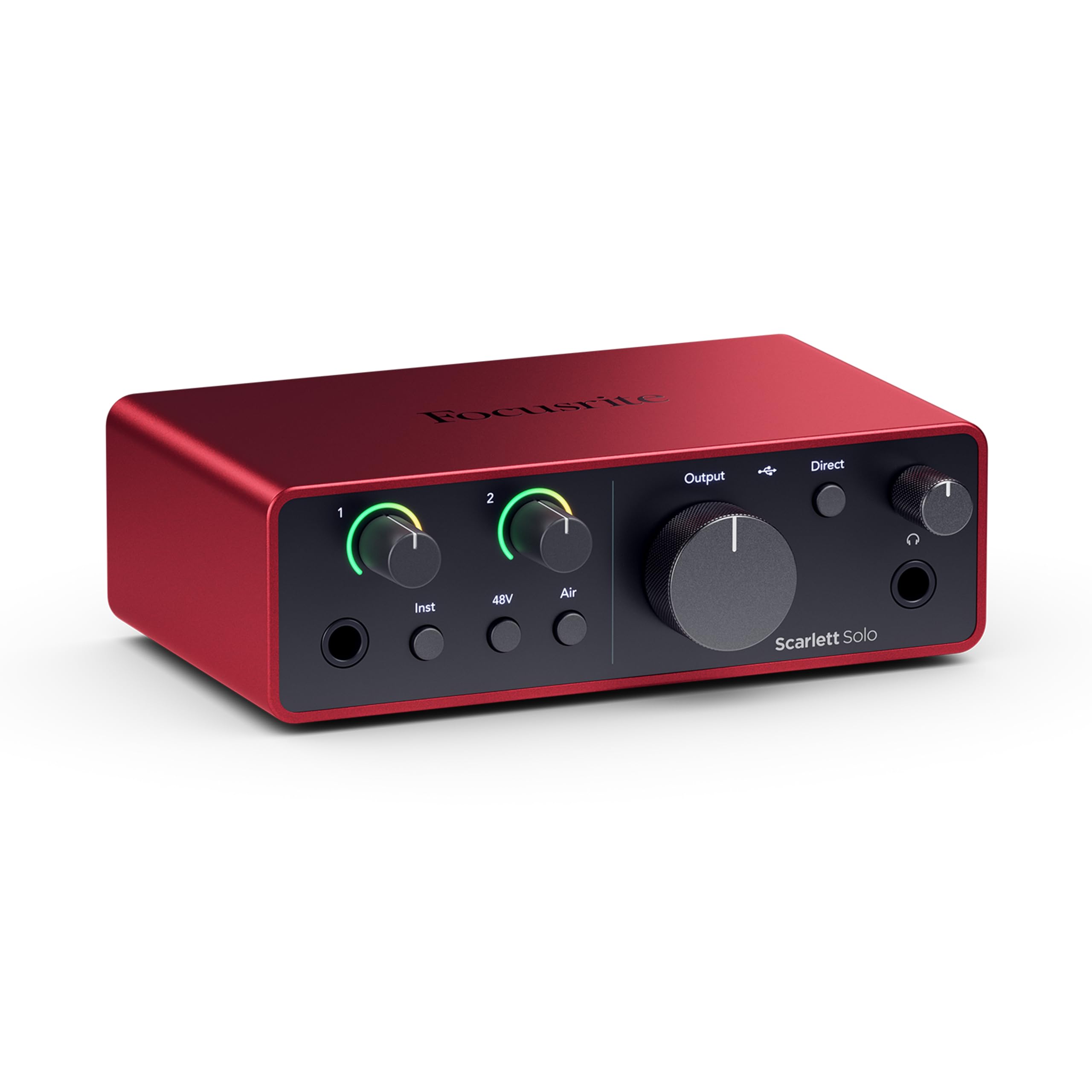
The Scarlett Solo 4th Gen delivers 120dB dynamic range using the same converters found in Focusrite’s flagship RedNet series, which means Logic Pro receives a signal floor that stays dark and quiet even when you push gain on a quiet vocal take. The Air mode adds a 4 kHz shelf lift that helps vocals sit forward in a dense mix without needing an EQ plugin on Logic’s channel strip.
Plug-and-play compatibility with Logic’s Core Audio driver is seamless. The Halo gain LEDs give you visual feedback so you can set input level without auditioning the recording. The headphone amp is noticeably louder than the 3rd Gen, which helps when monitoring low-output dynamic mics during a take.
The included Hitmaker Expansion bundle provides a full signal chain of effects and software instruments that work directly inside Logic Pro, reducing the need for third-party plugin purchases early on. This is the most straightforward path from unboxing to a finished Logic session.
Why it’s great
- 120dB dynamic range exceeds most interfaces in its tier
- Air mode lifts vocal presence without CPU load in Logic
- Halo gain metering prevents clipping before recording
Good to know
- Only one XLR input limits two-mic recordings
- USB-A to USB-C cable included; USB-C to USB-C required for modern MacBooks
2. Universal Audio Volt 2

The Volt 2 brings UA’s 610 tube preamp emulation into a bus-powered USB format. Engaging Vintage mode adds harmonic saturation that warms up vocals and acoustic instruments before the signal hits Logic’s input bus. Users on M-series Macs report flawless Core Audio integration with Logic Pro right out of the box.
The build quality is impressive — a metal chassis with solid Neutrik connectors — that feels robust on a desktop next to a Mac Studio. The headphone output is clean and loud enough to drive 250-ohm cans without an external amplifier, which matters when you are tracking late at night.
UA includes the LUNA recording system, but you are not locked into it — the Volt 2 works as a standard class-compliant USB interface, so Logic recognizes it instantly without driver installation. The Vintage mode alone makes this interface stand out for vocalists who want a pre-recorded color without taxing Logic’s CPU.
Why it’s great
- Vintage mode adds analog warmth without latency
- Bus-powered and compact for portable Logic rigs
- Excellent driver stability with Apple Silicon Macs
Good to know
- Requires external power supply for use with iPads and iPhones
- Free UAD plugin bundle requires online account registration
3. PreSonus AudioBox USB 96 25th Anniversary Studio

The AudioBox 96 Studio package bundles the interface with an M7 large-diaphragm condenser mic and HD7 headphones, giving Logic beginners everything needed to start recording immediately. The interface itself records at 24-bit / 96 kHz, which is sufficient for most Logic projects and keeps file sizes manageable compared to 192 kHz recording.
Logic Pro users on macOS will find the AudioBox is class-compliant — no driver installation needed — and the two combo inputs accept both XLR and quarter-inch instrument cables without adapters. The included Studio One Artist DAW is compatible with Logic projects via ReWire or audio stems export, though most users will stick with Logic directly.
The microphone stand and cables included in the box eliminate the need for additional purchases, which makes this the most cost-effective entry point for a Logic-based home studio. The trade-off is the 96 kHz cap and older converter design compared to premium interfaces.
Why it’s great
- Full recording package with mic, headphones, and cables included
- Class-compliant with macOS, no driver setup for Logic
- Two combo inputs for simultaneous mic and instrument recording
Good to know
- Maximum sample rate of 96 kHz limits high-resolution recording
- Headphone output is less powerful than mid-range competitors
4. Solid State Logic SSL 2 MKII

The SSL 2 MKII steps up the conversion game with true 32-bit AD/DA converters (not 32-bit float, but the DAC handles 32-bit resolution), which translates to a noticeably wider dynamic range and lower noise floor in Logic’s mixer. The built-in high-pass filter at 75 Hz is a lifesaver for voice artists recording in untreated rooms — it cuts low-end rumble before it hits Logic’s compressor.
Legacy 4K analog enhancement adds a subtle upper-mid presence that makes vocals sound more polished without plugin processing. The noise gauge on the front panel shows a numeric value rather than a simple color meter, giving you precise control over gain staging for quiet sources.
MIDI I/O on 5-pin DIN jacks means you can connect a keyboard controller directly to the interface without taking up a USB port on your Mac. The stainless steel chassis and Alps pots deliver a tactile feel that matches SSL’s console heritage.
Why it’s great
- 32-bit converters provide exceptional dynamic range
- High-pass filter eliminates rumble pre-conversion
- MIDI I/O integrates keyboard controllers directly
Good to know
- Not true 32-bit float recording; clipping still possible on input
- Larger chassis than the original SSL 2
5. Solid State Logic SSL 2 (Original)

The original SSL 2 delivers 62dB of clean mic preamp gain with an equivalent input noise figure of 130.5dB EIN, which means you can plug a Shure SM7b directly into the XLR input and reach comfortable recording levels without a cloudlifter. Logic Pro users who track voiceover or podcast content will appreciate the lack of noise floor intrusion on quiet passages.
The Legacy 4K button adds the same analog saturation circuit found on the MKII, giving your Logic recordings a console-like upper-mid presence that reduces the need for plugin EQ. The AKM converters at 24-bit / 192 kHz handle transient-rich material like acoustic guitar and percussion without smearing the attack.
Driver stability on macOS is rock-solid — multiple users report zero dropouts over months of daily Logic sessions. The main compromise is the rear-mounted inputs, which make quick cable swaps less convenient if you frequently switch between instruments.
Why it’s great
- 62dB preamp gain drives low-output mics without external boost
- Legacy 4K analog enhancement adds console character
- Rock-solid Core Audio drivers for stable Logic sessions
Good to know
- Inputs located on rear panel, less convenient for frequent cable changes
- No built-in high-pass filter found on the MKII version
6. MOTU M4 4×4 USB-C

The MOTU M4 offers four inputs and four outputs with dedicated volume controls for monitors and headphones — a major quality-of-life improvement for Logic users who switch between tracking and mixing. The LCD screen shows precise input levels with numeric metering, letting you set gain accurately without relying on colored LEDs.
Loopback functionality is built directly into the hardware, which makes recording Logic’s internal audio output (for streaming or podcast recording) a one-click process. The preamps are transparent with very low noise floor and distortion, suitable for capturing classical instruments or critical voice work.
ASIO drivers on Windows are notoriously stable, and on macOS the M4 is class-compliant. The dedicated loopback output in the software control panel integrates seamlessly with Logic’s routing matrix. The only caveat is the usb bus-powered headphone amp, which is less powerful than dedicated units — high-impedance headphones may require an external amplifier for loud monitoring.
Why it’s great
- Four inputs for multi-mic or stereo instrument recording
- LCD gain metering provides precise level control
- Built-in loopback simplifies streaming and podcast routing in Logic
Good to know
- Headphone amp is bus-powered, weaker than premium standalone units
- Volume knobs have a slight dead zone at low rotation
7. Focusrite Scarlett 4i4 4th Gen
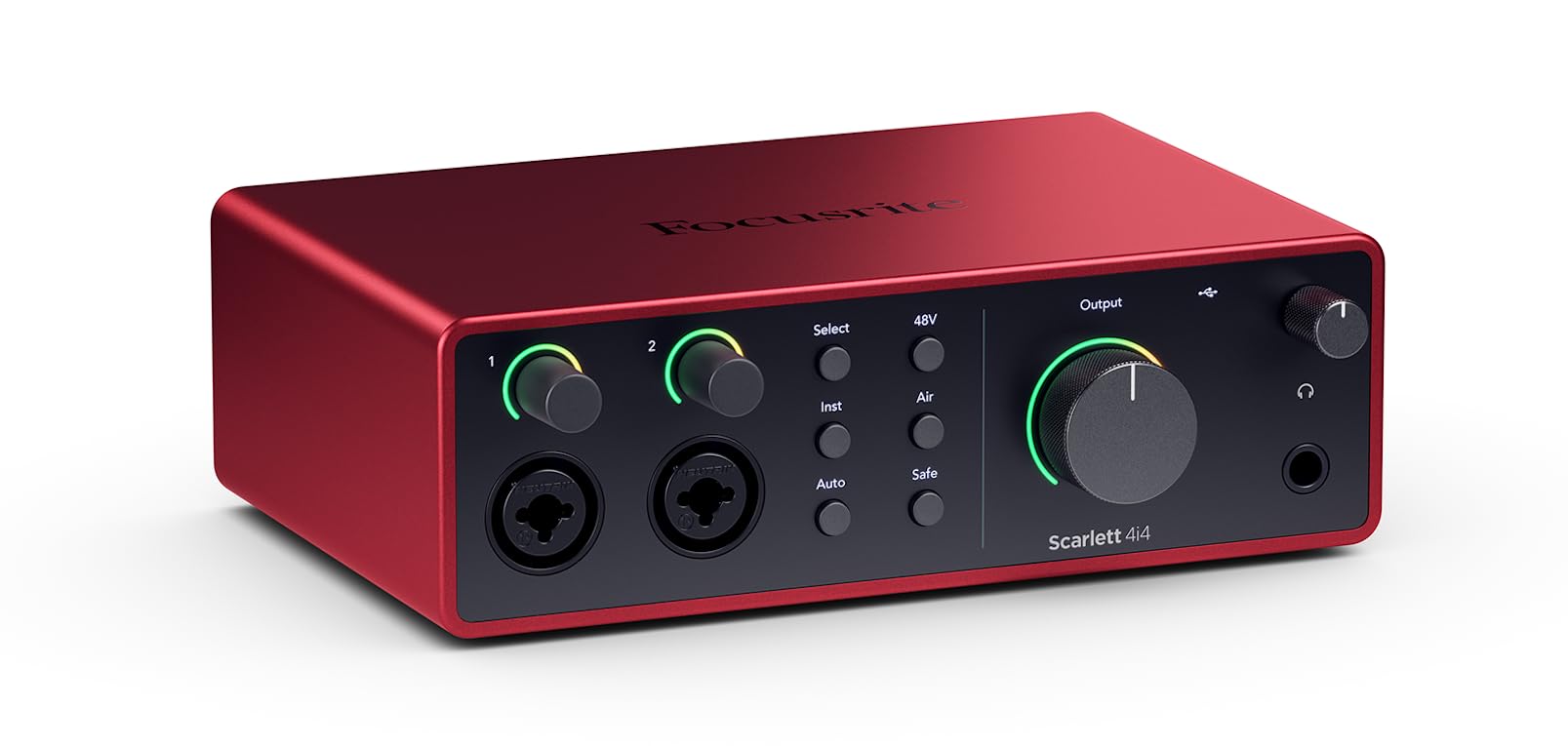
The Scarlett 4i4 4th Gen expands the Solo’s feature set with four line inputs, four line outputs, and MIDI I/O, making it the natural choice for Logic users who connect multiple synths, drum machines, and external effects. The Auto Gain feature automatically sets input level for your mic or instrument, which speeds up session setup when you are switching sources frequently.
The Clip Safe mode prevents digital clipping by applying a safety margin before the AD converter — a practical safety net during live takes. The 120dB dynamic range matches the Solo 4th Gen, so the conversion quality is consistent across the Scarlett lineup. Logic recognizes all four inputs as individual tracks, allowing simultaneous multi-source recording.
The 4i4 ships with a dedicated USB-C power supply, which ensures stable operation even when powering multiple phantom-powered condenser mics. The external power also eliminates the ground loop hum that sometimes plagues bus-powered interfaces when connected to a laptop charger.
Why it’s great
- Four line inputs and MIDI I/O accommodate synthesizer rigs
- Auto Gain and Clip Safe ensure clean recordings in Logic
- External power supply eliminates ground loop noise
Good to know
- Rear line inputs require TRS cables for optimal noise performance
- Higher output impedance requires high-impedance headphones for best clarity
8. Audient iD24 USB-C

The Audient iD24 incorporates the same class-A console microphone preamp circuit found in the ASP8024-HE recording console, delivering an ultra-low noise floor and a touch of analog warmth that sounds musical without being colored. Logic users upgrading from Scarlett or Volt interfaces immediately notice the clarity increase in the low end — bass and kick drum tracks stay tight and defined.
The 126dB dynamic range provides substantial headroom for recording hot signals without distortion. The unique fully balanced insert points let you route external compressors or EQs into the signal path before conversion, a feature rarely found at this level that integrates vintage outboard gear directly into a Logic workflow.
The three assignable function buttons let you switch between speaker sets, toggle talkback, or mono sum without touching the software control panel. ADAT expansion via optical input allows adding up to eight more channels later. The iD24 runs hot — it draws significant current — so use a USB 3.0 port or higher.
Why it’s great
- Class-A console preamps from the ASP8024-HE console design
- 126dB dynamic range offers exceptional mix headroom
- Insert points allow external outboard gear integration
Good to know
- Runs hot and draws more power than bus-powered alternatives
- Higher price point positions it for advanced users and pros
9. Universal Audio Apollo Solo Heritage

The Apollo Solo Heritage Edition includes UAD SOLO Core processing, which lets you track through vintage compressor, EQ, and tape machine emulations at near-zero latency before the signal hits Logic’s input. The Unison preamp technology changes the input impedance and gain structure to match the hardware being emulated — plug in a Shure SM57 and the Apollo adjusts to emulate the sound of a Neve 1073 preamp.
Logic Pro users who rely on UAD plugins will find the integration seamless — the UAD Console app routes the processed signal directly into Logic’s input bus at low buffer sizes. The included Heritage bundle (Teletronix LA-2A, Pultec EQP-1A, UA 1176LN, and more) provides over one thousand dollars of plugin value out of the box.
The headphone amplifier is best-in-class for a bus-powered Thunderbolt interface, delivering loud, detailed monitoring. The trade-off is the Thunderbolt-only connectivity — you cannot use this with a USB-only device. Setup on modern MacBooks requires a Thunderbolt 4 cable, and installation can be finicky on Windows.
Why it’s great
- UAD SOLO Core lets you track through vintage plugins at zero latency
- Unison preamps emulate classic console and preamp hardware
- Includes premium UAD plugin bundle worth over one thousand dollars
Good to know
- Thunderbolt-only connectivity; not compatible with USB-C or USB-A ports
- Installation and driver support on Windows can be temperamental
FAQ
Does every audio interface work with Logic Pro out of the box?
What buffer size should I use in Logic for low-latency recording?
Can I use a Thunderbolt audio interface with a standard USB-C port on a MacBook?
Is 24-bit / 96 kHz audio sufficient for professional Logic Pro productions?
Final Thoughts: The Verdict
For most users, the audio interface for logic pro winner is the Focusrite Scarlett Solo 4th Gen because it delivers 120dB dynamic range, Air mode vocal presence, and seamless Core Audio integration at a mid-range price that leaves room for a microphone or headphones. If you want analog harmonic saturation before the AD converter, grab the Universal Audio Volt 2. And for tracking through UAD plugin emulations at zero latency, nothing beats the Universal Audio Apollo Solo Heritage.