
Our readers keep the lights on and the weekend projects moving. As an Amazon Associate, I earn from qualifying purchases.
The hunt for a true wireless home printer usually ends in frustration: models that drop signal mid-job, cost more in ink than the device itself, or are too bulky for a desk. A dedicated Bluetooth printer for home use sidesteps those trade-offs by cutting the cord to your router and relying on a direct, stable connection to your phone or laptop. That shift in connectivity also shifts the design — these units tend to be smaller, lighter, and far more portable than traditional Wi-Fi alternatives.
I’m Rikta — the co-founder and writer behind FitlyFast. I’ve spent over sixty hours digging into the thermal technology, dye-sublimation engines, and inkjet systems inside this generation of Bluetooth printers, cross-referencing technical specs with real-world user data to separate marketing claims from actual performance.
Whether you need crisp shipping labels, smudge-proof 4×6 photos, or full-page documents without a single ink cartridge, this guide covers it. Every recommendation here is rooted in the specs that actually matter for home use, not the sticker hype. What you’ll find below is a tightly curated set of the best bluetooth printer for home use in 2025, ranked by real daily usefulness.
How To Choose The Best Bluetooth Printer For Home Use
Not all Bluetooth printers are built the same. The thermal models use heat to burn images onto special paper — no ink, no toner, but only monochrome output. Inkjet Bluetooth printers give you full color but require cartridge replacements, often running at higher per-page costs. For home use, your decision hinges on what you print most: documents, labels, or photos. Match the print engine to your primary task, and you’ll avoid the trap of a printer that does everything poorly.
Print Engine & Media Support
Thermal printers (direct or dye-sublimation) are the quiet champions of the Bluetooth category because they eliminate the consumable headache. Direct thermal is ideal for text-heavy labels and notes — it uses heat-sensitive paper that darkens where heated, producing crisp black text. Dye-sublimation adds color by heating solid dyes into a gas that bonds to the paper, layering cyan, magenta, yellow, and a protective overcoat. The result is water-resistant, smudge-proof photos with a continuous tone. Inkjet still wins for mixed-use homes that need both vibrant color photos and standard document pages, especially when duplex printing is involved. Check the supported paper sizes before buying — thermal roll printers top out at 4.25 inches wide, while a dedicated inkjet Bluetooth printer can handle standard 8.5×11 letter paper.
Connectivity Stability & App Experience
Bluetooth printing works by creating a direct peer-to-peer link between your device and the printer — no home Wi-Fi network required. That’s a huge advantage for reliability in households with spotty routers or multiple devices competing for bandwidth. Look for Bluetooth 5.0 or higher for better range and lower power consumption. The companion app is equally important: a well-designed app handles print queue management, photo editing filters, and template libraries without lagging or demanding unnecessary permissions. Thermal label printers with dedicated apps like Munbyn Print offer thousands of templates; photo printers with AR video features (like YOTON) add a creative layer that standard Bluetooth options don’t provide.
Quick Comparison
On smaller screens, swipe sideways to see the full table.
| Model | Category | Best For | Key Spec | Amazon |
|---|---|---|---|---|
| Phomemo M832D | Thermal Inkless | Full-page documents & notes | 300 DPI thermal, 8.5×11″ paper | Amazon |
| MUNBYN RW403B | Thermal Label | Shipping & organization labels | Bluetooth 4” DAC chip, <0.01% jam | Amazon |
| Liene Amber M110 | Dye-Sublimation Photo | Waterproof 4×6 & 3×3 photos | Dual tray 4×6” + 3×3” sticker | Amazon |
| Canon PIXMA TR7120 | All-In-One Inkjet | Duplex scanning & color printing | Auto Duplex, ADF, OLED display | Amazon |
| HP Sprocket Studio Plus | Dye-Sublimation Photo | Instant 4×6 smartphone prints | Smudge/water/tear-proof paper | Amazon |
| YOTON Photo Printer | Dye-Sublimation Photo | AR video photo & travel prints | Wi-Fi Direct, 4×6” + 54 sheets | Amazon |
| Nelko PP01 | Inkjet Mini Photo | Sticky-back scrapbooking prints | 601 DPI, 2×3” adhesive photos | Amazon |
In‑Depth Reviews
1. Phomemo M832D Portable Printer with Touchscreen

The Phomemo M832D sits at the top of this list because it solves the two biggest home-printing frustrations in one compact chassis: it runs on thermal inkless technology and supports full US Letter size. No ink cartridges, no toner, no ribbons — just heat-sensitive paper that produces crisp 300 DPI text. The integrated 2.4-inch touchscreen lets you check battery status and paper alignment without opening an app, which makes troubleshooting trivial compared to Bluetooth models that rely entirely on a phone interface.
The built-in 2600 mAh battery delivers up to 200 continuous pages per charge, so you can print a small report, a contract, or a week’s worth of study notes before needing to recharge. Bluetooth connectivity is optimized for 50% faster pairing than earlier modules, and the printer intelligently identifies the paper placement inside its roll mechanism to prevent misaligned prints. At 1.5 pounds, it’s light enough to move between rooms or toss into a backpack for remote work sessions.
Print quality on thermal paper is inherently monochrome, but the M832D’s 300 DPI resolution produces sharp, legible text that holds up to scanning. Only the lack of color output and the app’s push toward subscriptions prevent this from being a universal recommendation for every home office.
Why it’s great
- Zero recurring ink cost — thermal paper is the only consumable
- Full 8.5×11 inch document support in a truly portable form
- Built-in touchscreen display for at-a-glance status and control
Good to know
- Monochrome output only — not suitable for color photos or graphics
- Bluetooth connection is not available for laptop or desktop use
2. MUNBYN RW403B Thermal Label Printer

The MUNBYN RW403B is built for a specific high-volume home scenario: shipping labels, inventory tags, and organization stickers. It uses direct thermal technology with a 4-inch DAC chip that auto-calibrates to eliminate 99.8% of label misalignment — a huge reliability jump over generic Bluetooth label printers that drift after a few dozen prints. The print head delivers 0.1 mm font legibility, which is essential for scannable barcodes and return address labels.
Setup is genuinely driver-free for most platforms — Windows, Mac, Chromebook, iOS, and Android all connect via Bluetooth without a separate software install. The Munbyn Print app gives access to over 3,500 design elements and 2,000 templates, which makes creating custom labels for pantry jars, shipping boxes, or classroom name tags a five-minute task. At 60 dB, the printer is quieter than a mechanical keyboard, so it won’t interrupt a Zoom call or a focused study session.
Long-term cost is the RW403B’s strongest argument: the thermal print head is rated for 970,000 labels — roughly six times the lifespan of entry-level thermal units — and the jam rate is statistically negligible under 0.01%. That makes it a better investment for small-business owners and busy households than any inkjet label solution. The main tradeoff is size: it’s not pocketable like the Phomemo, and it lacks color printing entirely.
Why it’s great
- Military-standard DAC alignment for flawless shipping labels
- Zero ink, zero toner — thermal technology eliminates all consumable recurring costs
- Extremely quiet operation at just 60 dB
Good to know
- Monochrome output — no graphics or color printing
- Bluetooth only works with phone/tablet, not laptops directly
3. Liene Amber M110 Photo Printer

The Liene Amber M110 is the first photo printer in this roundup to feature a true dual-tray design, allowing you to switch between 4×6 glossy photo paper and 3×3 sticky-backed paper without fumbling with trays. That’s a meaningful convenience for families printing vacation snapshots one minute and sticker labels for a child’s lunchbox the next. The engine uses thermal dye-sublimation, which deposits cyan, magenta, yellow, and a protective laminate layer as gases — not liquid ink — resulting in waterproof, smudge-proof, and fingerprint-resistant prints.
Bluetooth pairing takes about 13 seconds from cold start, and the Liene app includes AI editing tools for automatic enhancement, color correction, and ID photo templates. The print quality is notably warmer than the HP Sprocket’s output, with more natural skin tones and less crushed black shadow detail. Users report the colors print slightly darker than what the phone screen shows, so a small lighting adjustment before printing is recommended for optimal results.
At the premium end of the price spectrum, the Amber M110 justifies its position with bundled consumables: it ships with 60 sheets of 4×6 paper and 20 sheets of 3×3 sticker paper plus two ink cartridges. The per-print cost works out lower than many competitor units once those cartridges run out, and the lamination layer means these photos will outlast inkjet prints in a scrapbook or wallet. The app is still receiving feature updates, and the company’s customer support has been proactive about replacing defective units.
Why it’s great
- Dual tray design handles 4×6 and 3×3 paper without swapping
- Dye-sublimation prints are waterproof, smudge-proof, and scratch-resistant
- Comprehensive starter bundle with 80 sheets and two cartridges included
Good to know
- Prints consistently darker than the mobile device preview
- App interface still has minor cosmetic bugs like misspelled overlays
4. Canon PIXMA TR7120 Wireless Color Inkjet

The Canon PIXMA TR7120 is the only full all-in-one on this list, combining print, scan, and copy functions with an auto document feeder and automatic duplex printing. If your home workflow involves multi-page forms, contracts, or school worksheets that need both sides printed, this is the only Bluetooth-integrated device in its price tier that does that without manual flipping. The 1.42-inch monochrome OLED screen on the front panel displays ink levels and printer status clearly, so you can spot a low cyan cartridge before it interrupts a print job.
Bluetooth connectivity here operates through dual-band Wi-Fi (2.4 or 5 GHz), which provides a more stable range than a pure Bluetooth 4.x link for homes where the printer sits in a different room from the user. The 2-cartridge hybrid ink system — one black pigment, one combined color — produces sharp text for documents and vivid 9-ppm color prints for occasional photos. Paper support goes up to 8.5×11 with borderless photo capability, ideal for family newsletters or simple 4×6 snapshots.
The biggest practical consideration is ink cost. The starter cartridges included in the box run out quickly — users report roughly 100-150 pages before needing replacements — and genuine Canon ink is not cheap. Third-party alternatives are available but often produce lower color accuracy. For a household that prints fewer than 50 pages per month, the TR7120 is a solid color-capable Bluetooth option. For heavy-volume document printing, a thermal inkless model will save money within three months.
Why it’s great
- Automatic duplex printing saves paper on multi-page documents
- Auto Document Feeder for batch scanning and copying without babysitting
- Dual-band Wi-Fi provides reliable wireless range throughout the home
Good to know
- Starter ink cartridges deplete quickly and replacements are expensive
- Not truly portable — requires AC power and a dedicated desk surface
5. HP Sprocket Studio Plus 4×6 Photo Printer
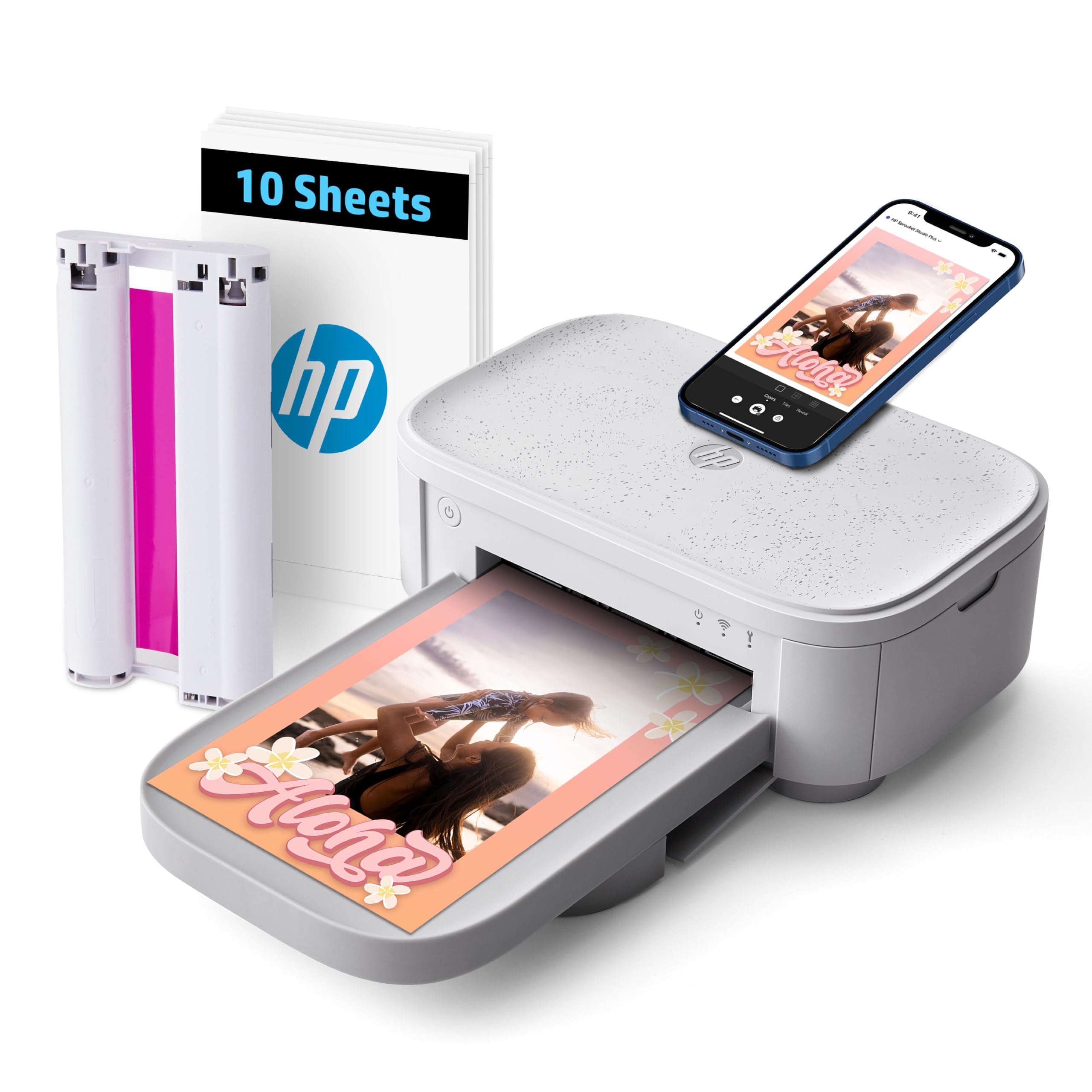
The HP Sprocket Studio Plus targets a very specific use case: families who want instant 4×6 photo prints directly from their smartphone with zero computer involvement. The dye-sublimation engine produces tear-resistant, waterproof, smudge-proof prints that feel dry to the touch the moment they exit the machine — a clear advantage over inkjet photo printers where sheets can smear if handled too early. The included starter pack comes with 10 sheets and one cartridge, which is enough for a quick family photoshoot or holiday card test run.
Wi-Fi connectivity replaces Bluetooth here, which actually makes the Sprocket Studio Plus more stable in multi-user home scenarios — multiple family members can send print jobs from their own phones without re-pairing. The HP Sprocket app offers collage, photobooth, and photo-ID modes that are genuinely useful for party favors and craft projects. Print speed is roughly one 4×6 per minute, which is slow by inkjet standards but acceptable for casual batches of 5-10 prints.
Color accuracy is the divisive point. Users have noted that skin tones often print with a slightly yellowish or magenta shift compared to what the iPhone screen shows, and fine detail like individual hairs or snowflakes lacks the sharpness of a dedicated photo lab print. For scrapbook-quality preservation, the Liene Amber M110 delivers better natural tones. For casual family prints that will go in a frame or on the fridge, the Sprocket’s convenience and durable paper are hard to beat.
Why it’s great
- Prints are dry to the touch immediately — no handling or drying time needed
- Paper is waterproof, tear-resistant and smudge-proof for long-lasting photos
- Wi-Fi connectivity allows multiple family members to print without re-pairing
Good to know
- Skin tones can print with a color cast that differs from the phone screen
- Print speed is slow at roughly 1 page per minute
6. YOTON Photo Printer with AR Video

The YOTON Photo Printer stands apart from every other unit in this guide with its AR Video Printing feature. You capture up to 15 seconds of moving video through the app, print the associated still photo, and then scan that same photo later with the app — the still image instantly plays back the video on your phone screen. For parents printing first-birthday memories or families documenting holidays, this adds an emotional dimension that no other Bluetooth printer in this class provides.
The hardware uses dye-sublimation printing with a built-in Wi-Fi module that functions as a standalone access point — you connect your phone directly to the printer’s own network, avoiding issues with slow or crowded home routers. The print resolution and color saturation are excellent for a sub- printer, delivering vibrant 4×6 prints with accurate color reproduction and minimal banding. The unit ships with 54 sheets of 4×6 paper and one ink ribbon rated for 40-50 prints, giving you a generous head start.
Setup is the main friction point: the printer requires a 2.4 GHz Wi-Fi connection during initial configuration, and the app demands location permissions that may feel invasive. Some Android users reported smooth pairing while iPhone users encountered network drops. Once connected, the print quality compensates for the initial hassle, and YOTON’s customer service has been responsive with replacement units for defective hardware. The AR feature genuinely works and is not a gimmick — it’s the reason to pick this over the similarly priced HP Sprocket.
Why it’s great
- AR Video Printing brings still photos to life with 15-second video playback
- Built-in Wi-Fi access point eliminates dependency on home router stability
- Generous starter supply with 54 sheets and one ink ribbon included
Good to know
- Setup requires a 2.4 GHz network and may struggle with iPhone connections
- App demands location permissions and has a steeper learning curve than competitors
7. Nelko PP01 Photo Printer
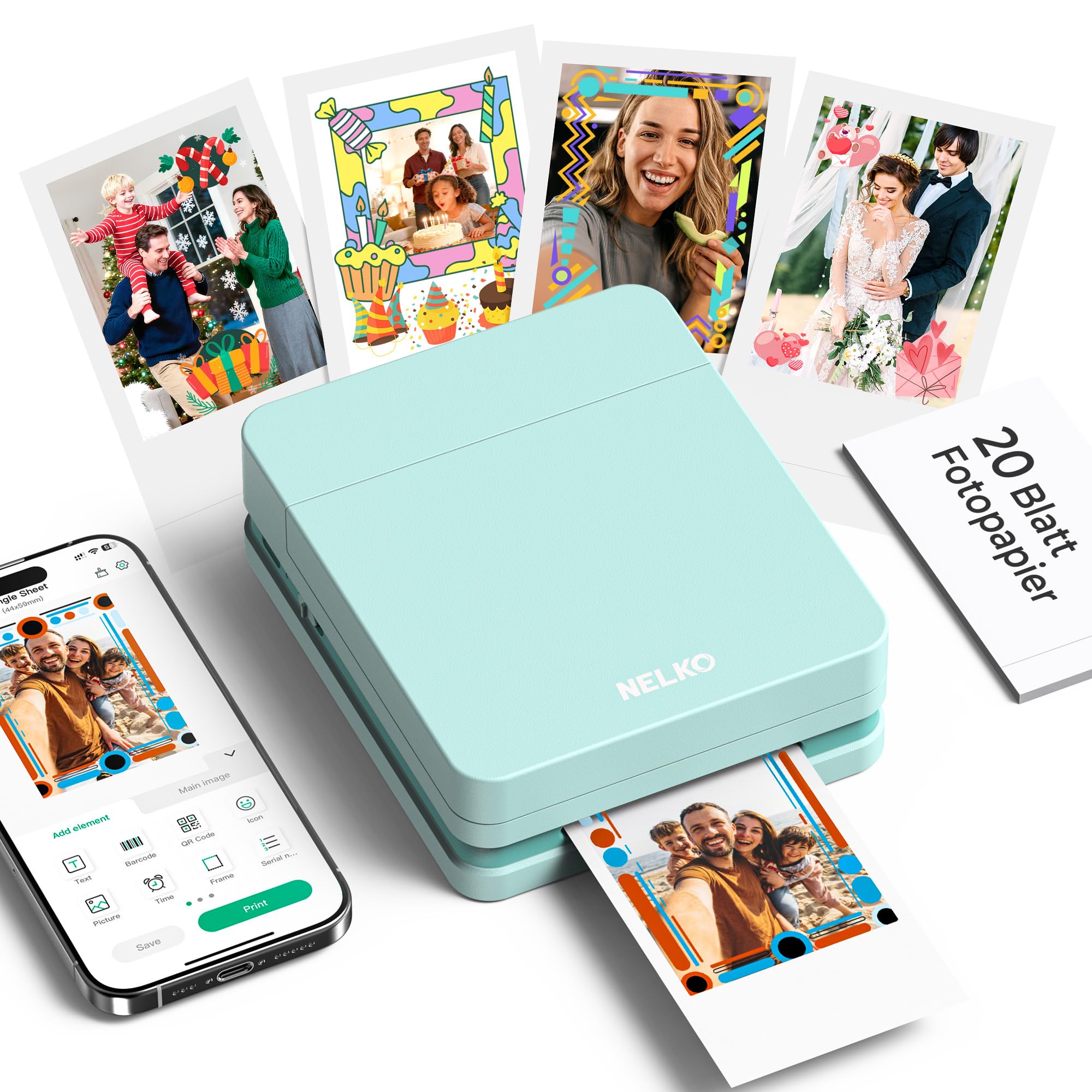
The Nelko PP01 is the smallest and lightest printer in this review at just 0.6 pounds, and it’s designed for one specific purpose: printing 2×3 inch sticky-back photos for scrapbooking, journaling, and travel memory books. Unlike thermal or dye-sublimation alternatives, this unit uses a true inkjet engine with cyan, magenta, yellow, and black cartridges to produce 601 DPI full-color prints that are vibrant and detailed enough for wallet-sized keepsakes. The adhesive backing means each print also serves as a sticker — a neat trick for crafters.
Bluetooth pairing is fast and uncomplicated through the Nelko app, which includes a robust set of editing tools: filters, frames, text overlays, AI image enhancement, and collage layouts. The ink cartridge is rated for up to 80 full-color 2×4 prints, which is reasonable for a pocket printer. Charging is via USB-C, and the battery life comfortably handles a day of event printing — party favors, family gatherings, or workshop giveaways. The stock photo paper is smudge-proof, water-resistant, and tear-resistant, so these prints hold up well in a bag or wallet.
The main limitation is size: it only prints 2×3 or 2×4 photos. You cannot produce a standard 4×6 print, a full letter document, or a shipping label. That makes the PP01 best as a secondary device for creative home use, not as a primary printer. If your home needs a general-purpose Bluetooth printer, the Phomemo M832D or Canon TR7120 will serve you better. But for a dedicated scrapbooking and journaling tool that slips into a jacket pocket, the Nelko is unmatched.
Why it’s great
- Ultra-portable at only 0.6 lbs — fits in a jacket pocket or small bag
- 601 DPI inkjet produces vibrant full-color prints with fine detail
- Sticky-back print media functions as both a photo and a sticker
Good to know
- Limited to 2×3 and 2×4 prints only — no full-size photo or document support
- Ink cartridge replacement cost adds up with heavy use
FAQ
Can a Bluetooth printer work without a Wi-Fi network at home?
Do thermal printers require special paper that costs more than regular printer paper?
How many pages can I expect from a portable Bluetooth printer battery?
Final Thoughts: The Verdict
For most users, the best bluetooth printer for home use is the Phomemo M832D because it delivers full-size document output with zero ink cost, a built-in touchscreen, and the portability to move between rooms or travel bags. If you need reliable shipping labels for a home-based business, grab the MUNBYN RW403B for its military-grade precision and near-zero jam rate. And for photo-centric households who want waterproof, smudge-proof 4×6 prints that last, nothing beats the Liene Amber M110 with its dual-tray convenience and superior dye-sublimation quality.