
Our readers keep the lights on and the weekend projects moving. As an Amazon Associate, I earn from qualifying purchases.
The jump from 1080p to QHD on a 27-inch panel is the single most impactful upgrade a desktop setup can receive — the pixel density hits a sweet spot where text is razor-sharp without requiring scaling, and game worlds gain a tangible depth that 1920×1080 simply cannot deliver. Yet the market is flooded with panels that look similar on paper but diverge wildly in response time, color fidelity, and motion handling, which makes picking the wrong one an expensive mistake that lingers for years.
I’m Rikta — the co-founder and writer behind FitlyFast. I’ve spent countless hours dissecting the specifications, panel technologies, and real-world performance data across the current QHD landscape to build a guide that cuts through the marketing noise and focuses on the measurable differences that actually matter for your specific use case.
After analyzing refresh rate ranges, IPS versus OLED contrast ratios, color gamut coverage, and ergonomic adjustability across nine distinct models, I’ve assembled a clear roadmap for finding the ideal 27 inch qhd monitor tailored to your gaming style, creative workflow, or productivity demands.
How To Choose The Best 27 Inch QHD Monitor
Selecting a monitor in this category requires balancing three core trade-offs: panel type versus budget, refresh rate versus color accuracy, and ergonomic adjustability versus desk footprint. Below are the critical filters that define a great purchase.
Panel Technology: IPS vs. QD-OLED
IPS panels dominate the mid-range with wide viewing angles, consistent brightness, and reliable color reproduction. Their contrast ratio typically maxes out around 1000:1, which means blacks appear more like dark gray in dim rooms. QD-OLED technology delivers infinite contrast with true black levels and vibrant color volume, but it costs more, is less bright in high-ambient-light rooms, and requires burn-in mitigation features for static desktop use. If you play single-player games or watch HDR movies in a controlled-light environment, the OLED jump is transformative. For bright rooms or mixed productivity use, a high-quality IPS panel is the safer, more practical choice.
Refresh Rate and Response Time
Refresh rate determines how many frames per second the monitor can display. At 1440p, 144Hz is the entry point for smooth gaming, 180Hz to 240Hz offers a competitive edge for fast-twitch shooters like Valorant or Apex Legends, and 300Hz starts to push diminishing returns unless you pair it with a high-end GPU. Response time — measured in milliseconds (ms) — indicates how fast a pixel changes color. Look for 1ms GtG on IPS panels and 0.03ms on OLEDs. Lower is better, but marketing numbers like “1ms MPRT” often differ from real-world gray-to-gray measurements.
Color Gamut and HDR Performance
For creative professionals, Adobe RGB coverage above 95% is critical for print work, while DCI-P3 above 90% matters for video editing and HDR gaming. HDR certification levels — DisplayHDR 400 versus True Black 400 — tell vastly different stories. Standard HDR 400 on IPS monitors offers minimal real-world improvement because the contrast ratio limits perceived dynamic range. True Black HDR 400 on OLED panels leverages the infinite contrast to deliver genuine highlight detail and deep shadows. Do not buy a monitor solely because it says “HDR” without checking the specific certification tier.
Connectivity and Ergonomic Adjustability
USB-C with power delivery simplifies a clean desk setup by charging a laptop while carrying display signal. HDMI 2.1 ensures full bandwidth for next-gen consoles capable of 1440p at 120Hz. Height-adjustable stands, swivel, and pivot capabilities reduce neck strain during long sessions. Many budget monitors offer only tilt adjustment, which forces you to stack books under the base for proper eye level. Factor the cost of a VESA-compatible monitor arm into your budget if the included stand lacks full adjustability.
Quick Comparison
On smaller screens, swipe sideways to see the full table.
| Model | Category | Best For | Key Spec | Amazon |
|---|---|---|---|---|
| Samsung Odyssey G5 G53F | IPS | Budget Gaming | 200Hz / 1ms MPRT | Amazon |
| Alienware AW2725DM | IPS | Competitive Gaming | 180Hz / DCI-P3 95% | Amazon |
| Dell S2725DC | IPS | Productivity / Office | USB-C 65W PD / 144Hz | Amazon |
| ASUS TUF VG27AQM5A | Fast IPS | High-FPS Gaming | 300Hz / 0.3ms GtG | Amazon |
| LG UltraGear 27GR83Q-B | IPS | All-Round Gaming | 240Hz / HDMI 2.1 | Amazon |
| AOC Q27GAZD | QD-OLED | HDR / Cinematic | 240Hz / 0.03ms GtG | Amazon |
| Samsung Odyssey OLED G5 | QD-OLED | Value OLED Gaming | 180Hz / 1M:1 Contrast | Amazon |
| MSI MAG 271QPX E2 | QD-OLED | Pro Gaming OLED | 240Hz / True Black 400 | Amazon |
| BenQ SW272Q | IPS | Photo Editing | Adobe RGB 99% / 16-bit LUT | Amazon |
In‑Depth Reviews
1. LG UltraGear 27GR83Q-B

The LG 27GR83Q-B nails the essential balance for a primary 1440p gaming display: a 240Hz refresh rate over both DisplayPort and HDMI 2.1, combined with a genuine 1ms GtG IPS panel that delivers vibrant color and low input lag. The DCI-P3 95% coverage paired with VESA DisplayHDR 400 gives single-player titles enough punch to feel immersive without the per-pixel cost of OLED.
The stand is a standout feature at this tier — full height, swivel, and pivot adjustment right out of the box, which eliminates the immediate need for a third-party monitor arm. The 4-pole headphone output with DTS Headphone:X provides spatial audio for headsets, adding value for gamers who want a single audio cable to the monitor rather than reaching for the PC tower.
Quality control reports mention stuck pixels more frequently than the category average, so inspecting the panel immediately after arrival is advisable. If you get a clean unit, this monitor handles everything from competitive shooters to color-accurate creative work with equal composure, making it the most versatile single-monitor solution in this class.
Why it’s great
- 240Hz with HDMI 2.1 bandwidth on both primary connections
- Fully adjustable stand with height, swivel, and pivot
- Wide DCI-P3 95% color gamut for vibrant HDR gaming
Good to know
- IPS contrast ratio limits black depth in dark scenes
- Multiple reports of stuck pixels on arrival
2. ASUS TUF VG27AQM5A

The ASUS VG27AQM5A pushes the IPS envelope to 300Hz with a 0.3ms GtG response time, a spec sheet that rivals many high-refresh TN panels while retaining the superior color consistency of Fast IPS. The Extreme Low Motion Blur Sync feature allows ELMB and variable refresh rate to operate simultaneously, eliminating both ghosting and tearing in a single motion — a rare combination even among premium monitors.
Shadow Boost lifts dark-area visibility without blowing out highlights, which is a practical advantage in games like Escape from Tarkov or Hunt: Showdown where enemy silhouettes hide in deep shadows. The 95% DCI-P3 coverage ensures that the 1440p resolution looks saturated and punchy straight out of the box with minimal calibration needed for gaming.
Brightness peaks at a modest level compared to dedicated HDR displays, and the OSD joystick navigation can feel finicky during quick adjustments. The inclusion of DisplayWidget Center software helps mitigate that by letting you tweak settings with a mouse. For competitive players who demand the highest frame rates at 1440p, this ASUS model is the speed king in the IPS category.
Why it’s great
- 300Hz refresh rate with simultaneous ELMB and VRR
- 0.3ms GtG response time eliminates motion blur effectively
- Shadow Boost enhances visibility in dark game environments
Good to know
- Brightness is only adequate; HDR impact is limited
- Occasional reports of dead pixels and chassis creaking
3. Samsung Odyssey OLED G5 G50SF

Samsung’s entry-level QD-OLED delivers a 1,000,000:1 contrast ratio at a price that undercuts most premium IPS panels. The infinite black levels and Pantone-validated color reproduction make this the best option for HDR gaming and movie consumption in a dimmer room. The 180Hz refresh rate and 0.03ms GtG response time cover the vast majority of gaming scenarios — only the most competitive esports players will feel limited by the refresh ceiling.
The Glare Free coating is genuinely effective at reducing reflections, which helps the 280-nit peak brightness appear usable in typical indoor lighting. Samsung’s OLED Safeguard system uses a thermal modulation approach to reduce burn-in risk, an important feature for anyone mixing desktop productivity with gaming on an OLED panel.
The stand offers tilt adjustment only, so budget for a VESA-compatible monitor arm if you need height adjustment. Connectivity is limited to one HDMI and one DisplayPort with no USB-C or built-in speakers. At this price point, those compromises are reasonable trade-offs for the dramatic visual leap over any LCD alternative in this size class.
Why it’s great
- True infinite contrast with perfect black levels
- Pantone-validated color accuracy for creative work
- Effective Glare Free coating reduces reflections
Good to know
- Stand provides tilt only; no height or swivel adjustment
- Limited to one HDMI and one DisplayPort input
4. MSI MAG 271QPX QD-OLED E2

The MSI MAG 271QPX elevates the QD-OLED experience with a 240Hz refresh rate and True Black HDR 400 certification, delivering a genuine high-dynamic-range experience that IPS panels simply cannot match. The graphene film and custom heatsink design allow fanless operation while maintaining effective heat dispersion, which directly contributes to longer panel life and silent desktop use.
MSI’s OLED Care 2.0 suite includes pixel shift, panel refresh, and border dimming features that significantly reduce the risk of burn-in during mixed-use scenarios. Text clarity on this generation of QD-OLED is noticeably improved over earlier models, making it viable for daily productivity alongside gaming — though users accustomed to high-PPI Apple displays may still notice slight color fringing on small fonts.
The stand is bulky and lacks a small footprint, so pairing this monitor with a VESA arm is recommended for a cleaner setup. The inclusion of HDMI 2.1 ensures full compatibility with PlayStation 5 and Xbox Series X at 1440p 120Hz with VRR. For buyers who want OLED’s contrast advantage without sacrificing high refresh rates, this MSI model represents the most complete package in the premium tier.
Why it’s great
- True Black HDR 400 with infinite contrast ratio
- 240Hz refresh rate and 0.03ms response time
- OLED Care 2.0 with graphene heatsink for burn-in prevention
Good to know
- Bulky stand; a monitor arm is almost required
- Pixel shift on default setting can be distracting; adjust to slow mode
5. Dell S2725DC
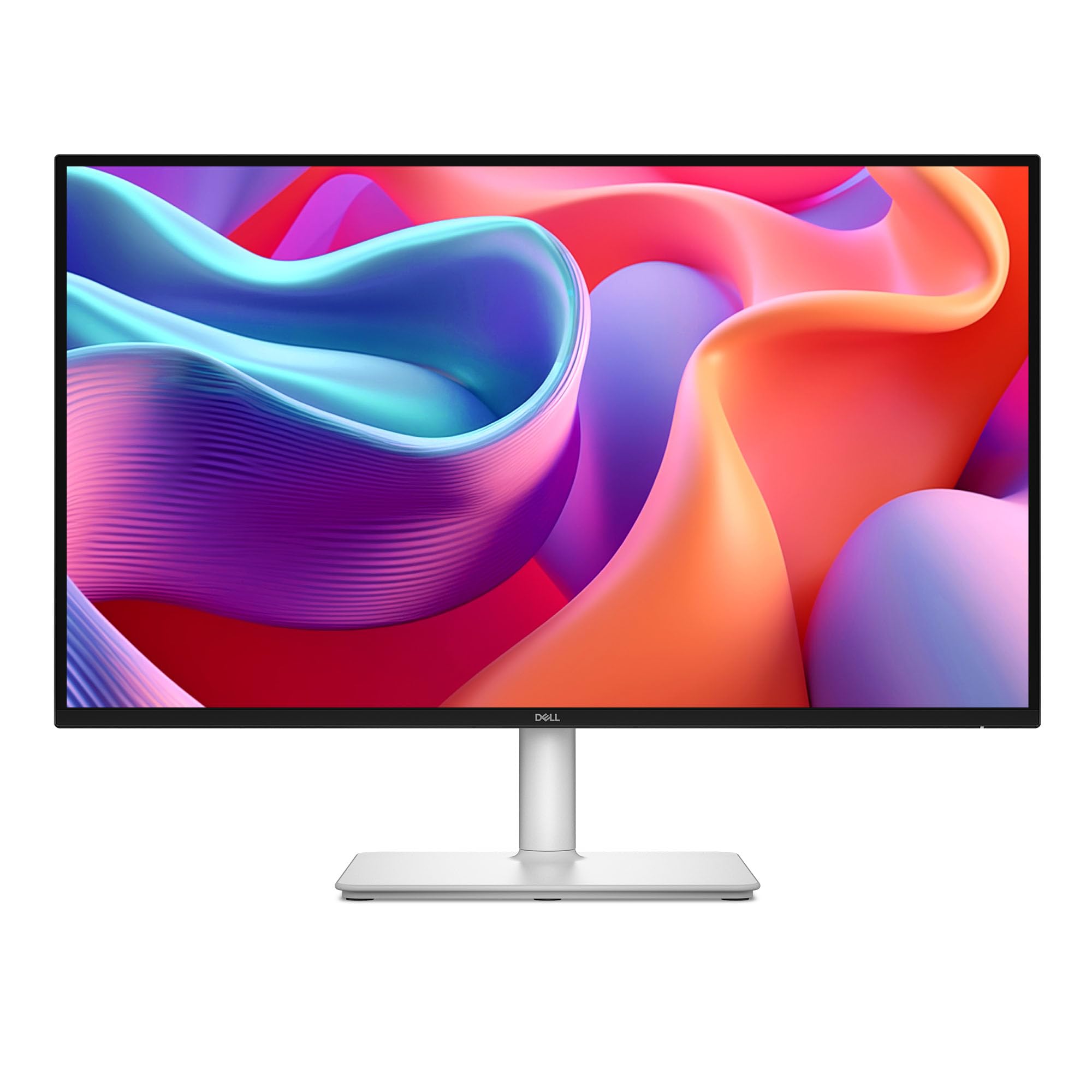
The Dell S2725DC is engineered for the hybrid user who needs a single-cable docking solution: USB-C with 65W power delivery charges a laptop while transmitting the QHD signal, and the pop-out quick-access port on the front panel adds a USB-C and USB-A connection for peripherals or phone charging. The 1500:1 contrast ratio on this IPS panel is above the typical 1000:1, giving it noticeably deeper blacks than most competitors in the productivity category.
The built-in dual 3W speakers produce a wider frequency range than the typical monitor speakers, which is enough for YouTube, video calls, and ambient game audio without requiring dedicated desktop speakers. The 4-star TÜV-certified low-blue-light solution maintains image color accuracy while reducing eye strain, a meaningful feature for anyone spending eight-plus hours per day in front of the screen.
The 144Hz refresh rate makes it viable for light-to-moderate gaming, though the lack of HDMI 2.1 means console gamers are limited to 120Hz over DisplayPort. The joystick button for OSD navigation feels less robust than the competition’s, and the height adjustment range is modest. For a home office or student setup where USB-C convenience and eye comfort are the top priorities, this Dell is a polished choice.
Why it’s great
- USB-C with 65W power delivery simplifies cable management
- 1500:1 contrast ratio provides better black depth than typical IPS
- Built-in speakers and low-blue-light certification for long sessions
Good to know
- Joystick button feels fragile; height adjustment range is limited
- HDMI lacks 2.1 bandwidth; full refresh requires DisplayPort
6. AOC Q27GAZD

The AOC Q27GAZD brings QD-OLED performance to a price point that undercuts most competitors, offering 240Hz, 0.03ms GtG, and HDR400 True Black certification in a package that prioritizes panel quality over stand sophistication. The 147.6% sRGB and 110.2% DCI-P3 color gamut coverage produces exceptionally vivid colors that make both games and photo libraries look punchier than any IPS display can achieve.
Adaptive-Sync compatibility eliminates tearing effectively, and the glossy coating enhances perceived contrast and saturation in moderate lighting — though it does reflect direct light sources, so positioning away from windows or overhead lamps is important. The anti-glare treatment on the screen surface is minimal, which is typical for OLED panels aiming to maximize color pop.
The stand is the weakest element here: it is short, lacks any ergonomic adjustment, and feels cheap. A monitor arm or aftermarket stand is essentially required, which adds to the total investment. HDMI is limited to 165Hz, so reaching the full 240Hz requires a DisplayPort connection. For buyers willing to supply their own mounting solution, the AOC delivers OLED image quality at a price that makes IPS panels in the same range hard to justify.
Why it’s great
- QD-OLED with 110% DCI-P3 for stunning color saturation
- 240Hz refresh rate and 0.03ms response time
- HDR400 True Black for genuine HDR contrast
Good to know
- Stand is poor; budget for a monitor arm or VESA mount
- HDMI limited to 165Hz; DP required for 240Hz
7. Alienware AW2725DM

The Alienware AW2725DM targets the competitive gamer who wants the combination of NVIDIA G-Sync compatibility with a 180Hz IPS panel and 95% DCI-P3 coverage. The image quality is sharp and color-accurate out of the box, with a matte anti-glare coating that handles bright room lighting well. The dedicated console mode and hardware-based low-blue-light solution are practical additions for long sessions without eye fatigue.
The stand is fully adjustable with height, pivot, swivel, and tilt — a rare feature in this price segment that saves the cost of a separate arm. Build quality is sturdy, with no notable flex or wobble. The connection set includes DisplayPort and HDMI, but lacks USB-C, so laptop users will need a separate adapter or docking station.
To achieve the full 180Hz refresh rate, you must use DisplayPort — HDMI is capped at 144Hz. There are no built-in speakers or headphone jack, which is inconvenient for console players who rely on the monitor for audio. At its effective price point, this Alienware offers the most ergonomically complete and visually polished IPS package for gamers who prioritize adjustable comfort and G-Sync reliability.
Why it’s great
- Full ergonomic adjustability with height, pivot, swivel, and tilt
- G-Sync Compatible with 95% DCI-P3 color coverage
- Durable build quality with a sturdy, stable stand
Good to know
- No USB-C, speakers, or headphone jack
- HDMI limited to 144Hz; DisplayPort required for 180Hz
8. BenQ SW272Q

The BenQ SW272Q is purpose-built for photographers and print designers who demand factory-calibrated color accuracy. The 99% Adobe RGB and 98% DCI-P3 coverage, combined with a 16-bit 3D LUT, ensures that on-screen colors match output on calibrated printers with minimal post-edit surprises. The Nano Matte Panel with TUV anti-reflection certification reduces glare better than any standard matte coating, which is critical for evaluating shadow detail and highlight gradients in a lit studio environment.
The included shading hood attaches securely and features a calibrator pass-through slot, so hardware calibration with Palette Master Ultimate software can be performed without removing the hood. The USB-C connection delivers 90W power delivery — enough to charge a 16-inch MacBook Pro at full speed while carrying the display signal and enabling the built-in USB hub for card readers and external drives.
The Paper Color Sync technology simulates how an image will look when printed on specific paper types, saving test prints and reducing waste. The monitor is physically heavier than typical 27-inch models due to the robust stand and build quality. For photographers who prioritize color-critical work and want a monitor that ships color-accurate out of the box, the SW272Q is the definitive choice in the 27-inch QHD space.
Why it’s great
- 99% Adobe RGB with 16-bit 3D LUT for professional color work
- USB-C with 90W power delivery and built-in hub
- Included shading hood with calibrator pass-through slot
Good to know
- Heavier than typical 27-inch monitors; sturdy but bulky
- No manual included in the box; download is required
9. Samsung Odyssey G5 G53F

The Samsung Odyssey G5 G53F opens the door to QHD gaming at the most accessible price level, delivering a 200Hz IPS panel with 1ms MPRT response and AMD FreeSync Premium for undercutting nearly every other monitor in this roundup. The Black Equalizer feature lifts shadow detail to help spot opponents in dark corners, and the Auto Source Switch+ automatically detects and switches to the active input device, which simplifies multi-device setups.
The image quality is genuinely solid for the cost — colors are vibrant, the 178-degree viewing angle is consistent, and HDR10 support adds a marginal highlight boost even though the 300-nit brightness limits overall HDR impact. The panel arrived with no visible backlight bleed or dead pixels in most user reports, which indicates decent quality control for a budget-tier display.
The stand offers only tilt adjustment and feels less substantial than the metal stands on premium models, but the VESA mount compatibility means a decent monitor arm solves the ergonomic shortcoming. Cable management is minimal, and the plastic build reflects the cost-saving measures. For the gamer on a tight budget who prioritizes a high refresh rate and QHD resolution over build quality and stand features, the G53F is the strongest entry-level option available.
Why it’s great
- 200Hz refresh rate at a highly accessible price point
- IPS panel with consistent color and wide viewing angles
- FreeSync Premium reduces screen tearing effectively
Good to know
- Stand offers only tilt adjustment; budget for a VESA arm
- Plastic build feels less premium than competitors
FAQ
Is 27 inches the ideal size for QHD resolution?
Can I use a QHD monitor with a PlayStation 5 or Xbox Series X?
What GPU do I need to drive a 1440p 240Hz monitor?
Does a QD-OLED monitor work well for office productivity and text work?
What is the difference between FreeSync and G-Sync Compatible?
Final Thoughts: The Verdict
For most users, the 27 inch qhd monitor winner is the LG UltraGear 27GR83Q-B because it combines a fully adjustable stand, 240Hz refresh rate over HDMI 2.1, and 95% DCI-P3 color coverage into a single package that handles gaming, creative work, and daily productivity without compromise. If you want the infinite contrast and true HDR performance of OLED, grab the MSI MAG 271QPX QD-OLED E2. And for color-critical photography workflows where Adobe RGB accuracy is non-negotiable, nothing beats the BenQ SW272Q with its 16-bit 3D LUT and included shading hood.