
Our readers keep the lights on and the weekend projects moving. As an Amazon Associate, I earn from qualifying purchases.
Every miniature painter and wargamer knows the frustration: a beautifully sculpted 28mm model that prints with visible layer lines, fuzzy faces, or broken spear tips. The difference between a tabletop-ready army and a shelf of rejects comes down to the machine’s XY resolution, Z-axis stability, and light source uniformity. A resin printer built for miniatures must resolve sub-millimeter details—buttons, eyes, chainmail links—without distortion or curing artifacts that ruin hours of post-processing.
I’m Rikta — the co-founder and writer behind FitlyFast. I’ve spent countless hours analyzing build plate adhesion physics, monochrome LCD pixel grids, and UV light distribution data to separate the printers that deliver consistent 32mm hero models from those that waste resin on failed supports.
Whether you are printing rank-and-file troopers or a centerpiece dragon, choosing the right machine determines your success rate. This guide breaks down the best 3d resin printer for miniatures across resolution tiers, build volumes, and real-world usability so you spend less time troubleshooting and more time painting.
How To Choose The Best 3D Resin Printer For Miniatures
Miniature printing demands precision that FDM printers simply cannot deliver at the sub-50 micron level. Every aspect of a resin printer affects your final model quality—from the pixel size of its LCD screen to the rigidity of its Z-axis guide rails. Focusing on the wrong spec leads to wasted resin and failed prints.
XY Resolution: The Micron Reality Check
The XY resolution of a resin printer determines how sharply it can reproduce fine features like eyes, buckles, and sword edges. Machines in the 14K to 16K range shrink pixel sizes down to 14–24 microns, which renders chainmail texture and facial expressions that look painted rather than printed. Budget-friendly 8K printers at 28–35 microns still produce acceptable tabletop models, but you lose the crispest edge definition on small-scale faces and hands.
Build Volume vs. Batch Printing
A 6-by-3-inch build plate fits roughly 8–10 28mm infantry models in one go. Larger machines like the 8.7-by-5-inch format can double that count or print a single large creature without splitting, but they require more resin in the vat and longer exposure tests for consistent quality. If you primarily print individual hero models or small squads, a compact build volume saves resin and shortens setup time.
Light Source Uniformity and Curing Consistency
COB (Chip-on-Board) light sources paired with Fresnel lenses deliver more than 90% light uniformity across the entire build area, eliminating dark corners that under-cure models. Printers with older LED arrays often produce uneven exposure, causing thicker supports on one side of the plate and failed prints on the other—a critical flaw when printing delicate miniatures with thin supports to preserve detail visibility.
Z-Axis Stability and Peel Force Management
A dual linear rail and lead screw design reduces wobble during the lift and peel cycle, which prevents layer shifting that ruins small details. Tilt-release mechanisms (like ELEGOO’s on the Mars 5 Ultra) separate the model from the FEP film faster and with less suction force, allowing you to use lighter supports that are easier to remove without damaging fragile appendages like spears and antennae.
Heated Resin and Ambient Temperature Control
Resin viscosity drops significantly once the vat temperature reaches 25°C. Printers with built-in resin heaters (like the Creality Halot Mage S and ANYCUBIC M7 Pro) maintain optimal printing conditions regardless of room temperature, eliminating failed layers caused by cold resin pooling. For unheated machines, a space heater near the printer before and during prints is essential for consistent adhesion.
Quick Comparison
On smaller screens, swipe sideways to see the full table.
| Model | Category | Best For | Key Spec | Amazon |
|---|---|---|---|---|
| Creality Halot-X1 Combo | Premium Resin | Ultra-fine detail at 16K | 14 × 19 μm XY, 170 mm/h | Amazon |
| ANYCUBIC Photon Mono M7 Pro | Premium Resin | Heated vat + fast batches | 16.8 × 24.8 μm, 170 mm/h | Amazon |
| Creality Halot Mage S 14K | Mid-Range Resin | Large volume with speed | 8.78 × 4.96 × 9.06 in build | Amazon |
| ELEGOO Mars 5 Ultra 9K | Mid-Range Resin | Tilt-release for thin supports | 18 × 18 μm, AI camera | Amazon |
| Phrozen Sonic Mini 8K S | Mid-Range Resin | Reliable beginner 8K | 22 μm XY, 6.5 × 2.8 × 6.7 in | Amazon |
| ANYCUBIC Photon Mono 4 Ultra 10K | Mid-Range Resin | Value 10K with smart detection | 17 × 17 μm, 120 mm/h | Amazon |
| Bambu Lab P1S FDM | Premium FDM | Multi-color, larger terrain | 256 × 256 × 256 mm build | Amazon |
| FLASHFORGE Adventurer 5M Pro | FDM | Beginner-friendly FDM terrain | 600 mm/s max speed | Amazon |
| ELEGOO Jupiter 2 16K | Large-Format Resin | Mass batches + large creatures | 20 × 26 μm, 302 × 162 × 300 mm | Amazon |
In‑Depth Reviews
1. Creality Halot-X1 Combo
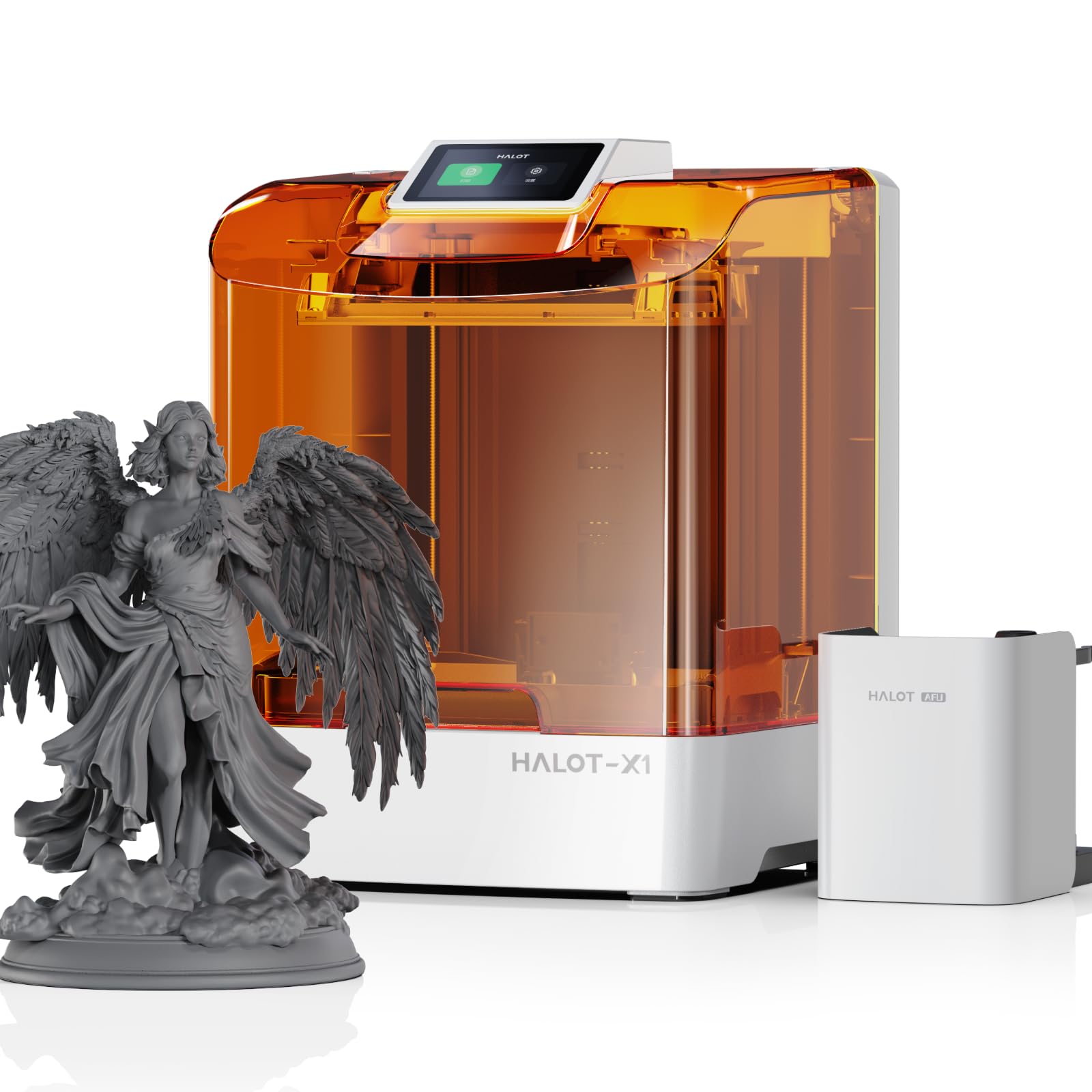
The Halot-X1 Combo steps into the top tier with a 10.1-inch 16K LCD screen that delivers a 14 × 19 μm pixel size. That means each layer cures at a resolution where individual scale texture and sculpted hair strands remain distinct even on a 28mm miniature. The stationary build plate design eliminates the need for re-leveling between prints, which saves real time when you chain multiple batches back-to-back.
Creality’s Intelligent AFU Resin Management system preheats resin to 30–45°C in three minutes, automatically loads print parameters via RFID tags, and monitors resin weight in real time. The 92 independent UV light zones expose only where necessary, prolonging the LCD lifespan and reducing overexposure on delicate faces. For miniatures with thin supports, this selective activation prevents bleeding that blurs edges.
The twist-to-release build plate lets you pop off fully-cured models without scraping—a massive quality-of-life improvement when printing dozens of infantry models. The dual linear rails and lead screws hold Z-axis positioning at 0.01 mm, ensuring that tall models like spearmen and banners print straight without layer offset over 7.8 inches of travel.
Why it’s great
- Industry-leading 14 × 19 μm pixel size for crisp micro-details on 28mm faces
- Heated resin system with RFID auto-configuration removes temperature guesswork
- Stationary build plate never needs manual re-leveling between batches
Good to know
- Proprietary Halot Box software may crash during slicing; some users report unresponsive support
- Large footprint (16.9 × 16.5 × 21.1 in) requires dedicated workspace
2. ANYCUBIC Photon Mono M7 Pro 14K

The Photon Mono M7 Pro marries a 14K LCD (13312 × 5120 px, 16.8 × 24.8 μm XY) with a dynamic heated resin vat that keeps the material at optimal viscosity regardless of your workshop temperature. For miniature printing, this directly translates to fewer failed supports in cold ambient conditions—a common pain point for beginners who print in basements or garages during winter.
ANYCUBIC’s LighTurbo 3.0 COB system, combined with Fresnel lenses and front-facing reflectors, maintains over 90% light uniformity across the 10.1-inch screen. The light-off compensation algorithm ensures each layer fully separates from the film before the next exposure, preventing the layer adhesion failures that destroy thin model limbs. The 170 mm/h speed in high-speed resin mode means a 15 cm tall terrain piece finishes in about an hour.
Six types of intelligent detection—from build plate installation to release film lifespan—catch operator errors before they ruin a print. The resin auto-fill and one-key recycling feature is convenient for large batches, though the USB reader cannot read files within folders, forcing you to place .ctb files at the root of the drive. Some users report that the dark top cover hides print failures until the lid is lifted.
Why it’s great
- Built-in resin heater stabilizes printing in cold rooms, eliminating temperature-related failures
- 14K resolution renders 0.3 mm holes and fine chainmail details clearly
- Six intelligent sensors reduce beginner misoperations
Good to know
- USB cannot read files inside folders; .ctb files must sit at the root directory
- Dark cover can conceal failed layers until post-print inspection
3. Creality Halot Mage S 14K

The Halot Mage S fills a specific niche: large build volume (8.78 × 4.96 × 9.06 inches) with 14K resolution at a mid-range price point. That build area comfortably fits a full 32mm squad of ten infantry models or one large creature base, reducing total print time by batching instead of running multiple single-model cycles. The 13320 × 5120 pixel display at 16.8 × 24.8 μm XY delivers crisp details that hold up under primed inspection.
Creality’s Dynax+ mode boosts the closed-loop motor and dual linear rails to reach 150 mm/h, cutting a typical 15 cm tower print down to one hour. The Integral Light Source 3.0 ensures uniform layer curing without hot spots, which matters when you have model arms and weapons at the build plate edges—common edge-placement often shows under-curing on lesser machines.
The included three-month Chitubox Pro membership gives access to advanced supports and hollowing tools that reduce resin waste. However, the laser-carved build plate needs proper initial exposure calibration; some users report that default settings under-cure the first layers, causing bed adhesion failures. Once dialed in with 35-second initial exposure, the printed models separate cleanly from the Pictor speed-release film without tearing thin details.
Why it’s great
- Large plate fits 10+ infantry models per batch, slashing total print time
- 14K resolution at this build size is rare in the mid-range tier
- Three-month Chitubox Pro license included for advanced support generation
Good to know
- Default initial exposure may need adjustment to 35 seconds for reliable bed adhesion
- Some users report LCD screen spotting after extended use beyond warranty period
4. ELEGOO Mars 5 Ultra 9K

The Mars 5 Ultra breaks from traditional FEP peel mechanics by using a tilt-release mechanism that separates the build plate from the vat at an angle, reducing suction force dramatically. For miniature printing, this means you can use lighter supports that snap off cleanly without chipping bases or breaking thin swords—a major advantage when printing delicate hero models with outstretched weapons.
The 9K LCD (8520 × 4320 px, 18 × 18 μm XY) provides enough detail for faces and armor trim on standard tabletop minis, though it falls short of the 14K machines for extreme close-up photography of eyes and teeth. The internal COB light source achieves 92% uniformity, preventing the edge-fading that causes failed supports on models placed at the far corners of the 6.04 × 3.06 × 6.49 inch build area.
WiFi cluster printing lets you control up to eight Mars 5 Ultras from one interface—useful if you scale into a print farm. The AI camera detects empty build plates and warped models mid-print, enabling time-lapse recording and remote failure alerts. However, the plastic vat (green-tinted instead of aluminum) flexes under high peel force with larger models, so stick to multiple small models rather than one large base per batch.
Why it’s great
- Tilt-release mechanism enables ultra-light supports that remove cleanly without scarring
- AI camera provides real-time failure detection and time-lapse recording
- WiFi cluster supports multi-printer farms for production scaling
Good to know
- Plastic vat can flex under large single-model suction; batch small prints instead
- Some users report LCD screen failure within 90 days; support replaces under warranty
5. Phrozen Sonic Mini 8K S

The Sonic Mini 8K S is a compact workhorse that hits the sweet spot between cost and detail for hobbyists who want dedicated miniature capability without overspending. Its 7.1-inch 8K monochrome LCD delivers 22 μm XY resolution—plenty for 28mm infantry where eyes, belt buckles, and armor panel lines are visible after a single coat of primer. The 6.5 × 2.8 × 6.7 inch build volume fits four to six standard minis per batch comfortably.
Phrozen’s precise Z-axis calibration ensures even layers across the full build height, so a 6-inch tall model prints with consistent thickness from first layer to last. The open-source software compatibility with Lychee, Chitubox, and Tango means you are not locked into a proprietary ecosystem—you can use the support generation tools you already trust. This matters when tuning supports for specific resin brands and model geometries.
The all-metal body and 22-pound weight provide the rigidity needed to suppress vibration during fast prints. The only catch is the file transfer method: you must load models via USB, which adds a step compared to WiFi-equipped competitors. The bent-scraper issue on first use is real—buy a plastic spatula to avoid scratching the build plate, which causes adhesion failures on subsequent prints.
Why it’s great
- 22 μm XY resolution produces crisp details on 28mm infantry at an entry-level price
- Full open-source slicer compatibility (Lychee, Chitubox, Tango) gives flexibility
- Rigid all-metal construction minimizes vibration layer artifacts
Good to know
- Prints only via USB—no WiFi or wireless file transfer available
- Use a plastic spatula for model removal; metal scrapers easily damage the build plate surface
6. ANYCUBIC Photon Mono 4 Ultra 10K

The Photon Mono 4 Ultra upgrades the popular Mono series to 10K resolution with a 7-inch monochrome LCD (9024 × 5120 px, 17 × 17 μm XY). At this pixel density, an average-sized skeleton warrior’s ribcage each rib remains individually defined rather than merging into a solid block. The Intelligent Release Algorithm paired with ACF film achieves 120 mm/h printing while maintaining that detail fidelity—a solid middle ground for hobbyists who want speed without resolution compromise.
The COB light source with Fresnel lenses keeps light angle within 3 degrees across the build area, achieving over 90% uniformity. This prevents under-cured edges that cause support failures on the outermost models of a full-plate batch. Five smart inspections—printer auto-inspection, residual resin detection, leftover resin monitoring, failed print detection, and intelligent lifespan management—catch issues before they ruin multi-hour prints.
The 4.3-inch HD touchscreen with a redesigned UI makes navigating settings intuitive even for beginners, and the 8-language support accommodates diverse users. The compact 8.8-pound weight makes it easy to move between a shelf and a ventilation station. The included screen protector is notoriously tricky to apply without trapping bubbles; some users skip it entirely and rely on the tempered glass overlay, which has proven durable across dozens of prints.
Why it’s great
- 10K at 17 μm XY captures skeletal ribcage and scale mail detail clearly
- Five smart detection modes reduce failed print waste for beginners
- Lightweight build (8.8 lb) is easily portable between workspace and ventilation area
Good to know
- Screen protector is difficult to apply bubble-free; many users opt to skip it
- ACF film is durable but resin odor remains strong—an enclosure or filter is advised
7. Bambu Lab P1S FDM

The Bambu Lab P1S is not a resin printer—it is a high-speed enclosed FDM machine that serves as a complementary tool for miniature enthusiasts. Its 256 × 256 × 256 mm build volume prints terrain pieces, display bases, and multi-part model components that do not require the sub-50 micron detail of resin. The CoreXY design and 500 mm/s travel speed cut large terrain prints that would take a resin printer 10+ hours down to 2–3 hours.
The fully enclosed chamber with HEPA filtration handles PLA, PETG, and ABS well, and the optional AMS unit enables up to 16-color material swapping without manual spool changes. Auto bed leveling and filament runout detection make it beginner-friendly, though the Bambu Studio software requires a computer running Monterey or later for macOS—older operating systems cause installation failures.
For miniature workflows, use the P1S for bulk terrain, movement trays, and display plinths while dedicating a resin printer for the actual models. The 0.4 mm nozzle cannot match the 17 μm XY of a resin printer for faces and fingers, but the speed and material diversity (including TPU for flexible capes and PA for strong structural parts) fill gaps that resin alone struggles with.
Why it’s great
- Prints large terrain pieces 3–4× faster than resin printers
- AMS system supports up to 16 colors without manual spool changes
- Enclosed chamber with filtration enables safe ABS printing for durable parts
Good to know
- FDM layer lines are visible at 0.2 mm; not suitable for painting-grade miniature faces
- Software installation may fail on older macOS versions; a newer computer is required
8. FLASHFORGE Adventurer 5M Pro

The Adventurer 5M Pro is an FDM printer positioned as a user-friendly entry point for tabletop hobbyists who need functional parts alongside their resin-printed miniatures. Its Core XY all-metal structure reaches 600 mm/s travel speed and 20,000 mm/s² acceleration, making it fast enough for low-stakes terrain and print-in-place objects like hinged doors or gear mechanisms for dioramas.
The dual-sided PEI build plate enables tool-free model removal—bend the plate and parts pop off without scraping. Automatic pressure-sensing bed leveling eliminates the manual paper-level ritual, and the nozzle heats to 200°C in 35 seconds. The HEPA and carbon filtration system effectively reduces fumes, though the doors do not seal completely, so some odor escapes during longer ABS prints.
Material compatibility spans PLA, ABS, PETG, ASA, TPU, PC, and carbon-fiber blends, adding versatility for hobbyists who print functional brackets, weapon props, or display stands. The Flash Maker mobile app allows remote monitoring and parameter tweaks. First-unit quality control appears inconsistent—some users receive units with filament feeding failures or calibration errors, though support typically resolves with replacements or refunds.
Why it’s great
- 600 mm/s speed and Core XY frame make terrain and functional parts fast to produce
- PEI spring steel plate allows tool-free removal of finished prints
- HEPA and carbon filtration reduces fumes for indoor operation
Good to know
- Inconsistent first-unit quality; some units arrive with filament feeding or calibration issues
- Enclosure doors do not seal completely, allowing some odor leakage during ABS prints
9. ELEGOO Jupiter 2 16K

The Jupiter 2 is a large-format resin printer built for volume production, offering a 302.4 × 161.98 × 300 mm build volume—2.5 times the area of typical mid-range machines. For miniature printing, this means you can fit an entire 20-model regiment on one build plate or print a large siege monster as a single piece without splitting across multiple plates. The 16K LCD (15120 × 6230 px, 20 × 26 μm XY) ensures that even at this scale, details remain sharp enough for painting-ready faces.
ELEGOO’s multi-point auto-leveling system compensates for any platform irregularities, and the smart tank heating maintains a precise 30°C to keep resin flow consistent. The automated resin feeding system with laser detection ensures the vat never runs dry mid-print, which is critical when a single large build consumes 300–500 mL of resin. The double-door design with a transparent viewing window lets you check progress without lifting the lid and introducing light contamination.
The HDR camera provides real-time monitoring and time-lapse photography, making it easy to document long prints. However, the machine’s size (27.9 × 20.1 × 19.3 inches) and weight (63.8 lb) demand a dedicated, ventilated workspace. Some users report that only one specific wash/cure station accommodates the build plate with a print still attached, requiring careful post-processing planning.
Why it’s great
- Massive build volume fits 20+ infantry models per batch or large creatures
- 16K resolution at 20 × 26 μm keeps details sharp at painting scale
- Heated vat and auto-resin feeding eliminate common failure points for large prints
Good to know
- Extremely large and heavy (63.8 lb); requires permanent dedicated workspace
- Only one compatible wash/cure station fits the full build plate with attached models
FAQ
Is 8K enough for painting-quality 28mm miniatures?
Why do my resin miniatures have layer lines despite using a high-resolution printer?
Can I print a single large monster model on a compact build volume printer?
What is the difference between FEP and ACF release films for miniature printing?
Final Thoughts: The Verdict
For most users, the best 3d resin printer for miniatures winner is the Creality Halot-X1 Combo because its 14 × 19 μm XY resolution and heated resin management system produce consistent, painting-grade miniatures without the troubleshooting overhead of budget machines. If you want a heated vat and fast 170 mm/h batch printing, grab the ANYCUBIC Photon Mono M7 Pro. And for mass-producing an entire army with a large build area, nothing beats the ELEGOO Jupiter 2.