
Our readers keep the lights on and the weekend projects moving. As an Amazon Associate, I earn from qualifying purchases.
Polycarbonate is a demanding material that shrinks aggressively and warps if the thermal environment isn’t precise. A machine that prints PLA effortlessly can fail catastrophically with PC, turning ambitious prototypes into a tangled mess. The difference between success and a ruined print often comes down to a heated chamber capable of sustaining 60°C or more and a hotend that reliably hits 300°C without clogging.
I’m Rikta — the co-founder and writer behind FitlyFast. I’ve spent countless hours analyzing thermal management systems, motion kinematics, and material compatibility across dozens of FDM platforms to identify which machines actually deliver repeatable polycarbonate prints.
Whether you run a small workshop or need engineering-grade parts on demand, choosing the right 3d printer for polycarbonate boils down to chamber temperature stability, nozzle material, and a rigid frame that resists the thermal stresses PC introduces.
How To Choose The Best 3D Printer For Polycarbonate
Polycarbonate demands more from a printer than almost any common filament. The key specs that matter for PLA or PETG are secondary to thermal stability and extrusion force. Below are the three factors that separate a capable PC machine from one that will struggle.
Heated Chamber Capability
A printer must maintain an enclosure temperature of at least 60°C to prevent polycarbonate from warping mid-print. Machines with active chamber heating — not just a passively enclosed frame — hold a consistent ambient temperature that keeps layers from cooling unevenly. Look for printers that advertise an actively heated chamber or offer a heated chamber module as an upgrade. Drafts or temperature drops of even 5°C can cause layer separation on large PC parts.
High-Temperature Hotend and Nozzle
Polycarbonate extrudes between 260°C and 310°C, so the hotend must comfortably reach 300°C without degradation. An all-metal hotend with a hardened steel nozzle is essential — brass nozzles wear down rapidly with polycarbonate, especially carbon-fiber-reinforced blends. A high-flow hotend (rated at 40mm³/s or more) also helps maintain consistent volumetric output when printing PC at speed.
Rigid Frame and Motion System
The warping force of polycarbonate can shift a lightweight frame mid-print, ruining dimensional accuracy. A CoreXY motion system with aluminum extrusion or die-cast frame components provides the stiffness needed to resist these forces. Bed-slinger designs (where the bed moves on the Y-axis) are less suitable for PC because the mass of the print can exacerbate ringing and layer shift. Dual Z-axis leadscrews and linear rails further improve stability for tall PC prints.
Quick Comparison
On smaller screens, swipe sideways to see the full table.
| Model | Category | Best For | Key Spec | Amazon |
|---|---|---|---|---|
| QIDI Max4 Combo | Industrial Desktop | Engineering-grade PC parts | 65°C Active Heated Chamber | Amazon |
| Creality K2 Plus Combo | Large Format Flagship | Multi-color PC prints | 60°C Active Chamber | Amazon |
| Sovol SV08 MAX | Open Source Giant | Oversized PC prototypes | 500mm³ Build Volume | Amazon |
| Prusa XL 2-Toolhead | Professional Dual | Reliable PC with soluble supports | Segmented Heated Bed | Amazon |
| Prusa XL 5-Toolhead | Production Multi-Material | Multi-color & multi-material PC | 5 Independent Toolheads | Amazon |
| Snapmaker Artisan | 3-in-1 Modular | PC + laser/CNC workflows | 400mm³ Enclosed Build Area | Amazon |
| Prusa MK4S | Entry Workhorse | Small PC parts, high precision | Input Shaping | Amazon |
| Anycubic Kobra X | Value Multi-Color | Budget PC experimentation | 300°C Hardened Nozzle | Amazon |
| ELEGOO Jupiter 2 | Large Resin | High-detail PC-like resin parts | 16K 15120×6230 Resolution | Amazon |
| ANYCUBIC Photon Mono M7 MAX | Large Resin | Large PC-like resin prototypes | 13.6″ 7K LCD | Amazon |
In‑Depth Reviews
1. QIDI Max4 Combo

The QIDI Max4 Combo is purpose-built for engineering-grade polycarbonate printing. Its 65°C active heated chamber creates a stable thermal envelope that prevents PC from warping even on tall, thin-walled parts. The 40mm³/s high-flow hotend with a hardened steel nozzle handles standard PC and carbon-fiber-reinforced blends without clogging or nozzle degradation over hundreds of hours.
The closed-loop motors on the X/Y axes maintain positional accuracy during high-speed PC prints, reducing the chance of layer shift when the material contracts. The 390×390×340mm build volume gives you room for large industrial parts like jigs, fixtures, and drone frames without splitting the model. The Polar Cooler system (sold separately) further refines cooling for overhangs when switching between PC and more forgiving materials.
Real-world users report consistent success with PPA-CF and ABS-CF on the Max4, noting that the heated chamber makes the difference between a reliable print and a failed one. The AI camera provides spaghetti detection and pause-on-failure, which saves material on long overnight PC prints. The printer is near fully open-source, allowing for firmware tweaks and customization that power users appreciate.
Why it’s great
- 65°C active heated chamber eliminates PC warping
- High-flow hardened nozzle handles abrasive PC blends
- Closed-loop motors maintain precision at speed
Good to know
- Initial power draw is high during chamber warm-up
- Some users report a long pre-print heating time
- Polar Cooler must be purchased separately
2. Creality K2 Plus Combo

The Creality K2 Plus Combo brings an actively heated 60°C chamber and a 350°C hotend with a hardened steel tip, making it a strong contender for polycarbonate printing. Maintaining a steady chamber temperature is critical for PC, and the K2 Plus achieves that with a dedicated heating element rather than relying on waste heat from the bed. The 350°C nozzle ceiling gives headroom for even high-flow PC blends.
The step-servo motor system delivers 30,000mm/s² acceleration with minimal noise, and the “Matrix” die-cast aluminum frame resists the thermal expansion forces that can shift lighter printers. The dual AI cameras monitor for spaghetti failures and also perform flow rate optimization, which helps maintain consistent extrusion during long PC prints. The CFS (Creality Filament System) supports up to 16 colors, which is useful for multi-material prints where PC is combined with a soluble support material.
Users highlight the plug-and-play nature of the K2 Plus — auto-leveling and input shaping take about 13 minutes, and the first PC print can start immediately after. The 350×350×350mm build volume is generous for functional prototypes. The magnetic PEI bed provides strong adhesion for PC when used with a glue stick or bed adhesive, and the active chamber keeps the bottom layers from cooling too fast.
Why it’s great
- Active chamber heating maintains stable PC environment
- 350°C hardened nozzle handles high-temp blends
- Dual AI cameras prevent print failures
Good to know
- Some units have quality control issues out of box
- CFS dislikes cardboard spools without adapters
- Very heavy — two people needed to unbox
3. Creality K2 Plus Combo (2025 Version)
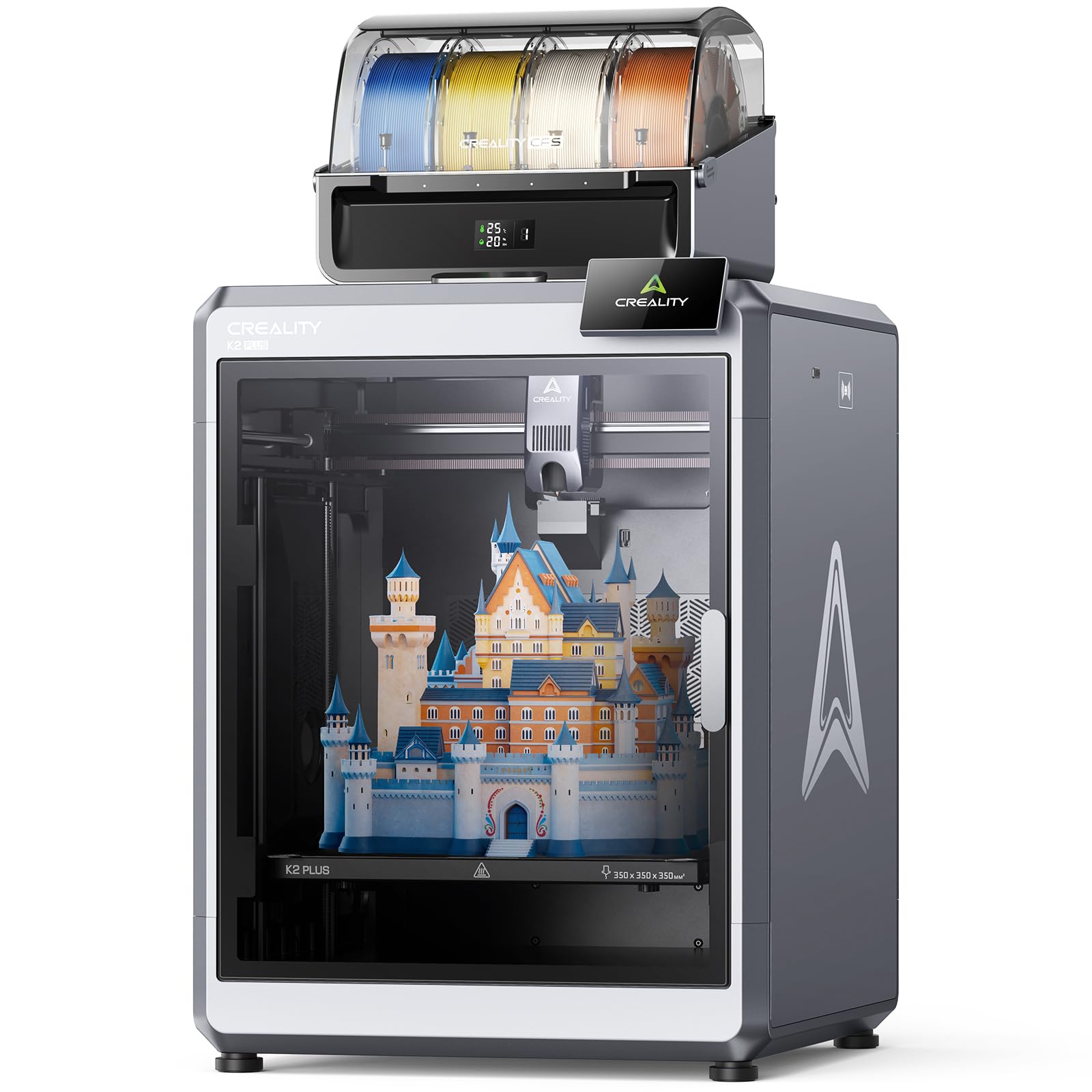
This variant of the K2 Plus Combo shares the same actively heated 60°C chamber and 350°C hotend capability, but it ships with a CFS unit and four spools of RFID-tagged filament. For polycarbonate printing, the active chamber is the defining feature — a 60°C ambient temperature drastically reduces the layer separation that ruins PC prints in open-frame machines.
The dual Z-axis system with four linear rods keeps the print bed steady during high-speed PC printing, reducing the chance of layer shift. The Matrix frame construction from aerospace-grade aluminum alloy provides the rigidity necessary to resist the warping forces of PC as it cools. The toolhead camera also monitors flow rate in real time, which helps maintain consistent extrusion when printing PC at different speeds.
User reports show thousands of hours of flawless PC printing with this machine, with one review noting over 1,400 hours without a single failure. The auto-leveling and tilt compensation ensure the first layer adheres uniformly across the 350mm bed, which is critical for large PC parts that can warp if the initial layer is inconsistent. The CFS doubles as a dry box, keeping PC filament (which is hygroscopic) at optimal humidity.
Why it’s great
- Proven long-term reliability for PC printing
- Active chamber prevents warping on large parts
- RFID filament detection simplifies material handling
Good to know
- ABS transition can cause nozzle jams if not purged
- Assembly instructions are vague
- Wi-Fi connectivity can be finicky
4. Sovol SV08 MAX
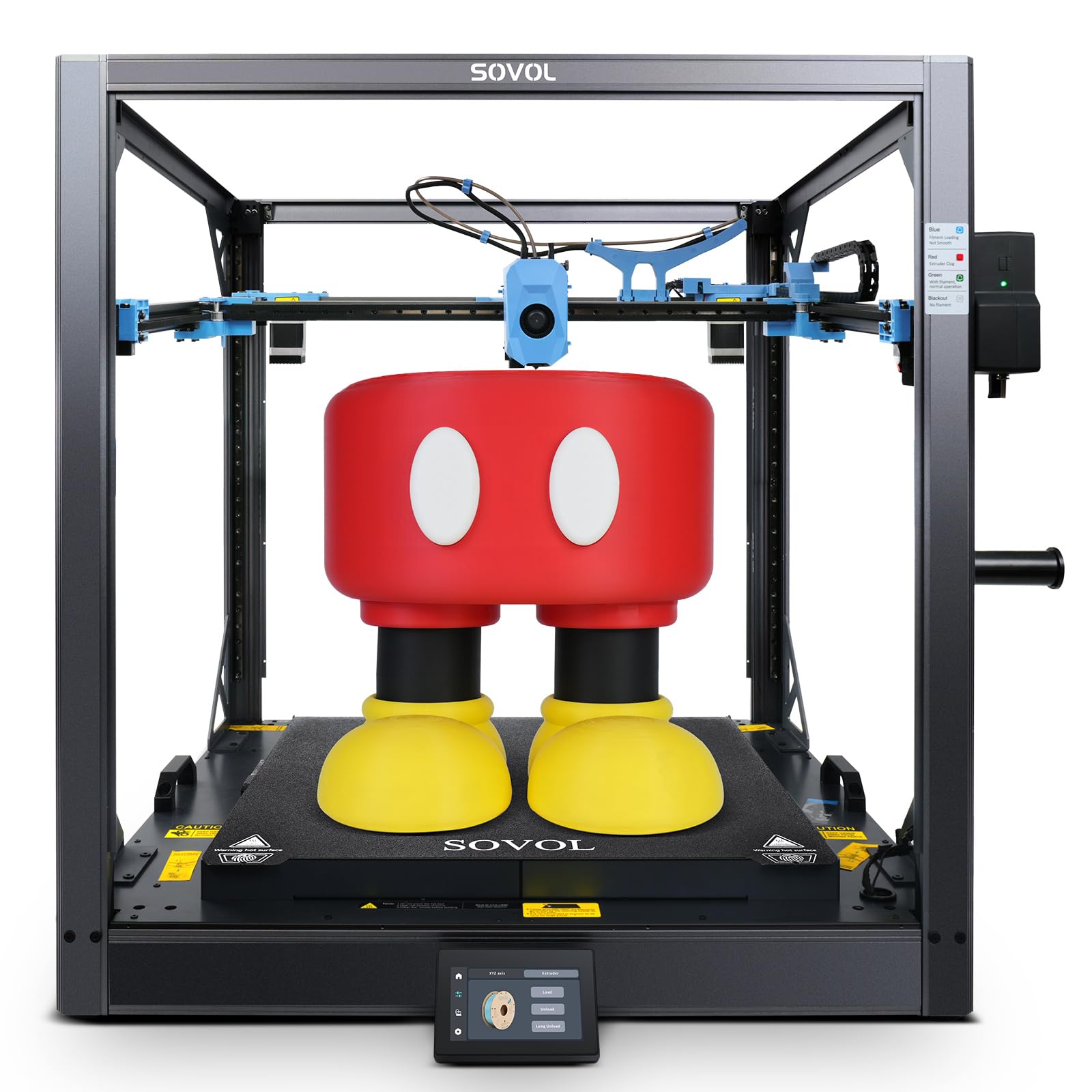
The Sovol SV08 MAX is a 500mm³ CoreXY printer that takes a unique approach to polycarbonate: it ships with a 300°C hotend and a reserved interface for a heated chamber module (sold separately). For PC printing, you will want that chamber module, but even in its base form, the 1300W hotbed and 8mm thick aluminum bed provide rapid, even heating that helps with first-layer adhesion on large parts.
The Eddy Current sensor provides contactless bed leveling that detects surface deviations before every print, which is important for PC because the material is less forgiving of first-layer imperfections than PLA. The industrial-grade linear rails on all axes minimize artifacts during high-speed printing, and the high-flow 50mm³/s nozzle maintains volumetric consistency when pushing PC at the machine’s max 700mm/s speed.
Users report that the SV08 MAX produces excellent print quality for large PC parts like cosplay armor and furniture components, though the machine requires some FDM experience to dial in. The open-source Klipper firmware allows for extensive tuning of temperature profiles specific to different PC blends. The 300°C hotend is adequate for standard PC, but for high-flow or carbon-fiber-filled PC, you will want to upgrade to the optional 0.6mm or 0.8mm hardened nozzle.
Why it’s great
- Massive 500mm³ build for oversized PC parts
- Eddy current leveling ensures consistent first layers
- Open-source Klipper firmware for deep tuning
Good to know
- Heated chamber module must be purchased separately
- Initial setup requires some technical tinkering
- Mainboard fan is loud out of box
5. Original Prusa XL 2-Toolhead

The Prusa XL 2-Toolhead brings professional-grade reliability to polycarbonate printing with its segmented heated bed and CoreXY motion system. The intelligent heating zones only warm the area under the print, reducing overall power consumption while maintaining consistent temperatures across the 360mm build plate. This is particularly valuable for PC, where even local temperature drops can cause warping.
The dual toolhead system allows you to print PC as the main material while using a soluble support such as PVA or BVOH, eliminating the need for mechanical post-processing on complex overhangs. The Prusa ecosystem includes pre-configured profiles for PC blends in PrusaSlicer, which removes the guesswork from temperature and retraction settings. The machine is fully open-source, with no cloud account requirements or forced firmware updates.
Users report that the XL produces consistently high-quality PC prints with minimal calibration, and the Prusa Connect platform enables remote monitoring without tying you to a specific network. The lifetime technical support and regular firmware updates ensure that the machine remains compatible with new PC formulations as they emerge. The build volume of 360×360×360mm is well-suited for medium-scale functional prototypes.
Why it’s great
- Segmented bed reduces warping on large PC parts
- Dual toolhead enables soluble supports for complex PC prints
- Fully open-source with no cloud dependency
Good to know
- Some assembly required despite “fully assembled” label
- Premium price point limits accessibility
- Software UI can feel clunky compared to competitors
6. Original Prusa XL 5-Toolhead

The Prusa XL 5-Toolhead is the ultimate platform for polycarbonate production, offering five independent toolheads that can switch between materials mid-print. For PC, this means you can print the main body in polycarbonate while using a different toolhead for soluble supports, and then switch to a third material for embedded components — all in a single automated build.
The segmented heated bed system heats only the zones under the active print area, which is energy-efficient and helps maintain the 60°C+ ambient temperature PC requires. The CoreXY motion system ensures that tool changes happen without affecting the Z-height, preserving dimensional accuracy across multi-material layers. The open Prusa ecosystem allows for deep customization of toolhead temperature profiles for different PC blends.
In professional environments, the 5-toolhead XL is used for functional prototypes that need PC’s impact resistance in one section while using a flexible material for sealing surfaces in another. Users note that the printer requires advanced troubleshooting skills but delivers unmatched material versatility. The built-in camera supports time-lapse recording and remote monitoring through Prusa Connect, making it suitable for unattended overnight PC production runs.
Why it’s great
- Five toolheads enable complex multi-material PC prints
- Segmented bed reduces energy use while preventing warping
- Fully open-source with professional support
Good to know
- Requires advanced troubleshooting skills
- Delivery may have broken parts due to packaging
- Not for beginners — significant learning curve
7. Snapmaker Artisan

The Snapmaker Artisan offers a different value proposition for polycarbonate users: a modular 3-in-1 system that can also laser engrave and CNC carve. The 400×400×400mm enclosed build area provides ample room for large PC parts, and the dual extrusion module supports printing PC alongside a soluble support material. The all-metal frame with CNC-ground steel guide rails provides the rigidity needed to resist PC warping forces.
The 7:5:1 planetary gear ratio in the dual extrusion module provides consistent filament drive force, which is important for PC because the material is stiffer and requires more extrusion force than PLA. The 7-inch touchscreen allows for live monitoring of dual nozzle temperatures and G-code previews, and the quick-swap module design lets you switch between 3D printing and laser or CNC in about a minute without recalibration.
Users with experience in PC printing report that the Artisan produces good results after tuning, but the learning curve is steeper than with purpose-built FDM machines. The lack of an actively heated chamber (it relies on the enclosure to trap bed heat) means you will need to run the bed at a high temperature for 15-20 minutes before starting a PC print to bring the enclosure up to a stable temperature. This approach works but requires patience.
Why it’s great
- Triple-function adds laser and CNC to PC printing
- Dual extrusion supports PC with soluble supports
- Sturdy frame resists thermal deformation
Good to know
- No active chamber heater — relies on bed heat
- Assembly is complex with minimal instructions
- Software can be buggy with Chinese error messages
8. Original Prusa MK4S

The Prusa MK4S is not an ideal candidate for large polycarbonate prints because it lacks an actively heated chamber, but it can handle small PC parts when the ambient room temperature is kept stable. The all-metal hotend reaches 300°C, and the input shaping compensates for the vibration that PC’s higher printing speeds can cause. For small functional prototypes (under 100mm in any dimension), the MK4S produces excellent surface quality.
The open-source Prusa ecosystem provides well-tested PC profiles in PrusaSlicer that handle retraction and temperature automatically, reducing the trial-and-error phase. The printer’s reliability is legendary — users report thousands of hours of trouble-free operation with PLA and PETG, and the same robust build quality applies to PC, provided you manage the thermal environment. A simple cardboard enclosure or an aftermarket acrylic box can raise the ambient temperature enough for small PC parts to succeed.
For users who already own an MK4S and want to experiment with PC, printing with a brim and using a glue stick on the satin sheet improves first-layer adhesion significantly. The printer’s 250×210×210mm build volume is limiting for large PC parts, but the consistent extrusion and reliable auto-leveling make it a good machine for learning PC material behavior before investing in a larger, chamber-heated system.
Why it’s great
- Excellent dimensional accuracy for small PC parts
- Well-tested PC profiles in PrusaSlicer
- Extremely reliable with minimal maintenance
Good to know
- No heated chamber limits PC part size
- Small build volume (250×210×210mm)
- Requires enclosure for reliable PC printing
9. Anycubic Kobra X
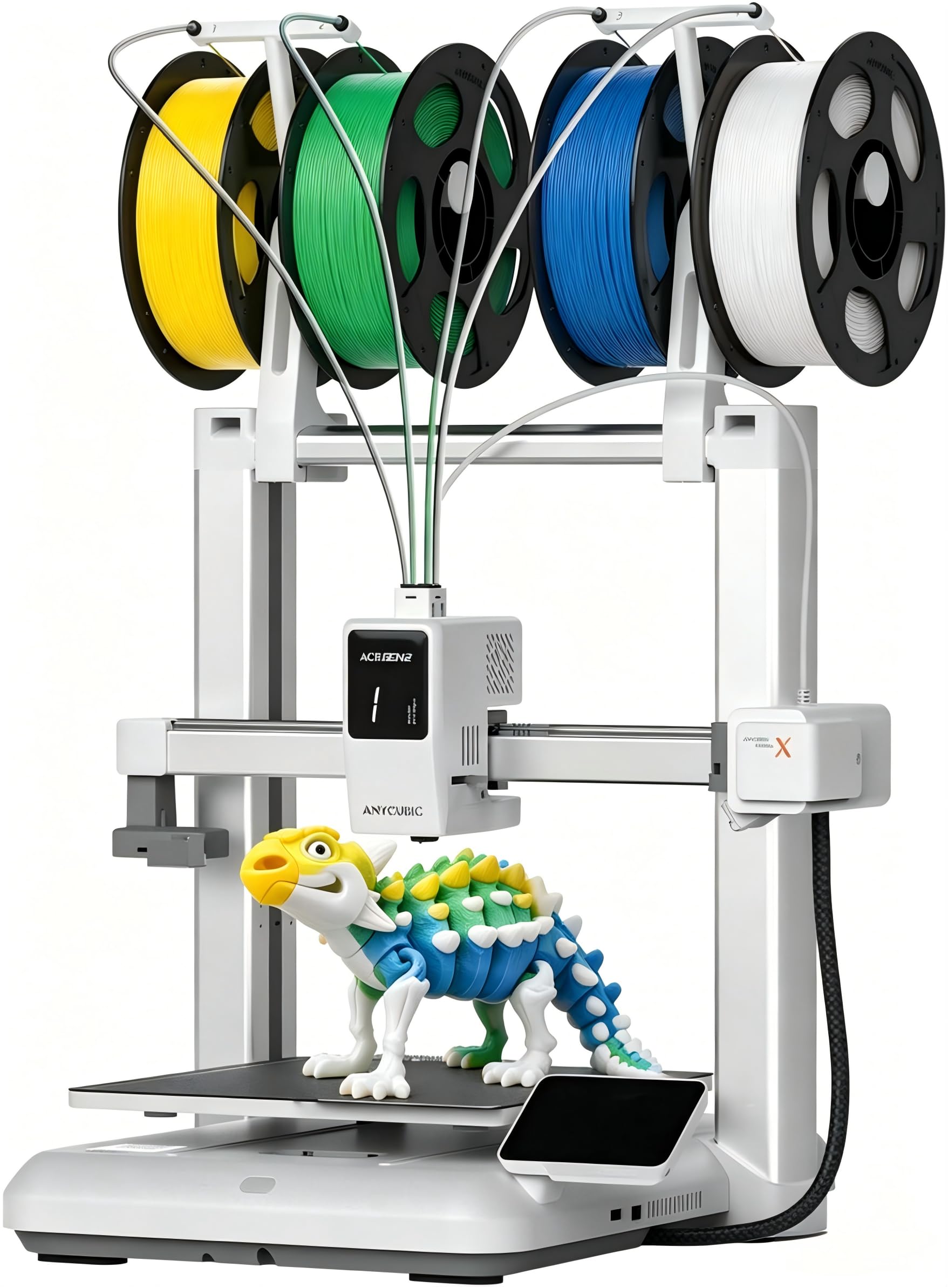
The Anycubic Kobra X is a budget-friendly entry point for polycarbonate experimentation, featuring a hardened steel nozzle rated for 300°C and a 260mm³ build volume. While it lacks an actively heated chamber, the enclosed design (if you add a simple enclosure) and the 300°C hotend allow for small to medium PC prints when the ambient temperature is carefully managed. The LeviQ 3.0 auto-leveling system ensures a perfect first layer, which is critical for PC adhesion.
The standout feature for PC users is the multi-color capability — the Kobra X supports up to 19 colors with the ACE 2 Pro units, which means you can print PC parts with color-coded sections or integrate soluble supports in a different color. The 600mm/s maximum speed is impressive, but for PC, you will likely run at lower speeds (60-100mm/s) to maintain consistent extrusion and layer adhesion.
Users report that the Kobra X produces reliable prints with PLA and PETG, and with proper enclosure and bed temperature management, PC prints succeed. The print quality is smooth with sharp details. The AI camera provides remote monitoring and spaghetti detection, which is helpful for monitoring PC prints that run for many hours. The open software ecosystem ensures compatibility with third-party slicers for fine-tuning PC profiles.
Why it’s great
- Affordable entry point for PC printing
- 300°C hardened nozzle handles PC
- Multi-color capability for complex PC parts
Good to know
- No heated chamber — enclosure needed for PC
- PC printing requires careful speed management
- Some units have bed adhesion issues out of box
10. ELEGOO Jupiter 2

The ELEGOO Jupiter 2 is a large-format resin printer, not an FDM machine, so it does not print polycarbonate filament directly. However, it is included here because many users turn to resin printing for PC-like properties using high-temperature engineering resins that mimic polycarbonate’s strength and heat resistance. The 16K resolution delivers surface finish that rivals injection-molded polycarbonate parts.
The smart tank heating maintains a precise 30°C resin temperature, which is essential for viscous engineering resins that have PC-like mechanical properties. The auto resin feeding system ensures the vat never runs dry during multi-hour prints, and the built-in camera provides real-time monitoring and time-lapse photography. The build volume of 302×162×300mm allows for large, detailed parts that would be difficult to print in PC on an FDM machine without warping.
Users who have switched from FDM polycarbonate to high-temperature resin on the Jupiter 2 report superior detail and surface finish, though the material cost per part is higher. The machine is not suitable for beginners — it requires careful handling of resins and proper ventilation — but for professionals who need PC-like parts with sub-50-micron detail, the Jupiter 2 is a compelling alternative to FDM polycarbonate printing.
Why it’s great
- 16K resolution delivers PC-like surface finish
- Heated vat ensures consistent resin temperature
- Large build volume for detailed parts
Good to know
- Resin, not filament — different workflow entirely
- Requires proper ventilation and PPE
- Not for beginners; significant learning curve
11. ANYCUBIC Photon Mono M7 MAX

The ANYCUBIC Photon Mono M7 MAX is a large-format resin printer with a 13.6-inch 7K LCD and a build volume of 298×164×300mm. Like the Jupiter 2, it does not print polycarbonate filament, but it accommodates high-temperature engineering resins that exhibit PC-like mechanical properties. The dynamic temperature control resin vat adjusts the resin temperature in real time, maintaining optimal viscosity for thick, tough resins.
The LighTurbo 3.0 light source achieves over 90% light uniformity, reducing layer lines and aliasing to produce parts that look and feel like injection-molded polycarbonate. The intelligent release 2.0 system speeds up printing to 60mm/h — a 200% increase over the previous generation — making large, dense parts more practical. The flip-open cover design supports one-hand operation and saves bench space.
Users report that the M7 MAX produces excellent results with high-temperature resins after initial firmware updates resolved vat heating issues. The auto-fill and one-key resin recycling features reduce waste and simplify post-processing. For professionals who need polycarbonate-like mechanical properties with surface quality that exceeds FDM, the M7 MAX is a strong option, but the resin workflow requires more safety precautions than FDM printing.
Why it’s great
- Heated vat maintains consistent resin temperature
- High uniformity light source reduces layer lines
- Auto-fill and recycling simplify workflow
Good to know
- Resin printing requires proper ventilation
- Some units shipped with calibration issues
- Not a direct PC filament replacement
FAQ
What minimum bed temperature is needed for polycarbonate?
Can I print polycarbonate on a printer with a PTFE-lined hotend?
Do I need an enclosure to print polycarbonate?
Is polycarbonate safe to print indoors?
Final Thoughts: The Verdict
For most users, the 3d printer for polycarbonate winner is the QIDI Max4 Combo because its 65°C actively heated chamber, closed-loop motors, and hardened high-flow nozzle create the most reliable thermal and extrusion environment for polycarbonate at a reasonable mid-range price point. If you need multi-color PC prints with active chamber heating, grab the Creality K2 Plus Combo. And for the absolute best multi-material flexibility in a production environment, nothing beats the Original Prusa XL 5-Toolhead.