
Our readers keep the lights on and the weekend projects moving. As an Amazon Associate, I earn from qualifying purchases.
Diving into a barebones keyboard kit means you are choosing the chassis, the plate, and the PCB, then hand-picking every switch and keycap to shape the exact sound, feel, and response your fingers crave. The real challenge is cutting through the noise of gasket mounts, south-facing LEDs, and VIA compatibility to find a foundation that delivers a creamy, consistent acoustic profile without forcing you to mod every screw out of the box.
I’m Rikta — the co-founder and writer behind FitlyFast. I have spent countless hours cross-referencing PCB thickness, dampening layers, and switch compatibility specs to identify which kits deliver that premium “thock” without requiring aftermarket surgery.
Every kit in this guide was selected for its ability to give you a clean build foundation, with genuine hot-swap sockets and gasket mounting you can trust. I have compiled the definitive list of the best barebones keyboard kits available right now, organized by form factor and feature set so you can match your next build to your exact typing preferences.
How To Choose The Best Barebones Keyboard
A barebones kit is the shell, the PCB, the plate, and the mounting system. Your switches and keycaps complete it. The biggest mistake beginners make is thinking all kits are the same under the hood — the gasket structure, the dampening foam layers, and the hot-swap socket type define your entire experience. Focus on these four areas before you buy.
Gasket Mount vs. Tray Mount
Gasket mount suspends the plate between silicone or poron gaskets, creating a softer, more flexible typing feel with a deeper acoustic profile. Tray mount screws the PCB directly to the case bottom, producing a stiffer, higher-pitched sound. For a creamy, thocky build that absorbs vibration, gasket mount is the preferred foundation.
Hot-Swap Socket Type: 3-pin vs. 5-pin
5-pin hot-swap sockets accept any mechanical switch on the market, including switches with two extra plastic guide pins that improve stability. 3-pin only sockets require you to clip those guide pins off if you want to use a 5-pin switch. Kits that support 5-pin out of the box give you the widest switch choice without any surgery.
Internal Dampening Layers
Quality kits include poron foam between the plate and PCB (switch pad), a silicone or foam bottom case pad, and sometimes a PET film layer to reduce metallic ping. The more layers, the less hollow echo and the purer the switch sound. Check for at least two layers — a plate foam and a case foam — for a clean baseline sound.
RGB LED Orientation
South-facing LEDs shine light downward, making them compatible with virtually all cherry-profile and OEM-profile keycap sets without light bleed interference. North-facing LEDs can cause interference with thicker keycaps. If you plan to swap keycaps frequently, prioritize a kit with south-facing RGB sockets.
Quick Comparison
On smaller screens, swipe sideways to see the full table.
| Model | Category | Best For | Key Spec | Amazon |
|---|---|---|---|---|
| AULA F75 Pro | 75% Pre-Built | Daily creamy typing | 5-layer dampening + 4000mAh | Amazon |
| Glorious GMMK PRO | 75% Premium | High-end aluminum builds | CNC aluminum chassis | Amazon |
| YUNZII B75 PRO MAX | 75% Screen+Knob | VIA/QMK customization | 8000mAh battery | Amazon |
| GLORIOUS GMMK TKL | 85% TKL | Entry-level wired builds | Aluminum top plate | Amazon |
| GMK87 | 87-key TKL | Compact TKL with screen | TFT-LCD + VIA support | Amazon |
| GMK104 | Full Size | Dedicated numpad users | 104 keys + VIA | Amazon |
| GMK67 65% | 65% Compact | Budget-friendly 65% builds | 3000mAh + gasket mount | Amazon |
In‑Depth Reviews
1. AULA F75 Pro

The AULA F75 Pro wins the top spot because it arrives as a near-complete package — hot-swap PCB, five layers of internal dampening, pre-lubed Leobog Reaper switches, and side-printed PBT keycaps are all included, meaning you get a creamy, deep thocky sound without buying a single extra part. The 4000mAh battery keeps the wireless connection running for weeks, and the tri-mode (Bluetooth 5.0, 2.4GHz, USB-C) makes switching between devices effortless.
What sets this kit apart is the gasket mount structure paired with extended silicone pads and PCB single-key slotting. The board feels plush under the fingers but remains stable enough for rapid gaming inputs. The CNC-machined knob controls volume in office mode and lighting in game mode, and the 16 preset RGB effects can be customized through the driver software for deeper macro programming.
Users consistently report that the F75 Pro rivals boards costing twice as much, citing the heavy, dense casing and the complete absence of metallic ping or spring noise out of the box. The only caveat is that the side-printed legends take a day to get used to if you rely on top-facing letters, but the overall build quality makes this the easiest recommendation for anyone wanting a premium sound profile immediately.
Why it’s great
- Five-layer dampening delivers a creamy, thocky sound without modding
- Pre-lubed Reaper switches and stabilizers save hours of assembly time
- 4000mAh battery offers exceptional wireless endurance
Good to know
- Side-printed keycaps require adjusting to if you read legends from above
- Driver software user interface feels basic compared to VIA
2. Glorious GMMK PRO 75%

The Glorious GMMK PRO sits in the premium zone for one reason: a solid CNC-machined aluminum frame that gives the board a hefty 3.3-pound weight and a rock-solid typing platform. This is the board you buy when you want a tank-like foundation that absorbs every bit of vibration, letting your switches and keycaps define the entire acoustic profile. The 75% layout keeps the function row intact while saving desk space.
Hot-swap sockets accept both 3-pin and 5-pin switches, so you are free to use any MX-style switch on the market. The pre-installed aluminum plate can be swapped for brass (brighter, firmer sound) or polycarbonate (softer, deeper sound), giving you three distinct acoustic personalities from one chassis. The included rotary knob and interchangeable top frame add further customization options without needing tools beyond the included switch and keycap pullers.
Customer feedback consistently highlights the premium feel and durability, though some early units had stabilizer rattle that required a small amount of grease. Later production runs have addressed this, and the onboard stabilizers now hold their own alongside much higher-priced competitors. The core advantage of the GMMK PRO is that it serves as a genuine long-term platform you can upgrade over years without the chassis ever feeling dated.
Why it’s great
- CNC aluminum body provides unmatched stability and vibration dampening
- Swappable plate system (aluminum, brass, polycarbonate) changes sound profile
- 5-pin hot-swap support gives maximum switch compatibility
Good to know
- Stock stabilizers may need a small application of grease for perfect sound
- Keyboard frame available as barebones only — no switches or keycaps included
3. YUNZII B75 PRO MAX
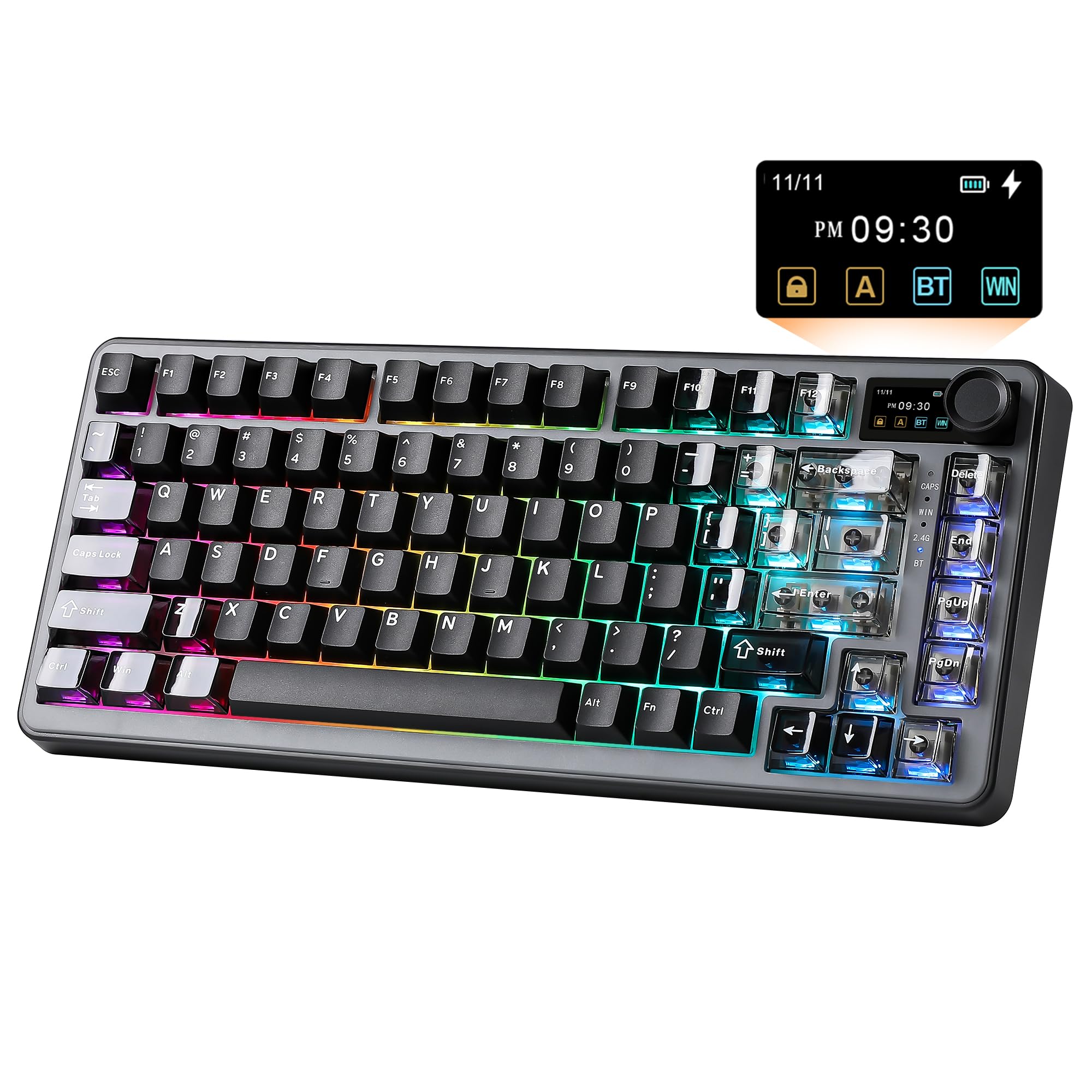
The YUNZII B75 PRO MAX is the only kit in this list that brings full VIA/QMK open-source firmware support alongside a TFT screen, a rotary knob, and an 8000mAh battery — a battery capacity that doubles most competitors. The screen displays battery level, date, time, and custom GIFs, while the metal knob defaults to volume control and can be remapped through VIA for any other function or macro trigger.
The gasket mount is supported by a five-layer cushioning system (poron switch pad, silicone case pad, and multiple acoustic foams) that effectively eliminates cavity noise and hollow echoes. The pre-lubed Cocoa Cream V2 switches produce a creamy, clacky sound with very little spring ping. South-facing RGB LEDs mean you can install any cherry-profile or OEM-profile keycap set without light interference, and the two-stage kickstand offers two ergonomic tilt angles.
Early adopters report that the board is heavy, durable, and sounds excellent right out of the box. The VIA integration is seamless — no proprietary software needed, just a web browser. The main trade-off is that the 75% form factor requires some initial key mapping if you rely heavily on dedicated navigation keys, but the customization options more than compensate once you learn the VIA macro system.
Why it’s great
- 8000mAh battery provides extended wireless runtime measured in weeks
- VIA/QMK firmware allows unlimited key remapping and macro creation
- Five-layer dampening gives a creamy acoustic profile immediately
Good to know
- Learning curve for VIA software if you are new to open-source firmware
- Wireless dongle compartment is not included; keep the 2.4GHz receiver safe
4. GLORIOUS GMMK TKL Barebone
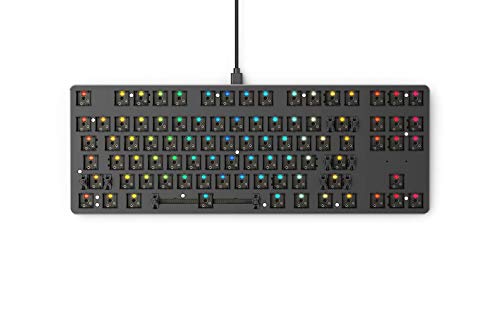
The GLORIOUS GMMK TKL is the board that introduced many enthusiasts to hot-swap keyboards. It is a wired, USB-C-only kit with an aluminum top plate and a plastic bottom case, but its real strength lies in the standard ANSI layout with a standard-sized bottom row. This means you can use virtually any aftermarket keycap set without worrying about compatibility — a huge advantage for builders who plan to swap keycaps frequently.
The hot-swap sockets accept 3-pin switches only, so you will need to clip the two extra plastic guide pins off any 5-pin switch you want to use. The stock stabilizers are pre-lubed and decent for an entry-level board, though some users prefer to replace them for a smoother sound. The floating key design gives the board a sleek, modern look, and the per-key RGB can be customized through Glorious Core software or via hotkeys without installing anything.
Reviews consistently describe this as the best entry point for a first custom build. The case is rigid enough to prevent flex, the aluminum plate provides a consistent typing feel, and the price point leaves plenty of budget for a premium switch and keycap set. The main limitation is the lack of wireless connectivity and the 3-pin-only restriction, but for a pure wired TKL setup, this remains a reliable foundation.
Why it’s great
- Standard ANSI layout ensures compatibility with all aftermarket keycap sets
- Aluminum top plate provides a solid, consistent typing feel
- Floating key design gives a sleek, low-profile aesthetic
Good to know
- 3-pin only hot-swap sockets require clipping 5-pin switch guide pins
- Only wired USB-C connectivity — no Bluetooth or 2.4GHz option
5. GMK87 Barebones Kit
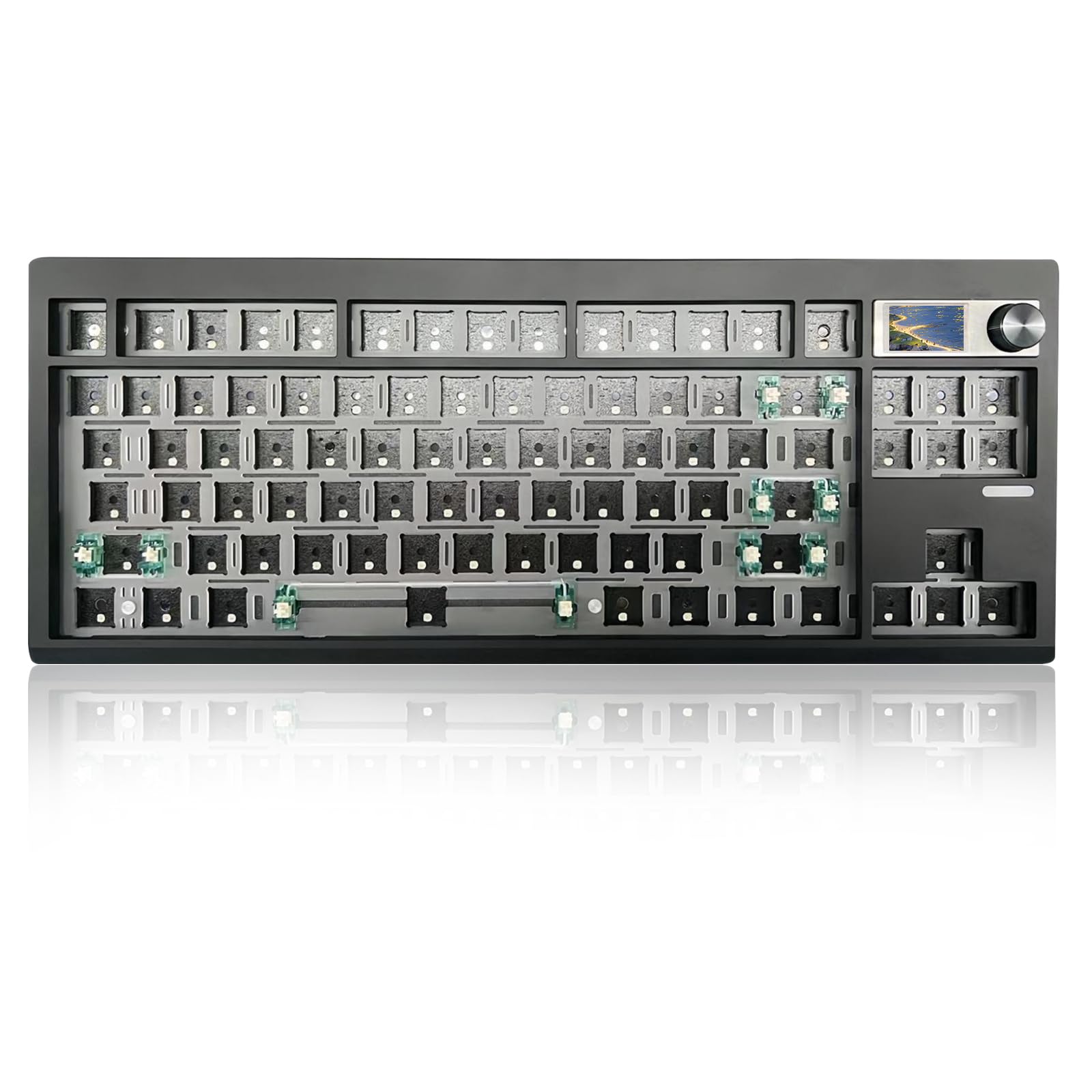
The GMK87 is a TKL (80%) kit that includes a TFT-LCD smart screen and a metal volume knob, giving you a modern visual interface usually reserved for higher-end boards. The screen can display custom images, date, time, and system status, and it integrates with the VIA-compatible software for real-time customization. The 87-key layout keeps a full function row and arrow cluster while remaining more compact than a full-size board.
The gasket mount structure is supported by poron pads and foam layers that reduce internal resonance, producing a clean acoustic signature that responds well to aftermarket switches. The hot-swap PCB supports both 3-pin and 5-pin switches, and the south-facing RGB LEDs eliminate the need to worry about keycap interference. The 3000mAh battery supports Bluetooth 5.0, 2.4GHz, and USB-C wired connections, with the 2.4GHz receiver stored neatly in the case.
User feedback emphasizes the great sound-to-price ratio and the pleasant typing feel when paired with silent or lightly tactile switches. Some early units had occasional issues with certain F-keys not registering, but most reports describe a smooth, satisfying build experience. The GMK87 is the strongest option if you want a TKL layout with a screen knob combination without stepping into aluminum chassis pricing.
Why it’s great
- TFT-LCD screen allows custom GIFs and real-time status display
- VIA software enables full macro programming and key remapping
- Gasket mount with poron and foam layers delivers a clean acoustic profile
Good to know
- Occasional QC reports of non-functioning F-keys on certain units
- Software for screen customization requires separate Windows-based tool
6. GMK104 Barebones Kit
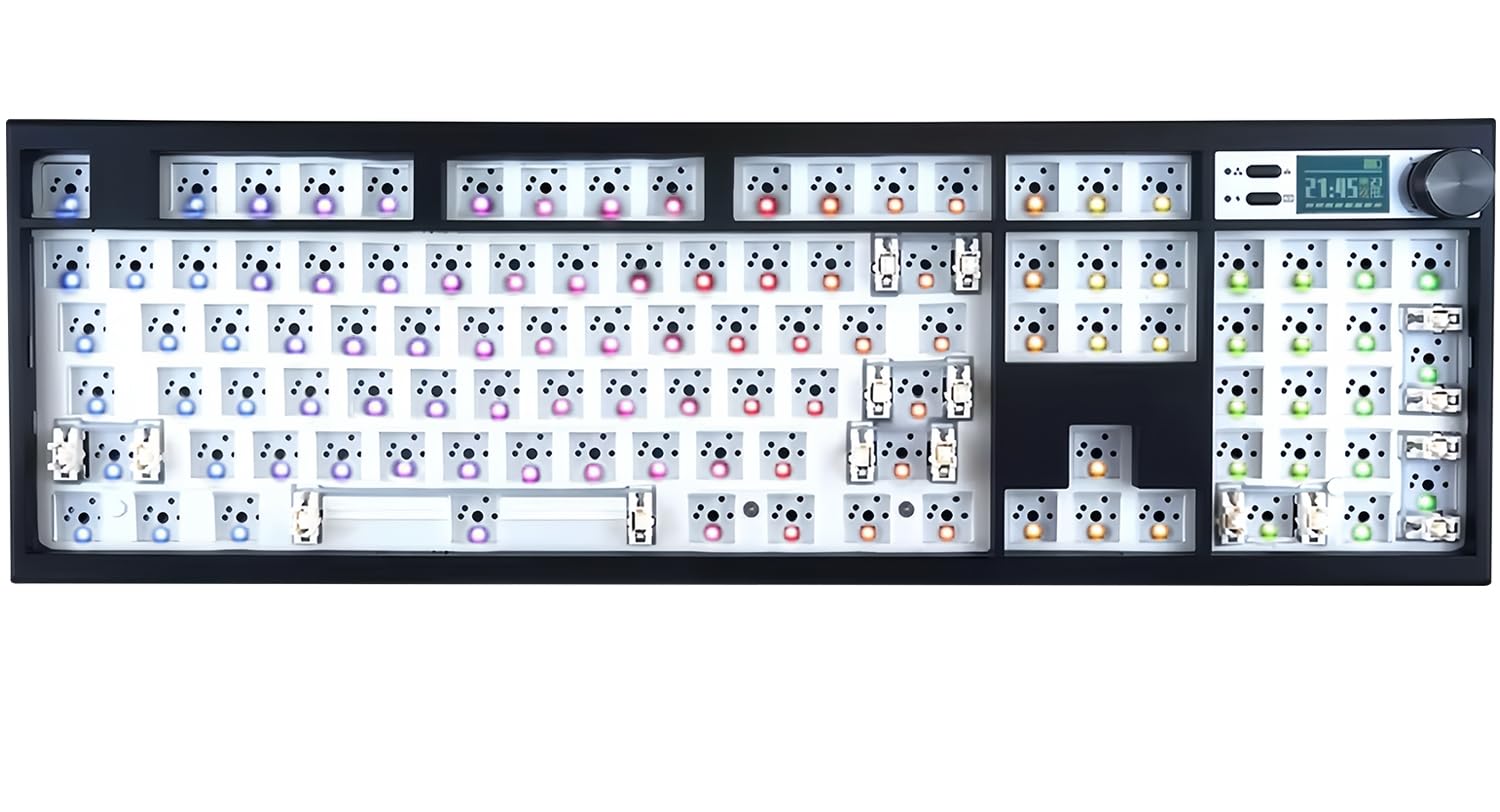
The GMK104 is the only full-size barebones kit in this guide, packing a dedicated numpad, a full function row, and all the navigation keys into one board. It includes a smart display and a metal knob, and it supports VIA programming for full macro and key remapping control. The 4000mAh battery supports Bluetooth 5.0, 2.4GHz, and USB-C wired connections, making it a versatile option for both desk-bound number crunchers and multi-device users.
The gasket-mount PCB and plate are supported by foam dampening that reduces hollowness, and the hot-swap sockets accept 3-pin and 5-pin switches for maximum flexibility. South-facing RGB ensures keycap compatibility, and the NKRO (N-Key Rollover) guarantees that every simultaneous keystroke is registered without conflict — essential for both gaming and data entry. The screen can display custom images, time, and system status, adding a polished visual element to an otherwise utilitarian layout.
Early customer reviews note that the kit feels well-built and heavy, with customizable lighting and smooth switch insertion. Some users encountered minor alignment issues with the arrow keys and backspace, which were resolved by ensuring the switches were fully seated and the pins were straight. The GMK104 is the clear choice for anyone who cannot sacrifice the numpad but still wants the customization depth of a modern gasket-mounted kit.
Why it’s great
- Full 104-key layout with dedicated numpad for number-intensive workflows
- VIA programmable with smart screen and metal knob for visual feedback
- Gasket mount construction reduces cavity noise in a full-size chassis
Good to know
- Some units may need slight switch alignment check during installation
- LED and screen controls require reading the included manual for shortcuts
7. GMK67 65% Mechanical Keyboard Kit

The 66-key layout (plus a knob) saves significant desk space while retaining the arrow keys — a rare feature at this price point. The 3000mAh battery provides enough juice for a week of normal use between charges.
The hot-swap sockets accept both 3-pin and 5-pin switches, and the south-facing RGB LEDs ensure keycap compatibility. The case is made of durable ABS plastic, but the internal foam layers — a poron switch pad, a bottom case foam, and a plate foam — do a surprising amount of work to tame hollow noise. Many users report that with a simple tape mod on the PCB, the GMK67 produces a satisfying thocky sound that rivals more expensive kits.
Customer reviews consistently highlight this as a beginner-friendly board that is easy to mod and expand. The clip-in structure (rather than screws) makes opening the case quick for adding foam or swapping the stabilizers. The main trade-offs are the plasticky stabilizers (easily replaced for a few dollars) and the limited RGB customization on Mac, but for anyone building their first custom keyboard without a large budget, the GMK67 delivers a surprisingly premium foundation.
Why it’s great
- Budget-friendly gasket mount with poron dampening for clean baseline sound
- Tri-mode connectivity (Bluetooth, 2.4GHz, USB-C) for multi-device use
- Easy clip-in case design makes internal modifications beginner-friendly
Good to know
- Stabilizers feel plasticky and benefit from an immediate upgrade
- RGB customization options are limited when used with macOS
FAQ
Can I use any mechanical switch with a 3-pin hot-swap socket?
What does south-facing RGB mean for keycap compatibility?
How important is VIA or QMK support in a barebones kit?
Final Thoughts: The Verdict
For most users, the best barebones keyboard winner is the AULA F75 Pro because it delivers a fully layered gasket mount, pre-lubed switches, and five dampening foams that produce a creamy, thocky sound immediately — no modding required. If you want the ultimate aluminum chassis foundation for long-term upgrading, grab the Glorious GMMK PRO. And for budget-conscious builders who still want a gasket-mount platform, nothing beats the GMK67 65% kit for its price-to-performance ratio.