
Our readers keep the lights on and the weekend projects moving. As an Amazon Associate, I earn from qualifying purchases.
An Android stylus isn’t just a stick of plastic — it’s the interface between your idea and the screen. Pick a laggy, low-resolution pen and every sketch, note, or signature fights you. Pick the right one and the screen disappears, leaving only your mark.
I’m Rikta — the co-founder and writer behind FitlyFast. I’ve spent countless hours poring over pressure sensitivity specs, latency claims, nib durability reports, and cross-device compatibility charts to build a guide you can actually trust.
Whether you are sketching on a Galaxy Tab, signing forms on a Lenovo Yoga, or annotating on a Surface Pro, your choice of tool matters more than you think. This guide takes a hard look at the current landscape to help you find the best android drawing stylus for your specific device and workflow.
How To Choose The Best Android Drawing Stylus
Picking the wrong stylus is a common misstep. The market mixes EMR pens with active pens, Bluetooth models with passive ones, and every brand has a compatibility twist. Before you buy, understand the three pillars that define a serious drawing stylus for Android: pressure sensitivity, compatibility, and power source.
Pressure Sensitivity Levels
This spec dictates how naturally your lines thicken when you bear down. Entry-level pens offer 1,024 or 2,048 levels, but serious drawing starts at 4,096. A few premium options now push 16,000 levels for ultra-fine gradient control. If you do line-art or shading, never go below 4,096.
Compatibility with Your Device
EMR (electromagnetic resonance) pens like the STAEDTLER work with Samsung Galaxy Tabs, reMarkable, and BOOX, but not with iPads or Surface devices. Active AES/MPP pens (like the Lenovo Precision and Dell Premier) require a compatible digitizer in the screen. Always check the manufacturer’s compatibility PDF before buying — a beautiful pen that doesn’t pair is just an expensive paperweight.
Power Source and Battery Life
EMR pens draw power from the screen itself and never need charging — a major win for reliability. Active pens need USB-C charging and last anywhere from 10 hours to 40 days per charge. If you hate hunting for cables, lean toward EMR. If you need Bluetooth features like remote shutter or app shortcuts, an active pen with a long standby spec is your route.
Quick Comparison
On smaller screens, swipe sideways to see the full table.
| Model | Category | Best For | Key Spec | Amazon |
|---|---|---|---|---|
| Samsung S Pen Creator Edition | Premium / EMR | Cross-device artists | 4096 pressure + tilt | Amazon |
| Microsoft Surface Slim Pen 2 | Premium / MPP | Haptic feedback writers | 4096 pressure + haptic motor | Amazon |
| OnePlus Stylo 2 | Premium / Active | OnePlus Pad 3 users | 16000 pressure sensitivity | Amazon |
| Dell Premier Rechargeable PN7522W | Mid-Range / Active | Dell 2-in-1 productivity | 4096 pressure + Tile locator | Amazon |
| Lenovo Precision Pen 2 | Mid-Range / AES | Lenovo Yoga/ThinkPad | 4096 pressure + tilt recog. | Amazon |
| Samsung Galaxy Tab S9 S Pen | Mid-Range / EMR | Tab S9 series replacement | 4096 pressure + IP68 | Amazon |
| STAEDTLER Lumograph Digital | Budget / EMR | Minimalist EMR users | 4096 pressure, no charging | Amazon |
In‑Depth Reviews
1. Samsung S Pen Creator Edition

The S Pen Creator Edition is Samsung’s most refined EMR stylus yet, designed for extended creative sessions with an ergonomic grip that reduces hand fatigue. Its 4,096 levels of pressure sensitivity and enhanced tilt recognition allow you to shade and vary stroke width with the same nuance as a traditional graphite pencil.
Built with an aluminum alloy barrel and a POM plastic nib, the pen feels substantial in the hand — slightly wider and heavier than the standard Tab S Pen. It magnetically docks to compatible Galaxy Tabs for storage and never needs charging, which is a huge convenience for daily sketching.
Compatibility spans Galaxy S21 Ultra and higher, Note10 and higher, Tab S Series, and even some Windows PCs that support S Pen. The one trade-off reported by users is that the replacement nibs can be somewhat brittle under heavy angled use, but the cross-device versatility is unmatched in the Samsung ecosystem.
Why it’s great
- Seamless cross-device switching within Samsung ecosystem
- Ergonomic, fatigue-free grip for long drawing sessions
- Zero charging required — always ready
Good to know
- Slightly brittle nibs reported with heavy use
- Not compatible with Galaxy Z Fold/Flip series
2. Microsoft Surface Slim Pen 2
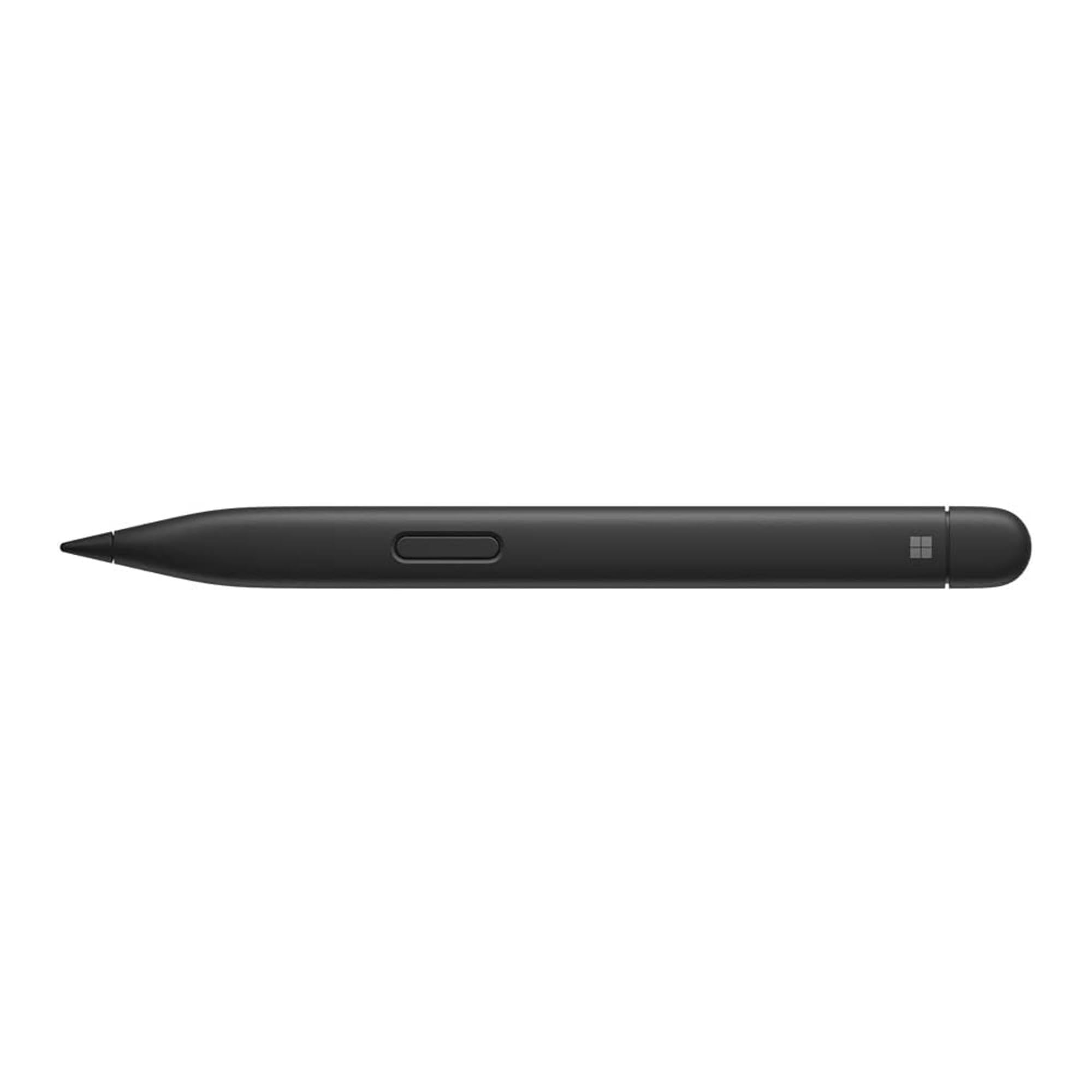
The Surface Slim Pen 2 sets itself apart with a built-in haptic motor that simulates the friction of writing on paper — a tactile feedback layer no other pen on this list offers. Its 4,096 pressure points pair with a sharper tip and improved tilt design for ultra-precise shading.
The zero-force inking means the tiniest contact registers a mark, which is critical for feather-light sketching. The slim, flat carpenter-inspired body looks sleek but can feel awkward in a traditional writing grip, and the side key is prone to accidental presses during long sessions.
Charging is the main caveat: the pen only charges via the Surface Pro’s Signature Keyboard dock, the Surface Studio, or a separate wireless charger. If you don’t have a compatible surface, you’ll need to budget for the dock. That limitation aside, the writing feel is best-in-class for the Windows/Android hybrid crowd.
Why it’s great
- Haptic motor creates a genuine paper-like writing sensation
- Zero-force inking for ultra-light marks
- Excellent durability — survived drops on concrete in user tests
Good to know
- Requires Surface-specific charger or keyboard dock
- Flat design can feel awkward; side key may be pressed accidentally
3. OnePlus Stylo 2

The OnePlus Stylo 2 is the newest contender in the premium active stylus space, boasting an eye-popping 16,000 levels of pressure sensitivity — four times the resolution of most competitors. Paired with 0ms latency, this pen delivers essentially instantaneous stroke feedback, making it a dream for fast sketch work on the OnePlus Pad 3.
Unique productivity features include a built-in laser pointer for presentations, a page-turner via the touch control area, and a red pen annotation tool for temporary screen notes. The magnetic attachment and fast pairing are seamless within the OnePlus ecosystem.
The main drawback is the lack of a standalone charger; the Stylo 2 trickle-charges from the OnePlus Pad’s magnetic attachment. It also took some users a while for the pen to reach a sufficient charge level before pairing for the first time. It is backward compatible with the 2023 OnePlus Pad, but dedicated charging remains ecosystem-dependent.
Why it’s great
- 16,000 pressure levels for incredibly fine gradient control
- 0ms latency for lag-free, immediate response
- Built-in laser pointer for presentations
Good to know
- No standalone charger — relies on tablet’s magnetic charge
- Long initial charge time before first connection
4. Dell Premier Rechargeable Active Pen PN7522W

The Dell Premier Rechargeable Active Pen PN7522W is a well-built active stylus with an aluminum enclosure and a standout feature: it is the world’s first active pen with a Tile locator. If you frequently lose pens between desks or bags, this integrated tracking capability is a genuine life-saver.
Its 4,096 levels of pressure sensitivity and cone-shaped nib deliver responsive, low-lag drawing. The 40-day battery life on a single charge is exceptional for an active pen, and the USB-C rechargeable battery removes the headache of hunting for AAAA batteries. Customizable top and side buttons give quick access to your preferred app shortcuts.
Compatibility is best with Dell laptops like the Latitude 5350 and the Inspiron 2-in-1 series, though some users have reported driver issues with older models. The three-year Advanced Exchange Service adds peace of mind, but the price point positions it firmly as a premium accessory for the Dell ecosystem.
Why it’s great
- Integrated Tile locator finds your lost pen
- 40-day battery life from USB-C rechargeable cell
- Aluminum build for premium, durable feel
Good to know
- Some compatibility issues with older Dell models
- Premium price for a non-EMR active pen
5. Lenovo Precision Pen 2

The Lenovo Precision Pen 2 is a solid workhorse for the Lenovo ecosystem, delivering 4,096 levels of pressure sensitivity with advanced tilt recognition that enables natural shading. Its lightweight 15-gram body makes it comfortable for extended note-taking sessions, and the USB-C charging is fast and convenient.
The battery life is rated at 150 hours in standby, though real-world drawing use brings that down to roughly 10 hours of active inking before needing a 30-minute recharge. The two programmable buttons offer useful shortcuts, though they are unlabeled and may take some trial and error to memorize.
Compatibility is critical here: this pen works with Lenovo laptops like the IdeaPad Duet 5 and various ThinkPad L13 and X1 Yoga models, but is explicitly not compatible with Lenovo tablets. The charging port hides under a pivoting eraser end, so first-time users may need a moment to locate it. Palm rejection is app-dependent and works best within 2mm of the screen.
Why it’s great
- Lightweight and comfortable for long writing sessions
- Fast USB-C charging with tilt recognition
- Great for precise note-taking and sketching
Good to know
- Compatible only with select Lenovo laptops, not tablets
- Active battery life only ~10 hours per charge
6. Samsung Galaxy Tab S9 Series S Pen

The official Samsung Galaxy Tab S9 Series S Pen is the OEM replacement that delivers the same experience the tablet was designed around. With 4,096 pressure levels and no battery to charge (it draws power from the screen via EMR), it is ready to write or draw the moment you pull it from the magnetic holder.
The IP68 water resistance is a unique highlight — this pen can survive splashes, drops in puddles, or use in humid environments without issue. The Air Command button at a hover gesture gives quick access to Smart Select, Screen Write, and Live Messages, making it more than just a drawing tool.
Compatibility is restricted to the Tab S9, Tab S9+, and Tab S9 Ultra. Users report it also works with the Tab S8 Ultra, but Samsung’s official documentation limits it to the S9 generation. The price is mid-range, but for a brand-new OEM pen that includes the full software integration, it is a fair deal.
Why it’s great
- True OEM compatibility with all Tab S9 features
- IP68 water resistant for worry-free use
- No battery — always ready to write
Good to know
- Officially only compatible with Tab S9 series
- Plastic build can feel less premium than metal options
7. STAEDTLER Lumograph Digital
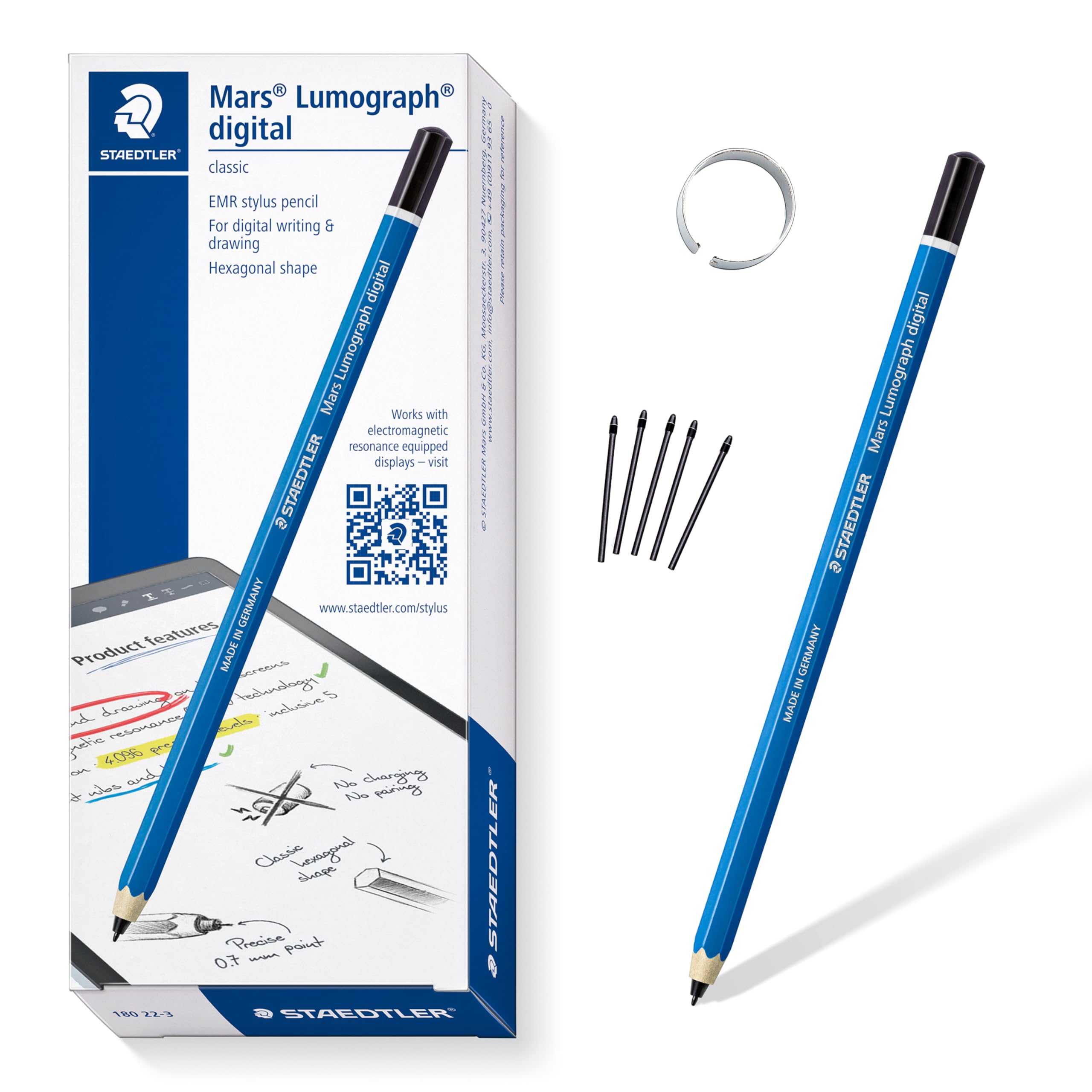
The STAEDTLER Lumograph Digital is a brilliant choice for users who want the classic hexagonal pencil feel in the digital world. Its battery-free EMR design means zero charging and zero pairing — you pick it up and write instantly. The 4,096 pressure levels deliver the line variation you need for serious drawing.
The wood body and blue finish are a nostalgic throwback that many artists love. It includes five replacement nibs and a removal tool, so longevity is not a concern. Palm rejection is built into the EMR technology, meaning your hand can rest on the screen without leaving stray marks.
The big omission is the lack of an eraser — this standard version has no eraser tail, which is a real gap for daily sketchers. It also lacks a pen clip, and the thin hexagonal body can slip out of some case loops. Compatibility with Samsung Galaxy Tabs, Kindle Scribe, reMarkable 2, BOOX, and Supernote is excellent, but it will not work with iPads or iPhones.
Why it’s great
- Authentic pencil shape and balance for natural writing angle
- No charging, no pairing — instant-on convenience
- Broad EMR device compatibility (Samsung, reMarkable, BOOX)
Good to know
- No eraser on the standard version
- Thin body may not fit all case pen loops securely
FAQ
Does an EMR stylus work with any Android tablet?
Should I get a battery-free stylus or a rechargeable one?
What does 4,096 levels of pressure actually mean for a beginner?
Final Thoughts: The Verdict
For most users, the best android drawing stylus winner is the Samsung S Pen Creator Edition because it combines cross-device versatility, EMR convenience, and an ergonomic grip for extended sessions. If you want the haptic paper-like feedback, grab the Microsoft Surface Slim Pen 2. And for unmatched pressure sensitivity on the OnePlus Pad, nothing beats the OnePlus Stylo 2.