
Our readers keep the lights on and the weekend projects moving. As an Amazon Associate, I earn from qualifying purchases.
A 4K IPS monitor is the single most impactful upgrade for anyone who stares at a screen for work or play. The jump from 1080p or a washed-out TN panel to the vibrant, wide-angle clarity of IPS 4K transforms everything from photo editing accuracy to the immersion of an open-world game. But the market is flooded with models that claim “IPS” while delivering mediocre contrast, poor color coverage, or frustrating connectivity. Finding the right one means cutting through the noise of marketing specs to focus on what actually matters: color gamut, panel uniformity, refresh rate, and the ports that make your setup seamless.
I’m Rikta — the co-founder and writer behind FitlyFast. I’ve spent countless hours cross-referencing factory calibration reports, analyzing panel technologies like IPS Black and Fast IPS, and comparing real-world connectivity solutions to build a guide that saves you the deep-dive research.
To find the best monitor for your specific needs, you must ignore brand hype and focus on measurable specs like Delta E accuracy, DCI-P3 coverage, and ergonomic adjustability, which is exactly what this guide to the best 4k ips monitor delivers.
How To Choose The Best 4K IPS Monitor
Choosing a 4K IPS monitor starts with understanding your primary use case. A graphic designer needs different specs than a competitive gamer. The common thread is the IPS panel itself, which offers superior color accuracy and viewing angles compared to VA or TN, but you still need to navigate refresh rates, color space coverage, connectivity, and ergonomics.
Color Accuracy and Gamut: sRGB, DCI-P3, and Delta E
For any creative work, color accuracy is non-negotiable. Look for a monitor that covers at least 100% sRGB for standard web content, but if you work with video or high-end photography, aim for 95% or higher DCI-P3 coverage. The Delta E (ΔE) value tells you how accurate the colors are out of the box; a pre-calibrated Delta E of less than 2 is considered excellent. Pantone Validation is another strong indicator for professional designers.
Refresh Rate and Adaptive Sync for Gaming
Standard 4K monitors top out at 60Hz, which is fine for productivity and casual use. For gaming, a high refresh rate—120Hz, 144Hz, or 160Hz—makes motion significantly smoother and reduces perceived lag. Look for Adaptive Sync technology like AMD FreeSync Premium or NVIDIA G-Sync Compatible to eliminate screen tearing without the performance hit of V-Sync. A 1ms response time (GtG or MPRT) is ideal for fast-paced action.
Connectivity: USB-C with Power Delivery and Thunderbolt
A single USB-C cable can transmit video, data, and power, creating a clean, cable-free desk setup. For laptops, USB-C Power Delivery (PD) of at least 60W is essential to keep your machine charged while connected. Thunderbolt 4 or Thunderbolt 3 offers even higher bandwidth and daisy-chaining capability for multi-monitor setups. Don’t overlook the number and version of HDMI and DisplayPort inputs if you plan to connect multiple desktop PCs or game consoles.
Quick Comparison
On smaller screens, swipe sideways to see the full table.
| Model | Category | Best For | Key Spec | Amazon |
|---|---|---|---|---|
| Dell UltraSharp U2725QE | Premium | Ultimate color work & connectivity | 120Hz, Thunderbolt 4 140W, IPS Black | Amazon |
| BenQ PD3225U | Professional | Mac-based design & color grading | 2000:1 Contrast, Thunderbolt 3 85W | Amazon |
| GIGABYTE M27UP | Gaming | High-refresh & KVM versatility | 4K 160Hz / FHD 320Hz Dual Mode | Amazon |
| ASUS ProArt PA279CRV | Creative | Color-critical editing with 96W PD | 99% DCI-P3/Adobe RGB, ΔE < 2 | Amazon |
| Samsung Odyssey G7 G70D | Smart Gaming | Smart TV features & fast IPS | 144Hz, 1ms GtG, AI Upscaling | Amazon |
| BenQ MA270U | Mac Optimized | Seamless MacBook integration | P3 Color, 90W USB-C, Mac Controls | Amazon |
| ASUS ProArt PA279CV | Creative | Budget-friendly pro color work | 100% sRGB/Rec.709, ΔE < 2 | Amazon |
| LG Ultrafine 27UP850N-W | Creative | Vivid HDR & USB-C simplicity | VESA DisplayHDR 400, 95% sRGB | Amazon |
| ViewSonic VP2756-4K | Professional | Pantone validated editing | 100% sRGB, 60W USB-C, Delta E<2 | Amazon |
| LG 32UN650-W | General Purpose | Large screen & great colors | 32″ UHD, DCI-P3 95% | Amazon |
| KTC H32P22P | Gaming Value | Budget high-refresh 4K gaming | 165Hz, 3000:1 Contrast, 121% sRGB | Amazon |
In‑Depth Reviews
1. Dell UltraSharp U2725QE

The Dell UltraSharp U2725QE sets the gold standard for a professional 4K IPS monitor. It uses an IPS Black panel that delivers a 2000:1 contrast ratio—double that of standard IPS—producing deep, inky blacks without the color shift of VA panels. Factory calibration to a Delta E of less than 1.5 ensures the colors are right out of the box for serious photography and video work.
A standout feature is Thunderbolt 4 connectivity, which delivers up to 140W of power delivery to a laptop, video signal, and data transfer through a single cable. You can daisy-chain a second 4K monitor without extra clutter. The 120Hz refresh rate is a massive leap from the typical 60Hz for productivity, making cursor movement and scrolling feel incredibly fluid.
Dell includes ComfortView Plus, a low-blue-light solution that doesn’t wash out colors, and an ambient light sensor for automatic brightness adjustment. With a fully ergonomic stand and a robust port selection (HDMI 2.1, USB-C, USB-A, Ethernet), this monitor is the complete package for any discerning user.
Why it’s great
- IPS Black panel creates an excellent 2000:1 contrast ratio
- Thunderbolt 4 with 140W power delivery is best-in-class
- 120Hz refresh rate and factory Delta E < 1.5 calibration
Good to know
- Some Mac users reported compatibility quirks with initial setup
- Premium investment reflects the pro-level features
2. BenQ PD3225U

The BenQ PD3225U is purpose-built for creative professionals, especially those in the Mac ecosystem. Its 32-inch IPS Black panel achieves a 2000:1 contrast ratio, making shadow detail in photos and video far more defined than on standard IPS monitors. It covers 98% DCI-P3 and 100% sRGB, with Calman verification and Pantone validation for absolute color fidelity.
The M-Book mode automatically matches the color profile to a connected MacBook, creating a seamless dual-display experience. Connectivity is exceptional with Thunderbolt 3 offering 40Gb/s bandwidth and 85W power delivery, plus a daisy-chain port for a multi-monitor setup. The included HotKey Puck G3 gives hardware-level control over brightness and input switching without navigating menus.
The anodized metal stand feels premium and offers full ergonomic adjustments. While the 60Hz refresh rate limits its appeal for competitive gaming, the panel’s color saturation and deep contrast make it a dream for designers. The built-in speakers are mediocre, but that’s a common concession on pro-focused monitors.
Why it’s great
- 2000:1 IPS Black contrast with Pantone validation
- M-Book mode matches MacBook color profiles perfectly
- Thunderbolt 3 with 85W PD and daisy-chain support
Good to know
- Standard 60Hz refresh rate limits gaming use
- Color saturation can appear different compared to iMac Pro
3. GIGABYTE M27UP
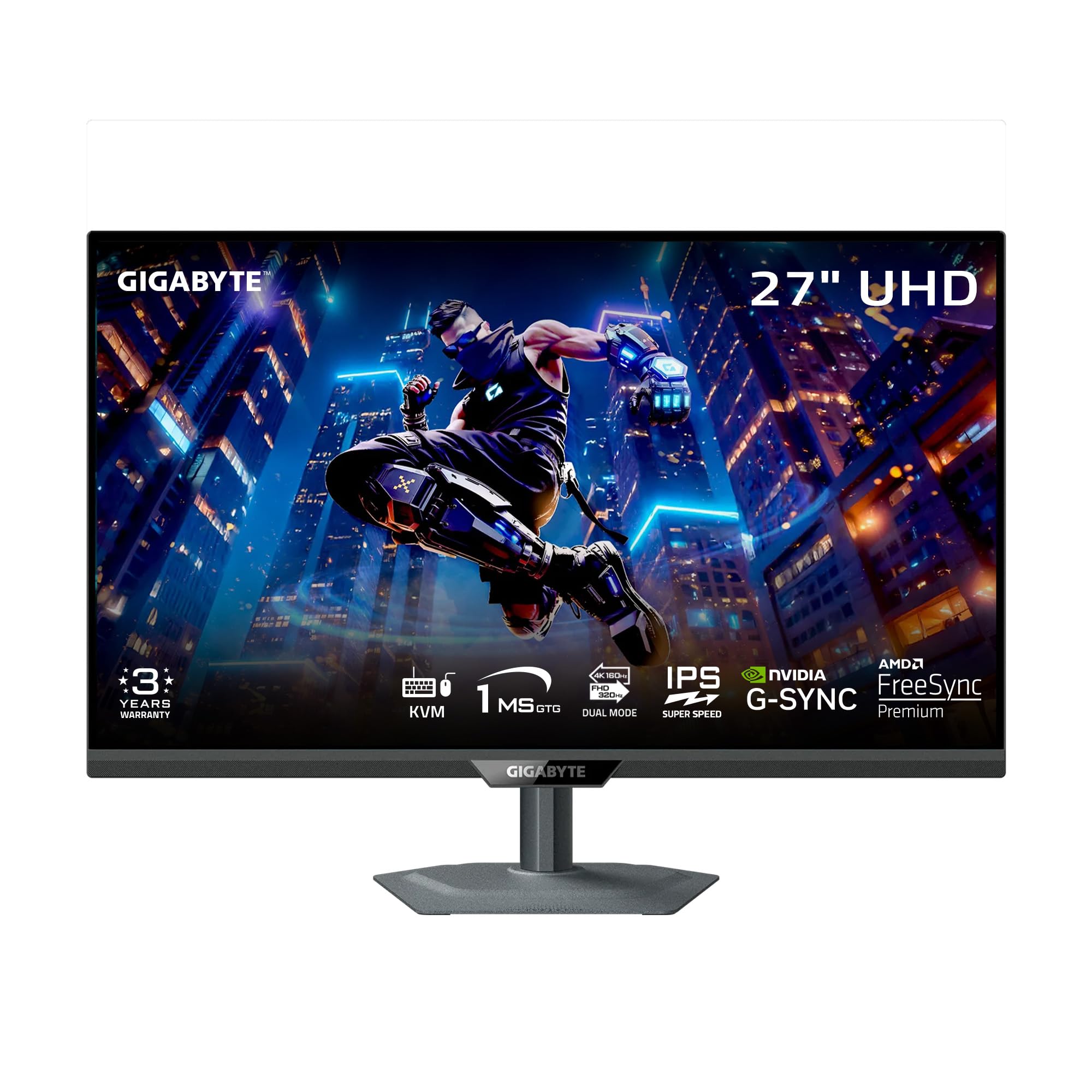
The GIGABYTE M27UP redefines value by packing a 4K 160Hz panel with a 1ms response time into a mid-range price. Its Dual Mode feature lets you switch to a 1080p 320Hz mode for competitive shooters, giving you the best of both worlds: stunning clarity for story-driven games and ultra-smooth motion for esports.
The SuperSpeed IPS panel delivers 350 nits of brightness and 125% sRGB color gamut, making it vibrant out of the box. It supports both AMD FreeSync Premium and NVIDIA G-Sync Compatible, ensuring no screen tearing regardless of your GPU. The built-in KVM switch is a game-changer for users who manage a desktop and a laptop from the same keyboard and mouse setup.
Ergonomics are excellent with height, tilt, swivel, and pivot adjustments. The stand is metal and feels sturdy, though the lack of a cable management hole is a minor oversight. Some users notice a slight vignette effect if sitting very close, and the HDR performance is basic without local dimming, but for the price, the total package is unmatched.
Why it’s great
- Dual Mode: 4K 160Hz and 1080p 320Hz for versatility
- Built-in KVM switch streamlines multi-device setups
- FreeSync Premium and G-Sync Compatible support
Good to know
- No cable management hole in the stand design
- IPS glow in corners can be visible in dark game scenes
4. ASUS ProArt PA279CRV

The ASUS ProArt PA279CRV is the newer sibling of the PA279CV and raises the bar for color-critical work. It covers 99% of both DCI-P3 and Adobe RGB, making it suitable for professional video editing and print design. It is Calman Verified and factory pre-calibrated to a Delta E of less than 2, ensuring consistent life-like color from the moment you plug it in.
Its USB-C port delivers a generous 96 watts of power, which can charge high-end laptops like a 16-inch MacBook Pro. The connectivity also includes DisplayPort daisy-chaining, two HDMI ports, and a USB hub, making it a versatile docking station. The 60Hz refresh rate is fine for editing but not for gaming.
The matte screen finish minimizes reflections, though it can slightly soften the sharpness compared to glossy displays. The ergonomic stand is fully adjustable, and the build quality feels solid. For creative users who need wide gamut coverage and a single-cable laptop solution, this is a top-tier choice.
Why it’s great
- 99% DCI-P3 and Adobe RGB coverage, factory calibrated
- USB-C with 96W Power Delivery for laptop charging
- DisplayPort daisy-chaining for multi-monitor setups
Good to know
- Standard 60Hz refresh rate, not for high-refresh gaming
- Matte finish may slightly diffuse sharpness vs. glossy panels
5. Samsung Odyssey G7 G70D

The Samsung Odyssey G7 G70D is a 27-inch Fast IPS gaming monitor that prioritizes speed and convenience. With a 144Hz refresh rate and 1ms GtG response time, it delivers smooth, tear-free gameplay. It supports both G-Sync Compatible and FreeSync Premium Pro for a stutter-free experience.
Its unique strength is the built-in Samsung Gaming Hub and Smart TV platform. You can stream games from Xbox Cloud, GeForce NOW, or Amazon Luna without a PC, and also use streaming apps like Netflix directly on the monitor. The NQM AI Processor upscales lower-resolution content to look sharper, which is useful for streaming or older games.
The Dynamic Black Equalizer automatically boosts visibility in dark scenes, and the Game Bar allows you to adjust the screen ratio or check FPS without alt-tabbing. The stand is fully adjustable, but the “smart” interface can feel ad-riddled and slow for some users. The lack of USB-C is a notable omission for modern laptop users.
Why it’s great
- Samsung Gaming Hub enables game streaming without a PC
- 144Hz Fast IPS panel with 1ms GtG response time
- G-Sync Compatible and FreeSync Premium Pro
Good to know
- Smart TV interface can be cluttered with ads
- No USB-C port for single-cable laptop connectivity
6. BenQ MA270U

The BenQ MA270U was designed from the ground up for Mac users. It features a P3 wide color gamut calibrated to match the color profile of a MacBook, and it connects via a single USB-C cable that delivers 90W of power. The monitor even allows you to adjust its brightness and volume using your Mac’s keyboard, offering an ecosystem integration that feels almost native.
The dual USB-C ports are impressively versatile: one delivers 90W for your laptop, while the other provides 15W to charge an iPad or iPhone. The adjustable stand offers tilt, swivel, pivot, and height adjustments, and the slim bezels look clean next to a MacBook. The matte screen reduces glare without the graininess of some anti-glare coatings.
Its 60Hz refresh rate means it’s not built for gaming, and the built-in speakers are weak, so external speakers are recommended. Some users reported early failure, though BenQ’s support was responsive. For pure Mac productivity, color work, and a clean setup, this is the best option below the price of the Apple Studio Display.
Why it’s great
- Seamless MacBook ecosystem integration with keyboard controls
- Dual USB-C: 90W for laptop, 15W for mobile devices
- P3 wide color gamut matched to Mac color profiles
Good to know
- 60Hz refresh rate and weak built-in speakers
- Some users experienced early reliability issues
7. ASUS ProArt PA279CV

The ASUS ProArt PA279CV is a workhorse for creative professionals who need accurate color without breaking the bank. It covers 100% sRGB and 100% Rec. 709 and is factory calibrated to a Delta E of less than 2. For photography and video work within these color spaces, the output is reliable and predictable.
Connectivity is generous for its tier, with a USB-C port delivering 65W power delivery, plus a DisplayPort, HDMI, and a four-port USB 3.1 hub. The ergonomic stand allows for full height, swivel, pivot, and tilt adjustments. The 5-year warranty (with registration) provides long-term peace of mind.
The main compromise is the 60Hz refresh rate, which is standard for productivity. The matte screen has good anti-glare properties but is not as “glossy-rich” as a dedicated photo-editing display. Some users noted a slight green tint that needed correction through the OSD, but after calibration, the uniformity is excellent for the price point.
Why it’s great
- Factory calibrated to Delta E < 2 for reliable color
- USB-C with 65W Power Delivery for laptops
- 5-year warranty with online registration
Good to know
- Standard 60Hz refresh rate, not for gamers
- May require slight color tint adjustment in OSD
8. LG Ultrafine 27UP850N-W

The LG Ultrafine 27UP850N-W is a stylish white monitor that sacrifices nothing in performance. Its bright 400-nit IPS panel is VESA DisplayHDR 400 certified, which brings more life to HDR content compared to standard displays. The 95% sRGB coverage ensures solid color accuracy for general creative work.
The USB-C connectivity is straightforward, handling video, data, and power with a single cable. The monitor works especially well with Macs, offering HiDPI resolution support that makes text look crisp. The adjustable stand is functional, though it lacks the adjustability of some pricier competitors.
It supports AMD FreeSync for smooth gaming, and the On-Screen Control software makes adjustments easy. The USB-A ports are limited to 1 amp, meaning they can’t fast-charge phones or tablets. The HDR performance is decent for its class but doesn’t match the impact of displays with more dimming zones. It’s a great all-around monitor for users who want bright, vivid visuals.
Why it’s great
- VESA DisplayHDR 400 with 400 nits peak brightness
- Single USB-C cable for video, data, and power
- Excellent HiDPI support for Mac users
Good to know
- USB-A ports are 1 amp, limited charging capability
- Ergonomic stand is functional but basic
9. ViewSonic VP2756-4K

The ViewSonic VP2756-4K is a Pantone Validated monitor aimed at professional photographers and designers. It offers 100% sRGB, EBU, and SMPTE-C color spaces with a Delta E of less than 2, ensuring that the colors you see match print and broadcast standards. This makes it an excellent choice for print designers and video editors.
The USB-C port provides 60W power delivery and handles video, audio, and data over a single cable. The monitor also includes an Ethernet port, which is a rare and useful addition for users who need a stable wired connection. The stand is premium and includes height, tilt, swivel, and pivot adjustments for all-day comfort.
The 60Hz refresh rate is standard for the professional category. The OSD menu is a bit clunky, but ViewSonic provides software control for adjusting settings from your desktop. Some Mac users noted that the monitor cannot rotate 90 degrees into portrait mode when used with a Mac, which is a specific limitation to be aware of.
Why it’s great
- Pantone Validated for professional print and broadcast color
- Single USB-C with 60W PD and integrated Ethernet port
- Exceptional color accuracy with Delta E < 2
Good to know
- Mac users cannot rotate to portrait mode
- OSD menus are clunky and older
10. LG 32UN650-W

The LG 32UN650-W provides a massive 32-inch screen with excellent color performance at a price point that undercuts many 27-inch competitors. Its DCI-P3 95% color gamut coverage means it can handle photo and video editing tasks with vibrant, accurate colors. The IPS panel ensures consistent viewing angles, even on this larger screen.
It supports HDR10, which, while basic, adds extra pop to compatible content. The stand offers height adjustment, but it is not as premium as the metal stands found on higher-end models. The three-side virtually borderless design looks clean in any setup and makes it great for multi-monitor configurations.
The 60Hz refresh rate and lack of USB-C connectivity mean it’s more suited to desktop PC users than laptop users who want a single-cable solution. The brightness at 250 nits is lower than some competitors, which can be an issue in very bright rooms. For a budget-friendly large 4K IPS display with great color, however, it’s a compelling option.
Why it’s great
- 32-inch screen with DCI-P3 95% color gamut
- Excellent value for a large 4K IPS display
- Borderless design ideal for multi-monitor setups
Good to know
- No USB-C connectivity for modern laptops
- Brightness is lower (250 nits) for bright room use
11. KTC H32P22P

The KTC H32P22P is a 32-inch gaming monitor that pushes the boundaries of value. It features a Fast IPS panel with a 165Hz refresh rate and a 1ms MPRT response time, making it a serious option for competitive gaming. It supports Adaptive Sync (both FreeSync and G-Sync Compatible) to eliminate choppiness and tearing.
The contrast ratio is listed at 3000:1, which is unusual for an IPS panel and suggests deeper blacks than typical IPS. The 121% sRGB color gamut area ensures vibrant colors. With HDMI 2.1 and DisplayPort 1.4 inputs, it is fully ready for next-gen consoles and high-bandwidth PC gaming.
The build quality is decent for the price, with a sturdy stand and easy setup. Some users report backlight bleed on the edges, which is more noticeable in dark scenes. The menu system can be tricky to navigate. For an entry-level to mid-range 4K gaming monitor, it’s hard to beat the spec sheet at this price point, but expect some compromises in panel uniformity.
Why it’s great
- 165Hz Fast IPS with 1ms MPRT and Adaptive Sync
- HDMI 2.1 and DP 1.4 for next-gen compatibility
- High 3000:1 contrast ratio for an IPS panel
Good to know
- Some backlight bleed visible in dark scenes
- Menu system can be confusing to navigate
FAQ
Is a 60Hz 4K IPS monitor sufficient for casual gaming?
What is IPS Black technology and do I need it?
Can a 4K IPS monitor work well with a MacBook?
Do I need HDMI 2.1 for a 4K IPS monitor?
Final Thoughts: The Verdict
For most users, the best 4k ips monitor winner is the Dell UltraSharp U2725QE because it combines industry-leading IPS Black contrast, a fluid 120Hz refresh rate, and professional-level color accuracy with Thunderbolt 4 and high-wattage charging in a fully ergonomic package that handles both creative work and everyday productivity with ease. If you want the highest gaming speed with a versatile KVM setup, grab the GIGABYTE M27UP. And for a Mac-centric creative studio where color gamut coverage and Thunderbolt bandwidth are non-negotiable, nothing beats the BenQ PD3225U.