
Our readers keep the lights on and the weekend projects moving. As an Amazon Associate, I earn from qualifying purchases.
If your desk is a web of tangled cables, every new device feels like another knot to manage. A standard USB webcam anchors you to a fixed spot near your laptop, making a clean, mobile setup feel impossible. That tether is a genuine friction point for anyone running a home office, streaming setup, or multi-room conference system where freedom of placement changes the entire dynamic.
I’m Rikta — the co-founder and writer behind FitlyFast. I’ve spent hundreds of hours combing through the tech specs, customer feedback, and market landscape for wireless video solutions to understand what separates a cable-free convenience from a connectivity nightmare.
This guide cuts through the noise to define the true best bluetooth webcam options that deliver reliable video, clear audio, and the flexibility to place your camera exactly where it needs to be.
How To Choose The Best Bluetooth Webcam
Choosing a Bluetooth webcam requires shifting your evaluation criteria away from a standard USB model. The biggest trade-off is always between wireless freedom and video quality. You need to check the connection type, power source, and intended use-case carefully before buying.
Wired vs. True Wireless Connection
Many products labeled “wireless” still use a dedicated proprietary USB dongle to establish the connection. True Bluetooth webcams connect directly to your computer’s built-in Bluetooth radio. Each has its own strength: a 2.4 GHz dongle offers a longer, more stable range, while a Bluetooth link removes the need for any physical receiver. Know which one you are buying before you click.
Battery Life and Power Management
If you are looking at a battery-powered Bluetooth webcam, the runtime defines how long you can rely on it. An internal 1500mAh battery is typical for entry-level wireless models and offers around three hours of continuous use. For all-day work, choose a model that also functions while plugged into power or has a higher capacity cell.
Video Resolution and Sensor Quality
The video quality ceiling for wireless cameras is usually 1080p at 30 frames per second. You rarely see 4K in a truly portable, battery-operated model because 4K requires much more data throughput and processing power. If you need ultra-high detail, you will likely need to accept a USB cable as part of your setup. For mobile placements and conferencing, 1080p with a good CMOS sensor is more than sufficient.
Microphone and Speaker Integration
A Bluetooth webcam often doubles as a speakerphone for the room. Check for a built-in speaker if you need to hear others without a separate audio device. Dual noise-canceling microphones are essential for reducing background noise in an open-plan setting. Some premium models also include a 3W speaker for clearer group conversations.
Quick Comparison
On smaller screens, swipe sideways to see the full table.
| Model | Category | Best For | Key Spec | Amazon |
|---|---|---|---|---|
| TOALLIN 1080P Wireless | True Wireless | Cable-free placement up to 50m | 3-hour battery / 2.4G dongle | Amazon |
| TONGVEO 3-in-1 4K | USB Conference | Full-room framing with speaker | 118° FOV / 3W speaker | Amazon |
| NexiGo N680E Pro 4K | Premium Streamer | High-quality streaming with ring light | Sony 4K sensor / PDAF | Amazon |
| EMEET C60E Dual-Camera | Streaming Duo | Dual-camera zooming for demos | 11X hybrid zoom / remote | Amazon |
| EMEET C960 4K | Value 4K | Crisp 4K for business meetings | True 4K CMOS / PDAF focus | Amazon |
| Anker PowerConf C200 | Daily Pro | Low-light work and clear audio | 2K resolution / AI noise canceling | Amazon |
| Galyimage 4K Webcam | Value Streamer | Budget-friendly 4K with ring light | TOF autofocus / triple light | Amazon |
In‑Depth Reviews
1. TOALLIN 1080P HD Wireless Webcam

This is the closest you will get to a true cable-free webcam experience in this lineup. It operates over a 2.4 GHz wireless connection using a tiny USB receiver, letting you place the camera up to 50 meters away from your computer in open space. The 1080p sensor delivers a clean, sharp image at 30 fps, which is the practical ceiling for battery-powered wireless cameras today. The 70-degree field of view frames a solo speaker or a small group without introducing distracting barrel distortion.
The built-in noise-canceling microphone uses a noise reduction algorithm to pick up your voice clearly from up to 5 meters away. The internal 1500mAh battery provides up to three hours of continuous use per charge — enough for a few important meetings before needing a top-up. It re-pairs automatically with the receiver after each use, so you don’t have to fiddle with settings every time you power it on. The unit comes with a USB charging cable and a quick-pairing button on both the camera and the receiver.
This is the ideal choice for anyone who needs to move the camera between rooms, mount it on a tripod away from the desk, or keep the laptop screen completely clutter-free. Some users report a minor echo when using the built-in microphone with a TV speaker, but the video quality and connection stability are consistently praised across hundreds of hours of use.
Why it’s great
- Real wireless mobility up to 50m range
- Plug-and-play with dedicated receiver
- Solid 1080p image for conferencing
Good to know
- Battery lasts only about 3 hours per charge
- Microphone can cause echo with external speakers
2. TONGVEO 3-in-1 4K Webcam
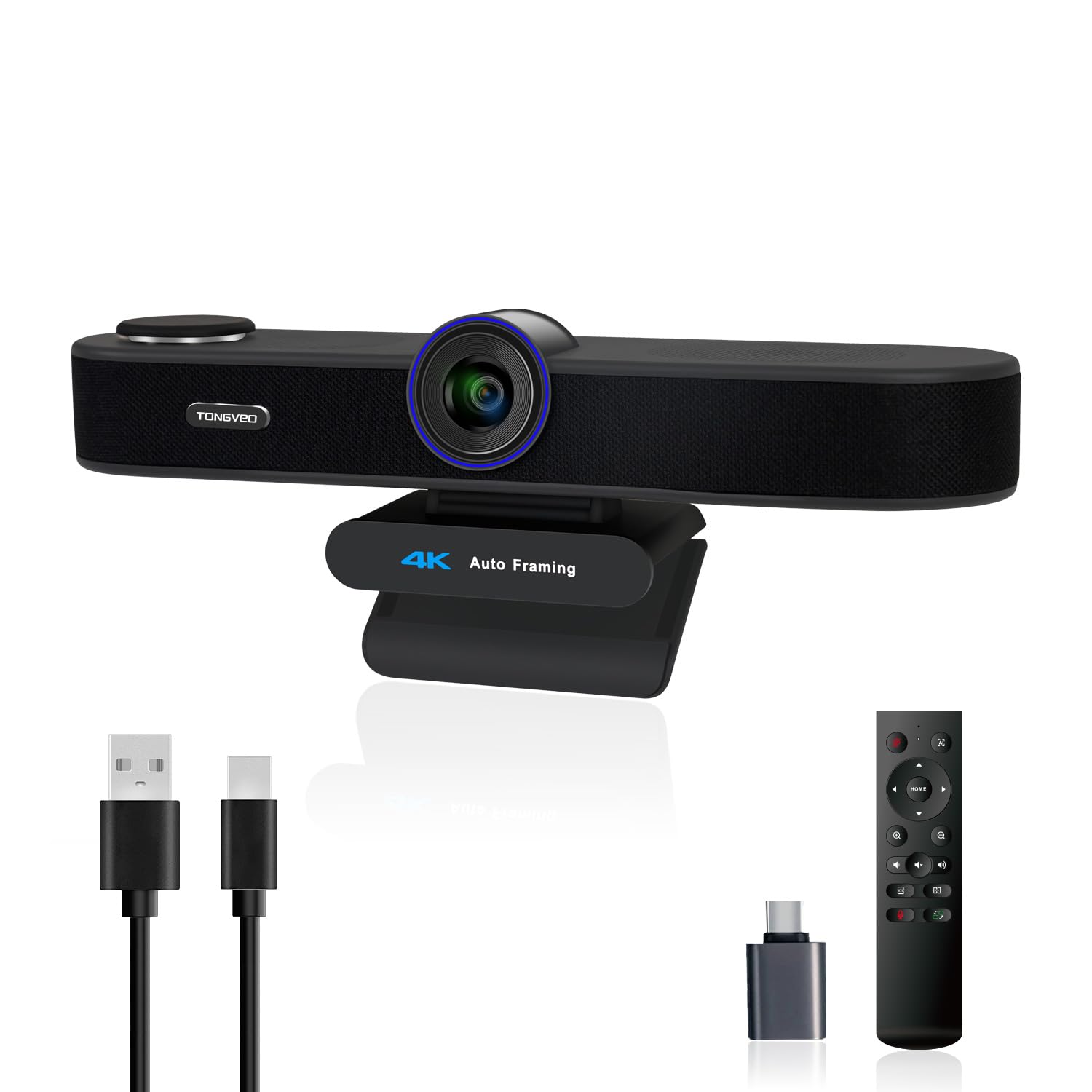
The TONGVEO is a complete conference room in a single camera housing. It packs a 4K sensor with a wide 118-degree field of view, a built-in 3W speaker, and dual microphones. The key feature here is the AI auto-framing and voice tracking: the camera automatically detects everyone in the room and adjusts the frame to keep the group centered. The voice tracking function locates the active speaker within three seconds and moves the focus to them, making it feel like a professional PTZ camera without needing a second operator.
The included infrared remote control lets you switch between three FOV modes (118°, 100°, and 88°) and apply up to 5x digital zoom without touching the camera. The built-in speaker and dual mics mean you can run an entire video call without connecting a separate soundbar or external microphone — a major convenience for a shared conference space. The privacy cover slides over the lens when not in use. It connects via standard USB, so it works with Windows and Mac without additional drivers.
This camera is designed for larger rooms where the camera must sit on a TV or a high shelf, not just a laptop monitor. The 1/2.8-inch 8.29 MP sensor produces crisp video at 4K 30fps, though some users note that the built-in speaker sounds best after a unit has been adequately tested or replaced by the responsive customer support team. For the feature set, it is a powerful all-in-one solution for medium to large meetings or classroom settings.
Why it’s great
- AI auto-framing and active speaker tracking
- Built-in speaker removes need for extra audio gear
- Remote control for zoom and FOV switching
Good to know
- Speaker quality may vary; customer support is responsive
- Uses USB, not true wireless
3. NexiGo N680E Pro 4K Webcam
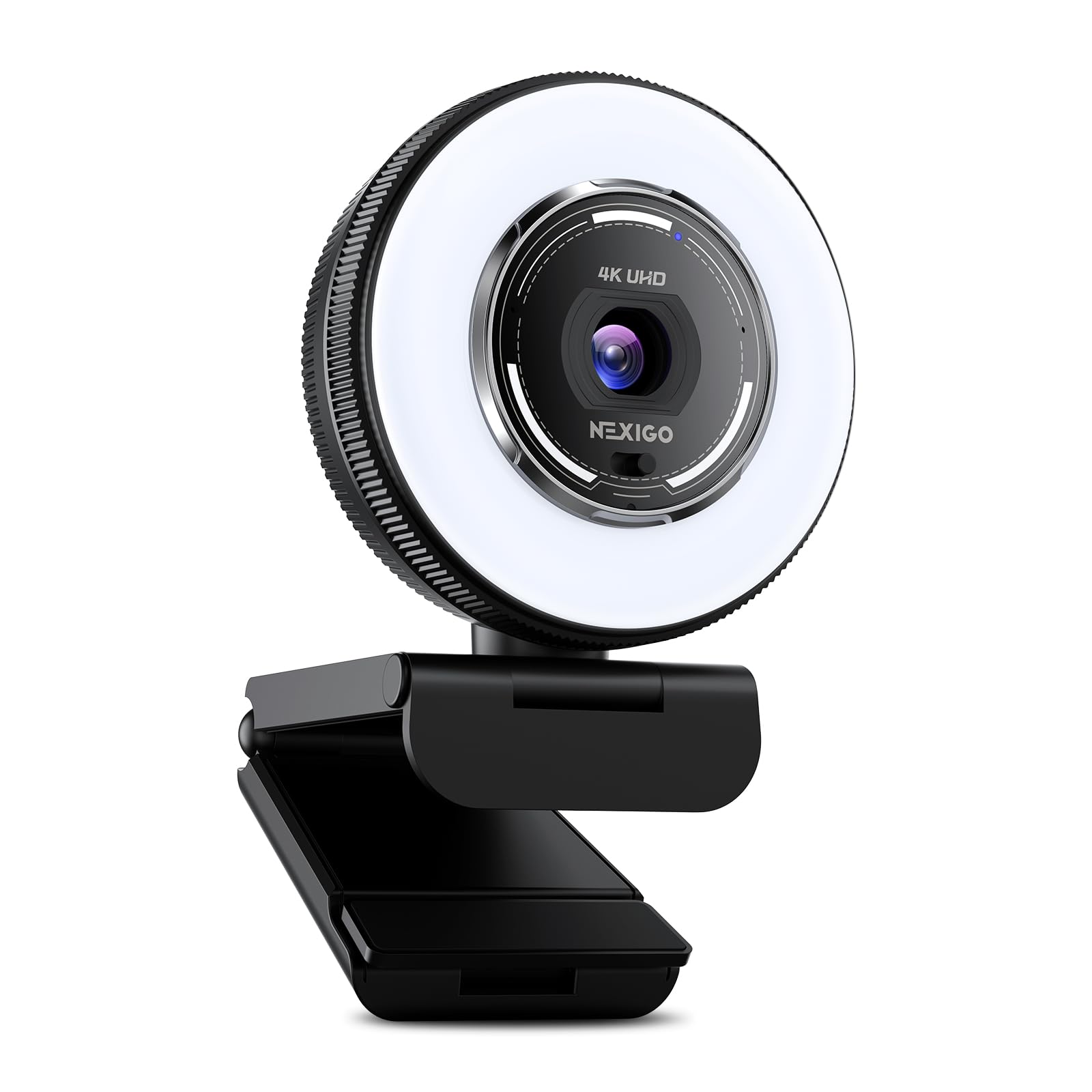
The NexiGo N680E Pro uses a premium Sony 1/2.5-inch 4K sensor that delivers noticeably richer colors and sharper detail than the average webcam. It supports 4K at 30 fps and 1080p at 60 fps, making it a strong choice for content creators and live streamers who want smooth motion for their audience. The PDAF autofocus locks onto faces with speed and precision, so you can move around naturally during a presentation or stream without blurring out of focus. The coated lens reduces glare and improves light transmission, which helps in mixed-lighting home studios.
The integrated tri-tone ring light offers three color temperature settings and stepless brightness control. Rotating the outer dial adjusts the light intensity without an app. This is one of the brighter ring lights found on a webcam — it provides soft, even illumination that fixes bad natural light. The dual noise-canceling microphones filter out keyboard tapping and background chatter, keeping your vocal track clean for the viewer. The built-in privacy shutter provides physical lens blocking when you are off-camera.
It connects via USB-A with true plug-and-play functionality and is widely compatible with Windows, Mac OS, and Chrome OS, even working with the Switch 2 using a USB-C adapter. The flexible clip and 1/4-inch tripod mount give you flexible positioning options. For anyone who prioritizes the absolute best 1080p/4K image quality over wireless mobility, this camera performs better than several Logitech flagship models while staying at a much more accessible price point.
Why it’s great
- Sony 4K sensor delivers pro-grade color and sharpness
- PDAF autofocus is fast and reliable
- Brilliant ring light with stepless brightness control
Good to know
- Wired USB connection, no wireless option
- Large footprint may not suit ultra-thin laptop lids
4. EMEET C60E Dual-Camera 4K Webcam

The EMEET C60E is the only webcam on this list that uses two physically separate cameras sharing a single 4K sensor. The left wide-angle camera captures the full scene, while the right telephoto camera provides a close-up of objects placed as near as 13.8 inches away. This makes it uniquely suited for product demonstrations, unboxing streams, or teaching scenarios where you must show both the overall setup and a detailed view of your hands. You can switch between the two cameras or use the included remote control to zoom smoothly from 1X up to 11X.
The PDAF autofocus keeps the image stable and clear across the entire zoom range. The camera also features customizable RGB lighting — red, green, and blue — that adds a distinctive visual accent for lifestyle streamers. The dual omnidirectional microphones capture clear audio from a 9.8-foot radius, which is enough for a standard desk setup. It comes with a privacy cover, a USB 2.0 cable, and a remote control for adjusting settings while you are on camera.
This webcam is compatible with Windows 10/11, macOS 10.14+, and works natively with OBS, Twitch, and YouTube. It connects via standard USB and supports tripod mounting with a 1/4-inch thread. For streamers and educators who need the flexibility of a multi-camera setup without the complexity and cost of two separate devices, the dual-camera design is a genuine difference-maker. Some users report needing to adjust the settings manually in Zoom to achieve the best 4K output, but the video quality after configuration is excellent.
Why it’s great
- World-first dual-camera for wide and telephoto views
- 11X hybrid zoom with PDAF for stable close-ups
- Remote control for live adjustments without interrupting stream
Good to know
- 4K recording not available during zoom
- Software setup required for best video output
5. EMEET C960 4K Webcam

The EMEET C960 delivers genuine 4K video using a native CMOS sensor — no software upscaling tricks. This is the most affordable true 4K webcam in this guide, and it punches well above its tier in image sharpness. The PDAF autofocus keeps you in focus even during slight movement, which is a rare feature at this price point. The 73-degree FOV is intentionally more narrow, focusing the frame on you rather than the cluttered background of your home office. Combined with auto light correction, the C960 handles both over-exposed windows and dim corners better than its competitors in the same price bracket.
Dual omnidirectional microphones capture natural-sounding audio with good separation, and the camera processes background noise effectively enough that you can skip an external mic for standard calls. The default video resolution is set to 1080p; you need to switch to 4K through the camera settings or compatible apps like OBS or PotPlayer. The privacy cover is a separate attachable piece, not a sliding mechanism, but it blocks the lens completely when mounted.
It connects via USB-A with true plug-and-play simplicity and is compatible with Windows, macOS, Android TV, and Linux. The 360-degree horizontal axis and 15-degree vertical tilt give you plenty of adjustment without a special mount. For budget-conscious users who still want a sharp 4K image for business meetings or personal streaming, the C960 offers the best mix of resolution and autofocus performance at this tier.
Why it’s great
- True 4K CMOS sensor, not interpolated
- PDAF autofocus is fast and accurate
- Auto light correction handles challenging lighting
Good to know
- Default resolution is 1080p — manually switch to 4K
- Privacy cover is not integrated into the body
6. Anker PowerConf C200 2K Webcam

The Anker PowerConf C200 focuses on what matters most for daily professional use: reliable video, excellent low-light performance, and near-flawless audio. The 2K resolution sensor produces a crisp, detailed image that looks clean on large monitors without the bandwidth demands of 4K. It handles dim environments exceptionally well thanks to its low-light correction algorithm — you do not need an extra ring light to look presentable during late evening calls. The adjustable field of view lets you choose between 65°, 78°, or 95° through the software, so you can frame your shot tightly or show a bit more of the room.
The dual microphones use AI noise cancellation to isolate your voice from keyboard typing and HVAC hums. In real-world testing, the audio clarity impressed users enough to make them reconsider using an external microphone. The built-in privacy shutter is a simple, manual sliding cover that sits flush against the lens. The mount is stable and grips thick monitors without wobbling. The PowerConf C200 works with Windows 7 and later and macOS 10.11 and later, covering almost every modern operating system.
This webcam is for the professional who needs a camera that works perfectly out of the box with minimal configuration. It is not the highest resolution option, but the combination of sharp 2K video, excellent low-light handling, and smart noise cancellation makes it one of the most reliable daily drivers you can buy. The Anker software includes a login requirement, which is a minor inconvenience, but the hardware itself delivers consistent quality across months of daily use.
Why it’s great
- Excellent low-light performance without extra lighting
- AI noise cancellation keeps audio clean
- Adjustable FOV via software for flexible framing
Good to know
- Maximum resolution is 2K, not 4K
- Software requires account login
7. Galyimage 4K Webcam with Ring Light
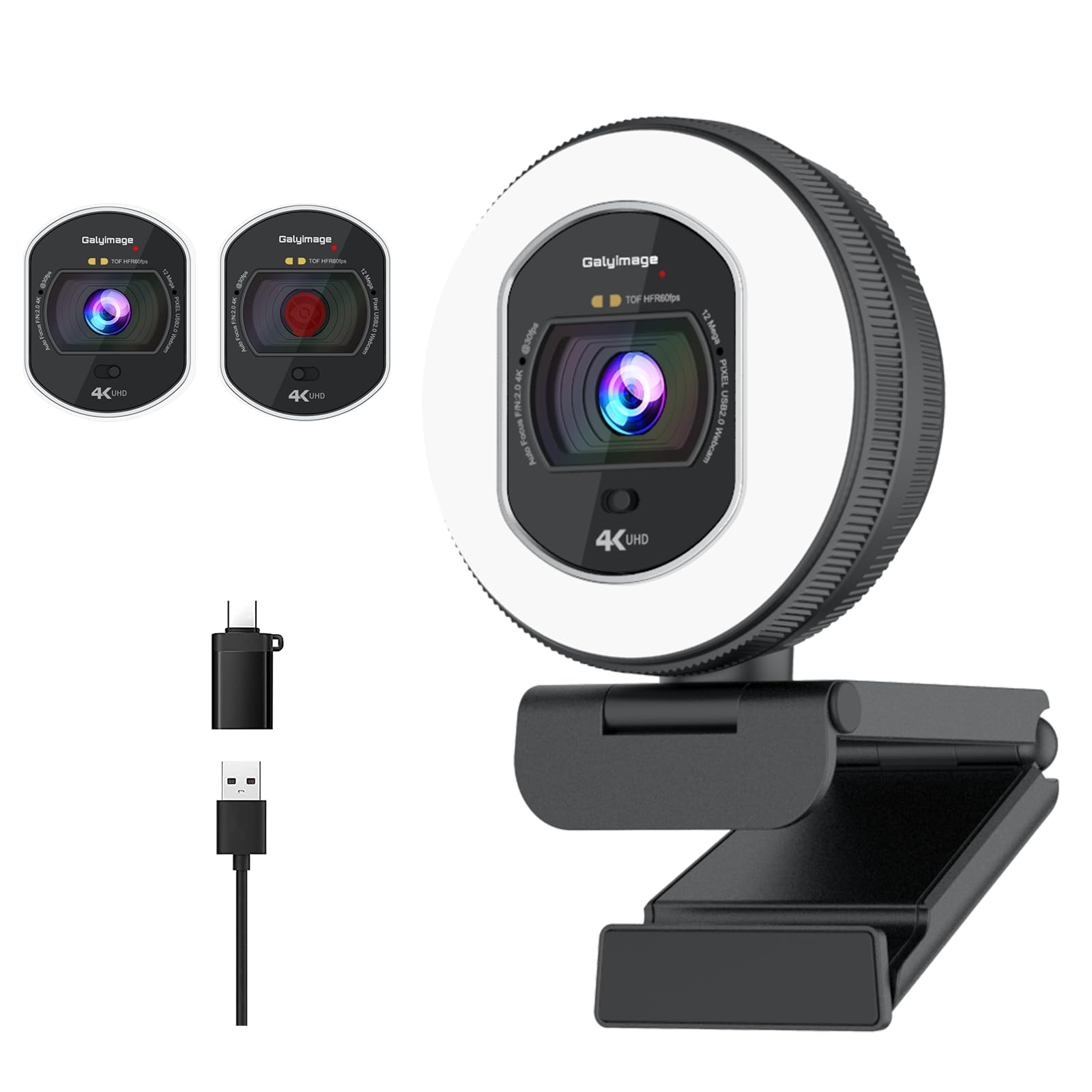
The Galyimage webcam brings 4K resolution and an integrated ring light to the most budget-friendly price point in this guide. It supports 4K at 30 fps and 1080p at 60 fps, giving you smooth motion for streaming or clear detail for business calls. The TOF (Time-of-Flight) autofocus system locks onto faces and moving objects faster than standard contrast-based autofocus, so the image stays sharp even if you shift positions during a presentation. The ring light has three color temperature settings — white, natural, and warm — with stepless dimming controlled by rotating the outer ring. A touch sensor on the back switches between the light tones.
Dual noise-canceling microphones handle background noise filtering well enough for a standard office environment. The built-in privacy cover slides across the lens with a gentle push, offering full physical blocking. It connects via USB with true plug-and-play support on Windows, Mac, and Linux, and it works with Zoom, Teams, Skype, and Google Meet without installing any extra software. The mounting clip is sturdy and fits onto most monitor bezels.
This is the entry point for anyone who wants a combination of 4K resolution and a built-in light source without spending more. The image quality is solid for the price, and the ring light is genuinely useful for fixing poor ambient lighting. It is best suited for streamers or remote workers on a tight budget who need decent video quality and a simple setup. The autofocus does not perform quite as well as the PDAF on more expensive models, but for the price, it is an impressive package.
Why it’s great
- 4K resolution with TOF autofocus at a low price
- Built-in ring light with three color modes
- True plug-and-play with no drivers required
Good to know
- TOF autofocus is not as responsive as PDAF
- Microphone quality is decent, not premium
FAQ
Can I use a Bluetooth webcam with my laptop without any dongle?
How far away can I place a wireless webcam from my computer?
Does a wireless webcam affect video quality compared to a wired one?
How do I fix a choppy or lagging video stream from my wireless webcam?
Final Thoughts: The Verdict
For most users, the best bluetooth webcam winner is the TOALLIN 1080P HD Wireless Webcam because it delivers the true wireless freedom most people are searching for — cable-free placement up to 50 meters away, clear 1080p video, and a simple plug-and-play receiver setup. If you want the absolute best image quality and are willing to keep a wire on your desk, grab the NexiGo N680E Pro 4K. And for a full conference-room solution with AI auto-framing and a built-in speaker, nothing beats the TONGVEO 3-in-1 4K Webcam.