
Our readers keep the lights on and the weekend projects moving. As an Amazon Associate, I earn from qualifying purchases.
The jump from a sub- entry-level machine to a serious + workhorse often leaves buyers stuck with a printer that either lacks multi-color capability, prints too slowly for production work, or requires constant manual tweaking. The market is flooded with options, but the real difference lies in the CoreXY kinematics, the precision of the auto-leveling system, and the reliability of the hotend—three specs that define whether you spend your time printing or fixing.
I’m Rikta — the co-founder and writer behind FitlyFast. I’ve spent countless hours analyzing the build volumes, acceleration curves, and material compatibility of printers in this price bracket to find the models that actually deliver on their promises without forcing you into a never-ending cycle of upgrades.
The goal is to find the machine that offers the best balance of speed, print quality, and features for your specific needs, whether you are a prototyping professional or a serious hobbyist. This guide cuts through the marketing to help you find the absolute best 3d printer under $1500 for your workshop.
How To Choose The Best 3D Printer Under $1500
In this price tier, you are no longer just buying a machine; you are investing in a production tool. The key is to match the printer’s specific strengths to your primary use case—whether that’s rapid prototyping with multi-color, large-scale cosplay parts, or printing high-temperature engineering materials. Overspending on features you don’t need is as bad as underspending on reliability.
Kinematics: CoreXY vs. Cantilever
At this budget, the vast majority of high-performance options use a CoreXY layout. This design keeps the heavy stepper motors fixed to the frame, moving only the print head. This reduces inertia, allowing for faster acceleration (20,000 mm/s² and up) and more stable prints at high speeds. Cantilever or bed-slinger designs are typically found in cheaper units and will struggle to maintain quality above 150mm/s. For a printer under $1500, a rigid CoreXY frame is the gold standard for reliability.
Multi-Material Systems: The Purge Waste Trade-Off
Many printers in this range offer multi-color or multi-material options, either built-in or as an add-on. The convenience of printing a model in four colors is enormous, but it comes with a hidden cost: filament purge. Each time the printer switches colors, it must purge the previous filament from the nozzle, creating a “poop” chute of wasted material. Some systems, like those on budget machines, lock purge settings in firmware, leading to waste that can exceed the weight of your actual model. A good system gives you control over this volume.
Auto Bed Leveling: Strain Gauge vs. Eddy Current vs. Inductive
A perfect first layer separates a rewarding print from a frustrating failure. Inductive probes (classic BLTouch) are common but require a specific distance from the nozzle. Strain gauges measure the pressure of the nozzle against the bed, offering high precision but can be affected by temperature. Eddy current sensors, found on the Sovol SV08 MAX, are contactless and lightning-fast, scanning the entire bed surface for deviations without ever touching it. For a printer at this price point, a robust and repeatable leveling system is non-negotiable.
Quick Comparison
On smaller screens, swipe sideways to see the full table.
| Model | Category | Best For | Key Spec | Amazon |
|---|---|---|---|---|
| Creality K1 Max | Premium CoreXY | Large, High-Speed Prints | 300mm³ Build Volume | Amazon |
| Bambu Lab P1S | Mid-Range CoreXY | Reliable Plug-and-Play | 500mm/s Print Speed | Amazon |
| Creality K2 Combo | Premium Multi-Color | Multi-Color & Engineering | 16-Color CFS System | Amazon |
| Sovol SV08 MAX | Premium Large Build | Giant Models & Cosplay | 500m³ Build Volume | Amazon |
| Anycubic Kobra X | Mid-Range Multi-Color | Beginner Multi-Color | 600mm/s & AI Camera | Amazon |
| FLASHFORGE AD5X | Mid-Range Multi-Color | Compact Speed Demon | 4-Color IFS System | Amazon |
| Longer LK5 Pro | Entry-Level Large | Budget Large Builds | 300x300x400mm Volume | Amazon |
| Original Prusa XL | Industrial Flagship | Production & 5-Material | 5 Independent Toolheads | Amazon |
In‑Depth Reviews
1. Creality K1 Max
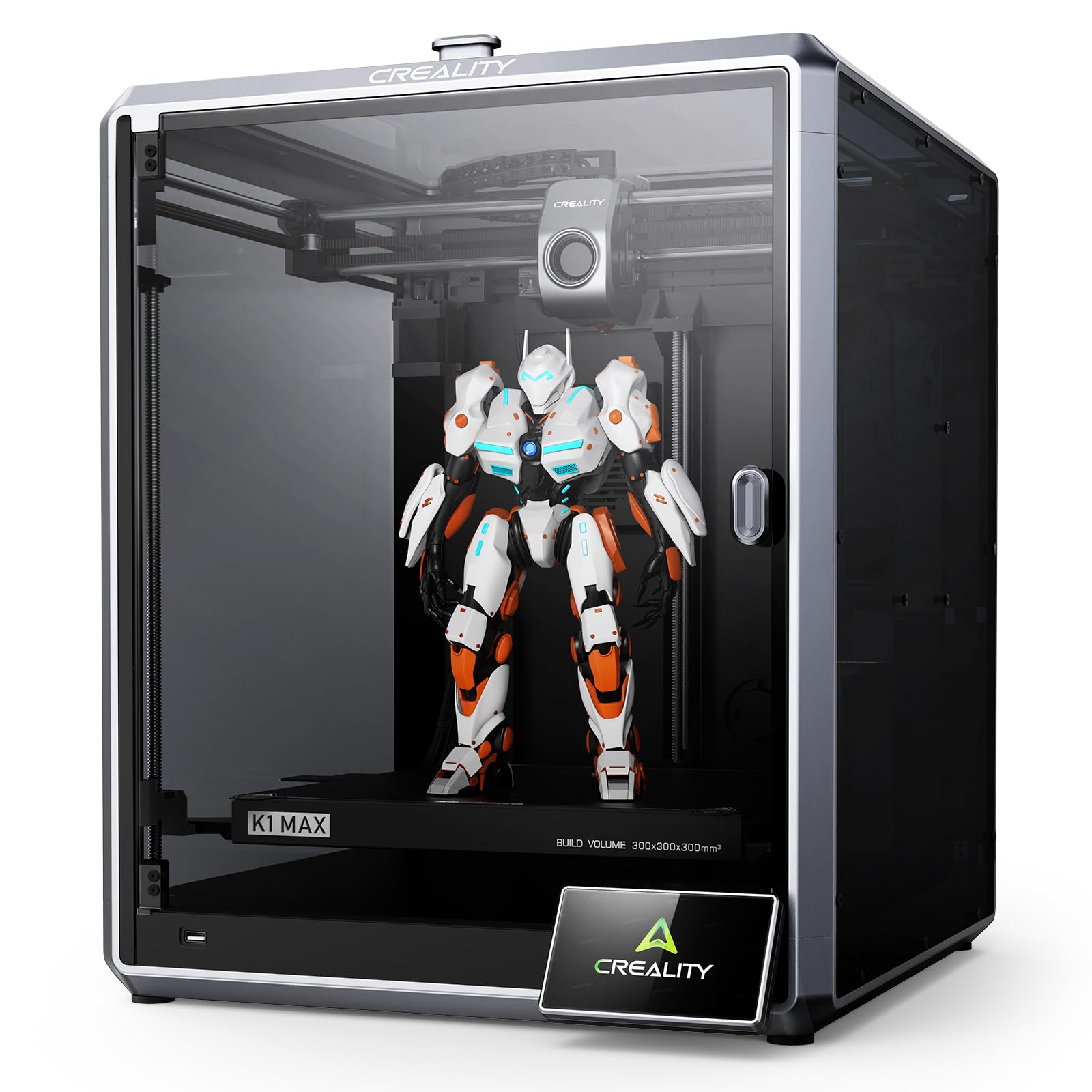
The Creality K1 Max is the benchmark for this price class, offering a massive 300mm³ build volume without sacrificing speed. Its 1-micron resolution LiDAR sensor, which scans the first layer and provides real-time AI failure detection, sets it apart from cheaper inductive probe systems. The high-flow hotend with a 300°C limit and 32 mm³/s flow is perfectly suited for rapid prototyping with PLA and PETG, and it handles ABS with the enclosure’s dual cooling fans.
Users consistently praise the out-of-box experience and the quality of the prints. The CoreXY structure handles acceleration of 20,000 mm/s² with minimal vibration artifacts, meaning you can run faster without sacrificing surface finish. While the print speed is rated at 600mm/s, practical speeds for quality are closer to 300mm/s, which still outperforms most competitors in this tier.
Reliability has been the main point of contention. Some users have reported issues with the bed heating connector melting after extended use, a clear sign of an underspecified component. While Creality’s support is available 24/7, response times and resolution quality can be inconsistent. For the price, the raw performance and feature set are hard to beat, but be prepared for potential tinkering to ensure long-term reliability.
Why it’s great
- Large 300mm³ build volume handles full-scale prototypes.
- AI LiDAR and camera monitoring reduce wasted prints.
- Exceptional 600mm/s max speed for fast turnaround.
Good to know
- Reports of bed heating connector issues under load.
- Case fan noise is noticeable in quiet environments.
2. Bambu Lab P1S

The Bambu Lab P1S has earned a reputation as one of the most reliable “just works” printers in this segment. Its fully enclosed design supports up to 300°C printing, which opens the door to ABS and ASA without warping issues. The integrated AMS unit (sold separately) allows for up to 16-color multi-material printing, a feature usually found on much more expensive machines. The 500mm/s speed is effectively realized thanks to the CoreXY kinematics and vibration compensation.
User feedback is overwhelmingly positive regarding its ease of use. Auto bed leveling and filament runout detection are standard, and the Bambu Studio software streamlines the workflow from slicing to print management. The printer communicates over a local network, offering a seamless experience without clunky SD card shuffling. The 260mm³ build volume is standard for this class, proving plenty of room for most hobbyist projects.
The primary limitation is the reliance on the Bambu ecosystem for optimal performance. While the printer is open enough for basic use, getting the most out of it, especially with multi-color, requires using their proprietary software and AMS. Additionally, the P1S struggles with TPU due to its direct drive geometry, so soft filaments are not recommended. It is also not the quietest printer, with a distinct fan noise that users note.
Why it’s great
- Known for exceptional out-of-box reliability and print quality.
- Enclosed chamber enables high-temp filament use for ABS/ASA.
- Fast, hassle-free setup with intuitive software.
Good to know
- Heavy reliance on the Bambu ecosystem for best performance.
- Struggles with flexible filaments like TPU.
3. Creality K2 Combo
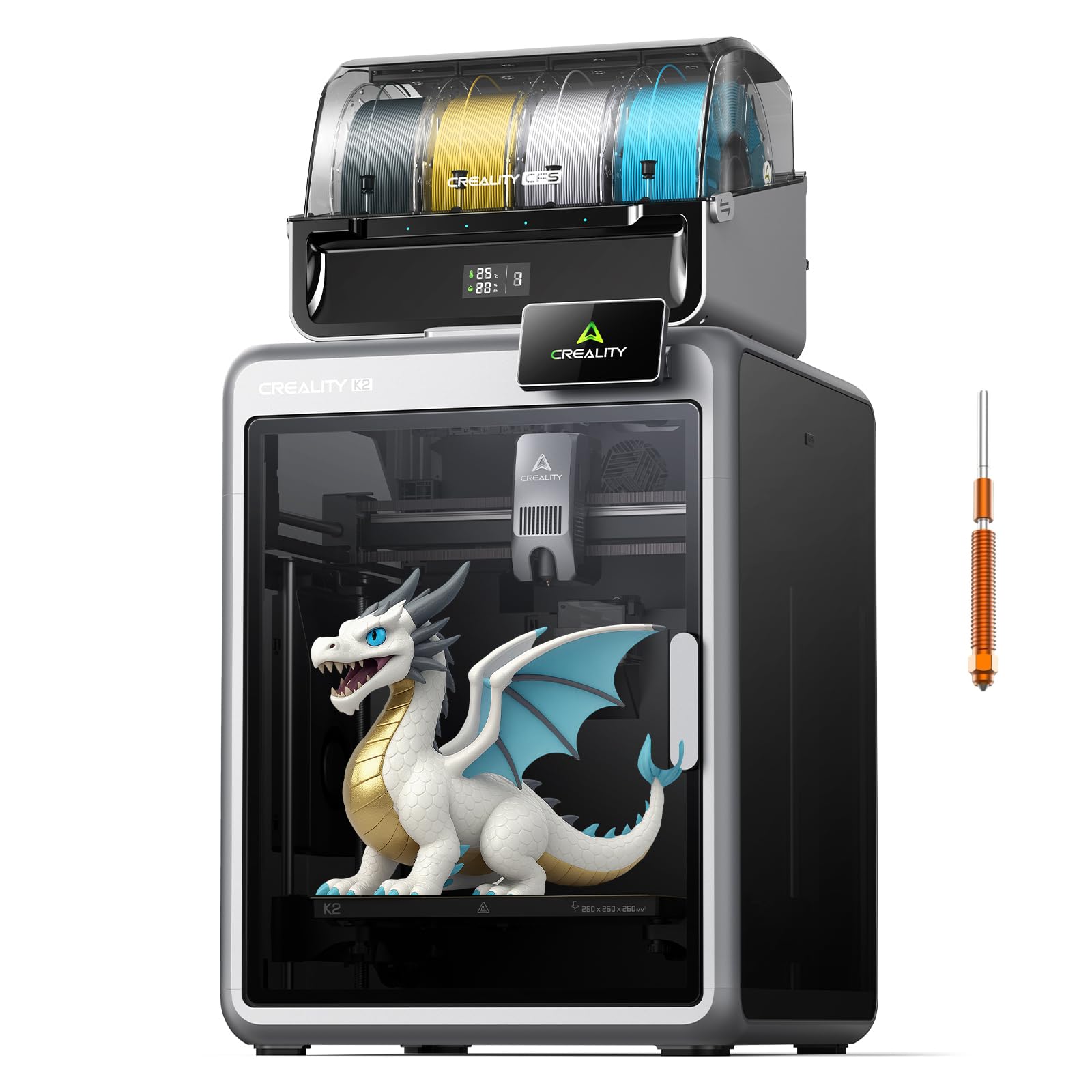
The Creality K2 Combo is the company’s direct answer to the multi-material demand. It ships with one CFS (Creality Filament System) unit that holds four spools, supporting up to 16 colors when expanded. The system automatically identifies filament via RFID and maintains a dry environment with desiccants, a critical feature for hygroscopic materials like PETG and nylon. With a 300°C hardened steel nozzle and a 40 mm³/s high-flow hotend, it is built for both speed and material diversity.
Users highlight the user-friendly nature of the automatic leveling and material switching. The CoreXY structure delivers on its 600mm/s potential, and the aluminum frame keeps vibrations to a minimum. The built-in air purifier is a welcome addition for those printing potentially harmful materials. The printer comes mostly pre-assembled, reducing setup time to a matter of minutes.
Despite its impressive feature set, reliability reports are mixed. Several users have experienced a critical “XY error” after just a few prints, and Creality’s support has been slow to resolve these hardware failures. The CFS, while convenient, creates significant filament waste from purging, which is a common complaint among all multi-color systems. It is a high-risk, high-reward machine that, when working, is fantastic but may require patience with support.
Why it’s great
- Excellent multi-color and multi-material support with CFS.
- High-temp hotend and high-flow for fast engineering prints.
- Quiet operation and effective air purifier system.
Good to know
- Some units report early hardware failures (XY errors).
- Multi-color printing creates significant filament purge waste.
4. Sovol SV08 MAX
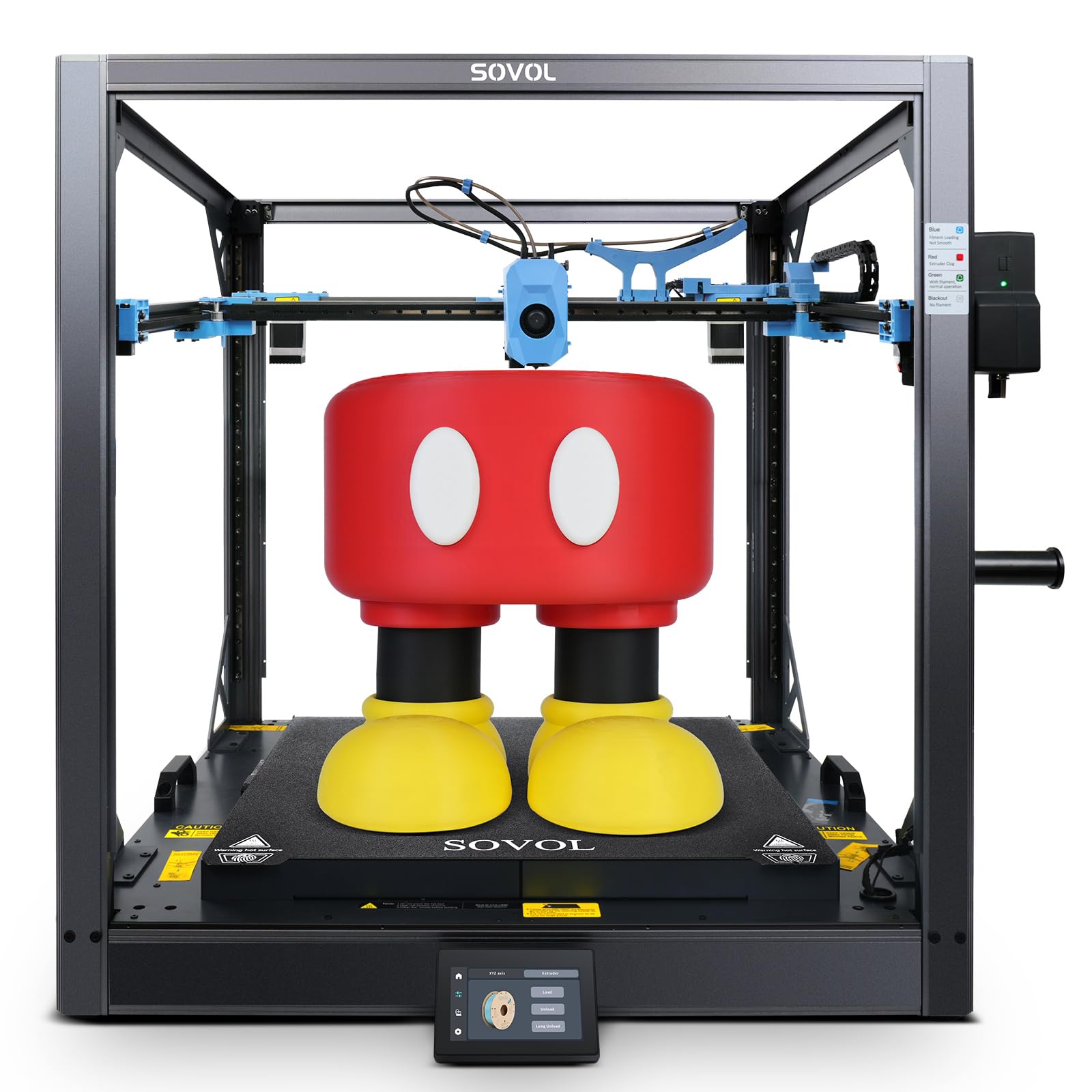
The Sovol SV08 MAX is the undisputed volume king in this price bracket, offering a true 500mm³ build volume (500x500x500mm). This makes it the go-to choice for cosplay armor, large architectural models, and industrial parts that otherwise need to be split and glued. It uses a Voron 2.4-derived open-source CoreXY design with industrial-grade linear rails and an Eddy current sensor for contactless, high-speed bed leveling before every print.
Users with FDM experience love the raw capability and the open-source nature of the Klipper firmware, which allows for deep tuning and modification. The 700mm/s max speed and 40,000 mm/s² acceleration are impressive on paper, and in practice, the dual Z-axis and all-metal frame maintain high-quality output at these speeds. The smart auxiliary feeder helps prevent jams on such a large machine, and the 1280×720 HD camera is useful for remote monitoring.
The biggest caveat is that this is not a beginner machine. It requires significant tinkering and assembly experience to get perfect. Reports of pre-assembled wiring errors, loose belts, and even a fire incident related to grounding are serious concerns. The sheer size and weight make it difficult to return, so this printer is best suited for the experienced maker who values volume over out-of-box simplicity and has space for a dedicated workbench.
Why it’s great
- Unmatched 500mm³ build volume for massive, single-piece prints.
- Open-source Klipper firmware for advanced customization.
- Industrial-grade linear rails for high-precision motion.
Good to know
- Requires significant tinkering and knowledge to set up correctly.
- Serious safety concerns reported (fire risk) by some users.
5. Anycubic Kobra X

The Anycubic Kobra X enters the market as a strong mid-range contender, offering a built-in 4-color system and the ability to expand to 19 colors with additional ACE 2 Pro units. It achieves this without the massive footprint of some competitors, thanks to its compact design. The LeviQ 3.0 auto-leveling system uses a 49-point mesh to ensure a perfect first layer, a feature typically seen on more expensive printers. The hardened steel nozzle supports up to 300°C, handling PLA, PETG, TPU, and more.
Performance is where the Kobra X shines for its price point. The 600mm/s max speed is complemented by an AI-powered 720P camera that offers spaghetti detection and real-time error alerts, drastically reducing failed print waste. The ≤48 dB operation is genuinely quiet, making it suitable for a home office or shared space. Beginner users report it being easy to set up and printing high quality parts right out of the box.
The main trade-off is in the extruder design. Some users have reported frequent nozzle clogs that are difficult to clear due to the complex multi-filament path. While the machine is built for multi-color, the waste from the purge tower is still a factor. It represents an excellent value for someone wanting to dip their toes into multi-color printing without the full expense of a Bambu or Creality premium offering.
Why it’s great
- Excellent value for a fully integrated multi-color printer.
- Extremely quiet operation for a home environment.
- AI monitoring and spaghetti detection save time and material.
Good to know
- Reports of chronic nozzle clogging in multi-material use.
- Build volume of 260mm³ is standard, not huge for the class.
6. FLASHFORGE AD5X

The FLASHFORGE AD5X is designed for the user who values speed and a small desktop footprint. Its CoreXY architecture combined with vibration compensation allows it to achieve 600mm/s and 20,000 mm/s² acceleration reliably. The Intelligent Filament System (IFS) manages four spools side-by-side, making it the most space-efficient multi-color option here. It supports a wide material range including PLA, PETG, TPU, and Silk, making it versatile for artistic and functional prints.
First-time users are often impressed by the 20-minute setup and the reliable out-of-box print quality. The full auto leveling sensor measures multiple points, ensuring consistent first-layer adhesion. The all-metal CoreXY motion system is rigid, reducing error from vibration. Users note that the multi-material switching is less wasteful than some other systems, which is a significant advantage for cost-conscious creators.
The primary issues revolve around long-term reliability. There are numerous reports of the heating element failing after a couple of months, and when they fail, finding replacement parts from Flashforge is difficult. The locked purge settings in the firmware are also a point of contention for advanced users who want to minimize waste. The printer is also quite loud due to its fans. It is a great choice for a secondary speed machine, but its longevity is questionable.
Why it’s great
- Compact design with a space-efficient 4-spool filament system.
- Very fast CoreXY motion with effective vibration compensation.
- Low purge waste for multi-color prints compared to rivals.
Good to know
- Concerns over long-term reliability and part availability.
- Loud operation due to cooling fans.
7. Longer LK5 Pro

The Longer LK5 Pro is the most budget-friendly entry on this list, yet it offers a massive build volume of 300x300x400mm that rivals the K1 Max. Its open-source motherboard features TMC 2209 ultra-silent drivers, making it an excellent choice for a home or school environment where noise is a concern. The reinforced diagonal bar structure creates a stable triangular frame that minimizes vibration, which is critical for its large print area. At 180mm/s, it is slower than the CoreXY machines, but it is a true workhorse for large, single-color parts.
Users confirm it is a fantastic beginner printer, with 90% pre-assembly and an easy setup process. Print quality is described as great for PLA and PETG, and the manual leveling, while a learning curve, is a valuable skill to develop. The resume printing function after a power failure is a practical feature for long prints that might be interrupted. It is widely considered a durable and forgiving machine for learning.
The biggest drawback is its slow print speed and manual leveling system, which is a deal-breaker for those coming from an auto-leveling machine. The quality, while good, is not at the level of the high-speed CoreXY options. Some users report issues with the spool holder rod causing jams and the extruder gears being too tight. It is a classic case of getting a large volume for a low price, but sacrificing speed and some ease of use to get there.
Why it’s great
- Exceptional build volume relative to its affordable price.
- Very quiet operation thanks to TMC2209 drivers.
- Good beginner-friendly setup and resilient build.
Good to know
- Slow print speed (180mm/s) compared to higher-end models.
- Requires manual bed leveling, which takes practice.
8. Original Prusa XL

The Original Prusa XL sits at the absolute top end of this budget, representing a truly industrial prototyping platform. Its defining feature is the five independent toolheads, allowing it to print with five different materials or colors in a single job without the massive purge waste of a single-nozzle system. The 360mm³ build volume is generous, and the segmented heated bed system intelligently heats only the areas needed, reducing energy consumption and warping on large parts.
The Prusa ecosystem is legendary for its reliability and community support. The printer works seamlessly with PrusaSlicer and Printables.com, offering a full-featured workflow. Users who have built one praise the quality and the “it just works” nature of the tool changer. The open-source philosophy means no forced updates or account logins, which appeals to makers who value control over their hardware.
However, the Prusa XL is not perfect. It is not a fully “out of the box” solution; it requires significant assembly and troubleshooting, often taking half a day for a new unit. The software and UI have been described as buggy by some. The real showstopper for many will be the logistical nightmare of returns due to its size and weight. It is a superb machine for the experienced professional who needs multi-material functionality and is willing to pay for it, but it is overkill and too complex for the average hobbyist.
Why it’s great
- 5 independent toolheads offer zero-purge multi-material printing.
- Segmented heated bed is efficient and reduces warping.
- Open-source ecosystem with top-tier community support.
Good to know
- Requires lengthy assembly and advanced troubleshooting.
- Massive footprint and weight make returns difficult.
FAQ
Is CoreXY always better than a bed slinger for a 3D printer under $1500?
How much filament waste should I expect from a multi-color printer?
Do I need a printer with an enclosed chamber for printing engineering materials?
What is the real-world print speed difference between a and a 3D printer?
Final Thoughts: The Verdict
For most users, the best 3d printer under $1500 winner is the Creality K1 Max because it offers the best combination of a large 300mm³ build volume, blazing speed, and AI-assisted monitoring at a fair price. If you want purely reliable, hassle-free operation without tinkering, grab the Bambu Lab P1S. And for the maker who needs to print massive single-piece props or industrial prototypes, nothing beats the Sovol SV08 MAX and its 500mm³ build volume.