
Our readers keep the lights on and the weekend projects moving. As an Amazon Associate, I earn from qualifying purchases.
The difference between a beginner CO2 laser and a standard diode engraver is the difference between slicing through 10mm acrylic in a single pass and watching a diode struggle to scorch the surface. Real CO2 tubes deliver infrared wavelengths that cleanly cut, engrave, and mark non-metal materials like wood, acrylic, glass, and leather with a speed and finish that diode lasers cannot match. For anyone ready to move beyond light surface etching into true material processing, the jump to a CO2 system changes what you can make and how fast you can make it.
I’m Rikta — the co-founder and writer behind FitlyFast. I spent hundreds of hours analyzing the engineering specs, safety certifications, cooling demands, and real-world user data across the most accessible CO2 laser systems on the market to build this guide for first-time buyers.
This guide breaks down eleven machines that serve as real entry points for anyone serious about starting with a beginner co2 laser, from integrated desktop units to open-frame diode alternatives that prepare you for the tube-based upgrade later.
How To Choose The Best Beginner CO2 Laser
Jumping into CO2 laser ownership without understanding the core differences between tube types, cooling methods, and control boards is the fastest way to waste money on a machine that cannot do what you need. Beginners often overestimate the wattage needed or underestimate the importance of software compatibility. Here are the four decisions that separate a smart first purchase from a regret.
CO2 Tube vs. Diode Module — Know the Difference
A real CO2 laser uses a sealed glass tube filled with carbon dioxide gas, excited by high voltage to produce a 10.6µm infrared wavelength. This wavelength is absorbed by non-metals efficiently, allowing clean cuts through acrylic, wood, leather, fabric, and paper. Diode lasers (445nm or 455nm blue light) burn through wood and engrave coated metal but cannot cut transparent acrylic and produce significantly more char. If your primary goal is cutting acrylic sheets or producing crisp edge finishes on wood, a CO2 machine is the right starting point. If you primarily engrave and cut thin wood, a high-power diode may suffice at lower cost.
Wattage, Work Area, and One-Pass Cutting Reality
Beginner CO2 lasers typically range from 40W to 60W. A 40W tube cuts through 3mm plywood and 5mm acrylic cleanly in a single pass at moderate speed. A 50W to 60W tube handles 8mm to 10mm materials in one pass, doubling your material options. Work area is the second hard constraint — a compact desktop unit like the OMTech K40+ offers 8×12 inches, which limits you to small goods like coasters, keychains, and small signs. Larger frames with 20×28 inch beds let you produce bigger signage, but demand more floor space and a higher budget. Measure your largest expected project before deciding.
Cooling, Ventilation, and Safety Systems
CO2 tubes generate enormous heat. A water cooling system (either a chiller or a passive pump and bucket setup) is mandatory to prevent the tube from overheating and failing. Passive water cooling works for short sessions, but a dedicated chiller maintains consistent temperature for extended runs. Ventilation is equally critical: CO2 laser cutting produces smoke and fumes that must be exhausted outdoors through a window port or a filtration system. Safety features like interlock switches (laser stops when lid opens), emergency stop buttons, and flame sensors separate home-safe units from machines better suited to a ventilated workshop.
Control Board and Software Compatibility
The control board determines which software you can use. Older K40-style machines use the M2 Nano board, which requires proprietary software or workaround firmware. Modern beginner machines use GRBL-based boards compatible with LightBurn — the industry standard for laser control. LightBurn lets you import SVG, DXF, AI, and image files, adjust power and speed settings by layer, and manage your entire workflow from a single application. Do not buy a CO2 laser that does not support LightBurn natively unless you enjoy fighting with firmware and outdated software.
Quick Comparison
On smaller screens, swipe sideways to see the full table.
| Model | Category | Best For | Key Spec | Amazon |
|---|---|---|---|---|
| OMTech K40+ | CO2 | Real CO2 first buy | 45W tube, 8×12″ bed | Amazon |
| Genmitsu L8 20W | Diode Enclosed | Plug-and-play safety | 20W optical, 40K mm/min | Amazon |
| WECREAT Vista 10W | Diode Enclosed | Easiest rotary engraving | 10W, 0.06×0.04mm spot | Amazon |
| Twotrees TTS-20 Pro | Diode Open | Large-area diode cutting | 20W diode, 418mm bed | Amazon |
| Creality Falcon Pro 10W | Diode Open | 3-in-1 rotary bundle | 10W, 0.06mm spot | Amazon |
| Woxcker L2 MAX 10W | Diode Enclosed | Enclosed beginner diode | 10W, 0.01mm spot | Amazon |
| Ortur Laser Master 2 Pro S2 | Diode Open | Budget diode precision | 10W, 0.05×0.1mm spot | Amazon |
| ORTUR Laser Master 2 S2 4W | Diode Open | Entry-level diode engraving | 4W, 390x410mm bed | Amazon |
| AlgoLaser Pixi 10W | Diode Enclosed | Touchscreen standalone use | 10W, AlgoOS, 3.5″ screen | Amazon |
| Longer RAY5 10W | Diode Open | Bundled air assist kit | 10W, 850x400mm expandable | Amazon |
| DOVOH H3-360G-KIT | Laser Level | Outdoor construction leveling | Green beam, 400ft range | Amazon |
In‑Depth Reviews
1. OMTech K40+ CO2 Laser Engraver

The OMTech K40+ is the single most pragmatic entry point into real CO2 laser cutting for a beginner. Its 45W glass tube slices through 10mm acrylic and 8mm wood in a single pass, something no budget diode can match. The unit arrives with all the standard K40 upgrades already applied — a GRBL control board for native LightBurn support, contact sensors, a honeycomb work bed, adjustable lens, and leveling feet — saving you from the tedious modifications that older K40 owners had to do themselves.
Engraving speeds reach up to 300mm/s, and the integrated air assist system clears smoke and debris from the cutting line, reducing char and keeping the lens clean during extended runs. The 8×12 inch work area is compact, but that is the trade-off for a desktop footprint. It fits on a standard workbench and does not demand the floor space of a full-frame 50W unit. The included water coolant arrives in a separate package — expect two boxes when it ships.
The safety interlock latches stop the laser immediately when the lid opens, and the honeycomb platform handles both flat sheet goods and irregular shapes when you remove the base. Some users report the collection drawer sensor is sensitive enough to cause false stops if material shifts slightly, but that is a minor calibration issue against the overall reliability. For anyone serious about making the jump from diode to true CO2 cutting, this is the machine to start with.
Why it’s great
- Real 45W CO2 tube cuts 10mm acrylic in one pass
- GRBL board with native LightBurn compatibility out of the box
- Includes air assist, honeycomb bed, and contact sensors pre-installed
Good to know
- 8×12 inch work area limits you to smaller projects
- Water chiller not included — requires separate purchase or bucket pump
- Collection drawer sensor can trigger false stops during operation
2. Genmitsu L8 20W Laser Engraver
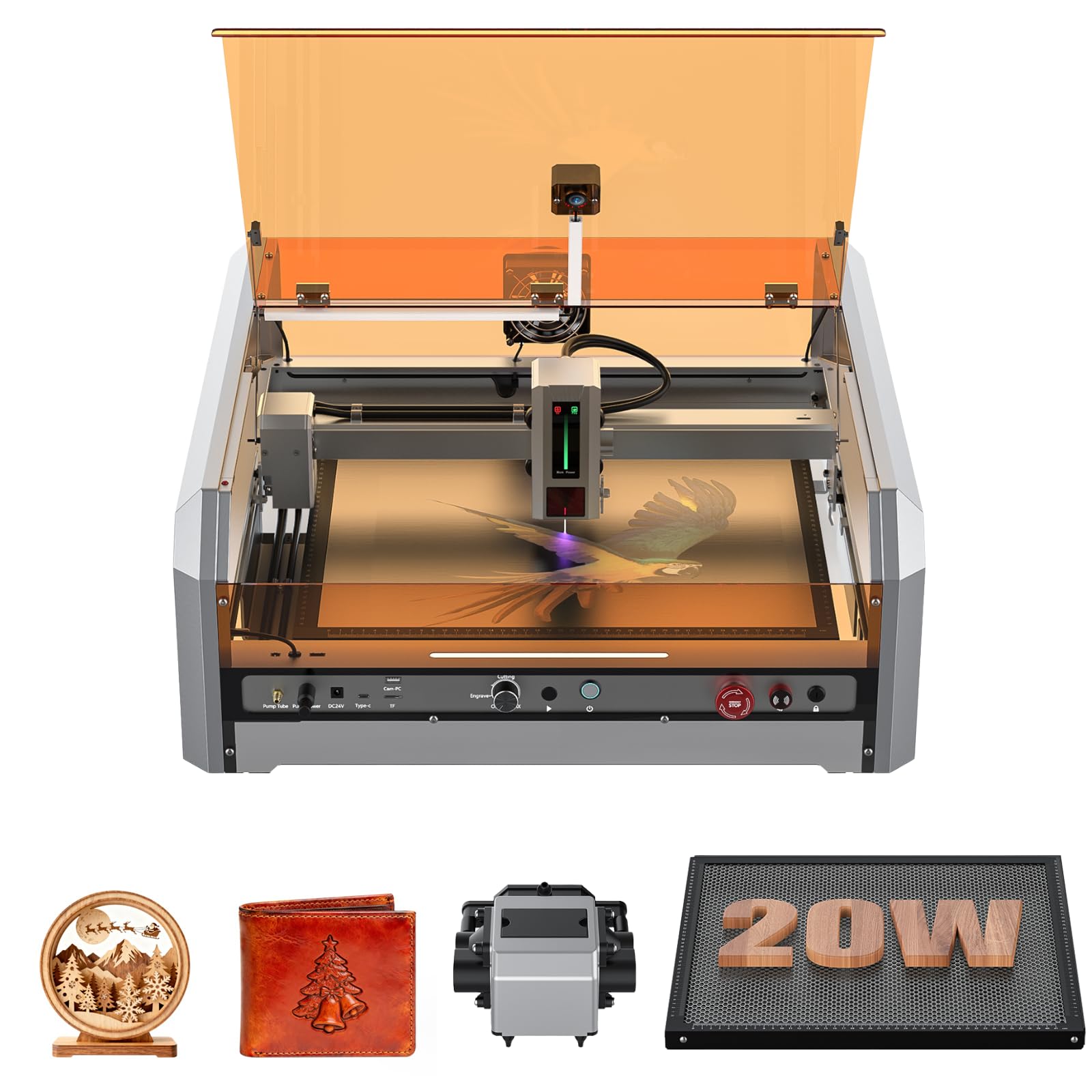
The Genmitsu L8 is the most complete plug-and-play enclosed diode laser on this list, and its safety-first design makes it a strong candidate for anyone working in a home environment. It is a diode laser — not a true CO2 tube — but its 20W optical output cuts 12mm pine and 8mm black acrylic in a single pass, rivaling lower-power CO2 units on wood and acrylic sheets up to moderate thickness. The fully assembled acrylic enclosure with interlock door sensors, tilt stop, flame monitor, and child safety lock earns a Class 1 certification, meaning no special glasses are required during operation.
The built-in 30L/min smart air assist, large honeycomb bed, and integrated camera for LightBurn positioning eliminate the trial-and-error alignment that plagues open-frame machines. Engraving speed hits 40,000 mm/min, which is faster than most desktop diode lasers and approaches compact galvo machines in throughput. The control interface includes a power indicator bar, fault reporting light, and airflow detection — small details that reduce guesswork for a beginner.
Setup is minimal: plug in the corded electric power, connect the USB drive (though some users received an unreadable drive — the vendor provides a download link), and start engraving within 15 to 20 minutes. The 20W module can be upgraded to the 40W diode module later, which slots into the same frame in minutes. If your work involves cutting thicker materials regularly, the Genmitsu L8 delivers without the cooling complexity of a CO2 system.
Why it’s great
- Class 1 safety certification with full enclosure, interlock, and flame detection
- 20W optical power cuts 12mm wood and 8mm acrylic in one pass
- Fully assembled out of the box with LightBurn-compatible camera
Good to know
- Diode laser, not a true CO2 tube — cannot cut clear acrylic as cleanly
- USB drive included may be unreadable; software download link works fine
- Some users report loose hardware from factory requiring inspection
3. WECREAT Vista 10W Laser Engraver
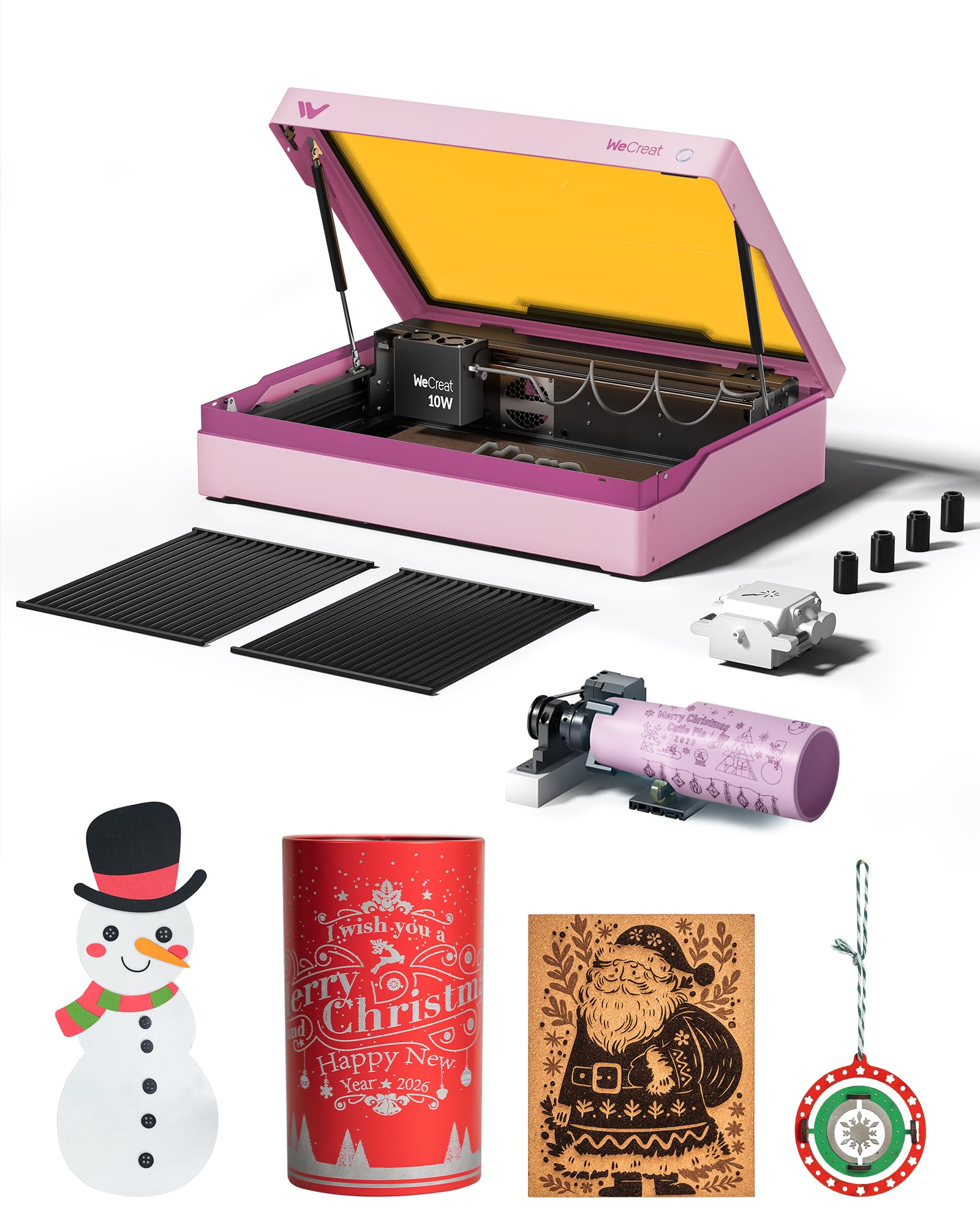
The WECREAT Vista solves the biggest headache of engraving cylindrical objects — manual rotary alignment — with its patented 90-degree FlipLaser design. The laser module flips vertically, allowing the machine to engrave 40oz Stanley cups and tumblers without bulky risers or complicated calibration. For anyone starting a tumbler business or making personalized drinkware, this feature alone justifies the premium over cheaper diode machines.
The 10W diode module produces a 0.06 x 0.04mm compressed spot for detailed engraving on wood, leather, glass, acrylic, and coated metal. The built-in TopView HD camera provides distortion-free positioning with 100% alignment accuracy, which eliminates material waste during setup. The fire-retardant metal enclosure, interlock door sensor, and Class 1 safety rating make it safe for home use without dedicated ventilation — though the optional fume extractor is recommended for enclosed spaces.
Compatibility with both LightBurn and the WeCreat MakeIt software library gives you access to over 2,000 design projects and 500 typefaces. The unit weighs nearly 54 pounds, reflecting the metal construction and integrated rotary hardware, so plan for a permanent workstation. The rotary pro attachment for oversized items is sold separately, and some users wish the fume extractor and IR laser module were included in the base price.
Why it’s great
- Patented FlipLaser design for easy engraving of tall tumblers and cups
- Class 1 safety with metal enclosure and interlock door sensor
- TopView HD camera for 100% alignment accuracy
Good to know
- 10W diode power limited for cutting thicker materials
- Rotary pro attachment for oversized items sold separately
- Heavy 54-pound build requires a permanent dedicated table
4. Twotrees TTS-20 Pro Laser Engraver

The Twotrees TTS-20 Pro offers the largest engraving area among the diode options at 418 x 418mm, making it a strong choice for anyone who needs to process larger sign blanks, wooden panels, or multiple smaller items in a single run. The 20W diode module cuts through 30mm pine and 20mm acrylic in single passes, giving it functional overlap with entry-level CO2 machines while remaining simpler to set up and maintain.
The 32-bit mainboard with TMC2209 silent drivers supports speeds up to 500mm/s with ±0.1mm accuracy, and the built-in Wi-Fi module allows wireless control from a phone, tablet, or computer browser. Compatibility with LightBurn and LaserGRBL covers both beginner and professional workflows. The machine arrives with protective glasses and tools for assembly, though the honeycomb panel and air pump are separate purchases — factor that into your total cost.
Users consistently report straightforward assembly and helpful seller support if issues arise. The open-frame design gives you flexibility to modify and upgrade components, but also means you need to provide your own ventilation and safety enclosure. The TTS-20 Pro strikes a balance between power and price for beginners who want a large-format diode cutter without jumping to a CO2 tube system.
Why it’s great
- 418mm work area handles large projects and batch runs
- 20W diode cuts 30mm pine and 20mm acrylic in one pass
- Built-in Wi-Fi for wireless control without extra hardware
Good to know
- Honeycomb panel and air pump sold separately
- Open-frame design requires user-supplied ventilation and enclosure
- Diode laser still not ideal for clear acrylic cutting at high speeds
5. Creality Falcon Pro 10W Laser Engraver
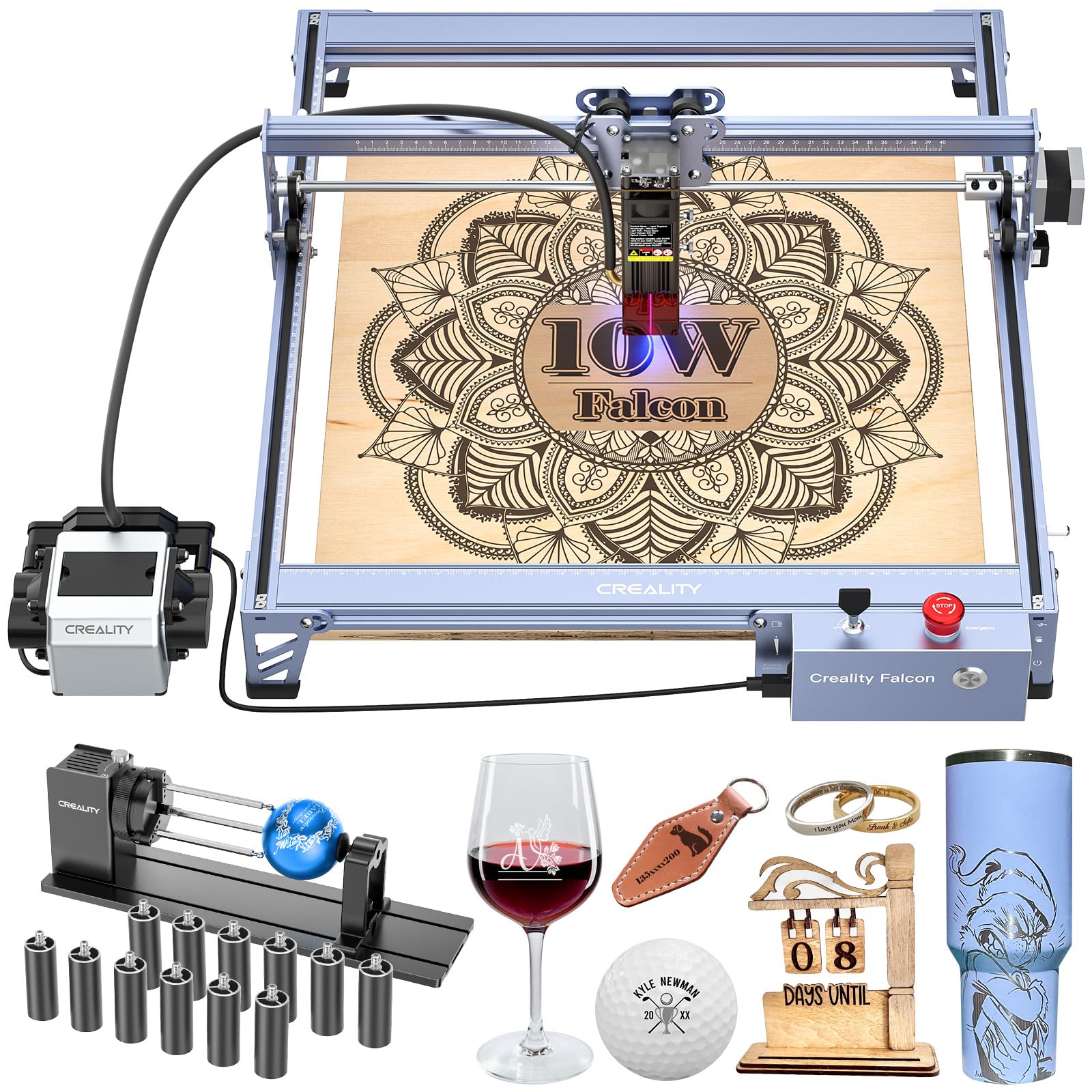
The Creality Falcon Pro 10W arrives with a 3-in-1 rotary roller kit, air assist, and risers included in the box, making it the best all-in-one bundle for a beginner who wants to start engraving tumblers, rings, and cylindrical objects immediately. The 10W laser module uses a 6-lens array to focus down to a 0.06mm spot, capturing fine detail in pet hair and intricate patterns.
The machine is rated at 72,000mW output, which translates to cutting through paper, wood, leather, plastic, and dark acrylic effectively. The control box adds a single-button interface for previewing, starting, pausing, and stopping jobs in offline mode, with an LED indicator for status monitoring. The emergency stop button, laser protection cover, and safety lock design cover the essential safety features for home use.
Assembly is simplified compared to earlier Creality models, and the machine works with LightBurn via TF card import without needing a computer tethered. Some users found the setup instructions lacking detail and relied on YouTube videos to calibrate settings. Reports of power adapter fuse failure after limited use are rare but worth noting — test the unit thoroughly within the return window to confirm consistent operation.
Why it’s great
- 3-in-1 rotary roller, air assist, and risers included in the box
- 0.06mm spot size from 6-lens array for high-detail engraving
- Single-button offline control for standalone operation
Good to know
- Poor printed instructions — need YouTube or video guide for assembly
- Reported power adapter fuse failure in a small number of units
- 10W diode limits cutting to thinner materials only
6. Woxcker L2 MAX 10W Enclosure Laser

The Woxcker L2 MAX focuses on speed and enclosure safety, with a 10W diode that engraves at 20,000 mm/min — cutting cup engraving time by over 50% compared to slower diode machines. The 0.01mm ultra-fine compressed spot produces sharp text and smooth gradients on wood, leather, acrylic, and stone. The fully enclosed design includes a lid interlock, flame sensor, emergency stop, safety lock, and 15-degree tilt stop, providing a protective workspace for home and educational environments.
The 300x300mm work area is smaller than the larger open-frame machines, but the enclosed format means less worry about smoke, stray reflections, or accidental contact during operation. The modular five-component assembly design saves 30 to 40 minutes compared to traditional frame builds, and the machine supports LightBurn, LaserGRBL, and Cutlabx via Wi-Fi, USB, APP, or TF card.
Beginners particularly appreciate the straightforward assembly and clear manual. The 10W laser cuts and engraves on a variety of materials including stainless steel and glass (via marking or coating etching), though cutting thicker acrylic still benefits from multiple passes. If speed and a contained workspace are your priority, the L2 MAX delivers with fewer setup headaches than most open-frame alternatives.
Why it’s great
- 20,000 mm/min engraving speed cuts project time in half
- 0.01mm ultra-fine spot for detailed engraving and smooth gradients
- Full enclosure with flame sensor, tilt stop, and safety lock
Good to know
- 300x300mm work area is smaller than some open-frame alternatives
- 10W diode limited for thicker material cutting
- Enclosure size makes accessing internal components slightly tight
7. Ortur Laser Master 2 Pro S2 10W
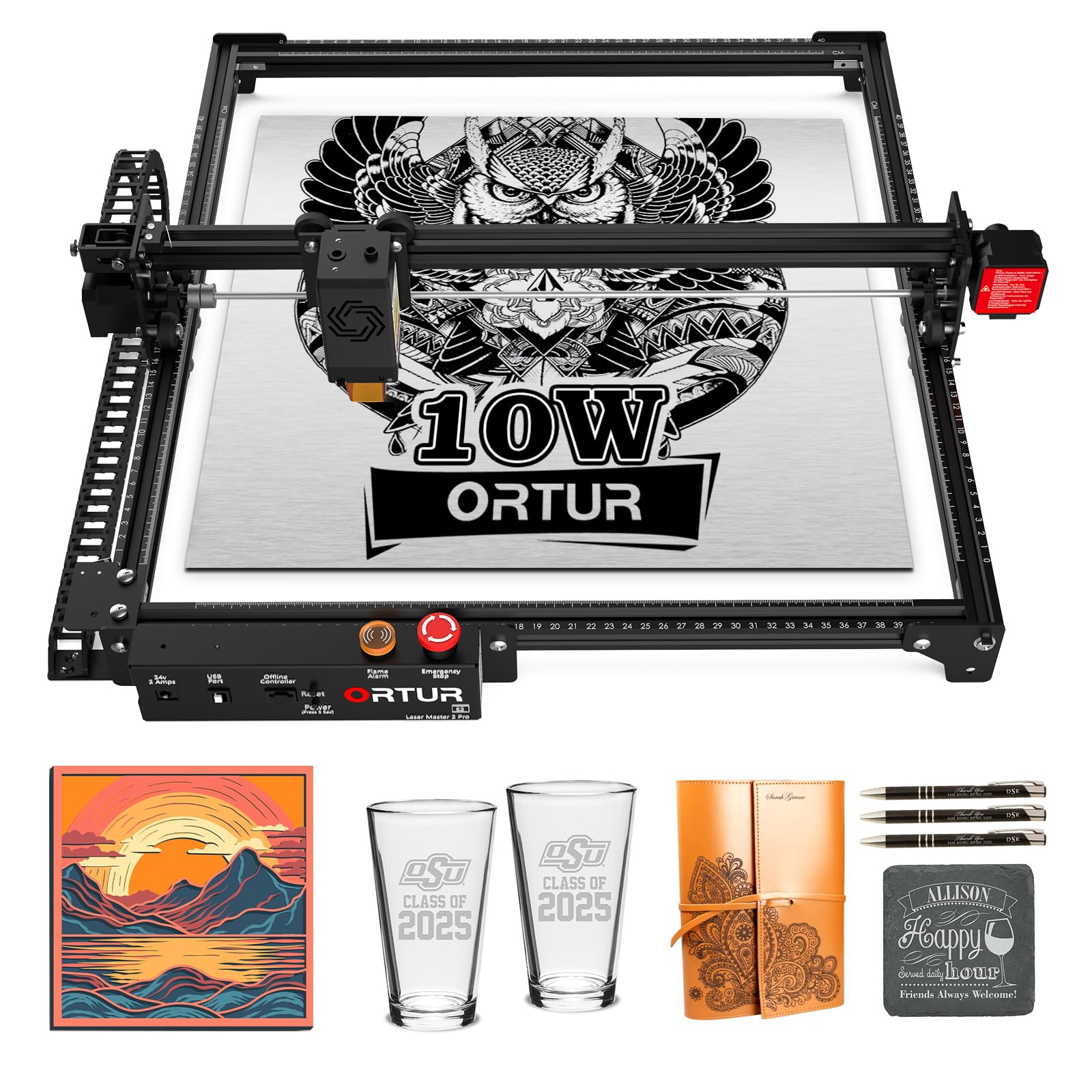
The Ortur Laser Master 2 Pro S2 pairs a true 10W laser module with a compact 0.05 x 0.1mm compressed spot for detailed engraving on wood, metal, acrylic, glass, and leather. The 390 x 410mm engraving area is generous for a desktop diode, and the 15,000 mm/min engraving speed keeps project times manageable. The dual-fan cooling inside the laser module dissipates heat effectively during extended cuts.
Industrial-grade full metal construction and modular design make assembly straightforward in about 10 to 15 minutes, with four safety features including active position protection, USB disconnect stop, emergency stop with flame alarm, and exposure time detection. The laser protective cover filters 98% of UV light to protect your eyes during open-frame operation.
Compatibility spans LaserGRBL and LightBurn on Windows and Mac, plus the Ortur Inspiraesth app for mobile control. Some beginners report that the assembly instructions are poorly illustrated, but once set up, the machine produces clean first engravings with minimal calibration. The fixed-focus LU2-10A module eliminates focus adjustment guesswork, making it a reliable choice for someone engraving mostly flat sheet materials.
Why it’s great
- 0.05×0.1mm compressed spot produces fine detail on varied materials
- 390x410mm work area fits medium-sized projects easily
- Dual-fan cooling in the laser module prevents overheating
Good to know
- Assembly instructions are poorly illustrated — YouTube guide recommended
- Open-frame design requires safety glasses despite UV filter
- 10W diode struggles to cut thick materials in a single pass
8. ORTUR Laser Master 2 S2 4W

The ORTUR Laser Master 2 S2 4W is the most affordable diode engraver on this list, intended primarily for engraving rather than cutting. The 4,000mW output handles wood, leather, paper, aluminum oxide, and coated metal engraving with a fixed-focus 0.06mm compressed spot. It lacks the power to cut through thick materials, making it a pure engraving machine for signs, coasters, and decorative items.
The 32-bit motherboard includes a G-sensor that stops the laser if the machine is tilted or displaced, plus automatic laser shutdown if the host computer halts or the USB cable disconnects. The 390 x 410mm work area matches the larger Ortur models, giving you the same bed size for less money. Assembly takes about 10 to 15 minutes with the metal-frame modular design.
Compatibility with LaserGRBL and LightBurn covers both free and professional workflows. Some users have reported units that arrived with defects, such as the laser failing to fire in all quadrants, and customer support responsiveness varies. Given the low entry cost, testing the unit immediately upon arrival is critical — if it works, it is a solid engraving starter; if it does not, the return process through Amazon is straightforward.
Why it’s great
- Lowest price entry point for a quality desktop engraver
- 0.06mm fixed-focus produces crisp engraving on wood and leather
- G-sensor tilt detection stops laser automatically for safety
Good to know
- 4W power strictly for engraving — not suitable for cutting
- Defective units reported; test and verify immediately upon arrival
- Customer support responsiveness is inconsistent
9. AlgoLaser Pixi 10W Portable Engraver

The AlgoLaser Pixi redefines beginner accessibility with its AlgoOS operating system and 3.5-inch touchscreen that eliminates the need for a computer during operation. You can draw and engrave directly from the screen using AlgoSketch, type text with AlgoType, or upload designs via USB-C or Wi-Fi. The three-step process — draw, place, engrave — lowers the technical barrier significantly for first-time users.
The 10W diode module produces a 0.08mm spot size at 317.5 LPI for good detail on wood, leather, glass, and thin metal. The machine is Class 1 certified with an auto-pause safety door, password-protected lock screen, and tilt/vibration detection. The enclosed design contains smoke and reduces noise compared to open-frame machines, though some smoke still leaks from the door seal during extended runs.
Safety concerns have been raised about the door interlock failing on some units, causing the laser to fire with the lid open — a serious issue that should be tested immediately. The base swap for larger items requires removing screws, and the etched alignment lines do not always match the actual engraving area perfectly. For a beginner who wants a self-contained system without software configuration, the Pixi is compelling but must be inspected carefully for defects.
Why it’s great
- AlgoOS touchscreen enables computer-free engraving from day one
- Class 1 certified enclosure with auto-pause safety door
- Compact, portable form factor with Wi-Fi and USB-C connectivity
Good to know
- Reports of door interlock failure in some units — test immediately
- Smoke leaks from door seal during extended runs
- Alignment marks do not always match the actual engraving area
10. Longer RAY5 10W with Air Assist Kit

The Longer RAY5 10W bundle includes the air assist kit, rotary roller, and eight risers, providing a near-complete accessory setup for a beginner who wants to start engraving cylindrical objects and managing smoke immediately. The dual-beam technology enables a 10,000 mm/min engraving speed, cutting through 20mm wood and 30mm acrylic sheets within the 400x400mm working area.
The 32-bit motherboard supports four data transfer methods — Wi-Fi, USB cable, APP, and TF card — plus offline operation through the 3.5-inch touchscreen. The included air pump offers adjustable 10 to 30 L/min airflow at only 60dB noise level, suppressing smoke and preventing laser energy attenuation during cutting. The rotary roller accommodates cylindrical items from 6mm to 200mm in diameter, covering most tumblers and cups.
The work area can be expanded to 850 x 400mm with the extension kit, increasing workspace by 200% for larger projects. Customer reviews highlight easy assembly and good out-of-box performance, but one user reported motor failure after one month with slow warranty replacement. The brand’s customer service responsiveness appears inconsistent — plan to test the unit thoroughly during the return window.
Why it’s great
- Includes air assist, rotary roller, and risers in one bundle
- Expandable to 850x400mm work area for larger projects
- Quiet 60dB air pump with adjustable 10-30 L/min flow
Good to know
- Motor failure reported in some units within first month
- Customer service response time can be slow on warranty claims
- 10W diode still limited for cutting thick acrylic compared to CO2
11. DOVOH H3-360G-KIT Outdoor Laser Level

The DOVOH H3-360G-KIT is a self-leveling green beam laser level designed for outdoor construction, grading, decking, and framing — completely different use case from CO2 engraving, but included here because some beginners researching laser tools will benefit from understanding the distinction. This tool uses Class II laser diodes (under 1mW, 520nm green), not a CO2 tube or diode engraver, and is intended for alignment and measurement rather than material processing.
The kit includes the level, receiver, two 2600mAh batteries, charger, magnetic bracket, rotary base, target plate, green glasses, and a hard toolbox. The working range of 400 feet applies when used with the receiver — the green beam itself is visible at shorter distances and is three times brighter than standard red beam levels. The double shockproof assembly wraps the core in two layers of cushioning rubber for job site durability.
Charging via Type-C and the 5-year accuracy warranty back the build quality. Users report that the self-leveling works reliably and the receiver exceeds the 122m range in outdoor conditions. The green beam is harder to see in direct midday sunlight, but paired with the receiver it handles grading and excavation layout effectively. For construction professionals or serious DIY builders, this is a premium laser level kit, but it will not engrave or cut any material.
Why it’s great
- Green beam is three times brighter than red for outdoor visibility
- 400ft range with receiver covers large job sites
- Double shockproof design and dual 2600mAh batteries
Good to know
- Class II laser — not for engraving or cutting materials
- Green beam still hard to see in direct midday sunlight
- Grade rod not included; must be purchased separately
FAQ
What wattage should a beginner CO2 laser buyer choose?
Can I use a diode laser instead of a CO2 laser for acrylic cutting?
Do I need water cooling for a beginner CO2 laser?
Is the OMTech K40+ safe to use in a home garage?
What software does a beginner CO2 laser need to use?
Final Thoughts: The Verdict
For most users, the beginner co2 laser winner is the OMTech K40+ because it gives you a true 45W CO2 tube, native LightBurn compatibility, air assist, and the essential upgrades that make the K40 platform actually usable on day one — all in a desktop footprint that fits a standard workbench. If you want the safest enclosed diode laser with the easiest setup and no cooling complexity, grab the Genmitsu L8. And for a plug-and-play tumbler engraving business without a laptop, nothing beats the WECREAT Vista with its FlipLaser rotary system.