
Our readers keep the lights on and the weekend projects moving. As an Amazon Associate, I earn from qualifying purchases.
That stutter you notice when panning the camera in an open-world game isn’t a matter of opinion — it’s a measurable limitation of your current refresh rate. The jump from a standard 60Hz panel to a 120Hz gaming monitor is the single most perceptible upgrade you can make to your gaming setup, transforming motion clarity from a blurry mess into a fluid, precise stream of frames your eyes can actually track.
I’m Rikta — the co-founder and writer behind FitlyFast. I’ve spent hundreds of hours researching and analyzing the specifications, panel technologies, and real-world performance data of gaming monitors to separate marketing claims from actual visual improvements.
This guide breaks down the critical decision points — panel type, response time, adaptive sync, and ergonomics — so you can confidently select the best 120hz gaming monitor for your setup and budget.
How To Choose The Best 120Hz Gaming Monitor
Choosing a 120Hz gaming monitor goes far beyond simply checking the refresh rate box. You need to consider the panel’s native resolution, the type of panel technology, the presence of adaptive sync, and the response time to ensure that the monitor delivers a truly smooth and tear-free gaming experience that matches your hardware.
Resolution: 1440p vs. 4K at 120Hz
Your choice between QHD (2560×1440) and UHD (3840×2160) is the most hardware-intensive decision you’ll make. 4K at 120Hz demands a significantly more powerful graphics card, typically an RTX 3080 or above, to maintain that frame rate in demanding titles. 1440p is the sweet spot for 120Hz, offering a massive upgrade in pixel density over 1080p without requiring the top-tier GPU that 4K demands.
Panel Technology: IPS, VA, or OLED
IPS panels deliver the best color accuracy and wide viewing angles, making them ideal for gamers who also edit content. VA panels offer superior native contrast — often 3000:1 — producing deeper blacks and better shadow detail, but they suffer from slower response times in dark transitions. OLED panels achieve perfect blacks and near-instantaneous response times but require careful management of brightness and burn-in risks, making them the premium choice for image fidelity.
Adaptive Sync: FreeSync, G-Sync, and ELMB
Adaptive sync technologies like AMD FreeSync and NVIDIA G-Sync eliminate screen tearing by matching the monitor’s refresh rate to the GPU’s frame output. FreeSync is an open standard widely supported and typically found on budget and mid-range monitors. G-Sync is proprietary and undergoes stricter certification for a wider variable refresh rate range. ELMB (Extreme Low Motion Blur) is a backlight-strobing technology that reduces motion blur independently but often disables simultaneous adaptive sync — unless the monitor specifically supports ELMB Sync, which allows both to run together.
Quick Comparison
On smaller screens, swipe sideways to see the full table.
| Model | Category | Best For | Key Spec | Amazon |
|---|---|---|---|---|
| LG 27GS93QE | OLED | Ultimate motion clarity | 240Hz, 0.03ms, WOLED | Amazon |
| INNOCN GA27W1Q | 4K OLED | 4K gaming & HDR | 4K 240Hz, QD-OLED | Amazon |
| ASUS ROG Strix XG27UCG | Dual Mode | 4K & esports switching | Dual Mode (4K 160Hz / FHD 320Hz) | Amazon |
| Samsung Odyssey G7 (G75F) | Curved VA | Immersive single-player | 37″ 4K 1000R Curve | Amazon |
| Samsung Odyssey OLED G5 (G50SF) | QD-OLED | Budget OLED entry | 180Hz, QD-OLED, 0.03ms | Amazon |
| ASUS TUF Gaming VG27AQL5A | Fast IPS | Competitive 1440p gaming | 210Hz, 0.3ms, Fast IPS | Amazon |
| Dell S2725QS | 4K IPS | Productivity & light gaming | 4K 120Hz, 99% sRGB | Amazon |
| KTC 32″ QHD | Value IPS | Large screen value | 32″ QHD, 120Hz OC | Amazon |
| Z-Edge S274K | Budget 4K | Entry-level 4K 120Hz | 27″ 4K, 1ms MPRT | Amazon |
In‑Depth Reviews
1. LG 27GS93QE

The LG 27GS93QE sets the benchmark for what a 120Hz-class gaming monitor should feel like, even though it officially runs at 240Hz. Its WOLED panel delivers perfect per-pixel black levels, a 1.5M:1 contrast ratio that makes IPS panels look gray by comparison, and a 0.03ms GtG response time that eliminates virtually all motion blur. The VESA DisplayHDR True Black 400 certification ensures HDR content has genuine depth and highlights that pop without the blooming artifacts common on edge-lit LCDs.
NVIDIA G-Sync Compatible and AMD FreeSync Premium Pro certification means variable refresh rate works flawlessly across the widest range of frame rates, syncing perfectly with both major GPU ecosystems. The 27-inch size at QHD resolution is the ideal pixel density target for a 120Hz experience — sharp enough for desktop work, but not so demanding that you need a flagship GPU to drive it. The anti-glare low reflection coating is notably effective, reducing ambient light distractions significantly more than standard matte finishes.
The stand offers full ergonomic adjustment — height, tilt, swivel, and pivot — which is essential for finding a comfortable viewing angle during long sessions. The HDMI 2.1 port supports full 240Hz at QHD, and the included remote control for the on-screen display is a thoughtful touch. The main trade-off is the typical OLED peak brightness limitation, meaning this monitor performs best in darker rooms to get the most out of its infinite contrast.
Why it’s great
- WOLED panel provides true blacks and no purple tint like QD-OLED
- 0.03ms response time eliminates motion blur completely
- Full ergonomic stand with height, tilt, swivel, and pivot
Good to know
- Peak brightness is lower than high-end LCDs; best in darker rooms
- Burn-in prevention features require some pixel maintenance awareness
2. INNOCN GA27W1Q

The INNOCN GA27W1Q delivers flagship-level 4K QD-OLED performance at a price point that undercuts the major brands by a significant margin. The 27-inch 4K UHD panel with a 240Hz refresh rate and 0.03ms response time combines the pixel density of 4K with the fluidity of a high-refresh-rate OLED. The 99% DCI-P3 color gamut and 1.07 billion colors from 10-bit depth make this monitor a legitimate tool for color-critical work in addition to gaming.
Connectivity is generous with dual DP and dual HDMI ports, plus a USB-C input that supports direct connection to laptops, MacBooks, and tablets. The MAC-View mode in the OSD adjusts color temperature and gamma to match Apple’s display profile, reducing the color mismatch that often plagues third-party monitors connected to Macs. G-Sync compatibility and adaptive sync support ensure tear-free gameplay across the full 240Hz range.
The three-sided ultra-narrow bezel design and LED ambient lighting on the back give the monitor a premium aesthetic that competes with displays costing significantly more. The stand provides height, tilt, and swivel adjustment, and VESA 100x100mm mounting is supported. Build quality feedback is mixed — the stand feels lightweight and the OSD buttons are reportedly finicky — but the panel itself is gorgeous.
Why it’s great
- 4K QD-OLED panel at a near-budget premium price
- USB-C connectivity with MAC-View mode for Mac users
- 99% DCI-P3 color gamut with 10-bit color depth
Good to know
- Build quality and OSD feel less premium than LG/ASUS competitors
- External power brick adds clutter to the setup
3. ASUS ROG Strix XG27UCG

The ASUS ROG Strix XG27UCG solves the classic dilemma of wanting both high-resolution visuals and ultra-high frame rates with its dual-mode capability. With a single button press, the panel switches from native 4K at 160Hz down to Full HD at 320Hz, making it equally suited for visually rich single-player campaigns and competitive esports titles where every millisecond matters. The Fast IPS technology delivers a 1ms GtG response time that keeps motion sharp in both modes.
The 95% DCI-P3 color gamut ensures vibrant, accurate colors, and ASUS’s advanced gray-scale tracking minimizes color banding in gradients. ELMB Sync technology is a standout feature — it allows backlight strobing (for motion blur reduction) to operate simultaneously with variable refresh rate, a combination that most monitors cannot achieve. The DisplayWidget Center software lets you adjust monitor settings with a mouse rather than the OSD joystick.
Ergonomics are comprehensive: the stand offers height, tilt, swivel, and pivot adjustment, and the build quality is what you expect from the ROG Strix line — solid metal stand, clean cable management, and a subtle RGB logo. The 4K 160Hz mode requires DisplayPort with DSC (Display Stream Compression), which is handled transparently by modern GPUs. The included DisplayPort cable supports this out of the box.
Why it’s great
- Unique dual-mode switch between 4K 160Hz and FHD 320Hz
- ELMB Sync allows motion blur reduction and VRR to work together
- Full ergonomic stand with all four adjustments
Good to know
- Requires DisplayPort with DSC for full 4K 160Hz bandwidth
- HDMI input is limited to 120Hz at 4K
4. Samsung Odyssey G7 (G75F)

The Samsung Odyssey G7 G75F is a 37-inch 4K curved gaming monitor built around a 1000R VA panel — the most aggressive curvature on the market, designed to match the natural field of view of the human eye. The VA panel delivers a native 3000:1 contrast ratio, producing deep blacks and strong shadow detail that IPS panels cannot match. The VESA DisplayHDR 600 certification means it can sustain higher brightness levels than the entry-level DisplayHDR 400, making HDR content noticeably more impactful.
The 165Hz refresh rate and 1ms GtG response time provide fluid motion that works excellently with console gaming at 4K 120Hz. AMD FreeSync Premium Pro ensures tear-free and low-latency performance across the entire refresh range. The size of the monitor — 37 inches — creates a genuinely cinematic experience for single-player games and media consumption, functioning almost like a small TV on the desk.
The primary limitation is the VA panel’s inherent slower dark transition times, which can cause visible black smearing in certain scenarios. Additionally, the extreme 1000R curve is a strong preference — some users find it too aggressive for productivity work involving straight lines and spreadsheets. The stand offers height, tilt, and swivel adjustment, which is welcome given the monitor’s substantial size and weight.
Why it’s great
- 37-inch 4K VA panel with 3000:1 contrast for deep blacks
- VESA DisplayHDR 600 delivers impactful HDR performance
- 1000R curve creates an immersive, wrap-around viewing experience
Good to know
- VA panel shows black smearing in dark transitions
- 1000R curve can be uncomfortable for productivity and media work
5. Samsung Odyssey OLED G5 (G50SF)

The Samsung Odyssey OLED G5 G50SF is the most affordable entry point into true QD-OLED gaming, bringing the technology’s hallmark infinite contrast and per-pixel lighting to a mainstream price tier. The QD-OLED panel achieves a 1,000,000:1 contrast ratio, meaning black pixels emit zero light, creating an image depth that LCD technology physically cannot reproduce. The 180Hz refresh rate and 0.03ms GtG response time mean motion clarity is virtually flawless at any frame rate below the ceiling.
Pantone Validation confirms the panel reproduces over 2,100 colors accurately, making this monitor suitable for creative work demanding color-critical consistency. The Glare Free coating reduces reflections effectively without creating the hazy matte effect of some competing OLED coatings. HDR10 support provides brighter highlights and deeper shadows than SDR content, though the peak brightness of approximately 280 nits is typical for budget-focused OLEDs.
The build quality is notably plastic-heavy compared to premium competitors, and the stand offers only tilt adjustment — no height, swivel, or pivot options. The minimalist input configuration includes just one HDMI and one DisplayPort, which limits multi-device setups. The OLED Safeguard thermal modulation system actively helps prevent burn-in by regulating panel temperature, which is essential for long-term durability.
Why it’s great
- QD-OLED technology at a near mid-range price
- Infinite contrast ratio makes dark scenes look exceptional
- Pantone Validated for color-critical work
Good to know
- Stand only offers tilt adjustment, no height or swivel
- Plastic build feels less premium than the panel deserves
6. ASUS TUF Gaming VG27AQL5A

The ASUS TUF Gaming VG27AQL5A is a 27-inch QHD Fast IPS monitor that overclocks to 210Hz, offering a significant frame rate headroom above the 120Hz baseline for competitive gamers. The Fast IPS technology achieves a 0.3ms GtG response time, which is dramatically faster than standard IPS panels (typically 4-5ms), eliminating the motion blur that can give LCD panels a smeary look during rapid camera movements.
ASUS Extreme Low Motion Blur Sync (ELMB Sync) is the key feature here — it enables simultaneous backlight strobing and variable refresh rate, which is rare even in premium monitors. This means you get both the motion clarity of a strobing backlight and the tear-free experience of FreeSync or G-Sync. The 130% sRGB color gamut and 1300:1 contrast ratio are competitive for the mid-range IPS segment, delivering punchy colors with decent black levels.
Built-in speakers are included and usable for basic audio, though they lack the bass and volume of dedicated desktop speakers. The stand offers height, tilt, and swivel adjustment, and the DisplayWidget Center software allows OSD adjustments via mouse rather than the monitor’s physical buttons. The 3-year warranty is a strong assurance for a long-term purchase, and the included L-shaped screwdriver simplifies assembly.
Why it’s great
- 0.3ms GtG response time is class-leading for IPS
- ELMB Sync enables VRR + backlight strobing simultaneously
- Overclocks to 210Hz for competitive frame rate advantage
Good to know
- Built-in speakers are low-quality
- Requires DisplayPort for the full 210Hz overclock
7. Dell S2725QS

The Dell S2725QS is a 27-inch 4K IPS monitor that includes 120Hz refresh rate as a premium feature on top of its primary identity as a productivity display. The ComfortView Plus technology reduces harmful blue light emissions to 35% or less without introducing the yellow tint that plagues many software-based blue light filters, making it suitable for all-day work sessions. The 99% sRGB coverage ensures accurate colors for photo editing and design work.
AMD FreeSync Premium certification means the 120Hz refresh rate is tear-free even during casual gaming, making this monitor a strong choice for users who need one display for both work and light-to-moderate gaming. The 1500:1 contrast ratio is above the typical 1000:1 for IPS panels, providing deeper blacks and better shadow detail than most office-oriented displays. The integrated speakers have been redesigned to offer greater output power and deeper frequency response than the previous generation.
The ultra-thin bezel design and ash white finish give the monitor a modern, minimalist look that blends into a professional workspace rather than screaming “gamer.” The stand offers full ergonomic adjustment: height, tilt, swivel, and pivot. Reviewers consistently note that this is not a monitor for hardcore competitive gaming — the response time is adequate but not elite, and noticeable ghosting can occur in fast-paced FPS titles.
Why it’s great
- ComfortView Plus reduces blue light without yellow tint
- 1500:1 contrast ratio is excellent for an IPS productivity panel
- Full ergonomic stand with all four adjustments
Good to know
- Noticeable ghosting in fast-paced competitive games
- Matte anti-glare coating adds slight grain in dark rooms
8. KTC 32″ QHD

The KTC 32″ QHD monitor offers a large 32-inch screen with a native 100Hz refresh rate that overclocks to 120Hz, providing the fluidity of a 120Hz experience without requiring the high pixel count of 4K. The QHD resolution at 32 inches results in a pixel density of approximately 93 PPI — noticeably sharper than 1080p at this size but less demanding on your GPU than 4K. The IPS panel delivers the expected wide viewing angles and decent color performance for the price tier.
HDR10 support with a 350 cd/m² peak brightness and 109% sRGB color gamut ensures the monitor can handle basic HDR content, though it lacks the contrast ratio and brightness levels of dedicated HDR displays. The Delta E of less than 2 means color accuracy is good enough for photo editing and content creation where precise color matching is important. Adaptive-Sync technology with FreeSync and G-Sync compatibility eliminates screen tearing when used with compatible GPUs.
One standout feature is the white color option — most gaming monitors only come in black, so this offers a clean aesthetic for white-themed builds or bright workspaces. The stand offers tilt adjustment only, and VESA 100mm mounting is supported for monitor arm users. The input selection includes two HDMI 2.0 ports and one DisplayPort 1.4, which is adequate for a multi-device setup but lacks USB-C connectivity.
Why it’s great
- 32-inch QHD IPS panel at a budget-friendly price
- White color option for aesthetic versatility
- Delta E < 2 color accuracy for content creation
Good to know
- Stand offers tilt only, no height or swivel adjustment
- Cannot achieve 120Hz on all ports simultaneously without overclock
9. Z-Edge S274K
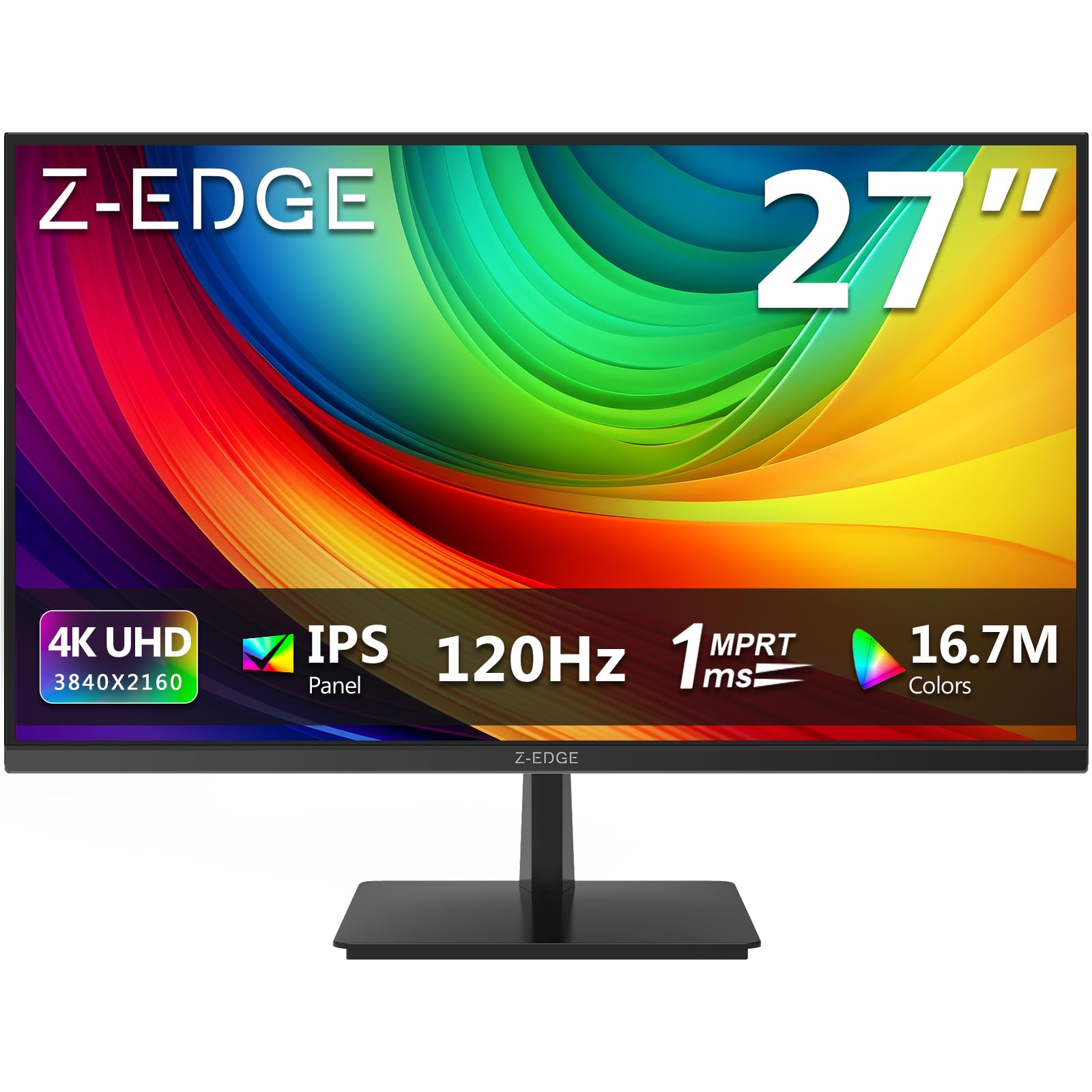
The Z-Edge S274K breaks the price barrier for 4K 120Hz gaming, offering a 27-inch IPS display with a native 3840×2160 resolution and a 120Hz refresh rate at an entry-level price point. The 1ms MPRT (Moving Picture Response Time) specification is achieved through backlight strobing, which reduces perceived motion blur in fast-moving scenes. The IPS panel provides 178-degree viewing angles with consistent color reproduction, making it suitable for multiplayer viewing.
FreeSync support eliminates screen tearing across the 48-120Hz variable refresh rate range, ensuring smooth gameplay even when frame rates dip below the monitor’s maximum refresh rate. The dual HDMI 2.0 and dual DisplayPort 1.4 inputs provide extensive connectivity options, allowing you to connect a PC, console, and laptop simultaneously without needing to swap cables. The 250 cd/m² brightness is lower than the premium competition but adequate for typical indoor lighting conditions.
The three-sided edge-to-edge bezel design gives the monitor a modern appearance, and the 100x100mm VESA mount compatibility allows for arm mounting. The stand only offers tilt adjustment. Build quality is exactly what you’d expect at this price point — functional but not premium, with plastic construction throughout. Some user experience reports mention the occasional dead pixel, so inspecting the panel promptly upon arrival is recommended.
Why it’s great
- 4K 120Hz at the lowest price tier available
- Dual HDMI 2.0 and dual DisplayPort 1.4 inputs
- FreeSync support for tear-free gaming
Good to know
- 250 nits brightness is low for HDR content
- Panel quality varies; dead pixel reporting is more common at this price
FAQ
Can I run a 4K 120Hz monitor with an HDMI 2.0 cable?
Is 120Hz enough for competitive FPS gaming or do I need 240Hz?
What is the difference between G-Sync and FreeSync?
Final Thoughts: The Verdict
For most users, the best 120hz gaming monitor winner is the LG 27GS93QE because its WOLED panel delivers the perfect combination of infinite contrast, 240Hz fluidity, and comprehensive ergonomics that make it equally excellent for gaming and daily use. If you want the immersion of a large curved display for single-player titles, grab the Samsung Odyssey G7. And for the ultimate value that brings 4K 120Hz down to an entry-level price without sacrificing quality, nothing beats the Z-Edge S274K.