
Our readers keep the lights on and the weekend projects moving. As an Amazon Associate, I earn from qualifying purchases.
A dedicated 3D printer scanner used to mean juggling two separate machines, inconsistent data transfer, and alignment errors that ruined hours of work. The current generation of integrated scanners and printers changes that equation completely, offering seamless workflows that take you from physical object to digital model to finished print in one streamlined loop.
I’m Rikta — the co-founder and writer behind FitlyFast. I have spent hundreds of hours analyzing the hardware specifications, scanning precision metrics, print speeds, and software ecosystems of the latest all-in-one 3D printing and scanning devices to understand exactly what separates a reliable tool from a frustrating one.
Whether you need to reverse-engineer a spare part, create digital archives, or produce multi-material prototypes, the best 3d printer scanner for your shop must balance resolution, build volume, and material flexibility without introducing unnecessary complexity into your workflow.
How To Choose The Best 3D Printer Scanner
Selecting a 3D printer scanner setup comes down to understanding how scan precision, print speed, build volume, and material support interact in a real workflow. A scanner that produces 0.01 mm point clouds is wasted if the printer cannot hold tight tolerances during a long print. Conversely, a fast printer with a huge build plate is hamstrung if the scanner struggles with reflective surfaces or lacks multi-line laser modes for efficient capture. Below are the critical specs to match to your specific projects.
Scan Resolution vs. Volumetric Accuracy
Scan resolution describes the closest distance between captured points (fused point distance), typically between 0.03 mm and 0.1 mm for consumer scanners. Volumetric accuracy describes how true those points are over a large object, measured in mm per meter. For small mechanical parts and jewelry, a 0.03 mm fused point distance is ideal. For car body panels or furniture, you need a scanner with strong volumetric accuracy (0.02 mm + 0.05 mm x L) to prevent drift over long distances.
Printer Kinematics and Speed
CoreXY printers deliver speeds of 500–600 mm/s with accelerations up to 30,000 mm/s², which dramatically reduces print time for complex geometries. Bed slingers (moving Y-axis beds) are slower and more prone to layer shift at high speeds. If you plan to iterate quickly from scan to prototype, a CoreXY or enclosed CoreXY design with vibration compensation is the better choice. Look for a hardened steel nozzle rated to 300°C if you want to print carbon-fiber reinforced filaments.
Multi-Color and Multi-Material Support
Dedicated printer scanner systems now offer 4 to 16 color support via filament changers (AMS or CFS units). This matters when scanning objects with color texture data that you want to reproduce faithfully. The number of purges and waste volume varies by system — some units cut purge waste by up to 81% through optimized toolpath routing. Multi-material capability (rigid PLA, flexible TPU, soluble PVA supports) expands what you can produce from a single scan.
Quick Comparison
On smaller screens, swipe sideways to see the full table.
| Model | Category | Best For | Key Spec | Amazon |
|---|---|---|---|---|
| Bambu Lab P1S | CoreXY Printer | Enclosed high-speed printing | 500 mm/s, 20,000 mm/s² | Amazon |
| Creality K2 Plus Combo | Large-Format Printer | 16-color large prints | 350 mm³ build volume | Amazon |
| Revopoint MIRACO Plus | All-in-One Scanner | Standalone scanning + photogrammetry | 0.02 mm precision | Amazon |
| Revopoint MetroX | Blue Laser Scanner | Industrial metrology-grade scans | 0.01 mm precision | Amazon |
| Creality Raptor Pro | Blue Laser Scanner | Automotive/engineering projects | 0.02 mm accuracy | Amazon |
| Creality Sermoon S1 | Blue Laser Scanner | Micro-to-large objects | 5 mm–4 m scan range | Amazon |
| Revopoint POP3 Plus | Handheld Scanner | Full-color medium object scans | 0.04 mm precision | Amazon |
| Revopoint INSPIRE 2 | Dual-Mode Scanner | Wireless outdoor scanning | 0.03 mm precision | Amazon |
| ELEGOO Centauri Carbon | Enclosed CoreXY Printer | Ready-out-of-box printing | 500 mm/s, 320°C nozzle | Amazon |
| Anycubic Kobra X | Multi-Color FDM Printer | Budget 4-color printing | 600 mm/s, 45 dB | Amazon |
| FLASHFORGE AD5X | CoreXY Printer | Multi-color speed printing | 600 mm/s, 20,000 mm/s² | Amazon |
In‑Depth Reviews
1. Bambu Lab P1S 3D Printer

The Bambu Lab P1S is a fully enclosed CoreXY printer that hits 500 mm/s with 20,000 mm/s² acceleration, making it one of the fastest production-ready machines in its class. The enclosed chamber supports advanced filaments like ABS and ASA without a separate enclosure, and the auto bed leveling system is both fast and accurate — reviewers consistently note zero adhesion issues from the first print.
The P1S supports up to 16 colors when connected to the Bambu Lab AMS unit, which handles filament switching and drying automatically. The Bambu Studio slicer integrates directly with the MakerWorld library, dramatically shortening the design cycle. The print volume of 260 mm³ is generous for a machine with this footprint, and the quiet operation makes it suitable for office or home use.
TPU printing requires some tuning — the enclosed chamber can trap heat that softens flexible filament before it reaches the nozzle. The AMS is sold separately, so the base unit is single-filament only. Bambu Studio and the mobile app offer remote monitoring and control, which reviewers praise as seamless and reliable after the initial firmware setup.
Why it’s great
- Fully enclosed for ABS/ASA without warping
- 500 mm/s with near-perfect first layers
- Bambu Studio ecosystem is polished and fast
Good to know
- AMS multi-color unit is an extra purchase
- TPU printing requires careful temperature management
- Auto-leveling process is thorough but slow
2. Creality K2 Plus Combo 3D Printer

The Creality K2 Plus Combo delivers a massive 350 mm³ build volume — among the largest of any enclosed CoreXY printer in its price tier — and adds the Creality Automatic Material System (CFS) for up to 16-color printing. The step-servo motor system hits 600 mm/s with 30,000 mm/s² acceleration, which translates to fast, vibration-free prints even on tall models where resonance usually induces layer shift.
The CFS unit actively dries filament, enabling seamless switching between PLA, PETG, ABS, PA-CF, and PPA-CF with a 300°C hardened steel nozzle. Dual AI cameras monitor for spaghetti failures, foreign objects, and idle states, sending alerts to your phone. The strain-gauge auto-leveling system ensures consistent first layers with zero manual intervention.
Some users report tight shipping screws and vague assembly instructions. Creality support has a slow response time — replacement parts can take up to two weeks. The CFS system is essential for multi-color; without it, the K2 Plus is a large single-filament printer. The unit is loud during extended prints, and the community recommends noise-dampening feet.
Why it’s great
- 350 mm³ the largest enclosed build volume
- CFS keeps filament dry and switches cleanly
- Prints PA-CF and PPA-CF straight out of box
Good to know
- Assembly instructions are sparse
- Creality support turnaround is slow
- Noisy under extended high-speed operation
3. Revopoint MIRACO Plus 3D Scanner

The Revopoint MIRACO Plus is an all-in-one handheld 3D scanner with an integrated 6-inch 2K AMOLED flip screen, an 8-core processor, 32 GB RAM, and a 256 GB hard drive. That onboard compute means you can capture, process, and review scans without a PC — a major advantage in field applications where carrying a laptop is cumbersome.
The scanner uses a class 1 infrared light source (safe for face scanning) and a quad depth camera system with near and far modes. The included photogrammetry kit, with carbon fiber scale bars and coded targets, enables metrology-grade accuracy of 0.02 mm + 0.05 mm x L(m) for large objects. The 48 MP RGB camera with flash LEDs captures vivid color textures that sync automatically with the geometry.
Battery life falls short of the claimed 2.5 hours — real-world usage with onboard LEDs active drops to about 30 minutes of continuous scanning. Dark and shiny objects require scanning spray despite the structured light mode. Mac-USB connectivity has known issues that require a specific software version workaround. The 750 g weight is comfortable for one-handed operation, and the 65W fast charging reaches 80% in 35 minutes.
Why it’s great
- Standalone operation — no laptop required
- Built-in photogrammetry for large objects
- Fast 65W charging with 2K flip screen
Good to know
- Battery drains quickly with LEDs on
- Struggles with dark/shiny objects without spray
- Mac-USB connection can be finicky
4. Revopoint MetroX 3D Scanner

The Revopoint MetroX is a metrology-grade blue laser scanner that achieves 0.01 mm precision and 0.02 mm accuracy, making it suitable for industrial measurement, reverse engineering, and quality control. The 14 crossed blue laser lines at 60 fps can capture dark and shiny metal surfaces without scanning spray — a significant workflow advantage over structured light scanners that require matte coating.
Four scanning modes (Cross Lines, Parallel Lines, Full-field, and Auto Turntable) give the MetroX flexibility across object sizes and surface geometries. The auto turntable mode enables fully automated, one-click scans with metrology-grade results, while the dual-axis turntable ensures full coverage of complex parts. The Revo Scan 5 software includes advanced point cloud fusion and meshing tools, and exports to Geomagic Wrap and Quicksurface.
The MetroX is not portable — it requires a USB 3.0 connection to a powerful laptop with at least an i7-13th Gen or Ryzen 7 5800 CPU, 32 GB RAM, and an NVIDIA RTX 3060 (8 GB) GPU. Some users report that flat, detailed objects are challenging to scan accurately. The calibration board must be clean and the software version must match the hardware revision.
Why it’s great
- 0.01 mm precision for industrial-grade work
- No spray needed on dark or shiny metal
- Auto turntable mode for hands-free scanning
Good to know
- Requires a powerful laptop with USB 3.0
- Not portable — needs tethered connection
- Struggles with flat, high-detail surfaces
5. Creality Raptor Pro 3D Scanner
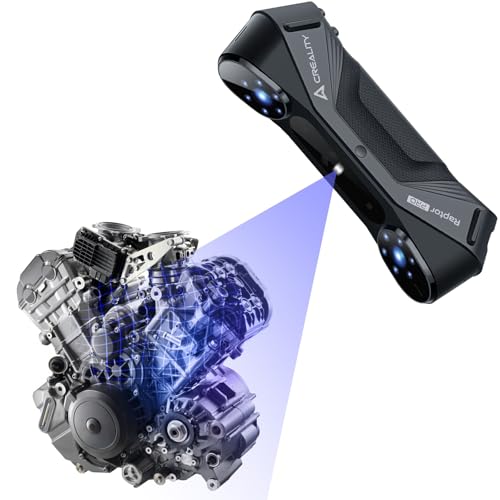
The Creality Raptor Pro is purpose-built for automotive and engineering projects, featuring 22 crossed blue laser lines and 7 parallel blue laser lines that deliver 0.02 mm accuracy at 60 fps. The cross laser lines cover medium-to-large objects quickly — critical for scanning car body panels, engine blocks, or custom fabrication parts without requiring multiple repetitive passes.
The 405 g handheld design includes an anti-shaking feature with One-Shot 3D imaging, which minimizes tracking loss even when scanning in unstable positions. The CrealityScan app provides step-by-step tutorials, one-click model processing, and dedicated face and body scanning modes. Integration with Geomagic Control X, Geomagic Design X, and Verisurf Inspect streamlines the transition from scan data to CAD or inspection workflows.
The NIR mode (30 fps) balances speed and detail when full laser resolution is not needed. The scanner requires a minimum of an i7-7th Gen CPU with a 6 GB VRAM NVIDIA card and 16 GB RAM. Some users note contradictory size info on the included marker stickers. The scanning software for macOS is limited compared to the Windows version.
Why it’s great
- 22+7 blue laser lines for fast large-object capture
- Anti-shaking design works in handheld mode
- Seamless Geomagic integration for reverse engineering
Good to know
- Heavy system requirements — needs powerful laptop
- macOS scanning software is less capable
- Marker sticker size info on listing is inconsistent
6. Creality Sermoon S1 3D Scanner
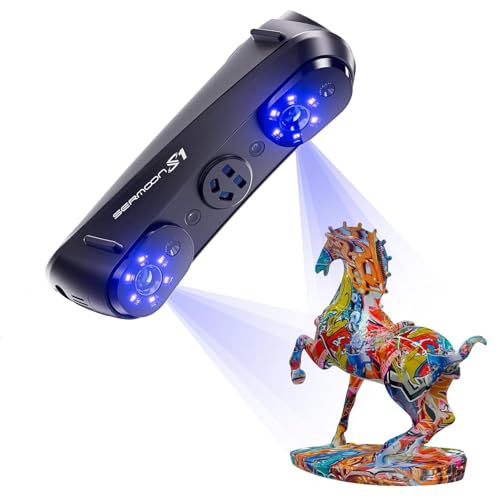
The Creality Sermoon S1 is an all-in-one blue laser scanner with an unprecedented scanning range — from 5 mm up to 4,000 mm. That means one device handles jewelry-sized details and full automotive parts or large architectural structures. The triple-mode blue laser system switches between 34 crossed lines for fast large-object capture, 7 parallel lines for fine detail, and single-line mode for deep holes, edges, and grooves.
Accuracy is rated at 0.02 mm with 0.08 mm/m volumetric precision, suitable for reverse engineering, quality inspection, and production-grade CAD modeling. The 90 fps scanning speed captures large datasets faster, reducing total project time. The 4-lens stereo vision technology supports marker-free scanning on feature-rich surfaces, cutting setup time significantly.
The integrated AI-assisted processing simplifies alignment, mesh generation, and data cleanup, exporting directly into CAD, CAM, and 3D printing software. The Sermoon S1 requires an i7-10th Gen CPU with 32 GB RAM on Windows or an M1/M2/M3 Mac with 16 GB RAM. The machine is heavy (6.29 lbs) and not designed for extended handheld use without a tripod or support arm.
Why it’s great
- Scans 5 mm to 4 m with one device
- Triple laser modes for speed vs. detail flexibility
- AI-assisted processing reduces manual editing
Good to know
- Not comfortable for extended handheld use
- Requires high-end system specs
- Marker-free scanning works only on textured surfaces
7. Revopoint POP3 Plus 3D Scanner

The Revopoint POP3 Plus is a lightweight (190 g) handheld 3D scanner that prioritizes full-color texture capture and precision down to 0.04 mm. The HD RGB camera with flash LED lighting and advanced pixel mapping produces lifelike 3D models with accurate color reproduction — ideal for heritage preservation, product design, and animation.
Scanning speed reaches 18 fps with a 9-axis IMU that stabilizes the scan and compensates for hand shake. The adjustable optical zoom (1.5x and 2x magnification) captures 30% more point cloud detail on small objects. The scanner connects over Wi-Fi 6 or USB Type-C to iOS, Android, Windows, or macOS devices, and exports to PLY, OBJ, STL, ASC, 3MF, GLTF, and FBX formats.
Learning curve is the main barrier — several reviewers report difficulty getting reliable scans without investing significant time in Revo Scan software tutorials. The POP3 Plus works best on medium-sized objects (20 mm to 2 m), but struggles with dark or reflective surfaces. The infrared light is eye-safe (class 1), so you can scan faces directly. Two-year warranty and 24/7 support are included.
Why it’s great
- Full-color scans with HD RGB camera
- 190 g — highly portable for field use
- Two-year warranty with responsive support
Good to know
- Steep learning curve for consistent results
- Requires good lighting for accurate color
- Not ideal for dark or reflective surfaces
8. Revopoint INSPIRE 2 3D Scanner
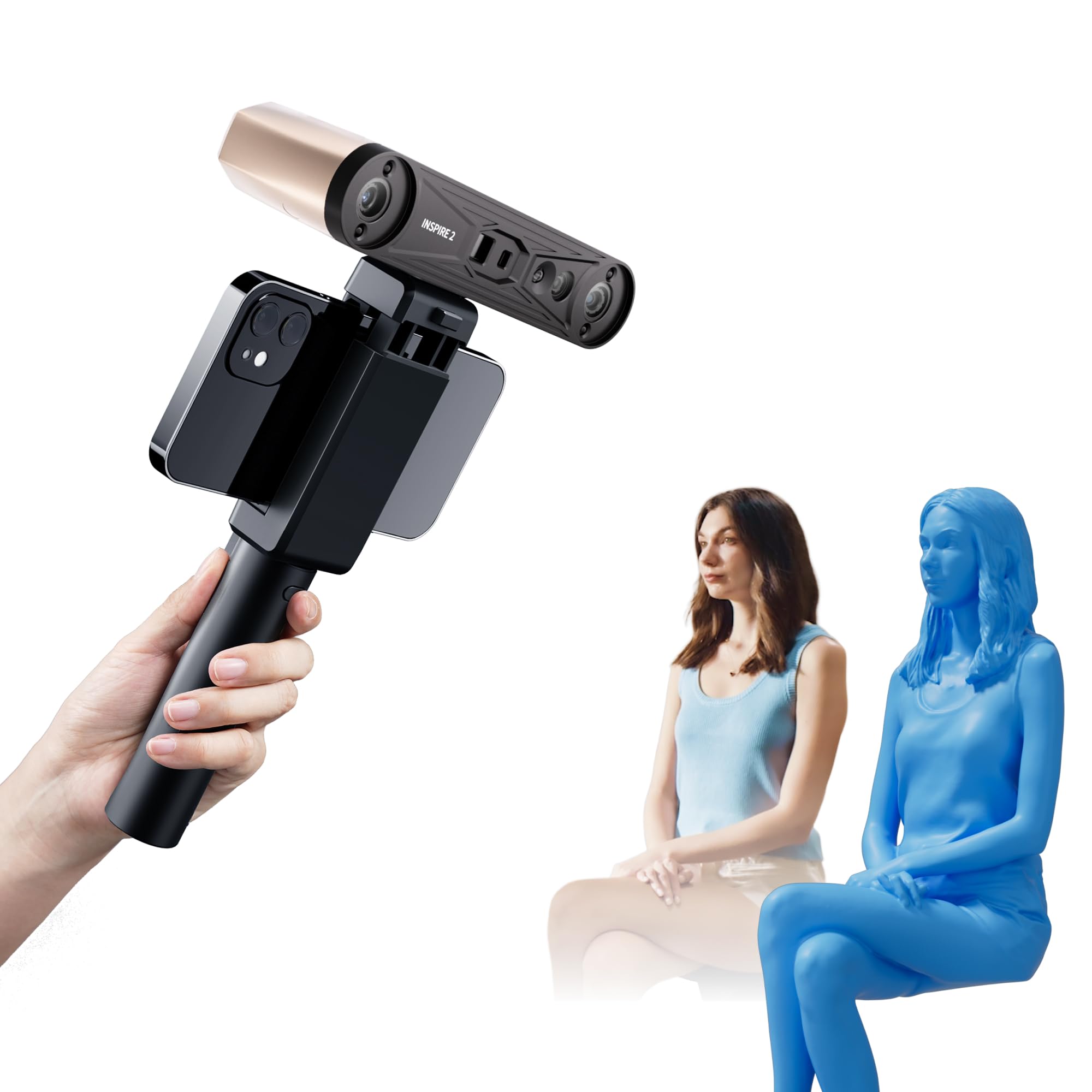
The Revopoint INSPIRE 2 is a dual-mode handheld scanner combining infrared structured light and multi-line laser scanning in a single 190 g package. The structured light mode handles indoor scans with fast capture, while the 11 infrared laser lines eliminate the need for scanning spray on reflective or dark surfaces — a major time saver in real-world conditions.
Precision reaches 0.03 mm with accuracy up to 0.05 mm. The scanner supports wireless scanning over Wi-Fi 6, with interactive streaming from PC to mobile for remote operation. The built-in adjustable optical zoom (1.5x, 2x) captures fine detail on mixed-geometry surfaces. Outdoor operation is rated at up to 20,000 lux, enabling reliable scans in shaded or semi-bright environments.
The Revo Metro software includes advanced post-processing tools, but the Revo Design scan-to-CAD module is paid software sold separately and only supports Windows. Calibration requires sticky dots that some users find inadequate — they recommend buying extra marker dots immediately. USB Type-C connection is more stable than Wi-Fi for large datasets. The learning curve is moderate, with Revopoint providing clear video tutorials.
Why it’s great
- Dual scanning modes for different materials
- Wireless Wi-Fi 6 operation for outdoor use
- No spray needed on dark or shiny objects
Good to know
- Calibration dots can fall off easily
- Revo Design CAD module is paid and Windows-only
- Requires at least a Ryzen 7 or i7-13th Gen CPU
9. ELEGOO Centauri Carbon 3D Printer

The ELEGOO Centauri Carbon arrives fully assembled and pre-calibrated — ready to print in under 15 minutes. The enclosed CoreXY structure delivers 500 mm/s printing with 20,000 mm/s² acceleration, and the 320°C brass-hardened steel nozzle allows printing carbon fiber reinforced filament, PA-CF, and other high-temp materials without modification.
The 256 mm³ build volume is midsize, but the die-cast aluminum frame minimizes vibration even at top speeds, producing smooth first layers and consistent layer adhesion. The built-in chamber camera with dual LED lighting supports real-time monitoring and time-lapse recording. The upgraded dual-sided PEI plate features a PLA-specific surface for excellent adhesion at lower bed temperatures, reducing power consumption and warping risk.
Some early units experienced motherboard failures and clogged extruders from bad filament — support turnaround can take weeks. The slicer (ElegooSlicer) is functional but crashed on complex STLs with older hardware. The printer is heavy at 38.5 lbs, making relocation a two-person job. The SD card slot is the primary file transfer method; Wi-Fi connectivity works but has occasional dropouts.
Why it’s great
- Ready to print in 15 minutes — minimal setup
- 320°C nozzle handles carbon fiber materials
- Die-cast frame for vibration-free high-speed prints
Good to know
- Early reliability issues with motherboard
- Customer support can be slow to respond
- Heavy and not easily portable
10. Anycubic Kobra X Multicolor 3D Printer

The Anycubic Kobra X is one of the most accessible multi-color printers on the market, with a native 4-color printing system built into the unit — no separate AMS box required. The print speed reaches 600 mm/s, and the LeviQ 3.0 auto bed leveling uses a 49-point calibration that ensures 100% bed flatness, getting you from unboxing to first print in about 15 minutes.
The hardened steel nozzle withstands 300°C, supporting PLA, PETG, TPU, PVA, and ASA. The AI-powered camera provides spaghetti detection and foreign object monitoring, sending alerts via the Anycubic App. The top-mount spool holder is an innovative design that frees up desktop space, and the 260 mm³ build volume is generous for a machine at this tier.
Print quality is excellent for the price, with crisp details and smooth layer lines reported by most users. The multicolor printing cuts purge waste by 81.25% compared to traditional systems, reducing material costs significantly. A small number of units have adhesion problems out of the box, usually resolved by manual bed leveling adjustment. The phone app is functional but not as feature-rich as Bambu Studio.
Why it’s great
- Built-in 4-color printing without extra modules
- 600 mm/s speed with 49-point auto bed leveling
- 81% less purge waste than traditional multi-color
Good to know
- Some units need manual bed adjustment
- Phone app is less polished than competitors
- Spaghetti detection not always reliable
11. FLASHFORGE AD5X Multi-Color 3D Printer

The FLASHFORGE AD5X is a CoreXY printer that reaches 600 mm/s with 20,000 mm/s² acceleration and supports up to 4-color simultaneous printing. The 1-click auto leveling system is genuinely one-button — no manual screw turning — and the PEI plate provides strong adhesion even with flexible filaments. The 0.4 mm nozzle is pre-installed for general use, with optional 0.25 mm, 0.6 mm, and 0.8 mm nozzles for specialized jobs.
The 300°C direct-drive extruder handles PLA, PETG, TPU, and ABS. The dual-channel cooling fan and vibration compensation system produce clean overhangs and sharp corners. The built-in resume printing function handles power loss gracefully, and the Flash Maker mobile app enables remote monitoring and control. The 220 mm³ build volume is standard for the category, but the enclosed design keeps temperature stable for ABS without a separate chamber.
Setup requires removing three shipping screws, and the test filament is not on a spool. Some users report jams with the 4-in-1 connector, and the filament rewinder can allow filament to slide behind the bracket. The software stack is the weakest point — the PC app has a learning curve, and the phone app has poor ratings. Orcaslicer fork lacks IFS color support, limiting multi-color slicing options. Noise is moderate to high during fast printing.
Why it’s great
- Real 1-click auto leveling that works out of box
- Interchangeable nozzles from 0.25 to 0.8 mm
- Direct-drive extruder handles flexible filaments
Good to know
- Software stack is buggy and poorly rated
- 4-in-1 connector can jam
- Noisy during high-speed operation
FAQ
Can I use a handheld 3D scanner directly with a 3D printer without a computer?
What scanner precision do I need to get a usable 3D print of a mechanical part?
Do I need scanning spray for dark or shiny objects on these scanners?
How does filament purge waste affect multi-color printing cost?
Final Thoughts: The Verdict
For most users, the 3d printer scanner winner is the Bambu Lab P1S because it combines an enclosed CoreXY chassis, 500 mm/s speed, and access to 16-color AMS printing in a polished ecosystem that beginners and professionals can both rely on. If you want a dedicated metrology-grade scanner, grab the Revopoint MetroX. And for an all-in-one standalone scanning experience, nothing beats the Revopoint MIRACO Plus.