
Our readers keep the lights on and the weekend projects moving. As an Amazon Associate, I earn from qualifying purchases.
Adding Bluetooth to a desktop PC shouldn’t mean wrestling with dropouts, audio delay, or a signal that dies the moment you turn your chair. Whether your motherboard lacks built-in wireless, your laptop’s internal radio is unreliable, or you need to connect multiple peripherals at once, the right USB dongle turns that USB port into a reliable wireless hub.
I’m Rikta — the co-founder and writer behind FitlyFast. Over many hours of hands-on market research and deep technical analysis, I’ve combed through customer reports, chipset specs, range claims, and real-world compatibility notes to find the dongles that actually deliver.
This guide breaks down the seven most reliable Bluetooth USB dongles for PC available now, covering everything from budget-friendly nano adapters to long-range antenna models and premium chipset options. If you’re searching for the best bluetooth usb dongle for pc, these are the models worth your attention.
How To Choose The Best Bluetooth USB Dongle For PC
Not every dongle is built the same. The adapter that solves your connection issues depends on your operating system, the devices you plan to pair, and the physical distance between your PC and your peripherals.
Bluetooth Version vs. Real-World Performance
Bluetooth 5.0, 5.4, and even 6.0 chipsets share similar core benefits: lower power consumption, improved data rate, and backward compatibility with older devices. But the printed version number on the box is less important than the actual chipset implementation. A well-tuned Bluetooth 5.0 dongle from a reputable brand often outperforms a cheap Bluetooth 5.4 adapter that uses a generic controller. Focus on customer-verified range and stability rather than chasing the highest version number.
Antenna Design and Signal Range
Dongles fall into two physical categories: nano-sized adapters that sit flush in the port, and extended antenna models that stick out for better reception. Nano dongles are convenient for laptops and tight spaces, but their signal is easily blocked by metal case walls, USB hubs, or desk drawers. Models with a 5dBi antenna or even a small external receiver can punch through a wall and maintain a stable connection 30 to 50 feet away. If your PC sits under a desk or behind a metal tower, an antenna-style dongle is worth the extra physical footprint.
Operating System Support
Windows 10 and 11 support native Bluetooth stacks, so most modern dongles achieve plug-and-play functionality. But Linux users face real fragmentation: some chipset vendors provide kernel-level support out of the box, while others require manual driver installation, firmware downloads, or even blacklisting built-in Bluetooth modules. Edimax, Kinivo, and StarTech are known for better Linux compatibility, while models from TP-Link and Techkey often work only on Windows. Always check recent customer reviews that specifically mention your Linux distribution before buying.
Multi-Device Bandwidth and Audio Priority
A single Bluetooth dongle can theoretically pair with up to seven devices simultaneously, but the USB 2.0 interface creates a bandwidth limit. If you connect a wireless mouse, a keyboard, and a pair of headphones at the same time, the adapter may struggle to keep audio stutter-free while tracking mouse movements. This “bandwidth bottleneck” is common on older hardware and budget dongles. For simultaneous audio and input devices, choose a dongle with EDR (Enhanced Data Rate) support and at least a 3 Mbps transfer rate.
Quick Comparison
On smaller screens, swipe sideways to see the full table.
| Model | Category | Best For | Key Spec | Amazon |
|---|---|---|---|---|
| Techkey BT 5.4 Antenna | Long Range | Whole-home coverage through walls | 500 ft range with 5dBi antenna | Amazon |
| ASUS USB-BT500 | Ultra-Compact | Reliable high-quality audio streaming | 4 Mbps BLE data rate | Amazon |
| ZEXMTE BT 6.0 | Premium Chipset | Low-latency gaming and audio | 98 ft range with EDR + BLE | Amazon |
| Kinivo BT 5.0 | Linux Favorite | Plug-and-play on Ubuntu / Mint | 66 ft range, 3 Mbps transfer | Amazon |
| StarTech BT 5.0 | Business Grade | No-fuss Win/Linux compatibility | 33 ft range, RTL8761B chipset | Amazon |
| TP-Link UB500 BT 5.4 | Windows Standard | Budget-friendly desktop upgrade | 2 Mbps, 4x range vs BT 4.0 | Amazon |
| Edimax BT-8500 BT 5.0 | Linux Workhorse | Native Linux kernel support | Nano size, certified dual-mode | Amazon |
In‑Depth Reviews
1. Techkey USB Bluetooth 5.4 Adapter
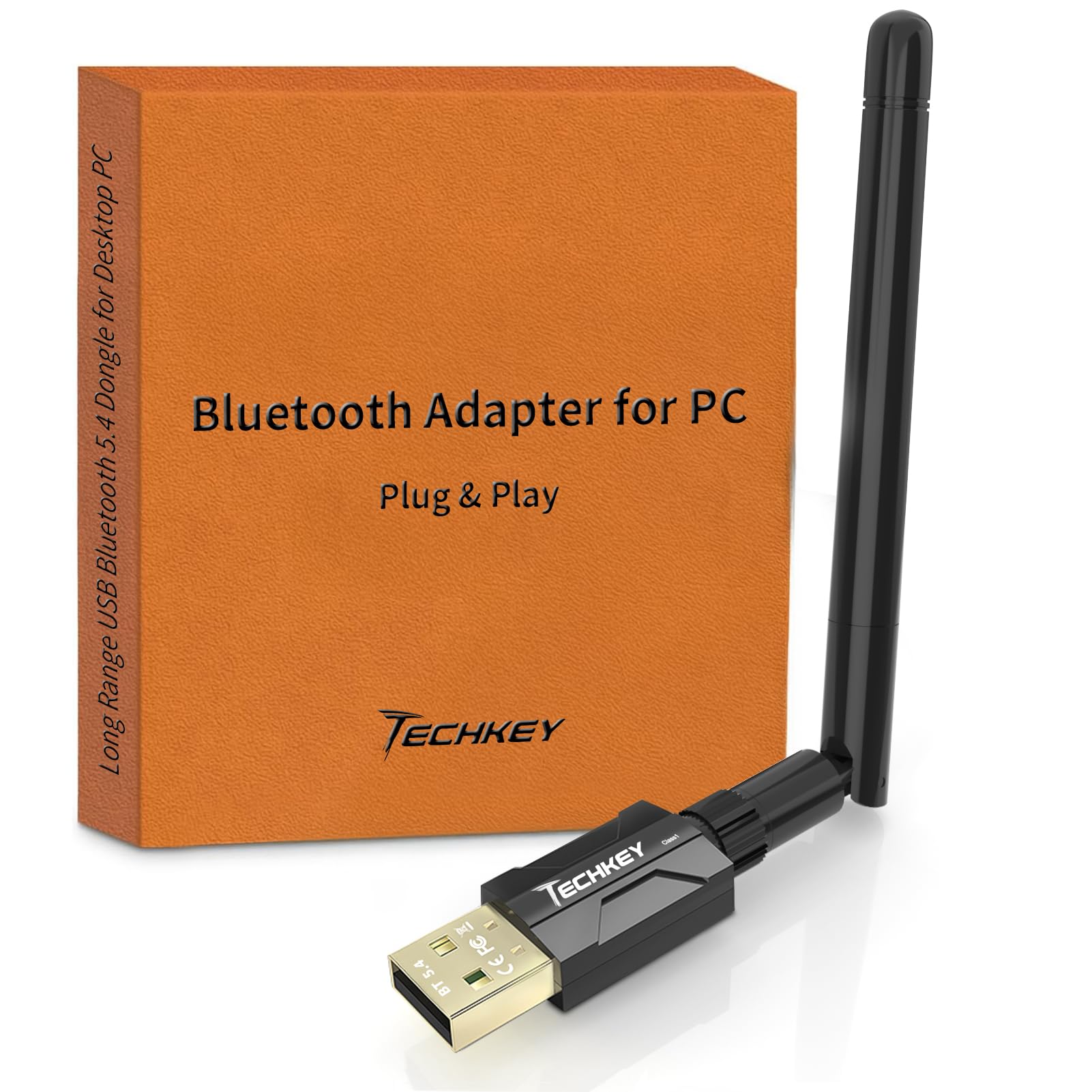
The Techkey dongle is the only model in this lineup that uses a 5dBi external antenna with a Class 1 radio, delivering a claimed 500-foot line-of-sight range. Real-world testing from verified buyers confirms it covers an entire 1,800-square-foot home plus the driveway before signal drops, making it the top pick for users who need Bluetooth reach beyond a single room or through multiple walls.
Bluetooth 5.4 with EDR and BLE gives it a 3 Mbps data transfer ceiling, which is more than enough for simultaneous audio streaming and peripheral input. The plug-and-play setup on Windows 11 and 10 is genuinely driver-free — users report instant pairing with earbuds, headsets, speakers, keyboards, and game controllers without installing any software or visiting a support website.
The antenna is angle-adjustable, a small but meaningful detail that lets you tilt the receiver for better line-of-sight to your devices. The dongle supports up to seven simultaneous connections. The one limitation is that it only works with Windows — no macOS, Linux, or console support, so if you run a dual-boot environment, you will need a different solution for the non-Windows side.
Why it’s great
- Unmatched 500-foot range with external 5dBi antenna
- Genuine plug-and-play on Windows 10/11
- Supports up to seven simultaneous Bluetooth connections
- Sturdy build with premium feel and angle adjustment
Good to know
- Windows only — not compatible with macOS, Linux, or game consoles
- Physical obstructions like concrete walls will still reduce range
- Some proprietary peripherals (e.g., Logitech) may not pair
2. ASUS USB-BT500

ASUS brings its motherboard-level engineering to the USB dongle form factor with the BT500, a Bluetooth 5.0 adapter that prioritizes audio quality and signal stability over raw range. Verified long-term users report flawless, set-and-forget performance with wireless earbuds and headphones — one reviewer noted that after three years of daily use, they forgot the dongle was even plugged in.
Its BLE data rate reaches 4 Mbps, which is higher than most competitors, and this headroom translates directly into cleaner audio streams without dropouts. The ultra-small footprint (0.59 x 0.28 x 0.69 inches) protrudes barely enough to grip for removal, making it ideal for laptops where you don’t want a dongle sticking out and risking breakage.
On Linux, setup is not plug-and-play. It requires blacklisting default Bluetooth drivers, manually compiling from source, and copying firmware files. For Windows users, it is fully plug-and-play with Windows 8.1, 10, and 11. The range is moderate at roughly 15 feet of reliable audio streaming, but the audio fidelity is noticeably better than many dongles that boast longer range figures.
Why it’s great
- Superior audio quality with clean, dropout-free streaming
- Ultra-compact nano design perfect for laptops
- Proven multi-year reliability from verified users
- Highest BLE data rate in this guide at 4 Mbps
Good to know
- Limited to about 15 feet for reliable audio
- Linux installation is complex and not for beginners
- Windows-only out of the box; no macOS support
3. ZEXMTE Bluetooth 6.0 USB Adapter
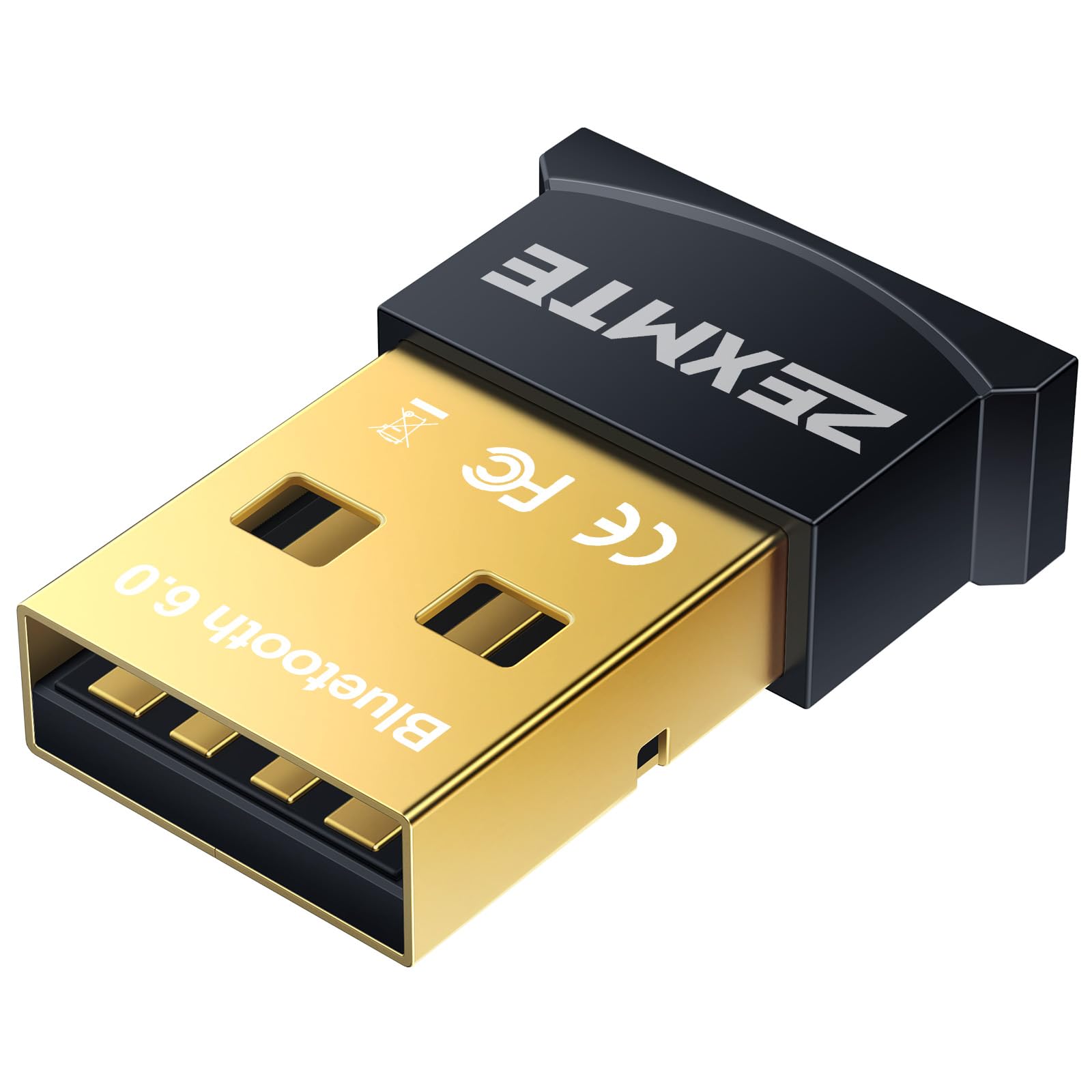
The ZEXMTE adapter is the only dongle in this roundup built on a Bluetooth 6.0 chipset, though in practice its backward compatibility with 5.0, 4.2, and 4.0 means it works seamlessly with older peripherals. The dual-mode BR/EDR plus BLE configuration delivers low-latency performance that gamers and audio users will appreciate, with a stated 98-foot range in open areas.
Plug-and-play on Windows 11, 10, and 8.1 means zero driver hunting for most users. Several verified reports confirm it pairs instantly with Logitech keyboards, headphones, and game controllers on Windows 10 lab PCs. The dongle’s mini design keeps it unobtrusive, though it is larger than the nano adapters and easier to remove when needed.
The included driver disc is a thoughtful touch for Windows 7 users who would otherwise need to download software from the manufacturer’s website. The trade-off is that the blue LED indicator light is always blinking — a minor annoyance in dark rooms. Some users also noted that the adapter does not support macOS, Linux, TVs, or car stereos, so it is strictly a Windows accessory.
Why it’s great
- BT 6.0 chipset with low-latency dual-mode operation
- Solid 98-foot line-of-sight range
- Driver disc included for legacy Windows 7 support
- Works with up to seven devices simultaneously
Good to know
- Constant blinking blue LED may be distracting
- Not compatible with macOS, Linux, or consoles
- Mini size but not flush-mount nano
4. Kinivo USB Bluetooth Adapter

The Kinivo dongle earns its reputation as the go-to adapter for Linux users. Verified customers report 100 percent plug-and-play operation on Ubuntu 24.04, Kubuntu 24.04, Linux Mint 22.2, and even Nobara — no drivers from sketchy third-party sites required. The Blueman Bluetooth Manager pairs seamlessly, making it the most hassle-free Linux-compatible dongle in this lineup.
Its Bluetooth 5.0 Class 2 radio with BLE delivers a 66-foot range at 3 Mbps, which is sufficient for most desktop and living-room scenarios. On Windows 11 and 10, the adapter is equally plug-and-play, supporting mice, keyboards, speakers, printers, headphones, and game controllers including Xbox and PS4/PS5 controllers when connected to a PC. The Kinivo two-year warranty with lifetime US-based support adds peace of mind that budget dongles do not offer.
The nano-sized body stays flush enough to survive in a laptop bag without breaking. A few users reported that the adapter does not work with TWS earbuds, and one verified customer had no success at all. But the overwhelming majority — across multiple Linux distributions — report an instant, driver-free fix for Bluetooth issues that competing adapters could not solve. The only minor quirk is that on some Linux systems, it only starts scanning after the machine has been booted for several minutes.
Why it’s great
- True plug-and-play on Ubuntu, Kubuntu, Mint, and Nobara
- Compact nano design resists breakage in laptop bags
- Two-year warranty with lifetime US-based support
- Works with Xbox and PS game controllers on PC
Good to know
- Not compatible with TWS earbuds per some reports
- May require a minute after boot to activate on Linux
- Cannot be used directly on game consoles
5. StarTech.com USB Bluetooth 5.0 Adapter

StarTech is a brand trusted in enterprise and professional environments, and the USBA-BLUETOOTH-V5-C2 lives up to that reputation. Built around the RTL8761B chipset, it offers native support for Windows 10, Windows 11, and a wide range of Linux distributions including Arch and Coreelec without additional driver installation. Verified users report that it simply works when plugged in — no hunting for firmware or configuring kernel modules.
The 33-foot (10 meter) Class 2 range is conservative but reliable: the adapter does not oversell distance claims, and it maintains a steady connection within that radius. Multi-device support covers keyboards, mice, headphones, smartwatches, and tablets. The BLE and EDR compatibility ensures efficient battery use when paired with power-conscious peripherals.
At this price point, the StarTech offers less range than the Techkey or ZEXMTE, and the data transfer rate tops out at 2 Mbps rather than 3 Mbps. But for users who value consistent behavior across both Windows and Linux without driver headaches, this adapter is a safe, professional-grade choice. The only minor complaint from users is that it is slightly more expensive than comparable dongles from less established brands.
Why it’s great
- Enterprise-grade build with reliable RTL8761B chipset
- Plug-and-play on Windows and Linux (including Arch)
- Backward compatible with Bluetooth 1.0 through 4.0
- Supports A2DP and PAN Bluetooth profiles
Good to know
- Only 33-foot range — not for long-distance use
- Data transfer rate limited to 2 Mbps
- Premium price for the specs offered
6. TP-Link UB500 Bluetooth 5.4 Adapter

TP-Link is one of the most recognized names in networking hardware, and the UB500 brings Bluetooth 5.4 to your PC in a nano-sized form factor that is practically invisible when plugged in. It promises up to 2x faster data transfer and 4x broader coverage compared to Bluetooth 4.0, with EDR and BLE technology to balance speed and power consumption. Verified customers confirm it is an easy, inexpensive fix for adding Bluetooth to an older desktop.
On Windows 8.1, 10, and 11, the adapter is plug-and-play after an initial internet connection to fetch the driver. For Windows 7 users, a free driver download from the TP-Link website is required. The setup tip that many users overlook is that you must disable any existing internal Bluetooth in Device Manager before using the UB500 to avoid driver conflicts — a simple step that prevents most connection headaches.
The UB500 works well for single-device audio streaming and basic mouse/keyboard connections, but bandwidth bottlenecks appear when trying to run a Bluetooth mouse and speakers simultaneously on older systems. Some users also report audio stuttering when streaming high-bandwidth audio alongside active input devices. For a simple, low-cost desktop Bluetooth upgrade where you use one headset or one set of peripherals at a time, the UB500 is a solid pick. Just note it is Windows-only; no macOS, Linux, or console support.
Why it’s great
- Trusted TP-Link brand with reliable Bluetooth 5.4 chipset
- Ultra-small nano design that stays flush in the port
- Wide backward compatibility down to BT 1.1
- Excellent value for a desktop audio upgrade
Good to know
- Audio stutter possible with simultaneous mouse + speakers
- Requires disabling internal Bluetooth to avoid conflicts
- No macOS, Linux, or console support
7. Edimax BT-8500 Bluetooth 5.0 Adapter

The Edimax BT-8500 is one of the smallest Bluetooth 5.0 USB adapters available, and it is Bluetooth SIG certified for maximum compatibility. Its single-chip controller combines baseband, modem, and RF into a package that sits almost flush with the USB port. For Linux users, this dongle offers plug-and-play support with kernel 5.8 or above, including full compatibility with Debian 13, Proxmox, and Ubuntu 24.10 with the rtl8761bu chip driver already in the kernel.
On Windows 11 and 10, it is equally plug-and-play. The dual-mode BR/EDR plus LE controllers ensure compatibility with everything from Bluetooth 2.1 classic devices through modern BLE peripherals. Several verified Linux users report that the BT-8500 detects more devices than the Techkey antenna model, making it a better choice for environments where peripheral variety matters more than raw range.
The nano design means excellent portability, but the trade-off is range — verified users measure roughly 12 to 20 feet of reliable connection, which is fine for a desk or patio setup but will not cover a large room or adjacent spaces. Some users also note occasional audio cutouts that are fixed by re-plugging the adapter. At its price point, the BT-8500 is slightly more expensive than generic dongles, but the Linux compatibility and compact build justify the premium for users who need a reliable dual-OS adapter.
Why it’s great
- Smallest nano form factor in this guide
- True plug-and-play on Linux kernel 5.8 and above
- Bluetooth SIG certified for consistent compatibility
- Detects a wider range of devices than some competitors
Good to know
- Limited to 12–20 foot range in practice
- Occasional audio dropouts requiring re-plug
- Price is slightly higher than comparable nano dongles
FAQ
Will a Bluetooth USB dongle work with my Linux distribution?
Can I use a Bluetooth dongle to connect my PS5 or Xbox controller to my PC?
Why does my Bluetooth audio stutter when I use a mouse at the same time?
Do I need to install drivers for a plug-and-play Bluetooth dongle?
Final Thoughts: The Verdict
For most users, the best bluetooth usb dongle for pc winner is the Techkey USB Bluetooth 5.4 Adapter because its external 5dBi antenna delivers the longest verified range — covering entire homes through walls — while maintaining genuine plug-and-play simplicity on Windows. If you want a compact, long-term reliable audio solution with premium sound quality, grab the ASUS USB-BT500. And for Linux users who need a hassle-free adapter that just works out of the box on Ubuntu, Mint, or Arch, nothing beats the Kinivo USB Bluetooth Adapter.