
Our readers keep the lights on and the weekend projects moving. As an Amazon Associate, I earn from qualifying purchases.
A 140W USB-C charger isn’t just about peak output — it’s about sustained power delivery, thermal management, and the real-world ability to keep a 16-inch MacBook Pro or a high-performance Windows laptop from throttling down while you’re working. Get the power split wrong, and you’re left with a brick that charges your phone fine but leaves your laptop draining battery.
I’m Rikta — the co-founder and writer behind FitlyFast. I’ve spent the past six weeks deep in spec sheets, thermal testing data, and customer teardown reports to isolate which 140W GaN chargers actually deliver on their wattage promises and which ones are just marketing numbers.
This guide breaks down the top seven contenders for the best 140w usb-c charger based on sustained output, port flexibility, and build quality, helping you cut through the noise and find the one that fits your actual device load.
How To Choose The Best 140W USB-C Charger
Not all high-wattage chargers are created equal. When shopping for a 140W USB-C charger, the wattage number is just the headline. The real story is in how that power is delivered, how it’s split across ports, and whether the charger can sustain that output without overheating or shutting down. Here are the three specifications that separate a reliable workhorse from a paperweight.
Sustained Output vs. Peak Wattage
A charger might advertise 140W, but some models can only hold that output for the first few minutes before thermal throttling drops them to 100W or less. This matters most for high-performance laptops that draw sustained power during video rendering, gaming, or compiling code. Look for models with real thermal management — larger heatsinks, GaN architecture, and active temperature monitoring — that maintain full output under continuous load. Customer reviews mentioning stable charging for power-hungry machines like a 16-inch MacBook Pro or a Dell XPS 15 are a strong indicator of sustained performance.
Power Distribution and Port Configuration
A 140W charger with three or four ports must intelligently allocate power. The key spec to check is the power split table — what happens when you plug in two laptops versus a laptop and a phone. Some chargers drop single-port output to 100W when multiple devices are connected, which may not be enough for a hungry laptop. Models with dynamic power distribution, like those using GaNInfinity or Nova Intelligence chips, automatically balance the load without manual adjustments. If you frequently charge a laptop and a tablet simultaneously, ensure the charger can deliver at least 65W to each port.
Protocol Support: PD 3.1, PPS, and Compatibility
The 140W output requires USB PD 3.1 with Extended Power Range (EPR), which supports voltages up to 48V. Older PD 3.0 chargers peak at 100W. Beyond the standard, look for PPS (Programmable Power Supply) support for Samsung Galaxy devices and QC 5.0 for Android phones that need adaptive fast charging. Compatibility also matters — some Dell and Lenovo laptops cap charging at 100W even with a 140W charger due to proprietary protocols. Check that the charger’s protocol support matches your specific laptop and phone models before buying.
Quick Comparison
On smaller screens, swipe sideways to see the full table.
| Model | Category | Best For | Key Spec | Amazon |
|---|---|---|---|---|
| Anker Prime Charger 160W | Premium | All-in-one desk setup | Smart Display + App Control | Amazon |
| UGREEN Nexode Pro 160W | Premium | Power users with 4 devices | 160W Total, 140W Single Port | Amazon |
| CIO NovaPort Trio II 140W | Premium | Compact travel with 3 laptops | Dual 65W Laptop Charging | Amazon |
| NOCO XGrid X140 | Mid-Range | Thermal stability under load | UL Certified, Superior Cooling | Amazon |
| imokin mokin 140W | Mid-Range | Real-time charging display | Touch Screen Smart Display | Amazon |
| Mfish E-Rhino 140W | Mid-Range | Durable build, sustained 140W | True PD 3.1, 4 Ports | Amazon |
| Baseus PD3.1 140W | Value | Budget-friendly 4-device charging | 4 Ports (3C+1A), 35% Smaller | Amazon |
In‑Depth Reviews
1. Anker Prime Charger 160W
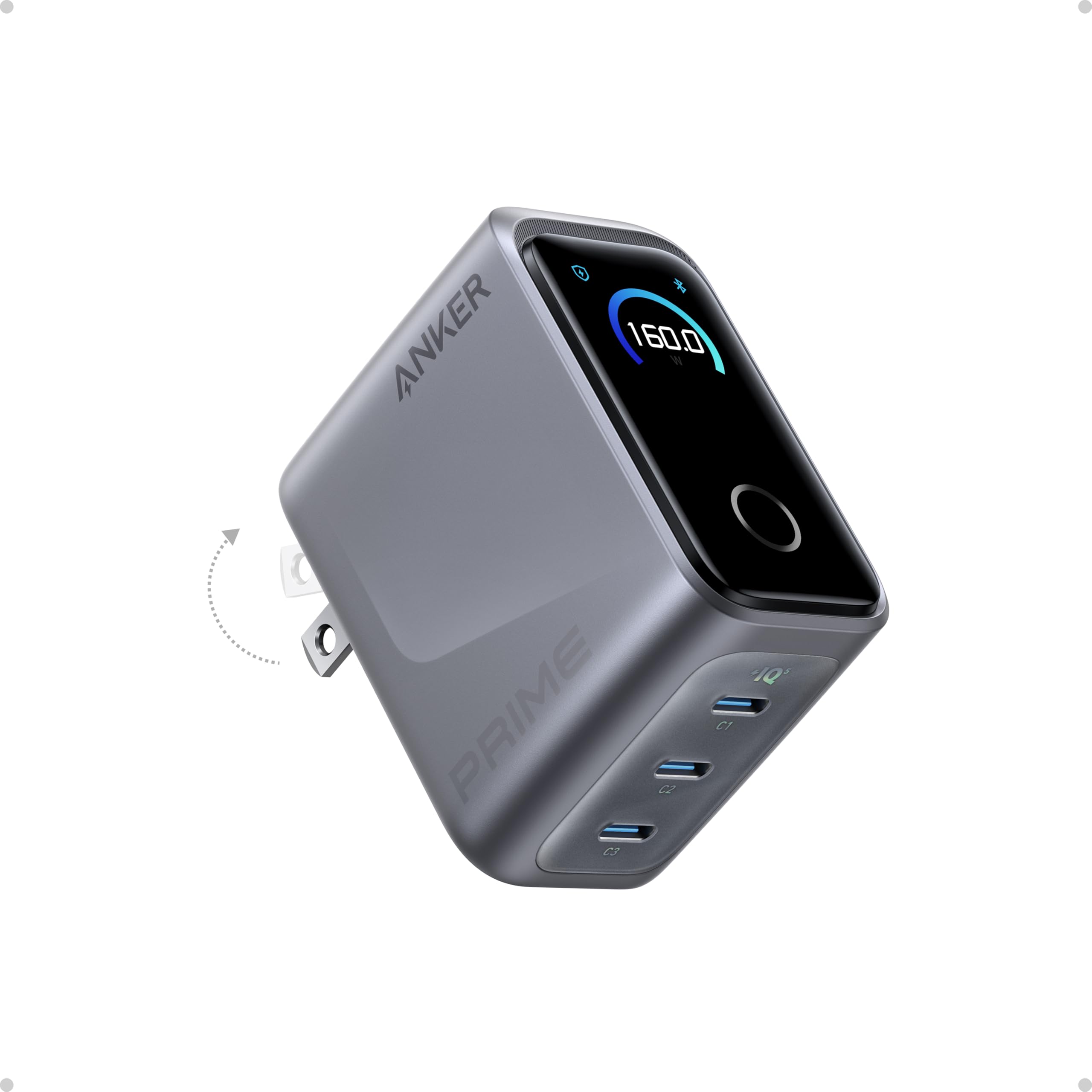
The Anker Prime Charger redefines what a compact 140W-capable charger can be. At roughly the size of an AirPods Pro case, it delivers a total of 160W across three USB-C ports with a power density of 1.35W/cm³. The single-port output holds a steady 140W without derating, charging a 16-inch MacBook Pro from 0% to 50% in about 25 minutes. What sets it apart is the built-in smart display — it shows real-time power distribution per port, and you can switch modes or customize charging profiles via Bluetooth through the Anker app.
Thermal performance is impressive for its size. The GaN architecture keeps the charger warm under sustained high load but never uncomfortably hot, and the folding plug makes it genuinely travel-friendly. Customer reviews consistently praise its build quality and the accuracy of the display, though some note the prongs are quite stiff and difficult to unplug from tight outlets. The lack of a USB-A port may be a limitation if you still have older cables.
PowerIQ 5.0 handles power distribution intelligently, automatically allocating 140W to a laptop while still delivering 35W each to a phone and tablet. The smart display also shows temperature, which adds peace of mind. This is the premium choice for those who want the smallest possible footprint without sacrificing sustained 140W output or smart features.
Why it’s great
- AirPods-size form factor with 160W total output.
- Smart display with real-time wattage and temperature monitoring.
- Sustained 140W single-port output with no throttling.
Good to know
- No USB-A port included.
- Stiff prongs can be hard to unplug.
- Cable not included in the box.
2. UGREEN Nexode Pro 160W

The UGREEN Nexode Pro 160W expands on the 140W concept by offering a total of 160W across four ports — three USB-C and one USB-A. The primary USB-C (C1) port delivers a full 140W when used alone, charging a MacBook Pro 16-inch from 0% to 50% in about 27 minutes. With a GaNInfinity chip, the charger manages heat effectively, though some users report it gets noticeably warm when simultaneously charging a high-performance laptop and a phone. The Space Gray finish gives it a premium, professional look that blends into any desk setup.
Power distribution is intuitive: C1 handles the heavy lifting, while the other ports divide the remaining wattage. The 4-port configuration is excellent for travelers who need to charge a laptop, tablet, phone, and earbuds from a single brick. The charger is heavier than some competitors due to its larger heatsink, which helps maintain sustained output. Customer reviews note its reliability over two years of daily use, but the plug placement at the bottom-rear of the device creates leverage issues — inserting cables often requires two hands to keep the charger stable in the outlet.
Compatibility is broad, covering iPhone 17 series, Samsung Galaxy S25, Google Pixel 10, Dell XPS, and Steam Deck. The charger supports PD 3.1, PPS, and QC 4.0+, making it a flexible option for mixed-device households. If you need a durable, high-wattage charger with an extra USB-A port for legacy devices, this is a strong contender.
Why it’s great
- Four ports (3C+1A) for maximum device flexibility.
- Reliable sustained 140W from the primary USB-C port.
- Broad protocol support across major device brands.
Good to know
- Gets warm under sustained high load.
- Bottom-rear plug placement can cause stability issues.
- Heavier than some single-laptop chargers.
3. CIO NovaPort Trio II 140W
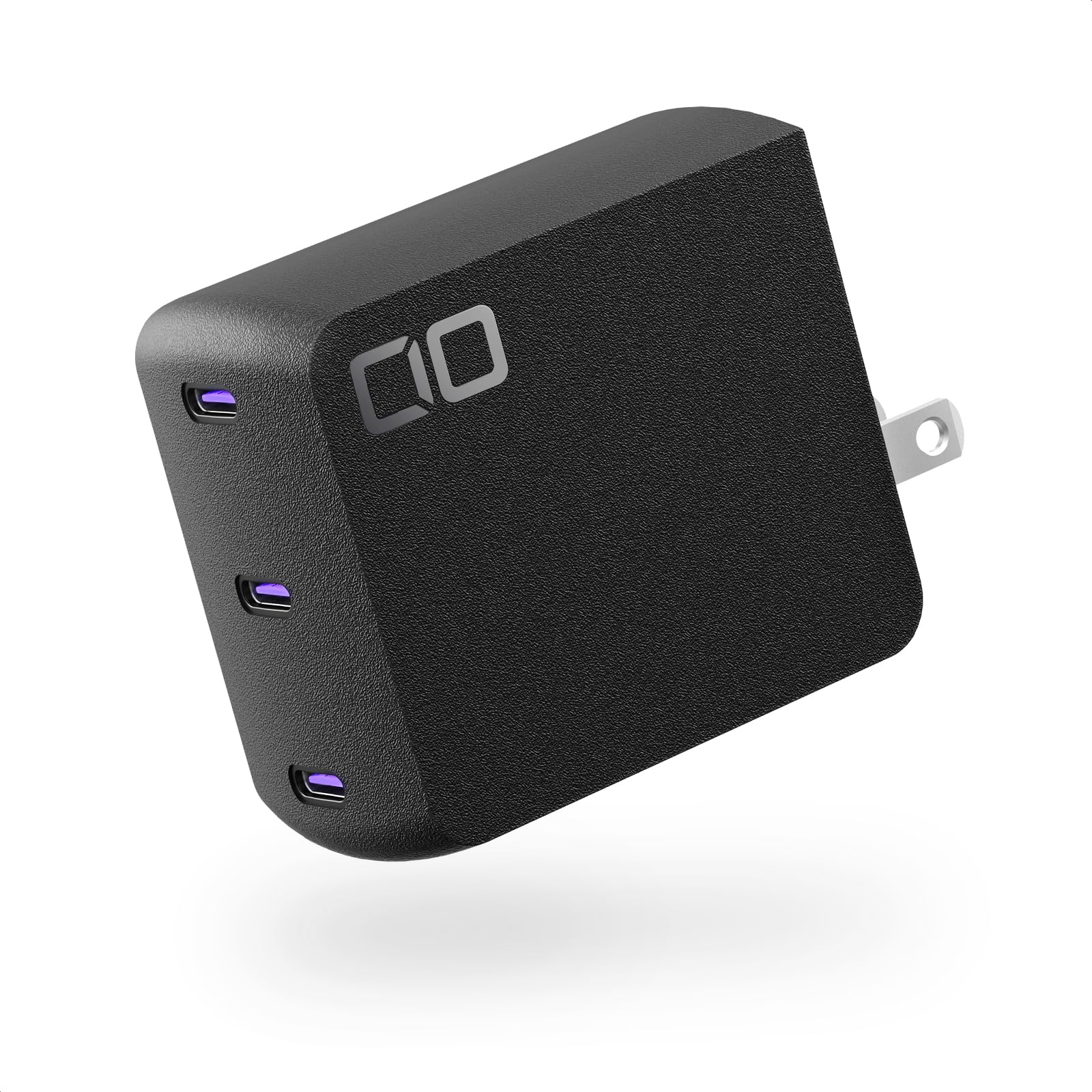
The CIO NovaPort Trio II 140W stands out for its exceptionally compact design — it’s one of the smallest 140W chargers available, making it ideal for tight power strips and travel pouches. Despite its size, it delivers a true 140W PD 3.1 output from any single port, and its Nova Intelligence technology automatically allocates power across all three USB-C ports. A key differentiator is its ability to charge two laptops simultaneously at 65W each, which is rare in this form factor. The scratch-resistant textured finish adds durability for daily carry.
Thermal management is handled by NovaSafety 2.0, which includes temperature monitoring and overheating prevention. In practice, the charger stays warm but never alarming under sustained dual-laptop charging. Customer reviews are overwhelmingly positive, with many noting its reliability and the convenience of never needing to think about which port provides which wattage. The main drawback is weight — at 235 grams, it feels dense for its size, and some users report instability when fully loaded with cables due to its light base.
Compatibility covers iPhone 12 through 17 series, Samsung Galaxy, and most Windows laptops. The charger supports PD 3.1 EPR, ensuring full 140W delivery to compatible devices. If portability and dual-laptop charging are your priorities, this is the most pocketable solution on the market.
Why it’s great
- Compact size for travel without sacrificing 140W output.
- Dual 65W laptop charging capability.
- Nova Intelligence auto-allocates power seamlessly.
Good to know
- Dense and heavy for its size.
- Lower weight can cause instability with multiple cables.
- No USB-A port for older accessories.
4. NOCO XGrid X140
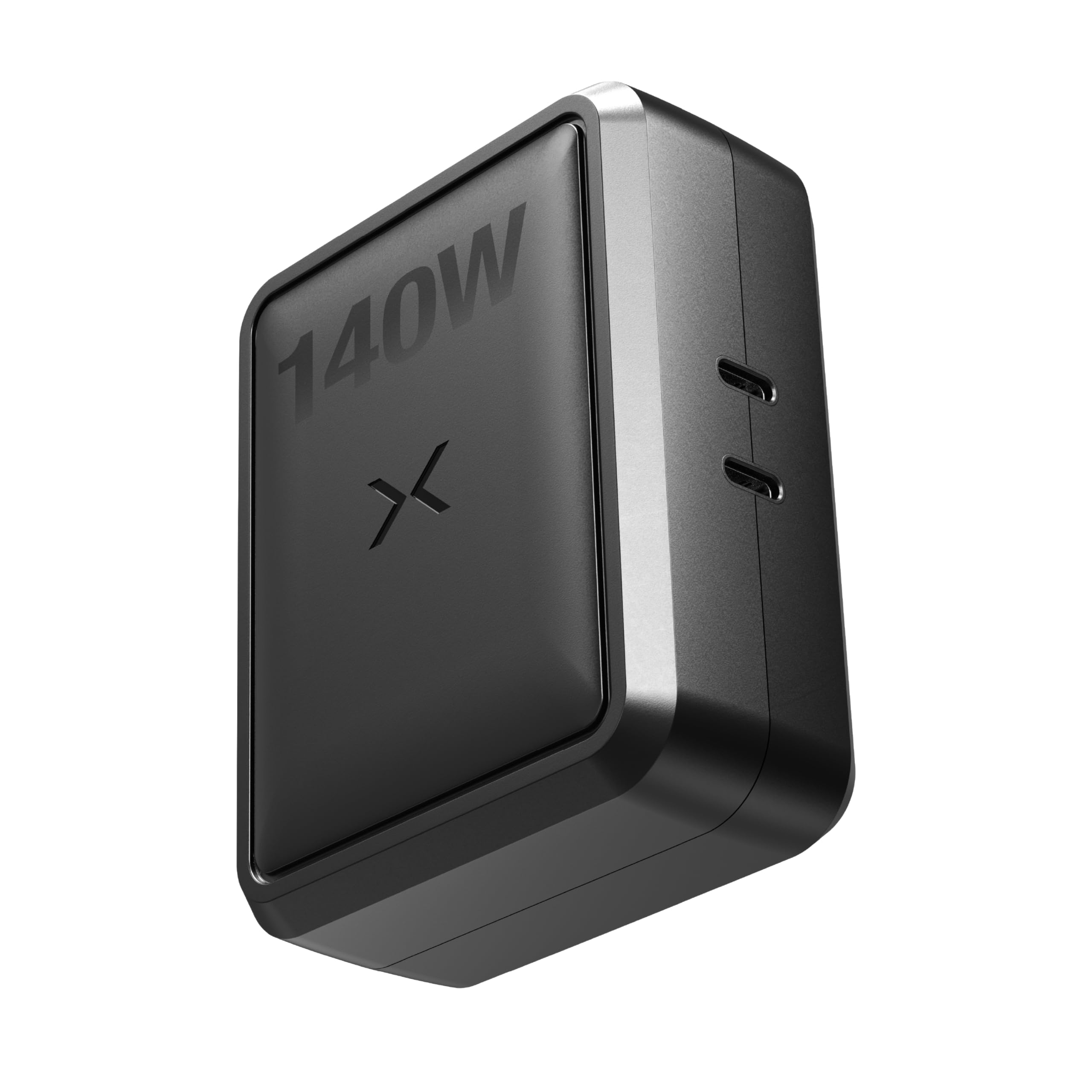
The NOCO XGrid X140 is built for those who prioritize thermal stability above all else. It’s a larger and heavier GaN charger than many competitors, but this extra mass houses a superior heatsink that allows it to sustain full 140W output without throttling, even under continuous load. It supports multiple power splits — 140W/0W, 100W/30W, 65W/65W, 30W/100W, or 0W/140W — giving you flexible options for different device combinations. UL certification adds a layer of trust for safety-conscious buyers.
Customer reviews highlight its exceptional thermal performance, with one user noting it stays cool while charging a power-hungry HP zBook that previously required a 230W adapter. Another reviewer uses it to simultaneously charge a DJI Mini 5 Pro battery bank and controller, reporting fast and stable output. The charger supports PD 3.1, QC 5.0, and PPS, making it broadly compatible across laptops, phones, tablets, and even drones. However, a single report of a defective unit that wasn’t refunded by Amazon is a cautionary note.
The trade-off for superior thermal management is portability. This charger is noticeably larger and heavier than the Anker Prime or CIO NovaPort, making it less ideal for minimalist travel. But if your workflow involves rendering, gaming, or any sustained high-load task that demands stable 140W output, the NOCO XGrid X140 is the most thermally reliable option.
Why it’s great
- Superior thermal management sustains 140W without throttling.
- UL certified for safety and reliability.
- Flexible power split options for various device combos.
Good to know
- Larger and heavier than most GaN chargers.
- Only two ports limits multi-device charging.
- Occasional quality control issues reported.
5. imokin mokin 140W
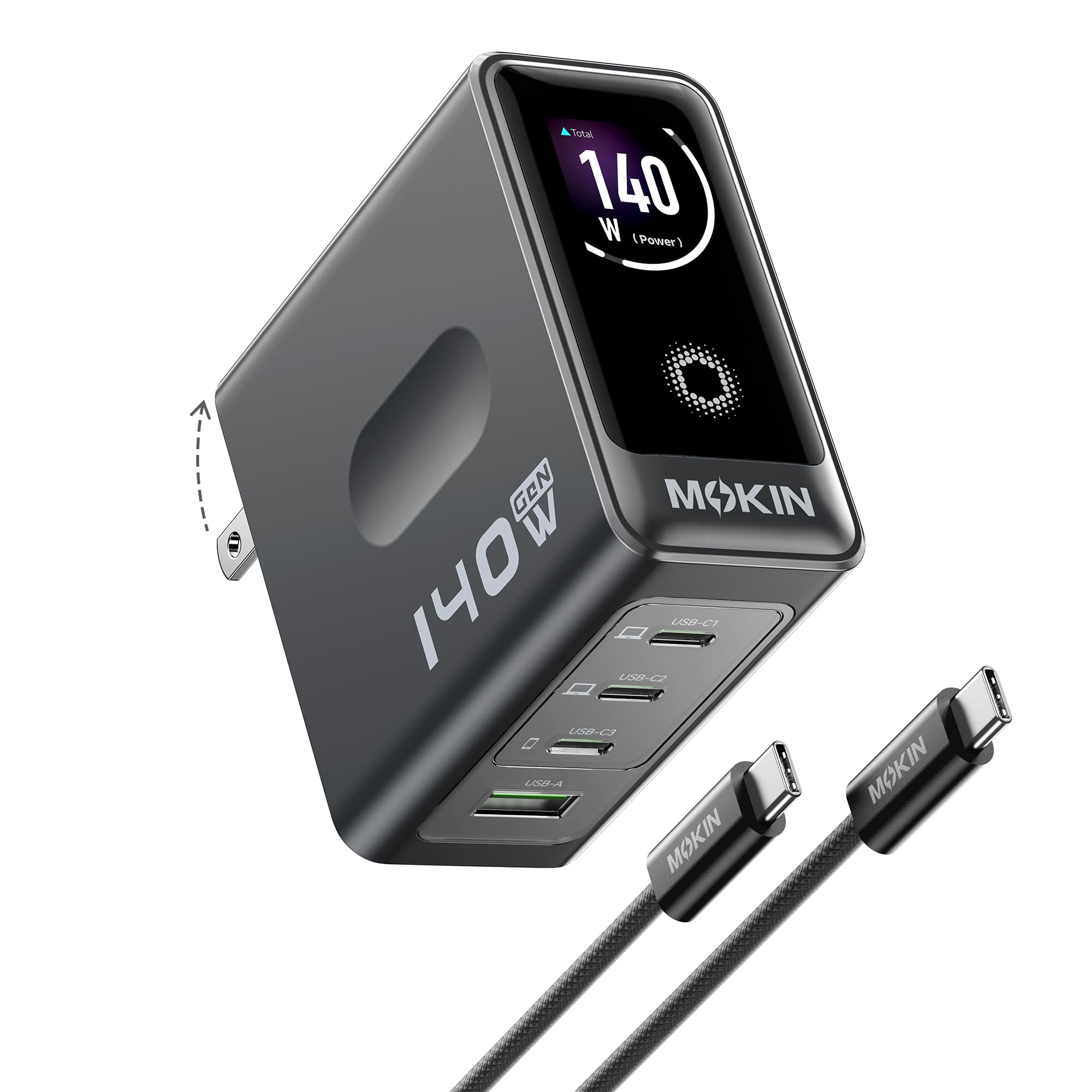
The imokin mokin 140W charger brings a feature usually reserved for premium models — a built-in high-definition color touchscreen — into a much more accessible price bracket. The display shows real-time charging status, per-port wattage, and temperature, giving you immediate insight into how your devices are being powered. With three USB-C ports and one USB-A port, it can charge up to four devices simultaneously. Each USB-C port is capable of delivering up to 140W when used alone, and the charger supports PD 3.1 for fast laptop charging.
Customer reviews are largely positive, with many praising its compact size and premium build quality. Users report it charges a MacBook Pro 16-inch and an iPhone 17 Pro Max quickly without overheating. The included 140W USB-C cable is a welcome addition that saves an extra purchase. However, some users note that the displayed wattage isn’t always perfectly accurate, though this doesn’t seem to affect actual charging performance. A minority report one USB-C port stopping after a couple of months, though the company resolved the issue with responsive customer service.
For the price, the imokin mokin offers exceptional value — you get a smart display, four ports, and GaN efficiency at a fraction of the cost of comparable Anker models. If you want the visibility of a display without paying premium-tier prices, this is your best bet.
Why it’s great
- Color touchscreen shows real-time wattage and temperature.
- Four ports (3C+1A) with 140W single-port capability.
- Includes a 140W USB-C cable in the box.
Good to know
- Displayed wattage may not be perfectly accurate.
- Occasional port failure reported by a few users.
- Build quality feels premium but not as dense as Anker.
6. Mfish E-Rhino 140W
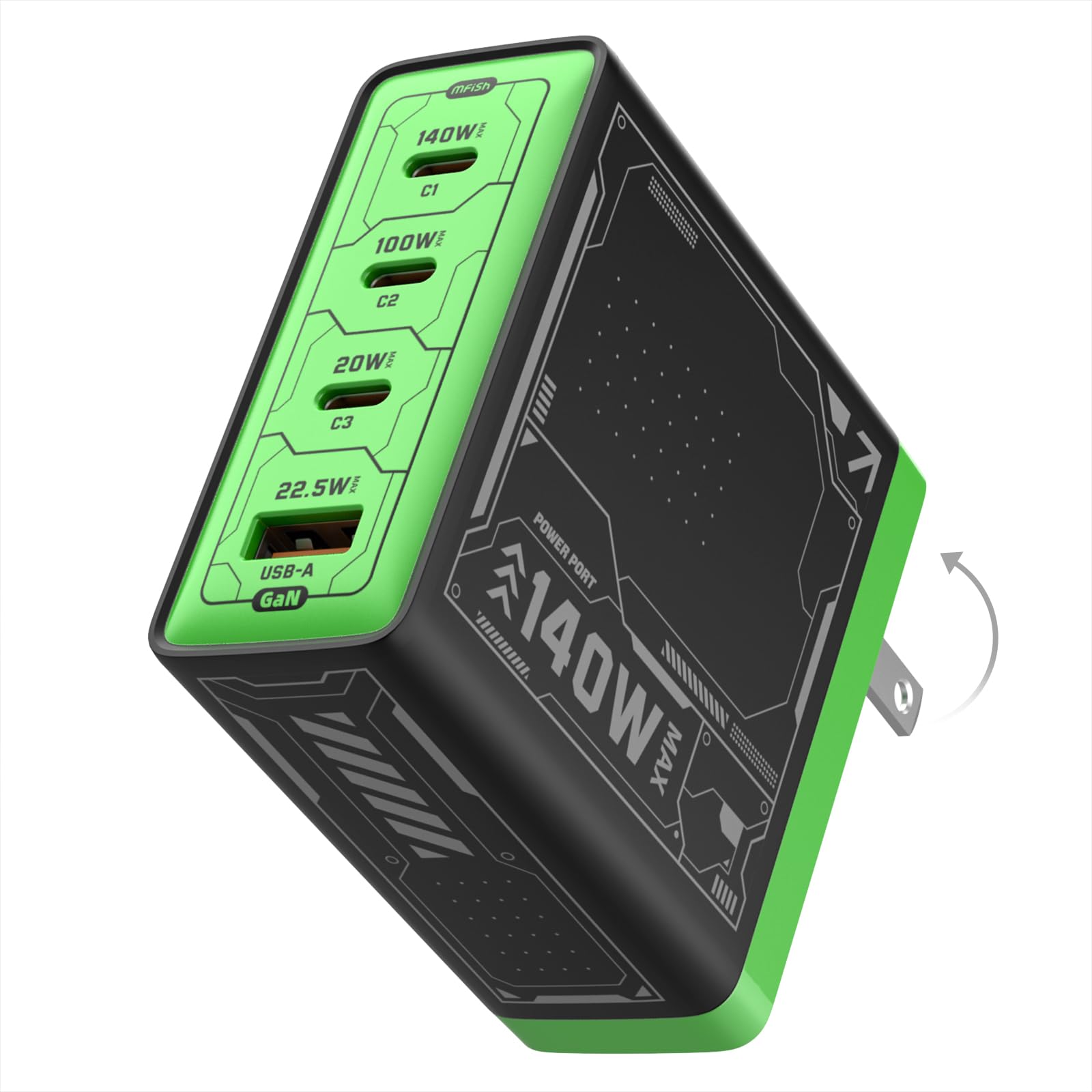
The Mfish E-Rhino 140W positions itself as a straightforward, no-nonsense charger that delivers true sustained 140W using PD 3.1 EPR. Unlike some chargers that drop power under load, Mfish claims their unit maintains full output for high-demand laptops like the MacBook Pro 16-inch. With three USB-C ports and one USB-A port, it can charge up to four devices simultaneously, and the smart power distribution allocates wattage automatically. The GaN technology keeps the charger relatively compact — about 30% smaller than traditional laptop bricks — and the foldable plug adds travel convenience.
Customer reviews highlight its heavy-duty build quality, with multiple users noting it feels “very durable” and “almost three times heavier than a normal charger.” This weight comes from a robust heatsink that helps with thermal management; users report almost no heat under heavy load where other chargers would get extremely hot. The lime green color option is a distinctive touch for those who want to easily spot their charger in a bag. On the downside, the weight makes it less ideal for ultralight travel, and some Dell/Lenovo laptops may be limited to 100W due to device-specific charging protocols.
The E-Rhino is a solid mid-range pick for those who value sustained output and thermal performance over portability. If you need a charger that can handle a demanding laptop and multiple devices without breaking a sweat, this is a reliable choice.
Why it’s great
- Sustained true 140W PD 3.1 output under load.
- Excellent thermal management with robust heatsink.
- Four ports with smart power distribution.
Good to know
- Heavy for a wall charger, less portable.
- Some Dell/Lenovo laptops limited to 100W.
- Not a battery bank — plug-in only.
7. Baseus PD3.1 140W
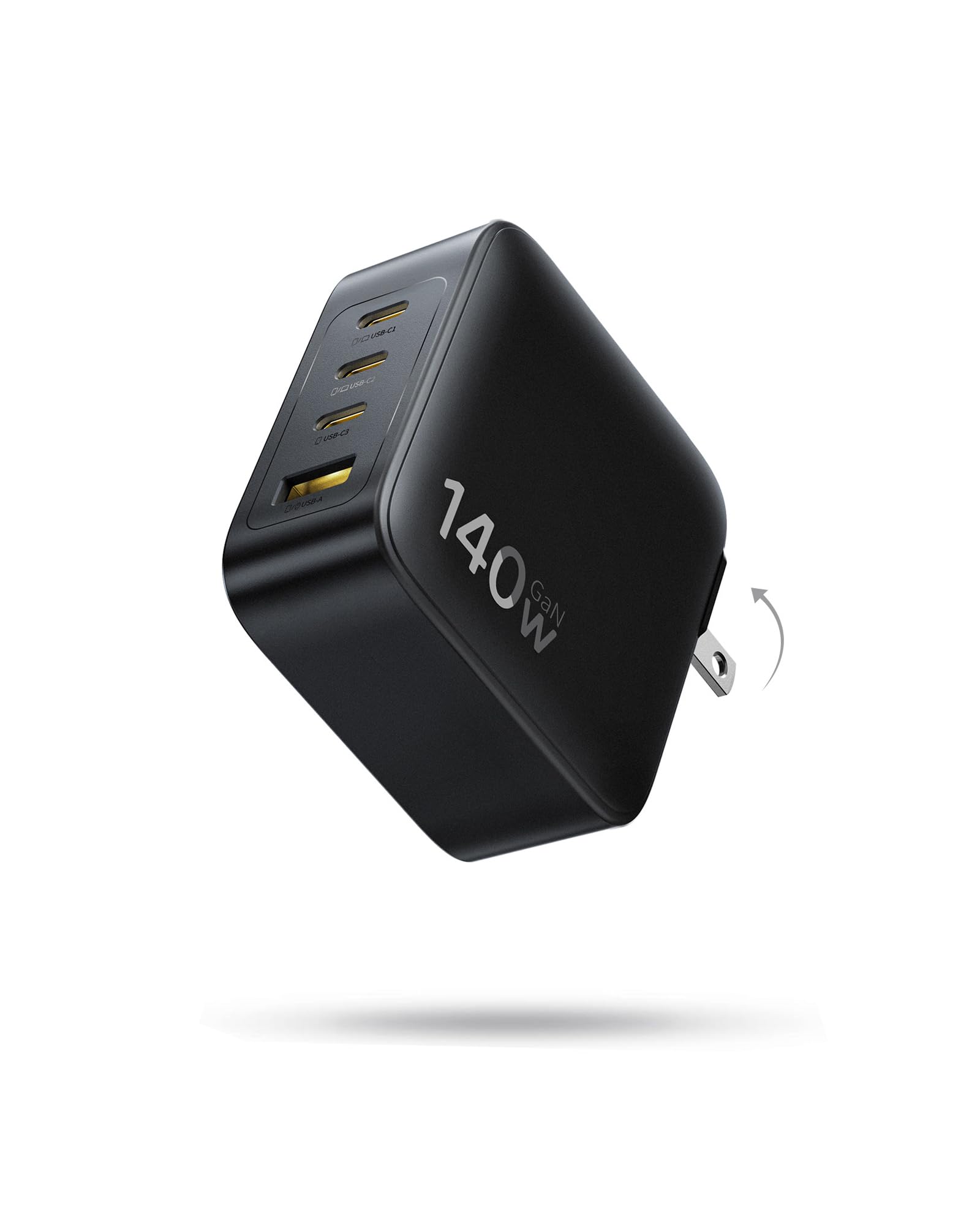
The Baseus PD3.1 140W charger offers the most affordable entry point into high-wattage charging without cutting fundamental corners. It’s approximately 35% smaller than Apple’s 140W adapter, making it genuinely compact for a 4-port charger (3 USB-C + 1 USB-A). The GaN technology provides a 90% conversion rate and automatic temperature monitoring to keep devices cool. When using a single USB-C port, it delivers the full 140W to charge a MacBook from 0% to 100% in about 97 minutes. The foldable prongs protect your bag during travel.
Customer reviews are generally positive, with many praising its fast charging speed and compact size for the price. One user successfully replaced multiple chargers for a laptop, tablet, and phone with a single Baseus unit. However, a critical review noted that sustained charging speeds often fall below 100W, which may not be sufficient for laptops with powerful GPUs during gaming — the reviewer reported Windows throttling FPS from normal levels down to 7-25 FPS. This suggests the charger may not sustain 140W under continuous heavy load like some premium models.
The Baseus is best suited for users who primarily charge phones, tablets, and low-power laptops, and occasionally need the full 140W for quick top-ups. If your workflow involves sustained high-load tasks on a powerful laptop, you may want to spend more for a thermally robust option. But for budget-conscious buyers who need a compact, multi-device charger, it’s a compelling value.
Why it’s great
- Most affordable 4-port 140W charger available.
- Compact at 35% smaller than Apple’s 140W adapter.
- GaN technology with temperature monitoring.
Good to know
- Sustained output may drop below 100W under load.
- Not suitable for high-GPU gaming laptops under load.
- Foldable prongs feel slightly less durable than some competitors.
FAQ
Why does my 140W charger only deliver 100W to my Dell or Lenovo laptop?
Can I use a 140W charger with a phone that only supports 25W charging?
What type of USB-C cable do I need for 140W charging?
Will a 140W charger damage my laptop battery over time?
Final Thoughts: The Verdict
For most users, the best 140w usb-c charger winner is the Anker Prime Charger 160W because it combines the smallest footprint with a smart display, app control, and genuinely sustained 140W output. If you need to charge four devices simultaneously including a high-power laptop, grab the UGREEN Nexode Pro 160W for its extra USB-A port and reliable build. And for thermal stability under continuous heavy load, nothing beats the NOCO XGrid X140.