
Our readers keep the lights on and the weekend projects moving. As an Amazon Associate, I earn from qualifying purchases.
Moving from a 1080p screen to a 1440p 27-inch monitor is one of the most visually satisfying upgrades you can make. The pixel density hits a perfect balance—everything from game textures to spreadsheet text looks crisp without requiring the brute GPU force of a 4K panel. You get sharper images, more screen real estate, and a significantly better experience for both work and play.
I’m Rikta — the co-founder and writer behind FitlyFast. I’ve spent countless hours researching panel technologies, refresh rate specs, color accuracy metrics, and connectivity standards to separate the truly great 1440p monitors from the merely adequate ones.
After analyzing dozens of models across IPS, OLED, and QD-OLED panel types, this guide cuts through the marketing noise to deliver a clear, data-backed verdict on the best 1440p 27 inch monitor for your specific needs and budget.
How To Choose The Best 1440p 27 Inch Monitor
Not all 1440p monitors deliver the same experience. Panel type dictates contrast and color, refresh rate defines smoothness, and connectivity determines what you can plug in. Focusing on these core areas will prevent a disappointing purchase.
Panel Technology: IPS vs. OLED vs. QD-OLED
IPS panels offer reliable color accuracy, wide viewing angles, and high brightness, making them strong all-rounders for both gaming and productivity. OLED and QD-OLED panels deliver infinite contrast ratios, true blacks, and superior HDR performance, but come at a higher price and require burn-in management. For pure visual immersion, OLED wins; for a durable, bright, and versatile daily driver, IPS remains an excellent choice.
Refresh Rate and Response Time
A 1440p monitor with a 144Hz to 180Hz refresh rate provides noticeably smoother motion than standard 60Hz displays. For competitive gamers, 240Hz and above offers a real advantage in fast-paced titles. Response time—measured in milliseconds (GtG or MPRT)—determines ghosting. Look for 1ms (MPRT) in IPS panels and 0.03ms in OLED panels for virtually blur-free motion.
Connectivity and Ergonomic Adjustments
HDMI 2.1 is essential for console gamers wanting 1440p at 120Hz on PS5 or Xbox Series X. DisplayPort 1.4 provides the bandwidth for high refresh rates on PC. A height-adjustable stand (with tilt, swivel, and pivot) is a significant comfort feature that budget monitors often omit—do not underestimate its value for long sessions.
Quick Comparison
On smaller screens, swipe sideways to see the full table.
| Model | Category | Best For | Key Spec | Amazon |
|---|---|---|---|---|
| ASUS ROG Strix XG27ACMS | Fast IPS | High-FPS Competitive Gaming | 320Hz / 0.3ms / Fast IPS | Amazon |
| LG 27G640A-B Ultragear | IPS | Versatile Gaming & Work | 300Hz / 1ms / IPS + HDR400 | Amazon |
| Samsung Odyssey G5 G53F | IPS | Budget Entry-Level Gaming | 200Hz / 1ms / IPS | Amazon |
| Alienware AW2725DM | IPS | Mid-Range Value | 180Hz / 1ms / HDR400 | Amazon |
| AOC Q27GAZDV | QD-OLED | Entry-Level OLED Experience | 240Hz / 0.03ms / QD-OLED | Amazon |
| ASUS ROG Strix XG27AQWMG | Tandem OLED | Premium HDR & Productivity | 280Hz / 0.03ms / Tandem OLED | Amazon |
| Alienware AW2725DF | QD-OLED | Competitive & Cinematic Gaming | 360Hz / 0.03ms / QD-OLED | Amazon |
| MSI MAG 271QPX | QD-OLED | High-Refresh OLED Gaming | 360Hz / 0.03ms / QD-OLED | Amazon |
| ASUS ROG Strix XG27AQDMG | Glossy OLED | Bright Room OLED Viewing | 240Hz / 0.03ms / WOLED | Amazon |
In‑Depth Reviews
1. ASUS ROG Strix XG27ACMS
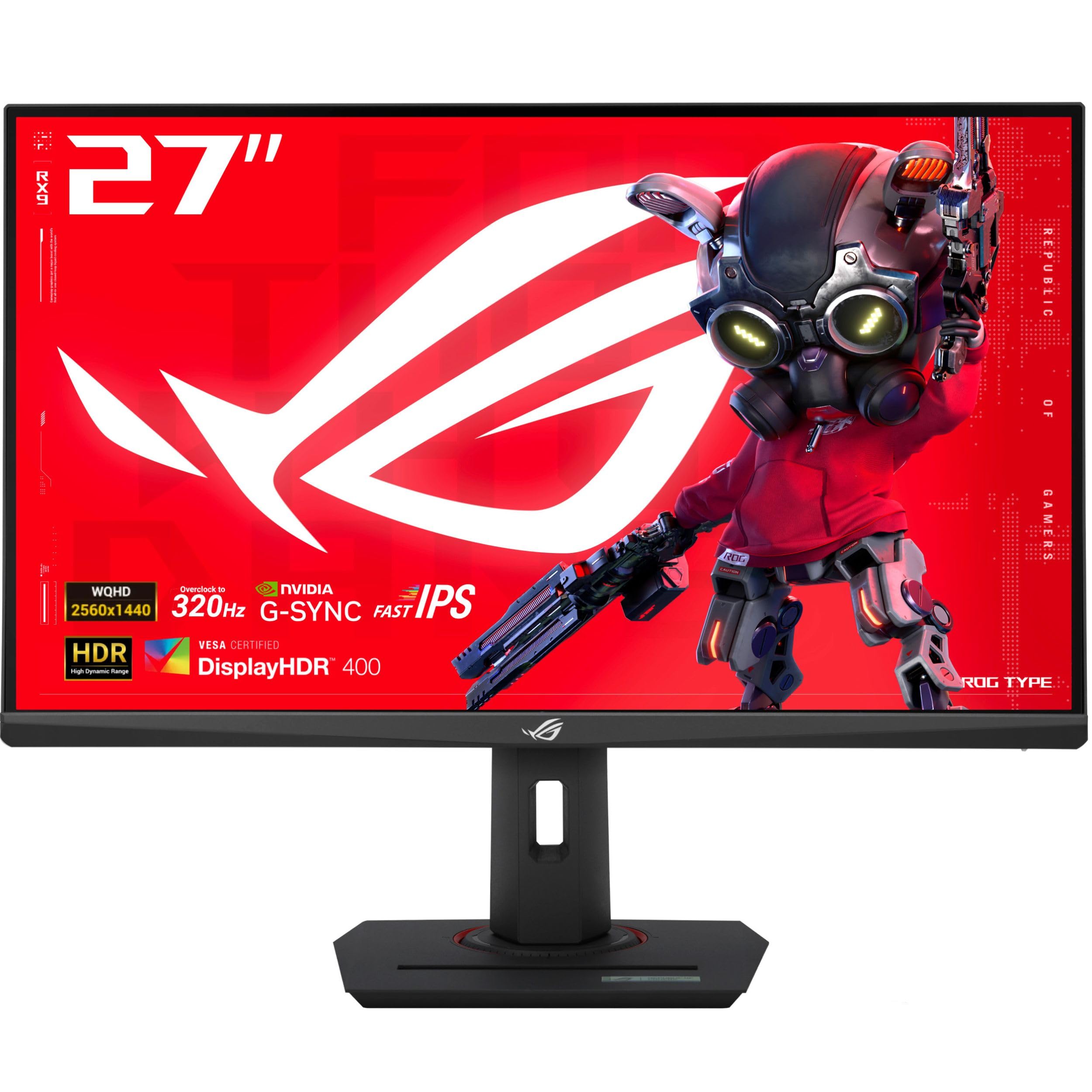
The ASUS ROG Strix XG27ACMS sits at the intersection of speed and value, offering a blistering 320Hz overclocked refresh rate on a Fast IPS panel with a 0.3ms minimum response time. This makes it an absolute weapon for competitive titles like Valorant, Overwatch, and CS2 where every millisecond of motion clarity counts. The ELMB SYNC technology works alongside variable refresh rate to eliminate both ghosting and tearing simultaneously—a feature rarely executed well at this level.
Beyond raw speed, the 130% sRGB color gamut and standard 1000:1 contrast ratio deliver punchy, accurate colors out of the box, though some calibration improves reds and blues. The USB-C port with DP Alt mode simplifies desk setups, and the built-in DisplayWidget Center lets you tweak OSD settings with a mouse instead of fiddling with rear buttons. The included ROG pouch and sticker are a nice touch for brand loyalists.
Where it falls short is the lack of built-in speakers and a USB-C power delivery that only outputs 7.5W—insufficient for charging a laptop during use. The stand offers full ergonomic adjustment (height, pivot, swivel, tilt), which is a welcome inclusion. For a mid-range price, you get a monitor that genuinely blurs the line between professional-grade hardware and enthusiast value.
Why it’s great
- 320Hz refresh rate with ELMB SYNC for ultra-smooth, tear-free gameplay.
- Fast IPS panel with 0.3ms response time eliminates motion blur effectively.
- USB-C DP Alt mode and DisplayWidget software add real convenience.
Good to know
- USB-C power delivery limited to 7.5W, not enough for laptop charging.
- No integrated speakers or headphone jack.
- Colors may need minor calibration for creative work out of the box.
2. LG 27G640A-B Ultragear

The LG 27G640A-B packs a 300Hz IPS panel, 1ms GtG response time, and VESA DisplayHDR 400 certification into a chassis designed for serious connectivity. With dual HDMI 2.1 ports, DisplayPort 1.4, and a USB-C port with 15W power delivery, it is one of the most future-proofed mid-range 1440p monitors available. Console gamers benefit directly from HDMI 2.1 bandwidth, enabling 1440p at up to 120Hz on PS5 and Xbox Series X without compromise.
The IPS panel covers 95% DCI-P3 and delivers vibrant, consistent colors across a wide 178-degree viewing angle. The 1300:1 contrast ratio is slightly above typical IPS standards, resulting in deeper blacks that improve shadow detail in darker game scenes. Features like Dynamic Action Sync and Black Stabilizer give competitive players an edge by reducing input lag and revealing hidden enemies in dark corners.
The built-in speakers are notably weak—useful for system sounds but inadequate for immersive gameplay. The aggressive auto-sleep mode annoyed some users, but it can be disabled in the OSD. The stand is fully adjustable (height, tilt, swivel, pivot), which is rare at this price tier. Overall, the LG Ultragear is a balanced, feature-rich monitor that excels at both high-refresh gaming and console compatibility.
Why it’s great
- 300Hz refresh rate with 1ms GtG response for smooth competitive gaming.
- Dual HDMI 2.1 ports ideal for PS5/Xbox Series X at 1440p 120Hz.
- Fully ergonomic stand with height, tilt, swivel, and pivot adjustments.
Good to know
- Built-in speakers are very weak; external speakers or headphones recommended.
- Auto-sleep setting may require OSD adjustment to avoid unwanted standby.
- USB-C power delivery limited to 15W—not sufficient for laptop charging.
3. Samsung Odyssey G5 G53F

The Samsung Odyssey G5 G53F delivers a 200Hz refresh rate and a 1ms MPRT response time on a 27-inch IPS panel at an entry-level price that undercuts most competitors. For gamers moving up from a standard 60Hz or 144Hz 1080p monitor, the jump to 1440p and 200Hz is transformative—textures are sharper, motion is noticeably smoother, and AMD FreeSync Premium keeps tearing at bay without breaking the bank.
The IPS panel offers a 300 cd/m² brightness and 1000:1 contrast ratio that handles well-lit rooms competently, though HDR10 support is basic and does not approach the dynamic range of proper HDR400 or higher certifications. The Black Equalizer feature genuinely improves visibility in dark game areas without washing out the image, and the Virtual Aim Point overlay helps in shooters. The Auto Source Switch+ is a surprisingly useful convenience for multi-device setups.
Where the G5 cuts corners is the stand—it only offers tilt adjustment, and the included cable management loop is flimsy. The build feels a bit plasticky compared to premium models, but the panel itself impressed users with no dead pixels and vibrant colors after minimal calibration. If you prioritize screen quality over ergonomic flexibility, this monitor offers tremendous value for a genuine 1440p high-refresh experience.
Why it’s great
- 200Hz refresh rate and 1ms MPRT deliver very smooth gameplay for the price.
- IPS panel provides vibrant colors and wide viewing angles at an affordable tier.
- Black Equalizer and AMD FreeSync Premium enhance visibility and eliminate tearing.
Good to know
- Stand offers tilt only—no height, swivel, or pivot adjustment.
- Basic HDR10 support; no VESA DisplayHDR certification.
- Cable management loop reported as fragile by some users.
4. Alienware AW2725DM

The Alienware AW2725DM is a well-rounded 180Hz IPS monitor that prioritizes build quality and color performance. With 95% DCI-P3 coverage and VESA DisplayHDR 400 certification, visuals are rich and vibrant—noticeably better than basic HDR10 panels. The hardware-based low blue light solution reduces eye strain during marathon sessions without the yellow tint that software modes introduce, a thoughtful design choice for long-term comfort.
The stand is a standout feature: sturdy, with a small footprint, and offering full height, tilt, swivel, and pivot adjustments. The anti-glare screen coating handles reflections well in bright rooms. G-Sync and FreeSync compatibility ensures smooth, tear-free gaming on both NVIDIA and AMD GPUs. Users consistently praised the excellent picture quality, reporting no dead pixels or backlight bleed, and minimal IPS glow for this class of monitor.
The main limitation is that 180Hz is only achievable via DisplayPort—HDMI caps at 144Hz, which is important for console users or those relying on HDMI. There is no USB-C input, and no built-in speakers or headphone jack. Despite these omissions, the AW2725DM represents a confident, no-compromise IPS option for gamers and workers who want a premium-feeling monitor without paying OLED prices.
Why it’s great
- 95% DCI-P3 and DisplayHDR 400 produce vibrant, accurate colors.
- Hardware low blue light reduces eye strain without color distortion.
- Fully adjustable stand with excellent build quality and stability.
Good to know
- 180Hz only via DisplayPort; HDMI limited to 144Hz.
- No USB-C port, built-in speakers, or headphone jack.
- IPS glow typical of the category, but minimal on this unit.
5. AOC Q27GAZDV

The AOC Q27GAZDV is a QD-OLED gaming monitor that delivers the technology’s signature infinite contrast and true blacks at a price that undercuts most OLED competitors. With a 240Hz refresh rate, 0.03ms response time, and 147% sRGB / 110% DCI-P3 color gamut, this monitor is an absolute treat for single-player games and HDR movies. The glossy panel coating enhances perceived contrast and color pop in controlled lighting environments.
The ergonomic stand supports height, tilt, swivel, and pivot adjustments, and the built-in USB 3.2 hub adds convenience for peripherals. HDMI 2.1 connectivity means full-bandwidth 1440p support for PS5 and Xbox Series X. Users upgrading from older monitors consistently described the image quality as “game-changing,” with zero ghosting and instantaneous pixel response making fast motion look impossibly clear.
Potential drawbacks include a lower SDR brightness of 200 cd/m², which can feel dim in very bright rooms. There are no built-in speakers, and OLED burn-in, while mitigated by pixel refresh routines, remains a long-term consideration. The 3-year warranty with burn-in coverage provides some peace of mind. For users wanting an OLED experience without the highest premium, this AOC model is a compelling entry point.
Why it’s great
- QD-OLED panel provides true blacks, infinite contrast, and vibrant colors.
- 240Hz refresh rate with 0.03ms response for virtually blur-free motion.
- HDMI 2.1 support and fully adjustable stand add significant value.
Good to know
- SDR brightness at 200 cd/m² is lower than many IPS panels.
- No built-in speakers; glossy panel may reflect in bright rooms.
- OLED burn-in risk requires periodic pixel refresh maintenance.
6. ASUS ROG Strix XG27AQWMG
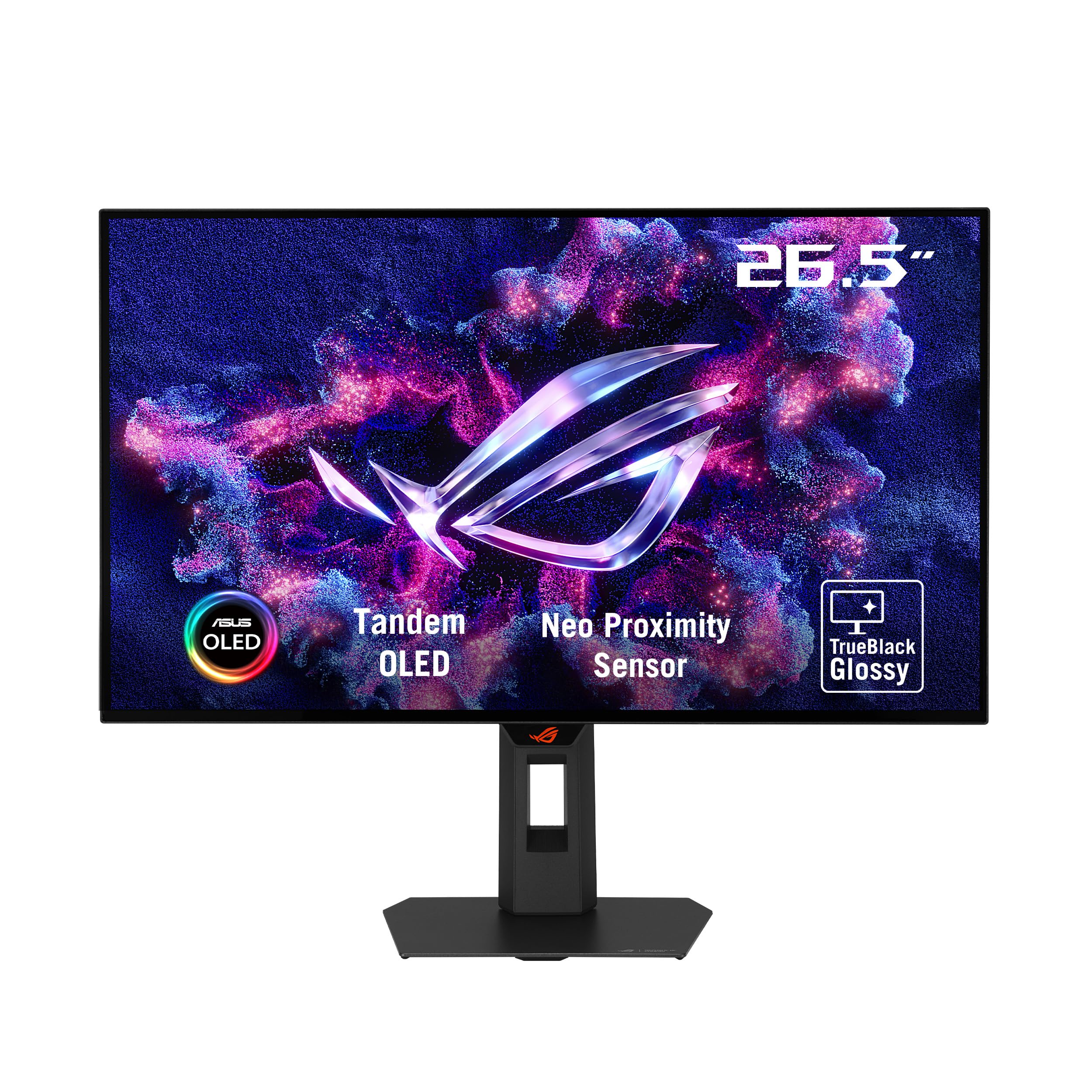
The ASUS ROG Strix XG27AQWMG introduces Tandem OLED technology, utilizing two OLED layers to achieve 15% higher peak brightness, 25% larger color volume, and 60% longer lifespan than previous WOLED panels. This makes it one of the most advanced 1440p 27-inch monitors on the market. The 280Hz refresh rate and 0.03ms response time deliver elite-level motion clarity, while VESA DisplayHDR True Black 500 and 99.5% DCI-P3 ensure stunning HDR performance with genuinely deep blacks and brilliant highlights.
The Neo Proximity Sensor is a standout innovation—it detects when you leave your desk and automatically switches to a black screen to prevent burn-in. The TrueBlack Glossy panel surface produces exceptionally sharp imagery and high perceived contrast, though it is more reflective than matte finishes. The DisplayWidget Center software makes it easy to toggle OLED Care features and adjust settings without reaching for the monitor.
Some users reported minor grey banding that improved over time and after several pixel refresh cycles. The need to run pixel refresh on standby is a minor inconvenience. Text clarity received praise for everyday productivity use, with no visible fringing issues. This monitor is ideal for users who want cutting-edge OLED performance with enhanced burn-in protection and superior brightness for HDR content.
Why it’s great
- Tandem OLED provides higher brightness, color volume, and longer lifespan.
- Neo Proximity Sensor automates burn-in prevention when you step away.
- DisplayHDR True Black 500 and 99.5% DCI-P3 deliver reference-grade HDR.
Good to know
- Glossy panel can reflect ambient light in bright rooms.
- Minor grey banding reported initially; improves with pixel refresh cycles.
- Premium price tier; best for users demanding top-tier HDR and OLED quality.
7. Alienware AW2725DF

The Alienware AW2725DF is a 360Hz QD-OLED monitor that feels purpose-built for gamers who refuse to compromise on speed or image quality. The combination of 360Hz refresh rate and 0.03ms GtG response time delivers motion clarity that is genuinely jaw-dropping—fast-moving objects stay perfectly defined with zero perceptible blur. The infinite contrast ratio and VESA DisplayHDR True Black 400 produce deep, inky blacks alongside vibrant, punchy colors that make both games and movies look spectacular.
The 99.3% DCI-P3 coverage and Delta E<2 factory calibration ensure color accuracy out of the box. The stand offers full ergonomic adjustment (height, tilt, swivel, pivot) and feels solidly built. AMD FreeSync Premium Pro and G-Sync Compatibility ensure tear-free gameplay across both GPU ecosystems. The included factory calibration report and microfiber cloth indicate confident quality control. Users praised the monitor as a “god-like” upgrade from 1080p and a perfect fit for both competitive FPS and cinematic single-player titles.
The main downsides are minor text clarity issues due to the QD-OLED subpixel layout, and periodic pixel refresh reminders. Brightness is fine in dim rooms but may feel constrained in very bright spaces. The 3-year burn-in warranty is reassuring for long-term ownership. This monitor is a top-tier choice for anyone seeking the fastest QD-OLED experience at 1440p.
Why it’s great
- 360Hz refresh rate with 0.03ms response for elite motion clarity.
- QD-OLED true blacks and 99.3% DCI-P3 deliver stunning visuals.
- Full ergonomic stand and comprehensive factory calibration included.
Good to know
- Text clarity slightly affected by QD-OLED subpixel layout.
- Periodic pixel refresh required; brightness moderate in bright rooms.
- Premium price point; best for high-FPS competitive and cinematic gaming.
8. MSI MAG 271QPX

The MSI MAG 271QPX pairs a 3rd Gen QD-OLED panel with a 360Hz refresh rate and 0.03ms GtG response time, making it a direct competitor to the Alienware AW2725DF for the title of fastest 1440p OLED. The Delta E≤2 factory calibration and QD Premium Color technology ensure accurate, vibrant colors straight from the box. VESA DisplayHDR True Black 400 delivers convincing HDR with deep blacks and impactful highlights that significantly outperform standard IPS panels.
The monitor includes MSI OLED Care 2.0, which manages pixel shifting and refresh to reduce burn-in risk over extended use. Console gamers benefit from HDMI 2.1 with full 48 Gbps bandwidth, supporting WQHD at 360Hz on compatible hardware. The adjustable stand covers height, tilt, swivel, and pivot, providing comfortable viewing ergonomics. Users consistently described the image quality as “game-changing,” noting the absence of ghosting, the richness of blacks, and the blazing responsiveness.
Potential cons include the necessity of Display Stream Compression (DSC) to achieve 360Hz at full 10-bit color depth, and VRR flicker reported in some scenarios. The 3-year burn-in warranty provides peace of mind, but the risk still requires responsible usage habits. For competitive gamers who want the maximum refresh rate OLED can offer, the MSI MAG 271QPX is a stellar choice that balances speed and image fidelity.
Why it’s great
- 360Hz QD-OLED with 0.03ms response for pro-level competitive gaming.
- Delta E≤2 color accuracy and OLED Care 2.0 burn-in protection.
- HDMI 2.1 with 48 Gbps bandwidth for full console support.
Good to know
- DSC required for 360Hz at 10-bit color depth.
- VRR flicker possible in some graphics/refresh rate scenarios.
- Premium price tier; burn-in prevention still requires user awareness.
9. ASUS ROG Strix XG27AQDMG

The ASUS ROG Strix XG27AQDMG utilizes a 3rd Gen glossy WOLED panel that provides superior perceived contrast and clarity in controlled lighting, making colors pop with a depth that matte screens cannot replicate. The 240Hz refresh rate and 0.03ms response time deliver fluid, blur-free motion, while a custom heatsink and advanced airflow design actively manage thermals to reduce burn-in risk. The ROG-exclusive OLED Anti-flicker technology mitigates flicker during refresh rate fluctuations, a common complaint with early OLED monitors.
At 99% DCI-P3 coverage, colors are exceptionally rich and accurate. The uniform brightness setting maintains consistent luminance across the screen, which is valuable for productivity work. The stand is fully adjustable, and the 3-year warranty includes burn-in coverage. Users upgrading from 1080p IPS panels described the difference as “crazy”—the combination of infinite contrast, deep blacks, and high refresh rate creates an immersive experience that is hard to go back from.
The glossy finish can be reflective in very bright rooms, and some users noted auto-dimming behavior from screen-saving features. Text clarity is slightly less sharp than high-end IPS due to the OLED subpixel layout. No built-in speakers are included. The XG27AQDMG is best suited for users with controlled lighting who want the purest glossy OLED experience without sacrificing high refresh rate performance.
Why it’s great
- Glossy WOLED panel delivers stunning perceived contrast and color pop.
- Custom heatsink and OLED Anti-flicker enhance reliability and comfort.
- 240Hz refresh with 0.03ms response for smooth, competitive gameplay.
Good to know
- Glossy finish reflects ambient light; best used in dim or controlled rooms.
- Auto-dimming screen-saving features can be distracting but are adjustable.
- No built-in speakers; text clarity slightly less sharp than high-end IPS.
FAQ
Is a 1440p 27-inch monitor good for console gaming?
Do I need a high-end GPU to run a 1440p 240Hz monitor?
What is the real difference between IPS and OLED for 1440p monitors?
How important is a height-adjustable stand for a 27-inch monitor?
Final Thoughts: The Verdict
For most users, the best 1440p 27 inch monitor is the ASUS ROG Strix XG27ACMS because it delivers a 320Hz Fast IPS panel, excellent motion clarity, and USB-C connectivity at a mid-range price—an exceptional balance of speed, features, and value. If you want the immersive contrast of OLED on a tighter budget, grab the AOC Q27GAZDV. And for the ultimate competitive experience with 360Hz and QD-OLED image quality, nothing beats the Alienware AW2725DF.