
Our readers keep the lights on and the weekend projects moving. As an Amazon Associate, I earn from qualifying purchases.
A 32-inch 4K gaming monitor occupies a sweet spot that 27-inch screens cannot match — the pixel density delivers razor-sharp text and UI elements while the extra diagonal inches provide genuine immersion for open-world titles and sims. The challenge is separating the handful of monitors with real HDMI 2.1 bandwidth, usable HDR, and low response times from the many that compromise on panel quality or connectivity.
I’m Rikta — the co-founder and writer behind FitlyFast. I’ve spent hundreds of hours digging through panel specifications, refresh rate tables, and real-user stress reports to identify which models deliver on their 4K gaming promises without hidden deal-breakers like flickering, input lag spikes, or defective units.
Every monitor in this roundup was selected for its ability to handle 4K gaming workloads across PC and console use. Whether you are pairing it with a high-end GPU or a next-gen console, this guide to the best 32 inch 4k gaming monitor breaks down the specifications that actually matter for tear-free, low-latency gameplay.
How To Choose The Best 32 Inch 4K Gaming Monitor
Not all 32-inch 4K monitors are designed for gaming. Many office-oriented 4K panels max out at 60Hz or lack the variable refresh rate support needed for smooth gameplay. The following criteria filter for monitors that genuinely serve high-refresh, low-latency gaming use.
Panel Technology: OLED vs Fast IPS vs VA
OLED and QD-OLED panels deliver true blacks, infinite contrast, and sub-millisecond response times but carry burn-in risk over several years of static HUD use. Fast IPS panels offer balanced color accuracy and response rates around 1ms without burn-in concern but cannot match OLED black levels. VA panels provide higher native contrast than IPS and better value but suffer from darker gamma shifts when viewed off-angle.
Refresh Rate and Adaptive Sync
True 4K gaming at 120Hz or above requires HDMI 2.1 bandwidth. Monitors with only HDMI 2.0 limit you to 60Hz at 4K. Look for a display with at least 144Hz native refresh and either FreeSync Premium or G-SYNC Compatible certification. Dual-mode monitors that switch between 4K at high refresh and 1080p at even higher refresh provide flexibility for competitive titles.
HDR Performance and Brightness
HDR on 4K gaming monitors varies drastically. VESA DisplayHDR 400 provides basic highlight detail, while DisplayHDR 600 and True Black 400 or 500 produce meaningful contrast in bright and dark scenes. Local dimming — full-array or OLED-per-pixel — is the feature that determines whether HDR actually looks impressive or simply washes out.
Quick Comparison
On smaller screens, swipe sideways to see the full table.
| Model | Category | Best For | Key Spec | Amazon |
|---|---|---|---|---|
| ASUS ROG Swift PG32UCDMR | QD-OLED | High-end PC gaming | 240Hz / DP 2.1 / 0.03ms | Amazon |
| LG 32GX870A-B | OLED | Competitive & immersive hybrid | Dual Mode 240Hz/480Hz | Amazon |
| Samsung Odyssey OLED G8 G80SH | QD-OLED | Glare-free HDR | 240Hz / DP 2.1 / 0.03ms | Amazon |
| msi MPG 321URX | QD-OLED | Vivid HDR with KVM | 240Hz / 0.03ms / 99% DCI-P3 | Amazon |
| ASUS ROG Strix XG32UCG | Fast IPS | Dual-mode versatile gaming | 4K 160Hz / FHD 320Hz | Amazon |
| LG 32GQ750-B | VA | Value 4K with console support | 144Hz / HDMI 2.1 / VA | Amazon |
| msi MAG 322URDF E16 | IPS | High refresh competitive play | 320Hz / 0.05ms / Dual Mode | Amazon |
| Dell S3225QS | VA | Comfort-focused hybrid use | 120Hz / 1500:1 contrast | Amazon |
| CRUA 32″ Curved 4K | VA | Budget 4K with 240Hz | 240Hz / 1500R curve / VA | Amazon |
| KTC H32P22P | IPS | Entry-level 4K gaming | 165Hz / 1ms / HDMI 2.1 | Amazon |
| Samsung Odyssey Ark | Mini LED | 55-inch cockpit immersion | 165Hz / 1000R / HDR 600 | Amazon |
In‑Depth Reviews
1. ASUS ROG Swift PG32UCDMR

The PG32UCDMR combines a 32-inch 4K QD-OLED panel with a 240Hz refresh rate and 0.03ms GtG response time, making it one of the fastest color-accurate gaming monitors available. The DisplayPort 2.1 input provides the full 80 Gbps bandwidth needed to drive 4K at 240Hz without display stream compression artifacts, a clear advantage over competitors that still rely on DP 1.4 with DSC. The VESA DisplayHDR True Black 400 certification ensures that dark scenes retain shadow detail without crushing blacks.
ASUS includes their OLED Care Pro suite with a Neo Proximity Sensor that detects when you step away and switches the screen to black, reducing static element burn-in during long sessions. The 99% DCI-P3 coverage and Delta E < 2 color accuracy out of box mean this monitor serves double duty for photo and video editing without calibration. The uniform brightness setting prevents luminance drop-off across the panel surface, a detail that matters during desktop productivity.
The stand is sturdy but takes up considerable desk footprint, and the QD-OLED panel can show a slight purple tint under bright ambient light. Early user reports confirm the pixel refresh cycle is quick and automated. For anyone pairing a high-end GPU with a 32-inch 4K display, this is the most complete package currently available.
Why it’s great
- True DP 2.1 bandwidth without compression
- Proximity sensor for burn-in protection
- Exceptional color accuracy out of box
Good to know
- Large stand takes significant desk space
- QD-OLED black levels degrade in direct sunlight
2. LG 32GX870A-B

The LG 32GX870A-B uses a W-OLED panel with Micro Lens Array+ technology, reaching a peak brightness of 1300 nits for specular highlights while maintaining the perfect blacks expected from OLED technology. The dual-mode capability lets you run 4K at 240Hz for story-driven titles or switch to 1080p at 480Hz for competitive shooters, all through a single hotkey. The 0.03ms response time eliminates motion blur entirely.
NVIDIA G-SYNC Compatible and AMD FreeSync Premium Pro certifications cover both major GPU ecosystems, and the anti-glare low-reflection coating minimizes ambient light washout on the glossy panel. The included DTS Headphone:X support through the 4-pole headphone jack provides 3D spatial audio without an external DAC. The Switch app allows screen splitting into up to six sections for multitasking.
The matte coating can appear slightly grainy on static white pages during productivity work, and initial vertical banding often diminishes after the first few pixel refresh cycles. Users also note that soft text rendering requires disabling ClearType in Windows to reach sharpness parity with IPS panels. For gamers who want both cinematic 4K HDR and ultra-high frame rate competitive play in one monitor, this is a strong hybrid option.
Why it’s great
- 1300-nit peak brightness for OLED HDR
- 480Hz mode for esports without compromise
- DTS Headphone:X spatial audio built-in
Good to know
- Matte coating reduces apparent sharpness on text
- Vertical banding may appear initially
3. Samsung Odyssey OLED G8 G80SH
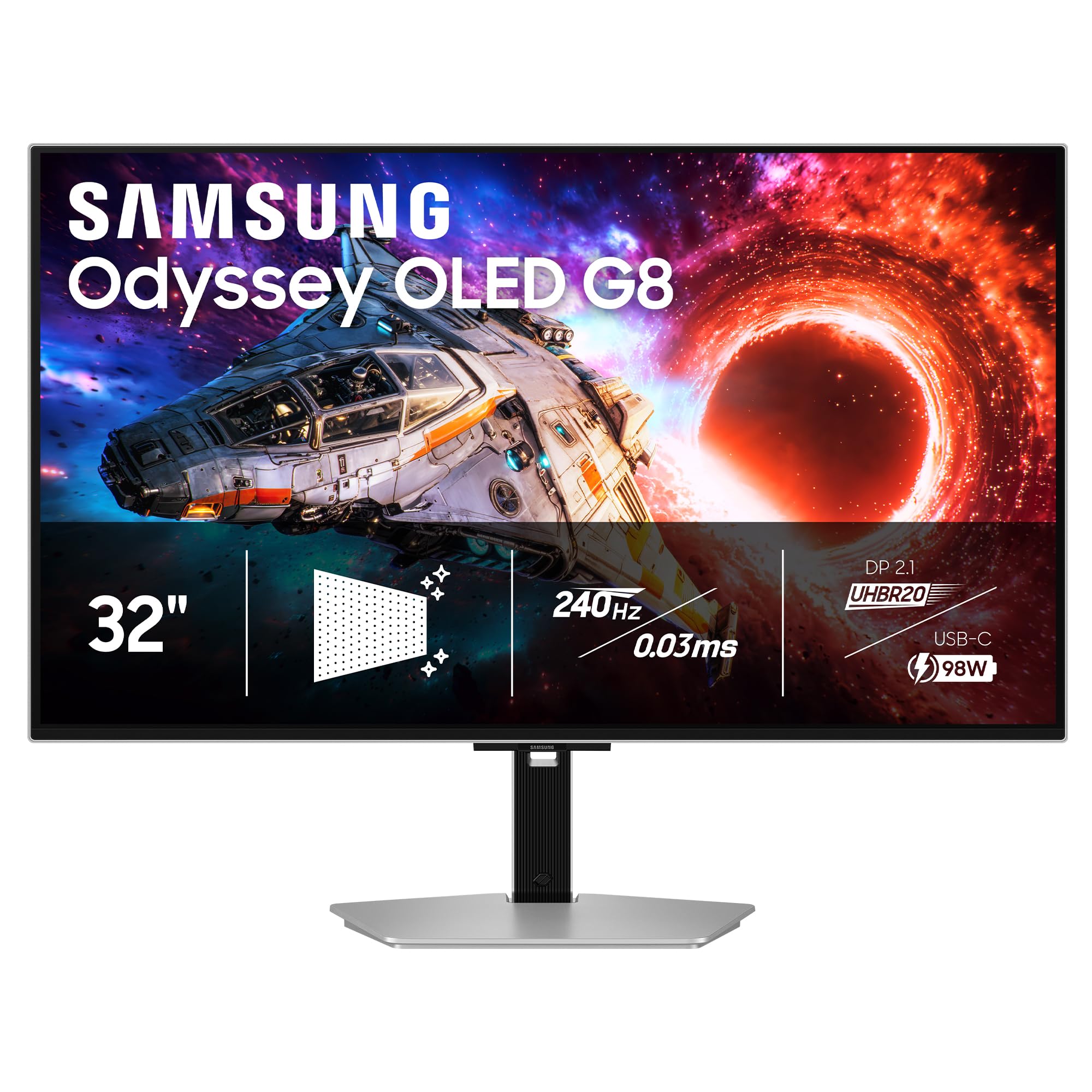
The Samsung Odyssey OLED G8 uses a 32-inch QD-OLED panel with VESA DisplayHDR True Black 500 certification, offering deeper black floors than the True Black 400 rated competitors. The 240Hz refresh rate combined with DP 2.1 bandwidth ensures no compression artifacts at full resolution. The 140 PPI pixel density at 32 inches delivers exceptionally sharp text, and the Pantone Validated screen guarantees color accuracy for creative work.
Glare Free technology uses a specialized coating that significantly reduces reflections from windows and overhead lights without the grainy texture that some matte coatings introduce. OLED Safeguard+ includes a dynamic cooling system that dissipates heat to prevent pixel degradation during long sessions. The ergonomic stand provides height, tilt, swivel, and pivot adjustments, a rare full range not always found on premium OLED monitors.
The external power supply is bulky, and the monitor lacks built-in speakers, requiring external desktop speakers or a headset. Out-of-box color accuracy may need calibration for professional work, though the gaming presets are vivid and immediately usable. For users in bright rooms who want QD-OLED performance without reflection artifacts, this is the best option.
Why it’s great
- True Black 500 HDR certification
- Full ergonomic stand with pivot
- Glare Free coating without grain
Good to know
- No built-in speakers
- Large external power brick
4. msi MPG 321URX

The msi MPG 321URX brings QD-OLED gaming to a price point significantly below the ASUS and Samsung equivalents while retaining the same 240Hz refresh rate and 0.03ms response time. The VESA DisplayHDR True Black 400 certification delivers deep blacks with 250 nits typical brightness, sufficient for dark room gaming.
Built-in KVM functionality with PiP/PbP allows you to control two systems from a single mouse and keyboard without a separate switch. HDMI 2.1 and DP 1.4a inputs support the full refresh rate on PS5 and Xbox Series X. MSI’s OLED Care 2.0 includes pixel shift, pixel refresh, and taskbar detection to mitigate burn-in over extended use. The stand includes four-way adjustment.
The stand base is wide and consumes desk surface area, and the QD-OLED purple tint in bright ambient light is present as with all QD-OLED panels. Some users report that the text clarity is not as sharp as high-end IPS panels, though firmware updates have improved this. For the price, this is the most accessible entry into true 4K 240Hz OLED gaming.
Why it’s great
- Most affordable QD-OLED 4K 240Hz
- Built-in KVM for dual-PC setups
- 3-year warranty includes burn-in
Good to know
- Stand base is very wide
- Text clarity not quite IPS-level
5. ASUS ROG Strix XG32UCG

The ASUS ROG Strix XG32UCG uses a Fast IPS panel that switches between 4K at 160Hz and FHD at 320Hz, giving competitive gamers flexibility without purchasing a second monitor. The 0.3ms minimum response time ensures crisp motion at both resolutions. ASUS Extreme Low Motion Blur Sync allows ELMB to work simultaneously with variable refresh rate, eliminating both ghosting and tearing, which many monitors force you to choose between.
The 95% DCI-P3 coverage with advanced gray-scale tracking produces smooth color gradations free of banding. USB-C with DP Alt mode provides a clutter-free connection for laptops. The DisplayWidget Center software allows you to adjust OSD settings with a mouse instead of reaching for the joystick. A built-in tripod socket is a niche addition for streamers who mount a webcam or phone above the screen.
The HDR performance is limited by the IPS contrast ratio, so dark scenes will not match OLED depth. Some users report that the 160Hz ceiling at 4K feels lower than native 240Hz panels. For buyers who want a single IPS monitor that handles both 4K immersion and esports-level frame rates, this is a well-balanced option.
Why it’s great
- ELMB Sync with VRR eliminates ghosting
- Dual-mode 4K 160Hz / FHD 320Hz
- DisplayWidget Center software control
Good to know
- IPS contrast limits HDR depth
- 4K refresh capped at 160Hz
6. LG 32GQ750-B

The LG 32GQ750-B pairs a 32-inch VA panel with true HDMI 2.1 connectivity, delivering 4K at 144Hz on PC and up to 120Hz on PS5 and Xbox Series X. The 2500:1 native contrast ratio produces deeper blacks than typical IPS panels, and the HDR10 support with 90% DCI-P3 coverage provides noticeable highlight detail even without full-array local dimming. The 1ms GtG response time handles fast motion without visible smearing.
The built-in 5W stereo speakers with Waves MaxxAudio offer louder and clearer sound than most monitor speakers, useful for console gaming where dedicated speakers may not be present. The Dynamic Action Sync and Black Stabilizer features are practical for spotting enemies in dark corners during FPS games. The ergonomic stand supports height, tilt, swivel, and pivot adjustments for flexible desk positioning.
The single-button OSD menu can be cumbersome when switching between multiple inputs, and the VA gamma shift is noticeable when viewing from off-center angles. Some units have arrived with dead pixel clusters, though LG’s return policy has been generally responsive. For console gamers who want a 4K monitor with actual HDMI 2.1 support at a price below the OLED tier, this is a strong choice.
Why it’s great
- True HDMI 2.1 for console 4K 120Hz
- 2500:1 native VA contrast
- Full ergonomic stand included
Good to know
- VA gamma shifts off-angle
- OSD navigation is single-button
7. msi MAG 322URDF E16
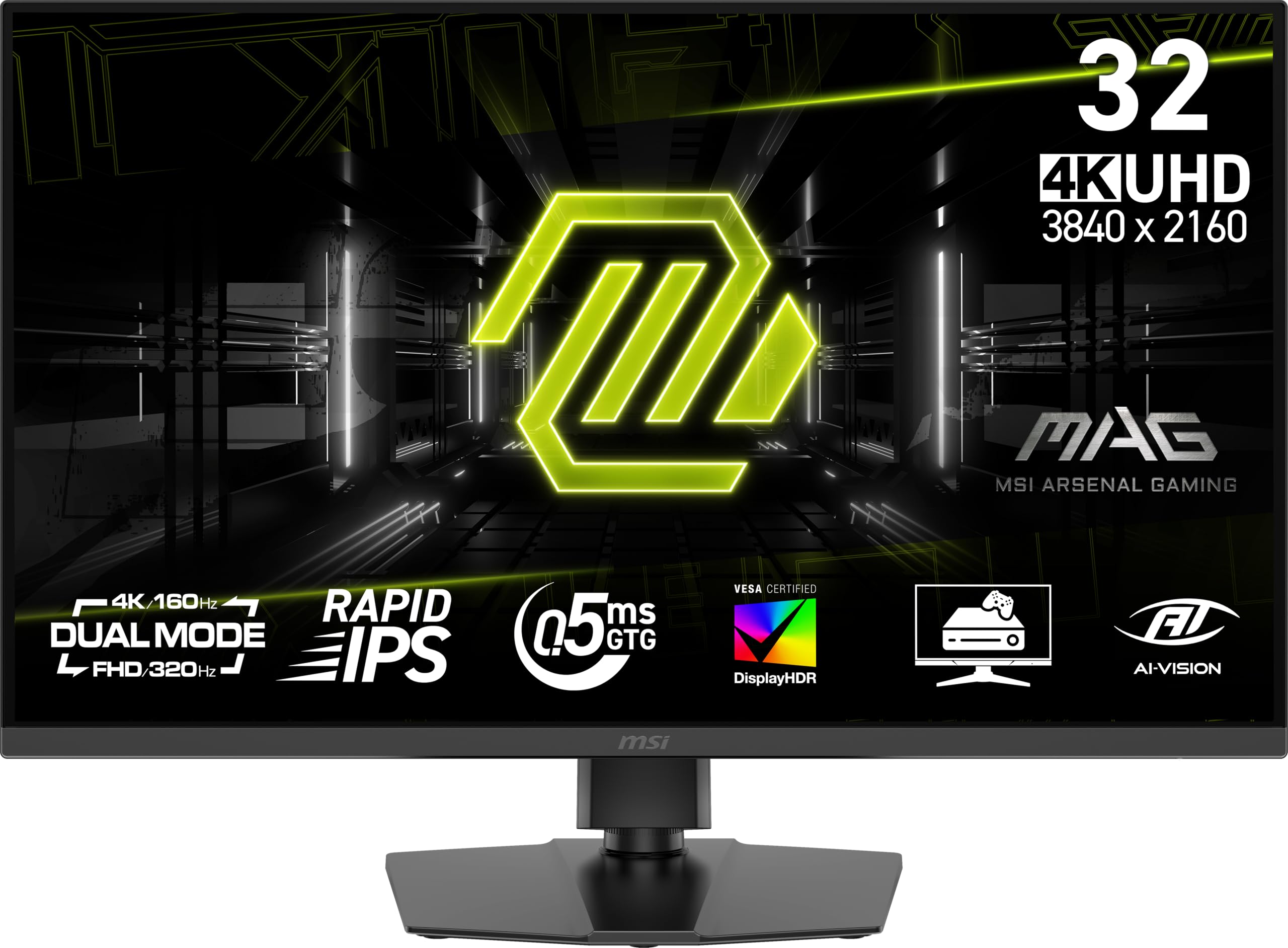
The msi MAG 322URDF E16 uses a Rapid IPS panel with a 320Hz refresh rate at 4K, one of the highest native refresh rates available in this category. The 0.5ms GtG response time and dual-mode capability allow switching between resolutions and refresh rates depending on the game type. VESA DisplayHDR 400 certification provides entry-level HDR highlight detail for compatible content.
Console mode optimizes compatibility with PS5 and Xbox Series X, supporting VRR and automatic low latency mode. The IPS panel maintains consistent color and gamma across wide viewing angles, making this a good choice for shared viewing or multiplayer setups. The included DisplayPort 1.4a cable supports the full bandwidth, and the USB Type-B port allows KVM-style peripheral sharing.
Customer reports indicate a pattern of quality control issues, including a white screen of death failure within the first month and inconsistent color uniformity across units. The MSI warranty process requires owner-paid shipping to a service center, which adds cost. For buyers willing to gamble on QC, the raw 320Hz IPS performance is impressive, but reliability concerns are significant.
Why it’s great
- 320Hz native 4K refresh rate
- Consistent IPS viewing angles
- Console mode for PS5/Xbox
Good to know
- Quality control issues reported
- Warranty shipping not covered
8. Dell 32 Plus S3225QS

The Dell S3225QS delivers 4K resolution on a VA panel with AMD FreeSync Premium and a 120Hz refresh rate, making it suitable for casual gaming rather than competitive esports. The stand-out feature is ComfortView Plus, which reduces blue light emissions to 35 percent or less without the yellow tint that software-based blue light filters produce. The 1500:1 contrast ratio and 95% DCI-P3 coverage provide punchy colors for both gaming and productivity.
Dell’s built-in speakers are a notable upgrade from previous generations, with deeper bass response and wider frequency range that makes them usable for casual viewing without external audio. The ultra-thin bezel in ash white finish gives the monitor a clean aesthetic that fits well in a home office or living room setup. The 0.03ms response time at the panel level ensures no perceivable input lag for 60-120Hz gaming.
The 120Hz ceiling limits this to console gaming on PS5 and Xbox Series X rather than high-refresh PC gaming. The lack of HDMI 2.1 means you will need to use DisplayPort to reach the full 120Hz refresh on PC. For buyers who prioritize eye comfort during long work sessions but still want occasional 4K gaming capability, this is a well-rounded choice.
Why it’s great
- ComfortView Plus reduces blue light without yellowing
- Improved speakers with deeper bass
- Clean ash white design
Good to know
- Limited to 120Hz refresh rate
- Requires DisplayPort for 120Hz on PC
9. CRUA 32″ Curved 4K

The CRUA 32-inch curved monitor offers 4K UHD resolution at 240Hz on a VA panel with a 1500R curvature, providing wrap-around immersion at a price significantly below the OLED competition. The 3000:1 contrast ratio delivers deeper blacks than IPS alternatives, and the 120% sRGB color gamut covers enough range for gaming and streaming. AMD FreeSync compatibility reduces screen tearing in supported titles.
The white finish and RGB back lighting make this monitor visually distinctive in a gaming setup. PIP/PBP functionality allows dual-source input display, useful for multitasking between a PC and console. HDMI 2.1 and DP 1.4 inputs provide the bandwidth needed to reach the 240Hz refresh rate at 4K. The monitor supports 75x75mm VESA wall mounting.
Build quality concerns include a reported lack of tilt or height adjustment on some units, and the built-in speakers are weak enough that external speakers are recommended. The settings interface can be confusing without the remote control. For buyers who want a curved 4K gaming experience at the 240Hz level without paying the OLED premium, this is a viable entry point.
Why it’s great
- 240Hz at 4K on a curved VA panel
- 1500R curvature for immersion
- White finish with RGB back lighting
Good to know
- No height or tilt adjustment on some units
- Built-in speakers are weak
10. KTC H32P22P

The KTC H32P22P provides a Fast IPS panel with 4K resolution, 165Hz refresh rate, and 1ms MPRT response time at an entry-level price point that undercuts most branded competitors. The 3000:1 contrast ratio is unusually high for an IPS panel, and the 121% sRGB color gamut area delivers vivid colors. Adaptive Sync technology supports both FreeSync and G-SYNC compatibility for tear-free gaming.
The monitor includes HDMI 2.1 and DP 1.4 inputs, a screwdriver for assembly, and a blue light filter mode. The stand offers tilt and height adjustment, and 100x100mm VESA mounting is supported. The three-year warranty with 12-hour customer response time provides more coverage than many budget monitor brands.
Customer reports are heavily skewed toward defects, with multiple verified reviews describing the monitor turning off randomly, displaying blank screens within weeks, and having dead pixels out of the box. Some units arrive clearly used or returned. The HDR implementation is effectively unusable, and the 165Hz refresh rate causes washed-out pixel rows at higher speeds. The low price comes with reliability risks that make this a difficult recommendation.
Why it’s great
- Lowest price point for 4K 165Hz IPS
- Includes HDMI 2.1 and DP 1.4
- Three-year warranty included
Good to know
- High defect rate from multiple buyers
- 165Hz causes visible pixel row washing
11. Samsung Odyssey Ark

The Samsung Odyssey Ark is a 55-inch 4K gaming monitor with a 1000R curvature that wraps around your field of view for maximum immersion. The 165Hz refresh rate with 1ms response time delivers smooth motion despite the massive screen size. The Quantum Mini LED panel provides 600-nit typical brightness and a 1,000,000:1 contrast ratio, making HDR content look impactful in a dark room.
Cockpit Mode allows the screen to rotate vertically, creating a unique orientation for racing games or vertical scrolling. Multi View supports up to four simultaneous inputs, letting you watch a stream, monitor Discord, and play on the same panel. The Sound Dome technology uses four corner speakers and two central woofers for 2.2.2-channel 60W audio, providing room-filling sound that eliminates the need for separate speakers in many setups.
The monitor weighs 91 pounds and requires two people for safe setup. The software interface has been reported to lag and occasionally fail to recognize connected GPUs. Users report that the lack of DisplayPort and the single HDMI input limitation makes multi-device setups cumbersome. The price places this in a different category than traditional desktop monitors, but for buyers who want a single-screen cockpit experience, it is unmatched.
Why it’s great
- 55-inch 1000R curve for immersive gaming
- Powerful 60W 2.2.2-channel audio
- Multi View with four simultaneous inputs
Good to know
- 91 pounds, requires two people to set up
- Software interface can be buggy
FAQ
Can a 32-inch 4K monitor run at 240Hz over HDMI 2.1?
What GPU do I need to drive a 32-inch 4K 240Hz monitor for gaming?
Does the CRUA 32-inch curved monitor actually reach 240Hz at 4K?
Final Thoughts: The Verdict
For most users, the best 32 inch 4k gaming monitor winner is the ASUS ROG Swift PG32UCDMR because it combines true DP 2.1 bandwidth, QD-OLED contrast, and comprehensive burn-in protection in a single package that works for both gaming and creative work. If you want dual-mode flexibility for competitive and cinematic play, grab the LG 32GX870A-B. And for console gamers who need true HDMI 2.1 without the OLED price, nothing beats the LG 32GQ750-B.