
Our readers keep the lights on and the weekend projects moving. As an Amazon Associate, I earn from qualifying purchases.
The gap between a good monitor and a truly exceptional one has never been wider. Standard IPS and VA panels simply cannot reproduce the infinite contrast, per-pixel lighting, and instantaneous pixel response that OLED technology delivers. For gamers, creative professionals, and anyone who spends hours in front of a screen, the shift to a 4K OLED monitor represents a fundamental upgrade in visual fidelity — not a marginal improvement, but a completely new way to see your content.
I’m Rikta — the co-founder and writer behind FitlyFast. I’ve spent hundreds of hours analyzing panel specifications, burn-in mitigation technologies, color gamut coverage reports, and real-world user feedback across dozens of models to bring you a definitive guide to this transformative category.
The market is packed with glossy marketing claims about refresh rates and contrast ratios, but finding the true best 4k oled monitor for your specific needs requires understanding the nuanced differences between QD-OLED and W-OLED panel technologies, real-world HDR brightness measurements, and the effectiveness of varying burn-in prevention systems.
How To Choose The Best 4K OLED Monitor
Investing in a 4K OLED monitor is a multi-year commitment. Navigating the differences between panel generations, refresh rate tiers, and connectivity standards can feel overwhelming. Focusing on a few key specifications will cut through the noise and lead you to the model that fits your setup and your budget.
Panel Architecture: QD-OLED versus W-OLED
This is the single most important decision you will make. QD-OLED panels (used by Samsung, MSI, ASUS, Dell/Alienware) use a blue OLED layer with quantum dot color conversion, delivering higher color volume and peak brightness — often exceeding 1000 nits for small highlights. W-OLED panels (used by LG) use a white OLED layer with color filters. W-OLED generally offers better black levels in bright rooms and more consistent text rendering due to its conventional RGB stripe subpixel layout. QD-OLED produces wider color gamut coverage (often 99% DCI-P3) but can show a subtle magenta tint on white backgrounds in very bright ambient light.
Refresh Rate and Adaptive Sync
For a 4K OLED monitor, a 120Hz baseline is the minimum for smooth desktop navigation and console gaming, but 240Hz is the sweet spot for PC gaming. Models like the LG 32GX870A-B offer a dual-mode feature allowing a drop to Full HD at 480Hz for competitive esports. Ensure the monitor supports both G-Sync Compatible and FreeSync Premium Pro if you switch between NVIDIA and AMD GPUs. For next-generation graphics cards like the RTX 5090, DisplayPort 2.1a (as found on the ASUS ROG Swift PG27UCDM) provides the full 80Gbps bandwidth needed for 4K at 240Hz without Display Stream Compression.
Burn-In Prevention and Longevity Tools
OLED burn-in is a legitimate concern for users who leave static elements like taskbars or toolbars on screen for hours daily. Modern 4K OLED monitors include sophisticated mitigation features: automatic pixel refresh cycles that activate when the monitor enters standby, pixel shift (orbiting) that moves the image imperceptibly, and automatic logo brightness detection. Premium models like the ASUS PG27UCDM also include a proximity sensor that detects when you leave your desk and dims the screen immediately. Look for a three-year warranty that explicitly covers burn-in, which Dell/Alienware and ASUS often provide.
Connectivity and Hub Functionality
Beyond the display itself, consider how the monitor integrates with your existing peripherals. USB-C with Power Delivery (90W or higher) allows a single cable to drive your laptop, charge it, and connect to peripherals. A built-in KVM switch lets you control two PCs with one set of mouse and keyboard. The MSI and GIGABYTE models in this guide offer strong hub features at competitive prices. For console gamers, multiple HDMI 2.1 ports are essential to support 4K at 120Hz on PS5 or Xbox Series X without compromise.
Quick Comparison
On smaller screens, swipe sideways to see the full table.
| Model | Category | Best For | Key Spec | Amazon |
|---|---|---|---|---|
| ASUS ROG Swift PG27UCDM | Premium 27″ | High-end gaming & pro use | DP 2.1a UHBR20, 240Hz | Amazon |
| ASUS ROG Swift OLED PG32UCDM | Premium 32″ | Best-in-class image quality | Custom heatsink, 240Hz | Amazon |
| LG 32GX870A-B UltraGear | Dual-Mode OLED | Competitive FPS & 4K gaming | 480Hz FHD / 240Hz 4K | Amazon |
| Alienware AW3225QF | Premium 32″ | Premium gaming & Dolby Vision | 4K QD-OLED, Dolby Vision | Amazon |
| MSI MPG 321URX QD-OLED | Mid-Range 32″ | Gaming & productivity blend | 90W USB-C, KVM, 240Hz | Amazon |
| Alienware AW3425DW | Ultrawide 34″ | Immersive ultrawide gaming | WQHD 1800R curve, 240Hz | Amazon |
| GIGABYTE MO27U2 | Mid-Range 27″ | Value 4K with built-in speakers | 5-layer tandem OLED, 240Hz | Amazon |
| MSI PRO MAX 271UPXW12G | Productivity 27″ | Mac productivity & color accuracy | 2x USB-C, 120Hz, white chassis | Amazon |
| Samsung Odyssey OLED G6 G60SF | Entry-Level 27″ | Competitive esports (QHD) | 500Hz, 0.03ms response | Amazon |
| INNOCN 49Q1S | Ultrawide 49″ | Super ultrawide immersion | 5120×1440, 240Hz, 90W USB-C | Amazon |
| Philips Evnia 49M2C8900L | Premium Ultrawide | Productivity & immersive gaming | DQHD, 144Hz, 90W USB-C | Amazon |
In‑Depth Reviews
1. ASUS ROG Swift 27” 4K QD-OLED Gaming Monitor (PG27UCDM)

The ASUS PG27UCDM represents the absolute peak of what a 27-inch 4K OLED monitor can deliver in early 2025. Its fourth-generation QD-OLED panel includes a custom heatsink and a Neo Proximity Sensor — a small but brilliant feature that detects when you step away and switches the screen to black, significantly reducing burn-in risk during idle moments. The DisplayPort 2.1a UHBR20 connection provides the full 80Gbps bandwidth required for 4K at 240Hz without any compression artifacts, making it future-proof for the RTX 5090 generation and beyond. Color accuracy is outstanding straight out of the box, with Delta E < 2 and Dolby Vision support making it viable for professional photo and video editing.
In real-world use, the motion clarity is essentially perfect. The 0.03ms GtG response time means zero perceptible ghosting, even in fast-paced competitive shooters. The OLED Anti-Flicker 2.0 technology reduces luminance fluctuations by 20% compared to previous generations, reducing eye strain during long sessions. The included DisplayWidget Center software allows on-the-fly adjustment of OLED Care features using a mouse, eliminating the need to navigate clunky on-screen menus. Text clarity is noticeably improved over earlier QD-OLED panels thanks to the fourth-generation subpixel structure, though it still trails a high-quality IPS panel for pure spreadsheet work.
The build quality is premium, with a sturdy stand offering height, tilt, swivel, and pivot adjustments. The three-year warranty explicitly includes burn-in coverage, which provides essential peace of mind for this investment. The lack of built-in speakers means you will need external audio, but the inclusion of a tripod socket is a welcome nod to streamers and content creators. For users seeking the single best 27-inch 4K OLED monitor that combines cutting-edge gaming performance with professional-grade color work, the PG27UCDM is the definitive choice.
Why it’s great
- DisplayPort 2.1a UHBR20 enables uncompressed 4K 240Hz
- Neo Proximity Sensor for automatic burn-in prevention
- Outstanding Delta E < 2 color accuracy with Dolby Vision
Good to know
- No built-in speakers
- QD-OLED subpixel layout still slightly softer than IPS for text
2. ASUS ROG Swift OLED PG32UCDM

The PG32UCDM is the larger sibling of the PG27UCDM and delivers the same exceptional QD-OLED image quality in a 32-inch form factor. The extra screen real estate makes a noticeable difference in immersive single-player games and productivity tasks, where the 3840 x 2160 resolution at this size provides a pixel density of 140 PPI — enough for sharp text without requiring scaling. The custom heatsink, combined with advanced airflow design and a graphene sheet, provides superior thermal management that reduces the long-term risk of burn-in. VESA DisplayHDR True Black 400 certification ensures deep blacks and highlights that can hit 1000 nits peak brightness, making HDR content genuinely spectacular.
Gaming performance is identical to the 27-inch version: 240Hz refresh rate, 0.03ms response time, and G-Sync Compatible support that eliminates tearing and stuttering. The uniform brightness adjustment feature is a thoughtful addition for users who find the standard OLED luminance curve too aggressive for desktop work. The KVM functionality works seamlessly, allowing a single mouse and keyboard to control a desktop and a laptop connected via USB-C with 90W Power Delivery. The included USB-C cable supports both video and data, dramatically simplifying a multi-device desk setup.
The trade-off for the larger size is a more prominent stand footprint that takes up considerable desk depth. The lack of DisplayPort 2.1 is a minor limitation — the PG32UCDM uses DP 1.4 with DSC to achieve 4K at 240Hz, which is visually lossless but means the port is not fully future-proof for uncompressed transmission. For users who value a larger immersive screen and do not need DP 2.1 immediately, this remains one of the most visually stunning monitors available at any price.
Why it’s great
- Excellent thermal management via custom heatsink and graphene
- KVM support with 90W USB-C Power Delivery
- Stunning HDR performance with 1000 nits peak brightness
Good to know
- Lacks DisplayPort 2.1 (uses DP 1.4 with DSC)
- Large stand base occupies significant desk space
3. LG 32GX870A-B UltraGear

The LG 32GX870A-B sets itself apart with a unique dual-mode capability that lets you toggle between 4K UHD at 240Hz for immersive single-player titles and Full HD at 480Hz for competitive shooters where every millisecond matters. The switch is instantaneous via a hotkey, making it the most versatile gaming monitor on this list for players who participate in both AAA storytelling and fast-paced esports titles. The underlying W-OLED panel offers exceptional black levels in well-lit rooms and avoids the slight magenta tint that QD-OLED panels can exhibit on white backgrounds under direct sunlight. The Micro Lens Array+ technology delivers a peak brightness of 1300 nits for small HDR highlights, which is among the highest measured in any OLED monitor.
Build quality is solid with a nearly bezel-less design that maximizes the screen-to-body ratio. The stand provides full ergonomic adjustment including height, tilt, swivel, and pivot. The built-in speakers are surprisingly capable, with deep bass that removes the immediate need for desktop speakers for casual gaming. The DTS Headphone:X support via the 4-pole headphone jack provides immersive 3D audio that gives a competitive edge in FPS games. The LG Switch app allows on-the-fly screen splitting into up to six sections, which is surprisingly useful for multitasking between game launchers, Discord, and streaming software.
One area where the W-OLED panel shows its age compared to QD-OLED is color volume — the LG cannot reproduce the same level of vibrancy in bright, saturated scenes as the ASUS or MSI QD-OLED models. The anti-glare coating is effective at reducing reflections but introduces a very slight graininess on white backgrounds that some users find distracting. The two-year warranty is shorter than the three-year burn-in coverage offered by ASUS and Dell. Nevertheless, for gamers who want both high refresh rate and high resolution in a single panel, the dual-mode functionality makes this a uniquely compelling option.
Why it’s great
- Dual-mode switching: 4K 240Hz to FHD 480Hz
- Excellent peak brightness with Micro Lens Array+ technology
- Strong built-in speakers with 3D audio support
Good to know
- W-OLED has lower color volume than QD-OLED rivals
- Two-year warranty, shorter than some competitors
4. Alienware AW3225QF
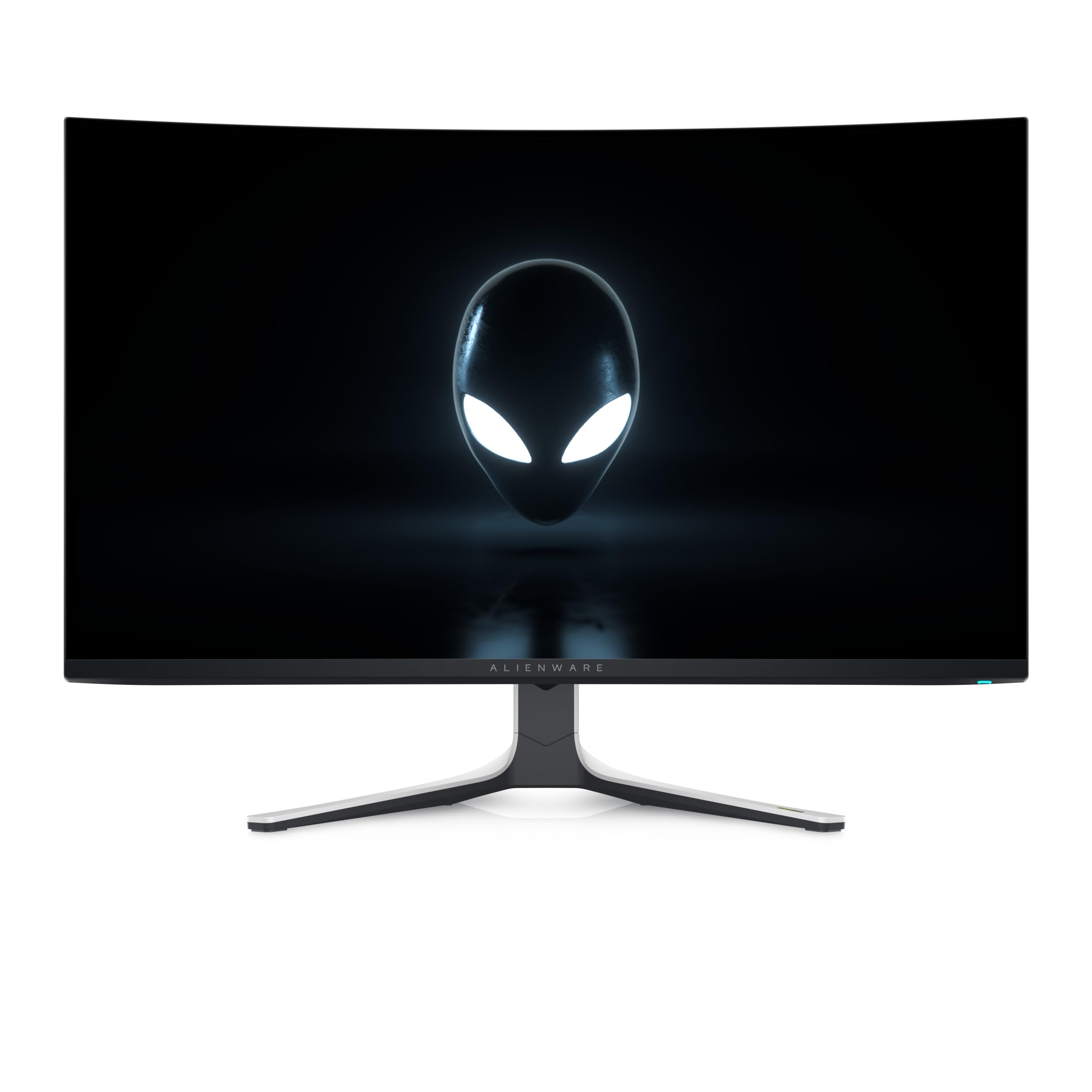
The Alienware AW3225QF delivers the same QD-OLED panel found in the MSI MPG 321URX and ASUS PG32UCDM but wraps it in a distinctive white and black chassis with Alienware’s signature hexagonal stand. The monitor includes Dolby Vision certification, which provides a noticeably more impactful HDR experience in compatible content compared to standard HDR10. The infinite contrast ratio of OLED is on full display here, with inky blacks that make dark scenes in games and movies look genuinely three-dimensional. The 240Hz refresh rate and 0.03ms response time ensure motion remains perfectly fluid, and the G-Sync Compatible certification prevents tearing across the entire refresh range.
One of the strongest reasons to choose the AW3225QF is Dell’s warranty and support. The three-year Advanced Exchange warranty covers burn-in without question, meaning if any permanent image retention appears, Dell ships a replacement immediately. This peace of mind is invaluable for users who plan to keep the monitor for five or more years. The build quality is excellent, with a rigid stand that provides height, tilt, swivel, and pivot adjustment. The cable management channel on the stand keeps the desk clean, and the inclusion of both HDMI 2.1 and DP 1.4 cables in the box ensures you have the right cable for your GPU day one.
The main drawback is the lack of a USB-C port with Power Delivery. This omission feels dated for a premium monitor in this price tier, especially when competitors offer 90W PD and KVM functionality. Mac users will need to purchase a separate USB-C to DisplayPort cable to achieve 120Hz output with M1 Macs. The on-screen display is controlled by a joystick that is responsive but lacks the polish of ASUS’s DisplayWidget software. For buyers who prioritize warranty coverage and Dolby Vision over hub connectivity, this remains a top-tier choice.
Why it’s great
- Three-year Advanced Exchange warranty with burn-in coverage
- Dolby Vision certification for superior HDR
- Excellent build quality with full ergonomic adjustment
Good to know
- No USB-C port with Power Delivery
- Mac users need a separate USB-C to DP cable for 120Hz
5. MSI MPG 321URX QD-OLED

The MSI MPG 321URX delivers the same 32-inch 4K QD-OLED panel and 240Hz refresh rate as monitors costing considerably more, making it the strongest value proposition in the mid-range tier. The 0.03ms response time and VESA DisplayHDR True Black 400 certification provide the same gaming and HDR experience as premium rivals, with vibrant colors, perfect blacks, and no perceptible ghosting. The inclusion of a 90W USB-C port with DisplayPort Alt Mode means a single cable handles video, data, and laptop charging, which is a convenience that the Alienware AW3225QF lacks at a similar price. The integrated KVM switch works with the PiP and PbP modes, allowing seamless control of two connected devices.
Color accuracy is exceptional out of the box, with Delta E ≤ 2 and 99% DCI-P3 coverage making it suitable for photo editing and color-critical work. The OLED Care 2.0 suite includes pixel shift, pixel refresh, and static logo detection that work in the background without interrupting your workflow. The four-way adjustable stand (height, tilt, swivel, pivot) provides excellent ergonomic flexibility. The HDMI 2.1 ports support full 48Gbps bandwidth, enabling 4K at 120Hz with VRR on PS5 and Xbox Series X without any compromise. The 1.07 billion color (10-bit) depth produces smooth gradients without banding.
The main sacrifice to achieve its price is the lower peak brightness compared to the ASUS PG32UCDM. The MPG 321URX hits 250 nits typical and peaks around 1000 nits for small highlights, while the PG32UCDM can sustain higher brightness for larger areas. The built-in speakers are functional but lack bass and clarity, and the plastic back panel does not feel as premium as the metal backs on ASUS or Alienware monitors. For users who want flagship QD-OLED performance with practical hub features at a real-world price, the MPG 321URX is the smartest buy.
Why it’s great
- Excellent value with same QD-OLED panel as premium models
- 90W USB-C with KVM and PiP/PbP functionality
- Full HDMI 2.1 bandwidth for console gaming
Good to know
- Lower sustained brightness than ASUS models
- Plastic build does not feel as premium as rivals
6. Alienware 34 AW3425DW

The Alienware AW3425DW shifts the focus from sheer pixel density to immersive ultrawide gameplay with its 34-inch WQHD (3440 x 1440) QD-OLED panel and 1800R curvature. The ultrawide 21:9 aspect ratio provides an instantly noticeable field-of-view advantage in racing games, flight simulators, and open-world RPGs, wrapping the image around your peripheral vision. The 240Hz refresh rate and 0.03ms response time ensure that motion remains flawlessly smooth despite the lower resolution compared to the 4K models. The matte anti-glare coating effectively cuts reflections in bright rooms, making it more versatile for multi-purpose rooms than glossy panels.
Color reproduction is exceptional, with 99.3% DCI-P3 coverage and Delta E < 2 accuracy. The VESA DisplayHDR TrueBlack 400 certification produces deep blacks and highlights that pop, though the 250 nits typical brightness means it cannot compete with the peak brightness of 4K OLED models for HDR impact. The included adaptive sync technologies cover all bases: NVIDIA G-Sync Compatible, AMD FreeSync Premium Pro, and VESA AdaptiveSync ensure smooth gameplay regardless of your GPU brand. The build quality is characteristically robust, with a metal stand that provides tilt, swivel, and height adjustment.
The WQHD resolution means pixel density is lower than a 4K monitor, so text and icons will appear slightly less crisp. For productivity, the 3440 x 1440 resolution effectively replaces two 1080p monitors side by side, but the curved screen can cause geometric distortion with perfectly straight grid lines in design software. The included USB-A to USB-B upstream cable enables the built-in USB hub, but there is no USB-C video input or Power Delivery. For gamers who prioritize immersion and field of view over absolute sharpness, this is a compelling ultrawide OLED option.
Why it’s great
- Immersive 1800R curvature with wide 21:9 aspect ratio
- 240Hz refresh rate with three adaptive sync standards
- Excellent 99.3% DCI-P3 color coverage
Good to know
- Lower 1440p resolution means less text sharpness
- No USB-C video input or Power Delivery
7. GIGABYTE MO27U2
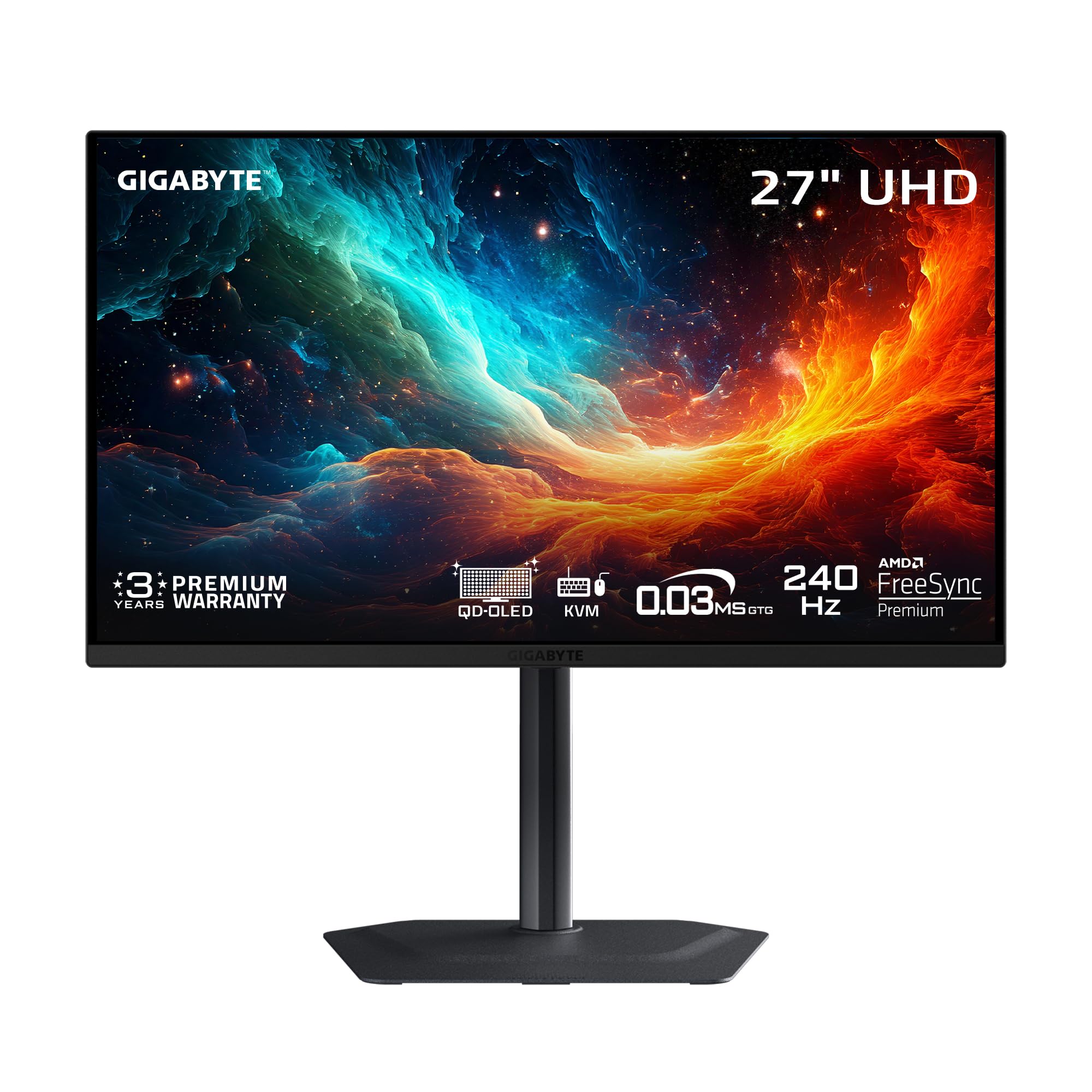
The GIGABYTE MO27U2 brings a genuine 4K QD-OLED panel with 240Hz refresh rate into an entry-level price tier that is aggressive by any standard. The 27-inch form factor at UHD resolution produces a sharp 166 PPI pixel density, making text and fine details look crisp without scaling on Windows. The 5-layer tandem OLED architecture and graphene thermal film contribute to effective heat dissipation without a fan, ensuring silent operation during long gaming sessions. The 1.5 million to 1 contrast ratio delivers the deep blacks and pop that define the OLED experience, and the 99% DCI-P3 gamut ensures vibrant, accurate colors out of the box.
Gaming performance is competitive with more expensive monitors: 240Hz refresh rate, 0.03ms GtG response time, FreeSync Premium Pro and G-Sync Compatible support. The built-in speakers are a genuine advantage in this price bracket, providing clear audio for casual gaming and video content without cluttering your desk with external speakers. The AI-based OLED Care suite from Gigabyte runs in the background with minimal interference, automatically adjusting pixel refresh cycles based on usage patterns. The compact stand includes height and tilt adjustment, though it lacks the swivel and pivot of premium models.
The MO27U2 uses DisplayPort 1.4 with DSC rather than the newer DP 2.1 standard, which limits its future compatibility with uncompressed high-bandwidth sources. The USB-C port supports video and data but does not provide Power Delivery, so you will still need a separate laptop charger. Some users report that the out-of-box color calibration slightly oversaturates reds, requiring a manual adjustment in the OSD. For buyers seeking a genuine 4K OLED gaming experience at the lowest possible entry point, the MO27U2 delivers exceptional value without major compromises in core gaming performance.
Why it’s great
- Aggressive pricing for a 4K QD-OLED 240Hz panel
- Effective graphene-based passive cooling system
- Built-in speakers add convenience for the price
Good to know
- No USB-C Power Delivery
- Out-of-box color may require manual calibration
8. MSI PRO MAX 271UPXW12G

The MSI PRO MAX 271UPXW12G is a rare breed: a 4K OLED monitor designed explicitly for productivity and creative workflows rather than gaming. The 120Hz refresh rate is half that of the gaming-focused models, but that is a deliberate trade-off to achieve a cleaner, more stable image for professional work. The white chassis and slim bezels make it an attractive addition to a modern Mac-centric workspace. The Delta E < 2 color accuracy and VESA DisplayHDR True Black 400 certification ensure that photos, videos, and design assets are displayed with precise, consistent colors. The MSI Mac Optimization Software synchronizes color profiles with macOS, providing a more consistent experience than standard sRGB emulation on gaming monitors.
The hub functionality is the real star here. The dual USB-C ports include one with up to 98W Power Delivery, allowing a single cable to drive a MacBook Pro at full resolution while charging it simultaneously. The second USB-C port provides 15W charging for peripherals. The brightness and volume control dial on the bottom bezel is a small but significant quality-of-life improvement over menu-driven controls. The built-in speakers are clear enough for video conferencing, eliminating the need for a separate desk microphone. The included height-adjustable stand provides smooth, tool-free adjustment across a wide range.
The 120Hz refresh rate cap means this monitor is not ideal for competitive gaming at high frame rates, though it is perfectly adequate for casual titles and console gaming at 120fps. The FreeSync Premium Pro support helps reduce tearing in supported games. Some users may find the QD-OLED subpixel layout produces slightly fuzzier text than a high-density IPS panel, though this is less noticeable at 27-inch 4K (166 PPI) than on 32-inch 4K panels. For professionals who need accurate color, seamless Mac integration, and a clutter-free USB-C hub, this is the most compelling productivity OLED monitor available.
Why it’s great
- Dual USB-C with 98W Power Delivery
- macOS color synchronization via dedicated software
- Physical brightness/volume dial on the bezel
Good to know
- Only 120Hz refresh rate, not ideal for competitive gaming
- QD-OLED text rendering slightly softer than IPS
9. Samsung 27” Odyssey OLED G6 G60SF
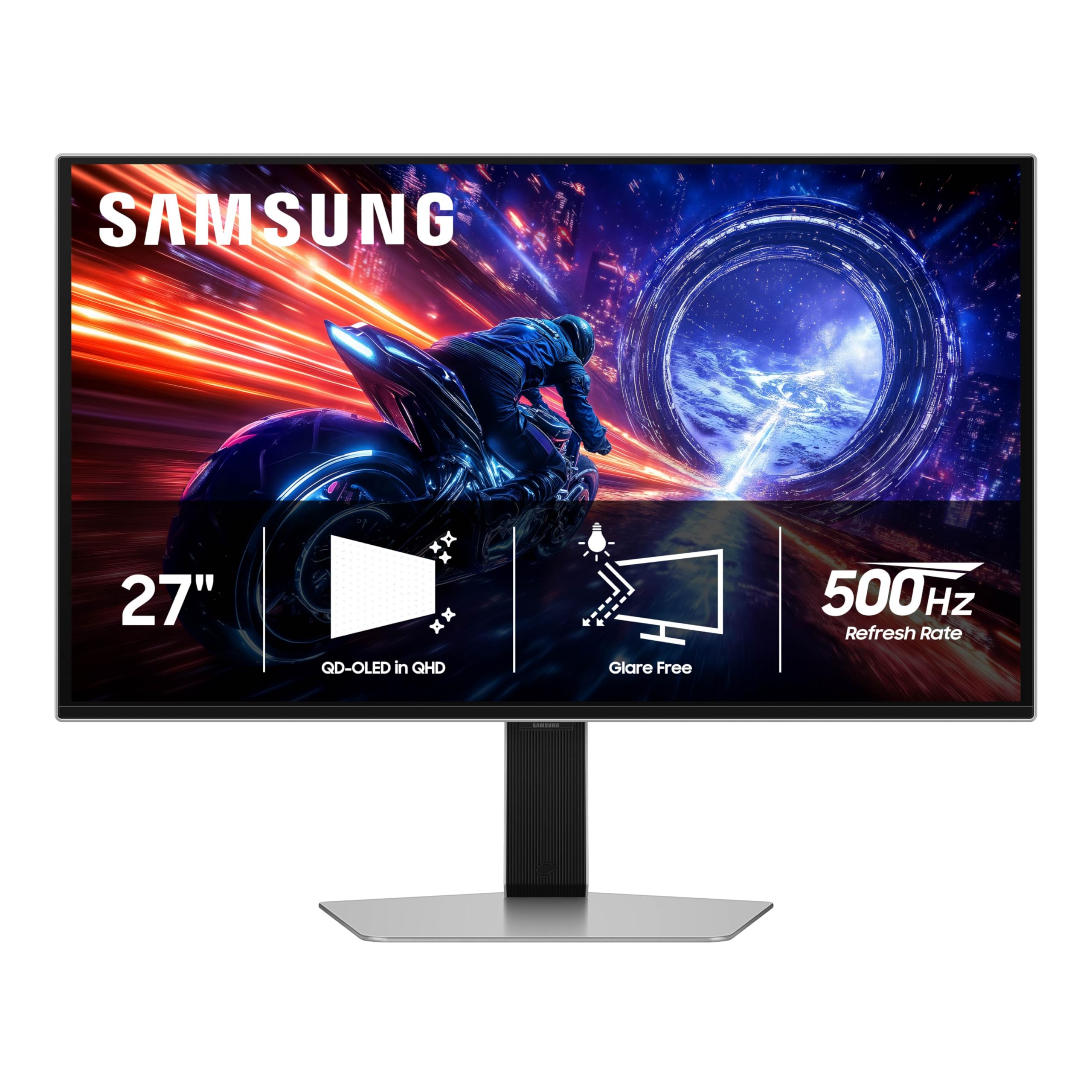
The Samsung Odyssey OLED G6 G60SF is the world’s first OLED monitor with a 500Hz refresh rate, targeting the absolute peak of competitive esports performance. The QHD (2560 x 1440) resolution keeps pixel response times and GPU load optimized for maximum frame rates, and the 0.03ms GtG response time means each of those 500 frames per second is rendered with zero motion blur. The QD-OLED panel delivers the same vibrant colors and deep blacks that have made the technology famous, so you are not sacrificing image quality for speed. The VESA DisplayHDR TrueBlack 500 certification and 1000 nits peak brightness provide strong HDR impact even for non-competitive titles.
The Glare Free technology is genuinely effective — Samsung applies a specialized anti-reflective coating that reduces reflections without the hazy graininess that plagues matte coatings on some rivals. The ergonomic stand provides height, tilt, swivel, and pivot adjustment, making it easy to find the optimal viewing position for long tournament sessions. G-Sync compatibility ensures smooth, tear-free gameplay at any frame rate. The 16:9 aspect ratio at 27 inches is the standard for competitive play, providing consistent image scaling across every esports title.
The QHD resolution is the major compromise here. At 27 inches, 1440p offers a pixel density of 109 PPI, which is fine for gaming but produces noticeably less crisp text and icons compared to a 4K monitor. Productivity users will find themselves wanting more screen real estate for spreadsheets and documents. The 500Hz refresh rate is also only achievable with the most powerful GPUs available today — a RTX 4090 or RTX 5090 is effectively required to push modern titles to that frame rate. For professional esports players and the most competitive FPS gamers, the Odyssey G6 offers a meaningful advantage that no 4K monitor can match.
Why it’s great
- World’s first 500Hz OLED monitor for esports
- Excellent Glare Free anti-reflective coating
- Full ergonomic stand adjustment
Good to know
- QHD resolution at 109 PPI is less sharp for text
- Requires top-tier GPU to reach 500Hz in modern games
10. INNOCN 49Q1S

The INNOCN 49Q1S provides a massive 49-inch OLED canvas with a 32:9 super ultrawide aspect ratio and Dual QHD resolution (5120 x 1440). This effectively replaces two 27-inch QHD monitors with a single seamless curved display, eliminating the bezel gap that can be distracting in racing games, flight simulators, and productivity workflows. The 1800R curvature wraps the image around your field of view, making it feel genuinely immersive. The 240Hz refresh rate and 0.03ms response time ensure that motion stays fluid, even at this high resolution. The VESA DisplayHDR 400 certification provides adequate HDR impact, though it lacks the peak brightness of premium OLEDs.
Connectivity is a strong point, with dual DP 1.4 ports, HDMI 2.1, and a USB-C port with 90W Power Delivery. The inclusion of an RJ45 Ethernet port is a rare and welcome addition for users who need wired network connectivity from a single USB-C connection to their laptop. The PiP and PbP split-screen technology allows you to display content from two separate sources simultaneously, making it possible to have a gaming PC on one half and a work laptop on the other with a single set of peripherals via the built-in KVM. The built-in speakers provide adequate audio for non-critical listening.
The massive size is the primary consideration here — this display requires significant desk depth and width, and the 49-inch diagonal can be overwhelming for users accustomed to standard monitors. The 1440p vertical resolution means you will have less vertical screen space than a 4K monitor, which can be limiting for coding and document editing. The glossy screen finish looks spectacular in a dim room but will reflect bright windows and lights, so consider your lighting environment carefully. For users who want the most immersive single-display experience available, the INNOCN 49Q1S delivers at a competitive price.
Why it’s great
- Seamless 32:9 super ultrawide replaces dual monitor setup
- Excellent connectivity with USB-C 90W PD and RJ45
- Competitive pricing for a 49-inch OLED panel
Good to know
- Glossy screen shows reflections in bright rooms
- Requires substantial desk space and depth
11. Philips Evnia 49M2C8900L
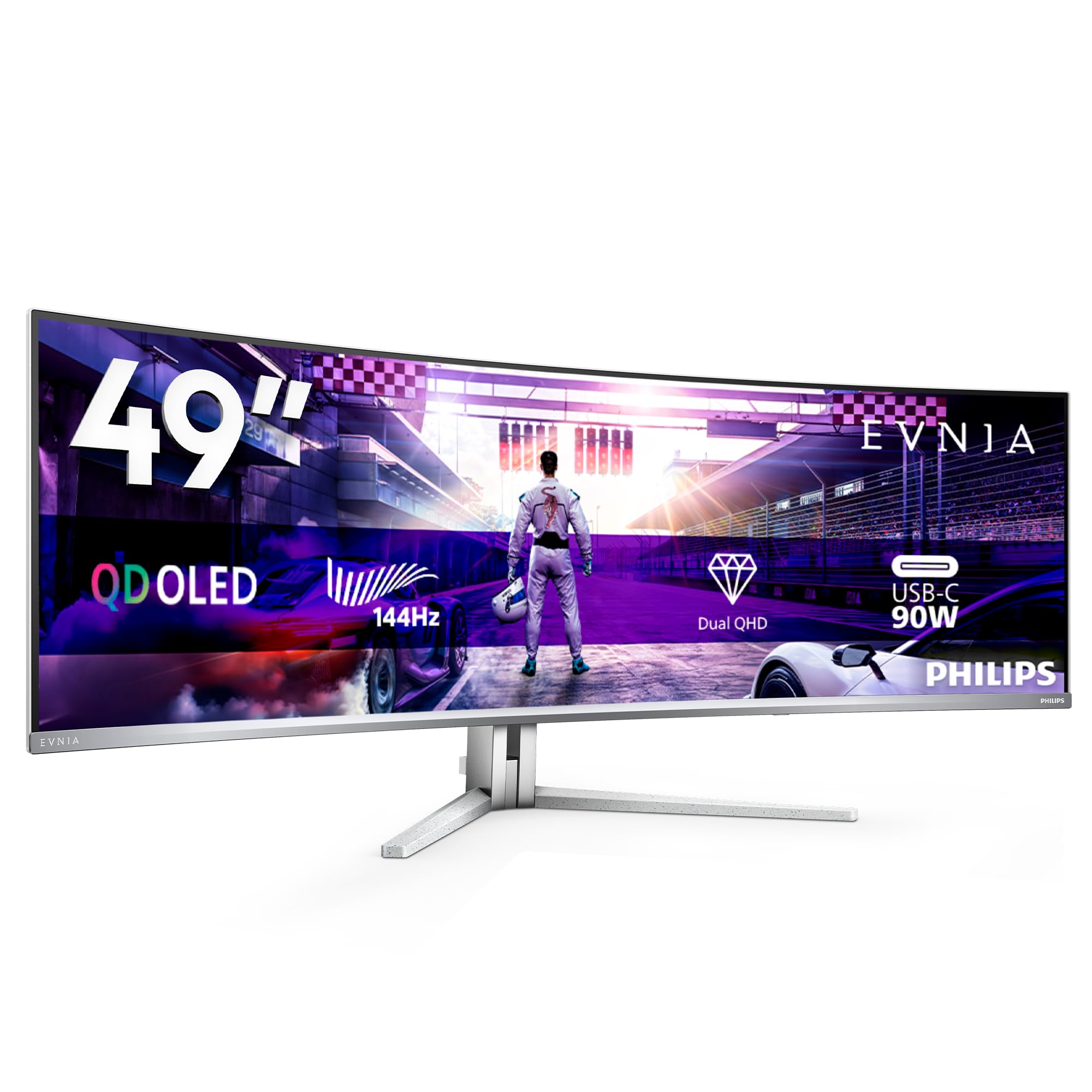
The Philips Evnia 49M2C8900L combines a 49-inch QD-OLED panel with Philips’ distinctive Ambiglow technology, which projects ambient light that matches the on-screen content onto the wall behind the monitor. The effect significantly enhances perceived immersion, extending the visual field beyond the physical screen boundaries. The DQHD resolution (5120 x 1440) and 1800R curvature are identical to the INNOCN 49Q1S, but the QD-OLED panel delivers higher peak brightness (1000 cd/m²) and a contrast ratio of 1,000,000:1, providing noticeably richer HDR impact. The 144Hz refresh rate is lower than the 240Hz of most competitors, but the 0.03ms response time keeps motion reasonably smooth.
The integrated KVM switch is executed particularly well here, allowing seamless control of two computers from a single mouse and keyboard. The four USB 3.2 downstream ports provide ample connectivity for peripherals, and the USB-C port with 90W Power Delivery handles laptop charging and video in a single cable. The built-in 4x 7.5-watt speakers with DTS sound provide genuinely usable audio for movies and music, outperforming most integrated monitor speakers. The matte screen finish effectively controls reflections while maintaining good black levels even in bright rooms. The height-adjustable stand with 120mm range provides good ergonomic flexibility.
The 144Hz refresh rate is a meaningful limitation for competitive gamers who want to maximize frame rates in esports titles. At this price point, the lack of a 240Hz option makes it harder to recommend over the INNOCN 49Q1S for pure gaming. The Ambiglow lighting, while impressive, adds complexity and requires the monitor to be positioned away from the wall by at least a few inches to work effectively. The screen time notification for pixel refresh can interrupt workflows if the system requests a refresh at an inopportune moment. For users who prioritize ambient immersion and audio quality over raw gaming speed, the Evnia delivers a unique living-room-like experience.
Why it’s great
- Ambiglow technology enhances immersion with ambient lighting
- Excellent 1000 cd/m² peak brightness for HDR content
- Powerful built-in speakers with DTS sound
Good to know
- Only 144Hz refresh rate, not competitive for esports
- Pixel refresh notifications can interrupt workflow
FAQ
Will a 4K OLED monitor work well for productivity tasks like coding and document editing?
What is the actual lifespan of a modern 4K OLED monitor panel?
Do I need DisplayPort 2.1 for 4K at 240Hz?
What is the difference between 27-inch and 32-inch 4K OLED for gaming?
Final Thoughts: The Verdict
For most users, the best 4k oled monitor winner is the ASUS ROG Swift PG27UCDM because it combines a cutting-edge fourth-gen QD-OLED panel with DisplayPort 2.1a connectivity, a practical proximity sensor, and outstanding motion clarity in a compact 27-inch form factor. If you want a larger 32-inch screen with similar image quality and a more accessible price, grab the MSI MPG 321URX. And for competitive esports players who prioritize raw refresh rate over resolution, nothing beats the Samsung Odyssey OLED G6 G60SF.