
Our readers keep the lights on and the weekend projects moving. As an Amazon Associate, I earn from qualifying purchases.
A 4K monitor transforms your workday by delivering four times the pixel density of standard 1080p, making spreadsheet rows razor-sharp and design details unmistakably clear. The right panel reduces squinting, eliminates color guessing, and lets you arrange multiple windows without constant scrolling. Choosing one requires navigating panel types, color gamut coverage, and connectivity standards that vary wildly across the market.
I’m Rikta — the co-founder and writer behind FitlyFast. After analyzing over a dozen 4K work monitors across price tiers, I’ve zeroed in on the panel technologies, ergonomic builds, and port configurations that genuinely improve productivity for desk-based professionals, creative editors, and data analysts.
This guide breaks down the essential specs and hidden trade-offs to help you find the best 4k monitor for work that matches your specific setup, whether you run a MacBook, a custom PC, or a multi-monitor workstation.
How To Choose The Best 4K Monitor For Work
Buying a 4K monitor for work means balancing screen size, panel technology, color accuracy, and connectivity against your daily tasks. A monitor that excels for coding may lack the wide color gamut needed for photo editing, while a creative-focused display may not have the high refresh rate that makes general scrolling feel fluid.
Panel Type: IPS vs VA vs OLED
IPS panels offer consistent color and wide viewing angles, making them the default choice for professional work. VA panels deliver deeper black levels and higher contrast ratios, which help readability in dim environments but can shift colors at off-angles. OLED screens produce perfect blacks and vibrant colors but carry a higher price and potential burn-in risk for static UI elements like taskbars.
Color Gamut and Accuracy
A monitor claiming 100% sRGB coverage handles the web and office documents accurately. Creative professionals editing photos or video should look for 95% DCI-P3 or 99% Adobe RGB coverage to avoid mismatch between screen and print. Factory calibration reports with Delta E values below 2 save you from manual tweaking.
Connectivity and USB-C Power Delivery
USB-C with power delivery (60W to 96W) lets you charge a laptop, transfer data, and drive the 4K display through a single cable. This feature simplifies a clean desk setup for laptops. Without PD, you need a separate charger and video cable, adding clutter.
Ergonomics and Adjustability
A stand that offers height adjustment, tilt, swivel, and pivot lets you align the monitor to your eye level, reducing neck strain during extended sessions. VESA mount compatibility allows you to attach the screen to a monitor arm for even greater flexibility in multi-monitor arrangements.
Quick Comparison
On smaller screens, swipe sideways to see the full table.
| Model | Category | Best For | Key Spec | Amazon |
|---|---|---|---|---|
| ASUS ProArt PA279CRV | Premium IPS | Color-accurate editing | 99% DCI-P3 / 96W PD USB-C | Amazon |
| MSI PRO MAX 271UPXW12G | QD-OLED | Deep contrast & Mac workflow | QD-OLED / 120Hz / 98W PD | Amazon |
| BenQ PD3205U | Professional IPS | Mac creative work | 99% sRGB / ICC Sync / 90W PD | Amazon |
| Dell Pro 32 Plus P3225QE | Value IPS | General office & plan review | 100Hz / 90W PD / Ethernet | Amazon |
| LG 32UP83A-W | IPS White | MacBook single-cable setup | 60W PD USB-C / HDR10 | Amazon |
| ASUS ProArt PA279CV | Entry Pro IPS | Budget color-critical work | Delta E < 2 / 65W PD USB-C | Amazon |
| ViewSonic VP2756-4K | Color Pro IPS | Pantone-validated editing | 100% sRGB / 60W PD USB-C | Amazon |
| Samsung ViewFinity S8 S80UD | Ergonomic IPS | Multi-source productivity | KVM Switch / 90W PD / LAN | Amazon |
| Dell S3225QS | VA 120Hz | Mixed productivity & media | 120Hz / 1500:1 VA | Amazon |
| Samsung UJ59 | VA Value | Budget large screen | VA Panel / 3000:1 | Amazon |
| INNOCN 40C1R | Ultrawide IPS | Multi-tasking with width | 40″ WQHD / 144Hz | Amazon |
In‑Depth Reviews
1. ASUS ProArt Display PA279CRV

The PA279CRV delivers a rare combination of wide color coverage and high-wattage USB-C charging. Its 99% DCI-P3 and 99% Adobe RGB coverage, paired with Calman verification and a factory Delta E under 2, means out-of-box color accuracy that rivals displays costing significantly more. The 96W power delivery keeps a MacBook Pro running at full speed through a single cable, while the included USB hub handles peripherals without a separate dock.
The 27-inch IPS panel offers consistent viewing angles and a 4000:1 contrast ratio on paper, but real-world contrast falls short of VA or OLED panels. The built-in speakers are thin, and the 60Hz refresh rate is standard for productivity — not a drawback for document work or photo editing. The ergonomic stand provides full tilt, swivel, pivot, and height adjustments, plus a sturdy build that feels premium.
For creative professionals and power users who need accurate color and efficient desk management, this monitor packs features that usually require stepping up to a higher budget tier. The PA279CRV justifies its mid-range cost through color fidelity and connectivity that simplify a professional workflow.
Why it’s great
- Factory calibrated with Delta E < 2 for accurate color
- 96W USB-C power delivery charges laptops quickly
- Full ergonomic stand with pivot for portrait mode
Good to know
- Speakers are weak for a monitor in this tier
- 60Hz limits scrolling smoothness compared to 100Hz+ options
2. MSI PRO MAX 271UPXW12G

The MSI PRO MAX 271UPXW12G brings QD-OLED technology to the professional productivity space, offering infinite contrast and pixel-level brightness control. With DisplayHDR True Black 400 certification, dark scenes in video editing appear genuinely black rather than gray, and text on white backgrounds benefits from the OLED’s per-pixel luminance. The 120Hz refresh rate makes cursor movement and window animations noticeably smoother than standard 60Hz work monitors.
Dual USB-C ports deliver up to 98W and 15W power delivery, supporting a true one-cable workflow for MacBooks and PCs simultaneously. The MSI Mac Optimization Software syncs macOS color profiles and shortcut keys, which eases the transition for Apple users. The 27-inch UHD resolution at 163 PPI provides crisp text readability without needing scaling in most operating systems.
OLED panels carry a burn-in risk for static UI elements, though MSI includes anti-burn-in features and a 3-year warranty. The white finish stands out on a desk but may not match dark gear. If your work involves HDR content and you value both contrast and smooth motion, this monitor raises the bar for what a productivity display can deliver.
Why it’s great
- True black levels improve HDR video editing
- 98W USB-C PD charges a MacBook Pro at full speed
- Mac color sync makes it plug-and-play for Apple users
Good to know
- OLED burn-in risk with static work applications
- White color scheme may not suit every setup
3. BenQ PD3205U

The BenQ PD3205U targets Mac users with ICC Sync technology that automatically matches the monitor’s color profile to your connected Apple device. The 32-inch 4K IPS panel covers 99% sRGB and Rec. 709, with average Delta E under 3 and Pantone SkinTone validation. This level of color consistency makes it suitable for fashion design, portrait editing, and product visualization where skin tones must remain accurate.
The included HotKey Puck G2 lets you switch between sRGB, Rec. 709, DCI-P3, and custom modes without diving into the on-screen menu — a time-saver during tight revision cycles. USB-C delivers 90W of power delivery, and the built-in KVM switch lets you control two source devices with one keyboard and mouse. The matte screen reduces glare in bright offices, and the ergonomic stand supports tilt, swivel, and height adjustments.
The built-in speakers are noticeably thin, lacking the bass and volume needed for video review without external speakers. The 60Hz refresh rate is standard for a professional-grade monitor, but those switching from a high-refresh display will notice the difference during fast scrolling. For Mac-centric creative workflows, the PD3205U offers deep integration and accurate color at a lower price than an Apple Studio Display.
Why it’s great
- ICC Sync profiles match Mac color automatically
- HotKey Puck provides quick access to color modes
- Pantone SkinTone validation for accurate flesh tones
Good to know
- Onboard speakers lack clarity and volume
- 60Hz refresh rate may feel sluggish compared to 100Hz+ models
4. Dell Pro 32 Plus P3225QE
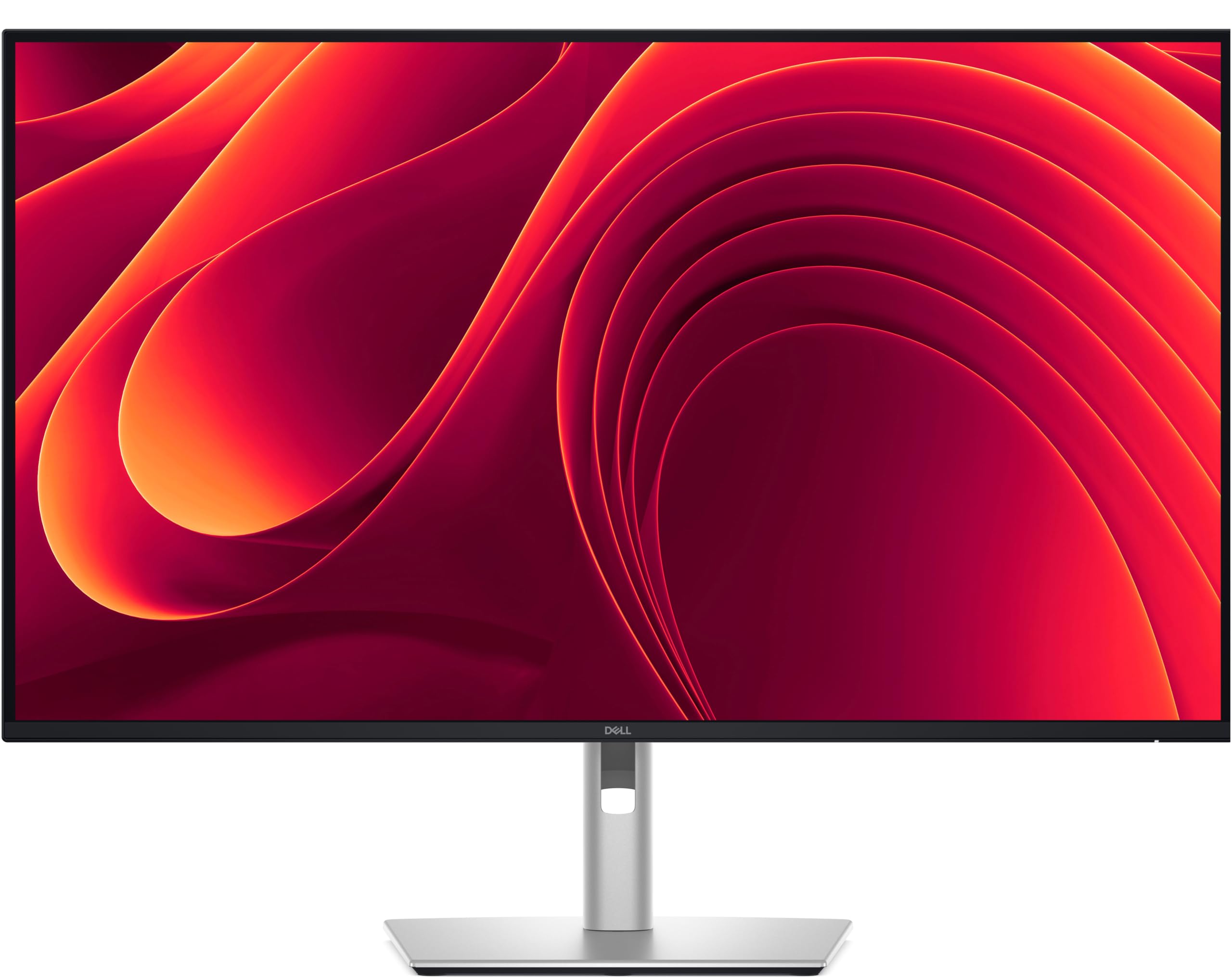
The Dell P3225QE steps up from standard work monitors with a 100Hz refresh rate that makes document scrolling and spreadsheet navigation feel noticeably fluid. The 31.5-inch IPS panel delivers 4K UHD resolution with 99% sRGB coverage, and the 3000:1 contrast ratio provides decent depth in mixed lighting. USB-C with 90W power delivery handles laptop charging while the built-in Ethernet port adds stable wired networking for offices with bandwidth-intensive tasks.
The stand offers full ergonomic adjustments — tilt, swivel, pivot, and height — and the narrow bezels make multi-monitor setups seamless. HDMI 2.1 and DisplayPort 1.4 ports support modern laptops and consoles at full 4K resolution. Dell’s reputation for reliability shows in the build quality, though the plastic back does not feel as premium as brushed metal competitors.
This monitor lacks the wide color gamut coverage needed for professional photo editing, sticking to sRGB without Adobe RGB or DCI-P3 certification. The integrated USB-C hub is limited compared to dedicated Thunderbolt docks. For general office productivity, technical document review, and data analysis, the P3225QE offers a well-rounded feature set at a mid-range price point.
Why it’s great
- 100Hz refresh rate makes scrolling and multitasking smoother
- Built-in Ethernet port for reliable wired connection
- Full ergonomic stand with pivot for portrait mode
Good to know
- Limited to sRGB color gamut, not for color-critical work
- USB-C hub performance is weaker than dedicated docks
5. LG 32UP83A-W
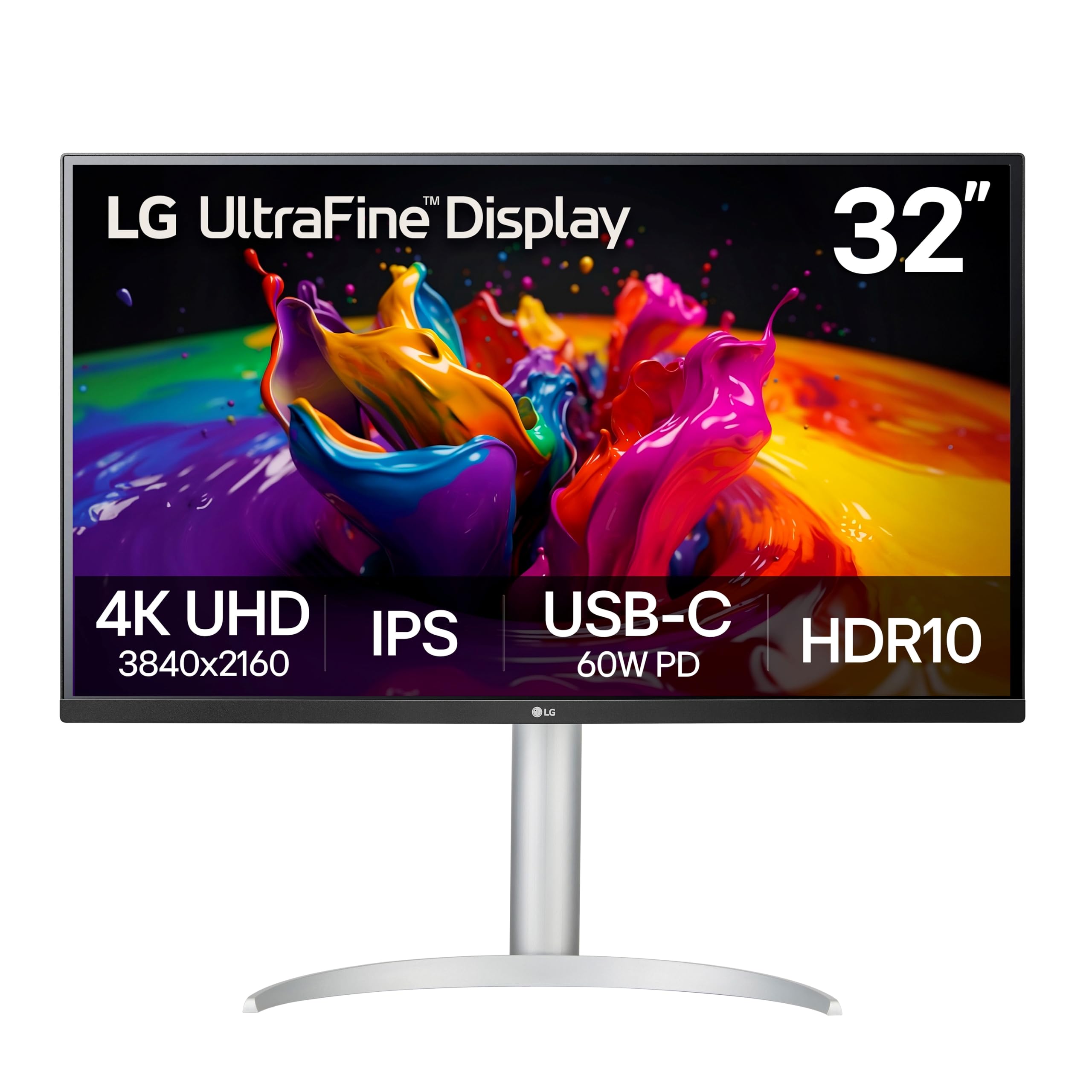
The LG 32UP83A-W strikes a balance between size and connectivity for MacBook users who want a clean single-cable setup. The 32-inch 4K IPS panel supports HDR10 with 95% DCI-P3 color gamut, delivering vibrant colors suitable for photo editing and video consumption. USB-C with 60W power delivery handles display, data, and charging through one cable, reducing desk clutter significantly.
OnScreen Control software lets you split the screen into multiple zones and adjust settings by mouse, which is convenient for multitasking. The ergonomic stand offers height, tilt, and pivot adjustments, and the white color scheme matches modern minimalist office aesthetics. The IPS panel provides consistent colors across the wide 178-degree viewing angle, making it suitable for collaborative reviews.
The 60W power delivery is sufficient for charging a MacBook Air but may not keep a MacBook Pro at full performance under heavy load. The built-in speakers are weak for a 32-inch display, better suited for system sounds than music or video calls. The lack of automatic input detection means you will manually switch sources between work and gaming devices.
Why it’s great
- USB-C provides single-cable display, data, and charging
- 95% DCI-P3 coverage suits photo and video editing
- Ergonomic stand with height, tilt, and pivot adjustment
Good to know
- 60W PD may not fully charge a MacBook Pro under load
- Speakers are thin and lack volume for multimedia use
6. ASUS ProArt Display PA279CV

The ASUS ProArt PA279CV delivers professional-level color accuracy at an entry-level price point. Factory calibration to Delta E under 2, combined with 100% sRGB and Rec. 709 coverage, makes this monitor a strong choice for photographers and video editors working on a budget. The 27-inch 4K IPS panel provides consistent viewing angles and crisp text ideal for detailed editing work.
USB-C with 65W power delivery charges a laptop while handling video and data through a single cable. The stand offers full tilt, swivel, pivot, and height adjustments, plus VESA compatibility for arm mounting. Four USB 3.2 Gen 1 Type-A ports and one USB-C upstream port create a functional hub for connecting peripherals directly to the monitor.
The 60Hz refresh rate is standard for this class, and the included speakers are adequate only for basic system sounds. Some users report a slight green tint out of the box that requires manual adjustment to achieve neutral whites. For its price range, the PA279CV offers color performance that typically costs more, making it a practical entry point into color-accurate productivity.
Why it’s great
- Factory calibrated with Delta E < 2 for accurate color
- Includes Calman Verification for professional trust
- USB-C hub with multiple USB-A ports reduces cable clutter
Good to know
- Minor green tint reported out of box, needs calibration
- 60Hz refresh rate limits scrolling smoothness
7. ViewSonic VP2756-4K

The ViewSonic VP2756-4K earns Pantone validation for accurate color reproduction, making it a trusted choice for graphic designers and print professionals who match specific spot colors. The 27-inch 4K IPS panel covers 100% sRGB, EBU, and SMPTE-C standards, with Delta E under 2 accuracy. The 60W USB-C port handles display, data, and charging, while a separate USB-B port connects to older systems.
The advanced ergonomic stand supports tilt, swivel, pivot, and height adjustments, accommodating portrait mode for document editing. Flicker-free technology and a blue light filter reduce eye fatigue during long editing sessions. The thin bezels measure 8mm, which creates a nearly seamless look in multi-monitor setups — ideal for trading desks or creative studios.
The on-screen display controls are clunky, with blue-lit buttons on the bottom edge that are hard to access in low light. The monitor cannot rotate 90 degrees when connected to a Mac, despite the specification sheet suggesting otherwise, according to some users. For Pantone-reliant workflows, the VP2756-4K provides validated accuracy at a mid-range cost that justifies its place.
Why it’s great
- Pantone validated for spot color accuracy
- 100% sRGB coverage for precise web and print colors
- USB-C with 60W PD simplifies desk setup
Good to know
- OSD controls are awkward and difficult to navigate
- Mac rotation may not work as advertised
8. Samsung ViewFinity S8 S80UD
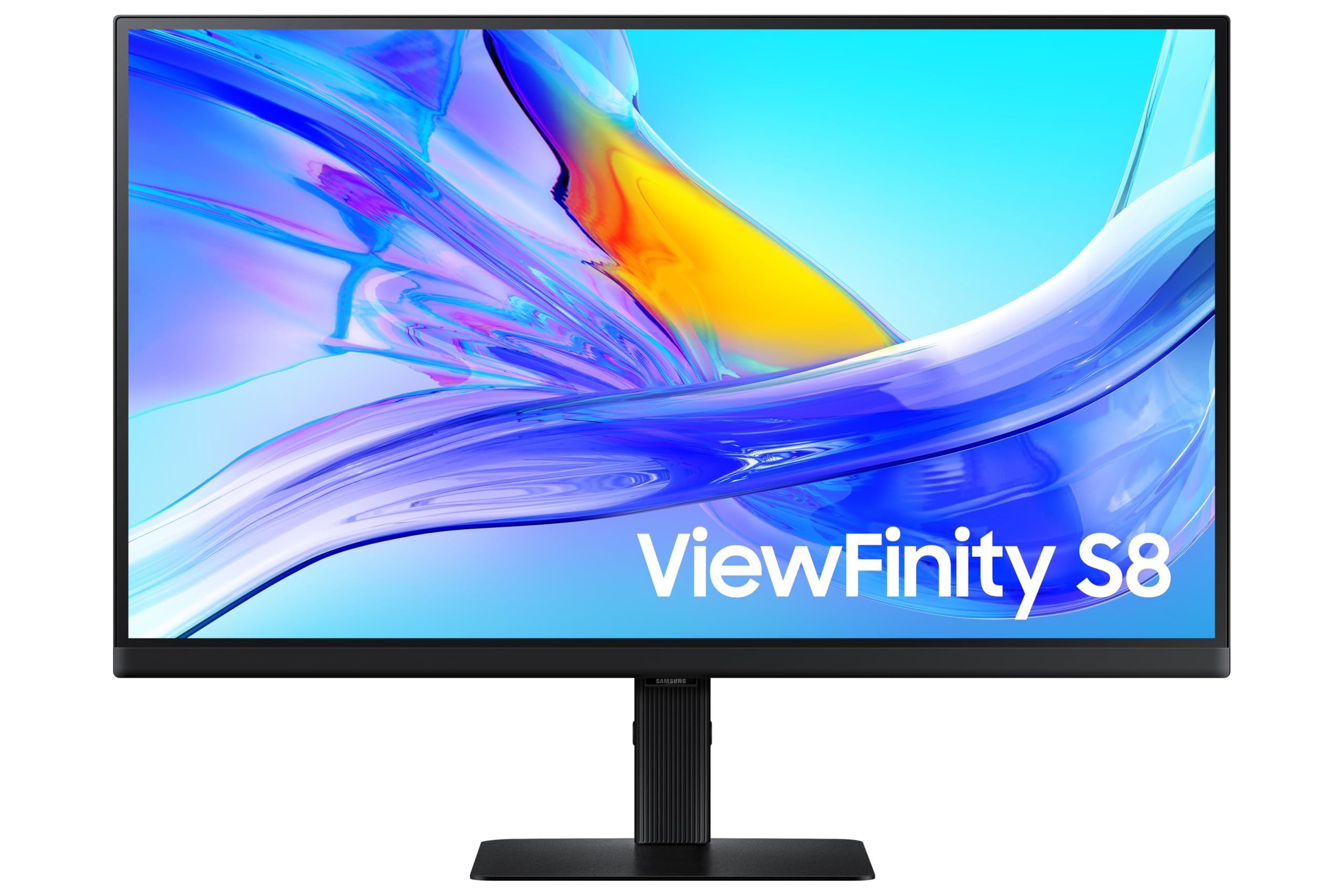
The Samsung ViewFinity S8 S80UD integrates a built-in KVM switch that lets you control two connected devices — such as a work laptop and a personal PC — with one keyboard and mouse, eliminating the need for an external KVM box. The 27-inch 4K IPS panel delivers 99% sRGB and HDR10 support, with a 350-nit brightness that works well in moderately lit offices. USB-C with 90W power delivery charges a laptop while the integrated LAN port provides wired Ethernet connectivity for secure networks.
The ergonomic stand supports height, tilt, swivel, and 90-degree pivot rotation, which helps when reviewing long documents or code files in portrait mode. Picture-in-Picture and Picture-by-Picture modes let you view sources simultaneously at varying sizes. The TÜV-certified eye care reduces flickering and blue light automatically based on ambient lighting conditions.
Some units have exhibited quality control issues, with reports of screens failing after short use. The advertised built-in speakers may not actually be present on all units, which creates confusion for buyers expecting audio output. For users who regularly switch between two computers at one desk, the KVM functionality and 90W PD make this a space-saving productivity investment.
Why it’s great
- Built-in KVM switch lets you control two PCs with one keyboard
- 90W USB-C PD charges laptops quickly
- Integrated LAN port for wired network reliability
Good to know
- Possible quality control issues with screen longevity
- Built-in speakers may not be present on all units
9. Dell 32 Plus S3225QS

The Dell S3225QS brings a 120Hz refresh rate to the 4K VA panel, which smooths out cursor movement and window animations beyond what standard 60Hz monitors provide. The 1500:1 contrast ratio offers deeper blacks than typical IPS panels, making it suitable for watching video content or working in dimly lit environments. AMD FreeSync Premium synchronizes the refresh rate to compatible graphics cards, reducing tearing and stutter during occasional gaming sessions after work.
The 31.5-inch screen provides ample real estate for viewing multiple documents side by side without scaling. The ComfortView Plus technology reduces blue light emissions to 35% or less while maintaining color accuracy, which reduces eye strain during extended work sessions. The ash white finish gives the monitor a modern look that contrasts with the typical black office display.
The VA panel can exhibit color shift when viewed from extreme angles, which matters less for a single-user workstation but is noticeable during collaborative screen sharing. The built-in speakers deliver better-than-average sound for a monitor, though they still lack the fidelity of dedicated desktop speakers. For users who want fluid motion and deep contrast without sacrificing 4K resolution, this Dell offers a balanced upgrade from standard productivity monitors.
Why it’s great
- 120Hz refresh rate makes scrolling and multitasking smoother
- 1500:1 contrast ratio provides richer blacks than IPS models
- FreeSync Premium for tear-free gaming on the side
Good to know
- VA panel color shift from extreme viewing angles
- Speakers are decent but not comparable to dedicated audio
10. Samsung UJ59

The Samsung UJ59 offers a 32-inch 4K VA panel at an entry-level price point, making it accessible for users who need large-screen 4K resolution without premium features. The 3000:1 contrast ratio produces deep blacks that enhance readability in dim environments, and the VA panel provides decent color saturation for general office tasks. The billion-color support and UHD upscaling technology improve standard-definition content to near-4K quality when viewing older media.
Picture-by-Picture and Picture-in-Picture modes let you connect two devices and view them simultaneously, useful for referencing a laptop while working on a desktop. The slim bezels create a clean look on a desk, and the Y-shaped stand provides a stable base despite the monitor’s 32-inch size. AMD FreeSync support reduces screen tearing during casual gaming sessions.
Build quality concerns appear in user feedback, with reports of flimsy stand construction, rough edges, and in rare cases, HDMI port failures after weeks of use. The 60Hz refresh rate and 270-nit brightness fall below the specifications of mid-range competitors. For budget-conscious buyers who prioritize screen size and resolution over build quality and color accuracy, the UJ59 provides the most 4K area for the cost.
Why it’s great
- 32-inch 4K screen at a very accessible price point
- 3000:1 contrast ratio delivers deep blacks
- PBP and PIP modes for two-device productivity
Good to know
- Stand is flimsy and may wobble on desks
- Quality control issues reported with ports and edges
11. INNOCN 40C1R

The INNOCN 40C1R offers an ultrawide 40-inch 21:9 format that provides 18% more horizontal screen area than a standard 34-inch ultrawide, without the curve found on premium gaming ultrawides. The WQHD 3440×1440 resolution delivers sharp text and detailed visuals suitable for coding, data analysis, and video editing timelines. The IPS panel covers 95% DCI-P3 and is factory calibrated to Delta E under 2, providing accurate colors for design work at this wide aspect ratio.
The 144Hz refresh rate via DisplayPort handles fast scrolling and smooth animation, while AMD FreeSync Premium reduces tearing during gaming breaks. The 500-nit brightness makes the screen readable even in brightly lit rooms, and the HDR400 certification adds decent dynamic range for compatible content. The stand offers tilt, swivel, and height adjustments, plus VESA mount compatibility for arm installation.
Quality control issues appear in user reports, with dead pixels and units resetting to factory settings when switching inputs. The on-screen display menus are poorly laid out and cumbersome to navigate without dedicated buttons. The HDMI ports are version 1.4, which limits refresh rates to 60Hz on HDMI — you must use DisplayPort to achieve 144Hz. For users who want an immersive widescreen workspace for both productivity and entertainment, this monitor offers unique real estate at a compelling price.
Why it’s great
- Ultrawide 21:9 ratio reduces horizontal scrolling in many apps
- 95% DCI-P3 coverage supports creative color work
- 144Hz refresh rate makes motion look smooth
Good to know
- Quality control issues with dead pixels reported
- OSD menus are clumsy and difficult to navigate
FAQ
Is a 60Hz monitor sufficient for professional work?
What is the ideal screen size for a 4K work monitor?
Do I need USB-C power delivery on my monitor?
How important is color accuracy for non-creative work?
Can I use a gaming monitor for professional work?
Final Thoughts: The Verdict
For most users, the best 4k monitor for work winner is the ASUS ProArt PA279CRV because it combines factory-calibrated color accuracy, excellent 99% DCI-P3 coverage, and 96W USB-C power delivery at a price that undercuts most professional-grade competitors. If you want deeper black levels for HDR content and a faster 120Hz refresh, grab the Dell S3225QS. And for a Mac-first creative workflow with Pantone validation and a HotKey Puck, nothing beats the BenQ PD3205U.