
Our readers keep the lights on and the weekend projects moving. As an Amazon Associate, I earn from qualifying purchases.
Digital photo frames have evolved from overpriced gadgets into a genuinely useful way to keep your favorite memories rotating on a wall or desk, but not all budget-friendly options deliver the sharp screen or the reliable app connection that makes them worth the space. Many cheap models bury a dim display or a clunky sharing interface behind a low price, forcing you to choose between price and performance. The right frame gives you a bright IPS panel, enough internal storage to hold thousands of photos, and a simple app that your non-tech-savvy relatives can operate without frustration.
I’m Rikta — the co-founder and writer behind FitlyFast. I analyze the hardware features, real customer feedback, and app ecosystems to find which affordable frames actually work well for daily use and long-distance sharing.
Whether you want to surprise a grandparent or update your own living room decor, you need a frame that balances screen quality, storage, and ease of use without breaking your budget. This guide breaks down the top options to help you find the best affordable digital photo frame for your needs.
How To Choose The Best Affordable Digital Photo Frame
Choosing a budget-friendly digital frame comes down to three non-negotiable pillars: the screen quality, the software ecosystem, and the storage capacity. A frame that fails on any of these will leave you frustrated, regardless of how low the price tag is.
Screen Resolution and Panel Type
The most common resolution in this price range is 1280×800 on a 10.1-inch panel. That is perfectly adequate for sharp-looking photos if the panel is IPS (In-Plane Switching). IPS ensures wide viewing angles and vibrant colors that don’t wash out when you are off to the side. The cheapest frames sometimes use TN panels that look terrible from an angle — check the specs for “IPS” specifically.
App Ecosystem and Sharing Simplicity
The Frameo app has become the de facto standard across dozens of affordable frames, and for good reason: it creates a simple, invite-only network where family members can send photos directly to the frame using a unique code. This is far better than older systems that required email attachments or fiddling with SD cards. Some premium frames use proprietary apps like Nixplay, which offer more features but sometimes require a subscription for advanced cloud storage.
Internal Storage and Expandability
Most affordable frames come with 16GB or 32GB of built-in memory. 32GB is the sweet spot — it holds roughly 80,000 photos at typical 3MB file sizes, which is more than enough for years of casual sharing. 16GB can fill up faster if your family sends many videos. A Micro SD card slot is a nice safety net, but relying on a memory card as primary storage is less convenient than having a solid internal base.
Quick Comparison
On smaller screens, swipe sideways to see the full table.
| Model | Category | Best For | Key Spec | Amazon |
|---|---|---|---|---|
| BIGASUO 15.6″ | Full HD + 64GB | Large screen & massive storage | 1920×1080 IPS 64GB | Amazon |
| ApoloSign (Nixplay) | Smart Sensor | Motion-activated display | 1280×800 IPS 32GB | Amazon |
| Dragon Touch | Gift-Focused | Gifting to loved ones | 1280×800 IPS 32GB | Amazon |
| MQQC (Wood Frame) | Wood Frame | Decorative style & wood build | 1280×800 IPS 32GB | Amazon |
| Flyruit | Feature Rich | Extra features & versatility | 1280×800 IPS 32GB | Amazon |
| Miroir | Best Overall | Great all-around value | 1280×800 IPS 32GB | Amazon |
| JIUGEDPF | Entry Level | Budget-conscious buyers | 1280×800 IPS 16GB | Amazon |
In‑Depth Reviews
1. Miroir 10.1 Inch WiFi Digital Photo Frame

The Miroir frame hits the perfect balance for an affordable purchase. It packs a 10.1-inch IPS panel with a 1280×800 HD resolution, which delivers crisp, color-accurate images that look good from any angle in the room. The 32GB of internal storage is generous at this price tier, holding over 80,000 photos without needing a Micro SD card right out of the box.
Setup is dead simple through the Frameo app. You create an account, generate a unique frame code, and share that code with family members so they can send photos and 15-second videos directly to the frame from anywhere. The auto-brightness adjustment and scheduled sleep mode are smart touches that make it feel like a more premium device than the price suggests.
The white plastic frame looks clean and modern, and it supports both tabletop placement and wall mounting. The touchscreen is responsive, and the interface is intuitive enough for elderly users. This is the best entry point for anyone wanting a reliable WiFi frame without overspending.
Why it’s great
- Large 32GB storage at a budget-friendly price
- Auto-rotate and auto-brightness add convenience
- Frameo app sharing is simple and private
Good to know
- Plastic build feels lightweight
- Limited to 2.4GHz WiFi
2. ApoloSign Digital Picture Frame (Powered by Nixplay) 10.1″

The ApoloSign frame is driven by the Nixplay platform, which offers a more mature feature set than the basic Frameo app. You get free cloud storage, the ability to email photos directly to the frame, and compatibility with Amazon Alexa for voice-controlled playlist selection. The 10.1-inch IPS HD display delivers consistent colors and sharpness, standing shoulder to shoulder with other panels in this class.
The standout feature here is the Nixplay-SenseMe motion sensor. The frame stays in a low-power sleep mode when nobody is in the room and automatically wakes up when it detects movement. This saves energy and preserves the screen from burn-in over long periods. The frame also supports auto-rotation between portrait and landscape orientations.
Setup is straightforward through the Nixplay app, and multiple users can contribute photos easily. The trade-off is that advanced cloud features may eventually nudge you toward a subscription. For a mid-range price, this frame offers the most intelligent power management in its segment.
Why it’s great
- Motion sensor extends screen life and saves power
- Free cloud storage and email-to-frame support
- Works with Amazon Alexa for hands-free control
Good to know
- No Micro SD card slot
- Some advanced cloud features require a subscription
3. BIGASUO Digital Picture Frame 15.6″

The BIGASUO is the largest and most storage-packed frame on this list, and it commands a higher price for good reason. The 15.6-inch screen runs at a Full HD resolution of 1920×1080, which is a noticeable step up in clarity compared to the 1280×800 panels found on smaller frames. The IPS technology ensures that the vivid colors and sharp details hold up even when viewed from across the room.
With 64GB of internal memory, this frame can hold about 100,000 photos — you will probably never need to touch an SD card. The Frameo app integration means the same smooth sharing experience found on cheaper frames, but on a larger, more impressive canvas. The frame also supports USB-C and Micro SD input for offline transfers, which is helpful for gifting pre-loaded memories.
The bezel-less design keeps the focus on the photos rather than the frame itself. It is ideal for a living room or a shared family space where you want the frame to serve as a digital centerpiece. The trade-off is the larger size requires more table space and a constant power connection.
Why it’s great
- Full HD resolution is noticeably sharper
- Massive 64GB storage for tens of thousands of photos
- Bezel-less design maximizes screen real estate
Good to know
- Larger footprint requires more table space
- Must remain plugged in to power
4. Dragon Touch Frameo Digital Picture Frame 10.1″
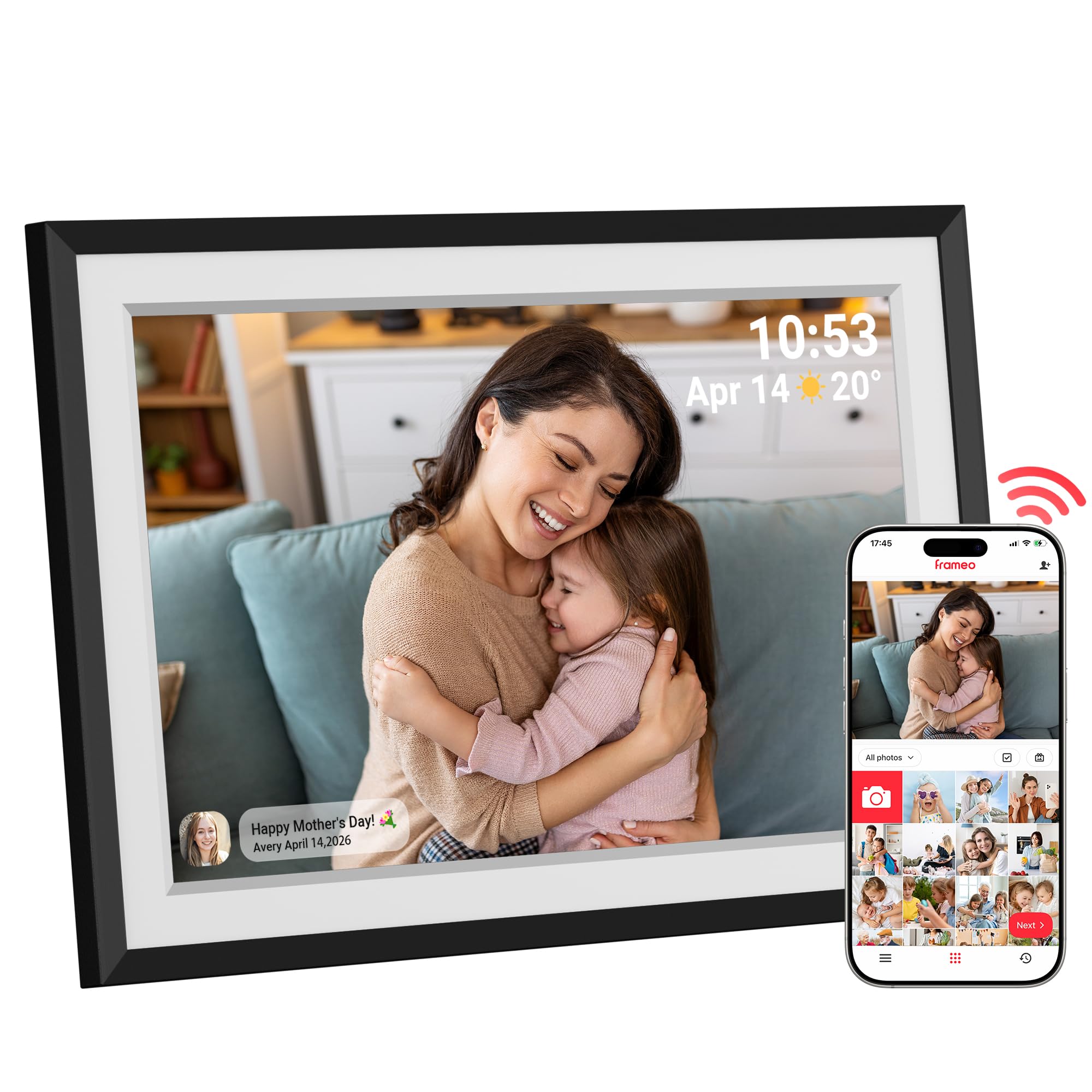
The Dragon Touch frame markets itself as a gift-ready device, and the unboxing experience backs that up. The 10.1-inch IPS touchscreen delivers vibrant colors and sharp 1280×800 resolution. The 32GB storage capacity (expandable via Micro SD) gives plenty of room for thousands of photos and short videos without worrying about running out of space.
The Frameo app is the backbone here, allowing you and your family to send photos directly to the frame from anywhere with a WiFi connection. The setup process takes under five minutes: plug it in, connect to WiFi, and generate a sharing code. The auto-rotate sensor ensures that landscape and portrait photos are displayed correctly without manual intervention.
The slideshow customization includes adjustable speed, transitions, and the option to display the time, weather, and calendar. The sleek black frame blends into most home decor. This is an excellent option for anyone who wants a reliable, straightforward gift that requires zero tech support after setup.
Why it’s great
- Easy five-minute setup ideal for gifting
- Auto-rotate handles both orientations smoothly
- Slideshow customization with weather display
Good to know
- 16GB base with 32GB max via Micro SD
- No wall mount bracket included
5. MQQC Frameo 10.1 Inch WiFi Digital Picture Frame (Wood Frame)

The MQQC frame stands apart from the competition with a real wood frame construction, giving it a more refined, furniture-like appearance compared to the all-plastic competitors. The 10.1-inch IPS display is the same 1280×800 panel found in most frames at this tier, providing bright and clear image reproduction with wide viewing angles.
The built-in 32GB storage holds roughly 80,000 photos, and the Frameo app integration is as smooth as ever. You can share high-resolution photos and 15-second video clips, and the frame supports auto-rotation to adjust between portrait and landscape modes. The touchscreen is responsive, and the interface is straightforward for users of all ages.
The wood frame makes a noticeable difference in a living room or home office setting, where plastic frames can look a bit cheap. The unit can be placed on a desk or mounted on the wall. If the aesthetic of your decor matters as much as the tech specs, this frame justifies its price premium.
Why it’s great
- Real wood frame elevates the visual appeal
- 32GB storage handles thousands of photos
- Responsive touchscreen with auto-rotate
Good to know
- Standard 1280×800 resolution, not Full HD
- Plastic rear housing feels less premium
6. Flyruit 10.1 Inch Frameo Digital Frame

The Flyruit frame packs some thoughtful extras that set it apart from basic models. Beyond the standard 1280×800 IPS display and 32GB storage, it includes a “Greeting” feature for sending themed birthday messages and a “React” function that lets you send cute emoji responses to photos received on the frame. These are small details, but they make the frame feel more interactive for families with long-distance relationships.
The unit supports WiFi (2.4GHz only) for app-based sharing, and it also offers a non-WiFi transfer option via Micro SD card or USB-C cable. This is a smart fallback for grandparents who may not have a stable internet connection. The sleep mode and auto-rotate features are present, and the touchscreen is fluid and responsive.
The frame material is a white stripe plastic that looks clean but not particularly premium. This is a solid choice for anyone who wants the interactive features of the Frameo ecosystem with a few extra social touches.
Why it’s great
- Greeting and React features add social fun
- Non-WiFi transfer via USB-C or SD card
- Backed by a 2-year warranty
Good to know
- Plastic build looks less premium
- Only supports 2.4GHz WiFi
7. JIUGEDPF 10.1 Inch WiFi Digital Picture Frame
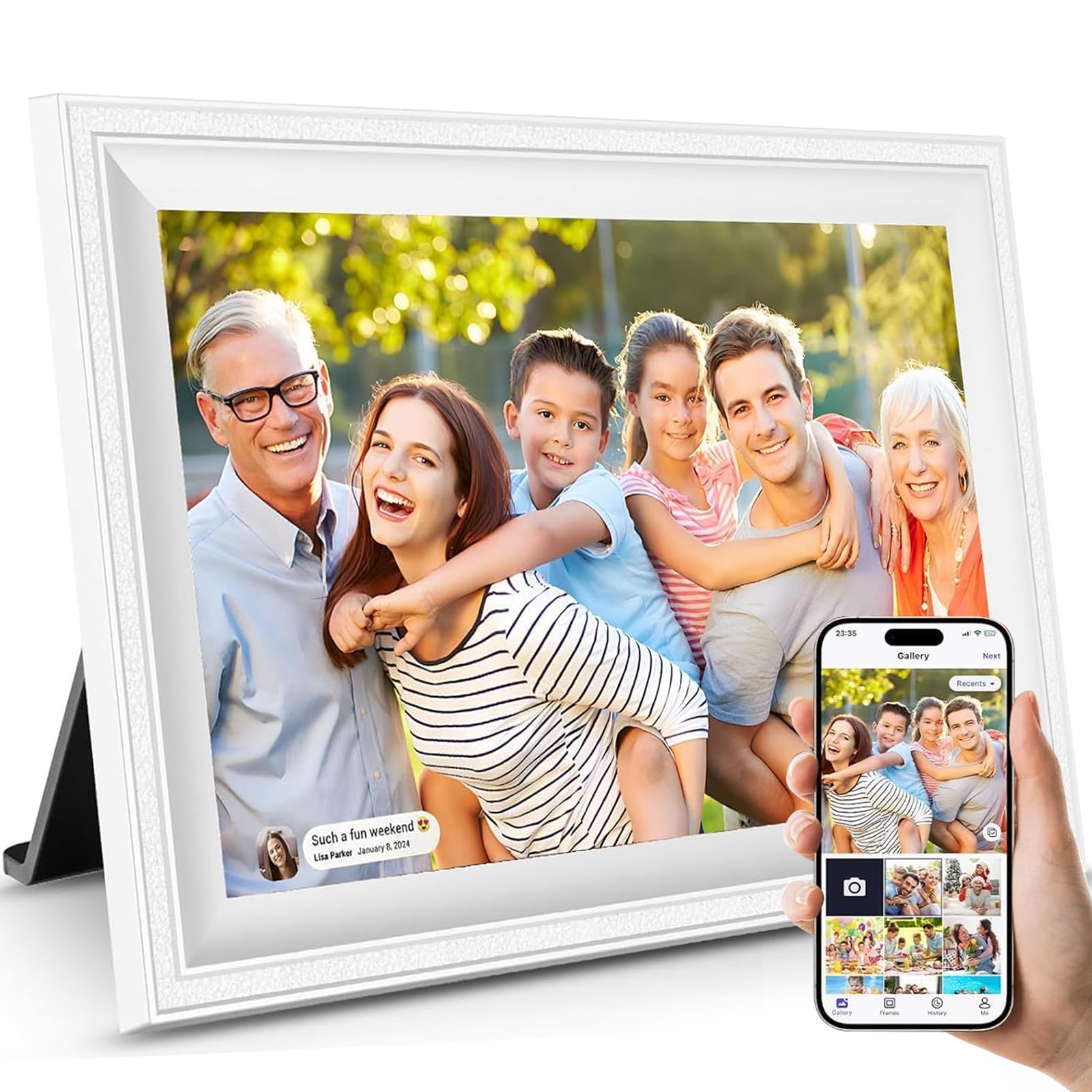
The JIUGEDPF frame is the most budget-friendly option here, and it makes the necessary trade-offs to hit that lower price. The 10.1-inch IPS screen still delivers the same 1280×800 HD resolution and 178-degree viewing angle that you get from more expensive frames, so image quality and color fidelity are not sacrificed. The real compromise comes in storage: 16GB internal memory is half of what most competitors offer.
Even with 16GB, you can still store around 40,000 photos, and the Micro SD card slot allows expansion up to 32GB. The Frameo app works identically to the experience on pricier models, so you still get instant photo and video sharing, auto-rotation, and customizable slideshow settings. The frame also displays weather, time, and temperature on the screen.
The design is a clean white plastic that looks respectable but not luxurious. The company backs it with a 2-year warranty and responsive online support. This frame is a great way to get into the WiFi photo frame ecosystem without spending much, as long as you are comfortable with the lower baseline storage.
Why it’s great
- Lowest entry price for a quality IPS display
- Full Frameo app experience with weather display
- Expandable storage via Micro SD card
Good to know
- 16GB internal storage fills up faster
- Plastic build may feel less durable
FAQ
Do all digital photo frames require a constant WiFi connection?
Can I send photos to a Frameo frame if I use an iPhone and the recipient uses Android?
Final Thoughts: The Verdict
For most users, the affordable digital photo frame winner is the Miroir 10.1 Inch Frame because it delivers the perfect balance of 32GB storage, a crisp IPS display, and the simple Frameo app at a budget-friendly price. If you want a larger screen with better resolution, grab the BIGASUO 15.6″. And for a frame with an intelligent motion sensor and advanced app features, nothing beats the ApoloSign (Nixplay).