
Our readers keep the lights on and the weekend projects moving. As an Amazon Associate, I earn from qualifying purchases.
The promise of a fast, reliable 3D printer that doesn’t require constant tinkering has long hovered just out of reach for buyers on a budget. The biggest pain point in this price tier isn’t resolution alone — it’s the hidden time cost of failed first layers, tangled filament, and hours of manual bed leveling that turns a creative tool into a frustration generator.
I’m Rikta — the co-founder and writer behind FitlyFast. I’ve spent countless hours cross-referencing print speeds, auto-leveling systems, extruder reliability, and the real-world failure rates of over 60 models in the sub-$500 bracket to identify the machines that actually deliver on their promises.
Many budget printers require significant manual calibration and can produce inconsistent results, but a select few have closed the gap. This guide cuts through the spec sheet noise to rank the 3d printer under $500 models that minimize fiddling and maximize successful prints.
How To Choose The Best 3D Printer Under $500
The sub-$500 category has evolved from hobbyist kits into surprisingly capable turnkey machines. Your choice hinges on three core trade-offs: speed versus reliability, build volume versus quality, and ease of use versus material versatility. Understanding these will steer you to the right model.
Motion System: CoreXY vs. Cartesian
The motion system dictates both print speed and stability. CoreXY printers use a belt-driven gantry that moves the print head in X and Y simultaneously, allowing much higher acceleration and speed (typically 500–600mm/s) with less vibration. Traditional Cartesian printers move the bed on the Y-axis, which limits speed and can introduce artifacts. In this price range, a CoreXY system is a strong indicator of newer design engineering.
Extruder: Direct Drive vs. Bowden
A direct-drive extruder mounts the motor directly above the nozzle, giving you precise control over flexible filaments like TPU and reducing stringing. Bowden setups push filament through a long tube, which is lighter but struggles with flexibles. Nearly every serious sub-$500 model now uses a direct-drive extruder—check for a robust gear mechanism and a metal heatbreak to prevent clogs.
Build Volume and Heated Chamber
Standard build volumes range from 220mm³ to 260mm³. A larger volume lets you print helmets or functional parts in one piece. A heated chamber (up to 60°C) dramatically improves layer adhesion for engineering materials like ABS and nylon, preventing warping. At this price, a fully enclosed heated chamber is a premium feature that justifies a higher spend.
Auto-Leveling and First-Layer Success
Auto bed leveling has become standard, but the implementation varies. Induction sensors (CR Touch) are common, while some models use a strain sensor on the nozzle for Z-offset. The most reliable systems perform a multi-point mesh and auto-tramming before every print. A flexible PEI-coated spring steel sheet is essential—it makes part removal effortless and extends the bed’s lifespan.
Quick Comparison
On smaller screens, swipe sideways to see the full table.
| Model | Category | Best For | Key Spec | Amazon |
|---|---|---|---|---|
| QIDI Q1 Pro | Enclosed CoreXY | Engineering materials & chamber print | 350°C nozzle, 60°C chamber | Amazon |
| Creality K1C | Fast CoreXY | Carbon fiber & high-speed prints | 600mm/s print speed | Amazon |
| Anycubic Kobra X | Multicolor FDM | Multi-color projects & family use | 19-color with 4 ACE units | Amazon |
| ELEGOO Centauri Carbon | Die-Cast Precision | Stability & out-of-box reliability | 38.5 lbs, die-cast frame | Amazon |
| Creality K2 SE | Upgrade Ender | Easy upgrade for beginners | 300°C tri-metal nozzle | Amazon |
| FLASHFORGE Adventurer 5M | Compact Workhorse | Reliable single-color daily use | 600mm/s, vibration compensation | Amazon |
| Creality Ender 3 V3 SE | Entry-Level Speed | Budget-friendly fast printing | 250mm/s print speed | Amazon |
| Bambu Lab A1 Mini | Compact Ecosystem | Ecosystem & tiny details | 48 dB quiet operation | Amazon |
| Entina Tina2C | Kids First Printer | Young beginners & STEM | 3.9″ cube build volume | Amazon |
In‑Depth Reviews
1. QIDI Q1 Pro

The QIDI Q1 Pro is the only printer in this bracket with an actively heated chamber that reaches 60°C, making it the undisputed choice for printing ABS, ASA, nylon, and polycarbonate without warping. Its CoreXY motion system hits 600mm/s, and the independent dual Z-axis motors ensure the gantry stays parallel. Auto-leveling uses dual sensors for precise mesh calibration, while the filament tangle detection sensor stops a print mid-failure, saving material.
The 350°C bimetal nozzle handles carbon fiber and glass fiber filaments with ease, and the 1080P HD camera provides real-time monitoring and time-lapse capture. Users consistently report excellent out-of-box performance with stock profiles—ASA prints without adhesive, and polycarbonate adheres reliably with a glue stick. The open-source Klipper firmware allows deep customization for advanced users.
Drawbacks include a flimsy side-mounted spool holder and the lack of a built-in carbon filter for the exhaust fan. The machine is also bulky for its 245mm³ build volume. However, the active chamber heating and material versatility push it far above anything else at this price—it prints materials many competitors simply cannot handle.
Why it’s great
- Heated chamber (60°C) for warp-free ABS/ASA
- 350°C nozzle for carbon fiber and nylon
- Filament tangle detection saves failed prints
- Dual Z-axis for precise gantry alignment
Good to know
- No built-in carbon filter for fumes
- Side spool mount is unstable
- Bulky footprint relative to build volume
2. Creality K1C

The Creality K1C is the sweet spot in this lineup: a fully enclosed CoreXY machine with a 600mm/s top speed, a clog-free “Unicorn” tri-metal nozzle, and a built-in AI camera that detects print failures and foreign objects via Creality OS. The direct-drive extruder uses a bolster spring and ball plunger for strong filament grip, which eliminates slipping even with carbon fiber filaments like PLA-CF and PA-CF.
Auto-calibration handles bed leveling and Z-offset with a single tap, and dynamic balancing on the printhead fans minimizes ghosting. The silent mode drops noise to 45 dB, making it suitable for shared spaces. Users praise the print speed and the smooth surface finish from the input shaping compensation. The carbon filter and activated charcoal bags manage ABS fumes effectively.
On the downside, the CFS (multicolor system) integration is still maturing—some users report cryptic errors and resetting slicer profiles. Beginners may find the software ecosystem frustrating until profiles are dialed in. But for single-color high-speed printing with carbon fiber materials, the K1C is the most balanced performer between raw speed and build quality in its price tier.
Why it’s great
- Enclosed CoreXY with 600mm/s speed
- AI camera for real-time failure detection
- Clog-free tri-metal nozzle for carbon fiber
- Silent mode at 45 dB
Good to know
- Multicolor CFS integration can be finicky
- Software profile setup requires patience
- Some users report early unit quality variation
3. Anycubic Kobra X

The Anycubic Kobra X is the only printer in this sub-$500 lineup that ships with native 4-color multicolor capability, expandable to 19 colors with additional ACE Pro units. The CoreXY structure hits 600mm/s, and a hardened steel nozzle ensures durability during long prints. The LeviQ 3.0 system uses 49-point calibration for first-layer flatness, and an integrated AI camera detects spaghetti failures and foreign objects.
With a generous 260mm³ build volume, it handles large helmets and functional parts. Users report zero adhesion or clogging issues across PLA, PETG, and TPU after hundreds of hours of use. The dual-band Wi-Fi and remote monitoring through the Anycubic app add convenience. The purge reduction mechanism cuts waste by over 80% during color changes, saving material and time.
Some users experienced early bed adhesion problems that required cleaning and glue stick application. The phone app could use polish, and the Gen 2 ACE system is incompatible with older ACE Pro units. Despite that, the multicolor capability at this price point is unmatched, making it a steal for creators who want color without a second machine.
Why it’s great
- Native 4-color printing out of the box
- Large 260mm³ build volume
- 49-point auto-leveling with LeviQ 3.0
- AI spaghetti detection and remote monitoring
Good to know
- Incompatible with older ACE Pro units
- Some users needed to dial in bed adhesion
- Phone app could be more intuitive
4. ELEGOO Centauri Carbon

The ELEGOO Centauri Carbon distinguishes itself with a rigid, integrated die-cast aluminum frame that minimizes vibration better than any welded steel chassis in its class. Weighing 38.5 pounds, it absorbs high-speed motion without shaking. The CoreXY system reaches 500mm/s with 20,000mm/s² acceleration, and the high-flow hotend with a brass-hardened steel nozzle hits 320°C for carbon fiber and other advanced filaments.
The built-in chamber camera with dual LED lights provides real-time monitoring and time-lapse. The dual-sided PEI plate features a PLA-specific surface that provides excellent adhesion at lower bed temperatures, reducing warping. Users note that calibration profiles in the slicer produce flawless first layers without manual tweaking. The enclosed design with enhanced cooling handles PLA, PETG, and TPU reliably.
Some users reported early unit failures requiring motherboard replacement, and the customer support process was lengthy for one reviewer. The single-color limitation means you cannot print multicolor without a separate unit. Despite the occasional QA hiccup, when it works—which is most of the time—the Centauri Carbon delivers precision prints that rival printers costing twice as much.
Why it’s great
- Die-cast aluminum frame for stability
- High-flow hotend with 320°C nozzle
- Excellent bed adhesion with PLA-specific surface
- Chamber camera with dual LEDs
Good to know
- Early units had motherboard failure reports
- Single-color only
- Heavy—not easily portable
5. Creality K2 SE
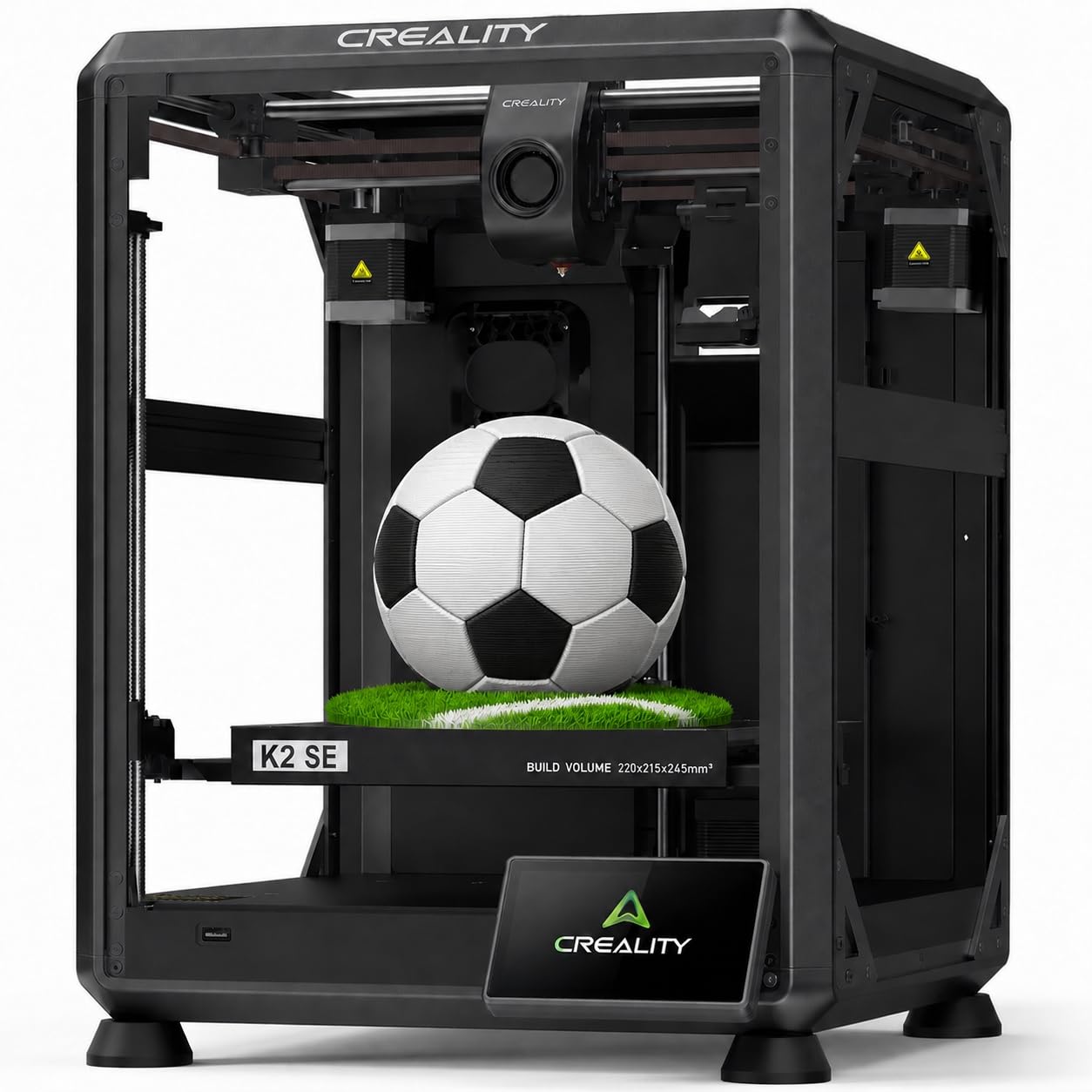
The Creality K2 SE is a refined upgrade from the classic Ender line, featuring a CoreXY structure with 600mm/s travel speed and 20,000mm/s² acceleration. The tri-metal “Unicorn” nozzle combines a steel tip, copper body, and titanium alloy heatbreak to prevent clogs and allow one-hand swaps. The 300°C hotend and dual-gear direct drive extruder handle PLA, PETG, TPU, and ABS with ease.
Auto-leveling with strain sensor calibration eliminates manual Z-offset adjustment. The pre-installed damping pads reduce vibration, and input shaping minimizes ringing. Users report fast, quiet operation and excellent print quality out of the box after a 3-minute setup. The Creality Cloud app provides pre-made models, making it beginner-friendly for kids and families.
Some units arrived with the voltage switch defaulting to 240V, causing initial power issues in the US. The touchscreen can be basic, and a glue stick is recommended as a release agent. A small number of users received defective units with blank screens. However, the massive improvement over older Ender models—less tinkering, more printing—makes it a strong mid-range option.
Why it’s great
- Fast CoreXY with 600mm/s travel speed
- Clog-free tri-metal nozzle design
- Pre-installed damping pads for stability
- Easy 3-minute setup
Good to know
- Voltage switch defaulting to 240V requires attention
- Glue stick recommended for release
- Some units have QA defects
6. FLASHFORGE Adventurer 5M

The FLASHFORGE Adventurer 5M is a compact single-color workhorse with a CoreXY system that reaches 600mm/s and 20,000mm/s² acceleration. The direct-drive extruder with a 0.4mm nozzle supports PLA, PETG, and TPU, while a 0.6mm nozzle option handles PLA-CF and PETG-CF. The all-metal frame and dual-sided PEI coating plate provide excellent adhesion without glue.
Full-auto one-click leveling and vibration compensation eliminate ghosting even at high speeds. The nozzle heats from zero to 200°C in 35 seconds, and the 50W heater maintains stable extrusion. The WiFi printing and filament runout sensor add convenience, and the compact footprint fits on a small desk.
The build volume is limited to 220mm³, which restricts larger projects. Some users experienced firmware freezes and touchscreen unresponsiveness. The lack of a built-in enclosure means fumes can be an issue with PETG, and the sample filament included from the factory is prone to tangles. Despite these quirks, its reliability and speed make it a solid choice for daily single-color printing.
Why it’s great
- Fast 600mm/s CoreXY with vibration compensation
- Quick 35-second nozzle heat-up
- Excellent long-term reliability
- Compact desk-friendly footprint
Good to know
- Small 220mm³ build volume
- Firmware freeze reports
- No enclosed chamber for fume management
7. Creality Ender 3 V3 SE

The Creality Ender 3 V3 SE is a direct evolution of the legendary Ender 3, now featuring a Sprite direct-drive extruder and CR Touch auto-leveling. At 250mm/s print speed with 2,500mm/s² acceleration, it saves about 73% of print time compared to its predecessors. The PC spring steel build plate provides strong adhesion and easy part removal with a simple bend.
Auto filament loading and unloading make material swaps effortless—tap “Extrude” and filament flows; tap “Retract” and it pulls back cleanly. Assembly takes about 20 minutes with three main steps. Users report high-quality prints for its price, suitable for prototyping and beginner projects. The open-source nature allows firmware tweaking for advanced users.
Some units arrived with the voltage switch set to 240V instead of 110V for US buyers, requiring manual correction before use. A small number of units were dead on arrival, with complete control board failures. The build volume of 220mm³ is adequate but not spacious. It’s a solid entry-level machine but lacks the speed and features of higher-tier CoreXY printers on this list.
Why it’s great
- Sprite direct-drive extruder for flexibles
- CR Touch auto-leveling saves setup time
- Auto filament loading/unloading
- Easy 20-minute assembly
Good to know
- Voltage switch defaults to 240V
- Some DOA units reported
- Slower than CoreXY competitors
8. Bambu Lab A1 Mini
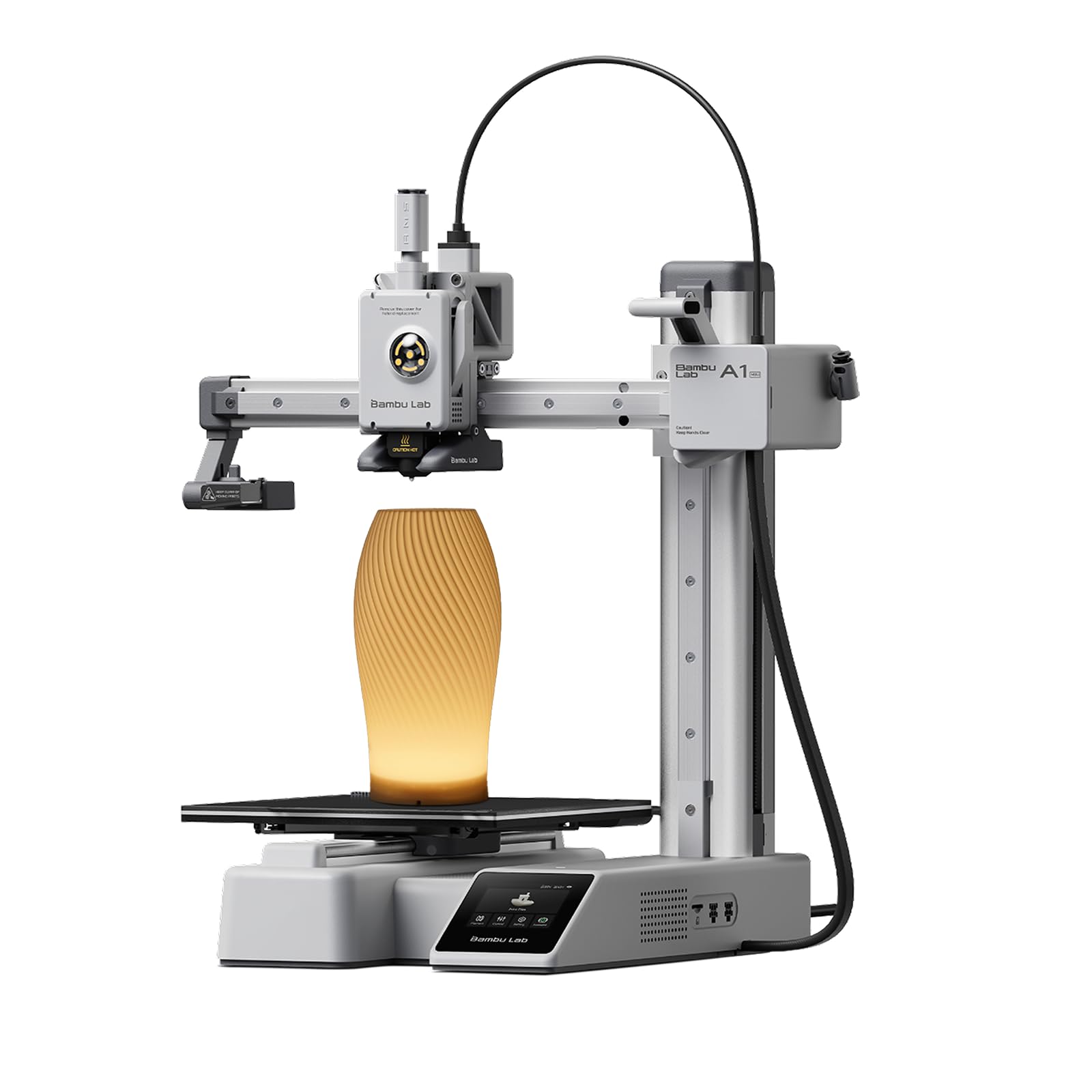
The Bambu Lab A1 Mini is the quietest printer in this roundup, with noise levels staying at or below 48 dB—quiet enough for a bedroom or office without distraction. It arrives with an included LED lamp kit for creating functional lighting projects. The full-auto calibration handles bed leveling and active flow rate compensation, adjusting extrusion in real time for consistent layers.
The Bambu Lab ecosystem, including MakerWorld and the Bambu Handy app, provides seamless model downloads and remote management. Users praise print quality as 10/10 out of the box, with easy setup within 20–30 minutes. The small footprint makes it ideal for desks with limited space. It supports PLA, PETG, and TPU with reliable first-layer adhesion.
The build volume is small compared to others, limiting projects to smaller decorative items and toys. A small number of users reported catastrophic early failures, such as a nozzle ejecting on the first print due to temperature malfunction. The bundled LED lamp kit adds fun but is not essential. For those who prioritize quiet operation and ecosystem convenience over build size, the A1 Mini is a top choice.
Why it’s great
- Extremely quiet 48 dB operation
- Active flow rate compensation for consistent layers
- Seamless Bambu ecosystem integration
- Included LED lamp kit for creative projects
Good to know
- Small build volume limits project size
- Early failure reports for some units
- Not ideal for large functional parts
9. Entina Tina2C

The Entina Tina2C is a fully assembled mini 3D printer designed specifically for kids and absolute beginners. It can start printing within 8 minutes of unboxing, with guided setup through the Poloprint Cloud app. The 3.9-inch cube build volume is small but ideal for keychains, toy figurines, and STEM projects. AI-powered search and 20+ creative modules in the app make it accessible for children.
Auto-leveling ensures reliable first layers without manual bed adjustment. The self-cleaning nozzle design reduces maintenance, and the flexible magnetic build plate allows easy part removal. WiFi printing and TF card offline mode give flexibility. It runs quietly and has rounded edges for safety. Users with young children report daily use with minimal issues.
The tiny build volume is the main limitation—you cannot print anything larger than a small toy. The mobile app is essential for all operations, which some users found tricky for downloading custom models. However, for its target audience—children aged 8+ and families new to 3D printing—the Tina2C is a self-contained, frustration-free entry point at a low cost.
Why it’s great
- Fully assembled, prints in 8 minutes
- Auto-leveling for easy first layers
- Kid-safe rounded edges and quiet operation
- Guided app with STEM learning modules
Good to know
- Very small 3.9″ cube build volume
- Mobile app required for operation
- Limited to small figurines and keychains
FAQ
What is the difference between CoreXY and Cartesian motion in a sub-$500 printer?
Can I print ABS or nylon with a 3D printer under $500?
What build volume should I expect from a sub-$500 3D printer?
Is a direct-drive extruder better than Bowden for a sub-$500 printer?
Final Thoughts: The Verdict
For most users, the 3d printer under $500 winner is the Creality K1C because it balances high-speed CoreXY performance, an AI camera for failure detection, and material versatility up to carbon fiber, all in a fully enclosed package. If you need multicolor without buying a second machine, grab the Anycubic Kobra X. And for printing engineering-grade materials with a heated chamber, nothing beats the QIDI Q1 Pro.