
Our readers keep the lights on and the weekend projects moving. As an Amazon Associate, I earn from qualifying purchases.
Have you ever snapped the perfect photo on your phone, only for it to die a slow death in your camera roll? An Android phone printer bridges that gap, turning digital pixels into tangible, sticky-backed keepsakes or portable document prints in seconds. Whether you’re scrapbooking, labeling, or printing contracts on a job site, the right portable printer saves you time without sacrificing quality.
I’m Rikta — the co-founder and writer behind FitlyFast. I research each category thoroughly by analyzing a product’s core technology, real-world user feedback, and how its specs like print resolution, connectivity, and media size match the demands of daily life.
This guide breaks down the top models so you can confidently pick the best android phone printer for your specific needs, from pocket photo labs to full-size document machines.
How To Choose The Best Android Phone Printer
Choosing the right printer for your Android phone starts with understanding what you value most: the tactile charm of a peel-and-stick photo or the crisp readability of a thermal document. The market offers everything from wallet-sized photo printers to full-letter document machines, each using very different internal technology.
Print Technology: The Core Decision
The technology inside dictates your ongoing costs and output quality. ZINK (Zero Ink) printers embed color crystals in special paper, activated by heat—perfect for quick, sticker-backed photos but with a slightly muted color range. Dye-sublimation printers (like the Polaroid Hi-Print or Canon SELPHY QX10) apply cyan, magenta, and yellow layers for vibrant, long-lasting photos that are also water-resistant. For text-heavy documents, thermal inkless printers like the Phomemo M832D are the most cost-effective since they require zero consumables beyond the paper itself, making them ideal for receipts, notes, and contracts.
Print Size and Portability
Your typical usage scenario dictates the size you need. Small 2×3-inch printers are ultra-portable, fitting into a purse or pocket, and are fantastic for scrapbooking, journaling, or creating instant stick-on labels. A 4×6-inch printer, like the HP Sprocket, strikes a more versatile balance for standard photo prints. If you need to print invoices, study notes, or travel itineraries, look for a model that supports US Letter (8.5×11) or A4 paper. A full-size document printer will naturally be heavier, so weigh your need for portability against the size of the output.
Battery Life and Connectivity
Look closely at how the printer connects to your Android phone. Bluetooth pairing is the most common method, but some models also include Wi-Fi Direct for a more stable, longer-range connection. A dedicated app is essential for editing, adding frames, or adjusting print settings. Battery life is another critical spec: a printer capable of 80 to 200 continuous prints on a single charge is ideal for a full day of events, travel, or classes. If you plan on long sessions, a high-capacity battery ensures your printer doesn’t die mid-scrapbook.
Quick Comparison
On smaller screens, swipe sideways to see the full table.
| Model | Category | Best For | Key Spec | Amazon |
|---|---|---|---|---|
| Canon PIXMA TR160 | Full-Size Inkjet | Document & Photo Versatility | Up to 8.5×11 inch borderless print | Amazon |
| Canon SELPHY QX10 | Dye-Sub Photo | High-Quality Square Photos | Dye-sublimation print with protective coat | Amazon |
| HP Sprocket 3×4 | ZINK Photo | Premium 3×4 Sticker Prints | 3.5×4.25″ ZINK zero-ink paper | Amazon |
| Phomemo M832D | Thermal Inkless | Document & Note Printing | US Letter thermal, 300 DPI | Amazon |
| Fujifilm Instax Mini Link 3 | Instax Photo | Classic Polaroid-Style Fun | Credit-card size Instax Mini film | Amazon |
| Polaroid Hi-Print 2nd Gen | Dye-Sub Photo | Vibrant, Durable 2×3 Prints | Dye-sub cartridge system, 50 sec print | Amazon |
| Nelko PP01 Photo Printer | Inkjet Photo | Budget-Friendly Sticker Photos | 603 DPI inkjet on 2×3 sticky paper | Amazon |
In‑Depth Reviews
1. Canon PIXMA TR160 Wireless Portable Printer

The Canon PIXMA TR160 is the ultimate hybrid machine for someone who needs a true full-size printer that can still travel. It prints documents and photos up to 8.5×11 inches, including borderless prints, thanks to its 5-color Hybrid Ink System. The lightweight design and optional battery pack make it easy to toss in a backpack, while Wi-Fi Direct and the Canon PRINT app allow for fast, wireless connectivity from your Android phone.
Users consistently praise its compact dimensions, noting that it takes up about the same space as a ream of paper. The 1.44-inch OLED display is a practical addition, letting you check ink levels and printer status without needing to open an app. While it is a print-only unit with no scanner, the print quality for both black text and vibrant color photos is rated very highly.
The TR160 does use small ink cartridges, which some users found ran out faster than expected. If your primary use is printing a few documents per week, the cost is manageable, but heavy photo printing from your phone will consume the color ink more quickly. Still, for the user who wants one printer that can handle receipts, assignments, and family photos from their Android phone, this is the most capable all-in-one option.
Why it’s great
- Prints full-size US Letter and borderless photos
- Fast 9 ppm black and 5.5 ppm color speeds
- Lightweight design with optional battery
Good to know
- Small ink cartridges may need frequent replacement
- No scanner function included
2. Canon SELPHY QX10 Portable Square Photo Printer

The Canon SELPHY QX10 is a dedicated photo powerhouse that uses dye-sublimation technology to produce square, wallet-sized prints with a protective coating that resists splashes, spills, and fading. This is the printer to buy if photo quality is your absolute priority. The prints are sharp, the colors are true-to-life, and they look significantly more professional than ZINK prints.
Weighing under a pound and roughly the size of a small notebook, it is supremely portable. The app, while functional for basic editing and printing, has been noted as a weak point by users who say it lacks polish compared to the hardware. However, the battery delivers roughly 20 prints per charge, which is sufficient for a party or a day of travel. The adhesive backing on each print makes it perfect for scrapbooking or creating picture walls.
The main drawbacks are the cost per print and the limited number of sheets included in the box. Some users reported an early faulty cartridge, and the app’s interface can feel clunky. However, they also note that the print output is a huge step up in quality over ZINK alternatives. For the Android user who values archival-quality, fade-resistant photo prints from their phone, the QX10’s output is worth the premium.
Why it’s great
- Superior dye-sub print quality with protective coat
- Ultra-compact and lightweight for travel
- Sticker backing for easy creative use
Good to know
- Very few starter sheets included
- App is slow and has limited features
3. HP Sprocket 3×4 Instant Photo Printer
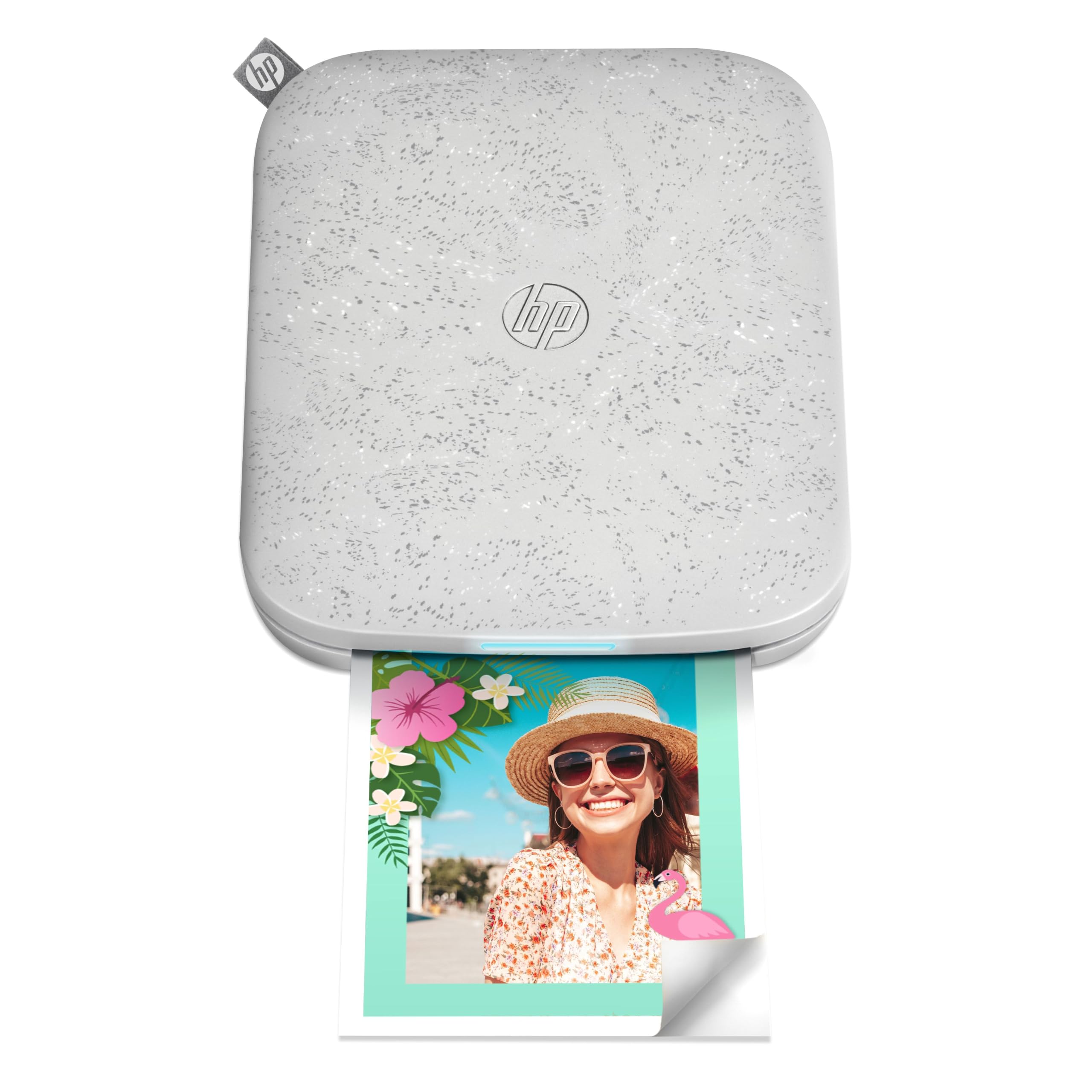
The HP Sprocket 3×4 is a classic entry point into phone printing, offering a larger 3.5×4.25 inch print that feels more substantial than typical 2×3 pocket printers. It uses ZINK zero-ink technology, meaning the color crystals are embedded in the paper itself, making the printer cartridge-free and very easy to maintain. The sticky-backed paper is water-resistant and smudge-proof, ideal for decorating laptops, scrapbooks, or lockers.
Setup is straightforward via Bluetooth with the HP Sprocket app, which includes editing tools for adding borders, stickers, and text. The printer’s design is slim and travel-friendly, fitting comfortably into a bag. Users appreciate the ability to print on the go, with battery life lasting for days of moderate use. The larger print size compared to mini sticker printers is a key differentiator for those who want a bigger canvas.
However, ZINK prints can sometimes appear slightly muted compared to dye-sub print quality, and users reported occasional overheating that led to error codes after several consecutive prints. Also, the Sprocket’s paper is considered expensive, and some units had reliability issues with paper jams. It is best for casual, social sharing rather than for those needing high-end color reproduction.
Why it’s great
- Larger print size than typical pocket printers
- No ink or toner to buy or replace
- Smudge-proof and water-resistant prints
Good to know
- Print quality can look muted vs other tech
- Overheating errors reported after many prints
4. Phomemo M832D Portable Printer with Touchscreen

The Phomemo M832D is the ultimate choice for the document-oriented Android user. This is an inkless thermal printer capable of handling US Letter and A4 paper, making it perfect for printing contracts, notes, checklists, or travel itineraries without any ink costs. The standout feature is the built-in 2.01-inch touchscreen that provides battery status, paper type selection, and connectivity info, reducing guesswork.
Reviews highlight its incredible portability at just 1.5 pounds, with a built-in 2600mAh battery that can print up to 200 pages on a single charge. The Bluetooth connectivity is described as stable and 50% faster thanks to an optimized chip. The 300 DPI resolution produces crisp, readable text, while the ability to use thermal roll, folded, or single-sheet paper offers impressive versatility.
The main limitation is that thermal printing is monochrome (1-bit), so it cannot produce color photos. It is also not ideal for printing highly detailed graphics. Some users noted the companion app’s push for a subscription is an annoyance, and the lack of automatic page separation can be frustrating. However, for the price and ongoing cost savings, it is an incredible tool for students or business travelers.
Why it’s great
- Zero ink costs with thermal technology
- Large 2600mAh battery for up to 200 pages
- Versatile paper sizes from receipt to US Letter
Good to know
- Monochrome output only, no color
- App has subscription prompts
5. Fujifilm Instax Mini Link 3 Smartphone Printer

The Fujifilm Instax Mini Link 3 brings the beloved retro aesthetic of physical film to the digital age. It prints on official Instax Mini film, giving photos that iconic white border and classic look that feels nostalgic and tactile. The printer is compact and durable, fitting easily into a bag, and features USB-C charging for modern convenience.
The app is a highlight, offering a “Click to Collage” feature that allows you to take photos directly through the app’s interface and combine them into creative layouts before printing. Users love the high-quality prints that have a classic analog feel, a distinct look that can’t be replicated by inkjet or ZINK technology. The Bluetooth connection is straightforward, and the battery life is good for multiple print sessions.
One user noted the battery was completely drained on arrival, requiring a 25-minute charge before first use. Also, the Instax Mini film is a proprietary consumable that costs more per print than thermal or inkjet alternatives. It is not the right choice for document printing or high-volume budget printing, but for the social, shareable experience and the unique vintage-style output, it is a ton of fun.
Why it’s great
- Classic Instax aesthetic with white border
- User-friendly app with fun collage modes
- Compact, durable design with USB-C
Good to know
- High per-print cost for film
- Battery may arrive fully drained
6. Polaroid Hi-Print – 2nd Generation Bluetooth Printer

The Polaroid Hi-Print 2nd Gen is a worthy mid-range champion that uses dye-sublimation cartridge technology to produce 2×3 inch photos that are vibrant, sharp, and beautifully flat—avoiding the blurry look sometimes associated with instant film. The prints have a sticker back, making them perfect for journaling. The print time is fast, taking under 50 seconds per print, and the battery is rechargeable for full portability.
Users consistently praise the color accuracy and clarity of the prints, often noting they look like professional photo lab prints. The app, while functional with frames and text, is straightforward. The dye-sub process also makes the prints water-resistant, which adds durability. For the price point, the Hi-Print delivers a noticeable step up in quality from budget ZINK models.
Reliability is the main concern with this unit. A handful of reviews report units jamming on the first use or failing after the first paper cartridge replacement. While the printer works beautifully when functional, the occasional failure rate is something to be aware of. If you get a good unit, however, the output quality versus cost ratio is excellent.
Why it’s great
- Excellent color accuracy and sharpness
- Fast print time under 50 seconds
- Water-resistant, durable dye-sub prints
Good to know
- Some units have reported jamming issues
- Paper and cartridge system is proprietary
7. Nelko PP01 Mini Color Inkjet Printer

The Nelko PP01 is the budget-friendly gateway into phone photo printing. For a very low entry cost, you get an advanced inkjet system that prints onto 2×3 inch premium sticky-backed photo paper that is smudge-proof, water-resistant, and tear-resistant. The 603 DPI resolution is a standout spec for this price tier, promising sharp, vibrant colors with fine detail.
The printer itself is ultra-lightweight at 0.6 pounds, making it a true pocket-friendly companion. Setup is via Bluetooth with the Nelko app, which offers extensive editing features like filters, borders, AI editing, and collage options. Users consistently mention the quick setup, vibrant print quality, and long battery life. The ink cartridge prints up to 80 full-color photos, providing good value.
While the prints look great, the reliance on ink cartridges means you have an ongoing consumable cost. The printer is also limited to 2×6 inch paper, so it is strictly for small sticker-style photos, not documents. Some users may find the initial learning curve for loading paper and cartridges a bit finicky. For the price, it is an incredible option for journaling, travel, and casual gift-giving.
Why it’s great
- Very low initial investment for the quality
- 603 DPI for detailed, vibrant inkjet prints
- Ultra-compact and lightweight
Good to know
- Ongoing ink cartridge costs
- Limited to small sticker-size prints only
FAQ
Can any Android phone printer charge while you print?
What is the difference between compatible app features?
How do I calculate the long-term cost per print?
Why would I choose a thermal printer over a photo printer?
Final Thoughts: The Verdict
For most users, the best android phone printer winner is the Canon PIXMA TR160 because it is the only one that bridges the gap between full-size document printing and high-quality photo output, all while remaining portable. If you want true photo-lab quality prints for scrapbooking, grab the Canon SELPHY QX10. And for the budget-conscious traveler needing a zero-cost ink solution for documents, nothing beats the Phomemo M832D.