
Our readers keep the lights on and the weekend projects moving. As an Amazon Associate, I earn from qualifying purchases.
The difference between a 360Hz OLED gaming monitor and any other screen is the difference between seeing a bullet fly and just hearing the shot. With a 0.03ms response time and per-pixel-level black, every frame snaps into focus without a trace of ghosting or inverse ghosting. For competitive titles where a single frame decides the outcome, this level of motion clarity is no longer a luxury — it is a legitimate competitive tool.
I’m Rikta — the co-founder and writer behind FitlyFast. I’ve spent countless hours analyzing OLED panel specifications, burn-in mitigation technologies, and real-world HDR performance across the leading 360Hz QD-OLED and W-OLED monitors to build this definitive guide.
The sheer variety of panel sizes, resolutions, and refresh-rate targets makes choosing the perfect 360hz oled gaming monitor a complex decision that depends squarely on your gaming priorities and graphics hardware.
How To Choose The Best 360Hz OLED Gaming Monitor
Selecting the right 360Hz OLED gaming monitor requires understanding the interplay between panel technology, resolution, and the burn-in prevention features that protect your investment. The paragraphs below break down the three most critical decision points.
Panel Generation and Burn-in Prevention
Third-generation and fourth-generation QD-OLED panels incorporate custom heatsinks, graphene films, and advanced OLED Care algorithms that significantly reduce the risk of permanent image retention. Look for monitors with dedicated pixel refresh cycles, logo detection that dims static UI elements, and proximity sensors that automatically enter a black screen when you walk away. A three-year warranty with burn-in coverage provides the ultimate peace of mind for heavy daily use.
Resolution and GPU Pairing
A 360Hz OLED monitor delivers its full smoothness only when your graphics card can push frame rates that high at your chosen resolution. At 1440p, high-end cards from the RTX 4080 class upwards can approach 360 fps in many competitive titles. At 4K 360Hz, only the absolute fastest GPUs can sustain those frame rates. The sweet spot for most gamers targeting 360Hz is QHD 2560×1440, which offers a sharp image without demanding an RTX 5090 to drive it properly.
Connectivity Standards
To run a 360Hz OLED at full bandwidth, you need DisplayPort 1.4 with DSC or the newer DisplayPort 2.1a. HDMI 2.1 can also handle up to 360Hz at 1440p but may be limited to 240Hz at 4K. Check that your graphics card supports the required video output standard before purchasing, or you will be locked to a lower refresh rate than the monitor can deliver.
Quick Comparison
On smaller screens, swipe sideways to see the full table.
| Model | Category | Best For | Key Spec | Amazon |
|---|---|---|---|---|
| ASUS ROG Strix XG27ACDNG | QD-OLED 360Hz | Best Overall 1440p 360Hz | 0.03ms GtG, custom heatsink | Amazon |
| ASUS ROG Strix XG27AQDPG | QD-OLED 500Hz | Ultra-Fast Esports | 500Hz, Neo Proximity Sensor | Amazon |
| Samsung Odyssey G6 G60SF | QD-OLED 500Hz | World’s First 500Hz OLED | 500Hz, Glare Free, 0.03ms | Amazon |
| INNOCN GA27M1Q | QD-OLED 500Hz | Budget-Friendly 500Hz | 500Hz, 1.5M:1 contrast | Amazon |
| LG 32GX870A-B UltraGear | W-OLED Dual Mode | 4K 240Hz or 1080p 480Hz | Dual Mode 240/480Hz | Amazon |
| ASUS ROG Swift PG32UCDM | 4K QD-OLED 240Hz | Premium 4K Gaming | Graphene film heatsink | Amazon |
| ASUS ROG Strix XG27UCDMG | 4K QD-OLED 240Hz | 4K 240Hz with 90W USB-C | Neo Proximity Sensor | Amazon |
| MSI MPG 322URX | 4K QD-OLED 240Hz | DP 2.1a Connectivity | DP2.1a UHBR20, 80Gbps | Amazon |
| Alienware AW3225QF | 4K QD-OLED 240Hz | Dolby Vision HDR | 12-bit color, Dolby Vision | Amazon |
| Alienware AW3425DW | Ultrawide QD-OLED | 34-inch Ultrawide Immersion | 21:9, 1800R curve | Amazon |
| Samsung Odyssey G9 G91SD | 49-inch Super Ultrawide | Massive Sim Racing Setup | 5120×1440, 32:9 | Amazon |
| Samsung Odyssey G9 G95SD | 49-inch 240Hz OLED | Massive Dual-QHD Sim Racing | 240Hz, 0.03ms, Glare Free | Amazon |
| Dell UltraSharp U4025QW | 5K2K IPS Productivity | Professional Content Creation | 5K2K 120Hz, 600 nits | Amazon |
In‑Depth Reviews
1. ASUS ROG Strix 26.5” 1440P QD-OLED Gaming Monitor (XG27ACDNG)

The ASUS ROG Strix XG27ACDNG combines a 26.5-inch QD-OLED panel with a 360Hz refresh rate and 0.03ms response time, delivering essentially zero motion blur during fast-paced competitive play. The custom heatsink and advanced airflow design work together with ASUS OLED Care+ to actively reduce burn-in risk, making this a long-term investment for daily gamers.
Color performance is outstanding — 99% DCI-P3 coverage with true 10-bit depth and Delta E < 2 accuracy means this monitor doubles effectively for media creation and HDR gaming. The VESA DisplayHDR 400 True Black certification ensures deep inky blacks without the gray bloom that plagues lesser panel types.
Real-world users consistently praise the buttery smooth motion clarity, negligible input lag, and easy plug-and-play setup. The three-year warranty with burn-in coverage and Advanced Replacement (ARR) service provides tangible peace of mind that most other brands in this range do not match.
Why it’s great
- Custom heatsink + OLED Care+ for burn-in protection
- 3-year warranty with burn-in coverage and ARR
- Perfect balance of 1440p sharpness and 360Hz fluidity
Good to know
- Glossy QD-OLED coating shows reflections in bright rooms
- Requires DSC over DP 1.4 to run 360Hz at full 10-bit
2. ASUS ROG Strix XG27AQDPG QD-OLED

The ASUS ROG Strix XG27AQDPG pushes refresh rate to 500Hz on a 27-inch QD-OLED panel while maintaining the instant 0.03ms response time. This level of frame delivery makes tracking fast-moving targets in shooters feel almost predictive, as the screen updates faster than human reaction time can perceive.
It includes the Neo Proximity Sensor that automatically switches the display to a black screen when it detects you leaving your seat — a genuinely useful burn-in prevention tool that standard timer-based solutions cannot match. OLED Care Pro and Anti-Flicker 2.0 further reduce eye strain and protect the panel during long sessions.
The VESA DisplayHDR 500 True Black certification delivers higher peak brightness than the 400 True Black tier, making highlights in HDR games pop with more intensity. Users note the noticeable advantage in FPS gaming, calling it one of the best monitors currently available for competitive play.
Why it’s great
- 500Hz refresh rate for the highest motion clarity tier
- Neo Proximity Sensor for real-time burn-in protection
- DisplayHDR 500 True Black with high peak luminance
Good to know
- Requires a top-tier GPU to push 500 fps consistently
- Premium pricing reflects the fastest QD-OLED panel available
3. Samsung 27” Odyssey OLED G6 G60SF
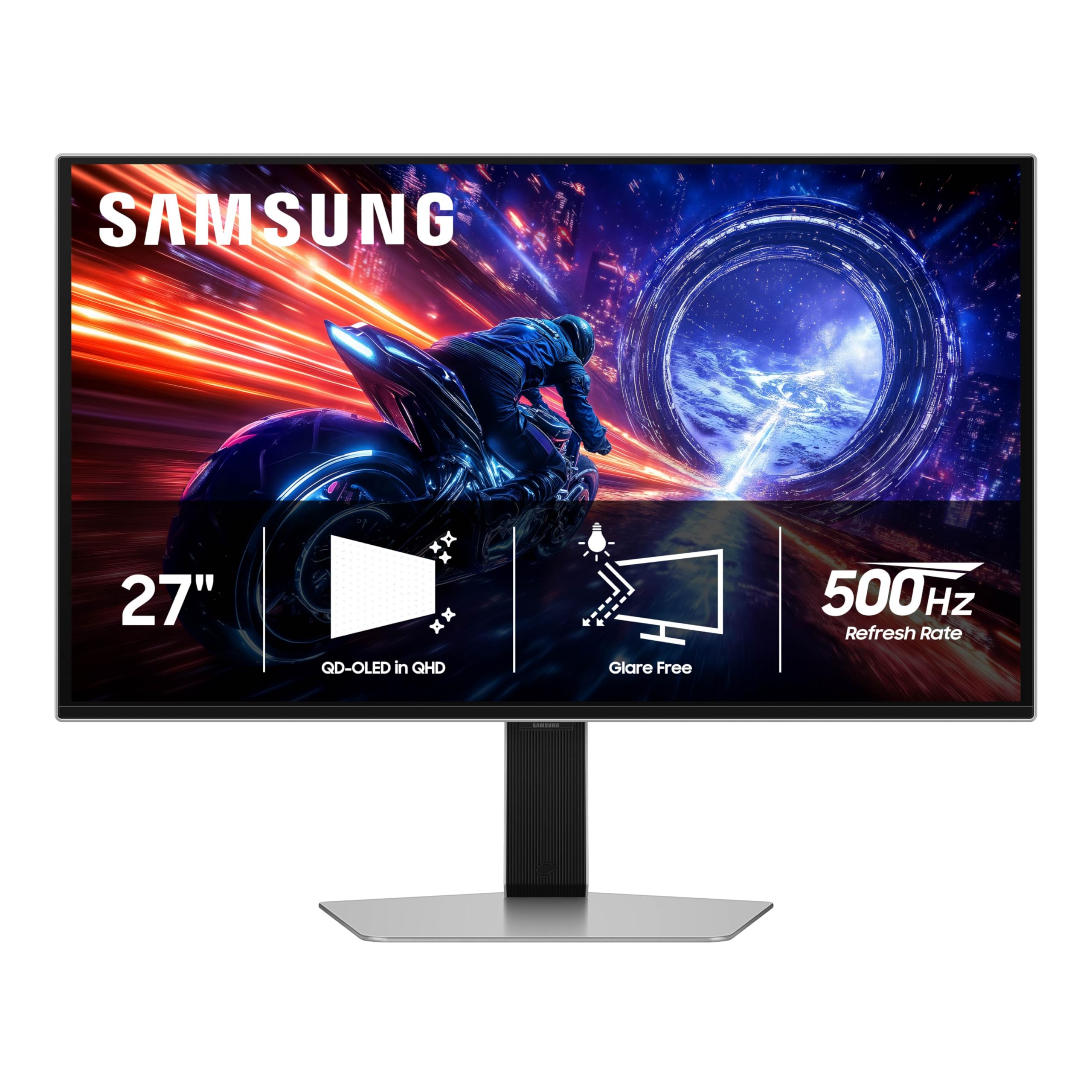
Samsung claims the title of the world’s first OLED gaming monitor to hit 500Hz native refresh rate with the Odyssey G6 G60SF. The 27-inch QD-OLED panel combines this extreme refresh with a 0.03ms GtG response, creating virtually zero perceived motion blur in any gaming scenario.
The Glare Free technology keeps the screen clear of reflections from ambient light sources, which is a practical advantage for setups near windows or bright overhead lights. VESA DisplayHDR TrueBlack 500 delivers 1000 nits peak brightness for HDR highlights while maintaining perfect black levels.
Users who upgraded from 165Hz IPS panels describe the difference as “no motion blur, beautiful colors, inky blacks.” The ergonomic stand with tilt, height, and pivot adjustments provides flexible positioning. Some customers have reported challenges with warranty support, so checking the return policy is advisable.
Why it’s great
- First 500Hz OLED, unmatched motion clarity tier
- Glare Free coating for bright room usability
- 1000 nits peak HDR brightness with DisplayHDR TrueBlack 500
Good to know
- Customer support experiences have been inconsistent
- Needs a high-end PC to fully utilize 500Hz
4. INNOCN GA27M1Q 27″ OLED 2K QHD 500Hz Gaming Monitor

The INNOCN GA27M1Q delivers a QD-OLED 500Hz 1440p gaming experience at a price point that undercuts most major-brand competitors significantly. Its 500Hz refresh rate and 0.03ms response time provide the same raw frame delivery as premium 500Hz options, making it a compelling entry-level choice for high-refresh OLED.
The monitor supports G-Sync compatibility and VRR from 48Hz up to 500Hz, ensuring tear-free gameplay across a wide frame rate range. HDR500 certification and 1.5 million to one contrast ratio produce rich detail in dark game scenes, though some users note that tuning color and brightness out of the box is necessary for optimal results.
Customer reviews highlight the insane value proposition — users report that achieving 500Hz at 1440p looks phenomenal for the price, with colors and response time that rival more expensive units. The built-in speakers are described as surprisingly decent for a gaming monitor, which reduces the need for external audio in a budget setup.
Why it’s great
- exceptional 500Hz QD-OLED performance at a very competitive price
- Supports G-Sync and VRR with wide frequency range
- Surprisingly capable built-in speakers
Good to know
- Requires manual color and brightness calibration out of the box
- Stand is less premium than ASUS or Samsung offerings
5. LG 32GX870A-B UltraGear 32″ 4K OLED Gaming Monitor

The LG 32GX870A-B introduces a VESA-certified Dual Mode that switches between 4K UHD at 240Hz and Full HD at 480Hz with a single hotkey. This allows you to enjoy graphically immersive single-player games at full 4K resolution, then instantly drop to 1080p for ultra-smooth 480Hz in fast-paced multiplayer titles.
It uses Micro Lens Array+ (MLA+) technology to achieve a typical brightness of 275 nits and peak brightness up to 1300 nits, making it LG’s brightest OLED gaming display. The anti-glare low-reflection coating minimizes distractions in bright rooms while preserving black depth.
The matte finish on this W-OLED panel is a different texture from glossy QD-OLED competitors — it reduces reflections effectively but can appear slightly grainy on static bright web pages. Users report that initial vertical banding disappears after normal use and that the 480Hz mode looks incredibly smooth even for basic cursor movements.
Why it’s great
- Dual Mode (4K 240Hz / 1080p 480Hz) for maximum versatility
- MLA+ technology delivers up to 1300 nits peak brightness
- Anti-glare coating with excellent reflection handling
Good to know
- Matte coating can look slightly grainy on pure white backgrounds
- Text clarity may require disabling ClearType for best sharpness
6. ASUS ROG Swift PG32UCDM 32″ 4K OLED Gaming Monitor

The ASUS ROG Swift PG32UCDM pairs a 32-inch 4K QD-OLED panel with a 240Hz refresh rate and 0.03ms response time. The combination of a custom heatsink, advanced airflow, and graphene film manages heat more effectively than standard OLED designs, directly reducing the burn-in risk that concerns long-term owners.
It supports Dolby Vision HDR, a feature that remains uncommon on gaming monitors and gives it a clear advantage for both gaming and streaming content. The VESA DisplayHDR 400 True Black certification with 99% DCI-P3 coverage makes it equally capable for photo and video editing work.
The glossy screen finish enhances perceived clarity and contrast but can reflect ambient light. Users note that the FreeSync Premium Pro compatibility eliminates the need for frame rate capping, and the optional uniform brightness setting ensures consistent luminance across the full panel. The 90W USB-C power delivery is a welcome addition for laptop users.
Why it’s great
- Dolby Vision HDR support distinguishes it from most OLED monitors
- Graphene film + custom heatsink for exceptional heat management
- 90W USB-C power delivery for single-cable laptop setups
Good to know
- Glossy coating reflects overhead and window light sources
- Requires DP 1.4 with DSC for full 4K 240Hz 10-bit output
7. ASUS ROG Strix XG27UCDMG 27″ 4K QD-OLED Gaming Monitor

The ASUS ROG Strix XG27UCDMG packs 4K resolution onto a 26.5-inch QD-OLED panel with a 240Hz refresh rate and 0.03ms response time. The fourth-generation QD-OLED technology in this monitor delivers sharper text rendering and a longer panel lifespan compared to earlier OLED generations, addressing two of the most common criticisms of OLED monitors.
It introduces the Neo Proximity Sensor, which detects user presence and automatically switches to a black screen when you step away, along with OLED Care Pro functions that manage pixel refresh and logo dimming proactively. The 90W USB-C port with DisplayPort Alt Mode makes it a practical hub for modern laptops.
Customer feedback highlights the excellent image quality and easy setup, with particular praise for the HDR and 4K content experience. Some users note the glossy coat shows smudges easily and requires careful cleaning. The inclusion of both HDMI 2.1 and DP 1.4 connectivity ensures broad compatibility with current consoles and PCs.
Why it’s great
- 4th-gen QD-OLED for improved text clarity and panel lifespan
- Neo Proximity Sensor for hands-free burn-in prevention
- 90W USB-C power delivery for laptops and peripherals
Good to know
- Glossy screen surface shows fingerprints and smudges easily
- No DP 2.1 port; limited to DP 1.4 with DSC
8. MSI MPG 322URX 32″ 4K QD-OLED Gaming Monitor

The MSI MPG 322URX features a third-generation QD-OLED panel with DisplayPort 2.1a UHBR20 connectivity, offering up to 80Gbps bandwidth. This enables native 4K at 240Hz with full 10-bit color depth without relying on Display Stream Compression, which eliminates any theoretical image quality compromises from DSC.
Delta E ≤ 2 color accuracy out of the box and VESA DisplayHDR True Black 400 certification make it suitable for color-critical creative work alongside gaming. The built-in OLED Care 2.0 suite provides pixel refresh, panel protect features, and a three-year burn-in warranty that covers the OLED panel itself.
Users consistently describe the image as stunning, with deep blacks, vibrant colors, and zero ghosting. Some units have arrived with cosmetic damage or missing screen protectors, so inspecting the packaging immediately upon delivery is recommended. The built-in speakers are functional but not a primary selling point for this display.
Why it’s great
- DP 2.1a UHBR20 for full bandwidth without compression
- 3-year burn-in warranty included
- Delta E ≤ 2 factory calibration for color accuracy
Good to know
- Some units reported with cosmetic damage from shipping
- Built-in speakers are basic compared to dedicated audio
9. Alienware AW3225QF 32″ 4K QD-OLED Gaming Monitor

The Alienware AW3225QF delivers a 32-inch 4K QD-OLED experience with 240Hz refresh rate and Dolby Vision HDR support, setting it apart from many competitors that lack Dolby Vision certification. The panel supports 12-bit color depth for smooth gradients and banding-free color transitions in compatible content.
As an Alienware product, the build quality and design language target the premium gaming market with a clean aesthetic that fits well in high-end setups. The combination of QD-OLED color volume and Dolby Vision dynamic metadata provides one of the most impressive HDR experiences currently available on a desktop monitor.
International user feedback emphasizes the exceptional image quality, infinite black levels, and excellent motion handling. Some users note that Mac compatibility requires a USB-C to DisplayPort cable to reach 120Hz, as HDMI on M1 Macs is limited to 60Hz. Disabling HDR in macOS improves text sharpness for productivity work.
Why it’s great
- Dolby Vision HDR for superior dynamic range in supported content
- 12-bit color depth for smooth gradient rendering
- Premium build quality with distinctive design
Good to know
- Mac compatibility requires USB-C to DP for full refresh rate
- HDR should be disabled in macOS for best text clarity
10. Alienware AW3425DW 34″ Curved QD-OLED Gaming Monitor

The Alienware AW3425DW is a 34-inch ultrawide 3440×1440 QD-OLED monitor with a 240Hz refresh rate and 1800R curvature. The ultrawide 21:9 aspect ratio provides a significantly wider field of view for racing sims, flight simulators, and open-world titles compared to standard 16:9 monitors.
It covers 99.3% of the DCI-P3 color space with Delta E < 2 accuracy and carries VESA DisplayHDR TrueBlack 400 certification. The curved panel increases peripheral immersion, and the premium build quality includes a fully adjustable stand with height, tilt, swivel, and pivot adjustments.
Users upgrading from IPS 1440p panels describe the picture quality as a massive step up, with deep blacks and bright, vibrant colors that are immediately noticeable. Some text clarity issues are present out of the box and require tweaking, making it less ideal for pure productivity use. The glossy screen provides excellent sharpness at viewing angles but can reflect light sources in the room.
Why it’s great
- 21:9 ultrawide format with 1800R curve for deep immersion
- 99.3% DCI-P3 coverage with factory Delta E < 2 accuracy
- Premium adjustable stand with full ergonomic range
Good to know
- Text clarity requires tuning out of the box for best sharpness
- Lower peak brightness in bright room environments
11. Samsung 49″ Odyssey OLED G9 G91SD Dual QHD Curved Gaming Monitor

The Samsung Odyssey G9 G91SD uses a massive 49-inch QD-OLED panel with Dual QHD resolution (5120×1440) in the 32:9 aspect ratio. This effectively provides the width of two 27-inch 1440p monitors side by side without a bezel gap, creating an unparalleled level of immersion for sim racing, flight sims, and productivity multitasking.
The 144Hz refresh rate and 0.03ms response time provide smooth motion clarity, though the 144Hz cap means this model prioritizes screen real estate over the high refresh rates of smaller OLED panels. It includes Samsung’s Thermal Modulation System for brightness control and logo/taskbar detection for burn-in prevention.
Users praise the stunning OLED picture quality with deep blacks and vibrant colors right out of the box. Some have experienced early hardware failures that were handled through Samsung’s on-site repair service, while others report issues with the DisplayPort input that require using HDMI 2.1 instead. The included stand is ergonomic with height and tilt adjustment.
Why it’s great
- 49-inch 32:9 QD-OLED provides immersive ultrawide gaming
- Thermal Modulation System for active temperature management
- Picture-in-Picture mode for multitasking without a second monitor
Good to know
- 144Hz maximum refresh rate is lower than smaller OLED options
- Some units have DisplayPort connectivity issues
12. Samsung 49″ Odyssey G9 G95SD QD-OLED Curved Gaming Monitor

The Samsung Odyssey G9 G95SD updates the 49-inch super-ultrawide formula with a 240Hz refresh rate, making it significantly more responsive than the 144Hz G91SD variant. It retains the same Dual QHD 5120×1440 resolution and 32:9 aspect ratio, providing the expansive field of view that the G9 series is known for.
It features Samsung’s Glare Free technology that minimizes reflections from external light sources, plus a Thermal Modulation System that predicts surface temperature and adjusts brightness to manage heat output. G-Sync compatibility ensures tear-free gameplay across the entire frame rate range, and AMD FreeSync Premium Pro provides additional adaptive sync validation.
The built-in smart TV platform with Gaming Hub gives direct access to streaming services without a PC, which is a unique feature among high-end OLED monitors. Some users report that the smart TV menu system and joystick navigation can be intrusive during PC use, and the enforced Game Mode locks out certain image quality settings.
Why it’s great
- 240Hz refresh rate on a massive 49-inch 32:9 panel
- Glare Free coating reduces reflections effectively
- Smart TV platform with Gaming Hub for streaming without PC
Good to know
- Smart TV interface can be intrusive during PC-only use
- Some settings are locked behind forced Game Mode activation
13. Dell UltraSharp U4025QW 40″ Curved Screen LED Monitor

The Dell UltraSharp U4025QW is a 40-inch 5K2K (5120×2160) ultrawide monitor built on IPS Black panel technology rather than OLED. It offers a 120Hz refresh rate, genuine 10-bit color, 99% DCI-P3 coverage, and VESA DisplayHDR 600 certification — making it a productivity-first display for professional content creators who value color accuracy and text clarity.
The built-in KVM switch with Thunderbolt 4 connectivity supports seamless switching between multiple PCs, and the 600-nit brightness combined with IPS Black’s 2,000:1 native contrast ratio provides better black levels than standard IPS while avoiding the text fringing and burn-in concerns of OLED panels.
Creative professionals praise the outstanding picture quality, color fidelity, and the convenience of the built-in hub with multiple ports. The primary trade-offs are the lower contrast ratio compared to OLED, a somewhat cheap-feeling plastic build for the price, and the need for a very deep desk to accommodate the 40-inch width. This monitor is explicitly not designed for competitive gaming.
Why it’s great
- 5K2K resolution with superb color accuracy for creative work
- Built-in KVM with Thunderbolt 4 for multi-PC workflows
- IPS Black panel provides best-in-class IPS contrast ratios
Good to know
- Not an OLED panel; contrast is lower than true OLED displays
- Requires a large desk and is not suitable for competitive gaming
FAQ
Can a 1440p 360Hz OLED monitor run at full refresh rate with an RTX 4070?
Is QD-OLED better than W-OLED for a 360Hz gaming monitor?
Is a 360Hz OLED worth upgrading from a 240Hz IPS monitor?
Final Thoughts: The Verdict
For most users, the best 360hz oled gaming monitor is the ASUS ROG Strix XG27ACDNG because it delivers the ideal balance of 1440p resolution, 360Hz refresh rate, robust burn-in protection, and a three-year warranty with burn-in coverage at a competitive price. If you need the absolute highest frame rate for competitive play, grab the ASUS ROG Strix XG27AQDPG with its 500Hz panel. And for massive ultrawide immersion in sim racing or flight sims, nothing beats the Samsung Odyssey G9 G95SD.