
Our readers keep the lights on and the weekend projects moving. As an Amazon Associate, I earn from qualifying purchases.
Choosing a single-sided ID card printer means balancing speed, image quality, and the hidden cost of consumables. The wrong pick can leave you with purple-tinted blues, wasted ribbon, or a printer that jams on your second batch.
I’m Rikta — the co-founder and writer behind FitlyFast. I’ve spent countless hours cross-referencing hardware specs, parsing verified customer feedback, and evaluating real-world failure patterns across the most popular single-sided ID card printers on the market.
This guide breaks down eleven specific models so you can confidently choose the right single-sided id card printer for your office, school, or small business without wasting money on overhyped features you’ll never use.
How To Choose The Best Single-Sided ID Card Printer
Buying an ID card printer is a multi-year investment. The key is matching the printer’s throughput and consumable costs to your actual volume. A machine that prints 40 cards per hour is fine for a 50-employee office, but a school issuing 500 badges a semester needs a faster duty cycle. Here are the three factors that separate a smart buy from a regret.
Print Technology and Resolution
Nearly all single-sided ID card printers use dye-sublimation for color and thermal transfer for black. The standard resolution is 300 dpi, but some models step up to 300 x 1200 dpi for sharper fine text and micro-printing on security badges. Higher dpi matters if you print QR codes or small logos, but for simple name-and-photo badges, 300 dpi is sufficient.
Consumable Costs and Ribbon Compatibility
The printer itself is only half the expense. YMCKO ribbons (Yellow, Magenta, Cyan, Black, Overlay) yield 100–300 prints per cartridge. Some vendors lock you into their own ribbon and card bundles, forcing you to buy PVC cards you don’t need just to get the ribbon. Check ribbon yield and per-print cost before buying. Also confirm that replacement ribbons are widely available and not discontinued after a year.
Manual Feed vs. Auto Feed and Software Ecosystem
Manual-feed printers like the Bodno Seaory S25 require you to insert one card at a time — fine for on-demand badges but tedious for batches. Auto-feed models with input hoppers let you load 50–100 cards and walk away. Software is another trap: some printers only work with bundled design software that lacks database import, while others (like the Fargo DTC1250e) support third-party printing tools. Mac and Linux users must verify driver availability, as several models are Windows-only.
Quick Comparison
On smaller screens, swipe sideways to see the full table.
| Model | Category | Best For | Key Spec | Amazon |
|---|---|---|---|---|
| Fargo DTC1250e | Mid-Range | High-volume small offices | 7.9″ x 13.7″ x 8.8″ | Amazon |
| Bodno Seaory S26 | Mid-Range | Mixed OS environments | 300 x 1200 dpi | Amazon |
| Bodno Fargo DTC1250e Silver | Premium | Excel/CSV import workflows | 250-print YMCKO ribbon | Amazon |
| Magicard Pronto100 | Premium | Webcam photo capture | 3-year warranty | Amazon |
| Magicard 300 | Premium | Security/emergency services | LCD display | Amazon |
| Bodno Seaory S25 | Mid-Range | On-demand manual feed | Lifetime software license | Amazon |
| Badgy100 | Mid-Range | Mac user simplicity | 45 sec per color card | Amazon |
| Badgy200 (DH-B22U0000RS) | Mid-Range | Tamper-proof badge printing | Badge Studio+ software | Amazon |
| Badgy200 (B07JPZJY91) | Mid-Range | Budget single-sided workflow | 11 sec initial page | Amazon |
| IDP SMART-21S | Budget | Entry-level small business | 150 color cards/hr | Amazon |
| Fargo DTC4250e | Premium | Dual-sided with Ethernet | 250-print ribbon included | Amazon |
In‑Depth Reviews
1. Fargo DTC1250e Single Sided Desktop Printer

The Fargo DTC1250e is a true workhorse in the single-sided ID printer category. It prints at 300 dpi with dye-sublimation and thermal transfer, and its AES-256 encryption and resin scramble data protection give it a security edge that budget models lack. Users report consistent, high-quality output even at higher volumes — one reviewer noted they were on their second unit purely due to volume, not failure.
Setup is straightforward for Windows users, but Mac owners should beware: the bundled driver CD (yes, a CD) and outdated 2015 Mac drivers make it effectively incompatible with recent macOS versions. The 7.9 x 13.7 x 8.8-inch footprint is compact enough for most desktops, and the GreenCircle certification means it meets energy-efficiency standards.
At this price point, the DTC1250e offers the best balance of build quality, throughput, and long-term reliability. The main catch is the lack of Mac support and a somewhat tedious RMA process if you need warranty service. Budget a replacement ribbon upfront and you’ll have a printer that lasts years.
Why it’s great
- Fast, reliable single-sided printing with built-in encryption
- Compact footprint fits easily on a desk
- Energy Star and GreenCircle certified
Good to know
- No Mac support — Windows only with CD driver
- Return process for defective units can be slow
2. Bodno Seaory S26 Single Sided ID Card Printer
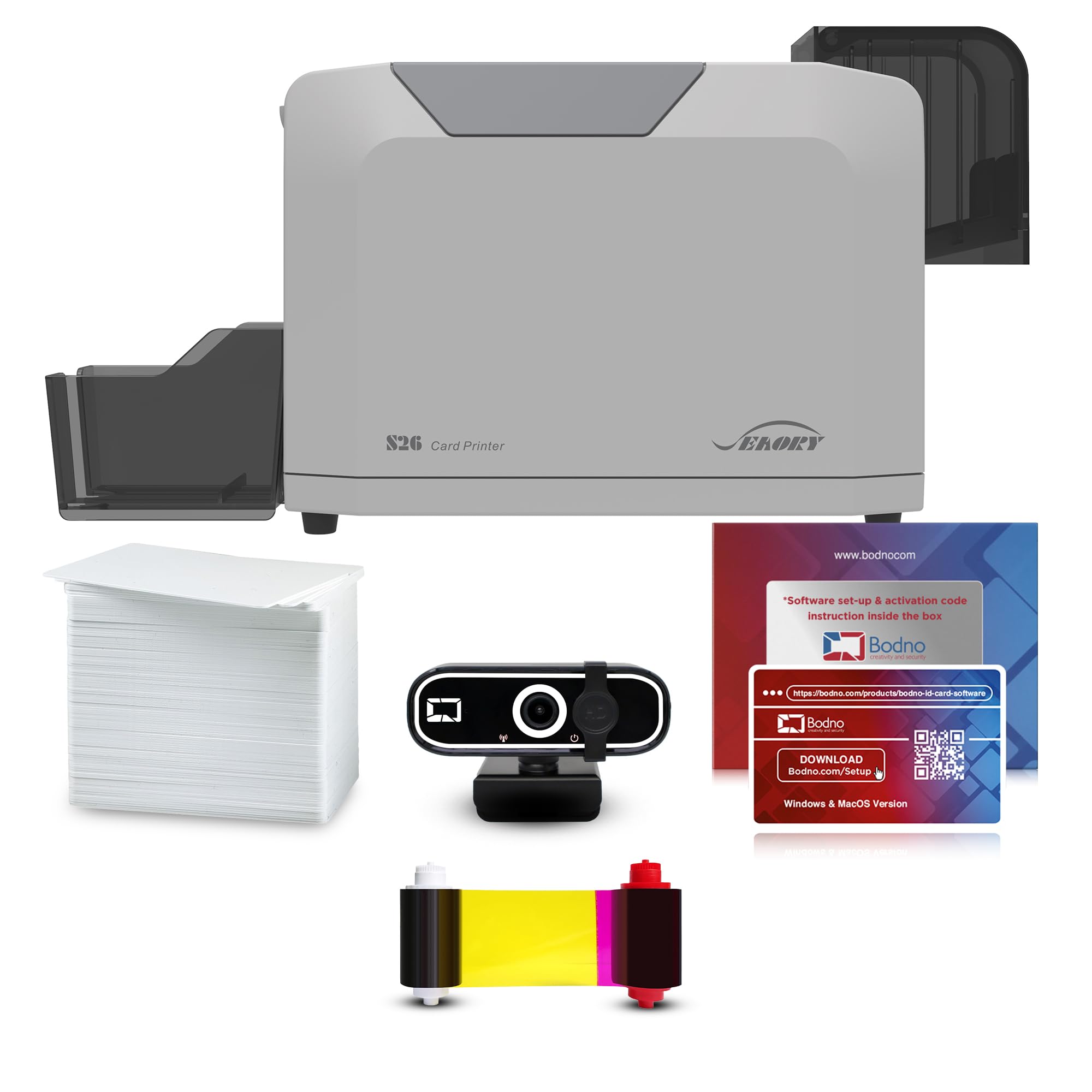
The Bodno Seaory S26 brings higher resolution (300 x 1200 dpi) and a larger ribbon yield (300 prints) to the single-sided market, making it a strong mid-range contender. Multiple verified buyers report that the print quality is excellent for badges with QR codes, micro-text, and detailed logos. The package includes a webcam and Bodno Bronze Edition software with a lifetime license.
Compatibility extends to Windows, Mac, and Linux — a rare feature that makes the S26 ideal for heterogeneous IT environments. The manual feed system is simple but requires you to insert cards one at a time, which is fine for on-demand printing but not for batch runs. Customer support (named agents like Angelo and Byron) gets high marks for resolving driver and firmware issues quickly.
The only real drawback is the manual feed: if you need to print 50 badges in a single session, the S26 will test your patience. But for offices that need a few cards per day across multiple operating systems, this is the most flexible option in its class.
Why it’s great
- Highest resolution in its class at 300 x 1200 dpi
- Works with Windows, Mac, and Linux out of the box
- Lifetime Bodno software license included
Good to know
- Manual feed only — not suited for batch printing
- Initial page time of 30 seconds is slower than some competitors
3. Bodno Fargo DTC1250e Silver Edition Package
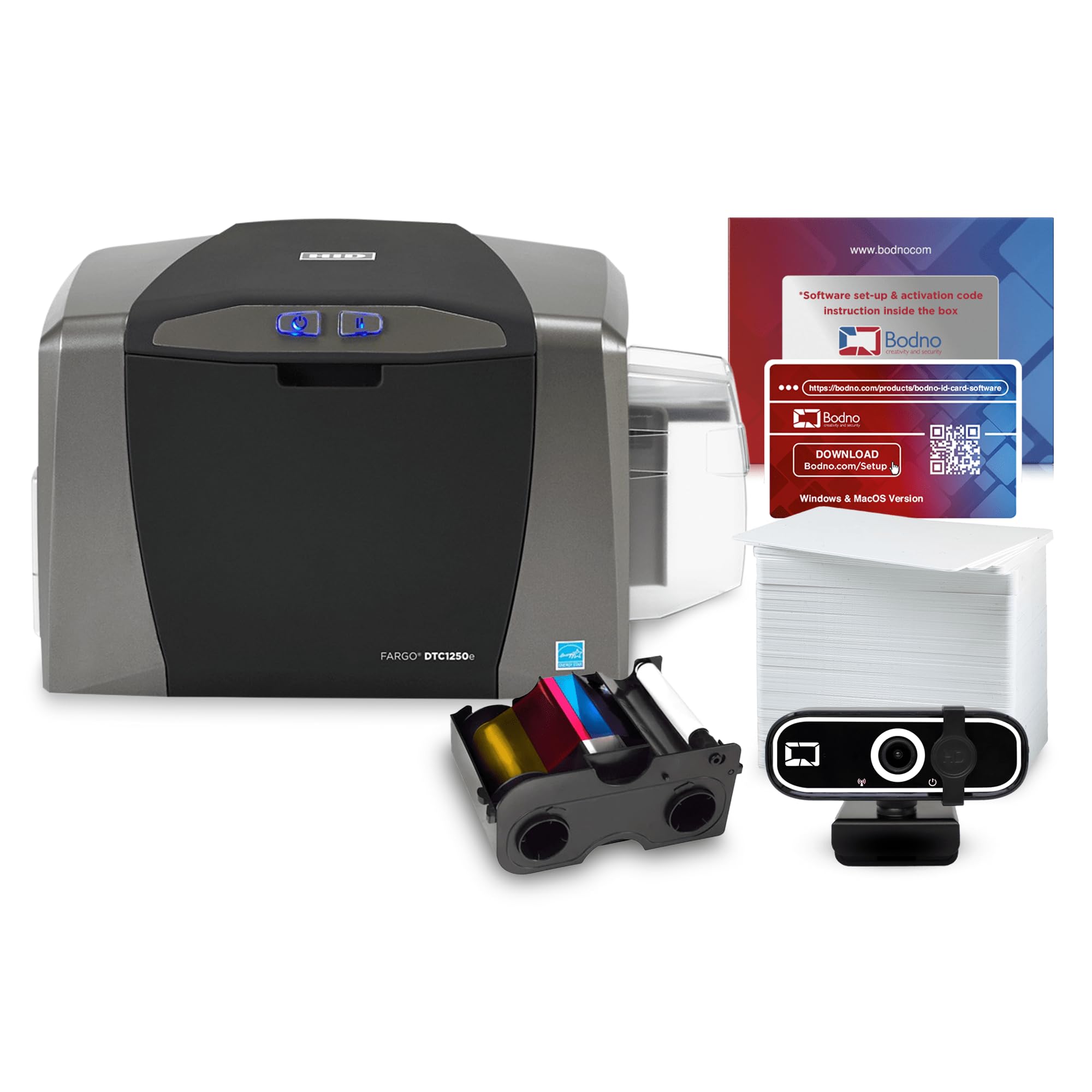
This Bodno-bundled version of the Fargo DTC1250e upgrades the software to Silver Edition, which adds Excel and CSV auto-import functionality — a massive time-saver if you manage a database of employee or student names. The package includes a 250-print YMCKO ribbon and a webcam, so you can start printing immediately without hunting for accessories.
Print quality is reliable for solid colors, but some users note that gradients and multi-shade patterns come out less vibrant than expected — not a dealbreaker for most badge use cases. The 3-year warranty is better than the standard 1-year on many competitors, and Bodno’s support team (Jude gets a shout-out for helpfulness) cushions the learning curve.
The main complaint revolves around software licensing: the Silver Edition license is one-time, but if you ever need to reinstall, the process can be confusing. Also, the advertised encoding feature requires a separate part, which is not clearly disclosed at purchase. Verify your needs before ordering.
Why it’s great
- Silver Edition software auto-creates cards from spreadsheets
- 3-year warranty provides long-term peace of mind
- Includes webcam and higher-yield ribbon
Good to know
- Gradient and multi-shade print quality is mediocre
- Encoding hardware is a hidden extra cost
4. Magicard Pronto100 Single Side ID Card Printer

The Magicard Pronto100 stands out for its included webcam and free tech support that helps with setup — useful if your team isn’t technically inclined. It supports color dye-sublimation, monochrome thermal, and rewritable technology, giving flexibility for different card types. The package includes a color ribbon, 100 PVC cards, and Card Imaging software.
Print speed is fast — up to 40 color cards per minute in some modes — and the 3-year warranty is generous for this price tier. However, the software (CardImaging XXS/CardHub) has drawn criticism for lacking a manual and providing poor support. One experienced buyer described it as a “repackaged” solution with vague error messages and no real documentation.
For simple name-and-photo badges, the Pronto100 delivers professional results quickly. The bundled webcam streamlines photo capture, but users who need advanced design features or double-sided printing will find the software limiting. Make sure to follow the setup instructions carefully — several units arrived DOA and needed replacement.
Why it’s great
- Fast print speed with multiple printing modes
- Webcam included for integrated photo capture
- Strong 3-year warranty coverage
Good to know
- Bundled software lacks manual and support is email-only
- Some units arrive defective and require exchange
5. Magicard 300 Single Side ID Card Printer

The Magicard 300 is built for organizations that need robust hardware and clear on-device status feedback. Its LCD screen provides step-by-step instructions and error messages, reducing guesswork during setup and troubleshooting. Print resolution is a standard 300 dpi, which is adequate for text, logos, and photos — but some users report a black-to-purple tint that may be a ribbon quality issue rather than the printer itself.
The package includes a color ribbon, 100 PVC cards, and Card Imaging software. Setup on Windows is smooth once you install drivers under the correct user account. The printer handles thicker RFID cards well when you adjust the card stock setting. A fire department reviewer praised it for quickly producing professional badges for volunteer personnel.
The biggest limitation is the single-sided nature: if you need barcodes on the back of the card, you’ll need to manually reinsert and flip each card, which is error-prone. A dual-sided printer would be more efficient for front-and-back workflows. The software is basic but functional, and several users found it unnecessary if they already have a badge design system.
Why it’s great
- LCD display simplifies troubleshooting
- Handles thicker RFID/proximity cards with stock adjustment
- Solid build quality with 3-year warranty
Good to know
- Occasional black-to-purple color tint on prints
- Software lacks advanced design features
6. Bodno Seaory S25 Single Sided ID Card Printer

The Bodno Seaory S25 is an all-inclusive kit that gives you everything to start printing right away: the printer, a 100-print YMCKO ribbon, 100 PVC cards, and the Bronze Edition software with a lifetime license. Multiple verified buyers consistently praise the print quality — sharp text, clear photos, and vibrant colors that rival far more expensive units.
Manual feed means you insert one card at a time, which the reviewers actually prefer for on-demand badge printing because it eliminates waste. The printer churns out a card in about 18 seconds and rarely misfeeds. The Bodno software supports drag-and-drop design, pre-made templates, and Excel import, making it easy to learn.
The trade-off is that the manual feed is a bottleneck for high-volume jobs. But for small offices, schools, or any organization that prints badges on an as-needed basis, the S25 offers exceptional value with minimal upfront hassle.
Why it’s great
- Excellent print quality with sharp text and vibrant colors
- Lifetime Bodno software license with drag-and-drop design
- Manual feed reduces card waste for on-demand printing
Good to know
- Manual feed is slow for batch printing over 20 cards
- Only includes a 100-print ribbon
7. Badgy100 Color Plastic Card Printer

The Badgy100 is one of the few single-sided ID printers that explicitly supports both Windows and Mac out of the box. It prints a full-color badge in 45 seconds with near-to-edge printing (1.35mm margin), making it a solid entry-level choice for small businesses. Setup is straightforward, and the included Badge Studio+ software offers basic design capabilities.
Print quality is generally good for simple badges, though some users report small blemishes that are acceptable for low-stakes applications like membership cards. The printer is sensitive to card brand — Brainstorm ID PVC cards reportedly cause jams, while the included cards and some third-party options work fine. Consumable costs are reasonable, but the ribbon only averages about 39–50 prints instead of the advertised 50.
Its lightweight design and easy USB setup make it accessible, but the low duty cycle and temperamental behavior (some users have to unplug and restart the job if the printer sits idle for 15 minutes) mean it’s not a production machine. Keep a spare ribbon on hand and stick to recommended card stock.
Why it’s great
- Works with both Windows and Mac without extra drivers
- Compact design with simple USB connectivity
- Near-to-edge printing with minimal margin
Good to know
- Ribbon yield is often below the advertised 50 prints
- Printer may overheat and stall with frequent use
8. Badgy200 (B00MGRDVF6) Plastic Card Printer
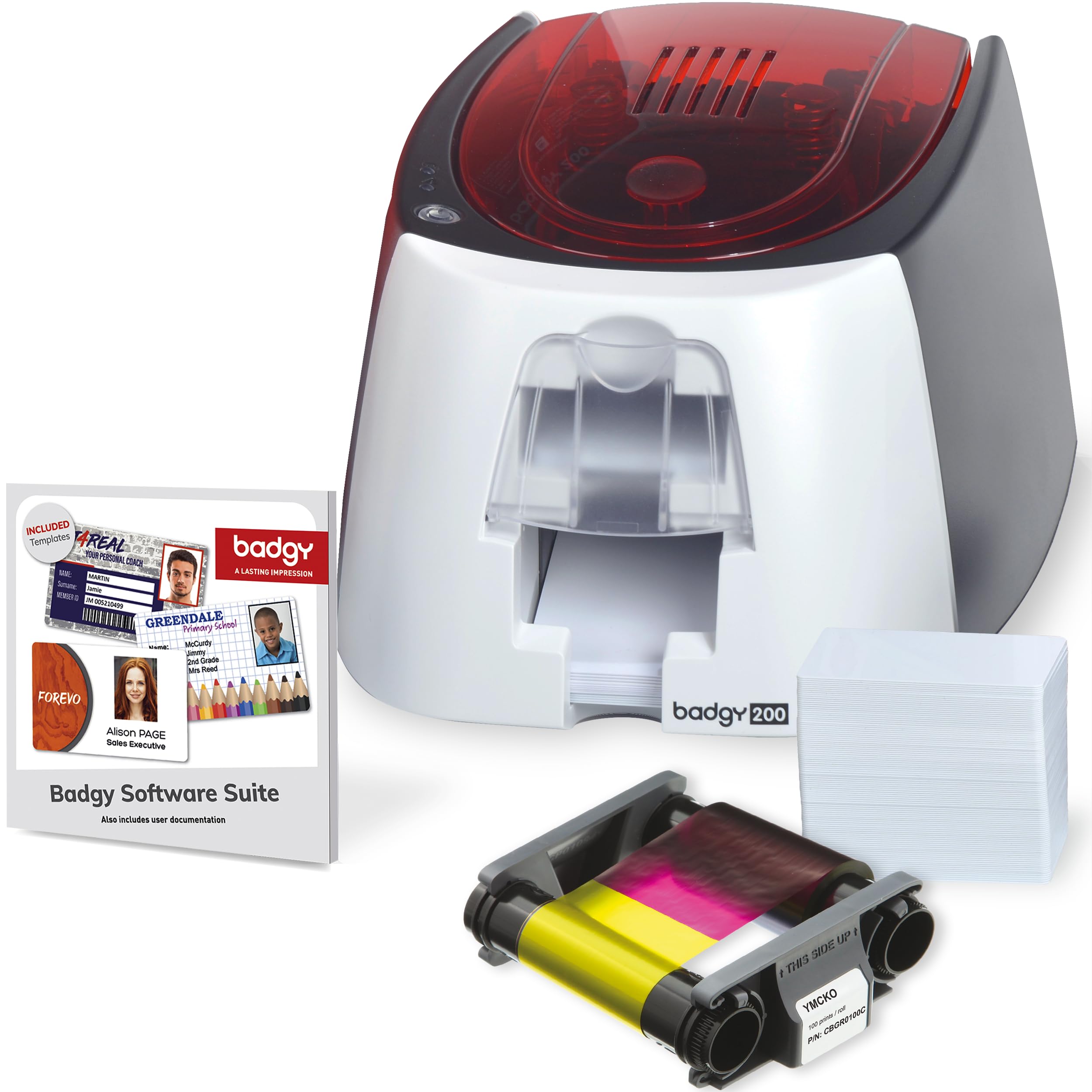
This Badgy200 variant includes the upgraded Badge Studio+ software, which supports database import and template-based design. It prints in full color and claims tamper-proof features (like watermark printing) that add security to school IDs or membership cards. The kit includes a 100-print ribbon and 100 blank cards.
However, there are significant caveats. The printer does NOT produce true edge-to-edge output — there’s a thick white margin that contradicts marketing claims. Blurry text and random spots have been reported, and customer service admitted that no printer in this price range truly offers borderless printing. The ribbon also has a high failure rate, tearing after roughly 50 prints in some cases.
For users who can accept a visible white border and occasional ribbon failures, the Badgy200 produces decent double-sided cards (with manual reinsertion) that look professional enough for most applications. The software is genuinely user-friendly, but buyers should purchase extra ribbons upfront and manage expectations about print perfection.
Why it’s great
- Badge Studio+ software with database import and templates
- Compact, lightweight design for desktop use
- Can print double-sided with manual card flip
Good to know
- Not truly edge-to-edge — thick white margin on all sides
- Ribbon has high failure rate and can tear mid-print
9. Badgy200 (B07JPZJY91) Single-Sided Printer
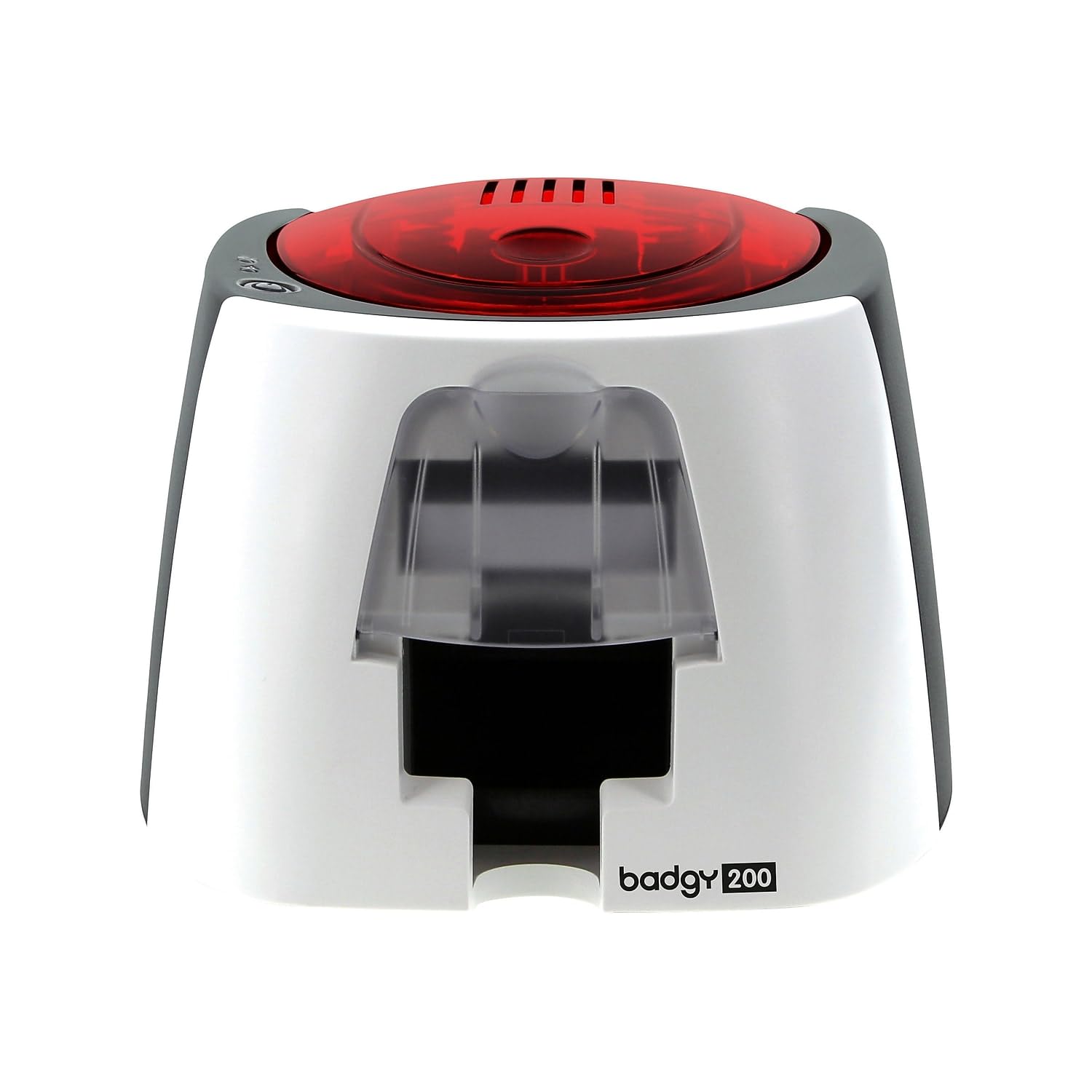
This Badgy200 model offers the same hardware as the white version but without the upgraded software bundle. It’s a straightforward single-sided printer with an 11-second initial page time and manual card loading. The package includes the printer, an input/output tray, and the Bodno Photo ID software Bronze Edition.
User experiences are mixed. Some buyers find it adequate for basic construction-site badges, noting it works “most of the time.” Others report serious reliability issues — the printer may stop functioning after a few hundred cards, and Evolis customer support has been described as unresponsive. The printer is also not compatible with Chrome OS, which limits its use in certain educational environments.
For its price, this Badgy200 is a gamble. When it works, it prints acceptable badges for low-volume needs. But the inconsistency and poor support make it a risky choice for any organization that depends on reliable ID printing. Consider the Fargo or Bodno variants if uptime is critical.
Why it’s great
- Fast 11-second first-page print time
- Includes Bodno Photo ID software Bronze Edition
Good to know
- Printer can encounter uncorrectable errors after a few hundred cards
- Evolis customer support is nearly nonexistent
- Not compatible with Chrome OS
10. IDP SMART-21S ID Card Simplex Printer Kit

The IDP SMART-21S is the most affordable entry point into single-sided ID printing. It produces 150 color cards per hour and 600 monochromatic cards per hour, with 24-bit color depth that delivers decent print quality for the price. The kit includes a 100-print YMCKO ribbon, 100 PVC cards, and PC-only IDesigner software. A free trial of IDP’s EasyCapture web-based photo capture tool is also included.
However, there are important limitations. The printer does NOT support borderless printing — customers report that blue prints as purple and the printer leaves an unprinted edge around the card. Replacement ribbons are only sold bundled with 100 PVC cards, forcing you to buy cards you may not need. The printer can only handle 30mil cards, not the 15mil cards advertised.
For micro-businesses printing a handful of badges per month, the SMART-21S is a functional, low-cost starter. But the consumable lock-in, color accuracy issues, and lack of Mac/Linux support mean it’s not a long-term solution. Budget for the orange roller replacement (~) and be prepared to buy ribbon-card combos.
Why it’s great
- Lowest upfront cost in the single-sided category
- Fast monochrome printing at 600 cards per hour
- Compact footprint for tight desk spaces
Good to know
- No true borderless printing; blue prints as purple
- Ribbon only sold bundled with PVC cards (wasteful)
- Windows-only software with no Mac support
11. Fargo DTC4250e Dual-Side ID Card Printer Package

The Fargo DTC4250e is a dual-sided printer that we’ve included because its single-sided mode is equally capable, and its Ethernet connectivity makes it ideal for networked offices. It supports automatic duplex printing (front and back in one pass), built-in erase-and-rewrite technology, and a smart LCD screen for managing print commands. The package includes a 250-print color ribbon and 100 PVC cards.
Print quality is excellent — users describe it as “very clear” and “professional looking.” The bundle works well with RFID key cards, which is a common requirement for employee access systems. Setup is straightforward, and the Card Imaging software (XXS edition) provides enough design capability for most use cases. The 3-year warranty adds confidence for high-volume environments.
The obvious trade-off is the price — significantly higher than single-sided-only models. If you genuinely need double-sided printing (e.g., badge on front, emergency contact on back), the DTC4250e pays for itself in speed and convenience. But if you only print single-sided badges, you’re paying for a feature you won’t use. The software also has a learning curve, and some users prefer to bypass it entirely and print directly from their own design tools.
Why it’s great
- Automatic dual-sided printing in one pass saves time
- Ethernet connectivity supports network deployments
- High-quality output suitable for RFID/proximity cards
Good to know
- Premium price for dual-sided capability you may not need
- Software can be unintuitive for new users
FAQ
Can a single-sided ID card printer print on both sides of the card?
What does YMCKO stand for in ID card printer ribbons?
Why is my ID card printer producing a purple tint on blue areas?
Can I use any brand of PVC card with my ID card printer?
How do I install an ID card printer without a CD-ROM drive?
Final Thoughts: The Verdict
For most users, the best single-sided id card printer winner is the Fargo DTC1250e because it offers the best combination of build quality, print speed, security features, and long-term reliability for small-to-medium offices. If you need multi-OS compatibility and higher resolution, grab the Bodno Seaory S26. And for the best value in an on-demand manual-feed workflow, nothing beats the Bodno Seaory S25 with its lifetime software license and excellent print quality.